

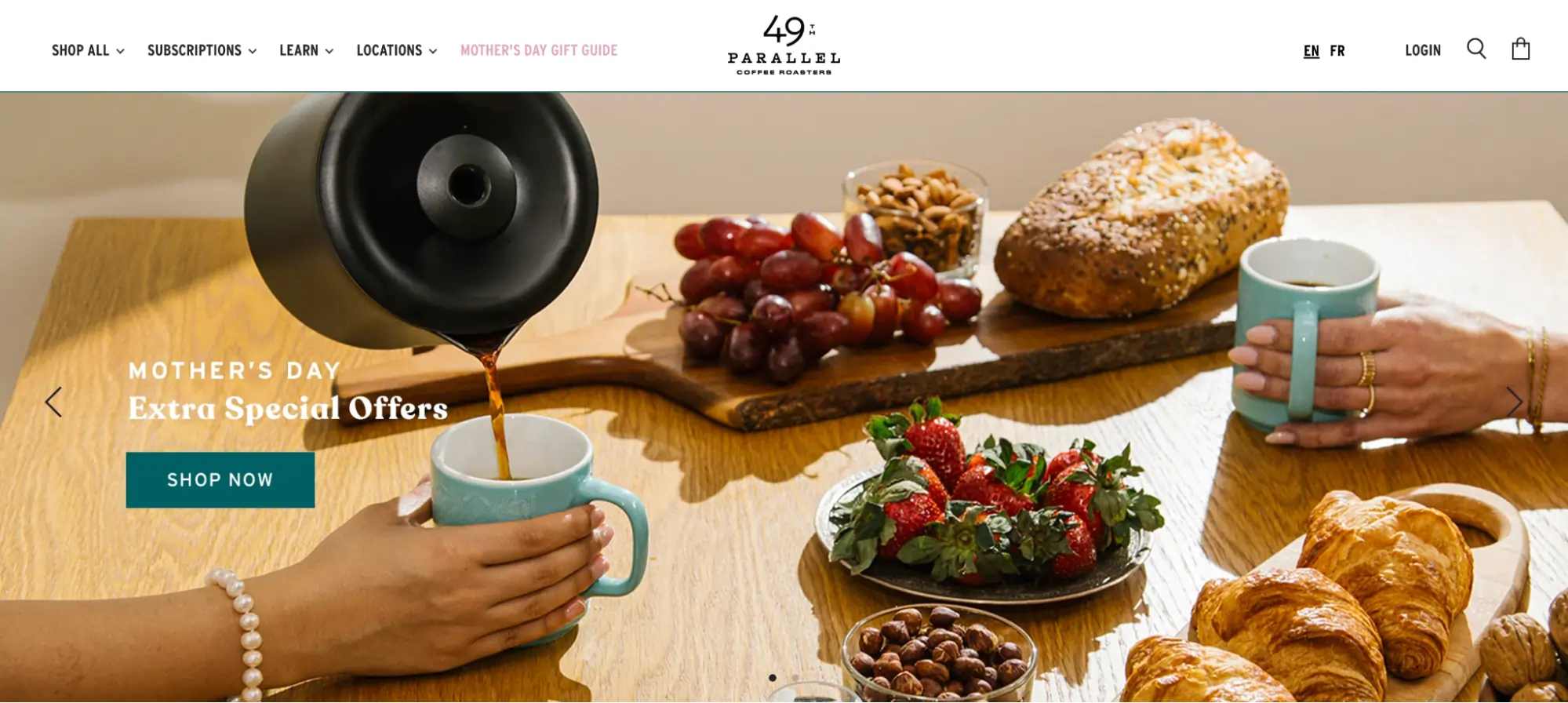
The digital storefront has evolved into a high-stakes environment where visual real estate is the most valuable asset for e-commerce merchants. Among the most debated elements of modern web design is the Shopify slider—a rotating display element designed to showcase products, testimonials, or promotional offers within a compact, interactive format. As the e-commerce landscape becomes increasingly saturated, the distinction between a high-converting slider and a distracting "banner" has become a critical focal point for store owners and UX designers alike. While sliders offer a method to communicate multiple value propositions without cluttering a single viewport, their implementation requires a sophisticated understanding of consumer psychology, technical performance, and data-driven optimization.
The Architectural Definition: Sliders versus Carousels
In the technical lexicon of Shopify development, the terms "slider" and "carousel" are often used interchangeably, yet they serve distinct functional roles. A slider typically refers to a component that rotates through one slide at a time, often occupying the full width of a hero section to provide a singular, focused moment for a message or product spotlight. Conversely, a carousel displays multiple items simultaneously—such as a row of three or four product cards—and rotates the entire group.

Market data suggests that carousels are most effective when utilized for social proof, such as logo walls and testimonial grids, where the sheer volume of content reinforces brand authority. Sliders, however, remain the preferred choice for seasonal promotions and brand storytelling, provided they are engineered to avoid the common pitfalls of "banner blindness," a phenomenon where users subconsciously ignore elements that resemble traditional advertisements.
The Data-Driven Debate: Performance versus Utility
The efficacy of sliders is a subject of significant scrutiny within the conversion rate optimization (CRO) community. Research conducted by the Baymard Institute reveals that while 33% of e-commerce websites utilize homepage carousels, approximately 46% of these implementations suffer from critical user experience (UX) issues. The primary concern cited by industry experts is that automated rotation can overwhelm visitors, moving to a new slide before a user has finished processing the current information.
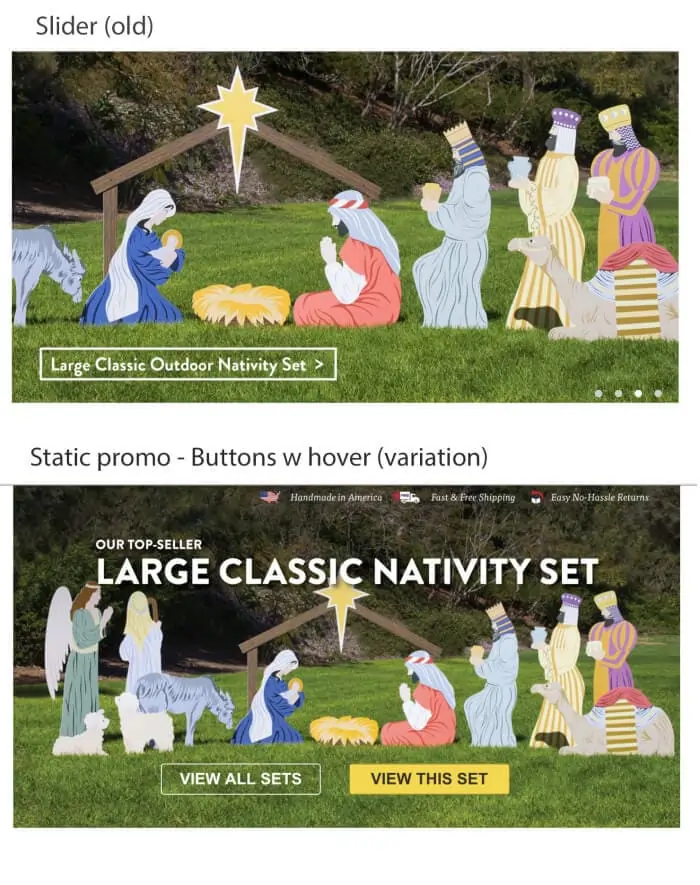
Tim Brown, a prominent figure in the CRO space, conducted a series of tests on client homepages that challenged the traditional reliance on sliders. His findings indicated that replacing a rotating slider with a high-quality static image featuring a single, clear call-to-action (CTA) improved conversion rates by 30%, achieving a statistical significance of 98%. "The issue is that people perceive sliders as if they are ads," Brown noted. "If there aren’t easy ways to navigate or if the navigation is tucked away, users simply stop interacting."

However, this is not a universal condemnation. Proponents like Luke Lee, co-founder of Ever Wallpaper, argue that when sliders are used to showcase product variety or provide 360-degree views, they remain indispensable. The consensus among digital marketing strategists is that sliders work best when they provide a "hint" of what is to come—such as a progress bar or a label indicating "Deal 1 of 3"—to encourage manual interaction.
Typology of Shopify Sliders in Modern E-commerce
To understand the breadth of slider utility, one must examine the diverse applications currently utilized by leading brands on the Shopify platform:
- Testimonial Sliders: Brands like QuadLock utilize these on product pages to build trust. By allowing shoppers to click through reviews at their own pace, the slider serves as a compact engine for social proof.
- Logo Carousels: The Honey Pot, a feminine care brand, employs an automatic logo slider to display major retail partners like Walmart and Target, instantly establishing institutional credibility.
- Vertical Product Image Sliders: Pura Vida uses vertical sliders to provide six distinct angles of their bracelets, allowing shoppers to visualize the product in various contexts—stacked, individual, or worn—without navigating away from the main product page.
- Bestseller and New Arrival Sliders: Retailers such as Soko Glam and Beauty Solutions use manual and automatic sliders to direct traffic toward high-intent products, effectively acting as an automated personal shopper for first-time visitors.
Technical Evolution: Shopify Online Store 2.0
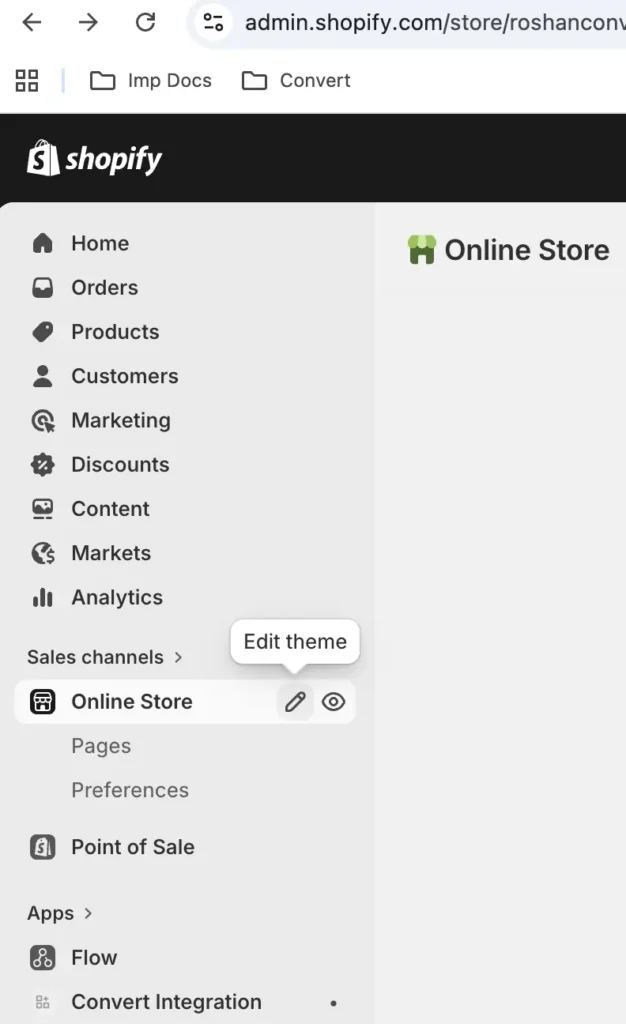
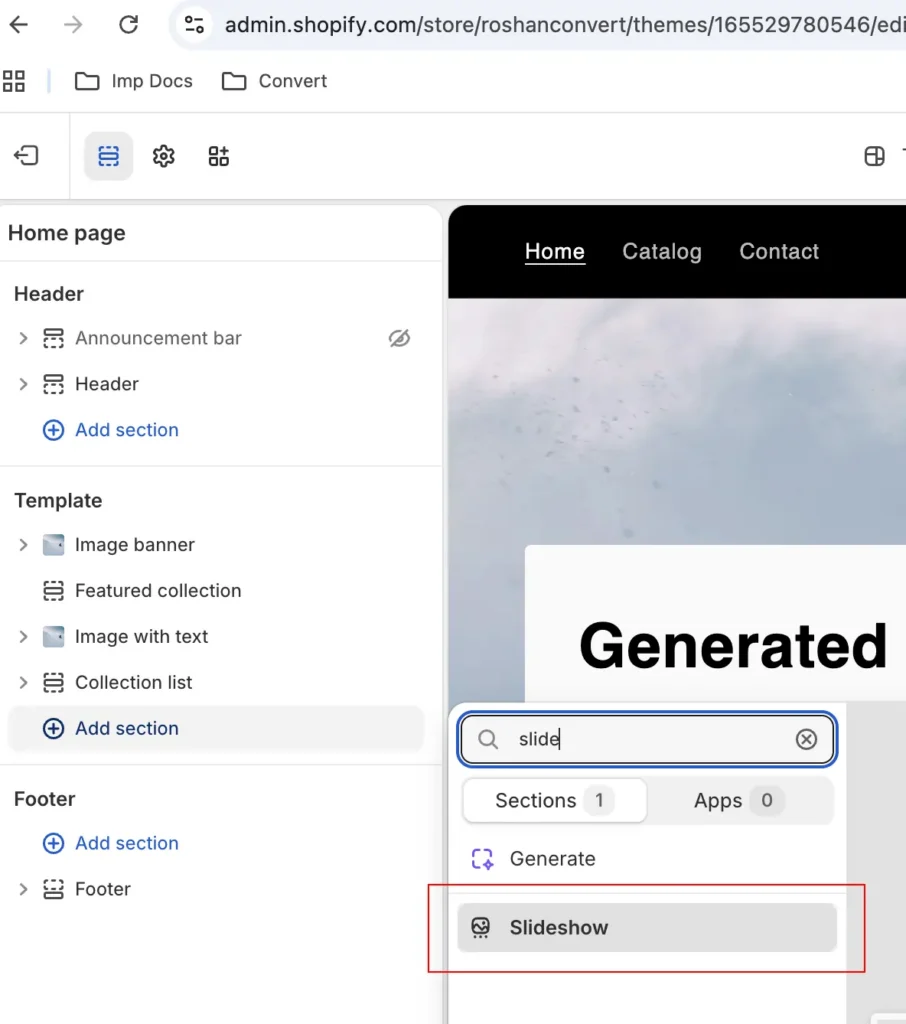
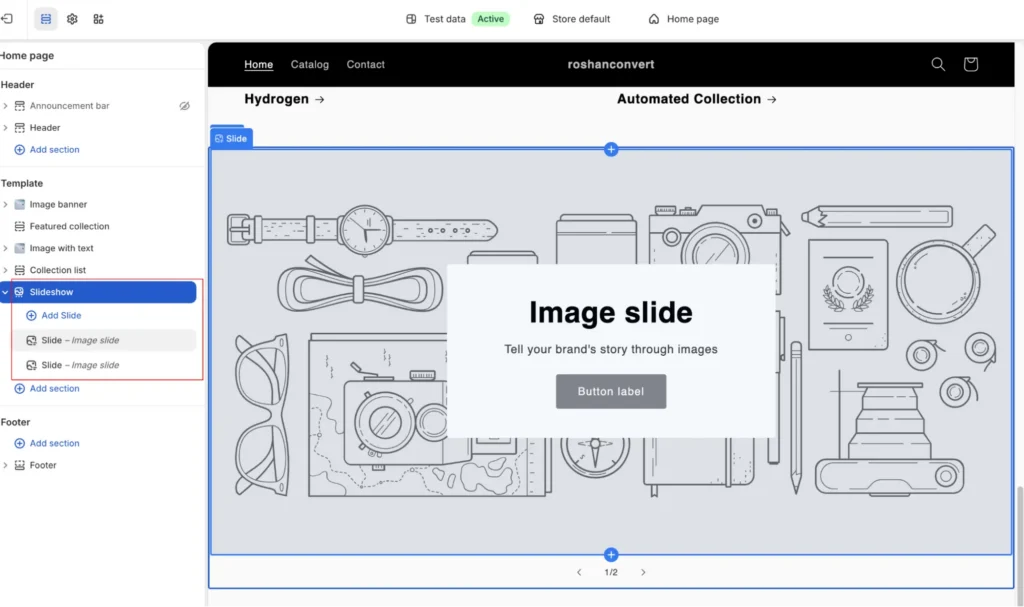
The methodology for adding sliders to a Shopify store underwent a paradigm shift with the release of Online Store 2.0 in 2021. Previously, adding a slider often required custom Liquid coding or heavy third-party plugins that could degrade site performance. In the current ecosystem, most modern themes—including Shopify’s flagship "Dawn" theme—ship with native slideshow sections.
For merchants seeking advanced functionality, the Shopify App Store has evolved to offer sophisticated tools that integrate AI-assisted design and lazy-loading technology. Leading applications in 2025 include:
- POWR Image Slider & Carousel: Notable for its built-in AI image generation, allowing merchants to create visuals from text prompts.
- Slider Revolution & Sections: A feature-heavy option that supports multilingual content and right-to-left (RTL) layouts for global retailers.
- GG Product Page Image Slider: Specifically optimized for the product page, supporting 3D models and Augmented Reality (AR) previews.
- OctoSlide Slider & Carousel: Focuses on performance with lazy-load support to ensure that slider-heavy pages do not suffer from slow "PageSpeed" scores.
The Framework for Scientific Optimization: A/B Testing
Because sliders are controversial, the only path to a definitive ROI is through rigorous A/B testing. Tools like Convert Experiences allow merchants to pit different slider configurations against one another. Key testing hypotheses often revolve around:
- Static vs. Slider: Testing a single hero image against a three-slide rotation.
- Manual vs. Auto-play: Determining if users prefer to control the experience or have it guided automatically.
- Rotation Speed: Comparing 3-second intervals against 5-second or 7-second intervals.
- Navigation Style: Testing the visibility of arrows versus dots or progress bars.
To prevent "flicker"—the split-second appearance of the original content before the test variation loads—developers now utilize advanced JavaScript masking techniques. This ensures that the user experience remains seamless, providing clean data for statistical significance.
Strategic Best Practices for Maximum Conversion
To ensure a Shopify slider contributes to a store’s bottom line rather than detracting from it, several industry best practices must be observed:
1. Prioritize the First Slide
Data indicates that engagement drops precipitously after the first slide. Therefore, the most critical value proposition or "Hero Offer" must occupy the primary position. If the first slide fails to hook the visitor, subsequent slides are essentially invisible.
2. Optimize for Mobile Responsiveness
Mobile traffic frequently accounts for over 70% of e-commerce sessions. Sliders that work on desktop often fail on mobile due to smaller screen real estate and the lack of "hover" states. Experts recommend using static sliders on mobile or ensuring that manual controls are large enough for "fat-finger" navigation.
3. Performance and Core Web Vitals
A major drawback of sliders is their impact on Largest Contentful Paint (LCP) and Cumulative Layout Shift (CLS). Merchants must compress images using WebP formats and ensure that the slider container has a defined height to prevent the page from jumping as images load. Jeff Moriarty, a digital marketing consultant, warns that uncompressed sliders can exceed 50MB, causing visitors to bounce before the content even renders.
4. Limit the Slide Count
The paradox of choice suggests that too many options lead to inaction. Most successful Shopify stores limit their sliders to three or four frames. This reduces the cognitive load on the visitor and keeps the page weight manageable.
5. Asymmetrical Layouts
Following the lead of major platforms like Airbnb, many Shopify themes are moving toward asymmetrical carousels. This involves one large "feature" image paired with smaller thumbnails, providing a clear focal point while hinting at the depth of the remaining content.
The Future of Sliders: AI and Personalization
As we move further into 2025, the "one-size-fits-all" slider is becoming obsolete. The next generation of Shopify sliders will be driven by real-time personalization. AI algorithms can now detect a visitor’s referral source or past browsing history to dynamically change the slider content. For example, a returning customer might see a "Welcome Back" slider with personalized recommendations, while a first-time visitor from a Facebook ad sees a promotional discount related to that specific campaign.
Furthermore, the integration of AI-assisted copywriting ensures that the text on each slide is optimized for engagement. Apps are now incorporating "sentiment analysis" to suggest headlines that resonate with specific demographic segments, moving the slider from a static design element to a dynamic conversion engine.
Conclusion: A Tool for Strategic Engagement
Shopify sliders, when executed with precision and backed by data, remain a powerful tool for modern e-merchants. They solve the perennial problem of limited screen real estate and provide a platform for multi-faceted brand storytelling. However, the era of the "unoptimized slideshow" is over. Success in the current market requires a focus on mobile-first design, lightning-fast load times, and a commitment to constant A/B testing. By viewing the slider not just as a visual decoration, but as a strategic component of the user journey, Shopify store owners can effectively turn "scrollers" into "buyers."







