The digital marketing landscape is currently saturated with "zombie statistics"—outdated data points from the early 2010s that continue to be cited in modern strategy briefs despite significant shifts in user behavior and technological capabilities. For years, the industry has relied on the assertion that 81% of users abandon forms or that multi-step forms universally convert at 86% higher rates, yet recent audits of primary sources reveal that many of these figures are either decade-old relics or based on flawed methodologies. As organizations move toward a "zero-party data" strategy to combat the loss of third-party cookies, the accuracy of form performance benchmarks has become a critical factor in determining customer acquisition costs and overall digital ROI.
The Evolution of Form Analytics: From 2010 to 2025
The trajectory of online form design has moved through three distinct eras. In the early 2010s, the "Information Gathering" era prioritized volume, often leading to exhaustive forms with dozens of fields designed to qualify leads before they ever reached a sales representative. This was followed by the "Mobile-First" era of the mid-2010s, which saw a drastic reduction in field counts as developers struggled to accommodate smaller screens and clunky mobile keyboards.
Today, we are in the "Frictionless Intelligence" era. Modern forms utilize browser-level autofill, social logins, and dynamic validation to minimize the cognitive load on the user. Despite these advancements, many marketing teams are still measuring success against benchmarks established during the Obama administration. The reality of 2025 is that form completion is no longer just about length; it is about the perceived value exchange and the technical seamlessness of the interface.
Current Performance Benchmarks and Completion Rates
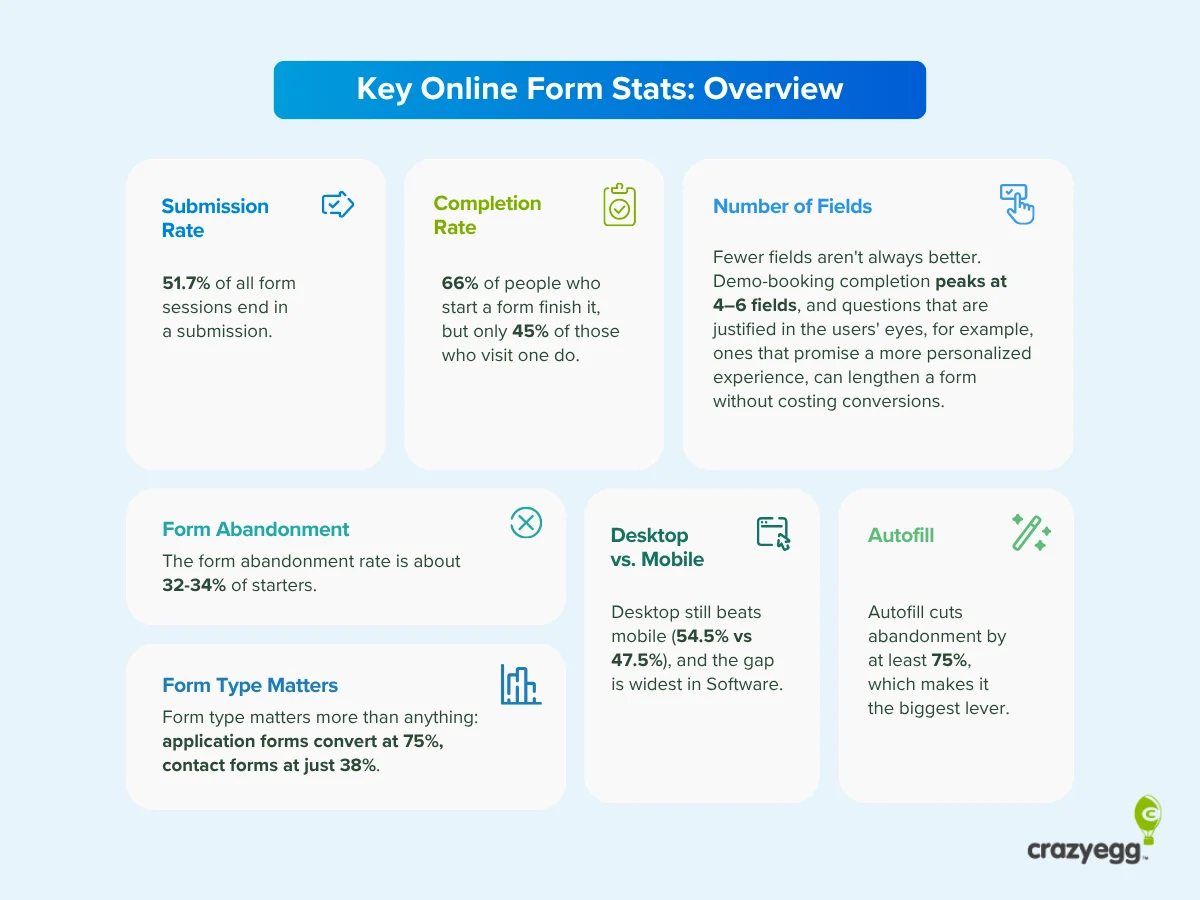
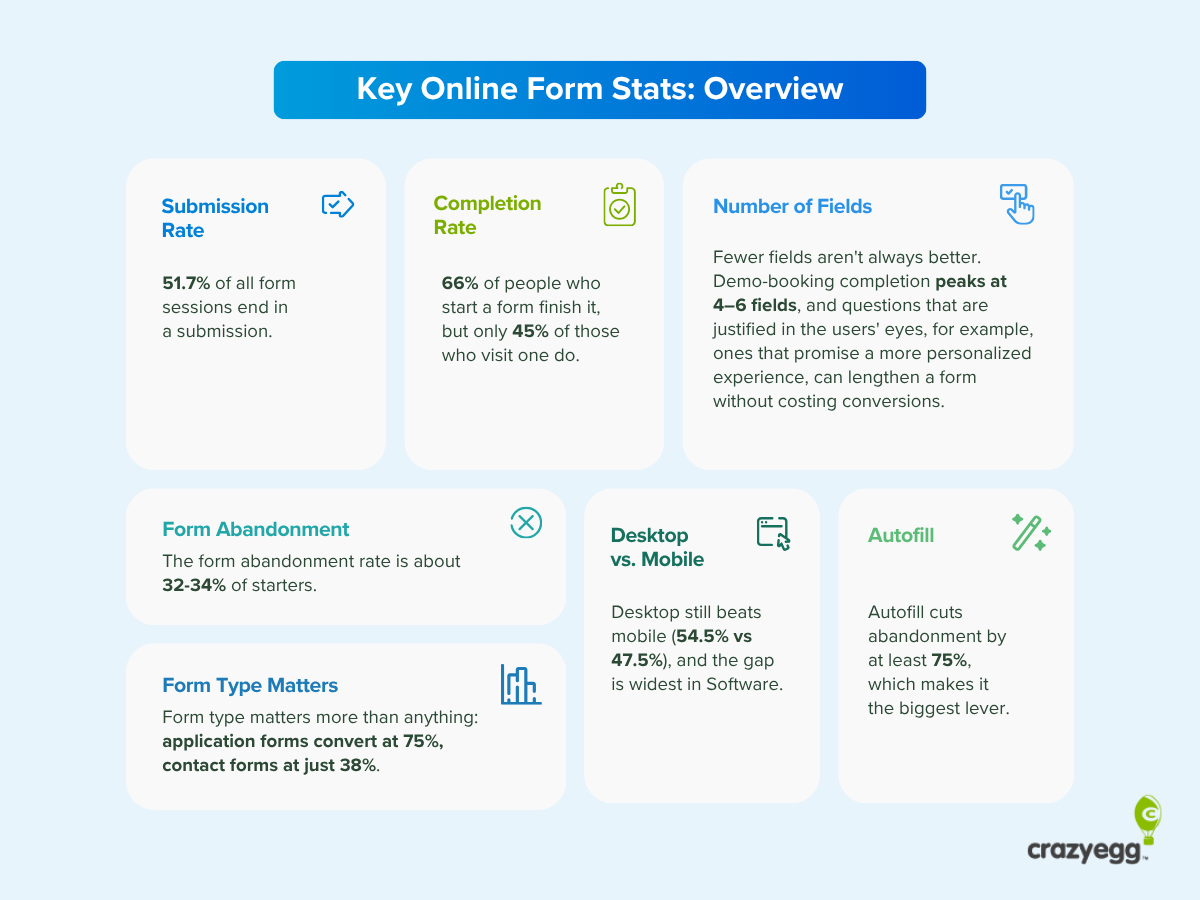
To establish a baseline for modern performance, analysts now distinguish between two primary metrics: the "Starter Completion Rate" and the "Visitor Conversion Rate." According to consolidated data from 2024 and early 2025, the average completion rate for users who actually interact with a form stands between 45% and 66%. This varies significantly depending on the industry and the intent of the user.
In high-intent sectors such as financial services or healthcare, completion rates tend to be higher because the user has a specific, often necessary, outcome in mind. Conversely, in low-intent scenarios like newsletter signups or "gated" content downloads, abandonment is much higher. Recent studies indicate that while the average website conversion rate (total visitors divided by form completions) hovers around 1.7% to 2.1%, focusing on this number alone can be misleading. It fails to account for the quality of the traffic or the specific point in the buyer’s journey where the form is encountered.
The Mobile Paradigm Shift
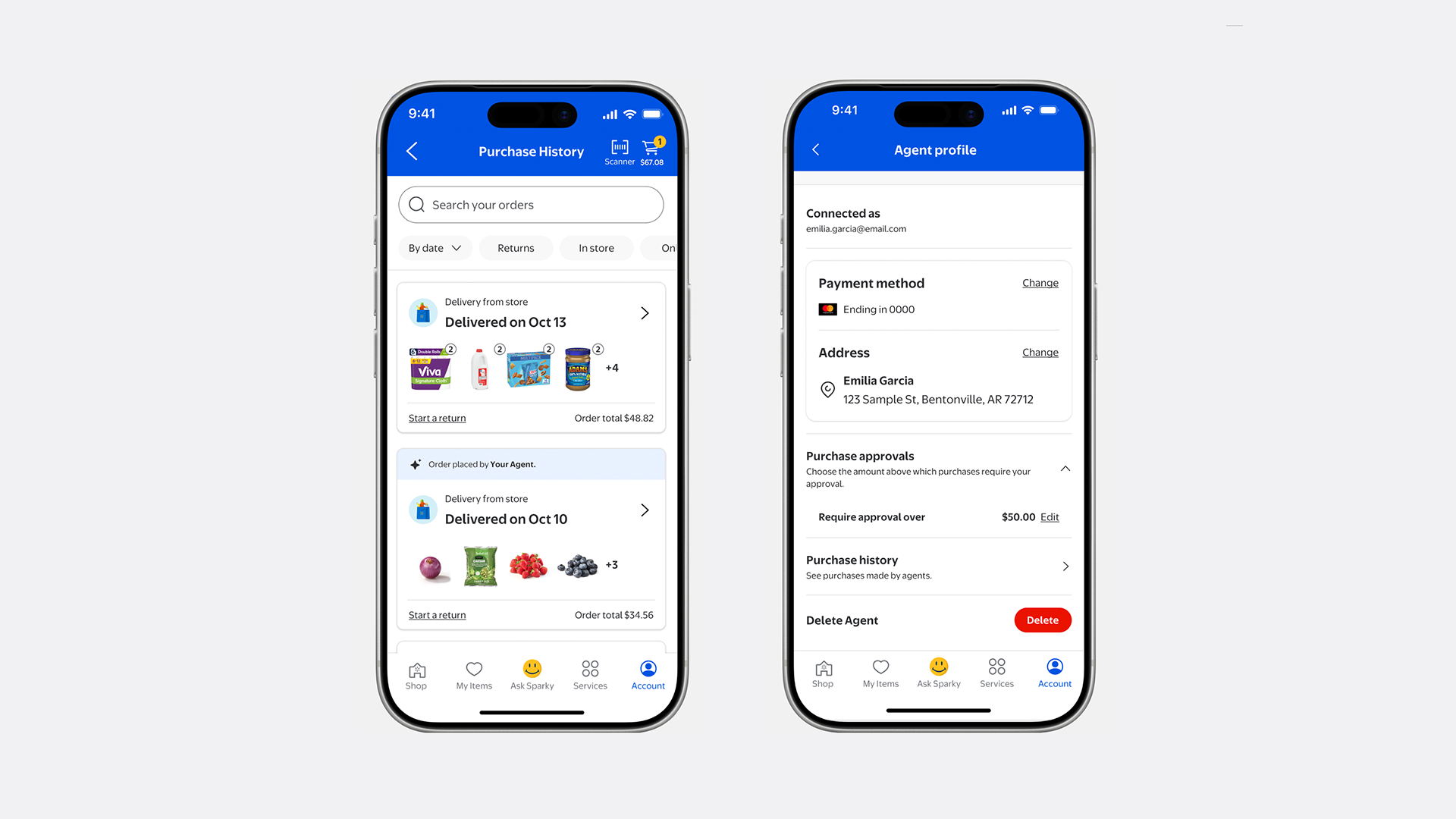
One of the most persistent myths in digital marketing is the idea that users "hate" filling out forms on mobile devices. This belief stems largely from a 2018 survey by The Manifest, which suggested that only 3% of people preferred mobile forms. However, behavioral data from the past 24 months paints a different picture. Mobile now accounts for nearly half of all form sessions, with completion rates reaching 47.53%. This is only approximately seven percentage points behind desktop performance, a gap that is closing rapidly as mobile operating systems improve their "strong password" and "address autofill" suggestions.
The implication for businesses is clear: optimizing for mobile is no longer an "extra" step but a foundational requirement. Forms that fail to utilize mobile-native features—such as numeric keypads for phone number fields or date pickers for birthdays—see abandonment rates spike by as much as 35% compared to those that do.
Debunking the Multi-Step Form Superiority Myth
For nearly a decade, the "86% higher conversion" stat for multi-step forms has been treated as gospel. Investigation into the primary sources of this data—primarily a 2015 Formstack report and a 2019 HubSpot survey—reveals significant context gaps. The 2015 data failed to account for the fact that multi-step forms are naturally used for high-intent activities like contest entries or multi-page applications, where users are already committed to finishing.
Furthermore, the 2019 HubSpot survey was based on self-reported data from a small sample of 173 marketers. Modern A/B testing suggests that while multi-step forms can reduce "form fatigue" by breaking up information into digestible chunks, they are not a universal panacea. For simple tasks like a "Contact Us" request, a single-page layout remains more efficient. The key is "Progressive Disclosure"—showing users only what they need to see at that moment—rather than arbitrarily splitting a form into multiple pages.
The Role of Design: Fields, Columns, and Validation
The physical layout of a form remains a primary driver of user psychology. A landmark study by Speero (formerly CXL) in 2016 suggested that single-column forms are completed 15.4 seconds faster than multi-column layouts. While the speed of completion is a valuable metric, it does not always correlate perfectly with completion rates.
However, current UX standards emphasize that single-column layouts are superior for mobile responsiveness and prevent the "Z-pattern" eye movement that can lead to user confusion. Other critical design factors identified in 2024 performance reviews include:
- Inline Validation: Providing real-time feedback (e.g., a green checkmark when an email is formatted correctly) can increase completion rates by up to 22%. It prevents the frustration of "submission errors" that occur after the user thinks they are finished.
- Field Labels vs. Placeholder Text: Using placeholder text inside a field instead of a label above it has been shown to decrease accessibility and increase error rates, as users lose track of what they are typing once the placeholder disappears.
- The "Optional" Field Trap: Including too many optional fields increases the visual noise of the form. Data suggests that every unnecessary field added to a form can decrease the conversion rate by approximately 3% to 5%.
The Power of Autofill and Technical Optimization
Autofill is perhaps the most significant lever for increasing form completion in the current era. When fields are properly labeled with "autocomplete" attributes (such as name, email, and tel), the browser can populate the data in milliseconds. Despite the obvious benefits, technical audits show that roughly one-third of professional business forms still lack proper labeling, forcing users to type manually and increasing the likelihood of typos and abandonment.
Industry analysts suggest that the "Autofill Win" is essentially free conversion. It requires no changes to marketing copy or field count—only a technical adjustment to the HTML tags. In an environment where every millisecond of friction counts, failing to support autofill is a major strategic oversight.
Diagnostic Strategies: Identifying the "Leaks"
To improve form performance, organizations must move beyond industry benchmarks and look at their own granular data. Experts recommend a four-pronged diagnostic approach:
- Heatmapping: Visualizing where users click and how far they scroll. This often reveals that users are distracted by navigation links or "cancel" buttons that are too prominent.
- Field-Level Analytics: Identifying exactly which field causes users to drop off. Often, a specific question—such as a phone number or a "budget" field—acts as a bottleneck.
- Session Recordings: Watching real-time playbacks of users interacting with the form to see where they hesitate, backspace, or experience technical glitches.
- A/B Testing: Systematically testing variations of button copy (e.g., "Submit" vs. "Get Started") and layout to confirm which changes actually drive behavior.
Broader Impact and Future Outlook
As we look toward 2026, the role of the online form is shifting from a mere "data capture" tool to a "first impression" of a brand’s digital maturity. With the rise of AI-driven personal assistants, we may soon see a world where users don’t "fill out" forms at all; instead, their digital agents will negotiate the data exchange on their behalf.
For now, the priority for businesses must be the retirement of outdated statistics and a renewed focus on user experience. The data is clear: brevity is helpful, but usability is paramount. By focusing on mobile optimization, supporting browser-level technologies like autofill, and providing clear, real-time validation, companies can significantly reduce the friction that leads to the infamous 81% (or more accurately, 45%) abandonment rate. In the competitive landscape of digital acquisition, the form is no longer a footnote—it is the finish line.


 Asro
Asro
 Dwi Wanna