The mobile application ecosystem has reached a level of saturation where simply monitoring basic performance metrics is no longer sufficient to maintain a competitive edge. While the majority of mobile app professionals utilize quantitative analytics to track user behavior, a significant portion of these workflows remains fundamentally flawed due to a reliance on numerical data without behavioral context. The industry is currently witnessing a paradigm shift as developers and product managers realize that quantitative data—while essential for identifying trends—fails to explain the underlying motivations behind user actions. To bridge this gap, the integration of qualitative analytics, specifically touch heatmaps and user session recordings, has become a critical requirement for modern app optimization and proactive troubleshooting.
The Evolution of Mobile App Measurement: From Metrics to Meanings
The history of mobile analytics can be traced back to the early days of the App Store and Google Play, where success was measured almost exclusively through download counts and rudimentary active user metrics. As the market matured, the focus shifted toward "vanity metrics" and eventually to more sophisticated quantitative data, such as Daily Active Users (DAU), Monthly Active Users (MAU), churn rates, and average revenue per user (ARPU). However, even these advanced numbers provide only a two-dimensional view of the user experience.
By the mid-2010s, the emergence of qualitative analytics tools began to change the landscape. These tools were designed to answer the "why" behind the "what." If quantitative data showed that 40% of users were dropping off at the registration screen, qualitative data allowed developers to see that users were struggling with a specific input field or that a "Submit" button was obscured on certain device resolutions. This evolution represents a transition from reactive monitoring to a holistic understanding of the digital user journey.
The Quantitative Limitation: Understanding the "What" vs. the "Why"
Quantitative analytics serves as the foundational "alarm system" for mobile applications. It is indispensable for tracking high-level performance indicators and identifying anomalies in user behavior. For instance, a sudden spike in the abandonment rate of a shopping cart is a clear quantitative signal that something is wrong. However, numerical data is inherently limited; it cannot describe the frustration of a user who taps a non-responsive element or the confusion caused by a poorly designed navigation menu.
The flaw in many current workflows is the attempt to solve behavioral problems using only numerical solutions. When a product team sees a high exit rate on a specific page, they may resort to A/B testing various layouts blindly. This "stab in the dark" approach is inefficient and costly. In contrast, qualitative analytics provides the visual evidence needed to make informed decisions. By supplementing quantitative "what" (e.g., a 15% drop in conversion) with qualitative "why" (e.g., users are unable to find the checkout button on smaller screens), teams can streamline their optimization efforts and reduce the time-to-resolution for critical UX issues.
The Mechanics of Qualitative Tools: Heatmaps and Session Recordings
To effectively revamp an analytics workflow, professionals must understand the technical capabilities of the two primary qualitative tools: touch heatmaps and user session recordings.
Touch Heatmaps and the Identification of Unresponsive Gestures
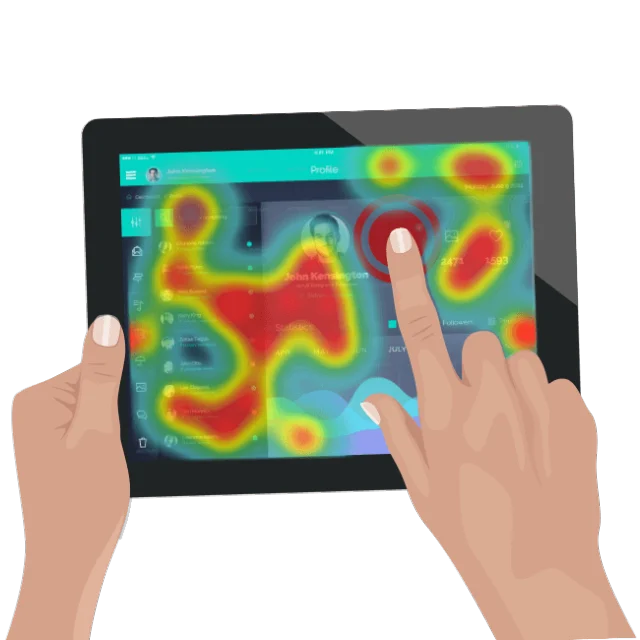
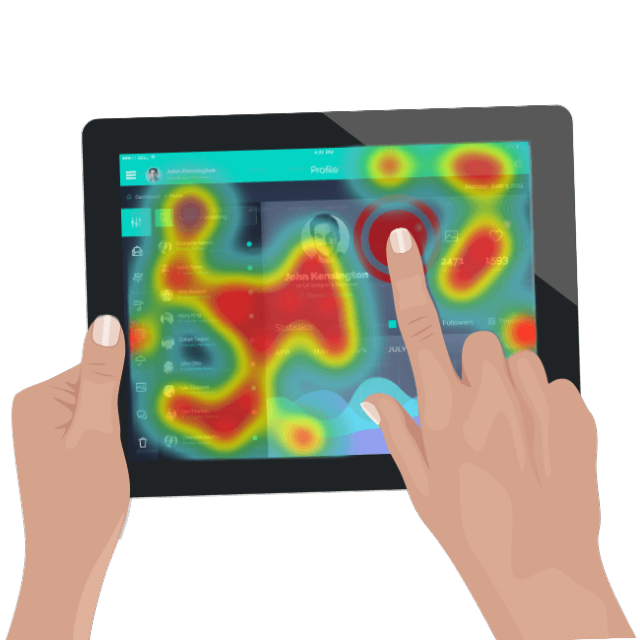
Touch heatmaps aggregate every user interaction—taps, double-taps, swipes, and pinches—across every screen of an application. This data is then visualized as a color-coded overlay, where "hot" areas represent high frequency and "cold" areas represent neglected elements. This tool allows app professionals to verify if users are interacting with the app as intended.
A critical subset of heatmap data is the "unresponsive gesture" report. These occur when a user taps an element—perhaps an image they believe is a link or a button that fails to trigger an action—and receives no feedback from the app. Industry data suggests that unresponsive gestures are a leading cause of user frustration and app abandonment. By identifying these "dead zones," designers can either make those elements interactive or redesign the interface to better align with user expectations, thereby improving the overall intuitiveness of the product.
User Session Recordings: The Unbiased User Perspective
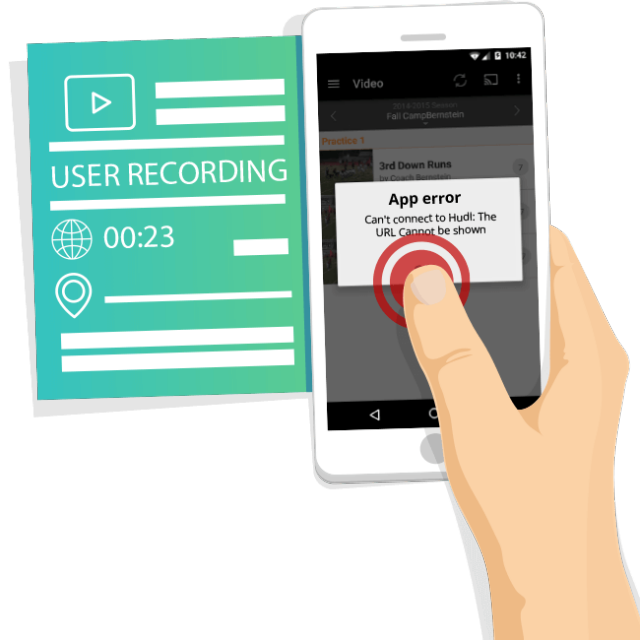
User session recordings provide a literal video playback of a user’s journey through the app. Unlike traditional usability testing, which occurs in a controlled environment and can be subject to "observer bias," session recordings capture real users in their natural environment. Every sequence of events, from the moment the app is launched to the moment it is closed or crashes, is documented.
This tool is particularly effective for diagnosing complex issues like "rage clicks"—where a user taps an element repeatedly in frustration—or identifying the specific sequence of actions that leads to a technical failure. Modern session recording tools are designed to run in the background with minimal impact on device performance and are often equipped with privacy filters to automatically mask sensitive user information, ensuring compliance with global data protection regulations like GDPR and CCPA.
Data-Fueled Optimization: A Dual-Pronged Approach
The most effective mobile app workflows utilize a "lather, rinse, repeat" cycle of alert, investigate, and resolve. This process relies on the synergy between quantitative and qualitative data.
Consider a scenario where a financial services app notices a significant drop-off in its "Apply for Loan" funnel. Quantitative tools provide the alert: 60% of users leave at step three of the five-step process. Without qualitative insights, the team might assume the form is too long and spend weeks shortening it, potentially losing valuable data collection points.
However, by investigating through user session recordings, the team discovers that users are actually encountering a bug where the "Next" button becomes unclickable if they use the auto-fill feature on their mobile keyboard. This insight allows the team to resolve the specific technical issue rather than overhauling the entire user interface. This data-fueled optimization ensures that resources are allocated toward fixing actual problems rather than perceived ones.
The Shift from Reactive to Proactive Troubleshooting
One of the most significant advantages of qualitative analytics is the ability to engage in proactive troubleshooting. Quantitative analytics is inherently reactive; it requires a statistically significant sample size of users to experience a problem before a trend becomes visible. By the time a developer sees a spike in crash rates in their dashboard, thousands of users may have already been affected, leading to negative App Store reviews and loss of brand equity.
Qualitative analytics allows for a "pre-emptive strike" against bugs. By regularly reviewing session recordings and heatmaps—even when the numbers look stable—QA teams can spot minor usability hurdles or edge-case bugs before they escalate into widespread issues. For example, a developer might notice a single session where a user’s login via a third-party API, such as Twitter or Google, fails momentarily. By investigating that specific recording, the developer can identify a latent conflict in the code and patch it before it affects the broader user base. This proactive stance is essential for maintaining high retention rates in a market where users are quick to delete underperforming apps.
Industry Impact and the Future of Mobile Experience
The broader implications of adopting qualitative analytics extend beyond simple bug fixing. In an era where "User Experience is the Product," the ability to empathize with the user’s digital journey is a competitive necessity. Market analysts suggest that companies that prioritize UX-driven development see a significantly higher return on investment (ROI) compared to those that focus solely on feature accumulation.
Furthermore, as Artificial Intelligence (AI) and Machine Learning (ML) continue to integrate with analytics platforms, we can expect to see "automated qualitative analysis." Future systems may be able to automatically flag sessions that contain high levels of user frustration or identify patterns in heatmaps that suggest a design flaw, further streamlining the workflow for app professionals.
Conclusion: Bridging the Gap for Mobile Success
The integration of qualitative analytics into the standard mobile app workflow represents the maturation of the industry. By combining the "what" of quantitative data with the "why" of qualitative insights, app professionals can move beyond surface-level metrics to achieve a deep, actionable understanding of their users.
The implementation of touch heatmaps and user session recordings provides a clear path to optimizing conversion funnels and securing the technical integrity of the app through proactive troubleshooting. In a landscape where user expectations are at an all-time high, the transition to a holistic, data-informed strategy is not just an advantage—it is a prerequisite for any mobile application aiming to become a market powerhouse. The final result of this integration is a more intuitive, stable, and successful product that resonates with users and stands the test of time in a crowded marketplace.