
It might shock you to learn that between 80 to 95 percent of all cyberattacks commence with a phishing email, a statistic that underscores the foundational vulnerability of digital communication. As artificial intelligence (AI) continues to advance, cybercriminals are leveraging its capabilities to craft increasingly sophisticated and convincing attacks, further blurring the lines between legitimate and malicious correspondence. This alarming trend is contributing to a projected surge in the global cost of cybercrime, which is expected to reach a staggering $10.5 trillion annually by 2025, posing a significant threat to individuals, businesses, and global economies alike. Fortunately, proactive measures can be implemented to fortify digital defenses, protecting brands, customers, and sensitive information from even the most cunning phishing and spoofing attempts. Among these crucial defenses, authenticating email through a properly configured Sender Policy Framework (SPF) record stands out as a vital first line. This article will delve into a comprehensive explanation of SPF records, their operational mechanics, and the meticulous process involved in their creation and management.
The Escalating Threat of Phishing and Cybercrime
The digital landscape is a battleground, with cybercriminals constantly evolving their tactics. Phishing, a form of social engineering where attackers impersonate trusted entities to trick individuals into divulging sensitive information or performing actions, remains the most prevalent vector for cyberattacks. The sheer volume and increasing sophistication of these attacks are largely attributed to the democratization of advanced tools, including AI, which can generate highly personalized and grammatically flawless phishing emails at scale. This makes it challenging for even vigilant users to distinguish legitimate communications from malicious ones. The financial ramifications are immense; beyond the projected $10.5 trillion annual cost, individual data breaches stemming from phishing attacks can cost organizations millions, including regulatory fines, reputational damage, and recovery expenses. For instance, reports indicate that the average cost of a data breach in 2023 was approximately $4.45 million, with phishing being a consistent top enabler.
Understanding SPF: A Foundational Layer of Email Security
A Sender Policy Framework (SPF) is a specific type of Domain Name System (DNS) text record (TXT record) that allows domain owners to publish a list of mail servers authorized to send email on behalf of their domain. This seemingly simple mechanism serves as a critical authentication layer, providing a robust defense against email spoofing and phishing.
The Genesis of Email Authentication
The need for email authentication arose as the internet matured and email became a primary mode of communication. Early email protocols, designed for a more trusting environment, lacked inherent mechanisms to verify the sender’s identity. This oversight made it easy for malicious actors to forge sender addresses, leading to the proliferation of spam, phishing, and various forms of email fraud. SPF was formally introduced in the early 2000s (initially proposed in 2003 and later standardized as RFC 4408 in 2006) as one of the first widely adopted protocols to address this fundamental flaw. Its primary goal was to provide a simple, scalable method for recipient mail servers to verify if an incoming email originated from an authorized sender for the domain it claims to be from.
How SPF Works: Authorizing Senders
When an email is sent, the recipient’s mail server performs a series of checks to determine its legitimacy. One of these crucial checks involves querying the DNS for the sender’s domain to retrieve its SPF record. This record contains a list of IP addresses and hostnames that are permitted to send email for that domain. The recipient server then compares the IP address of the incoming mail server with the list provided in the SPF record.
If the sending IP address is found in the SPF record, the email is considered authenticated by SPF, signaling to the recipient server that it likely originated from a legitimate source. Conversely, if the sending IP address is not listed, the email fails the SPF check. Depending on the policy specified in the SPF record, the recipient server may then mark the email as suspicious, quarantine it, or reject it outright, preventing it from reaching the recipient’s inbox or, crucially, being mistaken for a legitimate message. This process is particularly vital for custom domain email addresses, which often lack the inherent protection offered by large Email Service Providers (ESPs) that manage authentication on a grander scale.
The benefits extend beyond mere security; SPF authentication significantly improves email deliverability. By preventing bad actors from exploiting a domain, organizations demonstrate to recipient servers that they are a trustworthy source of information. This enhanced reputation directly translates into a higher likelihood that legitimate emails will bypass spam filters and reach their intended recipients’ inboxes, rather than being redirected to junk folders.

Anatomy of an SPF Record: Mechanisms and Modifiers
An SPF record is a single string of text stored as a TXT record in a domain’s DNS settings. It begins with v=spf1 to declare the SPF version and then lists various “mechanisms” that define which hosts are authorized to send email, followed by a “qualifier” that specifies how receiving mail servers should handle emails that fail the SPF check.
Key Mechanisms Explained
A typical SPF record will contain at least some of the following mechanisms:
a: Authorizes the IP address(es) of the domain itself (from its A record). If the domainexample.comhas an A record pointing to192.0.2.1, thenaauthorizes192.0.2.1.mx: Authorizes the IP address(es) of the domain’s MX (Mail Exchanger) records. This is common for domains that send email from their own mail servers.ip4/ip6: Explicitly lists authorized IPv4 or IPv6 addresses or IP ranges (e.g.,ip4:192.0.2.0/24). This is used for specific servers or ranges not covered byaormx.include: Authorizes external domains whose SPF records should also be consulted. This is crucial when using third-party email services (e.g.,include:spf.mailgun.orgfor Mailgun). Eachincludecounts towards the 10-lookup limit, which is a critical consideration for complex SPF records.exists: A more advanced mechanism that checks if a domain name exists. It’s rarely used but offers flexibility for complex configurations.redirect: Specifies that the SPF record for another domain should be used instead of the current one. This mechanism should be used carefully as it can lead to complex dependencies.
Quantifiers: Defining Policy Enforcement
Each mechanism can be prefixed with a quantifier, dictating how a mail server should react if a match is found (or not found). The most common quantifiers are:
+(Pass): The default. If omitted, it implies a pass. The sender is authorized. (e.g.,+a)-(Fail): The strictest policy. If the sender’s IP address is not authorized by any preceding mechanism, the email should be rejected. (e.g.,-all)~(SoftFail): A less strict policy. If the sender’s IP address is not authorized, the email is accepted but marked as suspicious. This is often used during initial deployment or for domains with complex sending requirements. (e.g.,~all)?(Neutral): Explicitly states no policy. The email is accepted, regardless of whether the sender is authorized. This offers no protection and is rarely recommended. (e.g.,?all)
For optimal security, the -all mechanism is highly recommended, as it explicitly rejects unauthorized senders. ~all provides a softer approach, often used by organizations during the transition to a fully enforced SPF policy, allowing them to monitor potential issues without immediately impacting legitimate email flow.
A Practical SPF Record Example
Combining these components, an SPF record might look like this:
v=spf1 a mx ip4:192.0.2.1/24 include:spf.thirdpartymailer.com -all
This record specifies:
- It’s an SPF version 1 record.
- Emails sent from the domain’s
Arecord IP are authorized. - Emails sent from the domain’s
MXrecord IPs are authorized. - Emails from the IP range
192.0.2.1/24are authorized. - Emails from servers authorized by
spf.thirdpartymailer.com‘s SPF record are also authorized. - All other senders are explicitly unauthorized, and emails from them should be rejected (
-all).
Step-by-Step Implementation: Setting Up Your SPF Record
Setting up an SPF record, while technical, can be broken down into manageable steps, typically involving collaboration between IT, security, and marketing teams.
Phase 1: Discovery and Inventory
Step 1: Identify All IP Addresses Used for Sending Email
The first crucial step is to compile a comprehensive list of every mail server and IP address your organization uses to send emails. This often includes:
- Your primary mail servers.
- Third-party Email Service Providers (ESPs) like Mailchimp, HubSpot, Salesforce Marketing Cloud.
- Transactional email services (e.g., SendGrid, Postmark).
- Marketing automation platforms.
- Cloud-based email services (e.g., Google Workspace, Microsoft 365).
- Any custom applications or systems that send email notifications.
You may need to consult your IT System Administrator, ESP documentation, or even examine email headers from outgoing mail to identify all relevant IP addresses and service domains. Tools likedigornslookupcan help identify the IP addresses associated with known mail servers.
Step 2: Identify All Sending Domains
While organizations often own numerous domains, only a subset may actively be used for sending email. It is paramount to create SPF records for all domains you own, not just those actively sending mail. This includes:
- Primary sending domains.
- Subdomains used for specific campaigns or services.
- “Parked” or unused domains.
- Domains used for branding that don’t send email.
Creating SPF records for non-sending domains, often with a strict-allpolicy and no authorized senders (e.g.,v=spf1 -all), is a critical best practice to prevent them from being spoofed by malicious actors. Again, your IT System Administrator or ESP can assist in cataloging these domains.
Phase 2: Construction and Validation
Step 3: Create the SPF Record
Once you have a complete inventory of authorized IP addresses and sending domains, your IT or security team, often with the guidance of an ESP, will construct the SPF record. This involves translating the identified senders into the appropriate SPF mechanisms and quantifiers. Given the potential for errors and the critical impact on email deliverability, this step often benefits from expert review or specialized tools that help generate and validate the record’s syntax. Misconfigurations can lead to legitimate emails being flagged as spam.
Phase 3: Publication and Monitoring
Step 4: Publish the SPF Record to DNS
The newly created SPF record must be published to your domain’s DNS (Domain Name System). This is typically done through your domain registrar’s DNS control panel or by your DNS server administrator. If you use a hosting provider like GoDaddy, Namecheap, or Cloudflare, you will log into their portal, navigate to the DNS management section, and add a new TXT record containing your SPF string. For organizations relying on ESPs, many provide instructions or even automatically publish SPF records on your behalf.
The DNS record serves as the public directory that maps URLs to numerical IP addresses. When an email arrives, the recipient’s mail server queries this DNS record to retrieve the SPF policy and compare the sender’s IP address against the authorized list. DNS changes can take time to propagate across the internet, typically from a few minutes to several hours, a factor known as “DNS propagation delay.”
Step 5: Verify and Monitor the SPF Record
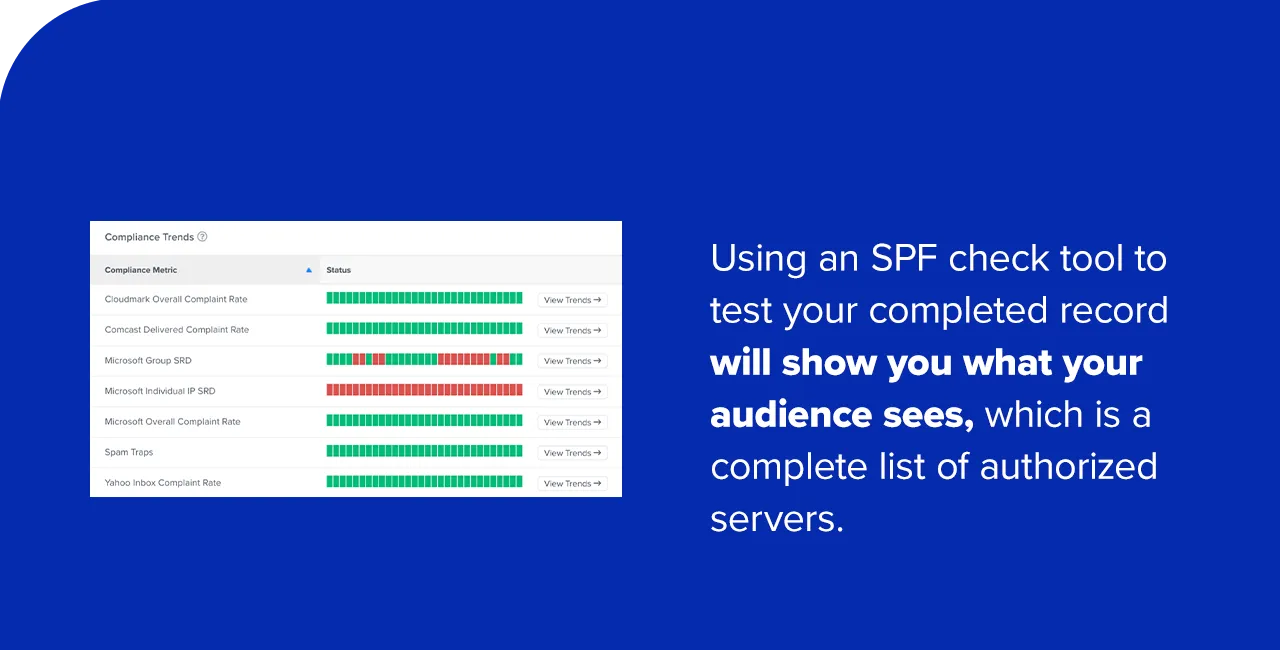
After publishing, it is imperative to test the SPF record to ensure it is correctly configured and functioning as expected. Using an online SPF check tool (many reputable ones are available) allows you to analyze your domain’s DNS settings and confirm that the record is present, correctly formatted, and accurately reflects your authorized senders. This tool simulates how a recipient mail server would interpret your SPF record, highlighting any missing IP addresses or syntax errors. Regular monitoring, especially after adding new email services or changing infrastructure, is crucial to maintain an accurate and effective SPF policy. Organizations should also consult pre-send optimization tips to maximize email campaign performance alongside robust authentication.
Common Pitfalls and Troubleshooting SPF Records
Even with careful planning, SPF record configurations can be prone to errors that undermine their effectiveness and impact email deliverability. Awareness of these common issues is vital for effective management.
- Multiple SPF Records for a Single Domain: This is one of the most frequent and critical errors. The Internet Engineering Task Force (IETF) explicitly forbids multiple SPF records for a single domain. If a domain has more than one SPF TXT record, recipient mail servers will typically return a “PermError,” causing all emails from that domain to fail SPF authentication and likely end up in spam folders. All authorized senders must be consolidated into a single SPF record.
- Syntax Errors: Simple typos, missing spaces, or incorrect mechanism usage can render an SPF record invalid.
- Exceeding the 10-DNS-Lookup Limit: Each
include,a,mx,ptr, andexistsmechanism that requires a DNS lookup counts towards a hard limit of 10 lookups per SPF check. If an SPF record exceeds this limit, recipient servers will return a “PermError,” failing SPF authentication. This is a common challenge for organizations using many third-party email services, each requiring anincludestatement. - Missing IP Addresses or Domains: If an authorized sending IP or an
includefor a third-party service is omitted, legitimate emails from that source will fail SPF. - Incorrect “All” Mechanism: Using
?all(neutral) instead of~all(softfail) or-all(hardfail) significantly reduces or eliminates the protection SPF offers. While~allcan be useful for initial deployment, transitioning to-allprovides the strongest defense.
Regular use of an SPF check tool and diligent proofreading are essential preventative measures against these common errors, saving organizations from significant deliverability and security headaches.
Strategic Management: Best Practices for Ongoing SPF Efficacy
Effective management of SPF records is not a one-time task but an ongoing process that requires continuous attention and adaptation.
- Regular Review and Updates: Periodically audit your SPF record to ensure it remains accurate. As you add or remove email services, change hosting providers, or update infrastructure, your SPF record must be updated accordingly.
- Consolidation and Simplification: Strive to consolidate your SPF record, especially to stay within the 10-DNS-lookup limit. If possible, use broader IP ranges or consolidate
includestatements provided by ESPs that support this. Techniques like “SPF flattening” can also be employed, though they require careful management. - Thorough Testing: Always test your SPF record immediately after any modification using an SPF check tool. This ensures changes haven’t introduced errors or inadvertently blocked legitimate senders.
- Monitoring Email Delivery Reports: Pay attention to bounce messages and email delivery reports from your ESPs. These can often signal SPF-related issues if emails are consistently failing to reach inboxes or are being flagged as spam.
- Integrate with DMARC and DKIM: SPF is most effective when combined with other email authentication protocols like DomainKeys Identified Mail (DKIM) and Domain-based Message Authentication, Reporting, and Conformance (DMARC). This holistic approach provides a comprehensive defense.
- Document Everything: Maintain clear documentation of your SPF record, including when it was last updated, who made the changes, and the rationale behind specific mechanisms or includes.
The Broader Ecosystem: SPF in Conjunction with DMARC and DKIM
While SPF is a crucial component of email authentication, it is rarely sufficient on its own for comprehensive protection. It primarily verifies the IP address of the sending server against the declared domain. However, an email can pass SPF but still be spoofed if the “From” address visible to the user (the “header From” address) doesn’t align with the domain checked by SPF (the “envelope From” address). This is where DKIM and DMARC become indispensable.
A Holistic Approach to Email Security
- DKIM (DomainKeys Identified Mail): DKIM adds a digital signature to outgoing emails, cryptographically linking the email to the sending domain. This signature is verified by the recipient server using a public key published in the sender’s DNS. DKIM ensures that the email’s content has not been tampered with in transit and that it genuinely originates from the signed domain, addressing the “content integrity” and “sender authenticity” aspects that SPF alone cannot fully cover.
- DMARC (Domain-based Message Authentication, Reporting, and Conformance): DMARC builds upon SPF and DKIM by providing a policy layer. It allows domain owners to instruct recipient mail servers on how to handle emails that fail SPF or DKIM checks (e.g., quarantine, reject, or allow). Crucially, DMARC also provides reporting capabilities, sending aggregate reports to the domain owner about email authentication failures. These reports offer invaluable insights into potential spoofing attempts and help refine SPF and DKIM configurations. DMARC requires both SPF and/or DKIM to “align” with the “header From” domain for an email to pass DMARC authentication.
Implementing SPF, DKIM, and DMARC together creates a powerful, layered defense against email-borne threats, providing the highest level of assurance regarding email authenticity and integrity.
The Impact of Robust Email Authentication: Beyond Security
The benefits of a well-configured SPF record, especially when integrated into a DMARC-driven authentication strategy, extend far beyond just blocking malicious emails.
Enhancing Sender Reputation and Inbox Placement
Mailbox providers (like Gmail, Outlook, Yahoo) maintain sophisticated algorithms to determine email deliverability. A strong sender reputation, built on consistent authentication (SPF, DKIM, DMARC), is a paramount factor. Emails from domains with properly configured authentication are viewed as more trustworthy, increasing the likelihood of landing in the primary inbox rather than spam or junk folders. This is critical for marketing campaigns, transactional emails, and all forms of legitimate business communication, directly impacting engagement rates and business outcomes.
Protecting Brand Integrity and Customer Trust
In an era rife with online scams, maintaining customer trust is paramount. Email spoofing and brand impersonation erode this trust, potentially leading to financial losses for customers and severe reputational damage for the impersonated brand. By implementing SPF, organizations proactively safeguard their brand’s identity, assuring recipients that emails appearing to be from them are indeed genuine. This protection reinforces credibility and fosters a more secure environment for customer interactions.
Navigating the Regulatory Landscape
Robust email authentication also plays a subtle yet significant role in regulatory compliance. Data protection regulations such as GDPR (General Data Protection Regulation) in Europe and CCPA (California Consumer Privacy Act) in the United States mandate that organizations protect personal data. By mitigating the risk of phishing and spoofing, SPF contributes to an organization’s overall cybersecurity posture, thereby reducing the likelihood of data breaches that could lead to non-compliance and hefty fines. It demonstrates a commitment to securing communication channels, an increasingly important aspect of digital governance.
Frequently Asked Questions (FAQ) on SPF Records
This section addresses common questions about SPF records, clarifying their purpose and practical aspects.
1. What is an SPF record for?
An SPF record serves to protect email senders and recipients from spoofing, phishing, and spam attacks. It mandates that a recipient mail server verify an email’s sending IP address against a published list of authorized senders for the domain. If the sending IP address matches the SPF record, the email is accepted as legitimate; otherwise, it is flagged as potentially malicious. This process enhances a domain’s credibility, improving the chances that legitimate messages are seen by recipients.

2. What should be in your SPF record?
Your SPF record must begin with the version tag (v=spf1). It should then list all mechanisms (a, mx, ip4, ip6, include) that specify which hostnames and IP addresses are authorized to send mail from your domain. Finally, it must conclude with a qualifier (typically ~all or -all) to instruct recipient servers on how to handle emails from unauthorized sources. A common example is v=spf1 a mx include:spf.yourbusinessdomainname.com -all.
3. How much does an SPF record cost?
There is no direct monetary cost associated with creating and using an SPF record. SPF is a publicly available, standard email authentication technology that does not require a paid subscription or service. Any potential costs would be indirect, possibly related to domain registrar’s DNS management fees if you require modifications to your DNS settings or if you outsource the management of your DNS.
4. Where can you publish your SPF record?
You publish your SPF record within your domain’s DNS control panel, typically provided by your domain registrar (e.g., GoDaddy, Namecheap, Google Domains). After logging into your domain account, navigate to the DNS management or name server management section. You will then add a new TXT record for your domain and paste the complete SPF string into the record’s value field. After publishing, it is advisable to use an SPF record checker tool to confirm correct implementation.
5. How many SPF records should you have?
You should only have one SPF record per domain. The Internet Engineering Task Force (IETF) explicitly prohibits multiple SPF records for a single domain. If a domain possesses more than one SPF TXT record, recipient mail servers will typically return a “PermError,” causing all emails from that domain to fail SPF authentication and likely be treated as spam. If you have multiple sources that need authorization, you must merge them into a single, comprehensive SPF record using multiple mechanisms (e.g., v=spf1 include:service1.com include:service2.com -all).
Conclusion: Fortifying Digital Communications in an AI-Driven Era
In an increasingly complex and threat-laden digital landscape, where AI empowers both innovation and nefarious activities, robust email authentication protocols like SPF are not merely optional but essential. While SPF records represent just one piece of the broader email deliverability and security puzzle, they form a fundamental layer of defense against pervasive threats such as phishing and spoofing. By meticulously identifying authorized senders, configuring precise SPF records, and integrating them with DKIM and DMARC, organizations can significantly bolster their email security posture, enhance sender reputation, improve email deliverability, and protect their brand integrity. The continuous evolution of cyber threats necessitates a proactive and adaptive approach to email authentication, ensuring that digital communications remain secure, trusted, and effective in the face of an ever-changing threat landscape. For those seeking to deepen their understanding, resources like Validity’s on-demand webinar, “An Email Marketer’s Crash Course in DMARC, SPF, and DKIM,” offer valuable insights into building a resilient email strategy.