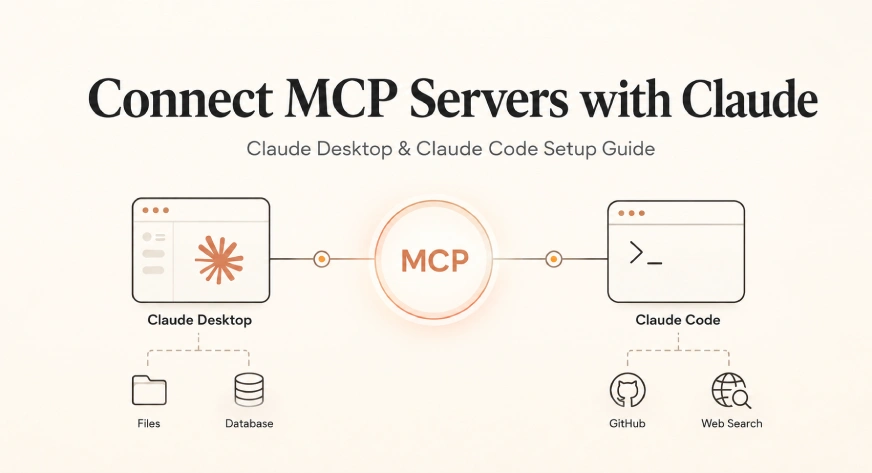
The Model Context Protocol (MCP) has emerged as the definitive bridge between large language models and the vast landscape of external data, transforming AI from a self-contained conversationalist into a functional agent capable of navigating local files, querying live databases, and managing software repositories. By standardizing how AI models interact with external tools, MCP addresses the historical fragmentation of AI integrations, replacing bespoke code with a universal interface. This guide provides an exhaustive analysis of the MCP architecture and a step-by-step technical roadmap for integrating MCP servers with Anthropic’s flagship interfaces: Claude Desktop and Claude Code.
The Evolution of AI Interoperability: Understanding MCP
Before the introduction of the Model Context Protocol by Anthropic in late 2024, the AI industry faced what researchers termed the "N×M problem." For every new AI model (N) and every external tool or service (M), developers were required to write unique, custom integration code. Connecting Claude to GitHub required one set of protocols; connecting it to Slack required another. This created a significant barrier to entry for enterprise-grade AI deployment.
MCP solves this by introducing a standardized connector layer. Under this protocol, a developer builds a single MCP server for a tool, such as a PostgreSQL database, and that server becomes immediately accessible to any MCP-compatible AI client, including Claude Desktop, Claude Code, Cursor, and Windsurf. As of May 2026, the MCP ecosystem has expanded to include over 2,300 public servers, signaling a paradigm shift toward an open-source, interoperable AI infrastructure.
The Three-Part Architecture
To successfully deploy MCP, one must understand its tripartite structure, which ensures security and modularity:
- The Host: This is the primary AI application the user interacts with, such as Claude Desktop or Claude Code. The host manages the user’s context, handles security permissions, and determines which servers are active.
- The Client: Residing within the host, the client manages the protocol-level communication. It facilitates the "handshake" between the AI and the external server.
- The Server: An external process—often a lightweight Node.js or Python application—that exposes specific tools (like "search_files" or "create_issue") to the AI.
In practice, when a user asks Claude to "summarize the latest pull requests on GitHub," the Host sends the request to the Client, which queries the GitHub MCP Server. The server executes the API call, retrieves the data, and passes it back through the Client to the AI for processing.
Claude Desktop: Implementation and Configuration
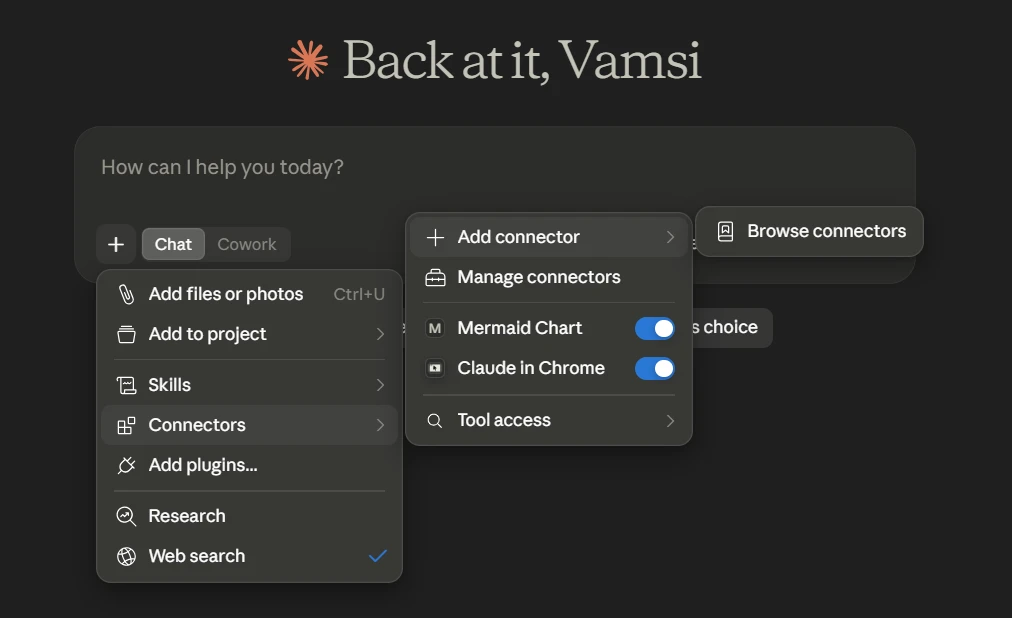
Claude Desktop serves as the primary graphical interface for MCP integration. Users can configure connections through two primary methods: the streamlined Desktop Extensions or the granular JSON configuration file.
Method 1: One-Click Desktop Extensions
Introduced in early 2026, Desktop Extensions represent the consumer-facing evolution of MCP. These are pre-packaged servers distributed as .mcpb files (MCP Bundles). This method is ideal for non-technical users or for deploying standardized tools across an organization.
To install an extension, a user simply double-clicks the .mcpb file. Claude Desktop handles the background installation, including any necessary runtime environments like Node.js. This removes the "PATH" errors and environment variable complexities that frequently plagued early adopters of the protocol.
Method 2: Manual JSON Configuration
For developers requiring custom arguments, private server access, or specific environment variables, the JSON configuration method remains the industry standard. Claude Desktop reads its MCP settings from a specific file, the location of which varies by operating system:
- macOS:
~/Library/Application Support/Claude/claude_desktop_config.json - Windows (Standard):
%APPDATA%Claudeclaude_desktop_config.json - Windows (Store/MSIX):
%LOCALAPPDATA%PackagesAnthropic.Claude_...LocalCacheRoamingClaudeclaude_desktop_config.json
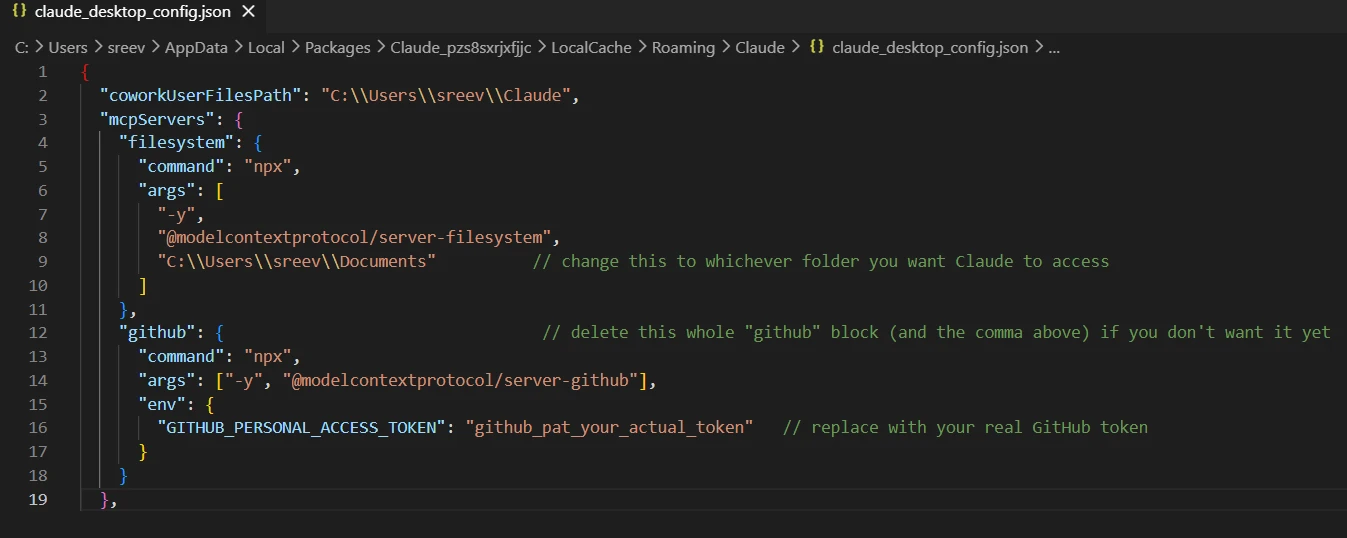
A critical technical nuance for Windows users is the requirement for escaped backslashes within the JSON string. A path such as C:UsersAdmin must be written as C:\Users\Admin to prevent the JSON parser from breaking.
Sample Configuration Framework
A standard configuration for a developer workflow typically includes filesystem access and a search API. The following structure illustrates a robust mcpServers definition:
  "mcpServers":
    "filesystem":
      "command": "npx",
      "args": ["-y", "@modelcontextprotocol/server-filesystem", "/Users/username/projects"]
    ,
    "brave-search":
      "command": "npx",
      "args": ["-y", "@modelcontextprotocol/server-brave-search"],
      "env":  "BRAVE_API_KEY": "YOUR_API_KEY"
Claude Code: CLI-Driven Integration
Claude Code, the terminal-based interface for AI-assisted programming, utilizes a separate configuration surface. It offers a dedicated Command Line Interface (CLI) that simplifies the addition of servers without manual file editing.
The Command Syntax
To add a local server that Claude Code manages as a subprocess, the syntax is:
claude mcp add <name> -- <command> [args...]
For hosted servers utilizing the modern Streamable HTTP transport—which Anthropic officially recommended as the primary transport protocol in April 2026—the command shifts to:
claude mcp add --transport http <name> <url>
Scoping and Permissions
Claude Code introduces the concept of "scopes," allowing developers to manage tool access based on the sensitivity of the project:
| Scope | Location | Visibility | Use Case |
|---|---|---|---|
| Local | ~/.claude.json |
Per-project | Personal database or Slack tokens |
| Project | .mcp.json |
Team-wide | Shared Linear or Sentry integrations |
| User | ~/.claude.json |
Global | Core tools like Filesystem or GitHub |
Technical Troubleshooting and Optimization
Data suggests that approximately 73% of initial MCP setup attempts encounter connection errors, largely due to environment mismatches or syntax issues.
Common Failure Modes
- JSON Syntax Errors: A single missing comma in the
claude_desktop_config.jsonfile will silently disable all MCP servers. Validation via tools likejqor online linters is highly recommended. - Relative Path Resolution: Claude Desktop does not inherit the user’s shell working directory. Consequently, relative paths (e.g.,
./data) will fail. Absolute paths are mandatory for stable server operation. - Context Window Bloat: Each connected MCP server injects its tool definitions and schemas into Claude’s context window. Industry analysis indicates that excessive server connections can consume 30-40% of the available context, potentially degrading the model’s reasoning capabilities. Experts recommend limiting active servers to 3-5 high-utility tools.
Status Diagnostics
When using Claude Code, the claude mcp list command provides real-time status updates. Understanding these indicators is vital for maintenance:
- Connected: The server is operational.
- Needs Authentication: The server is reachable but requires an OAuth handshake or token.
- Tools Fetch Failed: The server process started, but the protocol handshake failed. This often indicates a version mismatch between the MCP SDK and the server implementation.
Security Implications and Best Practices
As MCP servers often possess read/write access to sensitive environments, security is a paramount concern. The "principle of least privilege" should be applied to all MCP configurations.
- Scoped Permissions: When configuring the Filesystem server, users should only grant access to specific project directories rather than the entire home directory.
- Token Management: API tokens (such as GitHub Personal Access Tokens) should never be hardcoded into shared
.mcp.jsonfiles. Instead, they should be managed through environment variables or local-only configuration files. - Transport Protocols: With the deprecation of the older SSE (Server-Sent Events) transport in favor of Streamable HTTP, users should ensure their custom servers are updated to the latest SDK versions to maintain secure, low-latency communication.
The Future of MCP: Custom Server Development
For enterprises with proprietary APIs, the Python and Node.js SDKs allow for the rapid development of custom MCP servers. Using the Python SDK, a functional server can be deployed with minimal boilerplate:
from mcp.server.fastmcp import FastMCP
mcp = FastMCP("Enterprise-Tool")

@mcp.tool()
def fetch_internal_metrics(region: str) -> str:
    """Retrieves data from internal analytics API."""
    return api.get_metrics(region)

if __name__ == "__main__":
    mcp.run()
This ease of development ensures that the MCP ecosystem will continue to grow, further blurring the line between static AI models and dynamic, integrated digital assistants.
Conclusion
The transition to the Model Context Protocol represents a significant milestone in the maturation of generative AI. By following the structured setup procedures for Claude Desktop and Claude Code, users can unlock a new level of productivity, allowing Claude to interact directly with the tools of modern software development and data analysis. While the technical setup requires attention to detail—particularly regarding JSON formatting and pathing—the resulting capability to perform real-world actions makes MCP an essential component of the professional AI toolkit. As the protocol continues to evolve toward Streamable HTTP and broader IDE adoption, it stands as the foundational architecture for the next generation of autonomous AI agents.


 Ali Ikhwan
 Dwi Wanna