 Dwi Wanna
When it comes to selecting an email marketing platform, businesses often face a crucial decision: prioritize budget-friendly options with robust support, or invest in specialized features tailored for online sales and automation. A comparative analysis of AWeber and Kit reveals distinct strengths and weaknesses, with Kit emerging as the preferred choice for businesses heavily focused on online sales, while AWeber stands out for its affordability and comprehensive customer support, particularly for beginners. This in-depth review, based on extensive research and feature comparison as of November 14, 2026, aims to guide business owners through this complex decision.
Our comprehensive evaluation methodology involved a deep dive into the pricing pages, feature sets, and support documentation of both AWeber and Kit. The scoring was weighted to reflect the specific needs of online stores and digital product sellers, emphasizing functionalities critical for e-commerce success.
Key Takeaways at a Glance
- Kit is the superior choice for businesses focused on selling online, offering advanced integrations with e-commerce platforms and powerful purchase-triggered automations.
- AWeber excels in providing budget-friendly paid plans and exceptional customer support, making it an attractive option for startups and those seeking guided assistance.
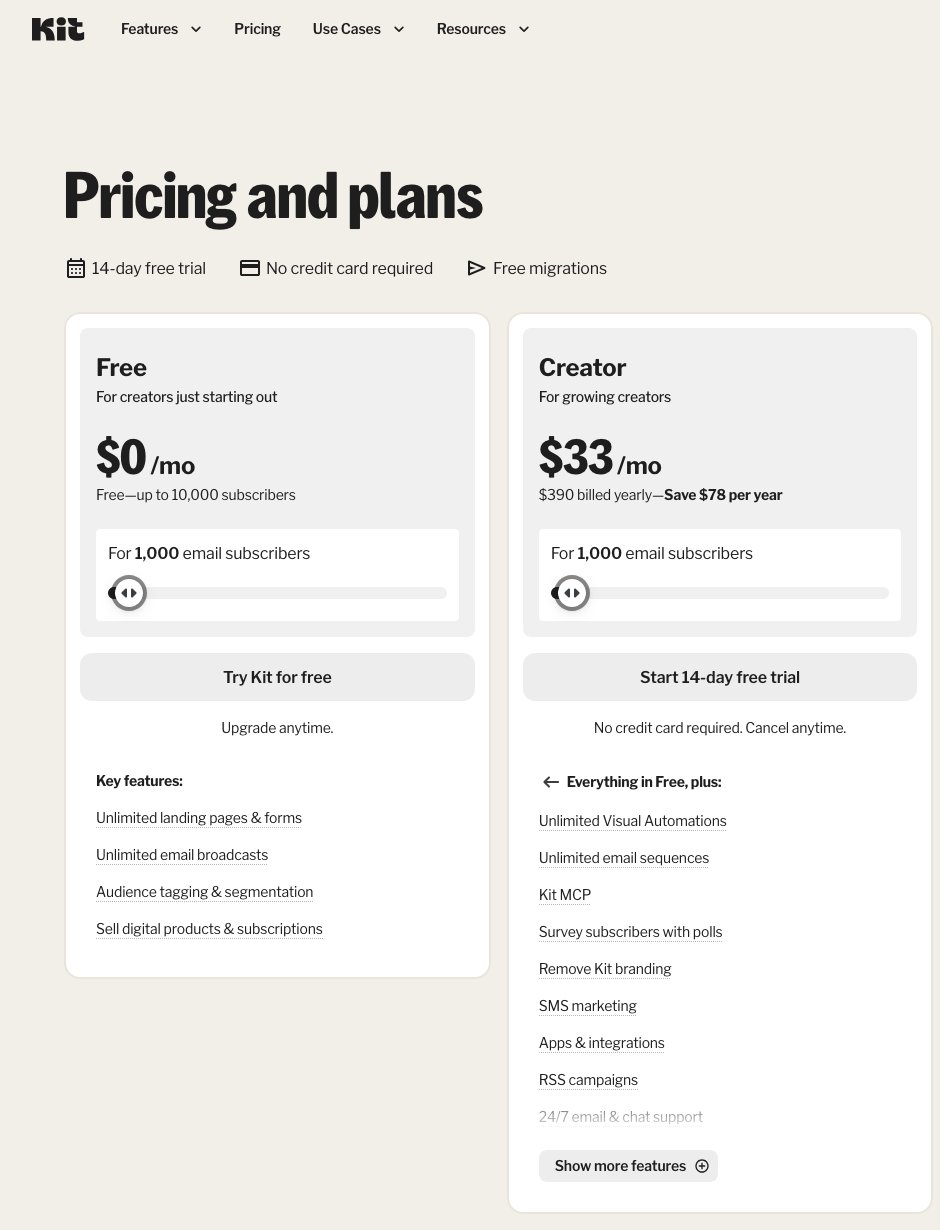
- Kit’s free plan is remarkably generous, supporting up to 10,000 subscribers with features like digital product sales and paid newsletters, albeit without advanced automations.
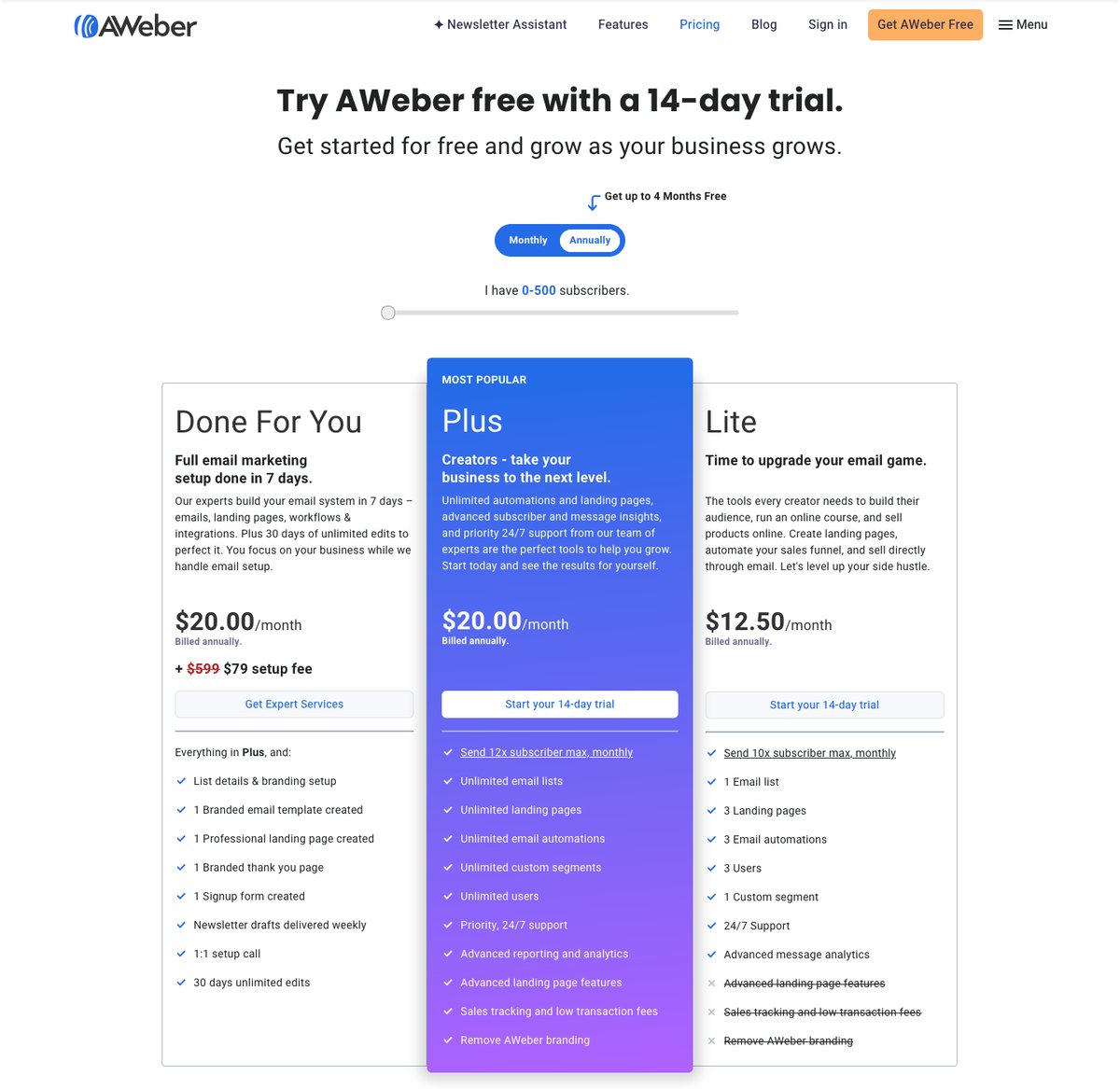
- AWeber’s paid plans are generally more affordable, particularly for smaller subscriber lists, with its Lite plan starting at $15 per month.
- Kit offers more sophisticated automation capabilities, with unlimited Visual Automations available from its Creator plan onwards.
- AWeber boasts a significantly larger library of email templates (700+) compared to Kit (40+), alongside a Smart Designer for quick template creation.
- Customer support is a clear win for AWeber, which offers phone support in addition to 24/7 live chat and email, a stark contrast to Kit’s email-only support on its free tier.
A Quick Comparison of AWeber vs. Kit
| Feature | Kit | AWeber |
|---|---|---|
| Overall Rating | 4.2/5 | 4.0/5 |
| Starting Price | Free; paid from $39/month ($33/month billed yearly) | $15/month ($12.50/month billed annually) |
| Free Plan/Trial | Free (up to 10,000 subscribers); 14-day Creator/Pro trial | 14-day Lite/Plus trial; Free plan for 500 subscribers advertised |
| Pros | Generous free tier, robust e-commerce integrations, powerful automations, no sending limits | Affordable paid plans, excellent support (phone, chat, email), extensive templates, AI writing tools |
| Cons | Limited automations on free plan, higher starting price for paid plans, fewer templates | Sending limits, higher platform fees on lower tiers, less direct e-commerce focus in integrations |
| Email Templates | 40+ | 700+ |
What Kinds of Businesses Benefit Most from AWeber or Kit?
The choice between AWeber and Kit hinges on a business’s primary needs and operational focus.
AWeber is best for:
- Budget-conscious startups and small businesses looking for an affordable entry into email marketing.
- Businesses that value direct, human support, including phone assistance, for troubleshooting and setup.
- Users who need a vast selection of pre-designed templates and design tools to create visually appealing emails and landing pages quickly.
- Content creators and bloggers who may not have extensive e-commerce operations but need reliable email list management.
Kit is best for:
- Online stores and e-commerce businesses, especially those using Shopify or WooCommerce, seeking seamless integrations and sales-focused automation.
- Digital product sellers who can leverage Kit’s free plan for selling products and paid newsletters with minimal platform fees.
- Marketers who require advanced automation capabilities and segmentation based on customer behavior and purchase history.
- Businesses that want to streamline abandoned cart recovery and leverage product-specific email sequences.
1. Pricing: AWeber Takes the Lead for Affordability
When it comes to the initial investment, AWeber presents a more compelling case for budget-conscious businesses. Its Lite plan starts at $15 per month (billed annually at $12.50/month) for up to 500 subscribers, a price point that undercuts Kit’s entry-level Creator plan, which begins at $39 per month ($33/month billed yearly) for 1,000 subscribers. This pricing advantage for AWeber extends across most subscriber tiers up to 10,000.
However, Kit’s free plan is a significant differentiator. It offers a remarkable capacity of up to 10,000 subscribers with unlimited landing pages, forms, and broadcasts, along with features like tags, segments, digital product sales, and paid newsletters. The caveat is the absence of advanced automations and app integrations on this free tier. For businesses with a substantial email list but limited immediate need for complex automation, Kit’s free offering is exceptionally valuable.

A Weber’s pricing structure is also noteworthy for its "Done For You" service, which includes personalized template and landing page creation, weekly newsletter drafts, and setup assistance for a separate setup fee, in addition to the monthly subscription. This offers a more guided onboarding experience, albeit at an additional cost.
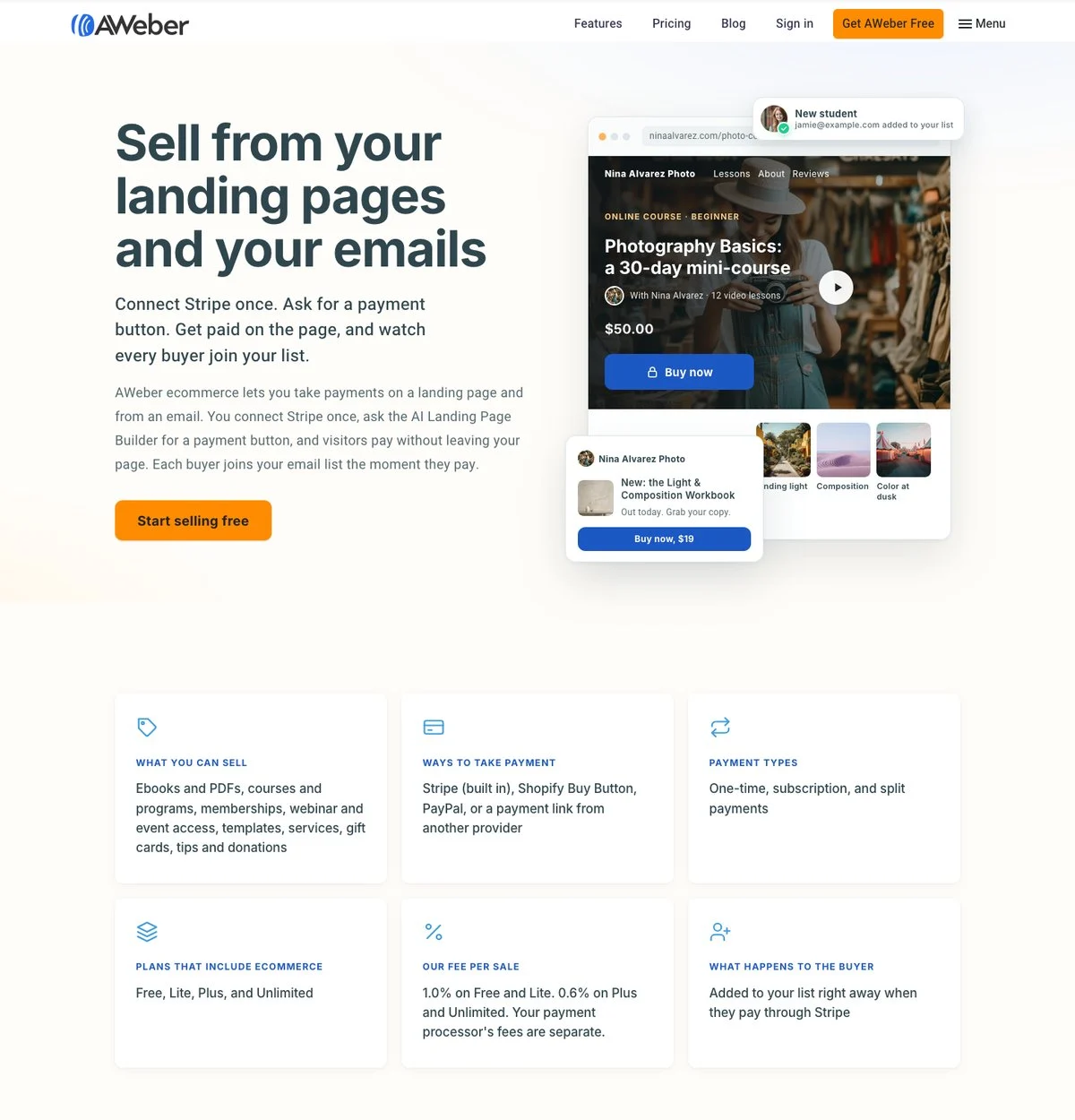
A key distinction in pricing lies in sending limits. Kit boasts no sending limits across its plans, ensuring consistent delivery regardless of campaign volume. In contrast, AWeber imposes sending caps, with its Lite plan limited to 10 times the list size per month and Plus at 12 times, which could be a constraint for high-volume senders. Furthermore, AWeber charges a platform fee per sale on its Free and Lite plans (1.0%), which reduces to 0.6% on Plus. Kit maintains a consistent 0.6% platform fee across all its plans. When considering the total cost of sales, Kit’s integrated payment processing (3.5% + 30¢) can make it competitive, even on its free plan, compared to AWeber’s combined platform and processing fees.
2. Selling Online: Kit’s E-commerce Prowess
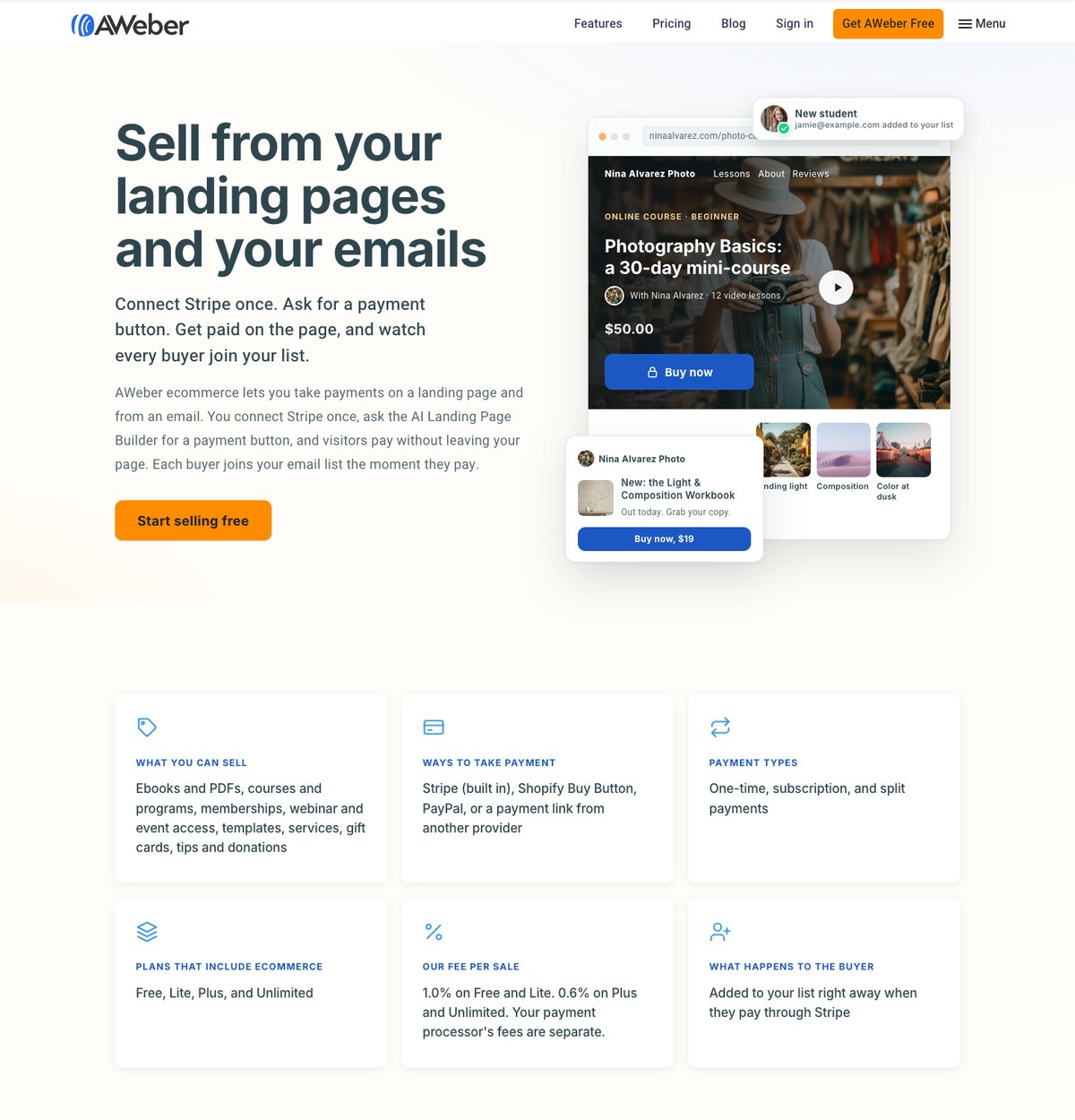
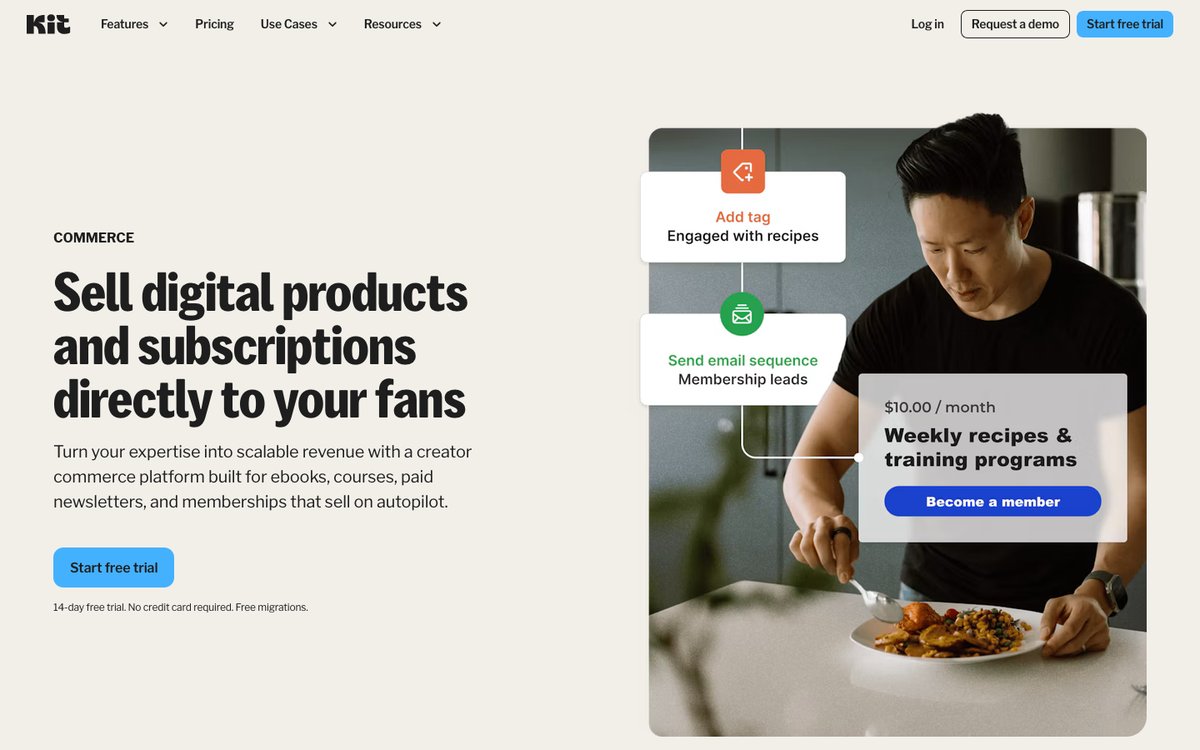
For businesses whose core revenue stream is online sales, Kit emerges as the clear victor. Its native integrations with major e-commerce platforms like Shopify and WooCommerce are more robust and feature-rich than AWeber’s. Kit offers direct product blocks within emails, purchase-triggered automations, and abandoned checkout recovery templates specifically designed for platforms like Shopify, Fourthwall, and Wix. This means businesses can easily showcase products, recover lost sales, and send targeted follow-ups based on customer actions directly from within Kit.
AWeber’s e-commerce capabilities are present but less specialized. While it integrates with platforms, its focus tends to be on purchase tags and general automation triggered by Stripe or PayPal checkouts. Abandoned cart recovery is advertised, but the practical implementation and ease of use for specific platforms like Shopify are not as prominently featured or as easily configurable as with Kit.
A significant advantage for Kit is its ability to sell digital products and subscriptions on all its plans, including the free tier. This provides a low-barrier entry for creators and small businesses looking to monetize their digital offerings. While AWeber also supports e-commerce, Kit’s integrated payment processing, which includes a 0.6% platform fee on all plans, combined with the ability to sell various product types from the outset, offers a more streamlined and cost-effective solution for many online sellers. The total fees on a $50 ebook, for instance, are comparable between Kit’s free plan and AWeber’s paid Plus plan, highlighting Kit’s value proposition for digital product sales.
3. Email Marketing and Automation: Kit’s Depth and Flexibility
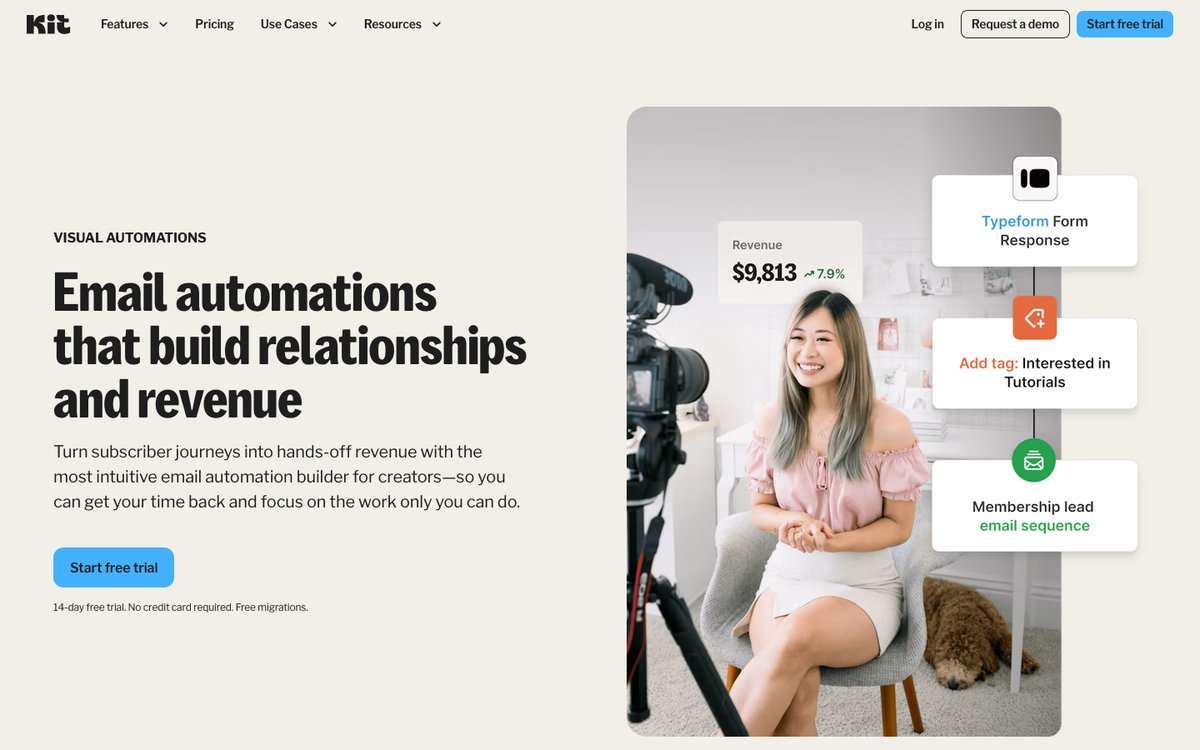
In the realm of email marketing automation, Kit demonstrates a superior depth and flexibility, particularly for users who require sophisticated workflows. Its Creator plan unlocks unlimited Visual Automations and sequences, complemented by over 25 automation templates. A key benefit of Kit’s automation system is its tag-based segmentation, which allows for granular organization of subscribers without the need to manage multiple lists. This is particularly advantageous for businesses selling diverse product lines, as customers can be tagged according to their purchases, interests, and engagement levels within a single subscriber base.
AWeber, while offering automation, caps the number of automations on its lower-tier plans. The Lite plan, for instance, is limited to just three automations. While these can cover essential flows like welcome series and post-purchase follow-ups, scaling beyond this requires an upgrade to the Plus plan. AWeber’s automation builder is effective, but Kit’s visual automation designer offers a more intuitive and powerful way to map out complex customer journeys.
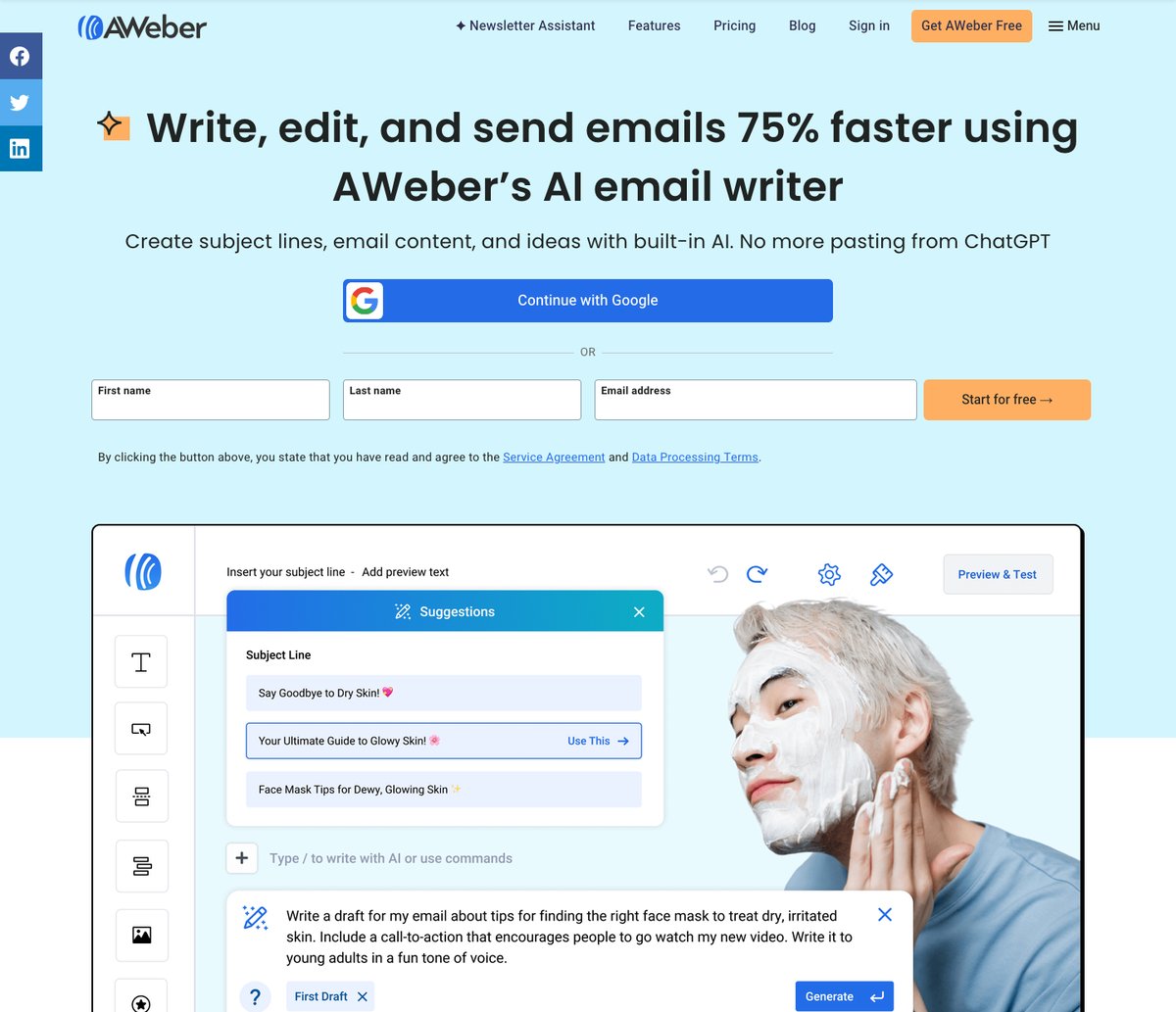
However, AWeber counters with built-in AI writing tools, a feature that Kit does not directly offer. This AI assistant can help draft subject lines and email copy, providing a valuable resource for content creation. For A/B testing, AWeber allows testing of up to five subject lines or content variations, while Kit’s Pro plan enables A/B testing for up to five subject lines or content elements.
Regarding deliverability, both platforms emphasize best practices. Kit Pro includes deliverability reporting and custom tracking domains, while AWeber also provides detailed deliverability reporting. While Kit advertises a high delivery rate, the ultimate inbox placement depends on numerous factors beyond the platform’s control.
4. Ease of Use: AWeber’s Guided Approach
For users who are new to email marketing or prefer a more guided onboarding experience, AWeber stands out as the easier platform to use. Its setup process is designed to be intuitive, with initial questions feeding into an AI-generated welcome email. Furthermore, AWeber’s Connect Domain tool can automate the connection of your domain, simplifying a potentially complex technical step. This "Done For You" approach extends to its template gallery, which features over 700 options, making it simple to find a visually appealing starting point.
Kit’s onboarding process, while clear, involves a more hands-on approach with a setup checklist that users must actively complete. While this offers more control, it might be less appealing to beginners who prefer a more automated setup. Kit’s email editor is a block-based system that is highly customizable and allows for features like Shopify product blocks, which is a significant advantage for e-commerce. However, AWeber’s drag-and-drop editor and extensive template library offer a more immediate and visually diverse starting point for those less concerned with deep e-commerce integrations in their initial setup.
Both platforms require domain authentication for reliable email delivery. AWeber’s process is streamlined, especially with its automated domain connection feature for supported DNS providers. Kit also guides users through domain verification, ensuring compliance with modern email sending standards.
5. Email Templates and Design: AWeber’s Visual Richness
When it comes to the sheer volume and variety of design assets, AWeber is the undisputed leader. With over 700 email templates and a dedicated landing page template gallery, users have an extensive array of professionally designed starting points. AWeber’s Smart Designer, which can generate a template based on a user’s website, offers a quick and efficient way to create branded content.
Kit, while offering unlimited landing pages even on its free plan, provides a more modest selection of around 40+ email templates. Its strength lies in its customizable block editor, which allows for dynamic content elements like Shopify products, polls, and countdown timers, as well as custom HTML/CSS templates on all plans. This makes Kit a powerful tool for creating highly functional and integrated e-commerce emails.
For businesses that prioritize visual appeal and a wide range of ready-made designs, AWeber’s extensive template library offers a significant advantage. However, for those who need to integrate product catalogs directly into their emails or create specific e-commerce-focused landing pages, Kit’s specialized features may be more beneficial, even with a smaller template selection.
6. Customer Support: AWeber’s Human Touch
Customer support is a critical factor, especially for businesses navigating the complexities of email marketing and e-commerce integrations. AWeber excels in this area by offering phone support, a feature that Kit lacks entirely. AWeber’s support team is available via phone from 8 AM to 8 PM ET, complemented by 24/7 live chat and email support. This multi-channel approach provides a safety net for users, particularly during critical setup phases or when facing urgent issues.
Kit offers 24/7 email and chat support on its paid Creator and Pro plans, with Pro users receiving priority support and access to a Growth Concierge team for performance audits and specialized advice. While comprehensive, the absence of phone support means that users requiring immediate, real-time assistance might find AWeber’s offerings more reassuring. The Trustpilot ratings, with AWeber holding a 4.3 TrustScore against Kit’s 3.8, further suggest a general satisfaction advantage for AWeber’s customer service.
It is important for users to be aware of potential limitations. AWeber’s phone support, while extensive, is not 24/7. Similarly, some Trustpilot reviews for both platforms have pointed to occasional delays in response times or specific customer service challenges. However, the availability of phone support remains a significant differentiator for AWeber, particularly for users who value direct human interaction when troubleshooting technical or strategic challenges.
Conclusion: The Verdict on AWeber vs. Kit
For businesses deeply entrenched in the world of online sales, particularly those utilizing platforms like Shopify or WooCommerce, Kit is the superior email marketing platform. Its robust e-commerce integrations, powerful purchase-triggered automations, and built-in abandoned checkout recovery templates provide a distinct advantage. The ability to sell digital products and paid newsletters on its generous free plan, coupled with no sending limits and integrated payment processing, makes it an exceptionally compelling option for online entrepreneurs. The Creator plan, with its unlimited Visual Automations and tag-based segmentation, offers advanced capabilities for sophisticated marketing strategies.
AWeber, on the other hand, is the preferred choice for businesses prioritizing budget and comprehensive customer support. Its paid plans are more affordable across various subscriber tiers, and the availability of phone support alongside 24/7 live chat and email offers a level of assistance that Kit cannot match. The vast library of over 700 email templates and the Smart Designer tool make it an excellent option for users who need to create visually appealing marketing materials quickly. AWeber’s AI writing tools also provide a valuable resource for content creation.
Ultimately, the best platform depends on individual business needs. Kit is engineered for direct sales and advanced automation, while AWeber offers a more accessible and supportive entry point into email marketing. Both platforms offer free trials, allowing potential users to experience their features firsthand. Trying out Kit’s 14-day trial to build a welcome series and then replicating the same series on AWeber’s 14-day trial can provide invaluable practical insight into which platform best aligns with a business’s workflow and long-term goals.


 Nila Kartika Wati
 Laily UPN