
The digital landscape is increasingly fraught with sophisticated cyber threats, with phishing consistently emerging as the primary vector for attacks. Astonishingly, between 80% and 95% of all cyberattacks originate from a phishing email, a statistic that underscores the critical vulnerability of email communications. The advent of artificial intelligence (AI) has further exacerbated this challenge, empowering cybercriminals to craft more convincing and scalable attacks, ranging from hyper-personalized phishing emails to deepfake-driven scams. This technological arms race is projected to drive the global cost of cybercrime to an astounding $10.5 trillion annually by 2025, according to Cybersecurity Ventures, highlighting an urgent need for robust defensive measures.
Fortunately, proactive steps can be taken to fortify digital defenses, safeguarding organizations, their brands, and their customer bases against even the most deceptive phishing and spoofing attempts. Central to this defense strategy is the proper authentication of email, with a correctly configured Sender Policy Framework (SPF) record serving as a foundational pillar. Understanding and implementing SPF records is no longer a technical nicety but a fundamental requirement for maintaining email integrity and ensuring messages reach their intended recipients rather than falling victim to spam filters or malicious actors. This article provides a comprehensive explanation of SPF records, their operational mechanics, and the essential steps for their creation and management.
The Imperative for Email Authentication in a Threat-Laden Environment
The sheer volume and increasing sophistication of phishing attacks demand a layered approach to email security. Beyond the headline-grabbing statistics, recent reports paint a grim picture: the Verizon Data Breach Investigations Report (DBIR) consistently identifies phishing as a top threat action, while the IBM Cost of a Data Breach Report reveals that the average cost of a data breach continues to climb, often exceeding several million dollars. These figures are not abstract; they represent tangible financial losses, reputational damage, and operational disruptions for businesses worldwide.
AI’s role in this escalating threat landscape is transformative. Generative AI tools can produce grammatically flawless, contextually relevant phishing emails at scale, making it difficult for even vigilant users to distinguish legitimate communications from fraudulent ones. AI can also analyze vast datasets to identify ideal targets and tailor attack narratives, while emerging technologies like deepfakes threaten to enable convincing voice and video phishing (vishing and smishing), eroding trust in digital interactions. In such an environment, the ability to verify the sender’s identity becomes paramount.
Email authentication protocols like SPF were developed precisely to address this verification gap. Historically, the internet’s email system was built on an implicit trust model, where the "From" address displayed to the recipient could be easily forged. This vulnerability became a breeding ground for spam and, subsequently, phishing. SPF, along with its counterparts DomainKeys Identified Mail (DKIM) and Domain-based Message Authentication, Reporting & Conformance (DMARC), provides the necessary mechanisms to cryptographically verify email senders, making it significantly harder for unauthorized parties to impersonate legitimate domains.

Understanding Sender Policy Framework (SPF): A Core Mechanism
A Sender Policy Framework (SPF) record is a specialized type of Domain Name System (DNS) text record (TXT record) that enables domain owners to explicitly specify which mail servers are authorized to send email on behalf of their domain. Essentially, an SPF record acts as a public declaration, listing all the legitimate IP addresses and hostnames permitted to dispatch emails using a particular domain name.
How SPF Functions:
When an email is sent, the recipient’s mail server performs a series of checks to determine its legitimacy. One of these crucial checks involves querying the sender’s domain for its SPF record. The recipient server then compares the IP address of the incoming email with the list of authorized IP addresses contained within the SPF record.
- If the sending IP address is listed in the SPF record, the email is deemed legitimate in terms of sender authorization and typically allowed to proceed.
- If the sending IP address is not found in the SPF record, the email is flagged as potentially fraudulent. The action taken next depends on the SPF policy defined in the record (e.g., reject, quarantine, or accept with a warning).
Why SPF is Indispensable:
- Fraud Prevention: SPF-protected domains are significantly less attractive targets for spoofing and phishing attempts. By explicitly stating authorized senders, SPF makes it much harder for cybercriminals to impersonate a brand, thereby protecting both the organization and its customers from deceptive communications.
- Improved Email Deliverability: Email deliverability refers to the likelihood that an email will reach the recipient’s inbox rather than being diverted to spam or junk folders. Implementing SPF significantly enhances a domain’s sender reputation. Recipient mail servers view domains with valid SPF records as more trustworthy sources, leading to higher inbox placement rates for legitimate emails. This is particularly crucial for custom domain email addresses, which often lack the inherent trust mechanisms sometimes provided by large Email Service Providers (ESPs).
- Brand Protection: Preventing unauthorized use of a brand’s domain for malicious purposes is vital for maintaining brand integrity and customer trust. An organization’s reputation can be severely damaged if its domain is used in phishing campaigns, leading to decreased customer confidence and potential financial losses. SPF acts as a proactive shield against such reputational harm.
- Compliance: Many industry regulations and data protection laws implicitly or explicitly encourage robust email security measures. Implementing SPF contributes to an organization’s overall compliance posture by demonstrating due diligence in protecting sensitive communications and preventing impersonation.
The Anatomy of an SPF Record: Mechanisms and Qualifiers
An SPF record is structured as a single string of text within a DNS TXT record. It begins with a version indicator and then lists various mechanisms and qualifiers that define the sending policy.
v=spf1 – The Version Tag:
Every SPF record must begin with v=spf1. This designates the record as an SPF version 1 record, ensuring that mail servers correctly interpret the subsequent directives.
SPF Mechanisms Explained:
Mechanisms define the rules for matching the sending IP address against the authorized list.
a: Authorizes all hosts listed in the domain’s A records (Address records) to send email. Example:amx: Authorizes all hosts listed in the domain’s MX records (Mail Exchanger records) to send email. Example:mxip4: Authorizes a specific IPv4 address or range of addresses (CIDR notation). Example:ip4:192.0.2.1orip4:192.0.2.0/24ip6: Authorizes a specific IPv6 address or range of addresses. Example:ip6:2001:db8::1orip6:2001:db8::/32include: Directs the checking server to include the SPF record of another domain. This is essential for authorizing third-party Email Service Providers (ESPs) or other services that send emails on your behalf. Eachincludestatement counts towards the 10-DNS-lookup limit. Example:include:spf.mailsender.comredirect: Specifies that the SPF policy for the current domain should be found by looking up the SPF record of another domain. This is typically used when delegating SPF management or consolidating policies. Only oneredirectmechanism is allowed, and it must be the only mechanism besidesv=spf1. Example:redirect=_spf.newdomain.comexists: A less common mechanism that tests if an A record exists for a given domain name. It’s often used for advanced or dynamic SPF configurations. Example:exists:%i.%d.spf.example.comptr: (Deprecated) Historically used to perform a reverse DNS lookup. It is now strongly discouraged due to performance and security concerns and should not be used in new SPF records.
SPF Qualifiers Explained:
Qualifiers define the disposition of an email if a mechanism matches. They precede the mechanism.
+(Pass): (Default if no qualifier is specified) The email is authorized. Example:+aor simplya-(Fail): The email is explicitly not authorized (Hard Fail). Recipient servers should reject emails from unauthorized senders. This is the strongest and most secure policy. Example:-all~(SoftFail): The email is not authorized, but the recipient server should still accept it, though it may be marked as suspicious (Soft Fail). Often used during initial SPF deployment or for domains with complex sending infrastructures. Example:~all?(Neutral): The email is neither authorized nor unauthorized. The sender’s status is indeterminate. This qualifier is rarely used due to its lack of security and is generally advised against. Example:?all
The Critical 10-DNS-Lookup Limit:
A crucial aspect of SPF is the protocol’s limitation to a maximum of 10 DNS lookups per SPF record evaluation. Each a, mx, ptr, exists, and include mechanism that requires a DNS query counts towards this limit. Exceeding 10 lookups results in a "PermError" (Permanent Error), causing recipient servers to ignore the SPF record, effectively making it useless for authentication. This can severely impact deliverability and leave the domain vulnerable to spoofing. Organizations must carefully consolidate their include statements and consider techniques like "SPF flattening" (replacing include statements with the actual IP addresses of the included domains) to stay within this limit, though flattening requires regular maintenance as IP addresses can change.
Example SPF Record Breakdown:
Consider the following SPF record:
v=spf1 ip4:192.0.2.1 ip4:198.51.100.0/24 include:_spf.google.com include:mail.thirdparty.com -all
v=spf1: Specifies SPF version 1.ip4:192.0.2.1: Authorizes the specific IPv4 address192.0.2.1.ip4:198.51.100.0/24: Authorizes the range of IPv4 addresses198.51.100.0through198.51.100.255.include:_spf.google.com: Includes the SPF policy for Google Workspace, authorizing Google’s mail servers. This counts as one DNS lookup.include:mail.thirdparty.com: Includes the SPF policy for another third-party mail sender. This also counts as one DNS lookup.-all: Implements a "Hard Fail" policy, meaning any email originating from an IP address not explicitly listed or included in this record should be rejected by the recipient server.
This example illustrates how multiple sending sources are combined into a single, comprehensive SPF record.
A Brief History of Email Authentication Protocols
The necessity for SPF and other authentication protocols arose from the fundamental design of the Simple Mail Transfer Protocol (SMTP), which, in its early days, lacked inherent mechanisms for sender verification. This architectural openness, while facilitating the rapid growth of email, also created a fertile ground for abuse.
- Pre-SPF Era (Prior to 2000s): The internet’s early email system operated on a "trust-by-default" model. Any server could claim to send email from any domain, making it easy for spammers and malicious actors to forge sender addresses. The problem of spam grew exponentially, leading to a significant degradation of email as a reliable communication channel.
- Emergence of SPF (Early 2000s, RFC 4408 in 2006): Recognizing the critical need for sender verification, the SPF protocol began to take shape in the early 2000s. It was formally published as RFC 4408 in 2006. SPF was groundbreaking because it provided a simple, DNS-based mechanism for domain owners to declare their authorized sending sources, offering the first widely adopted method to combat email spoofing. However, SPF primarily authenticates the "envelope-from" address (used for bounce messages) but not necessarily the "header-from" address (what the user sees), leaving a gap that could still be exploited.
- DomainKeys Identified Mail (DKIM) (RFC 4871 in 2007): To address SPF’s limitations and provide a more robust cryptographic verification, DKIM was developed. DKIM works by allowing an organization to digitally sign outgoing emails with a cryptographic signature. This signature is then stored in the email header and can be verified by recipient mail servers using a public key published in the sender’s DNS records. DKIM ensures that the email content has not been tampered with in transit and that the email truly originated from the signed domain.
- Domain-based Message Authentication, Reporting & Conformance (DMARC) (RFC 7489 in 2015): As SPF and DKIM gained traction, the challenge shifted to providing a unified framework for email authentication, enforcement, and reporting. DMARC was introduced to bridge this gap. DMARC instructs recipient mail servers on how to handle emails that fail SPF or DKIM checks, offering policies like
none(monitor only),quarantine(send to spam), orreject(block outright). Crucially, DMARC also requires "identifier alignment," meaning that the "header-from" domain must align with the domain authenticated by SPF or DKIM, thus closing the loophole SPF alone couldn’t address. DMARC also provides reporting capabilities, allowing senders to receive aggregated feedback on their email authentication results, which is invaluable for identifying and resolving authentication issues.
Cybersecurity experts universally agree that a multi-layered approach incorporating SPF, DKIM, and DMARC is essential for comprehensive email authentication. SPF and DKIM provide the individual authentication mechanisms, while DMARC acts as the policy layer, dictating how non-compliant emails are handled and providing critical visibility into authentication failures.
Implementing Your SPF Record: A Step-by-Step Guide
Setting up an SPF record, while technical, can be broken down into a structured, manageable process.
Step 1: Inventory All Sending Sources
The first and most critical step is to identify every single mail server and third-party service that sends email on behalf of your domain. This requires a thorough audit and may include:
- Your organization’s own mail servers (e.g., Microsoft Exchange, Postfix).
- Email Service Providers (ESPs) for marketing campaigns (e.g., Mailchimp, HubSpot, Salesforce Marketing Cloud).
- Transactional email services (e.g., SendGrid, Mailgun, AWS SES) for system notifications, password resets, etc.
- CRM systems, customer support platforms, or any other application that sends automated emails.
- Cloud productivity suites (e.g., Microsoft 365, Google Workspace).
Contact your IT System Administrator, relevant department heads, or your ESPs to compile a complete list of all IP addresses, hostnames, andincludestatements associated with your account. Using DNS lookup tools to check existing MX and A records can also help identify some primary sending servers.
Step 2: Identify All Relevant Domains
While your organization may own numerous domains, not all of them might be used for sending email. It’s imperative to:
- List all primary domains and any subdomains from which email is sent.
- Identify all "non-sending" domains (e.g., parked domains, defensive domains, domains used solely for websites). Creating SPF records for these non-sending domains (typically
v=spf1 -all) is a crucial best practice to prevent them from being spoofed, even if they don’t send legitimate email. Your IT System Administrator or domain registrar can provide a comprehensive list of all domains owned.
Step 3: Construct the SPF Record
With your list of authorized senders and domains, your IT team or ESP can now construct the SPF record. This involves combining the v=spf1 tag with the appropriate mechanisms and a final qualifier.
- Start with
v=spf1. - Add
ip4andip6mechanisms for any specific IP addresses. - Include
aandmxmechanisms if your primary mail servers send directly from your domain. - Crucially, add
include:statements for all third-party services identified in Step 1. Remember the 10-DNS-lookup limit; consolidateincludestatements where possible or consider SPF flattening. - Conclude with a qualifier:
-all(hard fail) is recommended for maximum security once you are confident all legitimate senders are covered.~all(soft fail) can be used initially for testing or for domains with highly dynamic sending environments.
Step 4: Publish to DNS
Once created, the SPF record must be published as a TXT record in your domain’s DNS settings. This task is typically handled by your company’s IT or security team, often with the assistance of your DNS server administrator or domain registrar.
- Log into your domain registrar’s control panel (e.g., GoDaddy, Namecheap, Cloudflare) or your dedicated DNS management service.
- Navigate to the DNS management section (often labeled "DNS Management," "Zone Editor," or "Name Server Management").
- Select the domain for which you want to add the record.
- Create a new TXT record.
- For the "Host" or "Name" field, enter
@or leave it blank if applying to the root domain. For a subdomain, enter the subdomain name (e.g.,marketing). - In the "Value" or "Text" field, paste your complete SPF record string.
- Set the Time To Live (TTL) (often defaults to 3600 seconds or 1 hour).
DNS changes can take time to propagate across the internet (typically a few minutes to several hours, depending on TTL settings).
Step 5: Verify and Monitor the SPF Record
After publishing, it’s crucial to verify that the SPF record is correctly configured and publicly accessible.

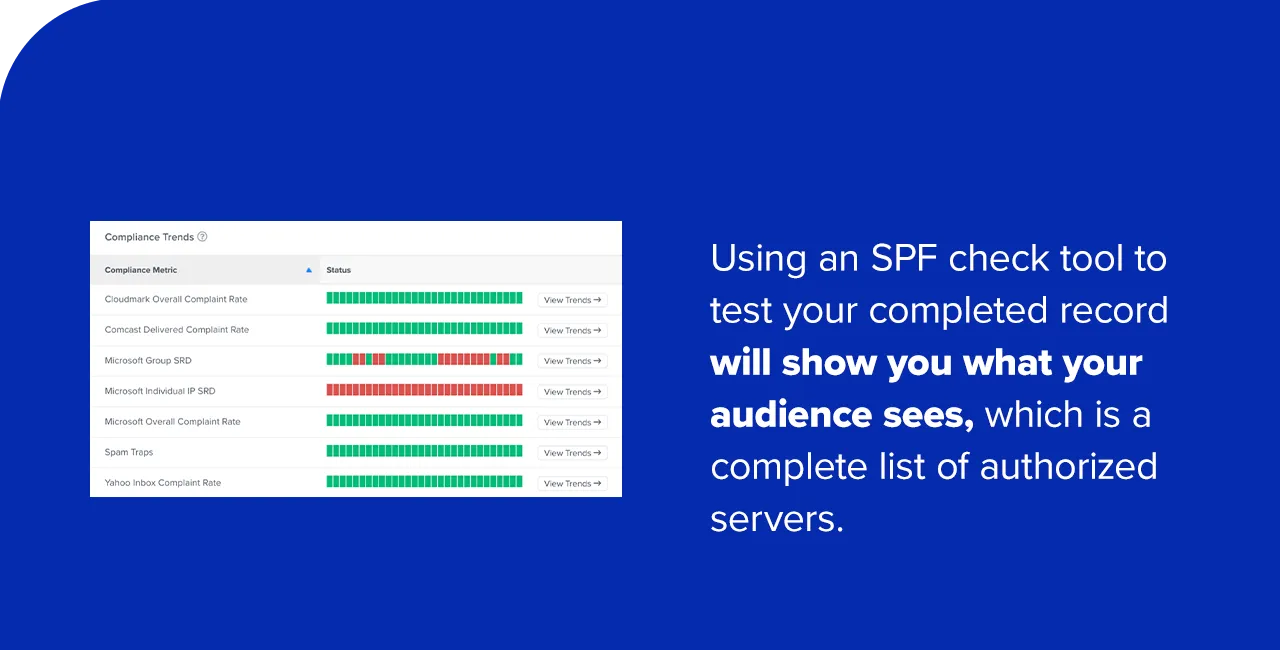
- Use online SPF check tools (e.g., MXToolbox SPF Lookup, Kitterman SPF Validator, DMARC Analyzer) to analyze your domain’s DNS settings.
- These tools will show you the parsed SPF record, list all authorized servers, and highlight any potential errors, such as syntax issues or exceeding the 10-lookup limit.
- If any trusted IP addresses or
includestatements are missing, or if errors are reported, you must update the record and re-verify.
Ongoing monitoring, ideally through DMARC reports, is vital to ensure continued proper functioning and to detect any new unauthorized sending sources.
Common Pitfalls and How to Avoid Them
Improperly configured SPF records can lead to email deliverability issues and security vulnerabilities. Awareness of common errors is key to effective management.
- Multiple SPF Records for a Single Domain: This is one of the most frequent and damaging errors. The Internet Engineering Task Force (IETF) explicitly forbids multiple SPF records for a single domain. If a domain has more than one TXT record starting with
v=spf1, recipient servers will encounter a "PermError," effectively rendering the SPF record useless. All emails from that domain may then be treated as suspicious or spam. Solution: Consolidate all authorized sending sources into a single SPF record, merging multipleincludestatements into one. - Exceeding the 10-DNS-Lookup Limit: As discussed, this limit can be easily reached when using numerous third-party services, each requiring an
includestatement. When the limit is exceeded, SPF validation results in a "PermError." Solution: Carefully auditincludestatements. Consolidate where possible. Consider SPF flattening services or manually replacingincludedomains with their actual IP addresses (requires diligent updates). - Syntax Errors: Simple typos, missing spaces, incorrect mechanisms, or misplaced qualifiers can invalidate an SPF record. Solution: Always use an SPF check tool after creating or modifying a record and meticulously proofread the syntax.
- Forgetting to Update: When new sending services are adopted, or existing ones change their IP addresses or
includedomains, the SPF record must be updated. Failing to do so can lead to legitimate emails failing SPF checks and being blocked. Solution: Maintain a centralized record of all sending services and regularly audit your SPF record. - Using
+allor?all: While technically valid, these qualifiers (+allimplies all senders are authorized,?allimplies neutrality) severely undermine the security purpose of SPF, essentially opening your domain to spoofing. Solution: Always strive for-all(hard fail) once confident in your record, or~all(soft fail) during a transition period.
Best Practices for Robust SPF Management
Effective SPF management is an ongoing process that requires diligence and integration with a broader email security strategy.
- Regular Audits and Reviews: Periodically review your SPF record, ideally quarterly or whenever there are significant changes to your email infrastructure (e.g., adding new marketing platforms, changing ESPs). This ensures all current legitimate sending sources are authorized and outdated ones are removed.
- Implement DMARC in Conjunction with SPF and DKIM: SPF is a powerful tool, but it is most effective when combined with DKIM and DMARC. DMARC provides the policy enforcement layer and invaluable reporting, offering visibility into who is sending email from your domain and how recipient servers are processing it. This feedback is crucial for refining your SPF and DKIM configurations.
- Protect Non-Sending Domains: For any domains your organization owns that do not send email (e.g., parked domains, typo-squatting defense domains), implement a simple SPF record like
v=spf1 -all. This explicitly states that no servers are authorized to send email from these domains, significantly reducing the risk of them being exploited for phishing. - Document Changes: Maintain thorough documentation of your SPF records, including when they were last updated, why specific changes were made, and which services are authorized. This aids troubleshooting and ensures continuity of knowledge.
- Use SPF Flattening Judiciously: If you have many
includestatements and are nearing the 10-DNS-lookup limit, consider SPF flattening services. These services dynamically replaceincludestatements with the actual IP addresses, reducing lookups. However, be aware that manual flattening requires constant vigilance to update IP addresses as they change. - Stay Informed on Protocol Updates: The cybersecurity landscape evolves constantly. Stay abreast of any updates or changes to SPF, DKIM, and DMARC protocols, as well as new best practices recommended by industry bodies.
Broader Implications for Businesses and the Digital Ecosystem
The proper implementation and ongoing management of SPF records, as part of a comprehensive email authentication strategy, carry profound implications across various facets of the digital world.
- Enhanced Security Posture and Risk Mitigation: For businesses, robust SPF implementation directly translates to a stronger security posture. It significantly reduces the attack surface for phishing and spoofing, mitigating the risks of data breaches, ransomware attacks, and financial fraud that often originate from compromised email. This proactive defense is critical for safeguarding sensitive information and intellectual property.
- Improved Email Marketing ROI and Brand Trust: In the realm of marketing and customer communication, SPF directly impacts email deliverability. Higher inbox placement rates mean marketing campaigns, transactional emails, and customer service communications are more likely to reach their intended audience, thereby improving engagement,