rifanmuazin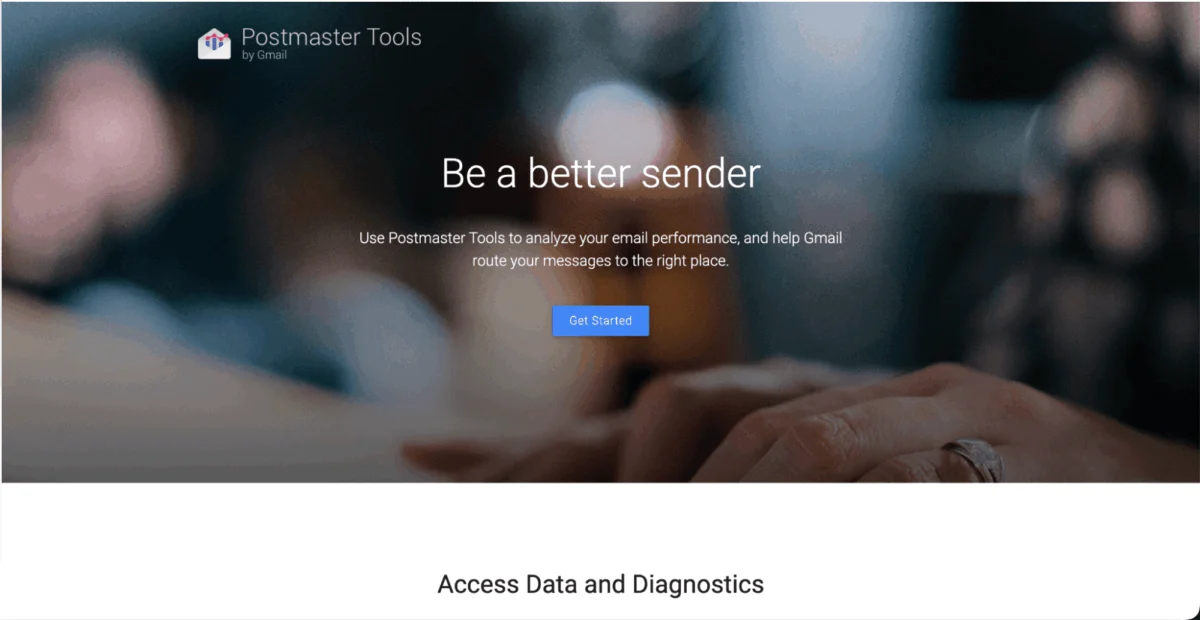
One in six permission-based marketing emails fail to reach the inbox of intended audiences, as reported by Validity’s 2025 Email Deliverability Benchmark Report. This alarming statistic translates into a significant loss of potential business prospects and revenue for countless organizations. In an era where digital communication is paramount, the inability to consistently reach opted-in subscribers represents a critical challenge for marketing and sales departments globally. While spam filters are essential tools in automatically managing the deluge of unwanted emails, their increasing sophistication and strictness can inadvertently misdirect valid communications to the spam folder, effectively silencing legitimate messages before they ever reach their intended recipients.
This comprehensive guide explores the multifaceted world of email deliverability, delving into the mechanics of spam filters and outlining 12 actionable techniques to ensure emails bypass these digital gatekeepers. These strategies are systematically organized around four pivotal stages: infrastructure setup, content creation, rigorous testing, and continuous monitoring, providing a robust framework for enhancing email campaign performance and safeguarding brand reputation.
Understanding the Digital Gatekeepers: What Are Spam Filters?
At its core, an email spam filter is a sophisticated security tool designed to screen incoming messages for characteristics indicative of harmful, unsolicited, or unwanted content. Major email providers such as Gmail, Yahoo Mail, and Outlook leverage these filters to protect their users’ inboxes from a wide array of threats, including malware, phishing attempts, and bulk unsolicited commercial emails (spam). The proliferation of cyber threats and the sheer volume of spam have necessitated the evolution of these filters from simple keyword checkers to complex, AI-driven systems capable of analyzing numerous data points.
It is crucial to differentiate between a “spam filter” and a “spam folder.” Spam filters are decision-based systems employing predefined rules, algorithms, and machine learning models to evaluate individual emails. Their function is to make a judgment call on whether an email is legitimate or malicious. A spam folder, conversely, is merely the designated repository where emails flagged by these filters are quarantined. Most mailbox providers offer a spam folder as a user-centric feature, allowing recipients a final opportunity to review flagged content and, if deemed legitimate, move it to their primary inbox. This mechanism provides a critical fail-safe, but relies on user action, which is often not taken.
The Four Layers of Modern Email Filtering: How Spam Filters Operate
Modern spam filtering is a multi-layered process, not a singular, definitive decision. Emails undergo a series of checks across four primary stages, each contributing to an overall “spam score” that determines an email’s ultimate destination. These layers scrutinize various aspects of an email, from its origin to its content and the sender’s historical performance.
-
Authentication Filters (SPF, DKIM, DMARC): This initial and foundational layer serves as a critical security check, verifying the sender’s identity. Mailbox providers meticulously examine the authenticity of all senders to prevent identity spoofing and ensure that no malicious actor is impersonating a legitimate company or individual. This stage relies heavily on three Domain Name System (DNS)-based records:
- Sender Policy Framework (SPF): An SPF record specifies which mail servers are authorized to send emails on behalf of a particular domain. It helps prevent spammers from sending messages with forged “From” addresses.
- DomainKeys Identified Mail (DKIM): DKIM adds a digital signature to outgoing emails, allowing the recipient’s server to verify that the email was indeed sent from an authorized server and that its content has not been tampered with in transit.
- Domain-based Message Authentication, Reporting, and Conformance (DMARC): DMARC builds upon SPF and DKIM, providing instructions to recipient mail servers on how to handle emails that fail authentication checks (e.g., quarantine, reject, or simply monitor). It also enables senders to receive reports on their email authentication performance.
To ensure emails pass this crucial stage, senders must have valid SPF records, a verified DKIM signature, and at least ap=noneDMARC policy for monitoring, eventually progressing to more stringent policies likep=quarantineorp=reject.
-
Reputation Filters (Sender and IP): This layer assesses the sender’s trustworthiness based on their historical sending behavior. Reputation is a cumulative metric, built over time through consistent and responsible email practices. Filters analyze factors such as the sender’s IP address and domain to identify complaint rates, instances of sending to invalid addresses, and any association with known spam operations (e.g., sharing an IP address with a blacklisted sender). A high complaint rate (typically exceeding 0.10%), frequent blocklist appearances, or a history of sending to spam traps can severely damage sender reputation. To navigate this filter successfully, businesses should utilize official Internet Service Provider (ISP)-issued IP addresses and maintain a consistent, healthy sending volume.
-
Content Filters (Bayesian and Keyword-Based): This stage scrutinizes the actual content of the email. Bayesian filters employ statistical probability and machine learning to identify spam patterns, learning from vast datasets of both legitimate and spam emails. Keyword-based filters, though more traditional, remain active, flagging specific phrases or words commonly associated with spam, such as “free money,” “click here,” “act now,” “guaranteed,” or “winner.” Beyond text, the email’s HTML structure is also critical. Poorly structured HTML, the absence of plain-text alternatives, excessive use of red text, or disproportionate image-to-text ratios can trigger these filters. A clean HTML structure, a balanced blend of text and visuals, and the inclusion of a plain-text version are paramount for success.
-
Engagement Filters (The Modern Dominant Signal): Reflecting evolving email deliverability trends, engagement metrics have emerged as a dominant signal for mailbox providers, particularly Gmail. These filters track how recipients interact with emails from a specific domain. Key metrics include Click-Through Rate (CTR), Click-to-Open Rate (CTOR), read rate, and crucially, whether recipients open emails or mark them as spam. High engagement (consistent opens, occasional replies, low unsubscribe rates) signals legitimacy, while low engagement (mass deletes, spam complaints, no recipient interaction) raises red flags. To pass engagement filters, maintaining an active, responsive subscriber list is essential.
The Evolving Landscape: Recent Mandates from Google, Yahoo, and Microsoft
The email ecosystem witnessed a significant shift in 2024 and 2025 with the introduction of stringent new sender requirements from major mailbox providers. Google and Yahoo implemented mandatory sender requirements in early 2024, primarily impacting senders transmitting more than 5,000 messages per day. These requirements mandate:
- Email authentication (SPF, DKIM, DMARC).
- A low spam complaint rate (below 0.10%).
- An easily discoverable one-click unsubscribe option.
Following suit, Microsoft introduced similar requirements for Outlook Mail in 2025. These collective mandates underscore a concerted industry effort to combat unsolicited email and enhance user experience. For businesses, adhering to these requirements is no longer optional; it is a prerequisite for ensuring emails reach the inbox rather than being filtered or rejected outright. These developments represent a pivotal moment, shifting the onus more squarely onto senders to prove their legitimacy and uphold a high standard of email practice.
Common Triggers for Spam Filters: The Eight Most Prevalent Causes
Beyond the four layers of filtering, several specific factors commonly trigger spam filters, often leading to legitimate emails being miscategorized. Understanding these triggers is the first step toward mitigation:
- Missing Authentication Records: The absence of valid SPF, DKIM, or DMARC records immediately signals suspicion to mailbox providers, as it prevents them from verifying the sender’s identity.
- Damaged Sender Reputation: A history of high complaint rates, blocklist appearances, or sending to known spam traps severely tarnishes a sender’s reputation, making all subsequent emails highly susceptible to filtering.
- Spam Trigger Words: Specific phrases in subject lines or body copy, such as “free money,” “guaranteed,” “act now,” or excessive capitalization and punctuation (e.g., “GET RICH QUICK!!!”), are red flags for content filters.
- Imbalanced Text-to-Image Ratio: Emails composed predominantly or entirely of images without sufficient text often trigger filters, as they can be a tactic to bypass text-based content analysis.
- Purchased or Stale Lists: Acquired email lists often contain invalid addresses, spam traps, and disengaged recipients, leading to high bounce rates and spam complaints, which devastate sender reputation.
- High Bounce Rates: A significant percentage of emails failing to deliver due to invalid or non-existent addresses (hard bounces) signals poor list hygiene and negatively impacts sender reputation.
- Low Recipient Engagement: A consistent lack of opens, clicks, or replies, coupled with high rates of recipient deletions or spam complaints, indicates disinterest and signals to engagement filters that the content may not be desired.
- Sending from a Free Email Domain: Using generic addresses like
@gmail.comor@yahoo.comfor business or marketing emails is problematic because these domains lack the necessary SPF/DKIM/DMARC authority for commercial use, instantly raising suspicion.
Strategic Solutions: A Four-Pillar Approach to Deliverability
Avoiding spam filters and consistently achieving inbox placement requires a holistic, multi-pronged strategy. This approach is anchored in four key stages: establishing a robust sending infrastructure, crafting filter-proof content, performing diligent pre-send testing, and maintaining continuous monitoring.
Pillar 1: Set Up Your Sending Infrastructure
A strong technical foundation is the bedrock of successful email campaigns and the most direct way to prevent triggering initial spam filter checks.
-
Technique 1: Authenticate Your Sending Domain (SPF, DKIM, DMARC). The first and most critical step is to configure your domain’s DNS records. Start by adding an SPF record to authorize your email service provider’s IP addresses to send on your behalf. Subsequently, enable DKIM signing to digitally sign all outgoing emails, providing cryptographic verification of authenticity. Finally, implement a DMARC policy, initially set to
p=nonefor monitoring authentication failures, before progressing top=quarantineorp=rejectto enforce stricter handling of unauthenticated mail. Many email marketing platforms offer guided setups for these protocols, simplifying the process. -
Technique 2: Meet the 2024 Google, Yahoo, and Microsoft Sender Requirements. As detailed previously, adherence to the new mandates from major mailbox providers is non-negotiable for high-volume senders. This involves not only robust authentication but also maintaining a low spam complaint rate (ideally below 0.10%) and providing an easy, one-click unsubscribe mechanism. Businesses must actively review and adjust their sending practices to align with these industry standards.
-
Technique 3: Send from a Business Domain, Not a Free Address. Always use a custom business or brand domain (e.g.,
[email protected]) rather than a free email provider address (e.g.,[email protected]). Free provider addresses lack the authority for you to configure domain-level SPF, DKIM, or DMARC records, immediately flagging your emails as suspicious. Sending from your own domain builds a consistent sender identity and reputation over time. -
Technique 4: Warm Up New IPs and Domains Gradually. When establishing a new IP address or domain for email sending, resist the urge to send large volumes immediately. New sending entities are often viewed with suspicion by spam filters. Instead, gradually “warm up” your IP and domain by sending small, daily batches of emails to your most engaged subscribers. Incrementally double the batch size over a period of four to eight weeks, allowing mailbox providers sufficient time to evaluate your sending patterns and build a positive reputation based on consistent engagement metrics.
Pillar 2: Create Emails That Don’t Trigger Filters
Once the infrastructure is secure, the next focus shifts to the content and structure of the emails themselves, ensuring they pass content and engagement filters.
-
Technique 5: Use Double Opt-In and Never Buy Lists. While not universally mandatory, implementing a double opt-in process significantly enhances list quality. This feature requires subscribers to confirm their email address after initial signup, verifying authenticity and explicit consent. Double opt-in drastically reduces the likelihood of sending to invalid addresses, spam traps, and disengaged recipients, thereby lowering hard bounces and spam complaints. Conversely, purchasing email lists is a highly detrimental practice that almost guarantees poor deliverability and reputational damage.
-
Technique 6: Write Subject Lines That Pass. Craft genuine, concise, and compelling subject lines that accurately reflect the email’s content. Avoid excessive punctuation (e.g.,
???!!!), all-caps, or overt monetary symbols ($,€,£). Aim for subject lines under 60 characters for optimal readability and to avoid truncation. Personalization, such as using the recipient’s name, can significantly boost engagement (Forbes reports up to 80% higher interaction rates). Always prioritize accuracy to build trust; misleading subject lines lead to immediate closes and spam complaints. -
Technique 7: Avoid Spam Trigger Words in Body Copy. Spam filters are highly adept at identifying words and phrases commonly associated with illicit or unwanted emails. These include terms like “act now,” “click here,” “free,” “guaranteed,” “no risk,” “winner,” and “special promotion.” While creating urgency and scarcity are legitimate marketing tactics, their execution requires careful phrasing to avoid triggering filters. Regular review of email copy for such terms is essential.
-
Technique 8: Balance Text and Images (and Skip Attachments). While visually appealing images enhance engagement, an imbalance can be detrimental. The industry standard suggests a 60% text to 40% image ratio. Emails that are image-heavy or composed entirely of a single image can signal to content filters an attempt to bypass textual analysis. Always include descriptive alt text for images. Furthermore, avoid sending attachments in marketing emails; instead, link to hosted versions of documents or files. Attachments are a strong indicator of potential malware or phishing and will almost invariably trigger spam filters.
-
Technique 9: Keep HTML Clean and Provide a Plain-Text Alternative. Ensure your email HTML is clean, well-structured, and free of extraneous code, inline CSS from web contexts, or buried tables that render incorrectly. Every email campaign should include a Multipurpose Internet Mail Extensions (MIME) plain-text part alongside the HTML version. This ensures readability in environments that block HTML and reinforces your legitimacy to spam filters. Most reputable email platforms automatically generate this plain-text alternative, but verification is always recommended.
Pillar 3: Test Before You Send
Pre-send testing is a critical, often overlooked, stage that can prevent deliverability issues before they impact your audience.
- Technique 10: Run a Pre-Send Spam Score Check. Utilize dedicated tools like Mail-Tester.com to send test messages and receive a comprehensive spam score out of 10. These tools analyze various elements, including authentication, content, and blacklist status, providing detailed feedback on potential red flags. Services like GlockApps offer more advanced inbox placement testing across major providers (Gmail, Outlook, Yahoo), revealing precisely where your emails are likely to land (inbox, spam, or promotions tab).
Pillar 4: Monitor and Maintain Deliverability
Email deliverability is not a set-it-and-forget-it task. Consistent monitoring and maintenance are crucial for sustained success.
-
Technique 11: Clean Inactive Subscribers Regularly. Maintaining a clean, engaged subscriber list is paramount. Inactive subscribers, those who haven’t opened or clicked emails within a defined period (e.g., 90 to 180 days), can significantly harm your engagement rates and sender reputation. Implement a re-engagement strategy: send a dedicated email to these inactive segments. If no response is received, remove them from your active mailing list. This practice protects your engagement rate, reduces complaint rates, and minimizes bounce rates.
-
Technique 12: Monitor Sender Reputation in Postmaster Tools. Leverage free, reliable tools provided by mailbox providers. Google Postmaster Tools offers daily updates on your domain’s reputation, spam complaint rate, authentication pass rates, and delivery errors, allowing for quick identification of sudden drops or spikes. Similarly, Microsoft’s Smart Network Data Services (SNDS) provides comparable data for your sending IP address for Outlook users. Proactive monitoring of these dashboards is crucial for early detection and resolution of deliverability issues.
Tailoring Strategies for Major Providers: Gmail, Outlook, and Yahoo
While the four layers of spam filtering are universally applied, each major mailbox provider places varying emphasis on specific signals. Understanding these nuances allows for more targeted optimization.
-
Gmail-Specific Signals: Gmail prioritizes engagement above all else. To achieve consistent inbox placement with Gmail, senders must cultivate a strong domain reputation built on a history of high subscriber engagement (opens, clicks, replies). Key focus areas for Gmail include:
- Maintaining a very low spam complaint rate (ideally below 0.10%).
- Consistent positive engagement from recipients.
- Prompt removal of unengaged subscribers.
- Ensuring one-click unsubscribe is prominently displayed.
-
Outlook and Yahoo Specifics: Outlook places a strong emphasis on authentication. Microsoft’s 2025 policy explicitly requires robust SPF and DKIM implementation. Senders must also monitor their SNDS IP status for any negative indicators. Yahoo, on the other hand, heavily weighs domain reputation history. Achieving good inbox placement with Yahoo typically requires a consistent history of sending clean emails over at least six months. Yahoo also provides a feedback loop service, offering valuable insights into specific spam complaints that can be used to refine future email campaigns.
Measuring Success: Essential Tools for Deliverability Audits
To effectively manage and improve email deliverability, businesses must utilize a combination of pre-send and post-send analytical tools:
- Mail-Tester.com: A valuable pre-send tool that allows senders to send a test email and receive a comprehensive spam score, along with detailed feedback on content, authentication, and blacklist status.
- Google Postmaster Tools: A free, indispensable post-send monitoring tool that provides daily data on domain reputation, spam complaint rates, authentication success rates, and delivery errors, crucial for long-term health.
- GlockApps: A paid, advanced pre-send inbox placement testing service. GlockApps sends emails to a seed list of real mailboxes across various providers (Gmail, Outlook, Yahoo, etc.) and reports precisely where the email lands (inbox, spam, promotions tab), offering actionable insights.
Broader Implications and Future Outlook
The persistent challenge of email deliverability, exacerbated by increasingly stringent spam filters, carries significant implications for businesses. Beyond the direct loss of potential revenue from undelivered marketing messages, poor deliverability can erode brand trust, diminish customer loyalty, and ultimately undermine the efficacy of an otherwise robust digital marketing strategy. The collective action by major mailbox providers in implementing new sender requirements signals a clear trend: the future of email marketing demands a heightened commitment to best practices, technical diligence, and a focus on delivering genuine value to opted-in subscribers.
For businesses, mastering email deliverability is no longer merely a technical task but a strategic imperative. It requires continuous adaptation to evolving filter algorithms, proactive reputation management, and an unwavering dedication to list hygiene and content quality. Those who embrace these principles will not only navigate the invisible barriers of spam filters but also build stronger, more resilient relationships with their audience in an increasingly crowded digital landscape.