Anthropic PBC has officially transitioned its generative artificial intelligence capabilities from the browser into the heart of the developer workflow with the release of Claude Code, a command-line interface (CLI) tool designed to automate complex programming tasks directly within the terminal. While the majority of Claude’s user base has historically interacted with the model through a web-based chat interface, the introduction of Claude Code represents a significant pivot toward "agentic" computing, where the AI can not only suggest code but also execute commands, read local files, and manage git repositories. This shift has been met with both enthusiasm for its productivity gains and caution regarding its high token consumption, which has led many early adopters to report that the tool rapidly exhausts usage limits during intensive sessions.
The Evolution of AI Coding Assistants
The release of Claude Code comes at a pivotal moment in the software development lifecycle. For several years, AI integration was limited to "autocomplete" features, such as GitHub Copilot, which functioned primarily within the Integrated Development Environment (IDE). However, the industry is currently moving toward autonomous agents capable of handling multi-step reasoning. Anthropic’s entry into this space follows the success of its Claude 3.5 Sonnet model, which has consistently outperformed competitors in coding benchmarks such as SWE-bench.
Unlike the web app, which is a sandboxed environment, Claude Code operates with direct access to the user’s local file system. This allows the model to understand the context of an entire codebase rather than just a single snippet of code. The tool is built to assist with bug fixing, refactoring, and test generation, but its power comes with a technical requirement: users must be comfortable operating within a terminal environment and managing the associated authentication protocols.
Technical Requirements and Pre-Installation Context
Before initiating the installation process, it is essential to understand the architectural requirements of the tool. Although a legacy version of Claude Code was distributed via the Node Package Manager (npm) and required Node.js version 22 or later, the current native installer includes its own runtime. This simplifies the process for developers who may not wish to maintain a specific version of Node.js on their primary machine.
Furthermore, potential users must evaluate their subscription status. Claude Code is not currently available to users on the free tier. Access requires a Claude Pro, Team, or Enterprise subscription, or an Anthropic Console account with an active API billing setup. This distinction is crucial because the "burning through limits" phenomenon is directly tied to how the CLI interacts with the model; every command sends a significant amount of file context to the LLM to ensure accuracy, which can lead to high costs or rapid quota depletion on usage-based plans.
Chronology of the Installation Process
The installation of Claude Code is designed to be streamlined, requiring no administrator or "sudo" rights on most systems. The process follows a specific chronology of environment preparation, binary acquisition, and path configuration.
1. Platform-Specific Command Execution
The first step involves fetching and executing the installation script from Anthropic’s servers. The command differs based on the operating system’s architecture:
- macOS, Linux, and WSL (Windows Subsystem for Linux): Users typically utilize
curlto pipe the shell script directly intobash. This method is standard for modern developer tools and ensures the binary is placed in a user-local directory.curl -fsSL https://claude.ai/install.sh | bash
- Windows PowerShell: Windows users are encouraged to use the
Invoke-RestMethod(irm) utility to fetch the PowerShell script.irm https://claude.ai/install.ps1 | iex
- Windows Command Prompt (CMD): For those using the traditional CMD interface, a combined command string downloads the
.cmdinstaller, executes it, and subsequently deletes the temporary installer file.curl -fsSL https://claude.ai/install.cmd -o install.cmd && install.cmd && del install.cmd
2. Configuration of the System PATH
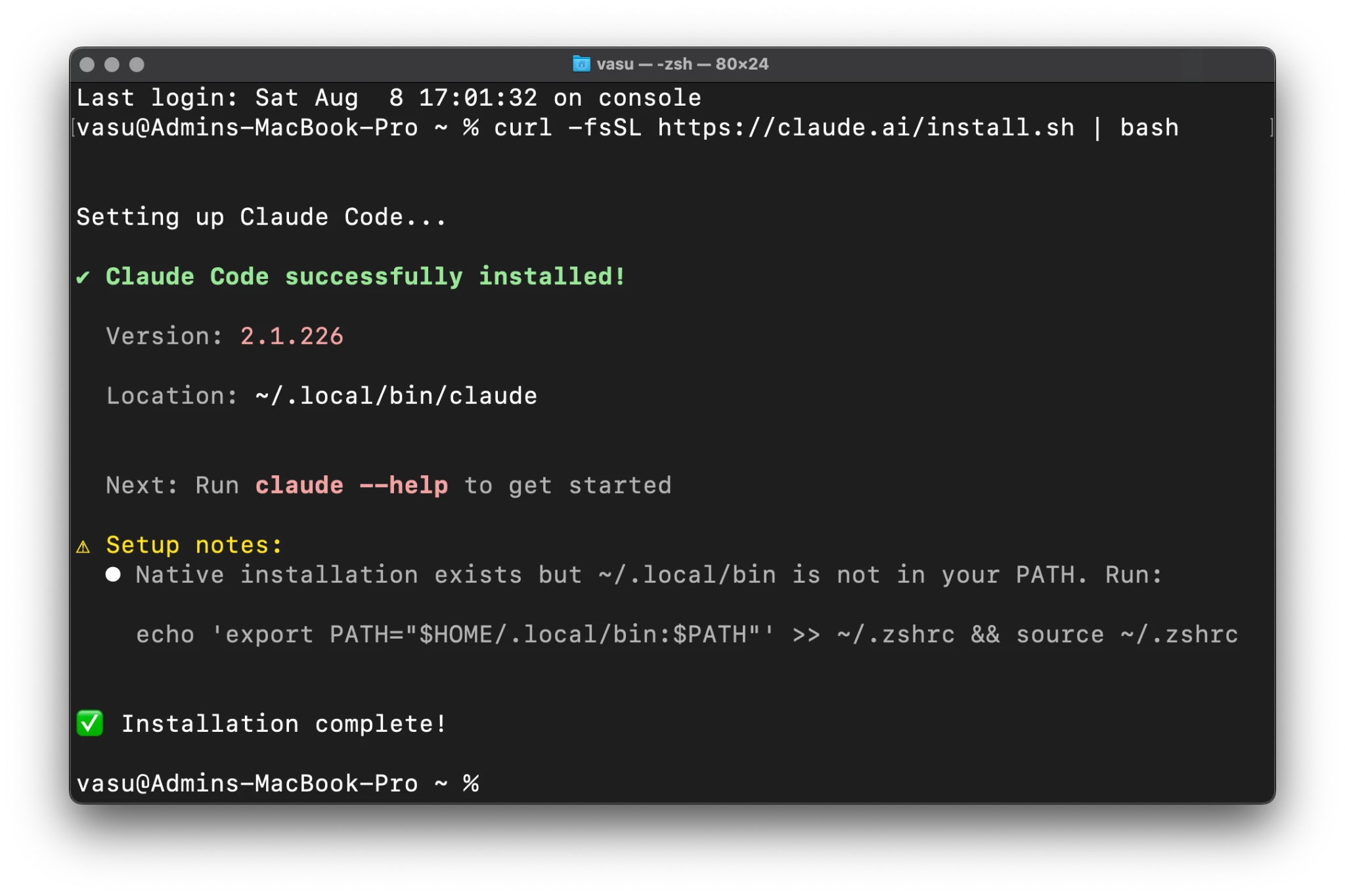
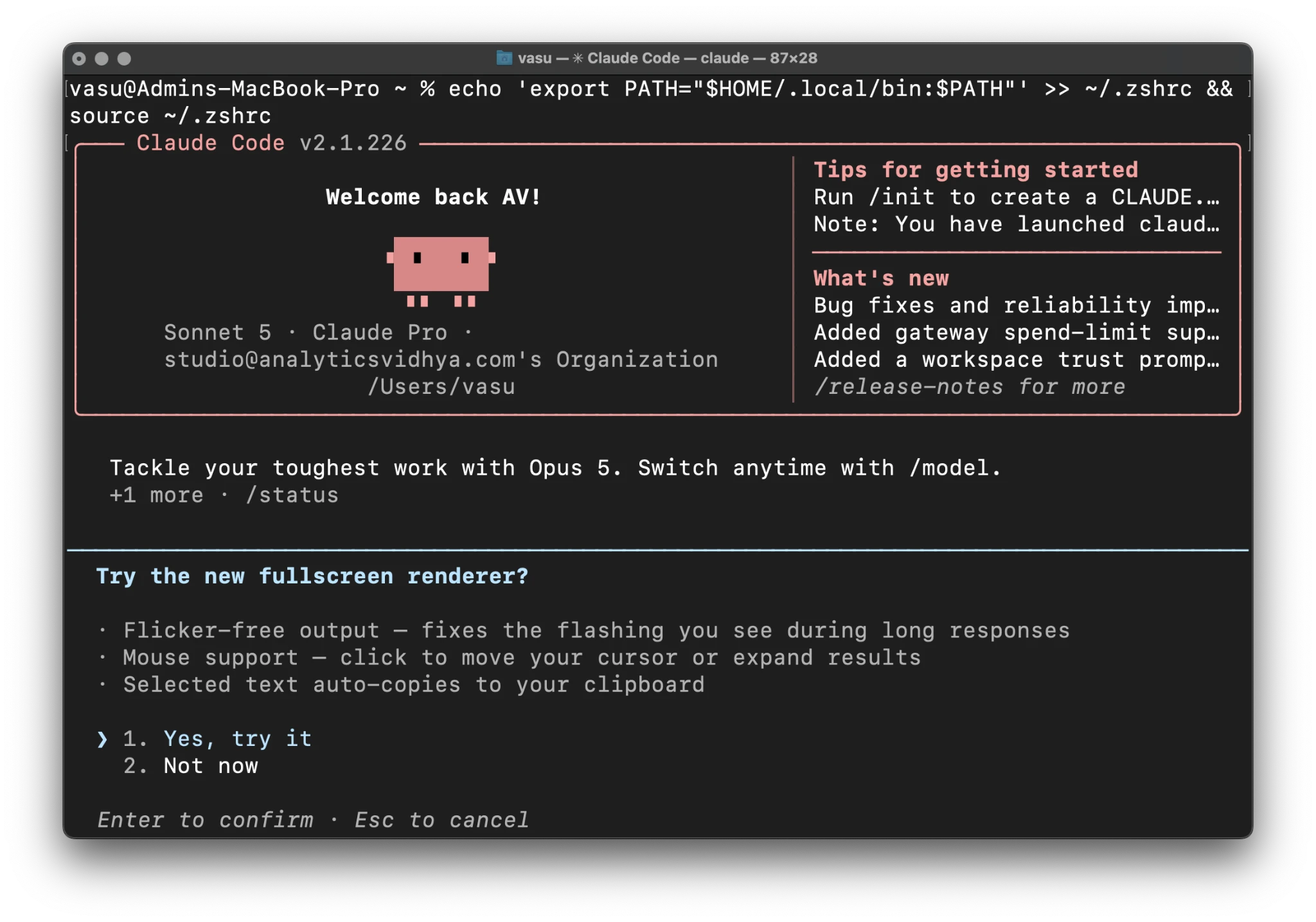
A common hurdle for developers following the installation is the "command not found" error. This occurs when the system’s shell does not know where the new claude binary is located. On Unix-based systems (macOS and Linux), the installer typically places the binary in $HOME/.local/bin.
If the installer provides a "yellow setup note" or warning, the user must manually append this directory to their PATH variable. For those using Zsh (the default on macOS), the following command updates the configuration file and refreshes the session:
echo 'export PATH="$HOME/.local/bin:$PATH"' >> ~/.zshrc && source ~/.zshrc
For Bash users, the command is identical, substituting ~/.bashrc for ~/.zshrc. This step ensures that the claude command can be invoked from any directory within the terminal.
3. Verification and Diagnostic Testing
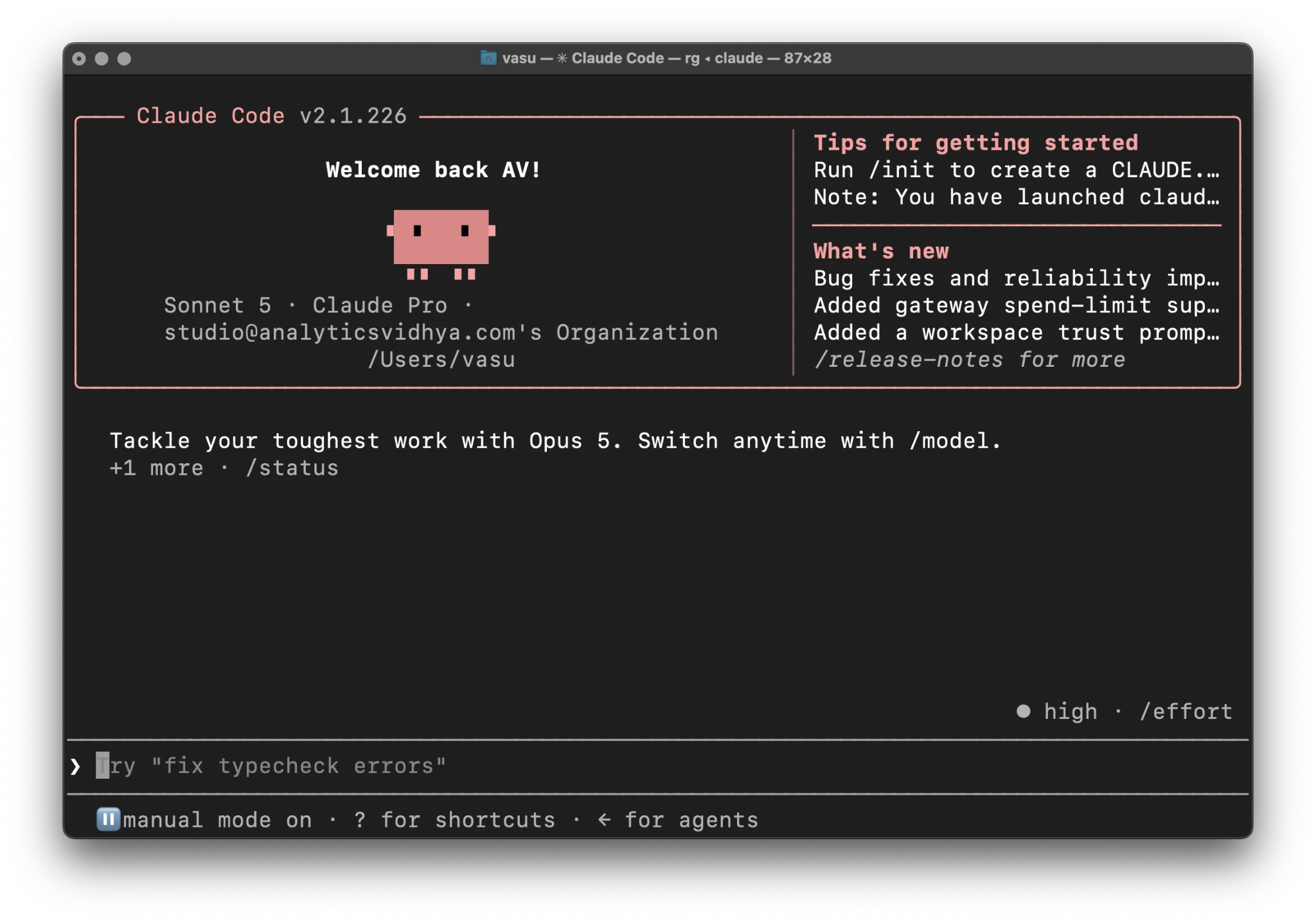
Once installed, verification is performed by running claude --version. This returns the current build number (e.g., 2.1.226). For a more comprehensive check of the environment—including network connectivity to Anthropic’s API and permission status—users can run claude doctor. This diagnostic tool is invaluable for troubleshooting firewall issues or misconfigured environment variables before starting a paid session.
Authentication and Initial Configuration
The "First Run" of Claude Code initiates a series of configuration prompts that define how the AI interacts with the user’s hardware and financial account.
Step 4: Visual Interface Customization
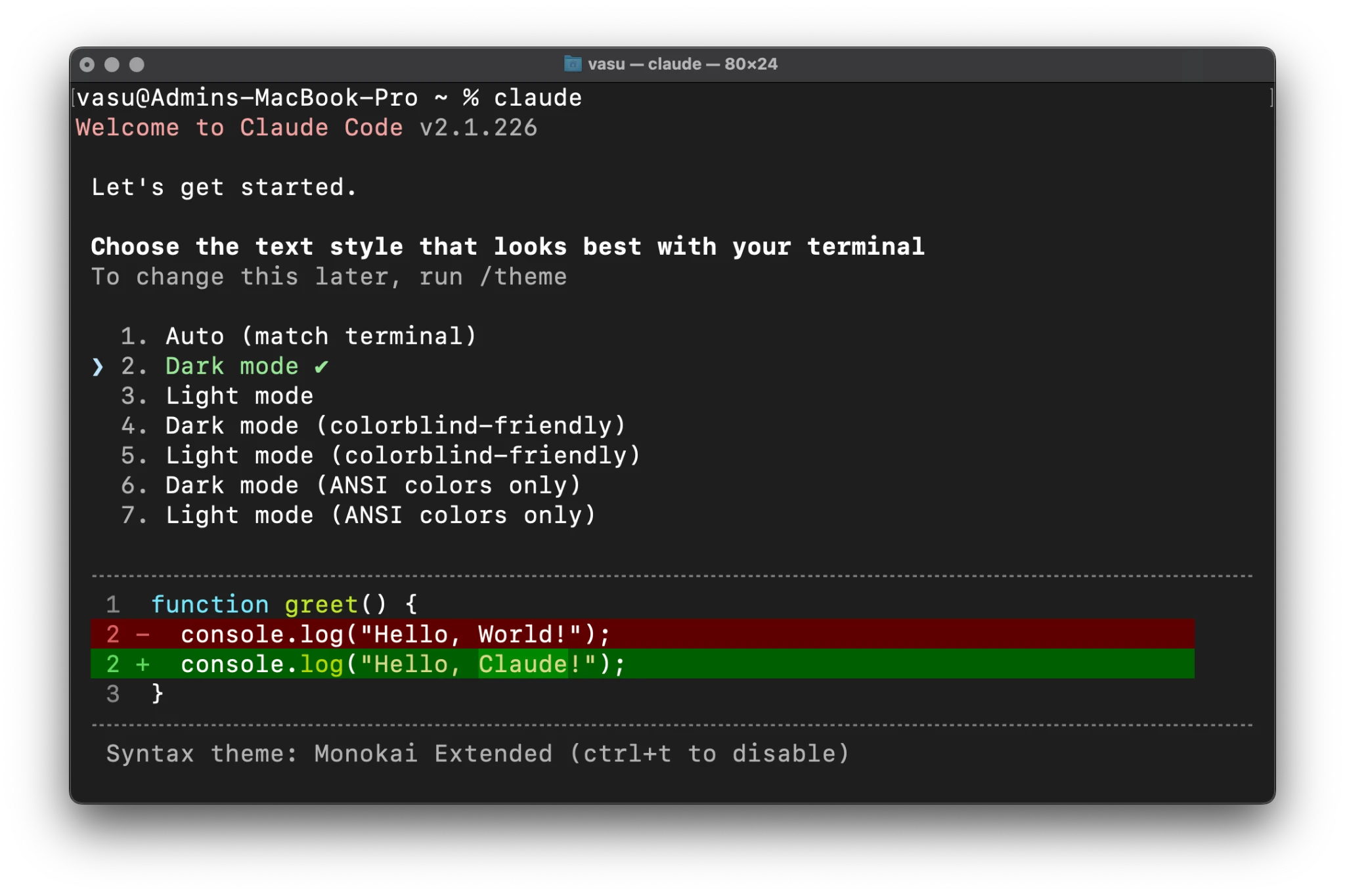
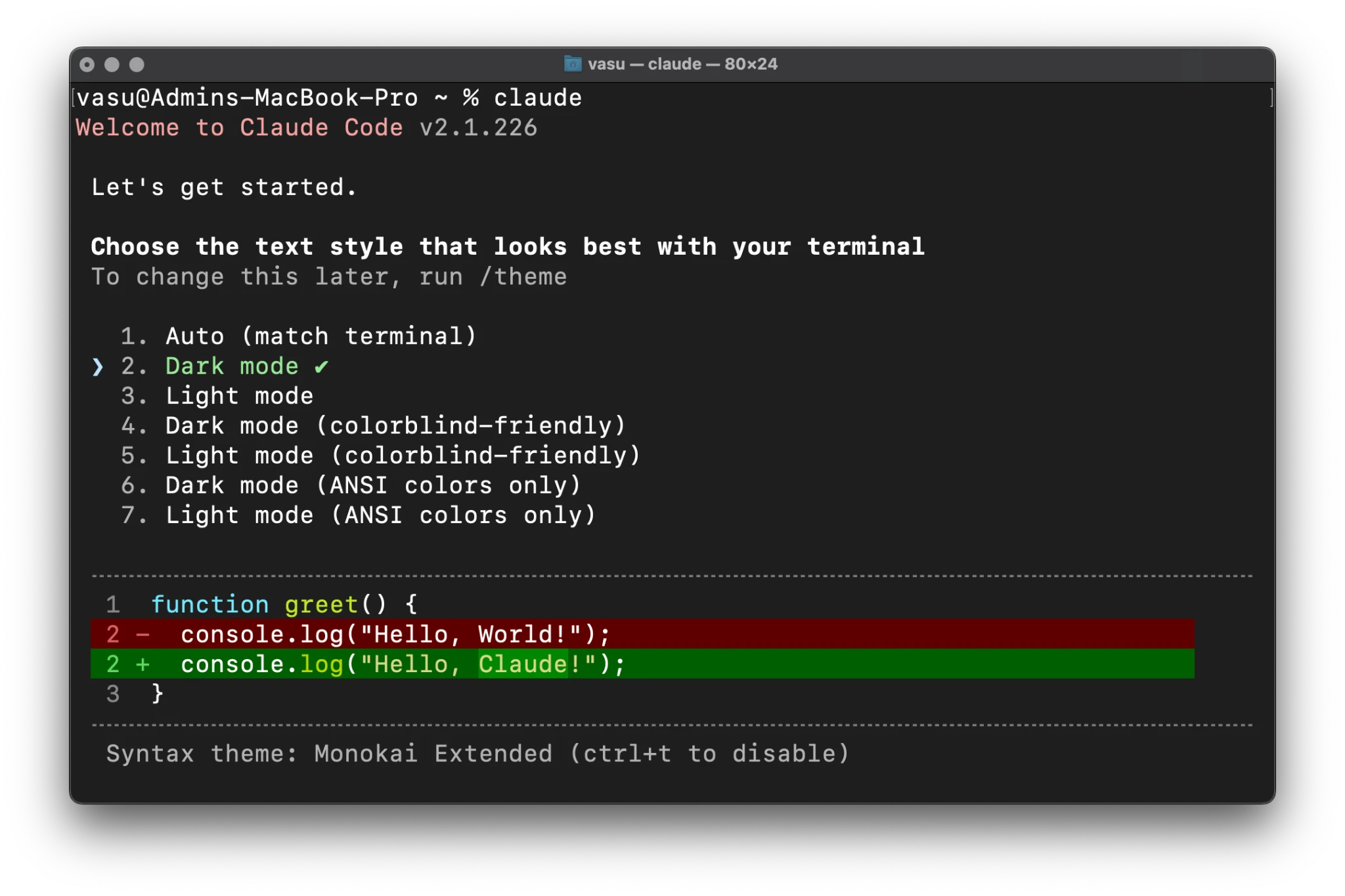
Upon the first launch via the claude command, the tool presents a theme selector. This is not merely aesthetic; it includes high-contrast and ANSI-only options for developers working in restricted terminal environments or those with visual impairments. These settings can be modified later using the /theme command within the app.
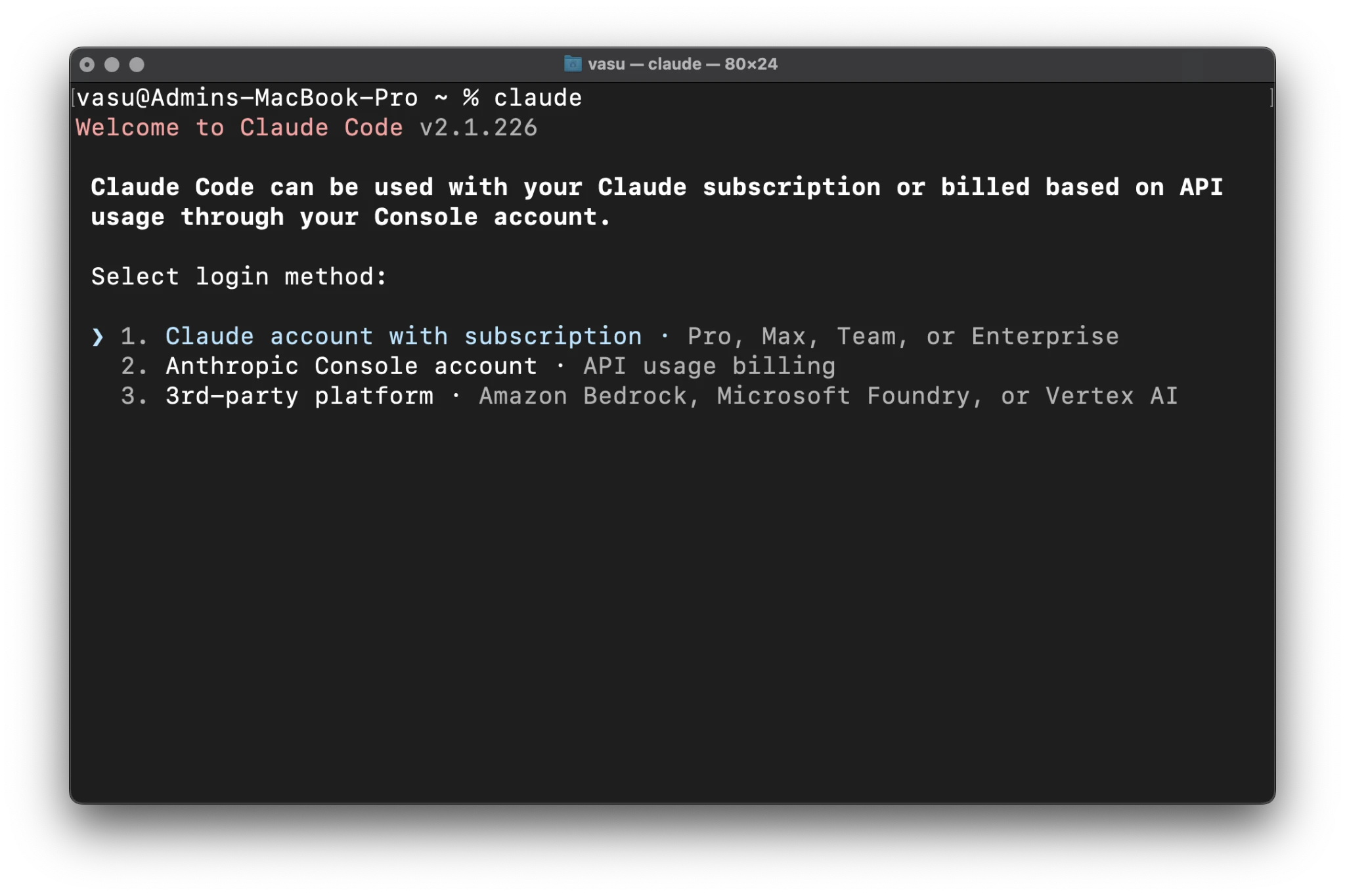
Step 5: The Triple-Path Login Method
Users must choose between three distinct billing and access methods:
- Claude Subscription: Connects to a standard Pro or Team account.
- Anthropic Console: Uses API keys and usage-based billing.
- Third-Party Cloud Platforms: Allows connection via Amazon Bedrock or Google Cloud Vertex AI, which is often preferred by enterprise clients for data residency reasons.
Step 6: Browser-Based Authorization and the "Headless" Fallback
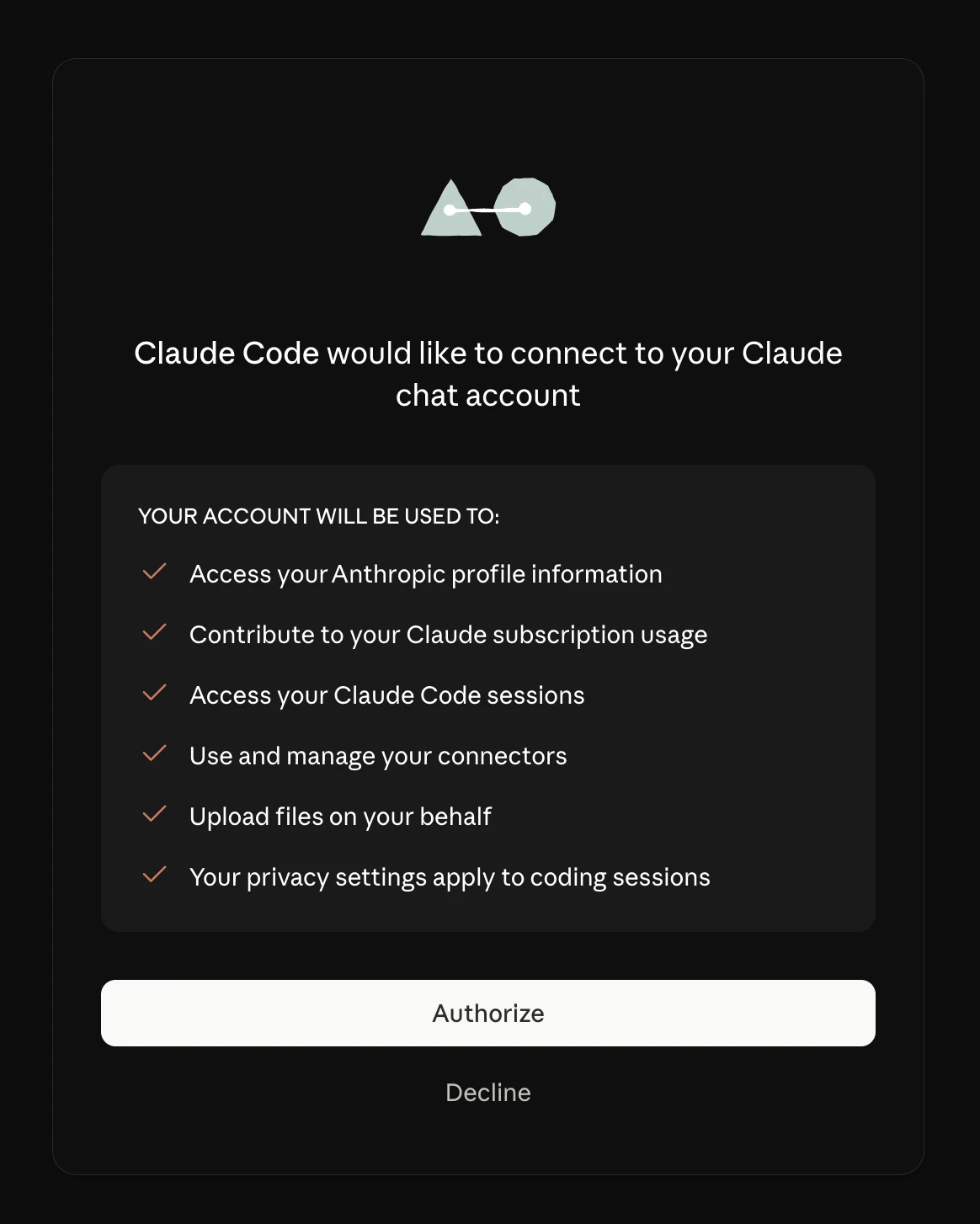
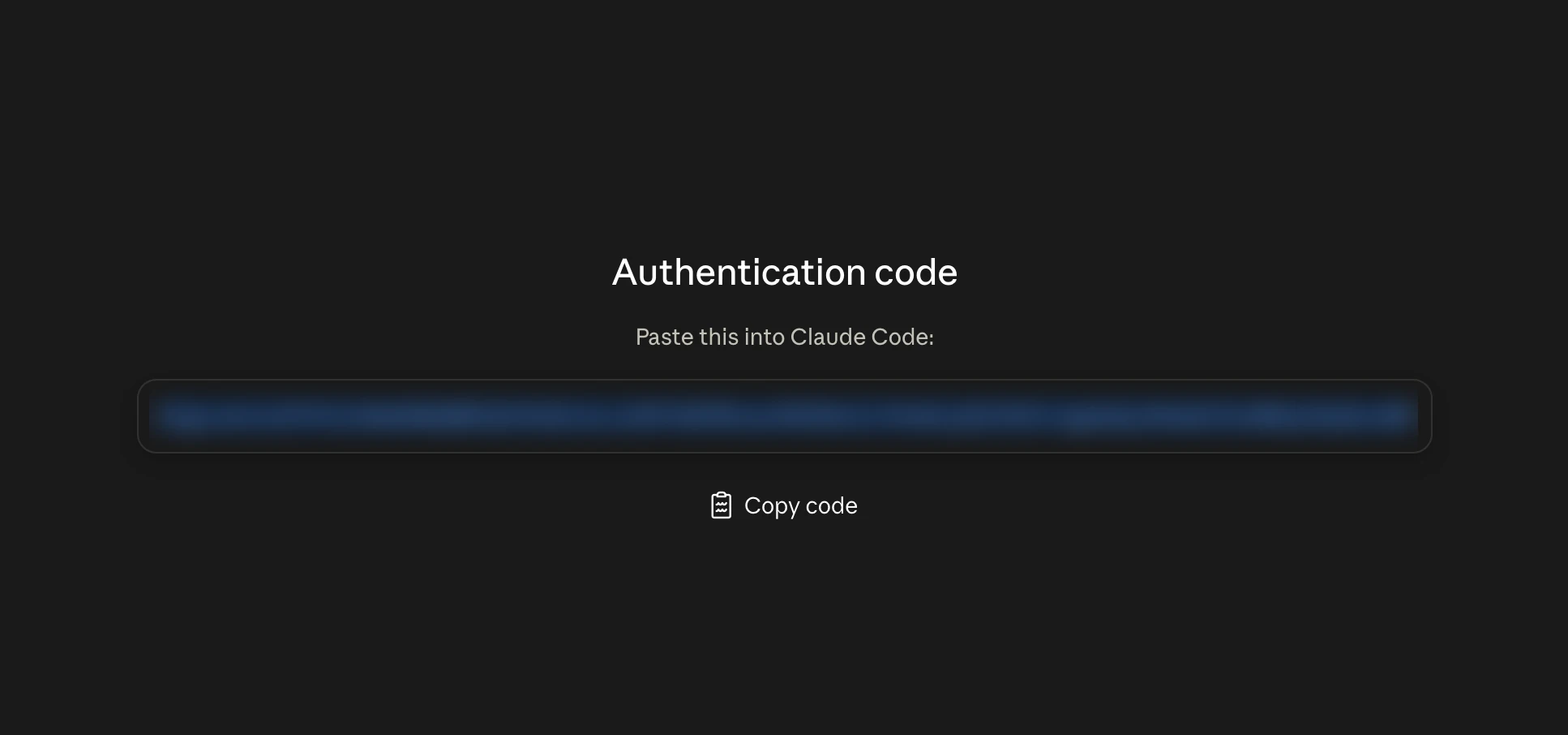
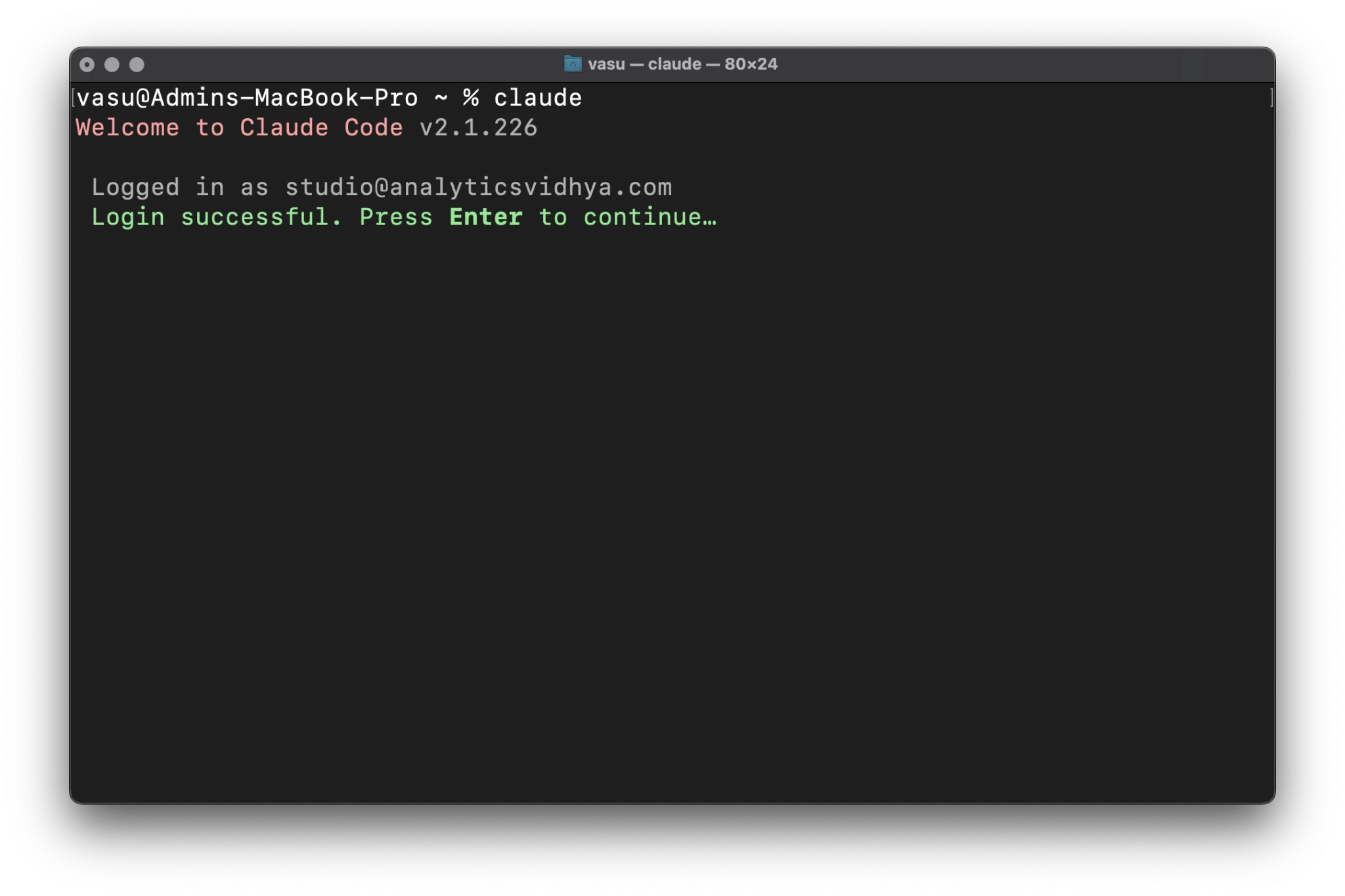
In a standard desktop environment, the CLI will trigger the default web browser to open an authorization page. Clicking "Authorize" links the local terminal session to the Anthropic account.
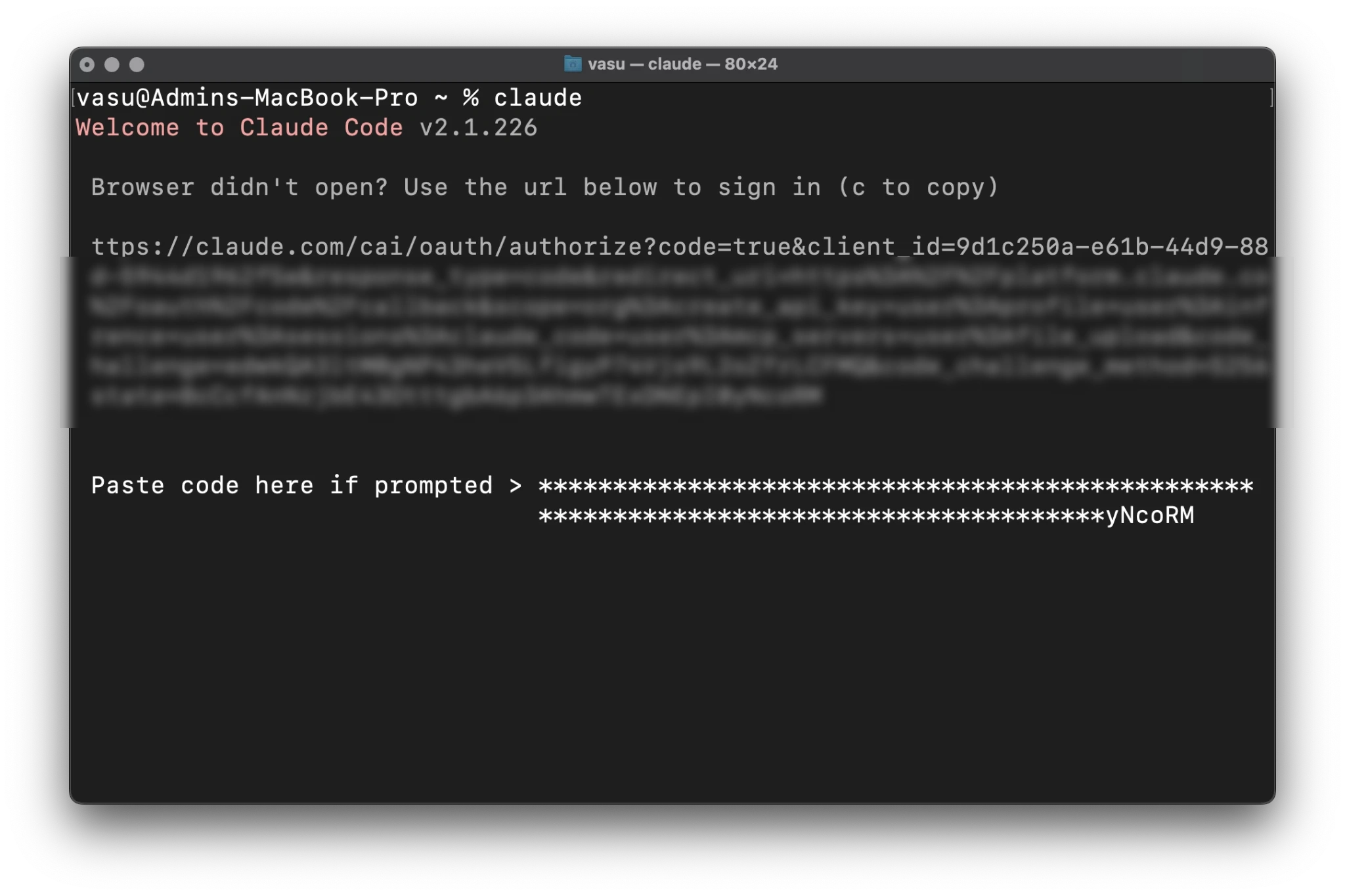
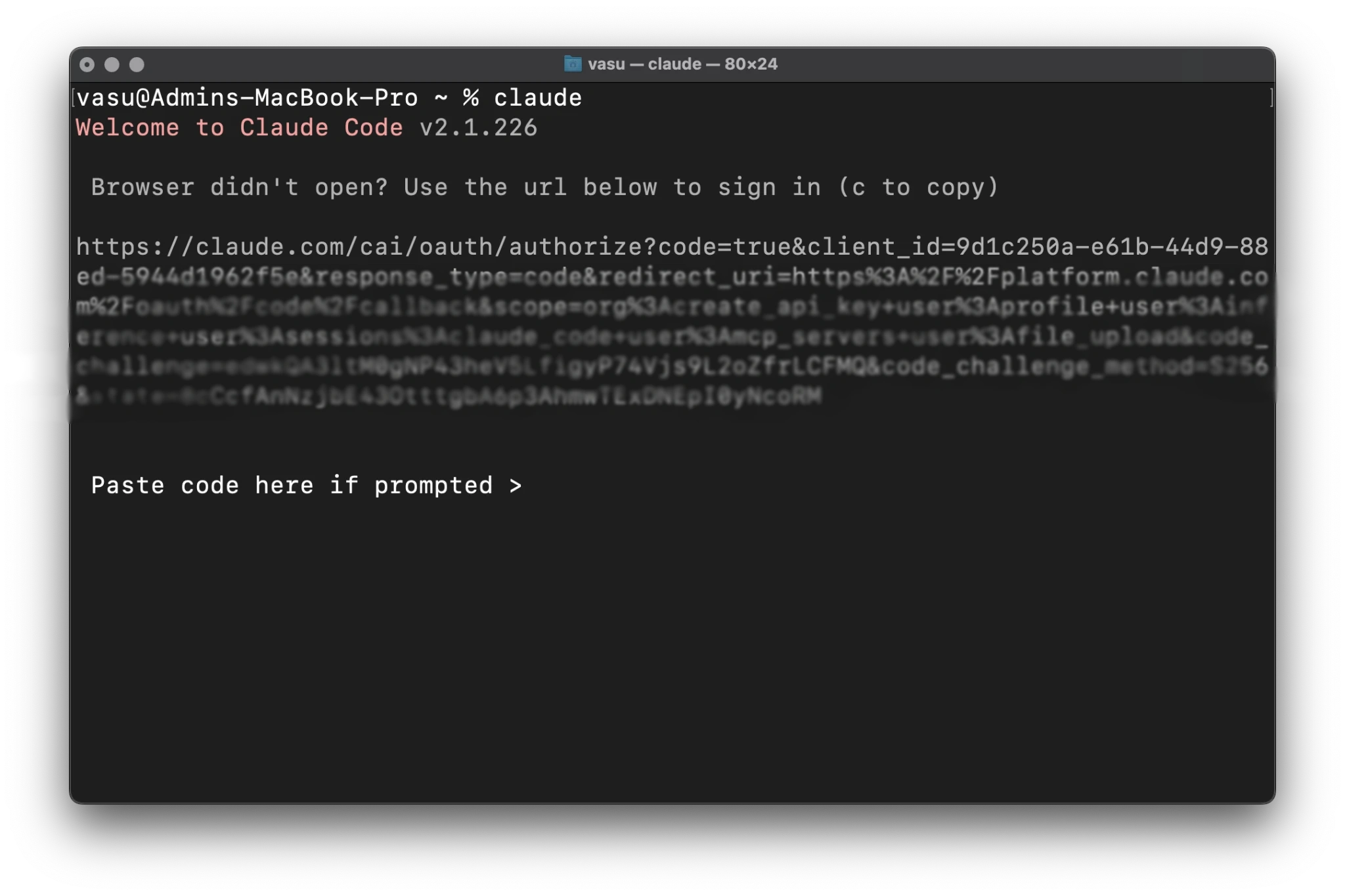
However, for developers working on remote servers via SSH or within Docker containers (where no browser is available), Claude Code provides a "manual flow." The terminal prints a unique URL and a one-time code. The user must copy this code, navigate to the URL on a separate device, and input the code to bridge the session. This "out-of-band" authentication ensures that even headless servers can safely utilize the AI agent.
Security and Workspace Trust Protocols
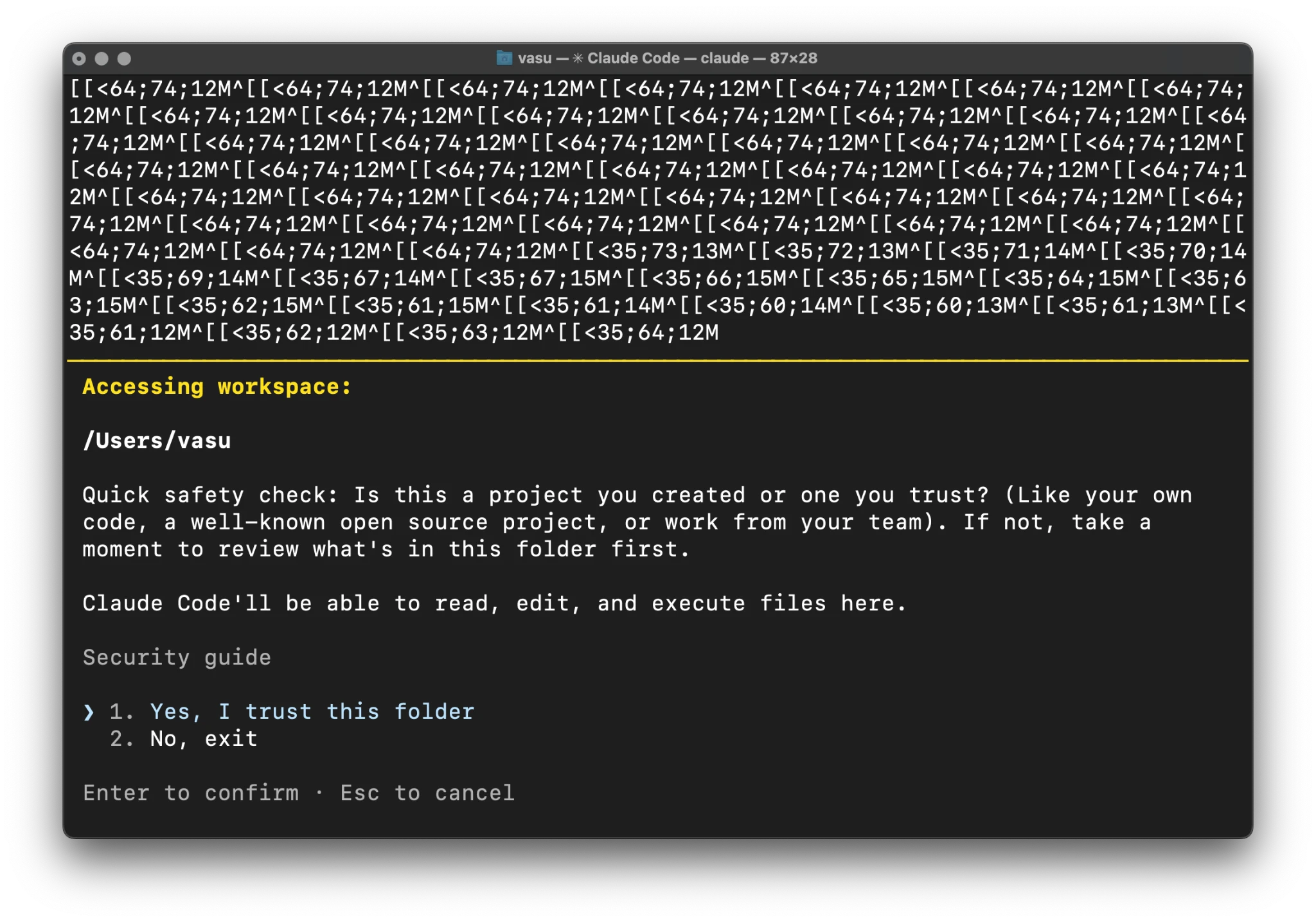
A critical phase of the setup involves the "Workspace Trust" prompt. Because Claude Code has the capability to execute shell commands and modify files, it presents a significant security risk if run in a directory containing untrusted or malicious code. Anthropic has implemented a "Trust" gate, requiring users to explicitly confirm that they trust the folder they are working in.
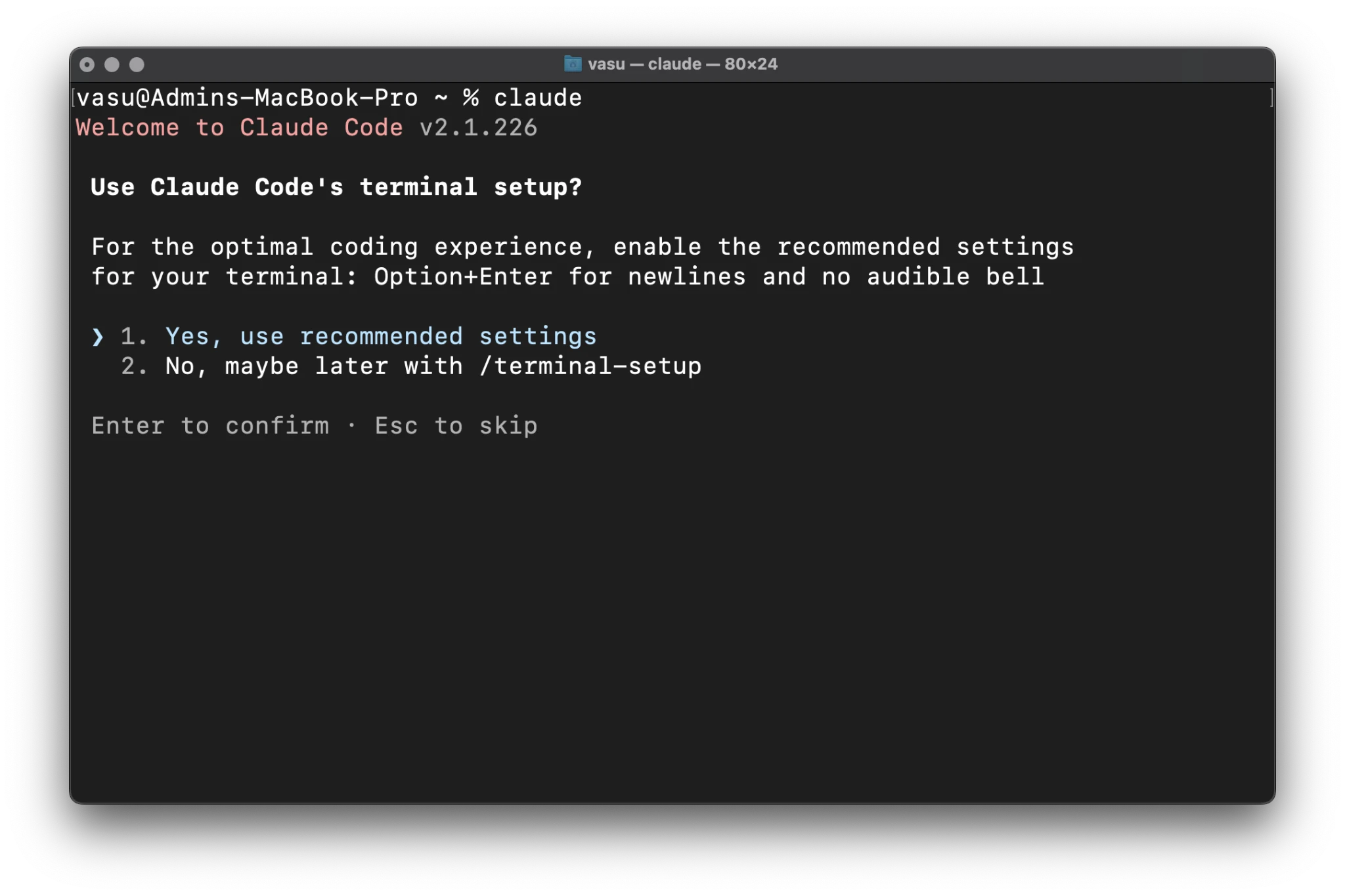
Furthermore, the tool requests permission to use "recommended terminal settings." This enables advanced features like Option+Enter for multi-line inputs. Without this, the terminal might send a partial instruction to the AI as soon as the user hits the "Enter" key, leading to wasted tokens and incorrect responses.
Impact Analysis: The Cost of Autonomy
The primary concern raised by the developer community regarding Claude Code is the speed at which it consumes API credits or subscription quotas. This is a byproduct of the tool’s "agentic" nature. To provide accurate help, Claude Code often performs a "ls -R" (recursive directory listing) and reads the contents of relevant files to build a "context map" of the project.
Supporting data suggests that a single complex request—such as "Refactor this entire module to use asynchronous functions"—can result in a prompt containing tens of thousands of tokens. At current API prices for Claude 3.5 Sonnet ($3 per million input tokens), a single hour of intensive work can cost several dollars. Users are advised to use the /usage command frequently to monitor their spending and to use the /init command to set specific boundaries for the AI’s behavior within a project.
Official Responses and Future Outlook
Anthropic has acknowledged the feedback regarding usage limits, noting that the tool is optimized for accuracy and "reasoning" rather than token frugality. In official documentation, the company emphasizes that Claude Code is currently in a beta-like state, with frequent updates being pushed to the native installer.
The broader implication of Claude Code is the potential obsolescence of traditional "copy-paste" coding workflows. By moving the AI into the terminal, Anthropic is positioning Claude not just as a consultant, but as a junior developer capable of performing the "drudge work" of software engineering. As the tool matures, industry analysts expect more granular controls over token usage and deeper integration with Model Context Protocol (MCP) servers, allowing Claude to interact with external databases and APIs as easily as it interacts with local files.
Frequently Asked Questions
Q1: Can Claude Code be used without a paid plan?
No. The CLI requires an active paid tier (Pro, Max, Team, Enterprise) or a Console account with a positive API credit balance.
Q2: Is Node.js a prerequisite for the new installer?
While the legacy version required Node.js 22+, the new native installer is self-contained and includes the necessary runtime environments.
Q3: How are updates handled?
Native installations are designed to update automatically upon launch. Users can force an update check by running claude update.
Q4: Is there a graphical version of this tool?
Yes. The Claude desktop application for macOS and Windows now includes integrated Claude Code features for those who prefer a GUI over a terminal-only experience.
Q5: How do I completely remove Claude Code?
To uninstall, users should delete the binary located at ~/.local/bin/claude and the data directory at ~/.local/share/claude. To wipe all history and settings, the ~/.claude folder should also be removed.


 Ali Ikhwan
 Dwi Wanna