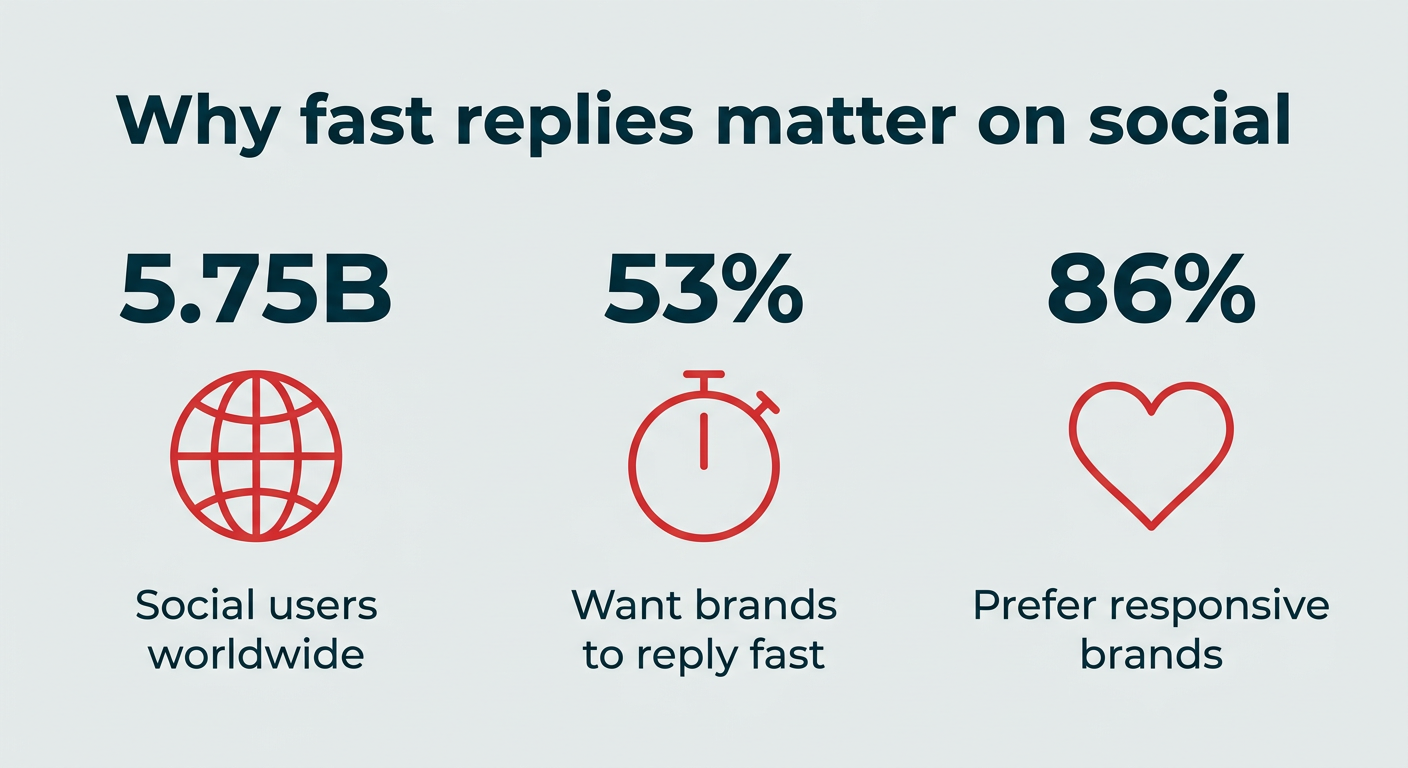
The modern digital landscape demands that businesses maintain a robust and responsive presence across an ever-expanding array of social media platforms. With global social networks now engaging approximately 5.75 billion users, the volume and velocity of customer interactions have reached unprecedented levels. This explosion of digital communication has presented a significant challenge for brands: how to efficiently manage, track, and respond to messages, comments, mentions, and customer service requests scattered across multiple channels without overwhelming internal teams or letting crucial conversations slip through the cracks. The answer, increasingly, lies in the adoption of sophisticated social inbox tools.

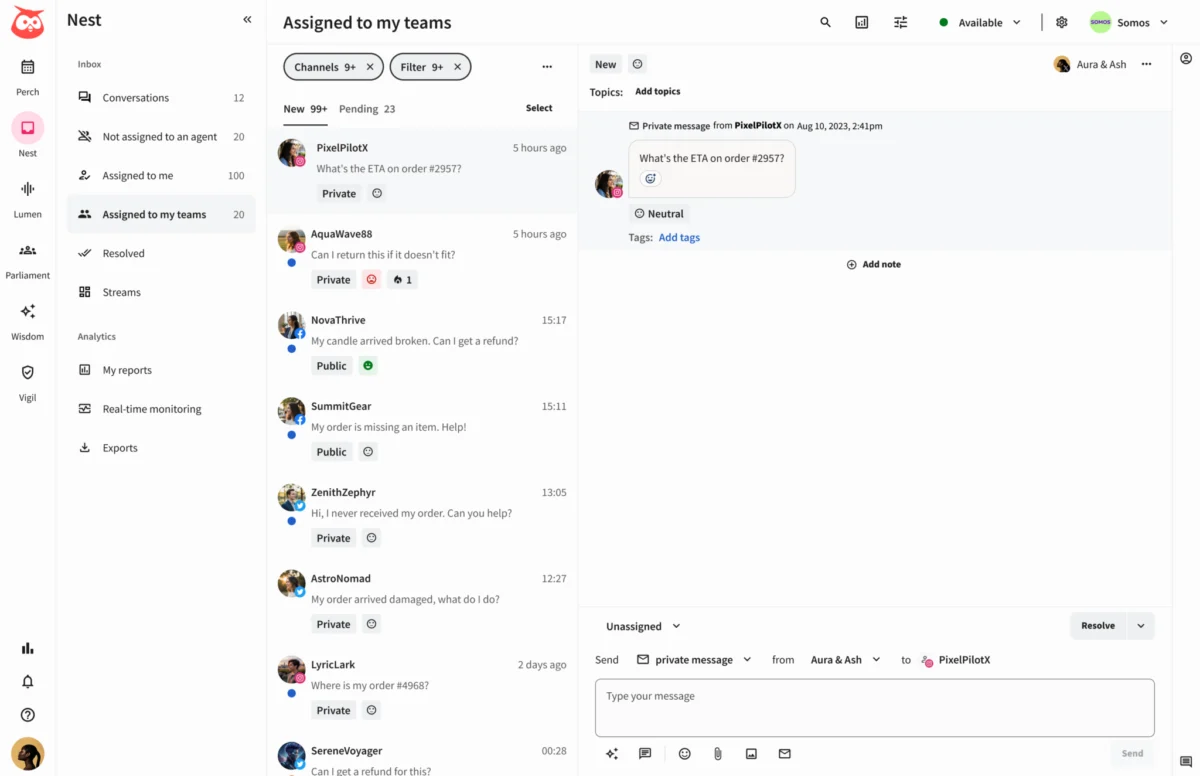
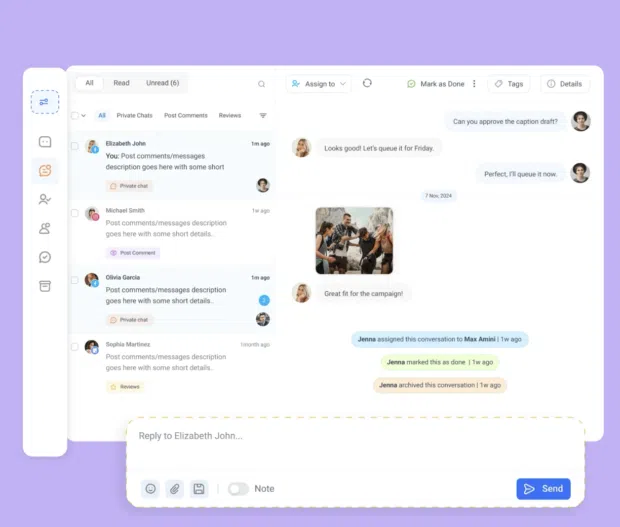
A social inbox tool serves as an indispensable online platform, consolidating messages from various social media channels into a single, unified interface. This centralized approach enables teams to manage a broad spectrum of social interactions, including direct messages, public comments, replies to social ads, questions, mentions, hashtags, and social customer service requests, all from one dashboard. This unified view is the cornerstone of its value proposition, offering unparalleled efficiency and insight that traditional, siloed management methods simply cannot match. The benefits of such integration extend beyond mere convenience, impacting response times, customer satisfaction, and ultimately, brand loyalty.
The Evolution of Social Communication and the Rise of Unified Inboxes

The journey to the unified social inbox is rooted in the rapid evolution of social media itself. Initially, social platforms like Facebook and Twitter emerged as channels primarily for personal connection and casual content sharing. Businesses gradually recognized their potential for marketing and customer engagement, leading to a fragmented approach where each platform was managed independently. As the number of platforms grew and user expectations for brand responsiveness soared, this fragmented strategy became unsustainable. Marketers and customer service teams found themselves constantly toggling between apps, leading to delayed responses, duplicated efforts, and a lack of holistic customer context.
This operational inefficiency birthed the demand for specialized software capable of aggregating these disparate communications. Early social media management tools focused primarily on content scheduling and basic analytics. However, the critical need for streamlined interaction management became evident, paving the way for the development of dedicated social inbox functionalities. Today, these tools are not just about aggregation; they are sophisticated systems designed to enhance team collaboration, leverage automation, and integrate with broader customer relationship management (CRM) ecosystems.
Key Features Driving Efficiency and Engagement
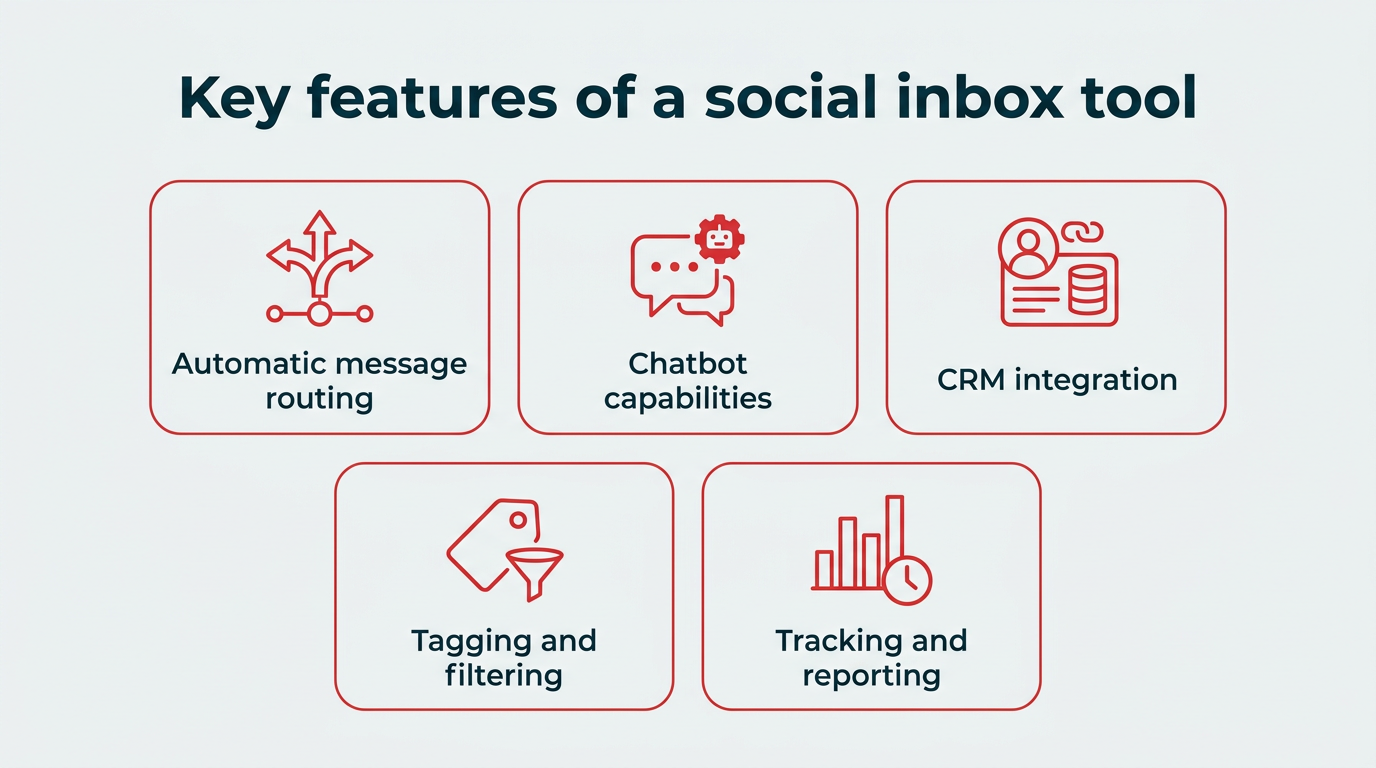
A truly effective unified social inbox tool transcends basic message aggregation, offering a suite of advanced features that empower teams to respond faster, collaborate more effectively, and extract actionable insights from daily conversations. These features transform a simple inbox into a comprehensive management system for social messaging and customer support.
Among the most impactful features are:
- Unified Conversation View: This centralizes all interactions from multiple platforms (e.g., Facebook, Instagram, X, LinkedIn, TikTok, YouTube, even review sites) into one stream, eliminating the need to monitor individual apps.
- Team Collaboration Tools: Features like message assignment, internal notes, approval workflows, and "who’s viewing" indicators prevent overlap and ensure seamless handover between team members.
- Automation and AI Capabilities: Smart routing, AI-powered chatbots for common queries, sentiment analysis, suggested replies, and auto-moderation rules significantly reduce manual workload and accelerate response times.
- CRM Integration: Connecting social interactions directly with CRM systems provides a 360-degree view of the customer, enriching profiles and ensuring consistency across all touchpoints. Two-way sync is particularly valuable for updating customer records in real-time.
- Analytics and Reporting: Tools that offer insights into response times, team performance, sentiment trends, and message volume enable data-driven optimization of social engagement strategies.
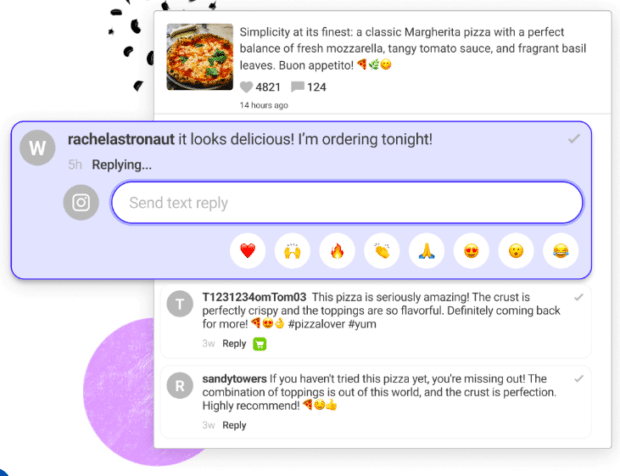
- Saved Replies/Templates: Pre-written responses for frequently asked questions ensure brand consistency and speed up common interactions.
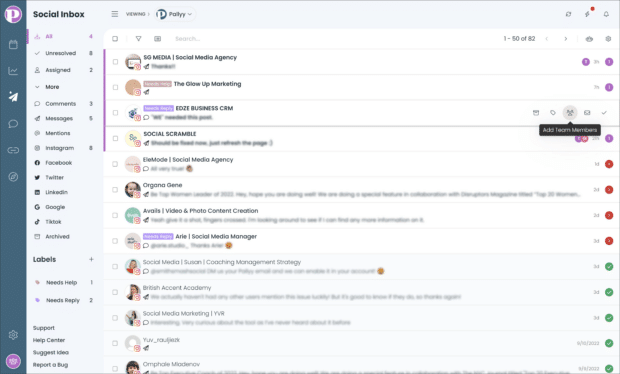
- Customizable Filters and Tags: These allow teams to prioritize, categorize, and organize messages based on urgency, topic, sentiment, or team responsibility.
These functionalities collectively address the core challenges of high message volume and diverse platform interactions, transforming a potential bottleneck into a strategic advantage for customer engagement.
The Imperative of Rapid Response in a Connected World
The value proposition of social inbox tools is underscored by evolving customer expectations. Over half (53%) of consumers explicitly state that a brand’s quick response to direct questions and comments on social media is the most appealing aspect of their online presence. In an age where information is instant and options are abundant, slow replies can be detrimental, often pushing customers towards competitors. Research further indicates that 86% of shoppers prefer brands that are responsive, highlighting the direct link between timely engagement and consumer preference.
A social inbox tool directly addresses this imperative by:
- Preventing Missed Messages: Centralization ensures no message, comment, or mention is overlooked.
- Improving Response Times: Streamlined workflows, automation, and easy assignment drastically cut down on the time it takes to respond.
- Enhancing Customer Satisfaction: Quick, accurate, and personalized responses foster a sense of being heard and valued.
- Building Brand Loyalty: Consistent positive interactions on social media strengthen customer relationships and trust.
- Boosting Team Productivity: Eliminating context switching and manual tasks allows social teams to handle a higher volume of interactions more efficiently without burnout.
- Maintaining Brand Voice Consistency: Saved replies and collaborative tools ensure that all responses align with the brand’s established tone and messaging.
In essence, these tools convert social messaging from a chaotic scramble into a well-orchestrated system that any team can effectively leverage.
A Comparative Overview of Leading Social Inbox Tools
The market for social inbox tools is diverse, catering to a wide range of business sizes, team structures, and specific needs. Here’s an in-depth look at 12 prominent platforms, highlighting their unique strengths, features, and target audiences.
Solutions for Large Teams and Enterprises:
For organizations with high message volumes, complex team structures, and a need for deep integration, robust automation, and comprehensive reporting are paramount.
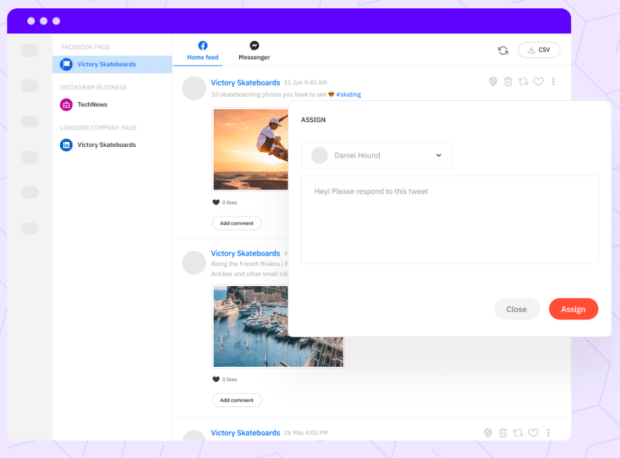
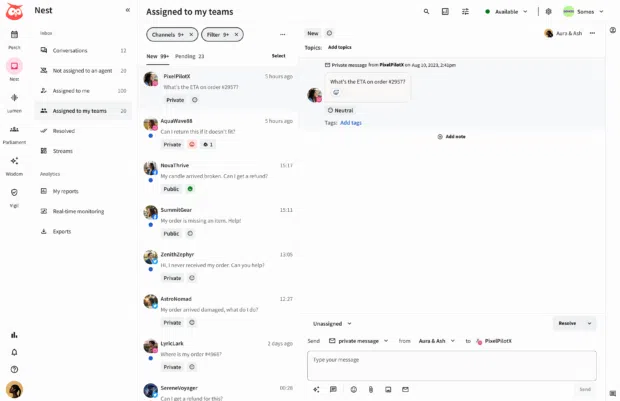
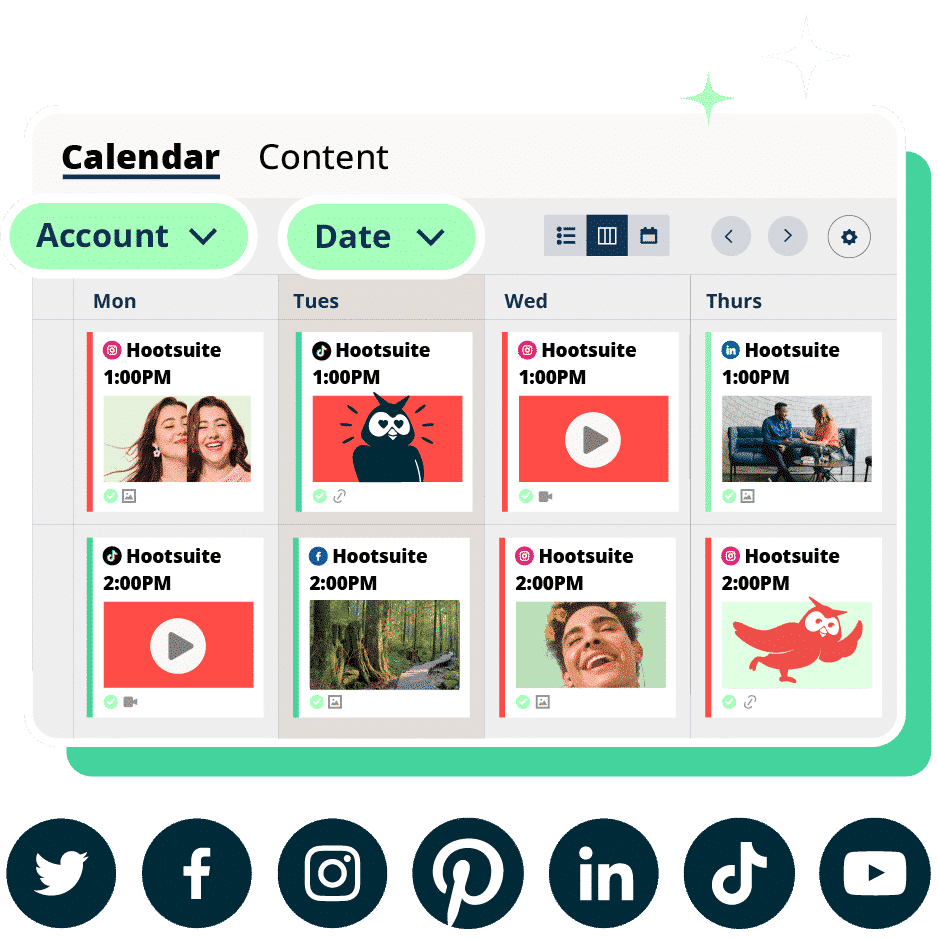
- Hootsuite: As part of its comprehensive Social OS, Hootsuite offers a highly integrated social inbox designed for large teams and enterprises. Its key strength lies in combining inbox management with scheduling, analytics, and social listening capabilities within a single platform. Hootsuite’s inbox records each social contact as part of a continuous customer conversation history, offering immediate context. Crucially, it provides two-way CRM synchronization, ensuring that customer service and sales teams are always updated with the latest social interactions. Features like built-in language detection and smart routing automatically assign incoming messages to the most relevant team member, which can be manually overridden for specialized care. A library of saved replies ensures brand voice consistency, while AI-powered chatbots handle routine queries, escalating to human agents only when necessary – a critical balance, especially given Forrester’s prediction that a third of companies will harm customer experience by deploying AI self-service prematurely by 2026. The platform’s extensive app ecosystem further extends its capabilities through integrations like Streamchat for rules-based chatbots or specialized listening tools.
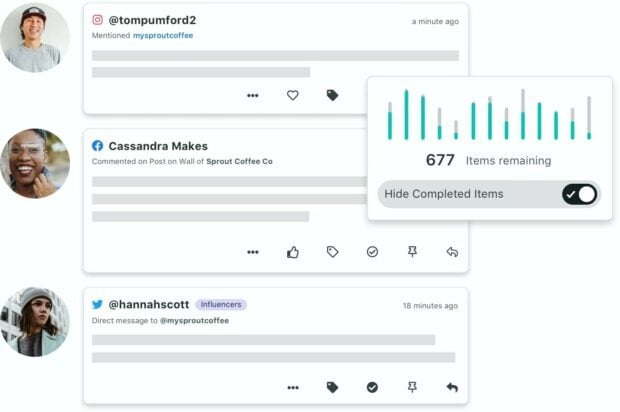
- Sprout Social: Targeting large teams and enterprises, Sprout Social provides an integrated social inbox known for its clean conversation history and robust tagging and filtering functionalities. Users can easily organize and optimize their inbox by hiding completed messages. The messaging view offers a detailed history of customer conversations alongside relevant customer relationship information. While offering some chatbot support, its coverage is limited to select platforms. Sprout Social sits at the higher end of the pricing spectrum, reflecting its comprehensive feature set for sophisticated social media management.
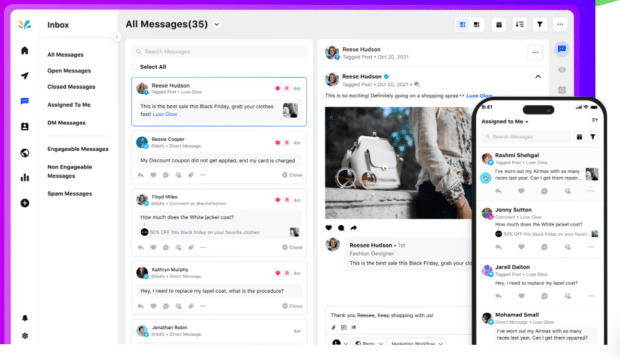
- Sprinklr: Positioned for large enterprises, Sprinklr’s social inbox tool is a powerful offering, albeit with a premium price point. It excels in AI automations, enabling efficient message management at scale. A standout feature is its ability to differentiate between "engageable" and "unengageable" mentions (e.g., a simple link share versus a direct question), helping teams focus their efforts where they matter most. Its detailed reporting features allow for continuous improvement of customer engagement strategies, making it a strong choice for organizations with complex requirements and custom pricing models.
Platforms for Agencies and Multi-Client Teams:
Agencies require tools that facilitate clear client separation, robust collaboration, and flexible assignment workflows to prevent cross-contamination and ensure tailored communication for each brand.
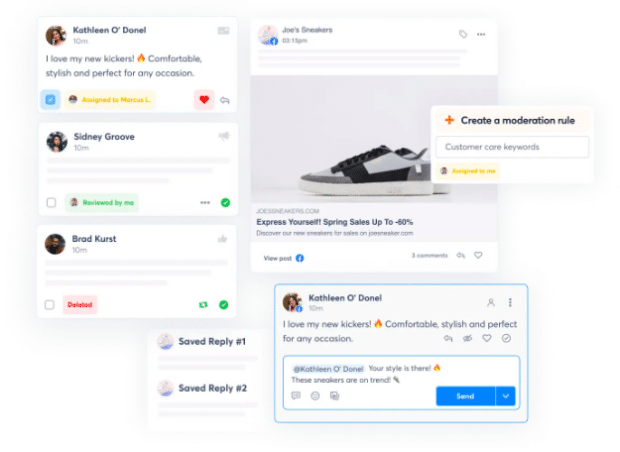
- Sendible: Sendible’s social inbox tool offers two distinct views: a priority inbox that displays chronological messages with sentiment indication (though with a delay of up to two hours and only pulling comments within four days of the original post), and a real-time social feeds view organized by account. This dual approach can be beneficial for agencies managing diverse engagement patterns. A significant advantage for agencies is Sendible’s white-labeling capability, allowing them to brand the tool as their own for client use.
- eClincher: Built with team collaboration as a core tenet, eClincher’s social inbox enables users to create notes, assign tasks, and auto-assign or auto-tag incoming messages using automation rules. Its versatility extends beyond standard social platforms, integrating with WordPress and Yelp, in addition to Facebook, Instagram, LinkedIn, X, and TikTok. Higher-tier plans also offer AI-suggested replies, enhancing response efficiency.
Tools for Small Businesses and Solopreneurs:
Small teams prioritize organization and efficiency without the complexity or cost associated with enterprise-level solutions. They benefit from strong tagging, saved replies, and user-friendly collaboration features.
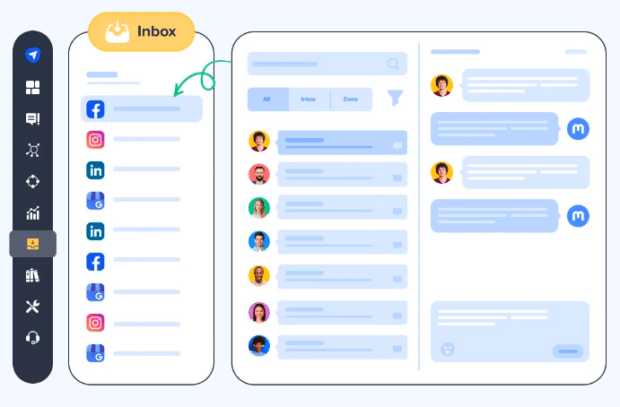
- Agorapulse: Agorapulse provides a solid social inbox solution for managing both organic and paid comments and messages. Its strong entry-level pricing (starting at $79/user/month, billed annually) makes it highly accessible for small businesses and solo operators. Higher-tier plans include features like message assignment, conversation labeling for tracking, and report generation. Saved replies are a key time-saver, and it integrates with CRM systems like Salesforce and HubSpot.
- SocialPilot: A robust social media inbox tool for managing private and public messages across multiple channels, SocialPilot’s primary caveat is its lack of support for X (formerly Twitter) messaging, making it suitable for brands with less emphasis on that platform. It offers basic team collaboration, allowing invitations for interaction review, but lacks automatic message routing, making it best for smaller teams where manual assignment is manageable.
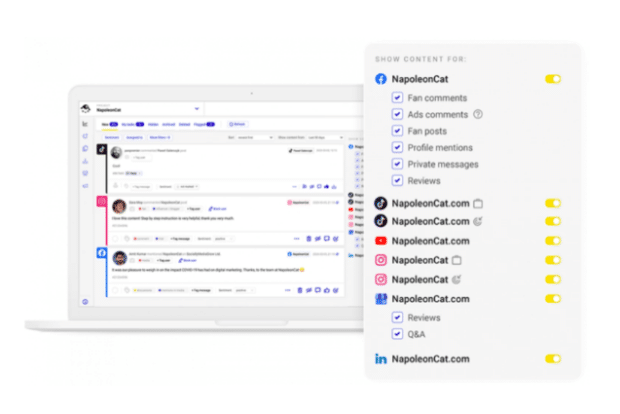
- NapoleonCat: With its social inbox as a central feature, NapoleonCat offers an extensive set of capabilities. A notable differentiator is its ability to manage app store reviews and Google Business Profile reviews alongside social messages. It’s also one of the few tools supporting engagement on both organic and paid TikTok content. While it doesn’t integrate with external CRMs, it allows for building user profiles directly within the platform, a valuable feature for smaller teams. Smart filtering and auto-moderation tools further enhance responsiveness for lean teams.
- Content Studio: Content Studio’s social inbox is designed for simplicity and essential functionality. It includes "who’s viewing" indicators to prevent duplicate efforts, internal notes for context, and saved replies for common questions. Similar to NapoleonCat, it allows for creating user profiles for social contacts, beneficial for teams without a dedicated CRM.
- Simplified: Tailored for small teams and social media managers handling multiple clients, Simplified’s social inbox offers an account grouping feature to keep different brands or departments neatly separated. It provides full conversation context through post history, manual team assignments, and internal notes. A unique feature is its built-in AI assistant capable of summarizing conversations or adjusting response tone. It does not support messaging on X (Twitter), making it more suitable for brands focused on Facebook, Instagram, and LinkedIn.
- Pallyy: Pallyy’s social inbox is designed for familiarity, mirroring a traditional email inbox with folders, labels, and organizational tools. It supports a wide range of social networks, including TikTok comments. Bulk actions allow for assigning groups of messages, applying labels, and resolving threads en masse, with color-coded labels for visual tracking. While it offers rules-based automation for assigning messages, it relies on manual setup rather than AI-powered filtering. A free plan is available, but it excludes the social inbox tool.
Tools for Public Content Management Only:
For brands whose primary focus is public engagement rather than direct messages, a full unified inbox for private conversations may not be necessary.
- Buffer: Buffer’s social inbox is ideal for managing public engagement, presenting a grid view that shows the number of unanswered comments for each post. It uses filtering and machine learning to identify comments containing questions or negative sentiment, guiding prioritization. Unique features include keyboard hotkeys for quicker responses. Unlike many other tools, Buffer’s inbox is limited to public comments on platforms like Facebook and Instagram and does not include private messages.
Strategic Selection: Choosing the Right Tool
Selecting the appropriate social inbox tool is a critical decision that hinges on aligning a platform’s capabilities with an organization’s specific operational needs, team size, message volume, and strategic objectives. Rather than pursuing the longest feature list, businesses should focus on criteria that directly address their unique requirements.
Key factors for intelligent social inbox management include:
- Scalability: Does the tool support current and anticipated message volumes and team growth?
- Platform Coverage: Does it integrate with all essential social media channels relevant to the brand’s audience?
- Integration Ecosystem: Is CRM integration crucial? What about other tools like analytics, scheduling, or listening?
- Automation and AI Needs: What level of AI assistance (chatbots, sentiment analysis, smart routing) is necessary for efficiency?
- Collaboration Features: Are advanced team functionalities like assignment, notes, and approval workflows required?
- Reporting and Analytics: What depth of insight is needed to measure performance and optimize strategy?
- Budget: Does the pricing model align with the organization’s financial constraints and value expectations?
- Ease of Use: Is the interface intuitive, minimizing the learning curve for the team?
- Customer Support: What level of vendor support is provided for setup and ongoing issues?
By carefully evaluating these factors, businesses can shortlist and select the social inbox tool that best empowers their team to deliver exceptional social customer service and engagement.
Implementing a Unified Social Inbox: A Step-by-Step Guide
Once the ideal social inbox tool has been identified, a structured implementation process ensures a smooth transition and rapid realization of benefits.
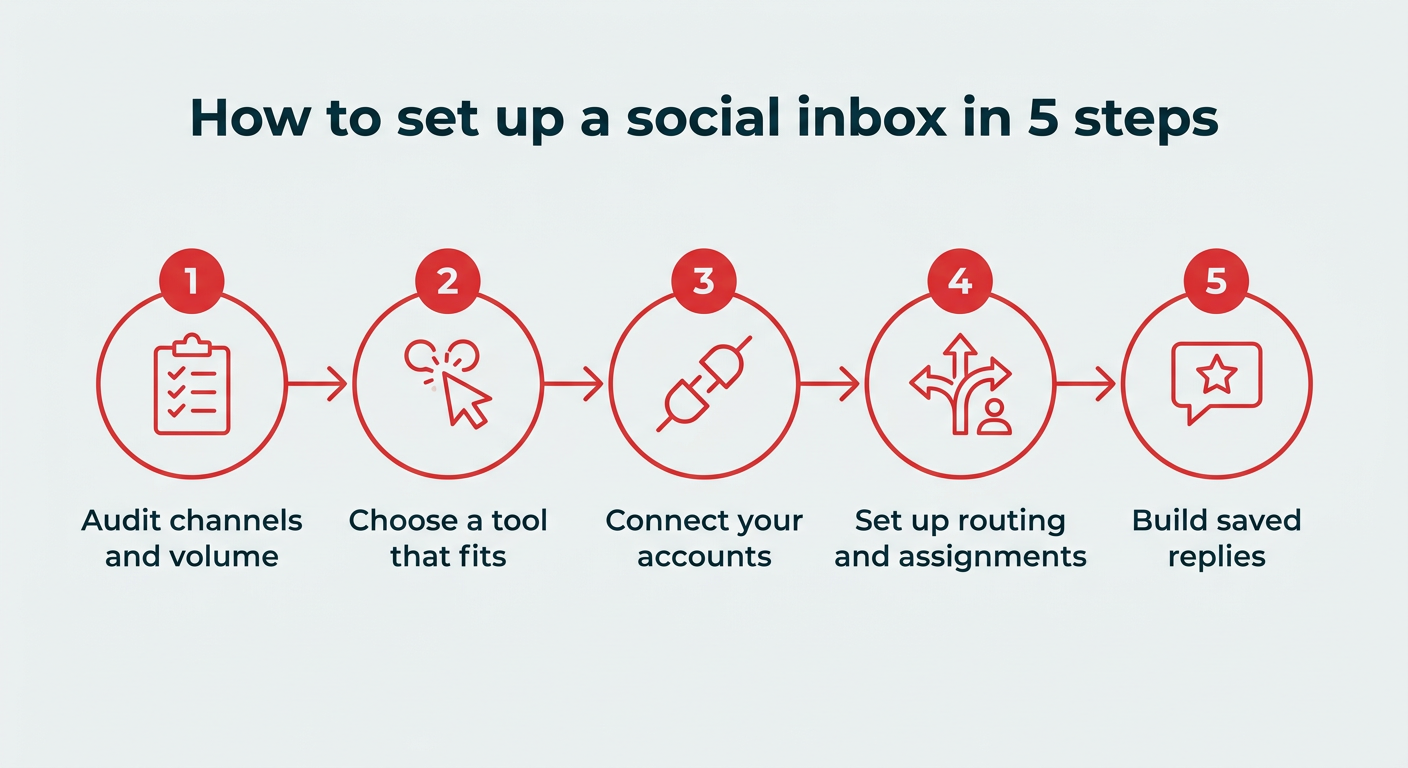
- Define Objectives: Clearly articulate what the organization aims to achieve with the social inbox – e.g., reduce response times by X%, improve customer satisfaction scores, increase team productivity.
- Connect Social Accounts: Integrate all relevant social media profiles (Facebook Pages, Instagram Business Profiles, X accounts, LinkedIn Pages, TikTok, YouTube channels, etc.) into the chosen tool.
- Configure Team Roles and Workflows: Set up user accounts, define roles and permissions, and establish clear guidelines for message assignment, internal communication, and response protocols. This might involve creating specific queues for different types of inquiries or platforms.
- Customize Automation and AI: Implement smart routing rules, configure saved replies, and deploy AI chatbots for frequently asked questions. Test these automations thoroughly to ensure accuracy and effectiveness.
- Integrate with CRM and Other Systems: If applicable, connect the social inbox tool with existing CRM platforms or other relevant business systems to ensure a unified view of customer data across all touchpoints.
- Train the Team: Provide comprehensive training to all team members on how to use the new tool, its features, and the established workflows. Emphasize best practices for social engagement and customer service.
- Monitor, Analyze, and Optimize: Regularly review performance metrics, such as response times, resolution rates, and sentiment analysis. Use these insights to continuously refine workflows, update saved replies, and adapt strategies.
By following these steps, teams can quickly get their unified social inbox up and running, enabling faster, more effective responses from day one.
The Broader Impact and Future Outlook
The strategic adoption of social inbox tools carries profound implications for businesses beyond mere operational efficiency. It directly contributes to enhanced brand reputation by demonstrating responsiveness and care, fostering deeper customer loyalty that can withstand competitive pressures, and providing rich data insights that inform broader marketing and product development strategies. The ability to monitor sentiment, track trends, and analyze conversation topics offers a real-time pulse on public perception and emerging customer needs.
Looking ahead, the evolution of social inbox tools is expected to feature even deeper integration of artificial intelligence, moving beyond simple chatbots to more sophisticated predictive analytics and proactive engagement suggestions. The convergence of social media management with broader omnichannel customer service platforms will likely continue, further blurring the lines between social media, email, chat, and phone support. As the digital landscape continues to evolve, social inbox tools will remain at the forefront of enabling businesses to connect authentically and effectively with their global audience.