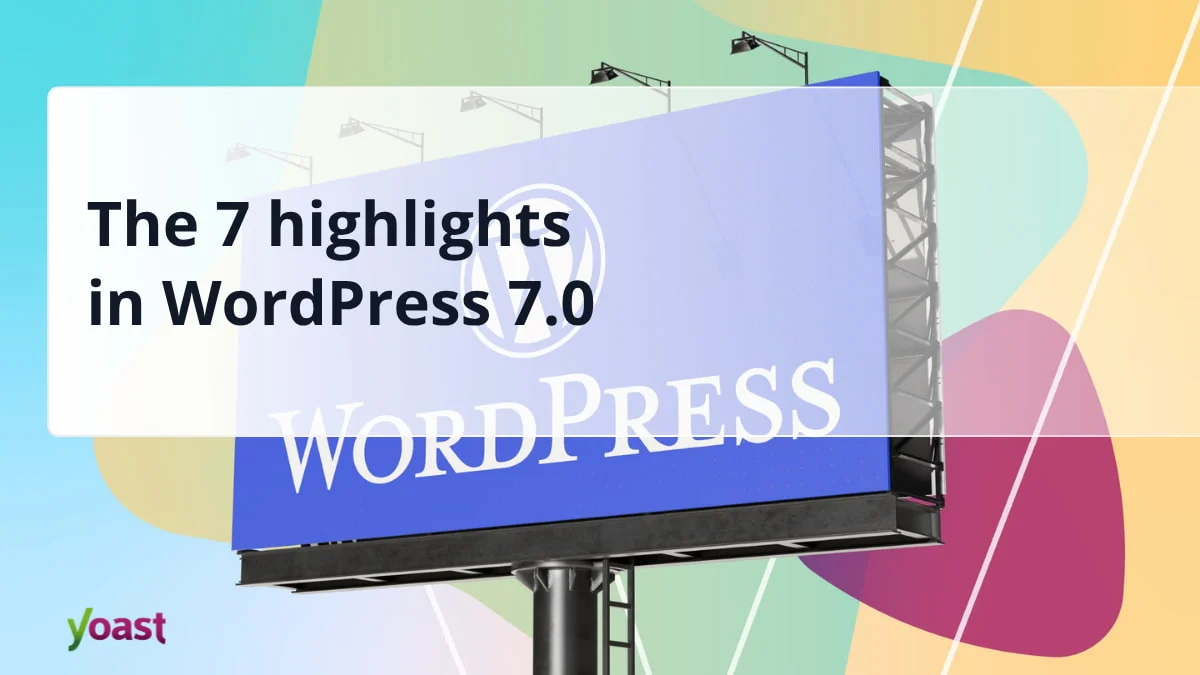
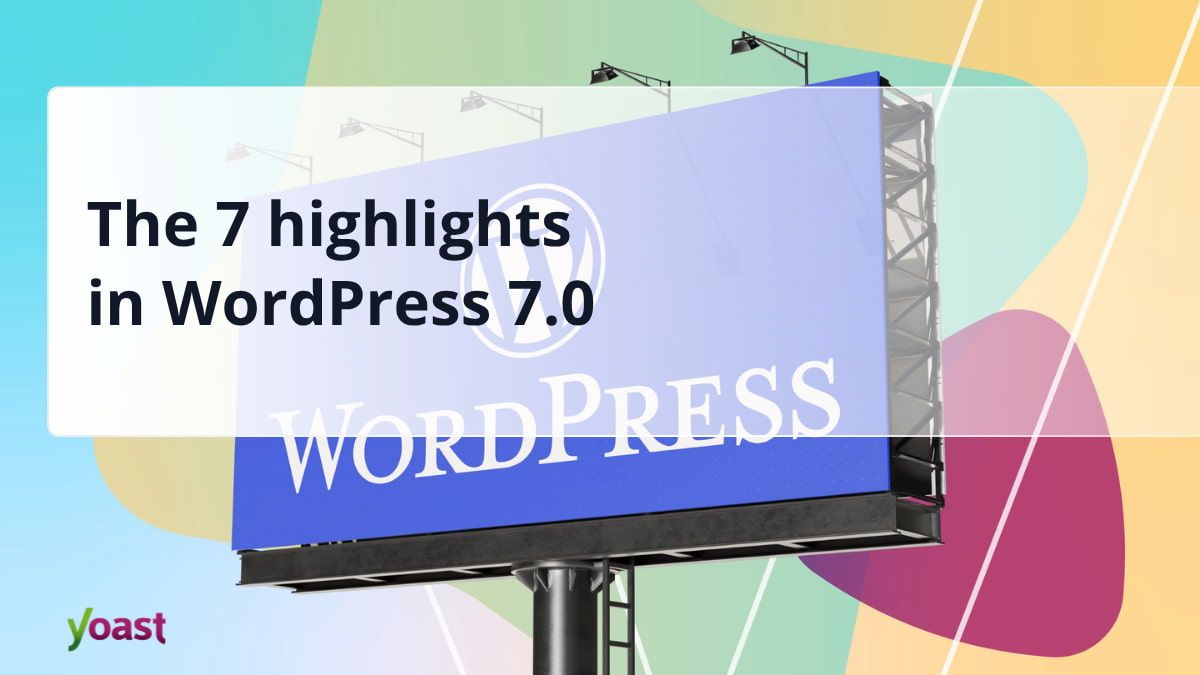
The digital world witnessed a significant evolution in web content management on May 20th, 2026, with the official release of WordPress 7.0. This major update marks a pivotal moment for the world’s most popular Content Management System (CMS), signaling a strategic shift from incremental improvements to the block editor towards a comprehensive “app-like” experience characterized by smarter workflows and a more intuitive interface. With its expansive user base, powering over 43% of all websites globally, WordPress’s trajectory profoundly influences the broader internet landscape. Version 7.0 is not merely an iterative update; it represents a foundational leap into the next phase of its roadmap, designed to empower both novice users and seasoned developers with unparalleled efficiency and creative control.
The Journey to 7.0: A Platform’s Evolution
WordPress, originally conceived as a simple blogging platform in 2003, has undergone a remarkable transformation over two decades, evolving into a robust, versatile CMS capable of building everything from personal blogs to complex e-commerce sites and enterprise-level platforms. A significant chapter in this evolution began with the introduction of the Gutenberg project in 2018 (WordPress 5.0), which reimagined content creation through a block-based editor. Subsequent major releases primarily focused on refining this editor, gradually expanding its capabilities into full site editing. WordPress 7.0 culminates years of development, particularly within the ambitious “Phases” outlined for the Gutenberg project, which aimed to move beyond content blocks to full site customization, collaboration, and ultimately, an app-like experience. This release explicitly addresses the “Phase 3” goals of the Gutenberg roadmap, pushing the platform closer to its vision of democratizing sophisticated web development. The May 20th, 2026, release date follows a rigorous development and beta testing cycle, ensuring stability for its vast global audience.
A Refreshed Administrative Core: Enhancing User Experience
Central to WordPress 7.0’s mission to deliver an “app-like” experience is a thoroughly revamped administrative interface. The most immediately noticeable change is the integration of the CSS View Transitions API, which provides significantly smoother and more fluid transitions between pages in the backend. This technical enhancement translates directly into a more responsive and modern user experience, reducing jarring page reloads and fostering a perception of speed and seamless interaction, akin to a native desktop application. This adoption of a contemporary web standard demonstrates WordPress’s commitment to leveraging cutting-edge browser technologies for improved usability.
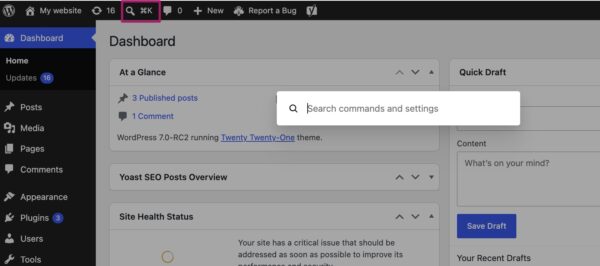
Further enhancing backend efficiency is the introduction of the Command Palette shortcut. Accessible via a new icon in the top menu bar or through the familiar keyboard shortcuts (⌘K or Ctrl+K), this feature offers a quick-access overlay that allows users to navigate the backend, search for specific settings, or initiate various actions without needing to click through multiple menus. This productivity tool, common in modern development environments and productivity applications, is anticipated to significantly streamline workflows for power users and administrators, allowing for faster task execution and reduced cognitive load.
Subtle yet impactful aesthetic changes also contribute to the modern feel. The default color scheme has been updated, with the palette previously known as “Modern” now serving as the new standard. This shift aligns the administrative interface more closely with the visual direction of the evolving block and site editors, promoting a cohesive design language across the entire platform. For users who preferred the previous aesthetic, the “Fresh” palette remains available within their profile preferences, ensuring backward compatibility and user choice. These collective improvements aim to reduce the perception of WordPress as a traditional, somewhat static CMS, instead positioning it as a dynamic and highly interactive web application.
Visualizing Change: Streamlined Content Management
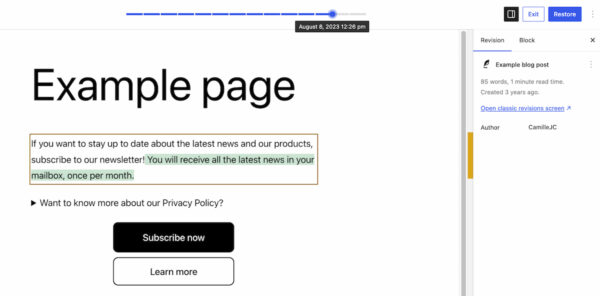
One of the most significant improvements for content creators and site administrators in WordPress 7.0 is the complete overhaul of the revisions feature. Previously, comparing earlier versions of a page involved navigating through raw text differentials, which could be cumbersome and time-consuming, especially for visually complex layouts. WordPress 7.0 introduces visual revisions, transforming this essential tool into a highly intuitive and graphical experience.
The revisions feature, found in its familiar location, now presents a live preview of the page. Users can effortlessly traverse through past versions using a slider positioned at the top of the screen, which also displays the date and time of each saved change. Crucially, the system visually highlights modifications: additions appear in green, altered sections in yellow, and deleted content in red. This immediate visual feedback eliminates the need to decipher code or meticulously compare text, allowing users to instantly identify the exact changes made at any point in time.
This enhanced visualization streamlines several critical tasks. Content managers can quickly pinpoint when and where specific content was added or removed, facilitating rapid content audits and ensuring accuracy. Web designers can more easily trace the source of layout issues, rolling back to previous states if a design element was inadvertently altered. Furthermore, the ability to visually review updates before restoring them significantly reduces the risk of introducing unintended changes. The move from raw text to visual representation makes the revisions feature accessible and invaluable for a broader range of users, ultimately saving time and preventing errors in content management.
Expanding the Creative Toolkit: New Blocks and Enhanced Design Controls
The block editor, the cornerstone of content creation in modern WordPress, receives notable enhancements and new additions in version 7.0, further empowering users to build sophisticated layouts without extensive coding.
Two new blocks stand out:
- The Breadcrumbs Block: This highly anticipated addition allows users to effortlessly integrate breadcrumb navigation into their pages. Upon insertion, it automatically generates the correct hierarchical path based on the page’s structure. Crucially, the block also provides intuitive customization options, allowing users to tailor its appearance and behavior to match their site’s design. Beyond aesthetic considerations, breadcrumbs are vital for user experience, aiding navigation on complex sites, and are also a significant SEO signal, helping search engines understand site structure.
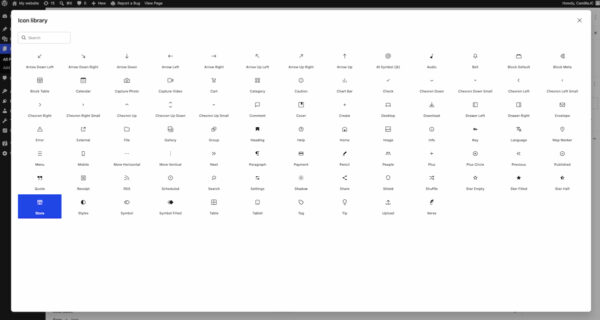
- The Icon Block: This new block provides a streamlined way to add icons to pages, drawing from an integrated directory of pre-loaded icons within the WordPress backend. This eliminates the need for users to manually upload icon files or rely on third-party icon fonts, simplifying design workflows and ensuring consistent visual branding. The directory approach ensures scalability and ease of use, providing a standardized library for site builders.
Existing blocks have also received significant upgrades. The Grid Block, a powerful tool for creating responsive column layouts, has been refined. Its previous Auto/Manual toggle has been replaced with a more granular set of options, giving users precise control over the block’s responsiveness and the number of columns displayed across different screen sizes. This improvement enhances design flexibility and makes it easier to achieve complex grid-based layouts. The Cover Block, often used for hero sections and background imagery, now supports embedded videos as backgrounds. This feature allows users to seamlessly integrate videos from platforms like YouTube, adding dynamic visual flair to their site sections without custom code. These new blocks and improvements collectively reduce the dependency on third-party plugins or custom development for common design elements, moving WordPress closer to a truly comprehensive site-building platform.
A major stride in responsive design capabilities is the introduction of viewport-based controls. This innovative feature empowers users to show or hide specific blocks based on the user’s screen size (desktop, tablet, or mobile). Accessed directly from the block toolbar, users can simply select the desired devices for visibility. This granular control means designers and site owners can fine-tune their layouts for different devices without writing a single line of custom CSS. For the vast majority of WordPress users who prefer a no-code or low-code approach, this functionality is a monumental gain, simplifying the creation of highly optimized and responsive web experiences across all devices.
Precision and Efficiency: Smarter Pattern Editing
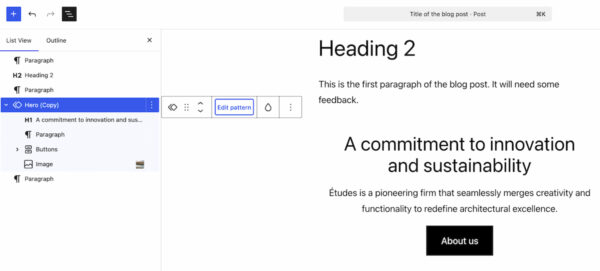
Patterns and templates have become indispensable tools for rapid site development and maintaining design consistency within WordPress. WordPress 7.0 introduces “smarter pattern editing” modes, designed to streamline the customization process while safeguarding design integrity. When a user selects a pattern, the List View now intelligently focuses on content-oriented elements such as text and images. This allows content creators to quickly locate and modify the editable content within a pattern without being distracted by or inadvertently altering design-focused components.
However, recognizing the need for design flexibility, a dedicated “Edit pattern” option is also available. Clicking this button reveals all elements of the pattern, including design elements like spacers, allowing for comprehensive adjustments to the layout or styling. This dual-mode approach strikes a crucial balance: it empowers content editors to focus on content optimization with minimal risk of design disruption, while still providing full creative control to designers or advanced users when needed. This intelligent segregation of editing concerns simplifies the customization of patterns to fit specific use cases across a website, promoting efficiency and reducing errors.
Laying the Groundwork for Tomorrow: AI Integration and Performance
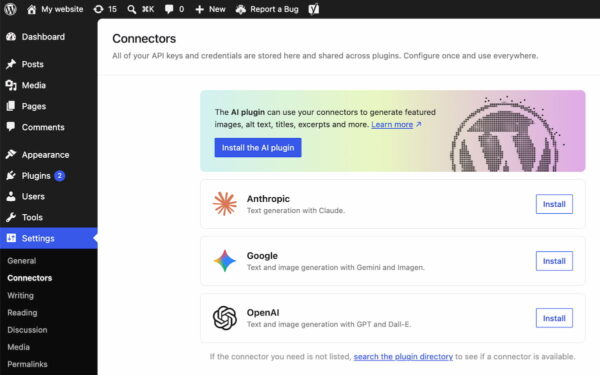
While WordPress 7.0 does not ship with built-in AI-powered content generation tools, it strategically lays crucial groundwork for future artificial intelligence integration. A new “Connectors” section has been added below Settings in the WordPress backend. This dedicated area serves as a central hub for connecting to external integrations, including various AI providers and agents. Users can now easily link their WordPress site to services like Claude, Gemini, OpenAI, and other leading AI platforms. A search directory is also available for discovering additional integrations.
This initiative is a forward-thinking move, acknowledging the burgeoning role of AI in web development and content creation. By providing a standardized framework for external connections, WordPress 7.0 offers a future-proof ecosystem for developers to build AI-powered plugins and features. It centralizes the management of API keys and other credentials for these integrations, simplifying administration for site owners and enhancing security. This standardized approach ensures that as AI technologies continue to evolve, WordPress remains an adaptable and relevant platform, ready to integrate advanced capabilities without requiring core architectural overhauls. This move is expected to be widely welcomed by developers seeking to leverage AI in their WordPress projects, providing a robust and consistent environment.
Beyond new features, performance remains a perennial focus for WordPress, and 7.0 delivers notable advancements. Key improvements include:
- Client-side media processing: This enhancement optimizes the handling of media uploads, performing processing tasks (like resizing and compression) directly within the user’s browser before files are sent to the server. The result is faster upload times for users and significantly reduced strain on server resources, particularly beneficial for media-heavy websites.
- Continued improvements to block rendering: Ongoing refinements to how blocks are processed and displayed contribute to faster page load times and a more responsive editing experience.
- Overall responsiveness: The platform’s core responsiveness has been optimized, ensuring a smoother and quicker interaction across various administrative tasks and front-end displays.
These performance optimizations are critical for a platform scaled to serve millions of websites, ensuring better scalability, improved user experience, and reduced hosting costs for many. It is also important to note that WordPress 7.0 raises the minimum required PHP version to 7.4. This update is crucial for security, performance, and compatibility with modern development practices, as newer PHP versions offer significant speed improvements and enhanced security features. Site administrators are advised to ensure their hosting environment meets this new requirement before updating.
Streamlining Plugin Management: A Better Ecosystem
WordPress’s extensive plugin ecosystem is one of its greatest strengths, offering unparalleled flexibility and functionality. WordPress 7.0 introduces a new list filter for plugins, designed to enhance organization and ease of management. This feature allows plugins to register custom tabs on the “Plugins” screen, enabling developers to group related plugins under a dedicated, properly labeled tab.
For instance, prominent plugin developers like Yoast have already leveraged this feature to create a “Yoast” tab, consolidating all their plugins (e.g., Yoast SEO, Yoast SEO Premium) into a single, easily accessible view. This organizational improvement is invaluable for site administrators managing numerous plugins, as it simplifies the process of checking versions, monitoring activation statuses, and overseeing entire suites of related tools. The ability to quickly navigate and manage specific sets of plugins reduces administrative overhead and enhances the overall user experience within the backend.
A Look Ahead: The Road to Real-Time Collaboration
One feature that garnered considerable anticipation but was ultimately postponed from the WordPress 7.0 release was real-time collaboration. Originally slated for inclusion, the decision was made to delay its rollout to ensure the stability and robustness of the core platform, a testament to WordPress’s commitment to delivering reliable software. This feature, which would enable multiple users to edit content simultaneously in a manner similar to Google Docs, represents a significant leap forward in collaborative content creation within WordPress. While not part of 7.0, its eventual inclusion in a future release is highly anticipated and promises to revolutionize how teams work together on WordPress sites, further solidifying its “app-like” capabilities.
Broader Implications and Industry Impact
WordPress 7.0 represents a significant inflection point, signaling a clear strategic direction for the platform. By focusing on an app-like experience, smarter workflows, and robust design tools, WordPress is not just keeping pace with modern web development trends; it is actively shaping them. The enhancements in responsive design controls and pattern editing democratize sophisticated web design, empowering a wider audience to build professional-grade websites without specialized coding knowledge. This aligns with the broader no-code/low-code movement, making web creation more accessible.
For web developers and agencies, the new Command Palette, visual revisions, and standardized AI Connectors framework offer powerful tools to enhance efficiency, manage client projects more effectively, and innovate with emerging technologies. The performance improvements ensure that the platform remains scalable and competitive, capable of handling the demands of media-rich and high-traffic websites. By raising the minimum PHP version, WordPress encourages a more secure and performant ecosystem overall.
The release of WordPress 7.0 reinforces its position as the leading CMS globally, demonstrating its adaptability and forward-thinking approach. It solidifies WordPress’s transition from a blogging tool to a comprehensive web creation platform, ready to meet the evolving demands of the digital landscape in 2026 and beyond. Users are encouraged to update to WordPress 7.0 to leverage these new features and explore the detailed release post on WordPress.org for further information.