rifanmuazin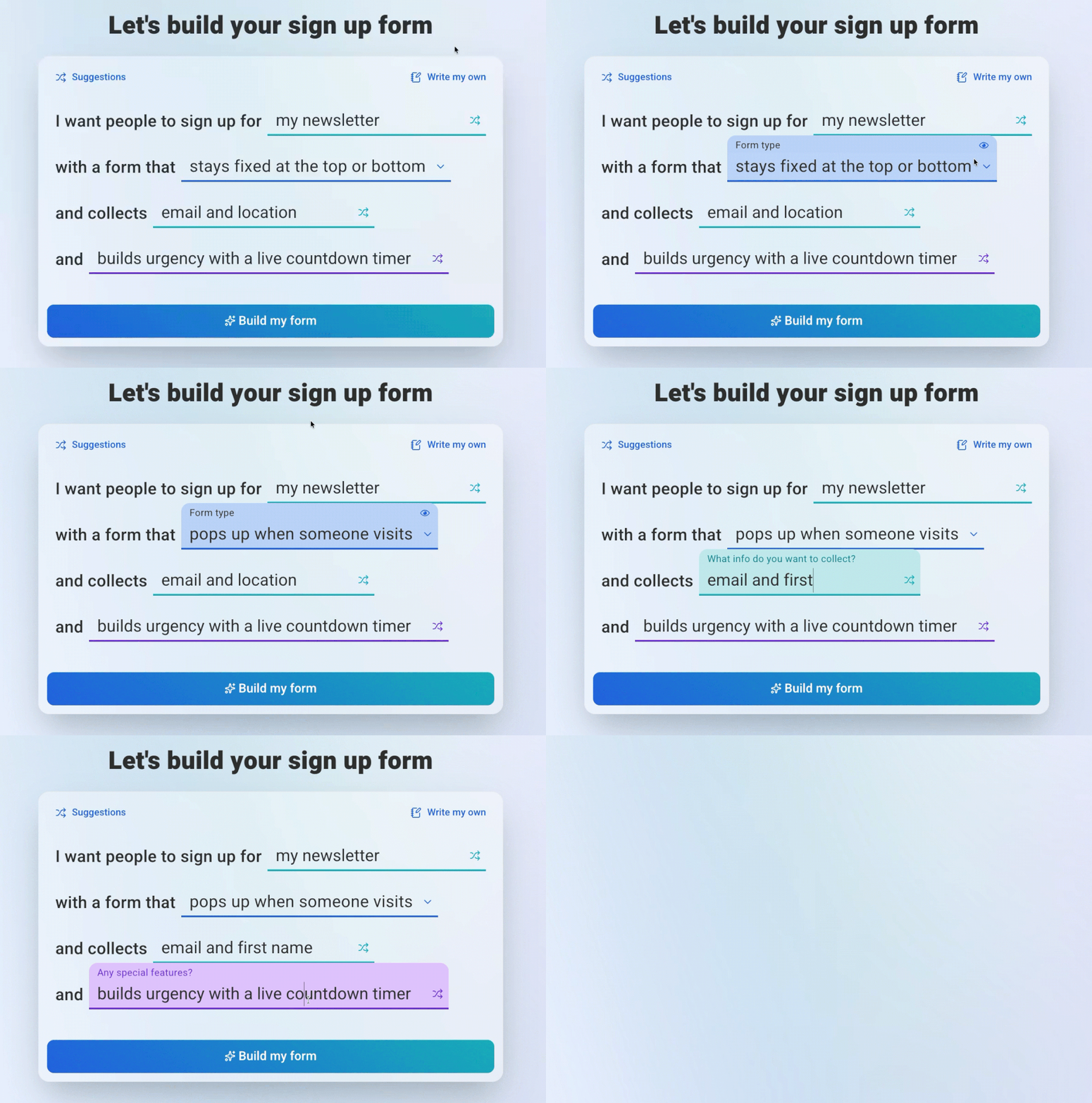
The landscape of digital marketing is undergoing a significant transformation with the advent of AI-powered form builders, tools designed to streamline and enhance the creation of signup forms from simple language descriptions. This innovative approach, exemplified by AWeber’s newly introduced AI Signup Form Builder, bypasses traditional manual design processes, enabling users to generate sophisticated, interactive forms in seconds without coding, dragging elements, or requiring design expertise. This development marks a pivotal shift from conventional methods, where marketers painstakingly select templates and adjust fields, to an intuitive system where AI handles layout, styling, animation, and field mapping based on user input.
Understanding the Paradigm Shift in Form Creation
At its core, an AI form builder represents a radical departure from its predecessors. Instead of a canvas where users manually arrange elements, these intelligent tools leverage large language models (LLMs) to interpret natural language prompts, screenshots, or guided selections. The user describes the desired form – whether a standard email capture, an animated popup, a floating 3D button, a scratch-card reveal, a spin-the-wheel signup, or a multi-step form – and the AI generates a fully functional, publishable version. This capability drastically reduces the time and technical skill previously required, democratizing access to high-quality, engaging digital forms.
Traditional form builders, while offering a visual interface, remain largely manual. Users select from a limited array of templates, then drag and drop fields, adjust spacing, choose colors, and configure display rules, often needing to preview changes across multiple devices. Crafting multi-step forms, adding complex animations, or integrating gamified elements typically necessitates custom code or reliance on a developer. The AI-driven paradigm collapses this multi-stage process into a single descriptive command, automating what was once a labor-intensive endeavor.
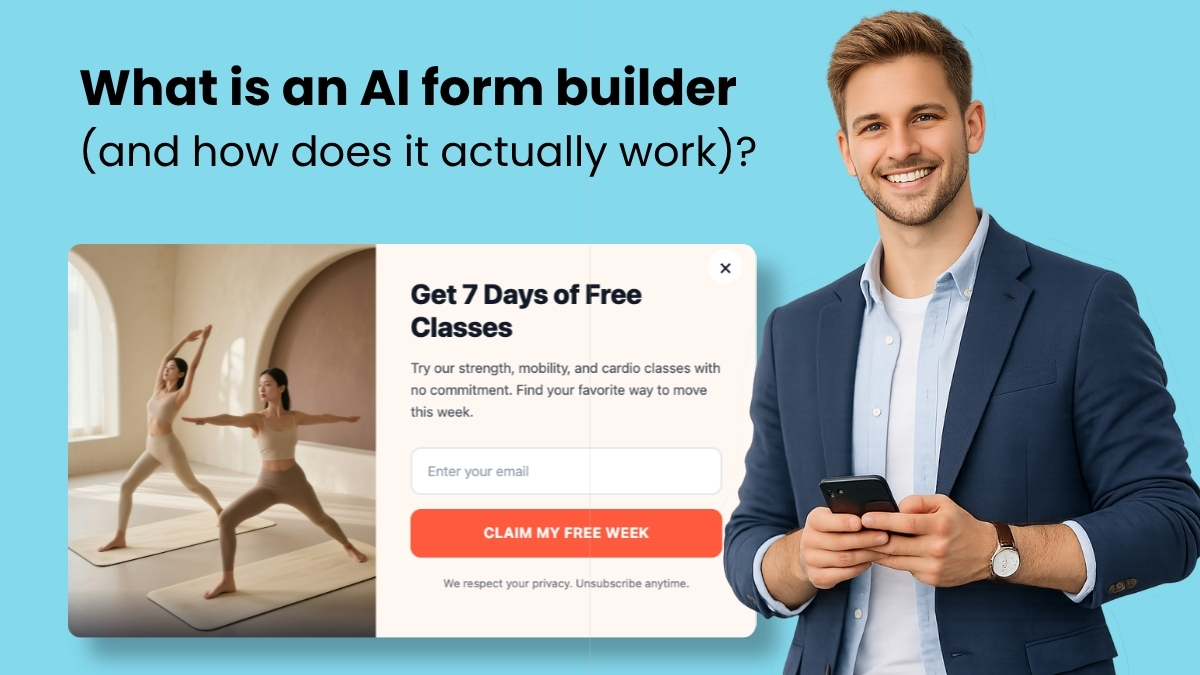
The Evolution of Digital Outreach Tools
The journey of web form creation has seen several evolutionary stages. Initially, forms were hand-coded using HTML and CSS, a process requiring specialized technical skills and significant time. The late 1990s and early 2000s saw the rise of basic WYSIWYG (What You See Is What You Get) editors, offering a more visual way to construct web pages, including forms. The 2010s brought sophisticated drag-and-drop form builders, integrating with marketing platforms and offering a wider range of templates and customization options without direct coding. These tools became indispensable for businesses looking to build email lists, conduct surveys, or gather customer information efficiently.
However, even with these advancements, a significant barrier remained: the “blank canvas problem.” Many small business owners and marketing professionals, despite understanding the necessity of effective signup forms, often felt overwhelmed by the multitude of options, design choices, and technical configurations. According to AWeber’s internal research, a substantial 43% of small businesses operate with 500 or fewer email subscribers, many of whom struggle not with the cost of marketing tools, but with the complexity and time investment required to utilize them effectively. This is where AI form builders step in, offering a solution that addresses this friction by providing a conversational, outcome-oriented approach to design.
How AI Form Builders Operate: A Three-Stage Process
The operational mechanics of an AI form builder are rooted in sophisticated natural language processing and generation capabilities, typically unfolding in three key stages:

-
Input Provision: Users initiate the process by providing input in various forms. This can be a direct written description, such as “Create a popup with a countdown timer and email field,” specifying form type, content, and behavior. Alternatively, users can upload a screenshot of an existing form they admire, prompting the AI to recreate its structure and styling. Guided prompts offer a structured alternative, walking users through selections for form type, required fields, and interactive behaviors, catering to those less confident in free-form descriptions.
-
AI Interpretation and Generation: Upon receiving the input, the AI, powered by large language models, interprets the request. It then generates a working form, handling intricate details such as layout, color schemes, animations, field types, and display logic. A crucial differentiator for advanced AI form builders is their ability to produce not just static HTML, but interactive elements like scroll triggers, entrance animations, and conditional display rules, which traditionally required complex scripting.
-
Conversational Refinement: The initial generation is rarely the final step. The true power of these AI tools lies in their conversational refinement loop. Instead of navigating through menus and settings, users can request modifications in plain language: “Make the button larger,” “Change the background to dark blue,” or “Add a progress bar.” The AI processes these commands, updates the form in real-time, and presents a preview, allowing for an iterative design process that feels more like a dialogue with a designer than a software interaction. This continuous feedback loop replaces the arduous manual configuration and troubleshooting typical of traditional builders.
AWeber’s AI Signup Form Builder: Features and Capabilities
AWeber’s recent launch of its AI Signup Form Builder, currently in open beta, exemplifies these advancements, offering a robust suite of features designed to empower marketers and small business owners. The builder provides multiple intuitive entry points:
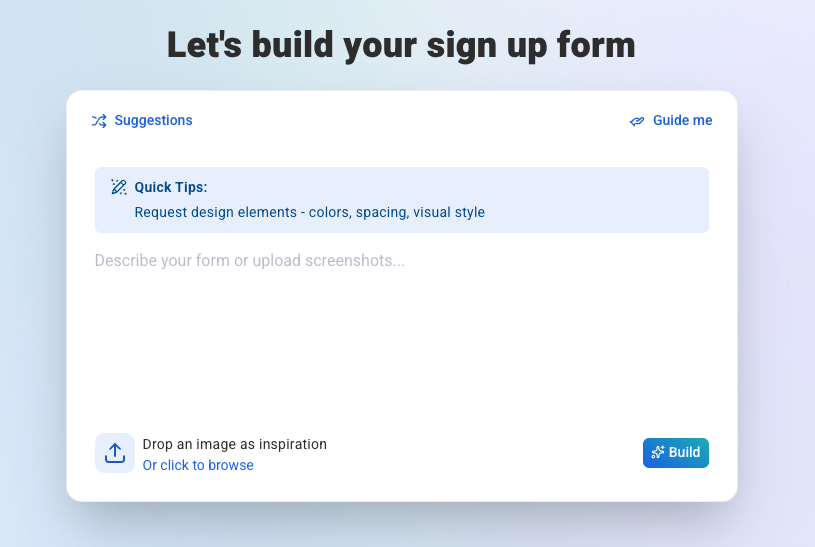
- Free Prompting: Users can simply open the builder and describe their desired form in natural language. For instance, “Create a scratch-card signup form where visitors scratch off to reveal a hidden discount. Always reveal 15% off.” The AI then generates the form, incorporating the scratch mechanic, prize logic, and email capture.
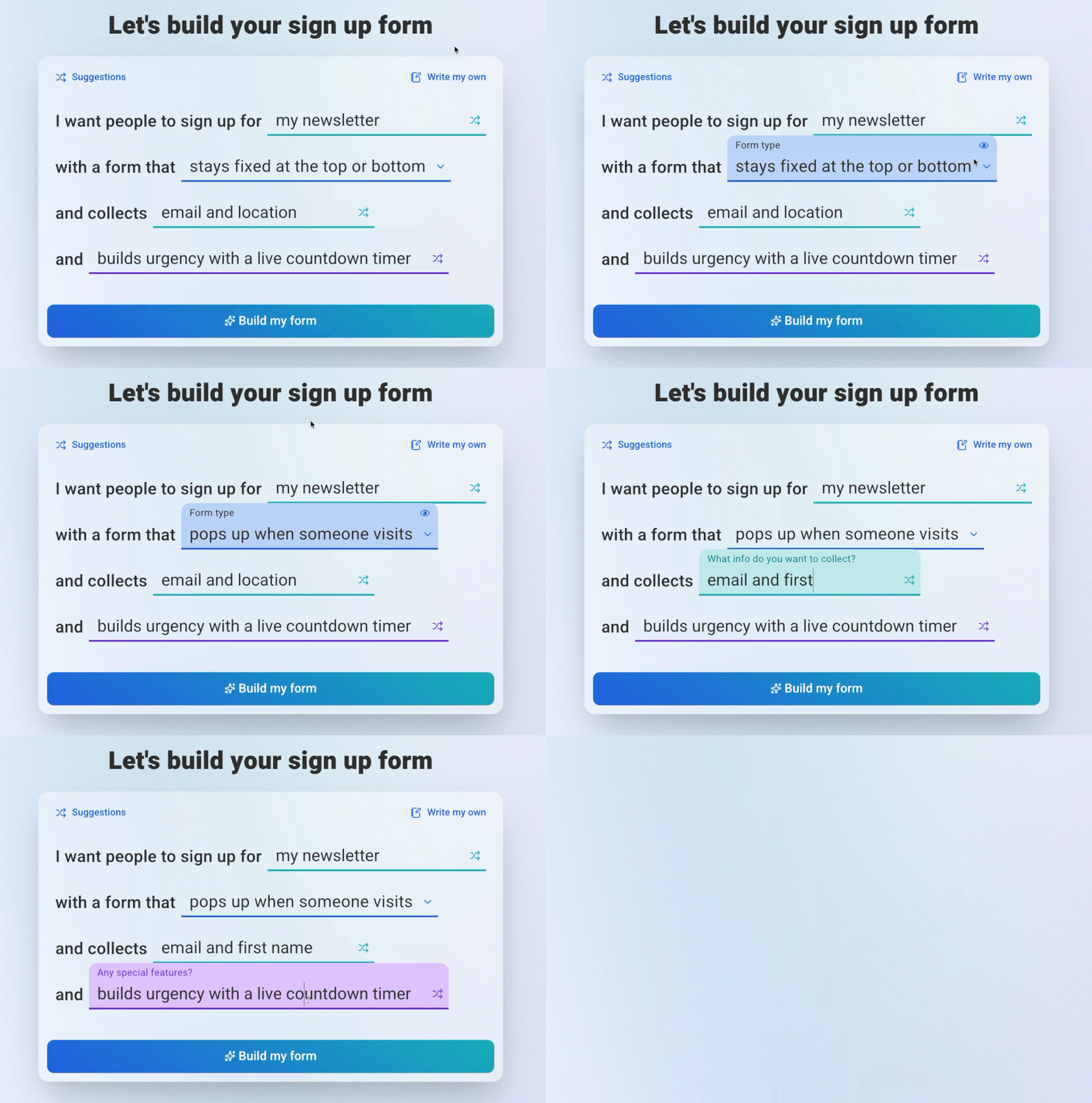
- Guided Prompts: For users seeking more structure, a guided prompt system walks them through choices regarding the purpose of the signup, form type (popup, slide-in, floating button, horizontal bar), fields to collect, and desired behaviors (urgency timers, animations, gamification).
- Screenshot Upload: A particularly innovative feature, this allows users to upload an image of a form they’ve seen elsewhere. The AI analyzes the screenshot, adapts the design to the user’s branding, and creates a functional starting point.
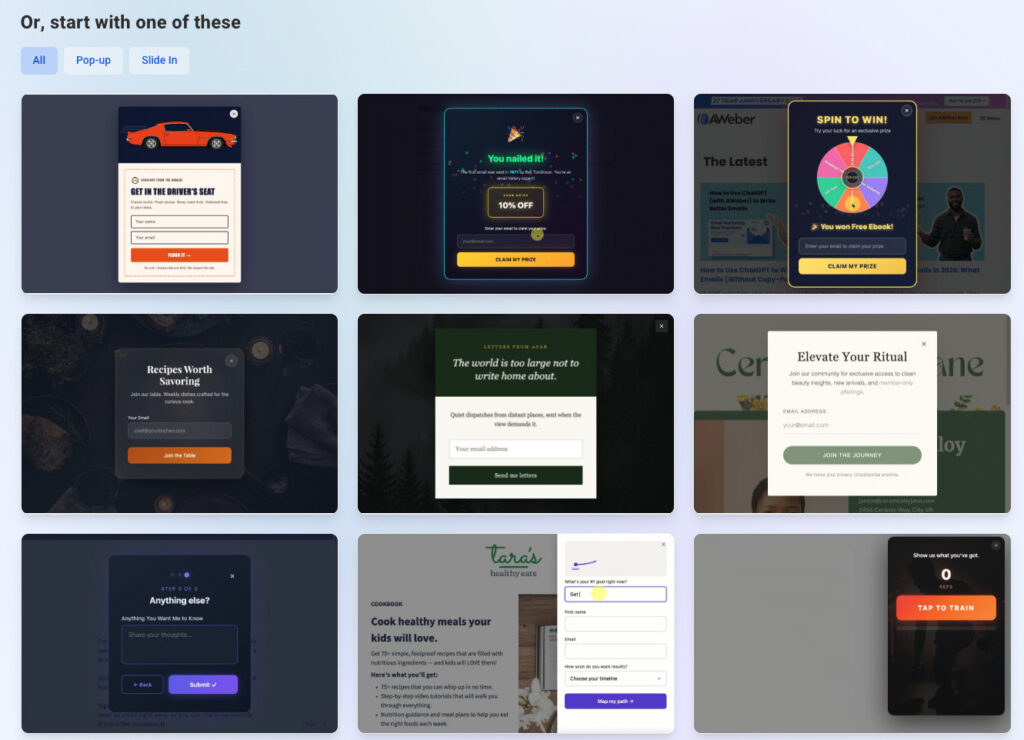
- Template Gallery: A selection of pre-designed forms, categorized by type, offers another convenient starting point, which can then be customized through conversational commands.
Beyond initial creation, the platform’s chat interface facilitates all revisions. Users can describe changes verbally or click directly on elements to move, copy, or edit them. The system maintains full context, allowing users to pause and resume work without losing progress.
Advanced Features Defining a Capable AI Form Builder
Not all AI form builders are created equal. Distinguishing a truly capable tool from a basic automated template picker involves evaluating several advanced functionalities:
- Interactive and Animated Elements: Static forms often blend into a page. A strong AI builder creates forms that actively capture attention. This includes animated popups with custom scroll triggers, floating buttons with sophisticated hover effects, gamified elements like scratch-card reveals or spin-the-wheel mechanics, countdown timers to create urgency, and multi-step layouts with progress bars. These features, once the domain of developers or expensive designers, are now accessible through simple prompts.
- Custom Field Mapping: For businesses collecting data beyond basic name and email—such as “favorite product,” “company name,” or “location”—the AI builder should automatically map this information to the correct custom fields within the integrated email platform. If a corresponding field doesn’t exist, a robust AI should be able to create one during the publishing process.
- Display and Targeting Controls: An effective form needs to be seen by the right audience at the optimal time. Advanced AI builders offer granular control over display settings, including page-level targeting, device targeting (mobile, desktop), frequency controls (e.g., once per visitor, once per session), and scheduling options for seasonal promotions.
- Preview and Testing Capabilities: Before deployment, users must have the ability to thoroughly preview how the form will appear and behave. This includes testing animations, field validation, entrance triggers, and thank-you page interactions within a realistic preview environment.
Implications for Small Businesses and the Marketing Industry
The emergence of sophisticated AI form builders carries profound implications for small businesses and the broader marketing technology sector.
For small businesses, these tools are game-changers. They democratize access to advanced marketing tactics that were previously out of reach due to cost, time, or technical limitations. A small business owner can now create a highly engaging, gamified signup form in minutes, potentially boosting conversion rates without hiring a designer or developer. This translates into significant cost savings and increased operational efficiency, allowing them to focus on their core business. The reduction of “starting friction” empowers more businesses to effectively build their email lists, a critical asset for long-term customer engagement and growth.
From an industry perspective, AI form builders signal a new wave of innovation in SaaS. The shift towards conversational interfaces and outcome-based design challenges traditional drag-and-drop builders to evolve. It underscores a broader trend where AI acts not just as an automation layer, but as an intelligent assistant, understanding intent and executing complex tasks. This could lead to increased competition, pushing other marketing automation platforms to integrate similar AI capabilities, ultimately benefiting end-users with more intuitive and powerful tools. Industry analysts suggest that this trend aligns with the growing demand for “no-code” and “low-code” solutions, further lowering the barrier to entry for digital creation.
Statements and Future Outlook
While the article is factual, one can infer AWeber’s strategic intent. Company spokespersons would likely emphasize the platform’s commitment to empowering small businesses by making sophisticated marketing tools accessible and easy to use. Sean Tinney, a content marketer at AWeber, highlights this focus, stating, “He focuses on what actually moves the needle for businesses without large marketing teams.” This sentiment resonates with the core value proposition of AI form builders: delivering tangible results through simplicity.
Early adopters and marketing professionals are likely to report significant time savings and improved engagement metrics. The ability to rapidly test different form types and optimize them through conversational refinement accelerates the experimentation process, leading to better conversion rates. The integration of gamification elements, like scratch cards or spin-the-wheel, taps into psychological drivers of engagement, transforming a mundane signup process into an interactive experience. Data from companies implementing such interactive forms often shows higher completion rates compared to static alternatives, sometimes by as much as 20-30%.
The future trajectory of AI form builders points towards even greater intelligence and personalization. Imagine forms that dynamically adjust their content, design, and offers based on visitor behavior, demographic data, or referral source, all generated and refined through natural language. This personalized approach could unlock new levels of conversion efficiency and customer satisfaction.
Accessibility and Getting Started
AWeber’s AI Signup Form Builder is currently available in open beta, meaning all AWeber users, including those on its free plan (which supports up to 500 subscribers), can access and utilize this technology at no additional cost. This move ensures broad accessibility, allowing a wide range of businesses to experiment with and benefit from AI-powered form creation. Users can simply log into their AWeber account, navigate to the form builder, and begin describing their desired form. For those without an AWeber account, the free plan offers a direct pathway to explore these advanced capabilities.
In conclusion, AI form builders represent a significant leap forward in digital marketing tools. By abstracting away technical complexities and empowering users with conversational design, they are not merely automating a process but redefining how businesses interact with their online audiences. This innovation promises to make sophisticated, engaging, and highly effective signup forms accessible to everyone, fundamentally transforming the landscape of digital outreach and lead generation.