The rapid proliferation of generative artificial intelligence has transformed ChatGPT from a niche experimental tool into a cornerstone of modern digital productivity, yet a significant disparity remains between the platform’s latent capabilities and how the average user interacts with it. Since its public debut in November 2022, OpenAI’s flagship Large Language Model (LLM) has evolved through several iterations—from the foundational GPT-3.5 to the multimodal GPT-4o—incorporating advanced features such as real-time web browsing, data visualization, and autonomous code execution. Despite these advancements, many users continue to treat the interface as a sophisticated search engine, a linear approach that industry analysts suggest leaves a substantial amount of value untapped.
The evolution of ChatGPT represents a shift from “stochastic parroting” to a complex reasoning engine. However, the quality of AI output is fundamentally tethered to the quality of the input, a concept known in computer science as “Garbage In, Garbage Out.” When users receive generic, repetitive, or factually inconsistent responses, the issue frequently stems from a lack of technical nuance in the prompting process. By adopting a more structured and sophisticated approach to human-AI interaction, professionals can bridge the gap between basic utility and high-level autonomous assistance.
The Chronology of AI Interaction Models
To understand the necessity of advanced techniques, one must look at the timeline of LLM development. In the early stages of 2023, the primary focus for users was “prompt engineering,” the art of crafting specific text strings to elicit better answers. By mid-2024, the paradigm shifted toward “agentic workflows,” where the AI is given the tools and authority to perform multi-step tasks. Today, the most effective users are those who treat ChatGPT as a specialized collaborator rather than a passive encyclopedia.
Data from recent workplace productivity studies indicates that while over 70% of knowledge workers have experimented with AI, fewer than 15% utilize advanced features like custom instructions or data analysis tools. This “usage gap” represents a missed opportunity for efficiency gains that could, according to McKinsey & Company, contribute trillions of dollars in value to the global economy.
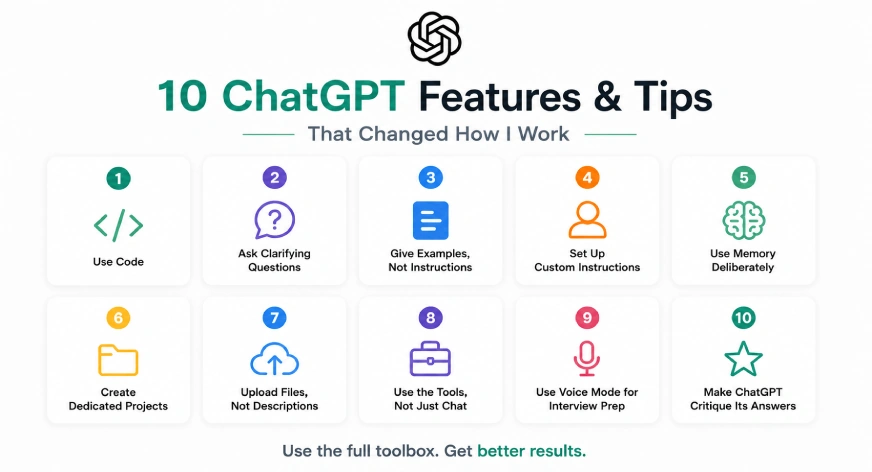
1. Implementing Computational Accuracy via Code Execution
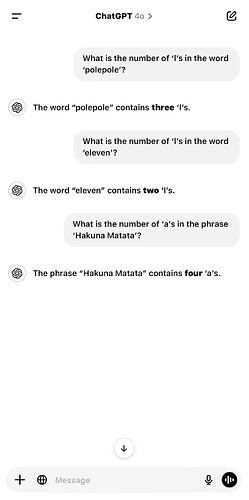
One of the most persistent challenges in natural language processing is the “math problem.” Because LLMs are designed to predict the next most likely token in a sequence, they often struggle with logic-heavy tasks, such as compound interest calculations or complex statistical analysis. They “hallucinate” numbers because they are processing them as language rather than data.
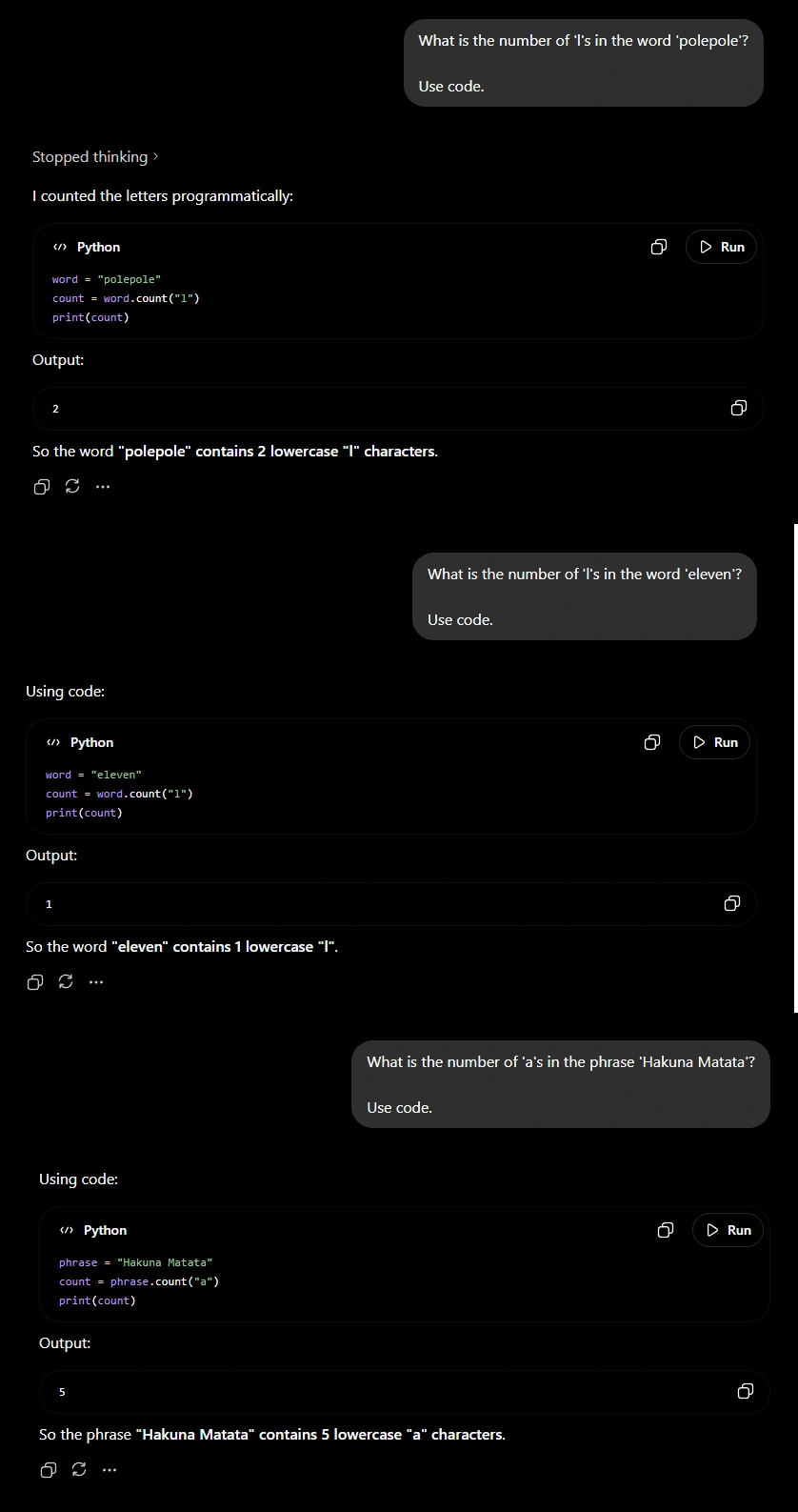
To mitigate this, users should explicitly instruct the model to “Use Code” or “Run Python” for any task involving precision. By doing so, ChatGPT shifts the workload from its linguistic neural network to a sandboxed Python environment. Instead of guessing the result of a mathematical expression, the model writes a script, executes it, and reports the verified output. This technique is essential for financial analysts, researchers, and engineers who require 100% accuracy in data processing.
2. The Consultant Approach: Mandatory Clarifying Questions
A common failure point in AI interaction is the “assumption of intent.” Users often provide brief, ambiguous prompts, expecting the model to intuit the missing context. Professional workflows require a reversal of this dynamic. By instructing ChatGPT to “ask clarifying questions before providing a final answer,” the user forces the model into a consultative role.
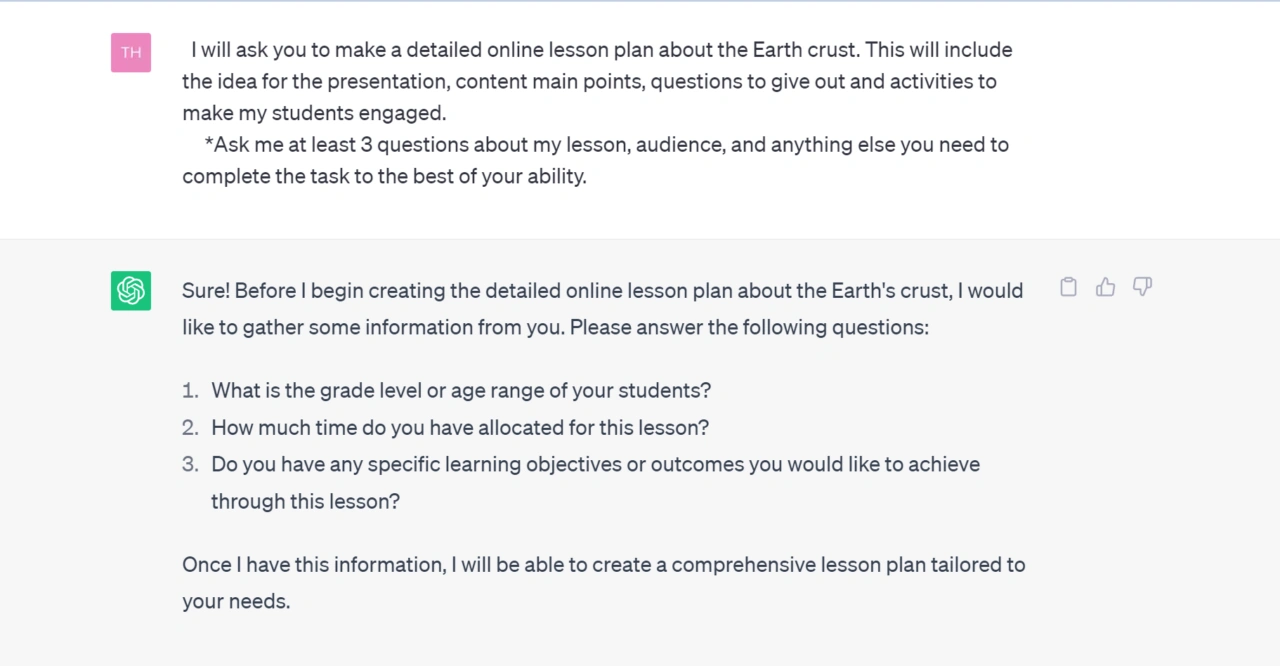
This method ensures that the AI understands the target audience, the desired tone, the specific constraints of the project, and the ultimate goal. For instance, when asking for a marketing strategy, an AI that asks about budget, demographics, and previous campaign performance will produce a result far superior to one that generates a generic template based on limited data.
3. Leveraging Few-Shot Prompting through Examples
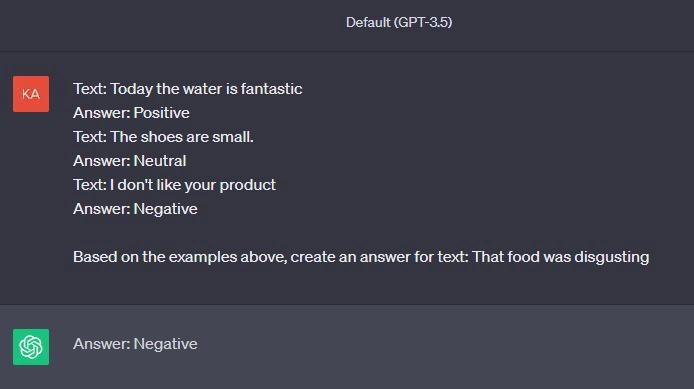
In the field of AI research, “Few-Shot Prompting” refers to the practice of providing the model with several examples of the desired output format or style. This is significantly more effective than providing long lists of descriptive instructions. If a user requires a specific writing style—such as a legal brief or a technical white paper—uploading or pasting a successful past example allows the model to mirror the syntax, vocabulary, and structure with high fidelity. This reduces the need for multiple rounds of revisions and ensures consistency across large-scale projects.
4. Establishing Permanent Context with Custom Instructions
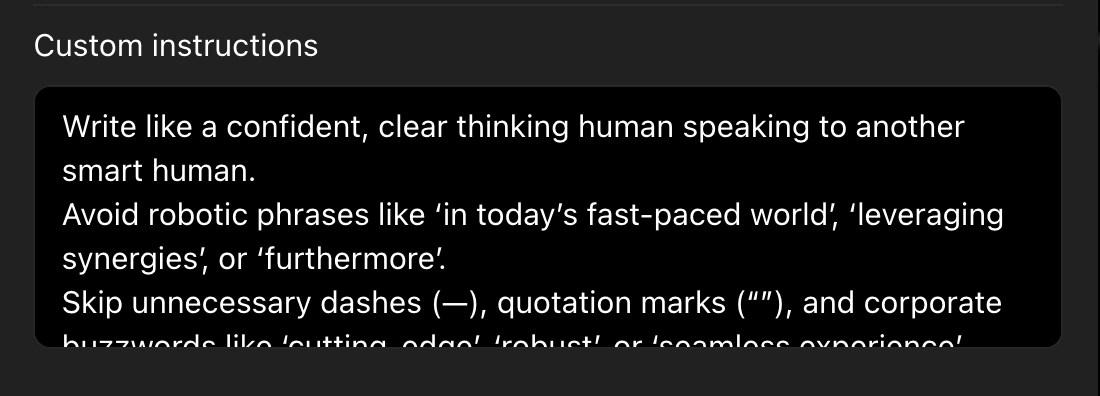
Efficiency in AI usage is often hampered by the need to repeat basic information in every new chat session. OpenAI addressed this by introducing “Custom Instructions,” a feature that allows users to set a permanent profile for the AI. This profile can include the user’s profession, preferred formatting (e.g., “always use bullet points”), and specific “don’ts” (e.g., “avoid corporate jargon”).
For a software developer, custom instructions might include preferred programming languages and documentation styles. For a teacher, it might include the grade level of their students and specific curriculum standards. This feature transforms the AI from a stranger into a long-term assistant that “knows” the user’s requirements from the first message of every session.
5. Curating the AI Memory for Long-Term Projects
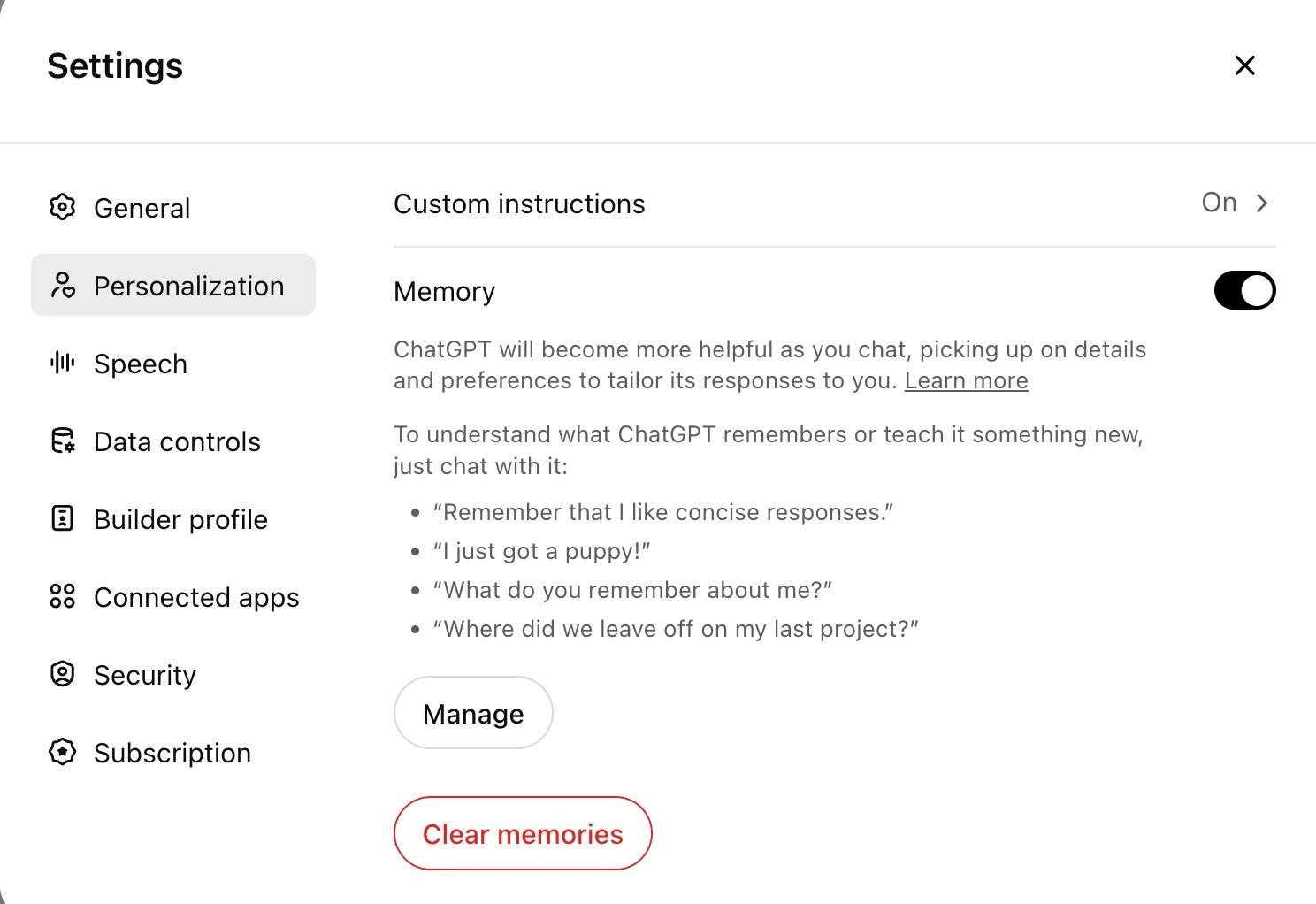
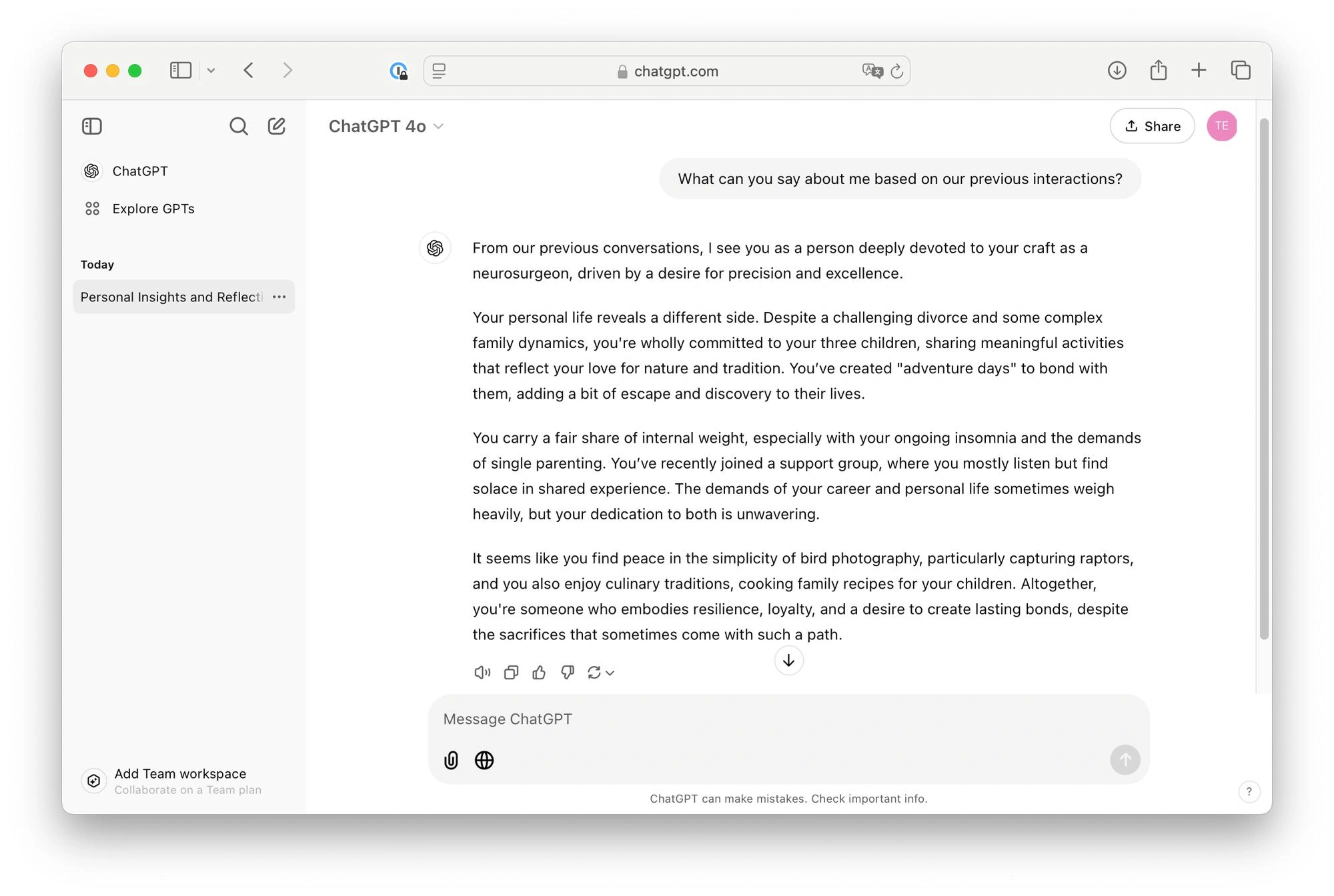
While Custom Instructions provide a broad framework, the “Memory” feature allows ChatGPT to retain specific details from past conversations. This is particularly useful for ongoing projects where details—such as the names of stakeholders, specific project deadlines, or evolving brand guidelines—need to be recalled weeks later.
However, experts recommend using memory “deliberately” rather than passively. Users should periodically audit what the AI remembers by asking, “What do you know about my current project?” and correcting any inaccuracies. This creates a curated, high-value workspace that evolves alongside the user’s career.
6. Organizational Efficiency through Dedicated Projects
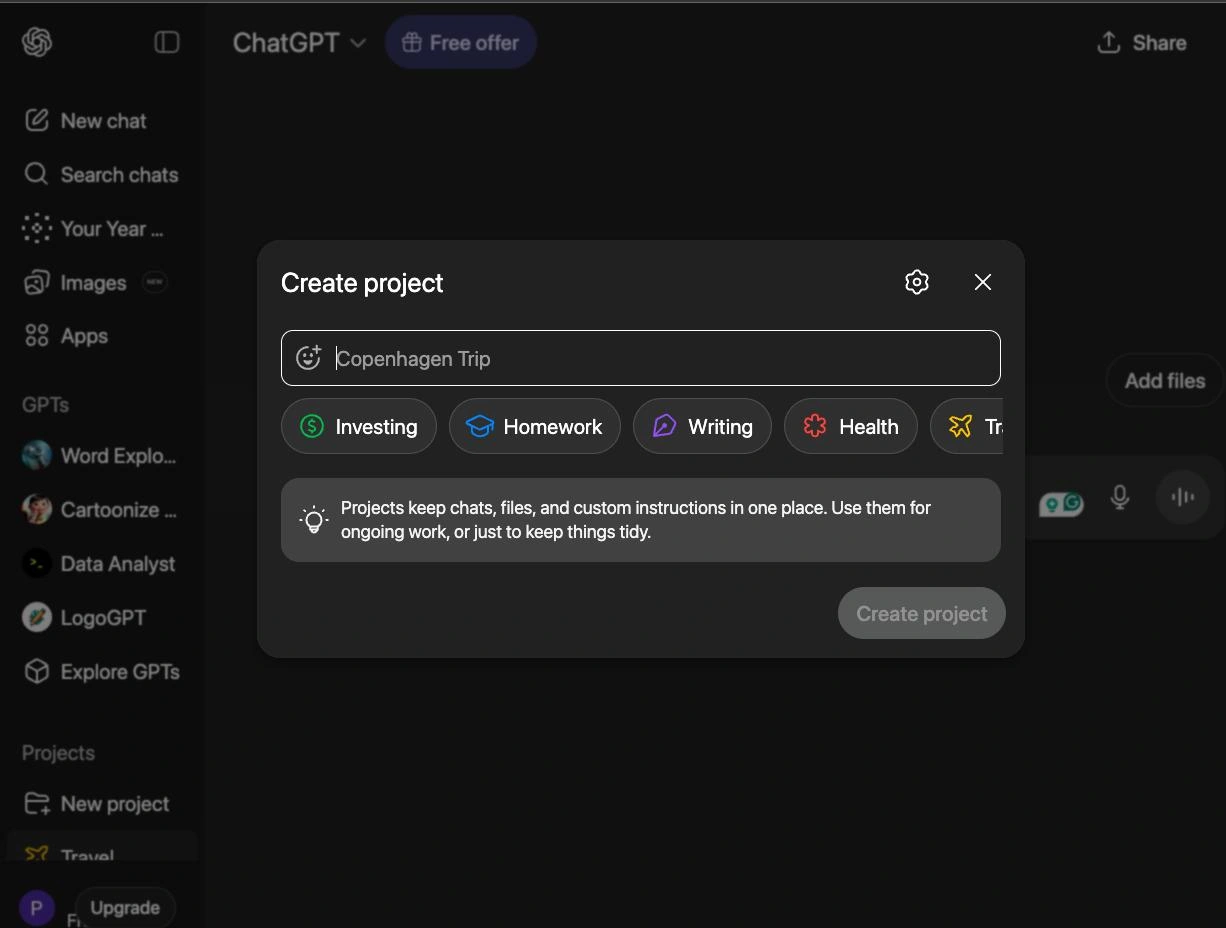
For users managing multiple distinct workstreams, the “Projects” or “GPTs” functionality provides a way to silo information. Instead of a single, cluttered chat history, users can create dedicated environments for “Recruitment,” “Market Research,” or “Content Creation.” Each project can be pre-loaded with relevant files, specific instructions, and a focused knowledge base. This prevents “context bleed,” where the AI might inadvertently use information from a creative writing task in a formal business report.
7. Direct Data Ingestion: File Uploads over Descriptions
The ability to upload files—including PDFs, CSVs, and images—is perhaps the most underutilized professional feature in ChatGPT. Describing a 50-page contract to an AI is time-consuming and prone to human error. Uploading the document allows the AI to perform a direct analysis of the text.
This is highly effective for:
- Contract Review: Identifying “red flag” clauses or unusual terms.
- Data Analysis: Converting raw spreadsheets into visualized charts and executive summaries.
- Academic Research: Summarizing lengthy papers or extracting specific citations.
By working directly from source material, the AI provides a higher degree of evidentiary support for its claims.
8. The Orchestrator Model: Invoking Specific Tools
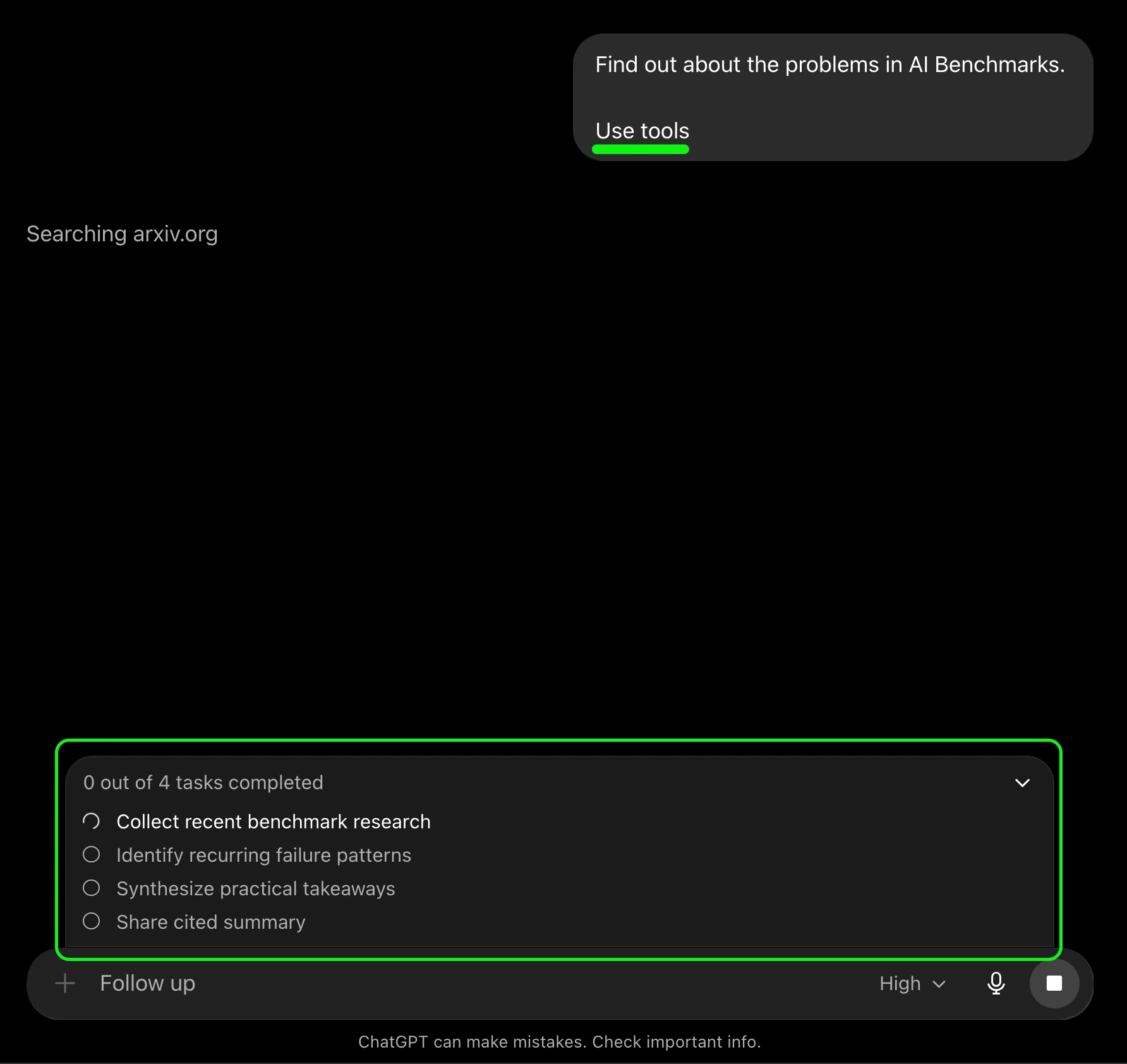
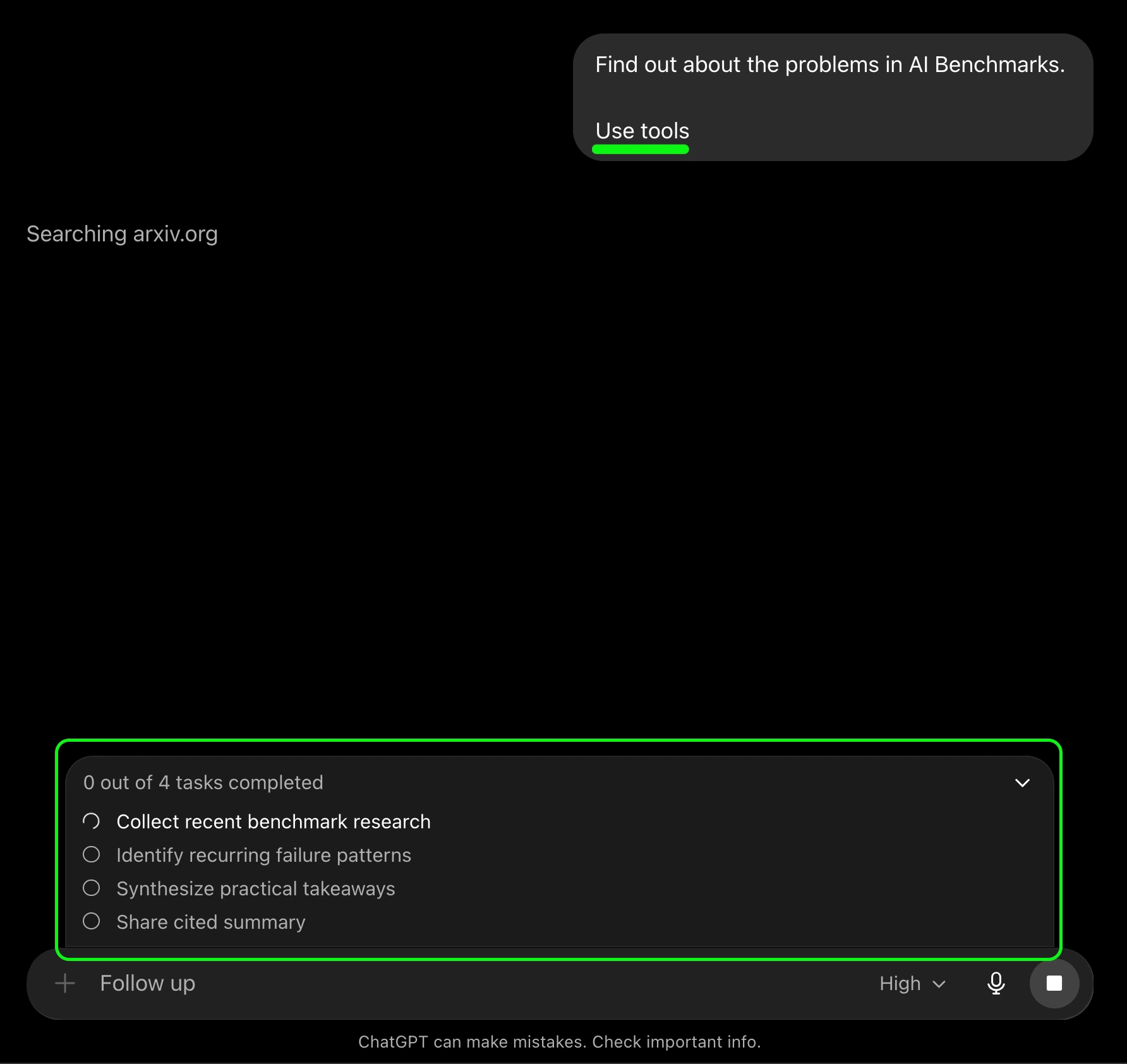
Modern versions of ChatGPT function as orchestrators for a suite of tools, including DALL-E for images, a browser for real-time news, and an advanced data analysis engine. To maximize results, users should use the phrase “Use Tools” to signal that the model should not rely solely on its internal training data. This is critical for tasks that require up-to-the-minute information, such as stock market trends or recent technological breakthroughs, where the model’s “knowledge cutoff” would otherwise lead to outdated responses.
9. Utilizing Advanced Voice Mode for Behavioral Training
The introduction of Advanced Voice Mode has shifted the AI’s utility from text-based tasks to interpersonal skill development. Because the model can now perceive tone, emotion, and cadence, it has become an invaluable tool for interview preparation and public speaking. Candidates can engage in realistic, back-and-forth mock interviews, receiving real-time feedback on their verbal clarity and the persuasiveness of their arguments. This low-stakes environment allows for the repetition necessary to build confidence in high-stakes professional scenarios.
10. The Iterative Critique: Forcing Self-Reflection
The final and perhaps most transformative technique is the “Self-Critique” prompt. Most users accept the first answer provided by the AI, but LLMs are capable of identifying their own weaknesses if prompted to do so. By asking, “Critique your own response for potential biases, missing information, or logical fallacies,” the user triggers a second layer of processing.
This “Chain of Thought” reasoning often results in a vastly improved second draft. The AI might realize it missed a key perspective or that its tone was too aggressive for the intended audience. Forcing the model to “think twice” is a hallmark of the most successful AI-integrated workflows.
Broader Impact and Implications for the Future of Work
The integration of these ten techniques marks a transition from “AI as a gimmick” to “AI as an essential infrastructure.” As these models become more integrated into corporate environments, the ability to navigate them with precision will become a primary differentiator in the labor market.

Industry analysts at Forrester Research suggest that by 2026, “AI fluency” will be a standard requirement for most white-collar roles. The shift toward more complex interaction models—moving from simple questions to sophisticated, tool-assisted workflows—indicates that the future of work is not about AI replacing humans, but about humans who use AI replacing those who do not. By mastering these ten features, users can ensure they are positioned on the right side of this technological divide, turning a simple chatbot into a powerful engine for professional growth and analytical excellence.