rifanmuazin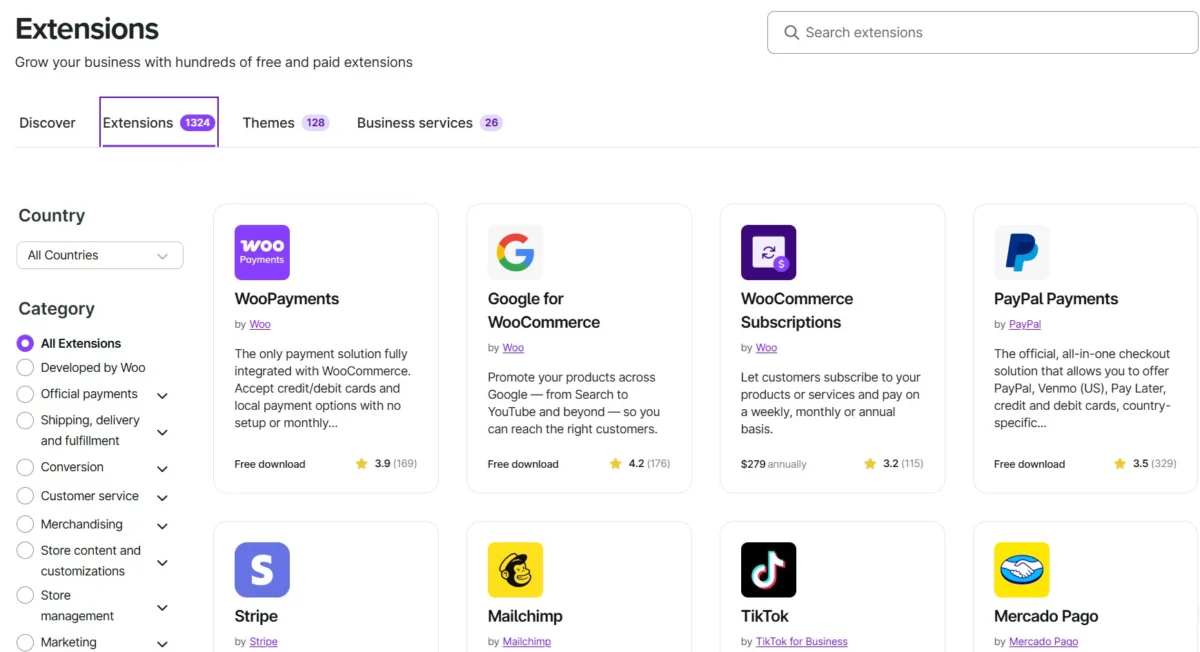
The choice between WooCommerce and Shopify stands as one of the most critical decisions for any aspiring or established e-commerce venture, shaping operational efficiency, cost structure, and long-term growth potential. Both platforms, commanding significant portions of the global online retail market, cater to distinct business philosophies and technical proficiencies, making an informed decision paramount in the competitive digital landscape. While Shopify offers a streamlined, all-in-one Software-as-a-Service (SaaS) solution designed for rapid deployment and minimal technical overhead, WooCommerce, an open-source plugin for WordPress, provides unparalleled flexibility and control for users comfortable with managing their own infrastructure. This comprehensive analysis delves into the nuances of each platform, examining their pricing models, ease of use, customization capabilities, sales and marketing features, shipping logistics, scalability, customer support, security protocols, and SEO performance to illuminate which solution best aligns with varying business needs.
The E-commerce Landscape and Platform Evolution
The exponential growth of e-commerce over the past two decades has necessitated robust, adaptable platforms capable of handling diverse business models, from small startups to multinational enterprises. WordPress, initially a blogging platform, evolved into a powerful content management system (CMS), and with the advent of WooCommerce in 2011, it quickly became a dominant force in online retail, leveraging its open-source nature and vast community. Shopify, founded in 2006, took a different approach, building a proprietary, hosted solution specifically for online stores, emphasizing ease of use and integrated services. This fundamental divergence in architecture – open-source, self-hosted extensibility versus managed, subscription-based convenience – defines the core of their ongoing rivalry and the unique value propositions each offers.
Understanding the Cost Structures: Pricing and Total Cost of Ownership
One of the most immediate points of comparison, and often a source of misconception, is pricing. While WooCommerce is technically “free to install,” its true cost of ownership (TCO) can be highly variable, whereas Shopify presents a more predictable, albeit tiered, monthly subscription model.
WooCommerce:
The “free” aspect of WooCommerce refers to the plugin itself. However, operating a functional WooCommerce store incurs several mandatory expenses. These include:
- Hosting: This is the most significant variable. Shared hosting can start as low as $7 per month, but for reliable performance and scalability, dedicated or managed WooCommerce hosting typically ranges from $20 to over $200 per month. Managed solutions, like those offered by Kinsta or WP Engine, provide optimized environments, security, and performance enhancements, but at a higher premium.
- Domain Name: An annual cost of approximately $10-$20.
- Premium Themes: While many free WordPress themes are available, premium WooCommerce-specific themes, offering enhanced design and functionality, can cost $50-$200 as a one-time purchase, often with optional annual renewal for support and updates.
- Plugins/Extensions: Essential functionalities like advanced shipping, payment gateways beyond the native WooPayments, subscription management, or sophisticated marketing tools often require paid plugins. These can range from one-time fees of $30-$300 to recurring annual subscriptions of $50-$500 per plugin.
- Developer/Maintenance Costs: For non-technical users, hiring a developer for setup, troubleshooting, customization, or ongoing maintenance (updates, security patches, conflict resolution) can add $200-$600+ per month, significantly impacting TCO.
Transaction fees through WooPayments are competitive at 2.9% + $0.30 for US cards, with an additional 1.5% for international cards and a 1% currency conversion fee where applicable. Crucially, WooCommerce does not impose additional platform fees for using third-party payment processors. Industry analysis suggests that a fully functional WooCommerce store typically costs between $500 and $3,000 annually, once all these factors are considered. This variability is both a strength, allowing for cost optimization, and a challenge for budgeting.
Shopify:
Shopify’s pricing model is characterized by predictable monthly subscriptions:
- Basic Shopify: $29 per month (annual billing) or $39 (monthly billing). This plan includes all core e-commerce features, unlimited products, and 2 staff accounts.
- Shopify (Standard): $79 per month (annual billing) or $92 (monthly billing). Offers lower transaction fees, 5 staff accounts, and more detailed reports.
- Advanced Shopify: $299 per month (annual billing) or $399 (monthly billing). Provides the lowest transaction fees, 15 staff accounts, advanced reporting, and third-party calculated shipping rates.
- Shopify Plus: Starting at $2,300 per month for a three-year term, targeting enterprise-level businesses with high volume, complex needs, and extensive customization requirements.
- Shopify Starter: A lean $5 per month plan for embedding “Buy Buttons” on existing websites, not a full storefront.
New users are often enticed with promotional offers, such as the first three months for $1. Shopify’s transaction fees with Shopify Payments are 2.9% + $0.30 (Basic), 2.7% + $0.30 (Standard), and 2.5% + $0.30 (Advanced). A significant differentiator is the surcharge for using third-party payment processors: 2% on Basic, 1% on Standard, and 0.6% on Advanced plans, which can accumulate substantially for high-volume merchants opting out of Shopify Payments. While most core features are included, the Shopify App Store, with its 16,000+ apps, can quickly add to the monthly bill, similar to WooCommerce plugins.
Analysis: For businesses prioritizing predictable budgeting and an all-inclusive service, Shopify typically presents a clearer cost path. WooCommerce, while appearing cheaper initially, often requires a greater financial commitment in hosting, premium extensions, and potentially developer support, making its TCO less transparent and potentially higher for non-technical users. However, for those with technical expertise or dedicated development teams, WooCommerce offers superior cost control by allowing tailored infrastructure and avoiding platform-imposed surcharges.
Ease of Use: From Setup to Daily Operations
The speed and simplicity of getting an online store operational are critical factors for many entrepreneurs.
Shopify:
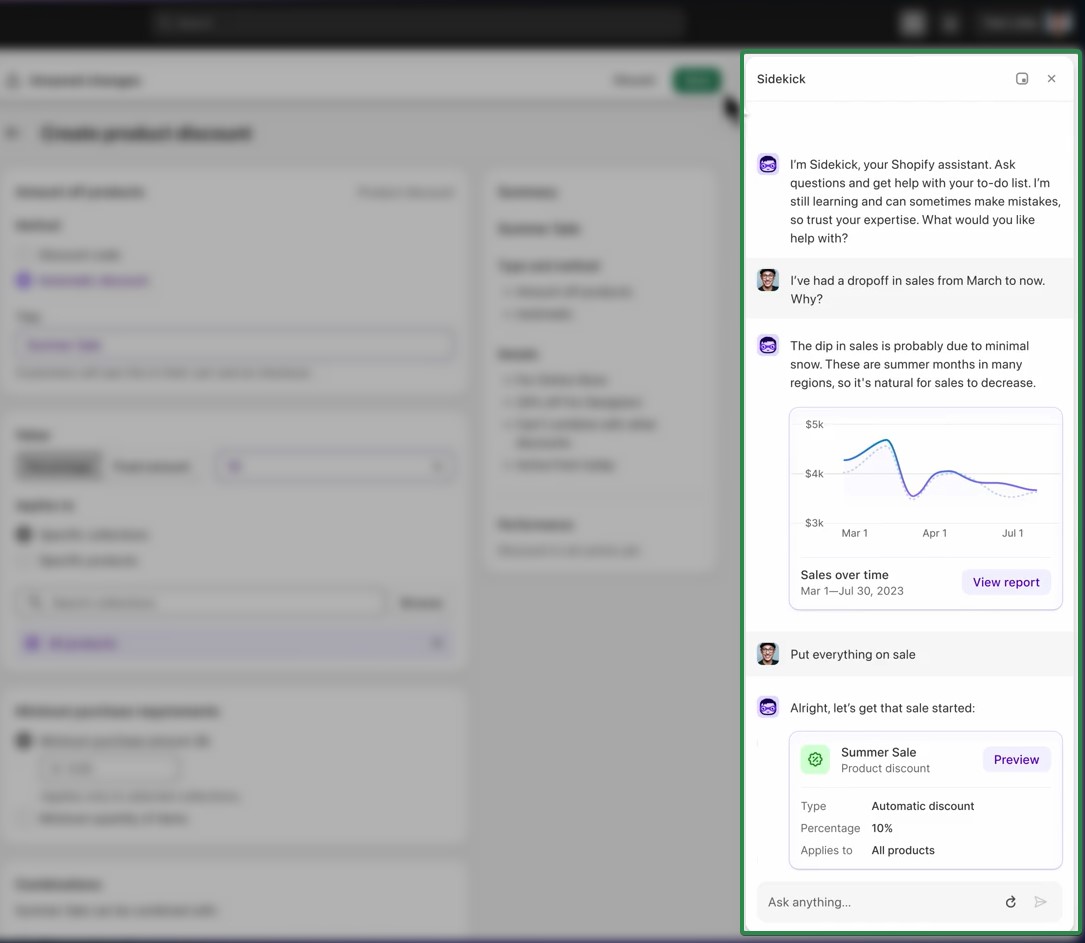
Shopify excels in ease of use, designed for rapid deployment. A basic technical setup can often be completed within 2-4 hours, with a fully functional store launched in 1-3 days. The platform eliminates the need for users to manage hosting, install software, or resolve plugin conflicts. Its intuitive admin dashboard provides a clean interface for managing products, orders, and customer data. Shopify’s integration of AI tools like Sidekick further enhances usability, assisting with store management, performance analysis, and content generation (e.g., product descriptions), reducing the need for manual tasks or external support. The primary limitation is its inherent closed ecosystem, meaning deep structural customization often requires Shopify Plus or specialized Liquid developers.
WooCommerce:
WooCommerce’s setup process is considerably more involved. It first requires a WordPress installation and a chosen hosting provider. Users then install the WooCommerce plugin, select a theme, and configure various plugins for essential functionalities (e.g., payment gateways, shipping, SEO). This multi-step process can take non-technical users several days to over a week, posing a significant initial hurdle. Industry reports suggest that this initial friction is a common reason why some beginners opt for SaaS platforms. Once set up, day-to-day management of products, orders, and promotions is generally straightforward within the WordPress admin interface. However, ongoing maintenance, particularly resolving plugin compatibility issues after WordPress core updates, frequently necessitates developer intervention, adding to operational complexity and cost.
Analysis: Shopify is the undisputed winner for ease of use, particularly for beginners and those seeking a fast time-to-market with minimal technical challenges. WooCommerce offers greater control but demands a higher level of technical proficiency or reliance on expert support, especially during setup and for ongoing maintenance.
Website Builder and Themes: Design Flexibility and Control
The visual appeal and functional layout of an e-commerce store directly impact user experience and conversion rates.
Shopify:
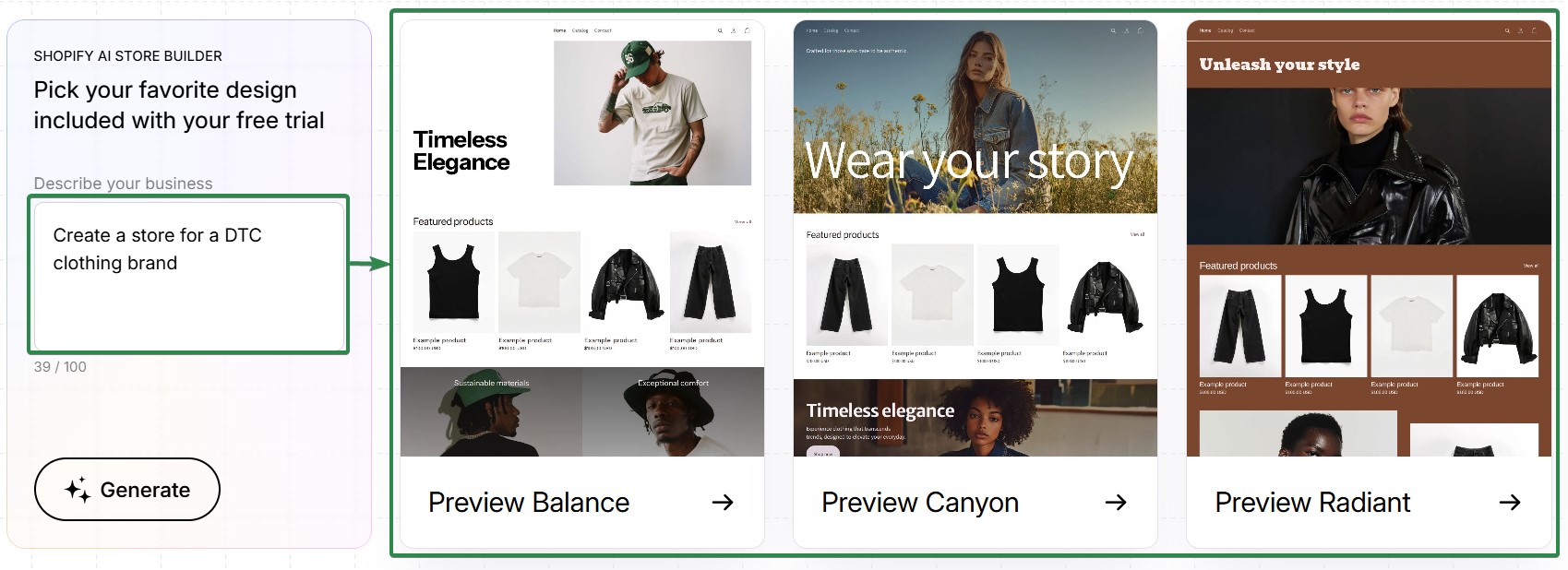
Shopify provides a robust selection of 1,134 themes in its Theme Store, including 24 free and 1,110 paid options (typically $100-$500 one-off). Customization is primarily managed through the Online Store Editor, a section-based, drag-and-drop interface. This allows users to add, remove, reorder, and configure sections (e.g., hero banners, product grids) without coding. Shopify’s AI store builder can even generate complete store designs from text prompts, accelerating the design process. Themes are built on Liquid, Shopify’s templating language. While this offers considerable flexibility within the theme’s structure, significant layout changes, custom product templates, or non-standard checkout flows usually require a paid theme, a Liquid developer, or an upgrade to Shopify Plus. All Shopify themes are generally polished, mobile-optimized, and undergo rigorous review, ensuring a baseline quality.
WooCommerce:
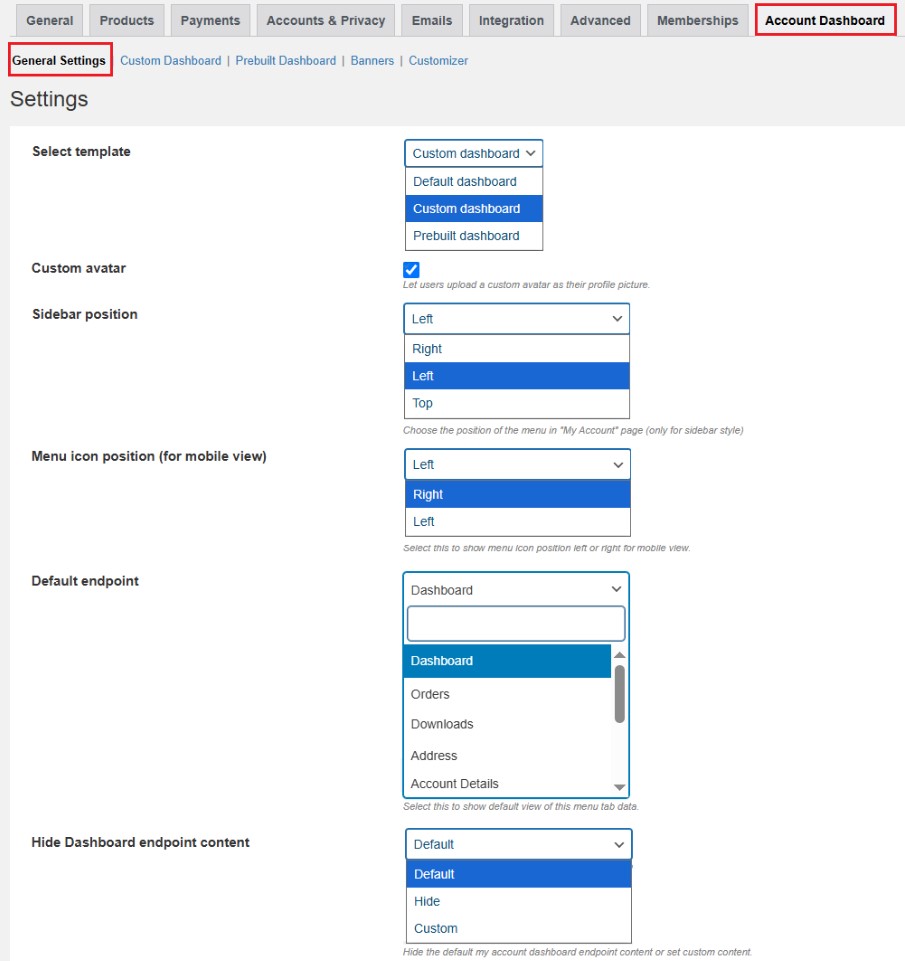
WooCommerce leverages the expansive WordPress theme ecosystem, offering tens of thousands of themes, including 128 official WooCommerce themes. Design freedom is virtually limitless when paired with powerful page builders like Elementor, Divi, Gutenberg blocks, or Bricks. These tools allow users to design any page layout from scratch, create highly customized product templates, and achieve unique aesthetics that deviate significantly from standard e-commerce store designs. This level of customization is a major draw for brands seeking a distinct online presence. However, this flexibility comes with increased complexity: users must learn two tools (WordPress/WooCommerce and a page builder), and updates to either can occasionally introduce layout conflicts or break functionality. There is no single, consistent editing interface across all WooCommerce themes, unlike Shopify, and achieving professional results often requires design skills or a developer.
Analysis: Shopify offers a streamlined, user-friendly design experience with high-quality, mobile-optimized themes, ideal for businesses prioritizing quick, professional deployment. WooCommerce provides unparalleled creative freedom and deep structural control, making it superior for design-led brands or those with specific custom requirements, provided they have the technical expertise or developer support to leverage it effectively.
Sales Features: Core E-commerce Functionality
The effectiveness of an e-commerce platform is largely determined by its ability to facilitate sales, manage inventory, and process transactions efficiently.
Shopify:
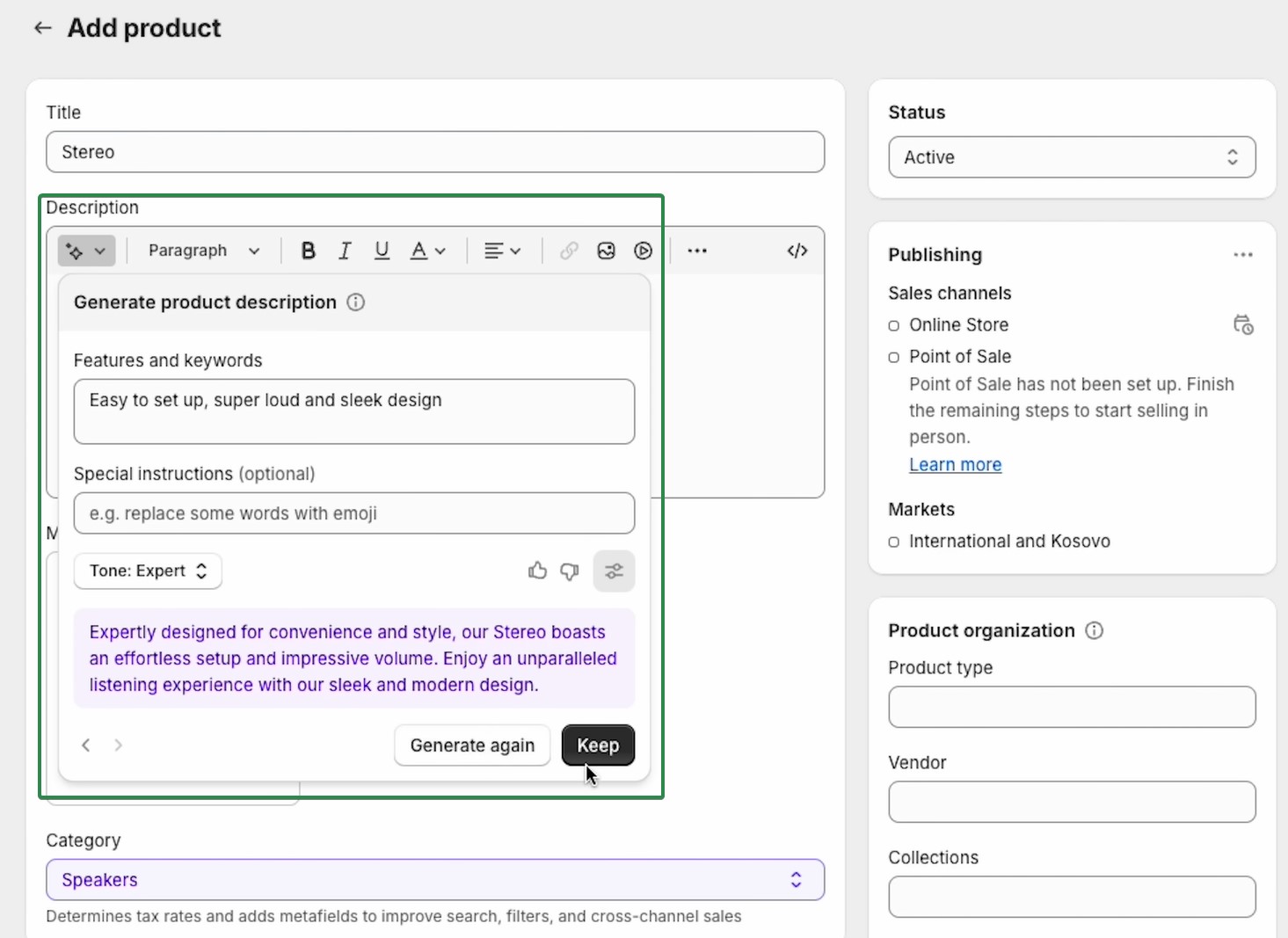
Shopify bundles comprehensive core selling tools into every plan. Its inventory management system capably handles large catalogs, supporting bulk CSV imports, product variants, and digital products. The platform also includes draft orders, enabling businesses to create orders manually for phone sales or custom requests. Shopify Magic’s AI capabilities extend to product descriptions, generating compelling content from short prompts to save time and ensure consistency. Shopify’s proprietary checkout is renowned for its conversion optimization, featuring accelerated checkout options like Shop Pay, Apple Pay, and Google Pay, which store customer details for faster repeat purchases. Structural changes to the checkout flow, however, are restricted to Shopify Plus.
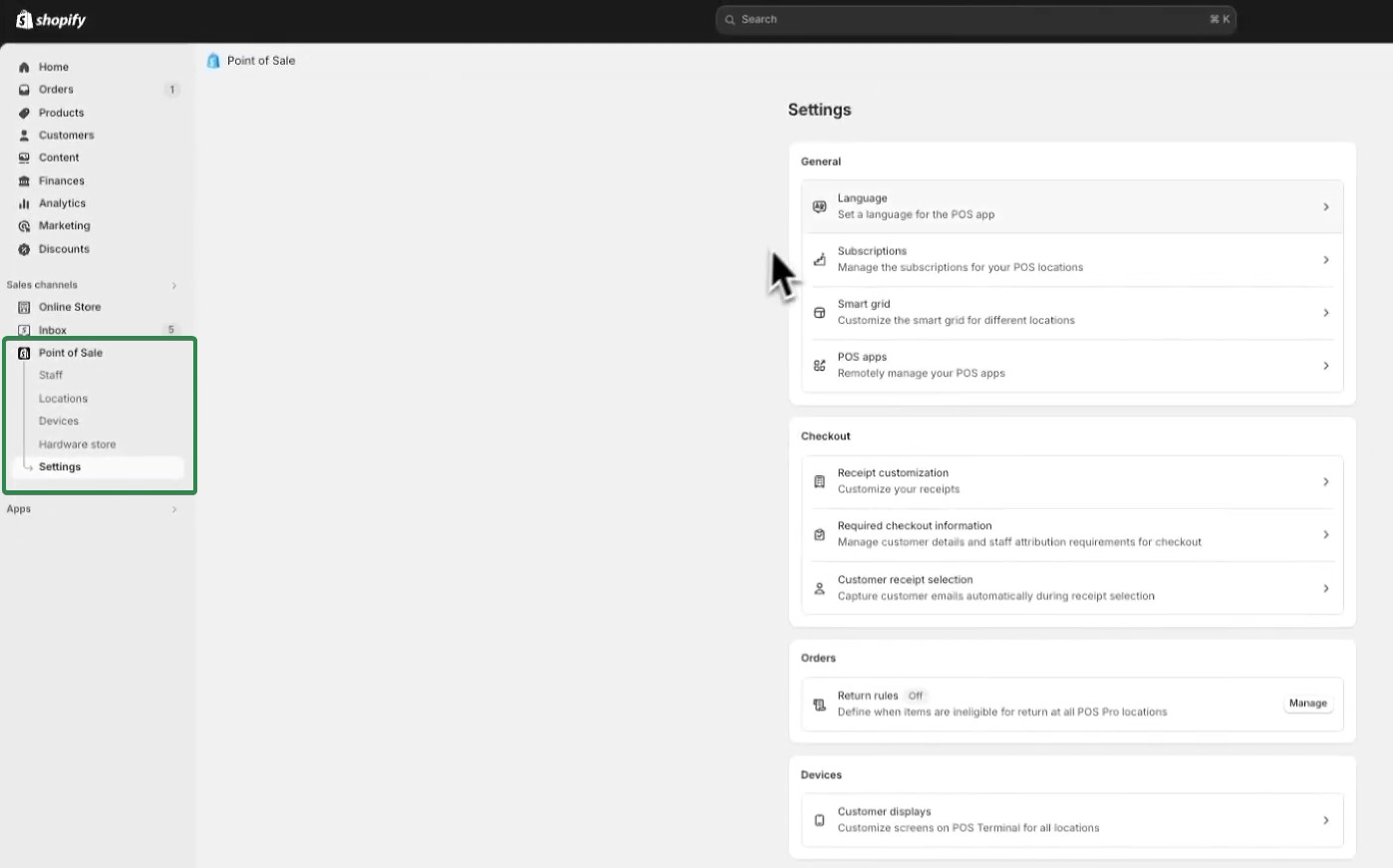
For physical retail, Shopify POS Lite is included with every plan, offering basic in-person selling capabilities. Shopify POS Pro, available for $89 per month per location, adds advanced features such as staff management and sophisticated inventory tools. The Shopify App Store boasts over 16,000 apps, providing solutions for virtually any sales requirement. Abandoned cart recovery is a built-in feature on all plans, and multi-channel selling with automatic inventory synchronization is managed from a single dashboard.
WooCommerce:
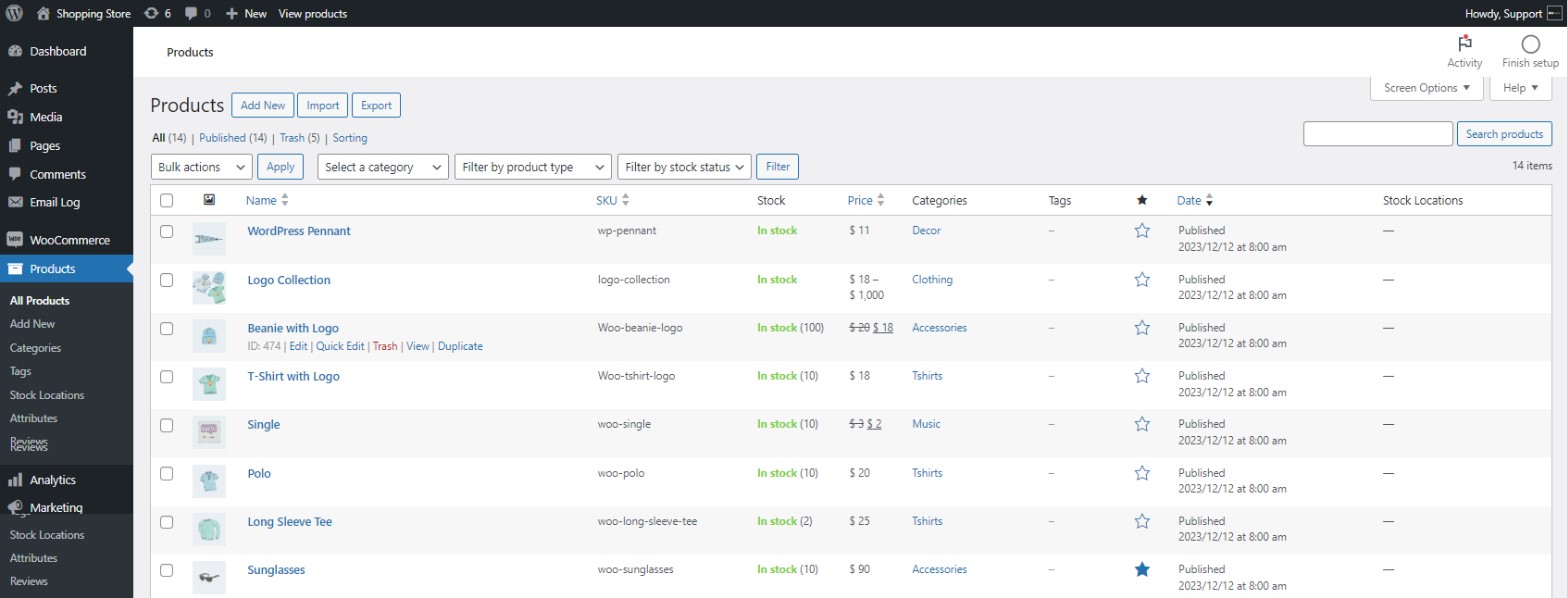
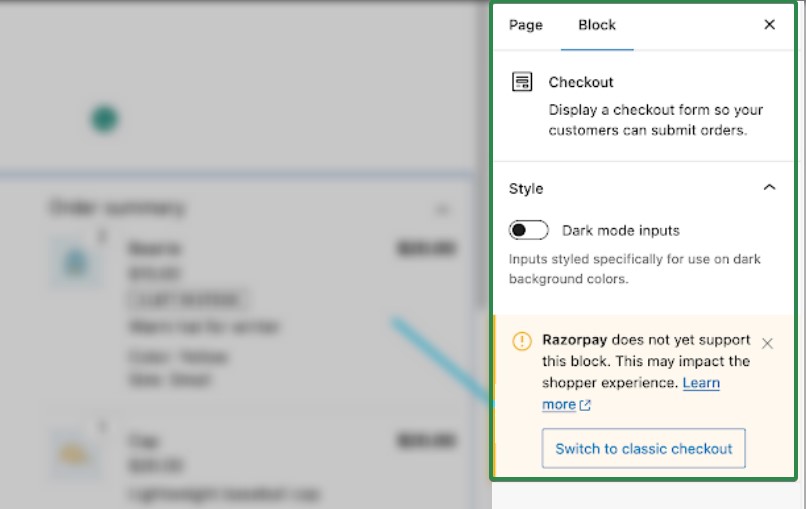
WooCommerce manages products through the WordPress admin interface, handling most catalog types effectively. For large inventories, performance optimization (e.g., caching, database tuning) is often required to prevent slowdowns. Advanced features like subscriptions, product bundles, or dynamic pricing typically necessitate paid extensions from the WooCommerce marketplace or third-party developers. The Checkout Block, WooCommerce’s default since version 8.3, offers significant improvements in conversion rates (reportedly 61% better than the old shortcode checkout) and provides extensive customization options. Users can restructure the checkout flow and add custom fields, a level of flexibility not available on standard Shopify plans.
WooCommerce benefits from over 1,300 official extensions and the broader WordPress plugin library. However, plugin compatibility conflicts are a known issue, requiring careful testing of updates. While WooCommerce’s built-in analytics provide basic order and revenue metrics, connecting Google Analytics 4 (GA4) offers more in-depth insights than Shopify’s native reports.
Analysis: Shopify provides a more complete, out-of-the-box suite of sales features, designed for immediate use with minimal configuration. Its integrated POS system and conversion-optimized checkout are significant advantages. WooCommerce, while capable of matching Shopify’s feature set, requires users to build their stack through various plugins, demanding more upfront configuration and ongoing management.
Marketing Features: Driving Traffic and Conversions
Effective marketing is crucial for attracting customers and fostering loyalty. Both platforms offer tools and integrations to support various marketing strategies.
Shopify:
Shopify includes built-in marketing tools, providing a starting point for businesses. Shopify Email (now Shopify Messaging) is included on all plans, offering 10,000 free emails per month, with subsequent emails costing $1 per 1,000. It covers essential campaigns like promotional emails, welcome flows, and abandoned cart emails (which do not count towards the free limit). For growing stores, however, its segmentation and automation capabilities can become limited, leading many top-performing Shopify stores to integrate dedicated Email Service Providers (ESPs) like Omnisend or Klaviyo for more advanced marketing automation. Shopify also features native SEO tools, discount code generation, and direct integrations for Google and Meta ad campaigns within the admin dashboard, simplifying multi-channel marketing efforts.
WooCommerce:
WooCommerce does not include a native email marketing tool, requiring users to install a dedicated plugin. This perceived disadvantage can be an advantage for stores seeking full control and wishing to implement a best-of-breed marketing stack from day one. Plugins like Omnisend integrate directly with WooCommerce, offering email, SMS, and push notifications from a single platform. These integrations leverage store data to trigger advanced automations based on shopping behavior, including browse abandonment, post-purchase sequences, and highly effective abandoned cart recovery campaigns. Omnisend, built specifically for e-commerce, provides workflows tailored to online retail, offering a robust alternative to native solutions. WooCommerce also supports integrations with Google Shopping, Facebook ads, and multi-channel selling, but these are typically achieved through separate plugins, each requiring its own setup and maintenance, reinforcing the platform’s modular but more demanding nature.
Analysis: Shopify offers a convenient, integrated starting point for marketing, particularly for basic email campaigns and ad integrations. WooCommerce provides greater flexibility by allowing businesses to choose specialized, powerful third-party marketing tools from the outset, enabling highly customized and sophisticated strategies, albeit with the added effort of building and managing that stack.
Shipping Features: Logistics and Fulfillment Efficiency
Efficient shipping is a cornerstone of customer satisfaction and operational success in e-commerce.
Shopify:
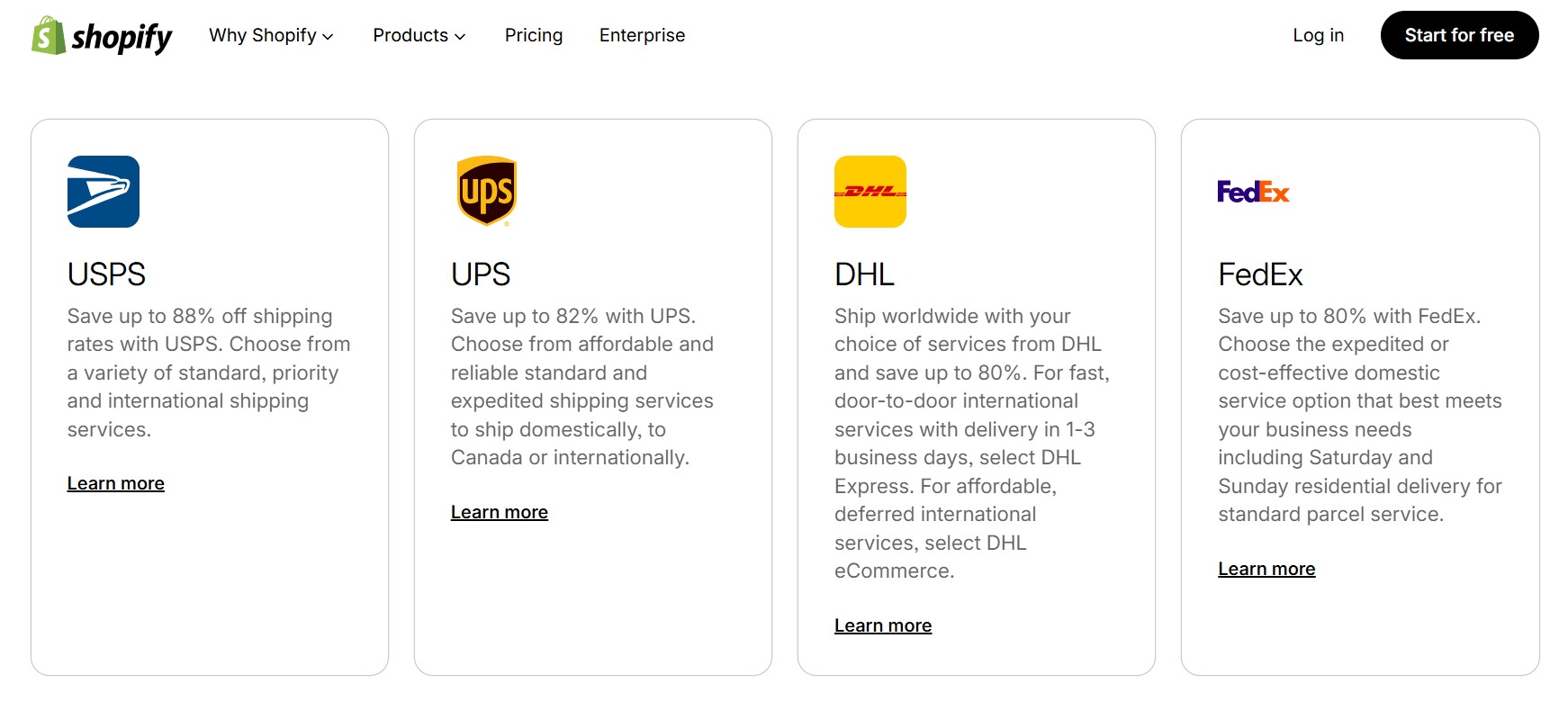
Shopify Shipping is a built-in feature on all plans, offering discounted rates (up to 88% off retail prices) with major carriers like USPS, UPS, and DHL for US merchants, and Canada Post for Canadian merchants. These discounts, while substantial, are typically measured against standard retail rates, meaning the actual savings compared to negotiated business rates might be smaller. Key functionalities include label printing, carrier-calculated rates at checkout, address validation, estimated delivery dates, and return label generation. Shopify Shipping’s discounted rates are most effective in the US, Canada, Australia, and parts of Europe. For merchants in other regions or those needing to connect their own UPS or FedEx accounts, the Carrier-Calculated Shipping feature (included in Advanced and Plus plans, or as a paid add-on for lower plans) is necessary. Shopify’s managed markets also provide global shipping options, though native carrier integrations can be more limited outside core regions.
WooCommerce:
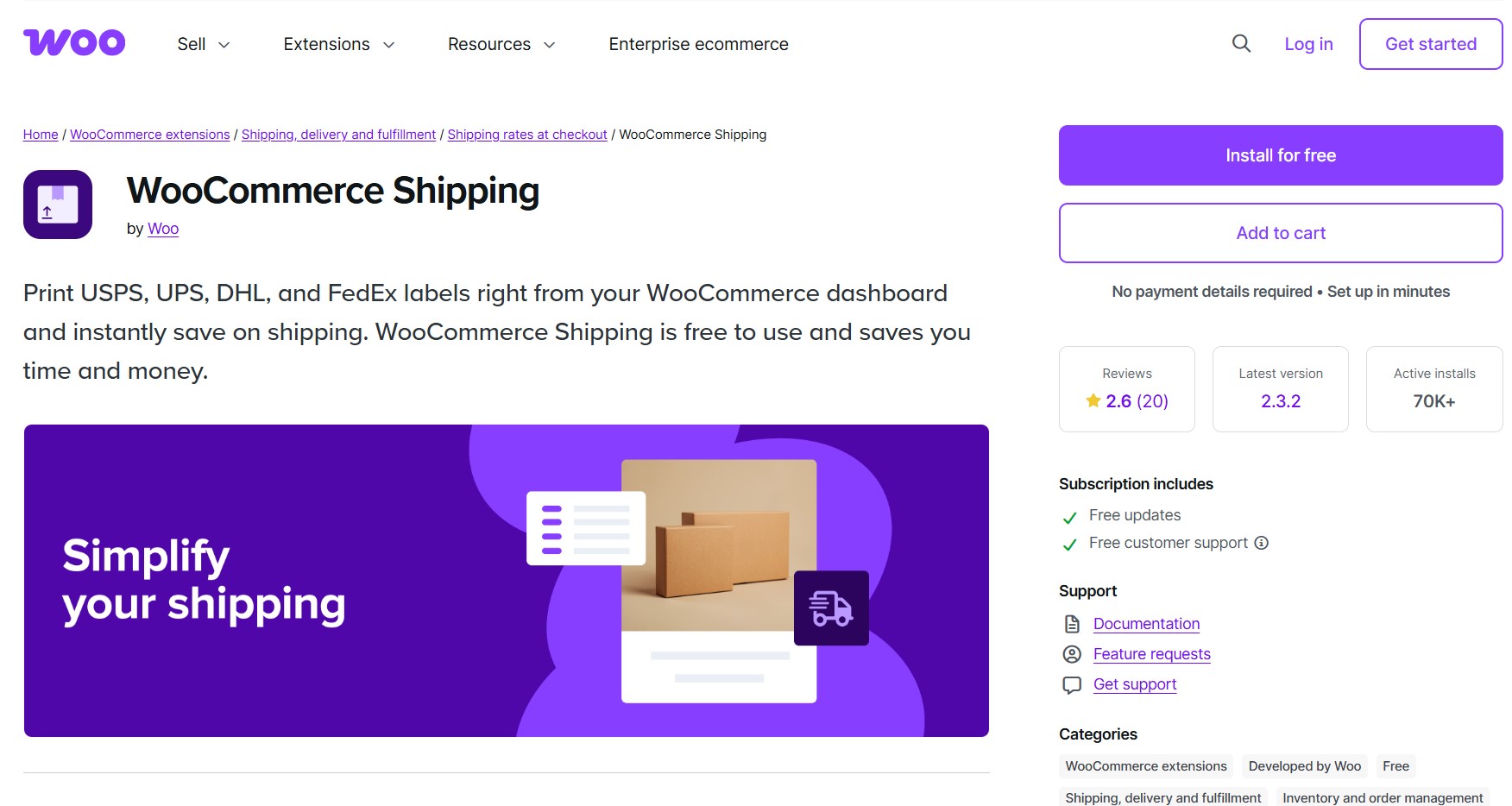
WooCommerce Shipping is a free-to-install plugin that offers discounted rates on USPS, UPS, DHL, and FedEx labels. It supports split shipments, allowing orders to be fulfilled as inventory becomes available, and all shipments processed through it are carbon neutral. The official plugin provides native label printing for USPS and DHL. However, integrating FedEx, UPS, or international carriers, and offering real-time carrier rates at checkout, generally requires additional third-party plugins like Shippo or ShipStation. This reliance on multiple plugins for comprehensive shipping functionality can introduce complexity and potential compatibility issues. A notable concern for prospective users is the WooCommerce Shipping plugin’s low average rating of 2.6 stars from 20 reviews, with 50% being one-star, indicating potential reliability or usability challenges reported by users.
Analysis: Shopify offers a more integrated and user-friendly shipping solution with built-in discounts and comprehensive features, especially for merchants in its primary markets. WooCommerce covers basic shipping for free but necessitates additional plugins for advanced carrier integrations, real-time rates, and a broader range of services, requiring more setup and potentially leading to a fragmented user experience.
Scalability and Growth: Preparing for Expansion
The ability of an e-commerce platform to accommodate growth, from increased traffic to higher transaction volumes, is a critical long-term consideration.
Shopify:
Shopify’s managed infrastructure automatically handles traffic spikes and increased load on all plans, eliminating the need for merchants to configure or manage server capacity. Scaling on Shopify is primarily achieved by upgrading plans (Basic to Standard to Advanced to Plus), which unlocks lower transaction fees, more staff accounts, better shipping discounts, and enhanced reporting capabilities. This seamless upgrade path requires no technical intervention from the merchant. Shopify Plus, designed for enterprise-level operations, can handle over 10,000 checkouts per minute, making it suitable for global brands like Gymshark and Kylie Cosmetics. Shopify’s continuous investment in performance and uptime ensures a robust foundation for high-growth businesses.
WooCommerce:
WooCommerce has no inherent hard ceiling on scalability, with numerous large and successful stores operating on the platform. However, scaling a WooCommerce store requires active management of its underlying infrastructure. As traffic and sales grow, merchants must proactively upgrade their hosting environment (e.g., from shared to VPS or dedicated hosting), optimize their database, and implement caching solutions. These tasks do not happen automatically and demand technical expertise or dedicated developer resources. The upside is greater cost control; businesses pay only for the resources they need and can optimize expenses in ways Shopify’s fixed plan structure does not allow. This level of granular control is a significant advantage for technically proficient store owners.
Analysis: Shopify offers a worry-free scaling experience, where the platform manages all infrastructure needs, allowing businesses to focus on growth. WooCommerce provides ultimate control over scaling strategies and costs but places the responsibility of infrastructure management, optimization, and potential troubleshooting squarely on the merchant or their development team.
Customer Support: Access to Assistance
Reliable and accessible customer support is invaluable, especially when encountering technical issues or seeking operational guidance.
Shopify:
Shopify provides 24/7 live chat support across all plans, supplemented by an AI assistant that handles common queries and escalates complex issues to human agents. This centralized support channel simplifies problem-solving, as all issues are addressed through a single point of contact, regardless of their nature. Additionally, the Shopify Help Center, extensive community forums, and Shopify Academy offer a wealth of self-service resources, including tutorials, guides, and video courses, empowering users to find solutions independently. While generally effective, some users report that complex issues may require multiple conversations to resolve fully.
WooCommerce:
WooCommerce lacks a central support line, making troubleshooting a more fragmented process. When an issue arises, determining its origin—be it WordPress core, WooCommerce itself, the active theme, the hosting provider, or a specific plugin—can be challenging. Each component typically has its own support channel and varying response times. While paid extensions usually come with ticket support, hosting providers only cover server-level issues. Community forums and YouTube tutorials are valuable resources but necessitate users to first diagnose the problem themselves. For non-technical store owners, this decentralized support model is often cited as one of the most frustrating aspects of using WooCommerce, frequently necessitating the hiring of a dedicated developer or agency for ongoing assistance.
Analysis: Shopify offers a clear advantage with its centralized, 24/7 live support and extensive self-help resources, providing peace of mind for merchants. WooCommerce’s fragmented support ecosystem demands a higher level of technical self-reliance or reliance on external expert support, which can be a barrier for less experienced users.
Security: Protecting Data and Transactions
E-commerce security is paramount for protecting customer data, maintaining trust, and ensuring PCI compliance.
Shopify:
Shopify is inherently more secure by design due to its managed SaaS architecture. It provides built-in SSL certificates and handles PCI compliance automatically across all plans, ensuring secure data transmission and payment processing. Shopify also applies security patches and updates automatically, relieving merchants of this critical responsibility. The primary security risk within the Shopify ecosystem typically stems from poorly built or malicious third-party apps. Merchants are advised to carefully review app permissions and user reviews before installation. This hands-off approach to security is a significant benefit for businesses without dedicated IT security teams.
WooCommerce:
WooCommerce core itself is well-maintained and regularly patched by Automattic (the company behind WordPress and WooCommerce). However, the broader WordPress ecosystem introduces significant security challenges. In 2025 alone, security researchers identified 11,334 new vulnerabilities across the WordPress ecosystem, with 91% originating from plugins and only 2% from the core platform. Outdated plugins are the most common entry point for attackers. Therefore, maintaining a secure WooCommerce store requires diligent and continuous updates of WordPress, WooCommerce, and all installed themes and plugins. While quality managed WooCommerce hosts (e.g., Kinsta, WP Engine) automate many security tasks like backups and malware scanning, the ultimate responsibility for plugin and theme security, and for responding to a compromise, rests with the store owner.
Analysis: Shopify offers a superior security posture by default, with comprehensive, automated protections managed by the platform. WooCommerce can achieve a high level of security but requires active, diligent maintenance by the store owner or their technical team, especially concerning the vast and diverse plugin ecosystem.
SEO Capabilities: Driving Organic Traffic
Search engine optimization (SEO) is a vital channel for attracting organic traffic and new customers.
WooCommerce:
WooCommerce is widely considered to have a distinct advantage in SEO due to its foundation in WordPress, a CMS renowned for its SEO-friendliness. Users have full control over URL structures, without locked-in prefixes, allowing for highly optimized and clean URLs. Powerful SEO plugins like Yoast SEO and Rank Math provide granular, field-level control over meta tags, schema types, breadcrumbs, and XML sitemaps. Furthermore, users can configure server-side caching and Content Delivery Network (CDN) behavior, critical factors for site speed and performance—key SEO ranking signals. This deep level of control is particularly important for content-heavy stores and businesses where organic search is a primary growth channel.
Shopify:
Shopify handles many fundamental SEO aspects automatically, providing a solid baseline for most stores. This includes built-in SSL, canonical tags to prevent duplicate content issues, auto-generated XML sitemaps, mobile-responsive themes, and product schema markup. For many businesses that do not actively manage technical SEO, these defaults are sufficient. However, Shopify has some inherent limitations for advanced SEO practitioners. URL structures are locked (e.g., products always live at /products/, collections at /collections/), preventing complete customization. Sitemaps cannot be manually overridden, and product variants typically share the same meta title and description by default, which can be a limitation for highly specific product SEO strategies.
Analysis: WooCommerce offers superior technical SEO control and flexibility, making it the stronger choice for businesses with sophisticated content marketing strategies or those that prioritize deep SEO optimization. Shopify provides excellent foundational SEO out-of-the-box, sufficient for most stores, but its closed ecosystem imposes limitations on advanced, granular control.
Strategic Considerations for Businesses
The choice between WooCommerce and Shopify extends beyond a mere feature comparison; it’s a strategic decision that impacts operational workflow, resource allocation, and long-term business trajectory.
For businesses prioritizing rapid deployment, ease of management, and predictable costs, Shopify’s all-in-one SaaS model is often the more attractive option. It allows entrepreneurs to focus on marketing and sales without being bogged down by technical infrastructure or maintenance. Shopify is particularly well-suited for direct-to-consumer (DTC) brands and startups seeking to launch quickly and scale efficiently with minimal technical overhead. Industry experts often recommend Shopify for dropshipping beginners due to its clean integrations with fulfillment apps and simplified setup.
Conversely, WooCommerce appeals to businesses that demand absolute control, deep customization, and seamless integration with existing WordPress content. It is the preferred choice for existing WordPress users, content-led stores (e.g., blogs with integrated e-commerce), and teams with dedicated developer support. The open-source nature means no vendor lock-in, greater freedom to modify code, and the ability to choose best-of-breed solutions for every aspect of the store. However, this freedom comes with the responsibility of managing hosting, security, updates, and plugin compatibility.
Conclusion: The Right Platform for the Right Business
The debate between WooCommerce and Shopify ultimately lacks a universal “better” platform; instead, it hinges on aligning the platform’s strengths with a business’s specific needs, technical capabilities, and growth aspirations.
Shopify shines as the preferred platform for new and growing stores that value convenience, speed, and managed services. Its faster setup, lower maintenance burden, and comprehensive built-in tools empower most DTC brands to launch and scale effectively without grappling with technical complexities. While the costs may increase with scale, the platform shoulders the infrastructure management.
WooCommerce, conversely, is the champion for stores where control and customization supersede convenience. It offers unparalleled flexibility for businesses already rooted in WordPress, those requiring bespoke design and functionality, or entities that heavily rely on content and SEO for growth. The trade-off, however, is a higher