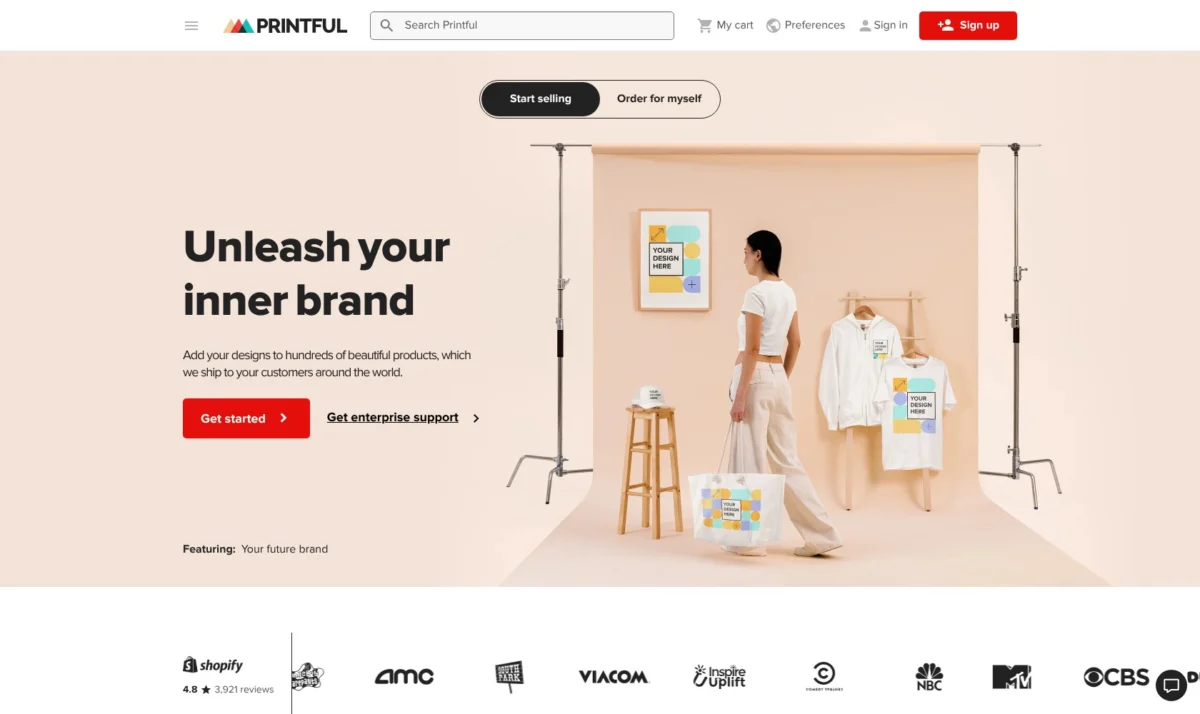
Lightspeed eCom, while a robust solution for brick-and-mortar businesses aiming to seamlessly integrate their physical and online operations, presents certain limitations that prompt many retailers to explore alternatives. The primary concerns often revolve around its escalating costs as additional locations and registers are added, a less dynamic online storefront builder compared to dedicated e-commerce platforms, and a general leaning towards physical retail operations rather than online-first brands. Recognizing these challenges, a comprehensive evaluation of leading e-commerce platforms has identified five compelling alternatives that merit serious consideration for businesses looking to enhance their digital presence.
Shopify Emerges as the Leading All-Round Solution
Shopify stands out as the top recommendation due to its inherent strength in unifying online and in-store sales, mirroring Lightspeed’s core offering. However, it distinguishes itself with a more expansive app ecosystem, superior template designs, and a more predictable pricing structure. This makes it an ideal choice for businesses that require a comprehensive solution for both their physical and digital sales channels.
"For retailers who have relied on Lightspeed eCom but are encountering its growth constraints, Shopify presents the most direct and capable upgrade path," notes industry analyst Sarah Chen. "Its online-first architecture inherently offers a more robust and adaptable digital storefront, coupled with the ability to scale through a vast array of integrated applications."
Understanding Lightspeed’s Current Offering and Pricing
It is crucial to note that Lightspeed eCom is no longer available as a standalone product. It is now integrated within the broader Lightspeed Retail platform, which starts at $89 per month when billed annually for its Basic plan. Higher tiers, such as Core and Plus, come with significantly increased costs. Lightspeed Payments, the company’s proprietary payment processing service, charges approximately 2.6% + $0.10 for in-person transactions and 2.9% + $0.30 for online payments.
This pricing model is justifiable for multi-location retail operations demanding sophisticated inventory, purchasing, and supplier management tools. However, for businesses whose primary pain points are the cost of scaling, the limitations of the online storefront, or a business model that prioritizes online sales, Lightspeed Retail’s integrated approach may prove less cost-effective and flexible.
The five alternatives discussed below address these specific drawbacks, often providing more budget-friendly entry points and greater flexibility for online growth.
1. Shopify: The Premier All-Round Alternative
Shopify is the most direct competitor and often the preferred successor for businesses migrating from Lightspeed eCom. It replicates the fundamental advantage of a unified system—managing inventory, customer data, and sales across both online and physical channels from a single source.
The Online-First Advantage
Where Shopify truly shines is its online-first design philosophy. This translates into a more sophisticated and user-friendly online storefront, a streamlined checkout process, and more potent marketing tools compared to what Lightspeed eCom typically offers. This focus ensures a superior customer experience for online shoppers, which is critical for driving conversions and fostering brand loyalty.

However, this strength comes with a trade-off. Shopify’s design editor, which is section-based rather than a free-form drag-and-drop interface, might feel restrictive for users who desire absolute pixel-level control over their website’s aesthetics. Furthermore, while the initial subscription cost is lower than Lightspeed Retail, the total expenditure can escalate significantly when factoring in the cost of premium apps, specialized themes, and the optional POS Pro subscription for advanced in-store functionalities.
Shopify Pros
- Unified Commerce: Seamless integration of online and in-store sales with a single inventory and customer database.
- Robust App Store: Access to over 6,000 apps for enhanced functionality, marketing, and operations.
- User-Friendly Interface: Intuitive dashboard and reporting tools for easy management.
- Scalability: Designed to grow with your business, from small startups to large enterprises.
- AI-Powered Tools: Features like Shopify Magic assist with product descriptions and marketing copy.
- Strong Community and Support: Extensive resources, forums, and customer service.
Shopify Cons
- Section-Based Editor: Can limit design freedom for highly customized layouts.
- App Costs: The need for paid apps can increase overall expenses.
- POS Pro Costs: Advanced in-store features require an additional subscription.
- Transaction Fees: While competitive, fees apply if not using Shopify Payments.
What’s New with Shopify: Shopify continuously innovates, recently enhancing its AI capabilities with Shopify Magic, which assists with content creation and marketing. They have also focused on improving the checkout experience and expanding their wholesale channel features, catering to businesses looking to diversify their sales strategies.
Shopify’s expansive ecosystem is a significant differentiator. While Lightspeed’s app integrations are functional, Shopify’s app store offers solutions for virtually every conceivable business need, and its theme store provides a much wider selection of professional designs. For businesses aiming to expand their online sales significantly, Shopify offers unparalleled room for growth. The primary consideration remains the section-based editor, which might require an adjustment for those accustomed to more free-form design tools.
How Much Does Shopify Cost?
Shopify offers a tiered pricing structure designed to accommodate businesses of varying sizes and needs. The figures below are based on their published US pricing at the time of writing and are subject to change:
| Plan | Monthly (billed annually) | Monthly (billed monthly) | Online Card Rate (Shopify Payments) | Fee if Using Third-Party Gateway | Staff Accounts |
|---|---|---|---|---|---|
| Starter | $5 | $5 | 5% per transaction | N/A | 1 |
| Basic | $29 | $39 | 2.9% + $0.30 | 2% | 1 |
| Grow | $79 | $105 | 2.7% + $0.30 | 1% | 5 |
| Advanced | $299 | $399 | 2.5% + $0.30 | 0.6% | 15 |
| Plus | From $2,300 (3-year term) | Custom | Negotiated | 0.2% | Unlimited |
Compared with Lightspeed: Shopify’s Basic plan at $29 per month is a substantial saving compared to Lightspeed Retail Basic at $89 per month. However, if advanced in-store features are a priority and POS Pro is added for a single location, the combined cost can reach approximately $118 per month, placing it slightly above Lightspeed’s entry-level price. Shopify offers a clear cost advantage for businesses that are online-first, while the pricing becomes more comparable for those requiring extensive in-store capabilities.
Shopify is Suitable For:
- Businesses seeking a robust, all-in-one solution for online and in-store sales.
- Retailers looking to scale their online presence with a vast array of apps and themes.
- Startups and established businesses requiring a professional and customizable storefront.
- Those who value a strong, integrated POS system alongside their e-commerce platform.
Shopify Isn’t Suitable For:
- Businesses that require absolute free-form design control over their website.
- Retailers with extremely simple needs who might find Shopify’s feature set overwhelming.
- Those prioritizing the absolute lowest possible monthly cost without advanced features.
Why Use Shopify? It provides the core functionalities of Lightspeed eCom for unified selling, enhanced by a far more extensive app and theme marketplace, advanced AI tools, and a clearer roadmap for scaling. For retailers transitioning from Lightspeed who still need a POS system, Shopify should be the initial platform to evaluate.
2. Square Online: The Budget-Conscious Retailer’s Choice
For businesses whose primary motivation for leaving Lightspeed is cost, Square Online emerges as a compelling first option to explore. It features a truly free e-commerce plan that seamlessly synchronizes with Square’s own free POS software. This allows small retailers to manage both their online and in-store sales without incurring any monthly platform fees, beyond standard payment processing charges.
Simplicity and Affordability
The primary limitation of Square Online is its relative simplicity when compared to Lightspeed or Shopify. The design customization options are more restricted, the app ecosystem is considerably smaller, and the free plan includes Square’s branding and does not support a custom domain name. Nevertheless, it serves as an excellent starting point for small shops, cafes, and service-based businesses. Larger businesses with extensive product catalogs might find its capabilities insufficient for long-term growth.
"Square Online democratizes e-commerce for small businesses," states retail consultant Mark Johnson. "The ability to launch an online store and integrate it with a POS system for free is a game-changer for entrepreneurs operating on tight budgets. It removes a significant barrier to entry."
Square Online Pros
- Free E-commerce Plan: No monthly fees for basic online selling, beyond payment processing.
- Integrated POS: Seamless synchronization with Square’s popular free POS system.
- Ease of Use: Intuitive interface for quick setup and management.
- Simple Product Management: Straightforward process for adding and organizing products.
- Built-in Payments: Utilizes Square Payments for easy transaction processing.
Square Online Cons
- Limited Design Flexibility: Fewer customization options compared to other platforms.
- Smaller App Ecosystem: Fewer third-party integrations available.
- Square Branding on Free Plan: Custom domain requires an upgrade.
- Basic Inventory Tools: Lacks advanced features like purchase orders and supplier management.
What’s New with Square Online: Square continually refines its platform, with recent updates focusing on improving local delivery and pickup options, enhancing customer management tools, and expanding its API for developers. These updates aim to make the platform more robust for businesses with diverse fulfillment needs.
Square’s greatest asset is its user-friendliness. Adding products, setting up local pickup and delivery, and linking it to a point-of-sale system are all streamlined processes within a single dashboard. For retailers migrating from Lightspeed and managing a modest inventory, this simplicity can be a welcome relief. However, businesses accustomed to Lightspeed’s advanced inventory management features, such as purchase orders, supplier tracking, and multi-location stock transfers, will find Square’s inventory tools to be considerably less comprehensive.

How Much Does Square Online Cost?
Square Online offers three pricing tiers, providing flexibility for businesses at different stages of growth. The figures below reflect Square’s published US pricing at the time of writing:
| Plan | Monthly (billed annually) | Monthly (billed monthly) | Online Card Rate | Key Inclusions |
|---|---|---|---|---|
| Free | $0 | $0 | 2.9% + $0.30 | Unlimited products, pickup & delivery, Square-branded domain |
| Plus | $29 | $35 | 2.9% + $0.30 | Custom domain, no Square ads, abandoned cart recovery, advanced items |
| Premium | $79 | $95 | 2.6% + $0.30 | Lower processing rate, real-time shipping, priority support |
Compared with Lightspeed: A small retailer can operate both Square Online and Square POS for a total of $0 per month, a stark contrast to Lightspeed Retail Basic’s $89 per month. Even the Premium plan at $79 per month is more affordable than Lightspeed’s entry point. This significant cost saving comes at the expense of depth in inventory management and reporting capabilities.
Square Online is Suitable For:
- Small businesses, cafes, and service providers seeking a low-cost online presence.
- Retailers who are already using Square POS and want to add an online store.
- Businesses with manageable product catalogs and straightforward inventory needs.
- Startups prioritizing immediate cost savings and ease of setup.
Square Online Isn’t Suitable For:
- Businesses with very large or complex product catalogs.
- Retailers requiring advanced inventory management features like purchase orders and supplier tracking.
- Brands that need extensive design customization for their online storefront.
- Companies operating internationally with complex shipping and tax requirements.
Why Use Square Online? It represents the most economical method for consolidating online and in-person sales into a single system. If Lightspeed’s monthly fees are a significant concern and the product catalog is manageable, Square Online effectively eliminates these platform costs, leaving only payment processing fees.
3. BigCommerce: The Powerhouse for Large Catalogs
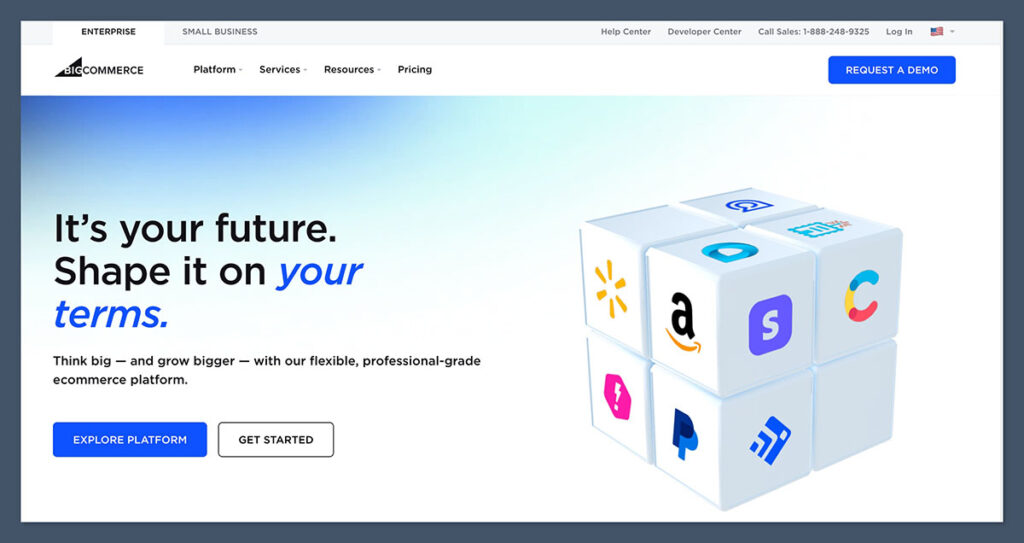
BigCommerce is the recommended platform for Lightspeed users who primarily operate online and manage substantial product inventories. It comes equipped with a more extensive suite of built-in e-commerce features than Shopify, including product variants, faceted search, multi-currency support, and B2B functionalities, all available without requiring additional app subscriptions. Crucially, BigCommerce imposes no platform transaction fees, regardless of the payment gateway chosen.
Built-in Feature Depth
The primary limitation of BigCommerce is the absence of a native point-of-sale (POS) system. Businesses heavily reliant on in-store sales will need to integrate a third-party POS solution, which, while functional, offers a less seamless experience than an integrated system like Shopify or Square. Additionally, BigCommerce enforces annual sales volume thresholds on its plans, which can compel rapidly growing businesses to upgrade to higher tiers sooner than anticipated.
"For merchants with vast product assortments, BigCommerce’s inherent capabilities are a significant advantage," states e-commerce consultant Emily Carter. "It provides enterprise-level features without the typical enterprise price tag, particularly when you consider the elimination of transaction fees. This can lead to substantial savings for high-volume sellers."
BigCommerce Pros
- Rich Built-in Features: Extensive e-commerce functionalities included out-of-the-box.
- Zero Transaction Fees: No additional platform fees on sales, regardless of payment gateway.
- Scalability for Large Catalogs: Handles complex product variations and large inventories efficiently.
- Strong SEO Capabilities: Designed with search engine optimization in mind.
- B2B Functionality: Robust tools for wholesale and business-to-business sales.
BigCommerce Cons
- No Native POS: Requires integration with a third-party POS for in-store sales.
- Annual Sales Thresholds: Can force upgrades to higher plans as sales grow.
- Less Polished Editor: The design editor may not be as intuitive as some competitors.
- App Dependency for Certain Features: While many features are built-in, some advanced functionalities might still require apps.
What’s New with BigCommerce: BigCommerce has recently focused on enhancing its headless commerce capabilities, providing greater flexibility for developers to create unique customer experiences. They have also improved their AI-powered product recommendations and expanded their integrations with key marketing and fulfillment partners.
BigCommerce’s comprehensive built-in features are its strongest asset when compared to Lightspeed. While Lightspeed’s online store can feel like an add-on to its POS system, BigCommerce prioritizes the storefront. Features like advanced SEO controls, faceted search, and bulk pricing are standard, not add-ons. The design editor, while not as visually refined as Wix or Squarespace, is more than adequate for merchants who prioritize catalog management and functionality over elaborate visual design.
How Much Does BigCommerce Cost?
BigCommerce offers three self-service plans and a custom Enterprise tier, catering to businesses of various sizes. The figures below reflect BigCommerce’s published US pricing at the time of writing:
| Plan | Monthly (billed annually) | Monthly (billed monthly) | Annual Online Sales Limit | PayPal (Braintree) Rate | Platform Transaction Fee |
|---|---|---|---|---|---|
| Standard | $29 | $39 | $50,000 | 2.59% + $0.49 | 0% |
| Plus | $79 | $105 | $180,000 | 2.35% + $0.49 | 0% |
| Pro | $299 | $399 | $400,000 | 2.05% + $0.49 | 0% |
| Enterprise | Custom | Custom | Custom | Negotiated | 0% |
Compared with Lightspeed: BigCommerce Standard at $29 per month is considerably less expensive than Lightspeed Retail Basic at $89 per month. The absence of transaction fees can translate into significant monthly savings for high-volume sellers. If an integrated POS is not a primary requirement, BigCommerce offers superior online features at a more accessible price point.
BigCommerce is Suitable For:
- Businesses with large and complex product catalogs.
- Retailers who prioritize built-in e-commerce features over app reliance.
- Wholesalers and B2B businesses requiring specialized tools.
- Online-first brands looking for a scalable and feature-rich platform.
BigCommerce Isn’t Suitable For:
- Businesses that require a tightly integrated, native POS system.
- Retailers who prefer a drag-and-drop website builder for maximum design flexibility.
- Very small businesses that might find BigCommerce’s feature set overly complex.
Why Use BigCommerce? For businesses that have outgrown Lightspeed’s online storefront capabilities but wish to avoid paying for numerous add-on apps, BigCommerce delivers enterprise-grade catalog management and zero transaction fees at a mid-market price point.

4. WooCommerce: The Customization King for WordPress Users
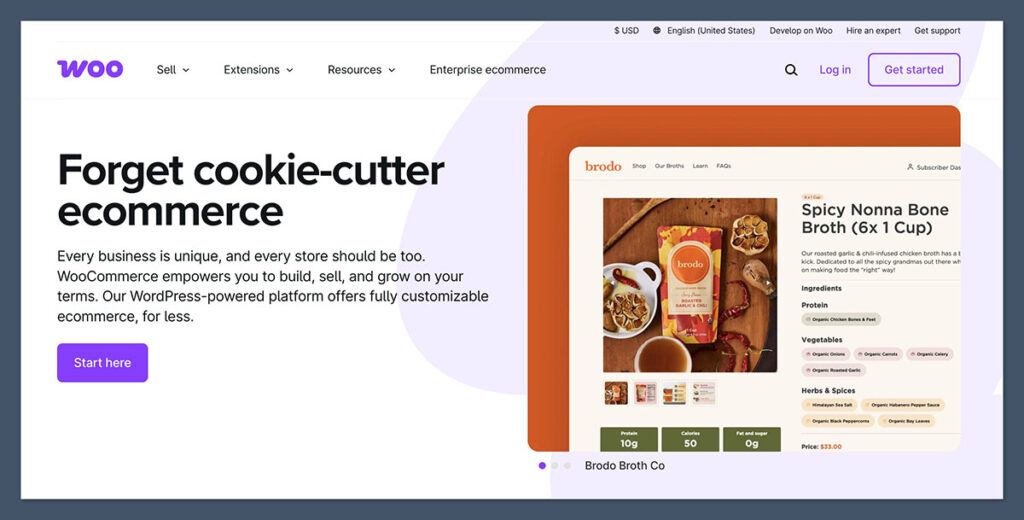
WooCommerce stands out as the most flexible platform available, offering complete ownership and control over a store’s code and data. Built on the WordPress foundation, it is an ideal choice for individuals or businesses already invested in the WordPress ecosystem or those seeking unparalleled control over their website’s design, SEO, and overall functionality.
The Power of Open Source
This extensive flexibility, however, comes with a commensurate level of responsibility. Users are tasked with managing their own hosting, security, software updates, and data backups, unless they opt for a managed hosting solution. Building a polished and fully functional store often requires a greater degree of technical expertise compared to hosted platforms. For Lightspeed users accustomed to an all-in-one, managed service, this shift in responsibility can be a significant adjustment.
"WooCommerce offers a level of customization that no other platform can match," explains web developer Alex Lee. "It’s essentially a blank canvas. If you can imagine it, you can build it with WooCommerce, but it requires a commitment to managing the underlying infrastructure and potentially piecing together various plugins and extensions."
WooCommerce Pros
- Unmatched Customization: Full control over code, design, and functionality.
- Open-Source and Free: The core plugin is free to use.
- WordPress Integration: Seamlessly works with existing WordPress sites.
- Vast Plugin Ecosystem: Thousands of plugins for virtually any feature.
- Full Data Ownership: Complete control and ownership of your store’s data.
- Cost-Effective for Technical Users: Can be very affordable if you manage it yourself.
WooCommerce Cons
- Requires Technical Expertise: Users must manage hosting, security, and updates.
- Costs Can Add Up: Hosting, premium themes, and extensions can increase expenses.
- Steeper Learning Curve: Less intuitive for beginners compared to hosted solutions.
- No Native POS: Requires extensions or third-party integrations for in-store sales.
- Performance Dependency: Site speed relies heavily on hosting and optimization.
What’s New with WooCommerce: WooCommerce is continually updated to enhance performance and security, with recent developments focusing on improved block editor integration for a more intuitive content creation experience and expanded compatibility with various payment gateways and shipping providers. They also offer new extensions for advanced features like subscriptions and bookings.
The best way to conceptualize WooCommerce is as a powerful toolkit rather than a finished product. Every function that Lightspeed offers out-of-the-box can be replicated with WooCommerce, but it requires assembling the components yourself: selecting hosting, a theme, payment gateway plugins, and inventory management extensions. For a business with unique operational workflows that hosted platforms cannot accommodate, this freedom justifies the effort. However, for a retailer who simply wants to sell without delving into server management, WooCommerce might be an overly complex solution.
How Much Does WooCommerce Cost?
WooCommerce itself is free, meaning the total cost is determined by the accompanying services and extensions chosen. Here’s a realistic cost breakdown based on typical market pricing:
| Cost Item | Typical Range | Notes |
|---|---|---|
| WooCommerce Plugin | $0 | Open source, free to use. |
| Web Hosting | $10 to $40 per month | Shared hosting is cheaper; managed WooCommerce hosting offers more support. |
| WordPress.com Commerce | $45 per month (annual) | A hosted solution with WooCommerce pre-installed. |
| Domain Name | $10 to $20 per year | Often included free for the first year with hosting. |
| Theme | $0 to $100 one-off | Many free options available; premium themes offer enhanced design. |
| Paid Extensions | $49 to $299 per year | Subscriptions, advanced shipping, and POS extensions are typically paid. |
| WooPayments Processing | 2.9% + $0.30 (US) | Additional fees for international cards; other gateways are available. |
Compared with Lightspeed: WooCommerce can be significantly more affordable than Lightspeed Retail’s $89 per month, or conversely, more expensive, depending on the complexity of the setup. The cost is highly flexible, but so is the required workload.
WooCommerce is Suitable For:
- Businesses that require complete control over their website’s design and functionality.
- Existing WordPress users looking to add e-commerce capabilities.
- Developers and technically inclined users who enjoy customizing their platforms.
- Niche businesses with unique product types or sales processes.
WooCommerce Isn’t Suitable For:
- Beginners or users who want a simple, managed e-commerce solution.
- Businesses that lack the technical expertise or resources to manage their own hosting and security.
- Retailers who need an all-in-one, plug-and-play POS and e-commerce system.
Why Use WooCommerce? If Lightspeed feels too rigid for your business needs and you desire a platform that adapts to your operations rather than dictating them, WooCommerce offers unparalleled control. This comes with the caveat that you must be willing and able to manage the technical aspects.
5. Wix: The User-Friendly Choice for Beginners and Design-Focused Stores
Wix is positioned as the most accessible platform for individuals new to e-commerce, largely due to its AI-powered website builder and intuitive drag-and-drop editor. It’s an excellent option for small businesses that prioritize visual appeal and wish to consolidate marketing, email, booking, and e-commerce functionalities within a single, easy-to-manage dashboard.
Design Flexibility and Ease of Use
However, Wix is not designed for heavy-duty e-commerce operations. Its inventory management and in-store sales tools are considerably more basic when contrasted with Lightspeed and Shopify. Additionally, Wix POS is exclusive to the US market, and businesses with very large product catalogs may find the platform limiting. Wix is best suited for small, design-centric businesses rather than multi-location retail operations.
"Wix democratizes website creation and offers a surprisingly robust e-commerce solution for small businesses," says digital marketing specialist Anna Perez. "The drag-and-drop interface makes it incredibly easy for anyone to build a beautiful online store, and the AI builder accelerates the initial setup process significantly."
Wix Pros
- Extremely Easy to Use: Intuitive drag-and-drop editor and AI website builder.
- Visually Appealing Designs: Wide range of professional templates to choose from.
- All-in-One Platform: Integrates e-commerce, marketing, bookings, and more.
- Affordable Entry Point: Competitive pricing for small businesses.
- Strong Marketing Tools: Built-in email marketing and SEO features.
Wix Cons
- Limited E-commerce Depth: Basic inventory and sales features compared to competitors.
- Wix POS US-Only: Not available for international businesses.
- Scalability Concerns: May not be suitable for rapidly growing or large-scale operations.
- Editor Can Be Sluggish: Performance of the editor can sometimes be slow.
- No Third-Party Payment Gateways: Limited to Wix Payments.
What’s New with Wix: Wix has been actively enhancing its e-commerce features, including improvements to its abandoned cart recovery, multi-channel selling capabilities, and advanced analytics. They have also introduced new AI tools to assist with content creation and marketing efforts, further solidifying its appeal for small businesses.
Wix truly excels in its approachability. The AI builder guides users through a series of questions to generate a functional website and dashboard, which can then be meticulously refined. This contrasts sharply with Lightspeed’s retail-centric setup. The downside is that the Wix editor can sometimes feel slow, and the sheer volume of built-in features might be overwhelming for users who only require a basic online store.
How Much Does Wix Cost?
Wix offers a free tier alongside four paid plans designed to cater to various business needs. The figures below reflect Wix’s published US pricing at the time of writing:
| Plan | Monthly (billed annually) | Can You Sell Online? | Storage | Key Inclusions |
|---|---|---|---|---|
| Free | $0 | No | 500MB | Wix-branded domain and ads. |
| Light | $17 | No | 2GB | Custom domain, no ads, basic marketing. |
| Core | $29 | Yes | 50GB | E-commerce, basic analytics, 2 collaborators. |
| Business | $36 | Yes | 100GB | Advanced e-commerce, multi-currency, 5 collaborators. |
| Business Elite | $159 | Yes | Unlimited | Advanced developer tools, priority support, 15 collaborators. |
Compared with Lightspeed: Wix Core, priced at $29 per month, is roughly one-third the cost of Lightspeed Retail Basic. Even the Business plan, recommended for most small online stores, at $36 per month, is significantly more affordable than Lightspeed. Wix offers cost savings but trades depth in retail operations for enhanced design and marketing tools.
Wix is Suitable For:
- Small businesses prioritizing visual design and ease of use.
- Solopreneurs and small teams launching their first online store.
- Businesses that need integrated marketing, booking, and e-commerce features.
- Retailers who want a beautiful, professional-looking website without extensive technical knowledge.
Wix Isn’t Suitable For:
- Businesses requiring advanced inventory management or multi-location POS systems.
- Retailers needing extensive customization of their website’s code.
- Companies with very large product catalogs that may exceed Wix’s limitations.
- Businesses outside the US that require a local POS solution.
Why Use Wix? For small, design-focused businesses that found Lightspeed to be overly complex for their needs, Wix provides an aesthetically pleasing storefront, strong marketing tools, and an intuitive editor at a significantly lower price point.
Key Factors for Choosing a Lightspeed eCom Alternative
Selecting the right platform involves a careful evaluation of several critical factors, tailored to your specific business needs and priorities. The ideal choice will depend on what initially attracted you to Lightspeed and what aspects are now driving your desire for a change.
Consider the following checklist when comparing platforms:
- Point-of-Sale (POS) Integration: Does the platform offer a seamless POS solution, or will you need to integrate a third-party system?
- Pricing Structure: Evaluate monthly fees, transaction fees, and potential costs for apps or premium features.
- Scalability: Can the platform grow with your business, accommodating more locations, products, and sales volume?
- Design Flexibility: How much control do you have over your website’s appearance and user experience?
- Ease of Use: Is the platform intuitive for both administrators and customers?
- Inventory Management: Does it offer the depth of features required for your product catalog?
- App Ecosystem: What third-party integrations are available to extend functionality?
- Customer Support: What level of support is provided, and what are the response times?
Transitioning From Lightspeed eCom
Migrating from Lightspeed eCom to a new platform is feasible, and most of the recommended alternatives support importing your existing product catalog. However, the migration process is rarely a one-click operation and can vary in complexity depending on the destination platform.
Typically, the process involves:
- Exporting Data: Generating a CSV file from Lightspeed containing product details, customer information, and order history.
- Data Preparation: Formatting the exported data to match the import template of the new platform.
- Importing Data: Uploading the prepared CSV file into the new e-commerce system.
- Testing and Verification: Thoroughly checking that all data has been transferred accurately and that the new store functions correctly.
Third-party migration services, such as Cart2Cart and LitExtension, can automate a significant portion of this data transfer for a fee, which is particularly beneficial for businesses with extensive product catalogs or a long order history. It is advisable to run both systems in parallel for a short period to ensure inventory counts are accurate before fully decommissioning your Lightspeed subscription.
Evaluating E-commerce Platforms
The evaluation of these Lightspeed eCom alternatives was conducted against a consistent set of criteria, weighted to emphasize the needs of retailers transitioning from a POS-centric system. Key assessment areas included:
- Unified Commerce Capabilities: The ability to integrate online and physical sales seamlessly.
- Pricing and Value: Overall cost, including subscription fees, transaction charges, and potential add-on costs.
- Online Storefront Features: Design flexibility, customization options, and built-in e-commerce tools.
- POS System Integration/Native Support: The quality and integration of the point-of-sale system.
- App and Integration Marketplace: The breadth and depth of available third-party applications.
- Scalability and Growth Potential: The platform’s ability to support business expansion.
- Ease of Use and Learning Curve: The intuitiveness of the interface for both administrators and customers.
- Inventory Management Sophistication: The tools available for tracking and managing stock.
- Customer Support and Resources: The quality and accessibility of help and documentation.
Pricing and feature information were sourced from each vendor’s published documentation at the time of writing.
Key Takeaways
- Shopify is the most comprehensive alternative for most retailers, effectively blending online and in-store sales with a superior app ecosystem and clear growth potential.
- Square Online is the ideal choice for budget-conscious businesses seeking a free or low-cost integrated solution.
- BigCommerce excels for businesses with large catalogs, offering extensive built-in features and no transaction fees.
- WooCommerce provides ultimate flexibility for WordPress users who prioritize customization and have the technical resources to manage it.
- Wix is best for beginners and design-focused small businesses seeking an easy-to-use, aesthetically pleasing platform.
For those uncertain about where to begin, leveraging the free plans and trial periods offered by platforms like Square Online, Wix, and Shopify (with its introductory $1/month offer) provides an excellent opportunity to test their suitability before making a commitment.
Frequently Asked Questions
What is the Cheapest Lightspeed eCom Alternative?
Square Online stands out as the most affordable alternative, offering a free plan that includes unlimited products and synchronization with Square’s free POS software. Users only incur payment processing fees. WooCommerce can also be highly cost-effective, but it requires separate payments for hosting and a domain name.
Which Lightspeed Alternative Has the Best POS System?
Among the Lightspeed alternatives, Shopify boasts the most capable POS system. Its POS Pro plan includes features like multi-location inventory management, staff permissions, and in-store analytics. Square POS is a strong, free option for smaller retailers, and Wix POS is suitable for US-based small businesses.
Is Shopify Better Than Lightspeed eCom?
For the majority of online-first and hybrid retailers, Shopify is generally the superior platform. Its strengths lie in its vast app market, more advanced templates, and enhanced AI tools. Lightspeed retains an advantage for complex physical retail operations that depend heavily on intricate purchasing workflows, supplier management, and multi-store inventory transfers.
Can I Move My Products from Lightspeed to Shopify?
Yes, product migration is possible. You can export your product catalog from Lightspeed as a CSV file and then import it into Shopify using their provided import template. For a more automated and comprehensive transfer, including customer and order history, paid migration services like Cart2Cart are available.
Does Lightspeed eCom Still Exist as a Standalone Product?
No, Lightspeed eCom is no longer offered as a separate product. It is now integrated into the Lightspeed Retail platform. This bundling is a contributing factor to Lightspeed Retail’s higher entry price compared to many dedicated e-commerce platforms. Lightspeed also owns Ecwid, which is marketed as a lightweight add-on store builder.
Which Alternative is Best for a Large Product Catalog?
BigCommerce is the top recommendation for managing large product catalogs. It supports up to 600 variants per product and includes built-in features like faceted search and bulk pricing, often without needing additional apps. Shopify also handles large inventories effectively, particularly on its Advanced and Plus plans.
Do Any Lightspeed Alternatives Charge Zero Transaction Fees?
BigCommerce and WooCommerce do not charge platform transaction fees, regardless of the payment gateway used. Shopify, Square, and Wix do not add fees if you use their native payment processors, but Shopify imposes additional charges (up to 2%) if you opt for a third-party gateway.

 Raul Delapena Setiawan
 Ammar Sabilarrohman