rifanmuazin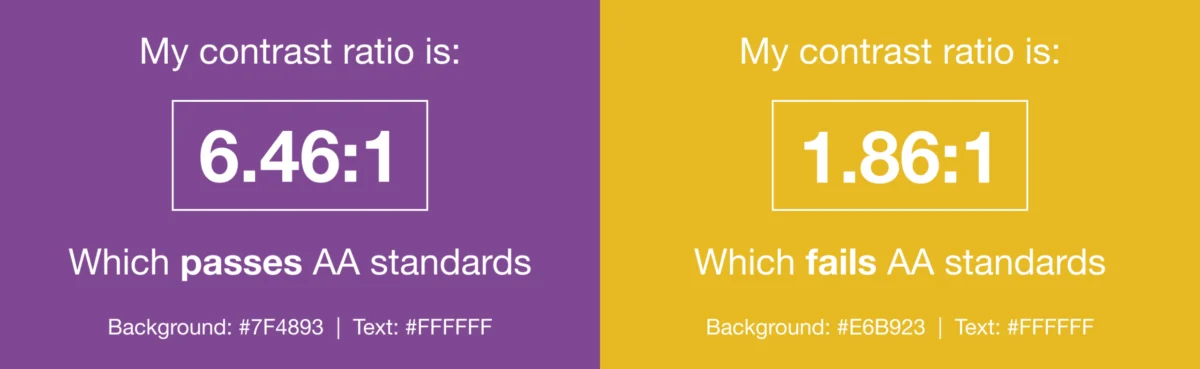
The pursuit of an optimal email experience for subscribers often overlooks a critical dimension: accessibility. Ignoring email accessibility risks alienating a substantial segment of the audience, specifically individuals living with visual, physical, cognitive, and neurological disabilities. As email remains a cornerstone of both personal and professional communication, ensuring its content is universally accessible is no longer merely an ethical consideration but a strategic imperative, supported by legal mandates and significant business advantages.
Defining the Imperative: What is Email Accessibility?
Email accessibility, at its core, is the practice of designing and developing email messages so that everyone, regardless of their abilities or the assistive technologies they employ, can perceive, understand, navigate, and interact with the content. It stands as a foundational pillar of user experience (UX) and design, extending the principles of inclusivity to digital communication. This commitment goes beyond catering to a niche audience; it acknowledges the diverse ways individuals interact with digital content, including those who rely on screen readers, magnifiers, voice commands, or other adaptive tools.
The concept of email accessibility can be viewed as an extension of dealing with the varying support levels across different email clients. Just as developers implement workarounds and fallbacks to ensure consistent rendering, accessibility measures guarantee that every subscriber receives a positive, functional experience. This approach not only expands an organization’s reach to a broader audience but also fosters trust and loyalty, reinforcing a brand’s commitment to inclusivity.

The Global Standard: Web Content Accessibility Guidelines (WCAG)
The primary global standard guiding email accessibility is the Web Content Accessibility Guidelines (WCAG). Developed by the World Wide Web Consortium (W3C) under its Web Accessibility Initiative (WAI), WCAG provides a comprehensive framework for making web content, including emails, accessible to people with disabilities. Since its inception with WCAG 1.0 in 1999, followed by WCAG 2.0 in 2008, 2.1 in 2018, and 2.2 in 2023, these guidelines have evolved to address new technologies and a deeper understanding of diverse user needs.
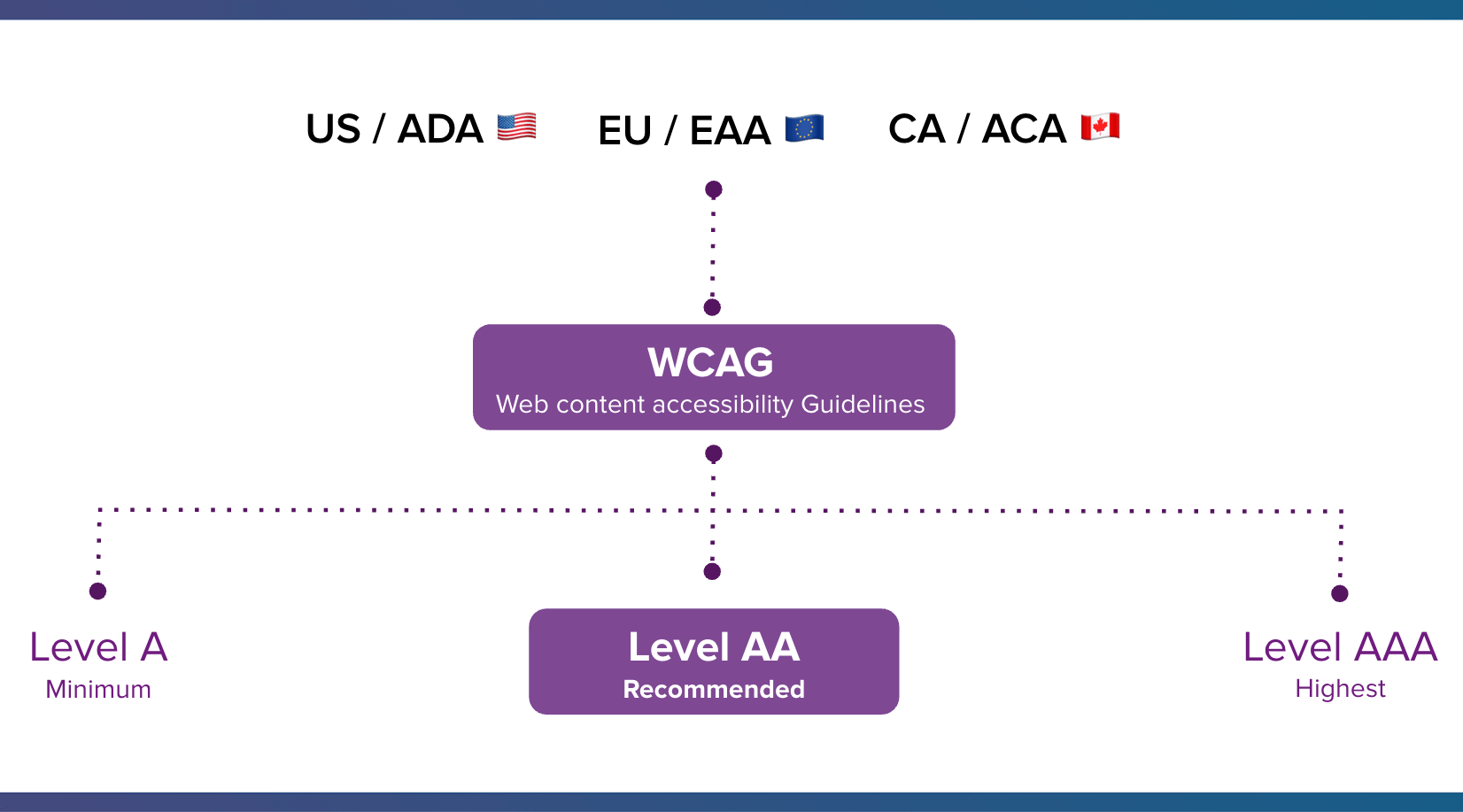
WCAG conformance is crucial because it aligns businesses with international accessibility laws. While WCAG itself is not a law, it serves as the widely recognized benchmark for digital accessibility, underpinning legislation in numerous countries. For instance, in the United States, the Americans with Disabilities Act (ADA) has been interpreted by courts to apply to digital assets, including websites and emails, often referencing WCAG as the standard for compliance. Similarly, the European Union Accessibility Act (EAA) and Canada’s Accessibility for Ontarians with Disabilities Act (AODA) heavily draw upon WCAG principles to ensure digital inclusivity.
The guidelines are structured around three levels of conformance:
- Level A (Minimum): Addresses basic accessibility barriers.
- Level AA (Recommended): Represents a generally accepted target for accessibility, aiming for significant accessibility without imposing undue burden on content creators. Most legal frameworks reference Level AA.
- Level AAA (Highest): Achieves the highest level of accessibility, though it may not be feasible for all content or contexts.
WCAG standards are underpinned by four core principles, often summarized by the acronym POUR:
- Perceivable: Information and user interface components must be presentable to users in ways they can perceive (e.g., text alternatives for non-text content, adaptable presentations).
- Operable: User interface components and navigation must be operable (e.g., keyboard accessibility, sufficient time to read and use content, avoidance of content that causes seizures).
- Understandable: Information and the operation of user interface must be understandable (e.g., readable text, predictable functionality, input assistance).
- Robust: Content must be robust enough that it can be interpreted reliably by a wide variety of user agents, including assistive technologies.
The Overlooked Audience: Why Accessibility is Crucial for Email Marketers
Email’s ubiquity as a communication tool is undeniable, with projections indicating 4.89 billion email users worldwide by 2027, according to Statista. Despite this vast reach, accessibility in email is frequently overlooked. However, the reasons for prioritizing it are compelling, extending from ethical responsibilities to tangible business outcomes.
1. Disabilities Affect a Large and Growing Share of the Population
Disability is not an edge case; it affects a significant portion of the global population. The World Health Organization (WHO) estimates that more than one billion people, or approximately 15% of the world’s population, live with some form of disability. In developed regions, the figures are even higher, with one in four adults in the United States and the European Union reporting a disability. This translates to an immense segment of email users who may encounter barriers if accessibility is not considered.
"Too often accessibility is framed as designing for someone, if that’s an edge case or a small segment. But the truth is it’s one of the largest audiences we design for," notes Lauren Castady, a Design Leader, Accessibility Advocate & Creative Consultant at LC Creative.
Beyond permanent disabilities, accessibility also addresses situational or temporary impairments. For example, a user with a broken arm experiences a temporary physical disability that impacts their ability to use a mouse. Someone reading an email on their phone in bright sunlight faces a situational visual impairment. Individuals with slow internet connections or older devices also benefit from accessible design that prioritizes clarity and efficiency.

Common disabilities and their impact on email engagement include:
- Visual Impairments: Affecting color perception (color blindness), visual acuity (low vision), or complete sight loss. Users rely on screen readers to vocalize content, magnifiers to enlarge text, or high-contrast modes. Without proper ALT text for images, semantic HTML, and sufficient color contrast, emails can be unintelligible.
- Physical/Motor Disabilities: Limiting fine motor control, making precise mouse clicks difficult or impossible. Users may rely on keyboard navigation, voice control, or head pointers. Large, easily tappable buttons and clear navigation paths are essential.
- Cognitive/Neurological Disabilities: Including learning disabilities, ADHD, or memory impairments. These can affect information processing, comprehension, and concentration. Clear, concise language, logical content structure, and minimal distractions are crucial for these users. Flashing content can trigger photosensitive seizures in some individuals.
- Auditory Impairments: While less common for email, if emails include embedded video or audio, captions or transcripts are necessary.
2. Accessibility is a Legal Requirement
The legal landscape for digital accessibility has matured significantly over the past two decades. Governments worldwide have established laws requiring digital content, including emails, to be accessible:
- United States: The Americans with Disabilities Act (ADA) prohibits discrimination based on disability. While enacted in 1990 for physical spaces, federal courts and the Department of Justice have increasingly applied it to digital assets, leading to a rise in lawsuits against organizations whose websites and digital communications are inaccessible.
- European Union: The European Accessibility Act (EAA), fully applicable by June 2025, mandates that certain products and services, including e-commerce, banking, and media, must be accessible. This indirectly but powerfully influences email marketing, particularly for transactional and service-related emails.
- Canada: The Accessibility for Ontarians with Disabilities Act (AODA) sets out a clear roadmap for making Ontario accessible, with requirements for web content and digital communications. Similar legislation exists or is developing in other provinces and at the federal level.
- United Kingdom: The Equality Act 2010 requires service providers to make reasonable adjustments to ensure disabled people are not substantially disadvantaged.
Failing to meet these standards can result in costly legal issues, reputational damage, and, more importantly, the exclusion of a significant population segment who depend on accessible digital experiences to participate fully in society.
3. Accessibility Drives Tangible Business Results
While legal compliance provides a strong impetus, the business case for email accessibility is equally compelling. It expands market reach, enhances brand reputation, and directly contributes to stronger engagement and revenue.
By designing accessible emails, businesses tap into a wider audience, including those who might otherwise struggle to engage. This expanded reach translates into more potential customers and increased market share. Furthermore, accessible design is an ethical choice that builds trust and loyalty, fostering a positive brand image that resonates with a socially conscious consumer base.
Boosting engagement, a natural outcome of accessible design, also positively impacts email deliverability. Email service providers often use engagement metrics as a factor in determining inbox placement. When more subscribers can easily interact with your emails, your sender reputation improves, ensuring more of your messages land in the inbox rather than spam folders.
Economically, ignoring accessibility leaves significant revenue on the table. The Return on Disability Group estimates that people with disabilities in the U.S. control over $1 trillion in annual disposable income. On a global scale, the purchasing power of people with disabilities and their families is estimated to be over $13 trillion. By making emails accessible, businesses position themselves to capture a share of this substantial market.
Moreover, modern tools and technologies make implementing accessible email campaigns more straightforward than ever. Prioritizing accessibility is not just the right thing to do; it is a smart business move that improves the experience for everyone, including those experiencing temporary or situational impairments.
Blueprint for Inclusivity: Essential Email Accessibility Best Practices
Creating emails that are truly accessible requires a holistic approach, considering everything from visual design to underlying code and content strategy. Here are key best practices for email marketers:
Visual Design Considerations for Email Accessibility
1. Use Color Intelligently and Ensure High Contrast
Color should never be the sole method of conveying important information. Subscribers with color blindness, which affects approximately 8% of men and 0.5% of women of Northern European descent, may not differentiate between certain colors. For example, using red to indicate an error and green for success without additional text or icons will confuse a color-blind user.
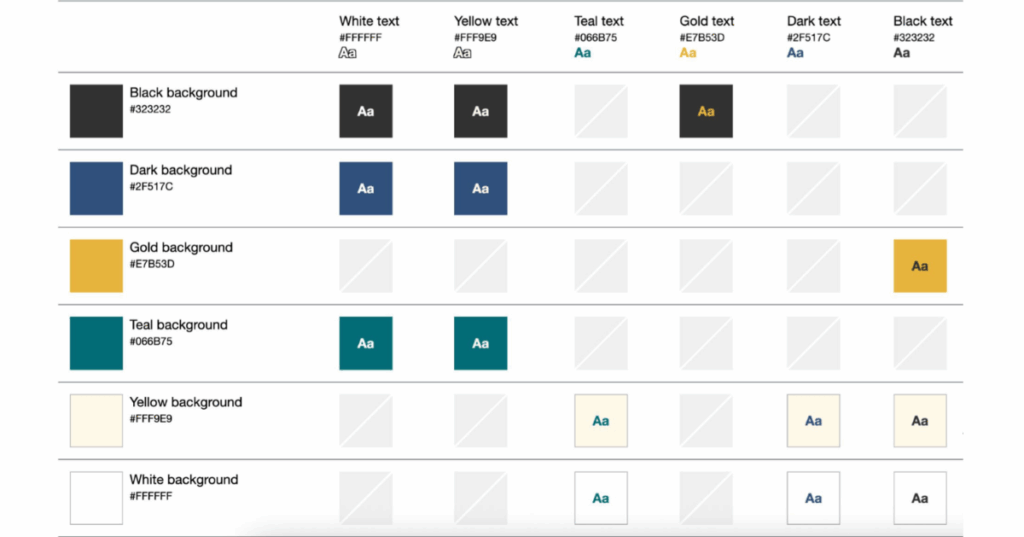
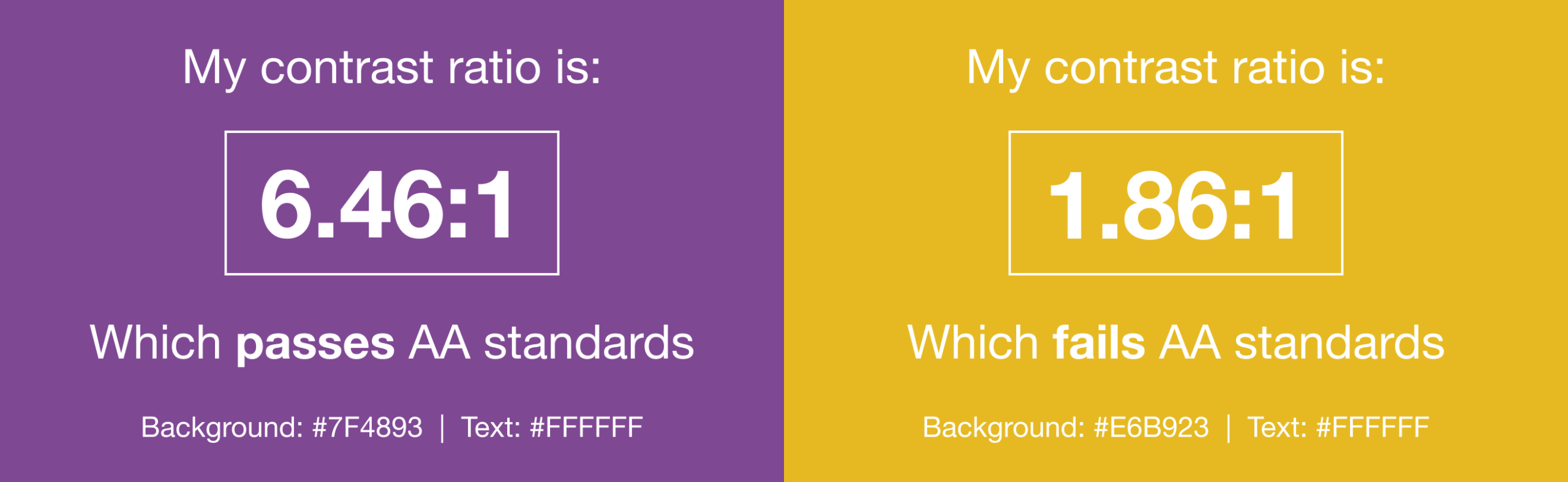
Color contrast is equally critical for subscribers with low vision or those viewing emails in challenging environments. The WCAG 2.1 guidelines recommend a minimum contrast ratio of 4.5:1 for normal text and 3:1 for large text (at least 18pt or 14pt bold). Tools like WebAim’s Color Contrast Checker allow designers to test their color combinations against these standards. As Lauren Castady suggests, "Color contrast issues are one of the fastest ways brands can be more accessible. The fix isn’t fewer colors, it’s clearer rules. So one of the most practical things that you can do is create a color matrix. It shows which brand colors work together and which ones don’t. This removes subjective decision making and speeds teams up."
2. Avoid Harmful or Distracting Content
Content that flashes at certain rates or in specific patterns can cause photosensitive seizures in some individuals. WCAG recommends avoiding content that flashes more than three times in any one-second period. When including animated GIFs, ensure they stop after three cycles (within five seconds) or provide controls for users to pause or stop the animation. Always offer a static fallback image for GIFs.

3. Balance Text and Images Effectively
While sighted users can quickly scan or skip non-relevant content, screen reader users must listen to the entire email content sequentially. Therefore, the written content should deliver the main message efficiently. Prioritize live HTML text over images of text, as images do not scale with user preferences and are not natively readable by screen readers without proper ALT text. Consider how your design interacts with popular screen readers like NVDA, JAWS, or VoiceOver.
4. Employ Larger, Readable Font Sizes and Live Text
Anything smaller than 14 pixels on a desktop screen typically requires effort to read. On mobile devices, text can appear even smaller. A minimum font size of 14-16 pixels for body text is recommended. Users may increase zoom levels on their devices, but this can break email layouts. To mitigate this, use responsive design with media queries to increase minimum font sizes for smaller screens (e.g., @media screen and (max-width: 600px) p.mobile font-size: 16px;).
Furthermore, utilizing rem units instead of pixels for font sizes is a more advanced technique that ensures text scales dynamically based on the user’s browser default settings, accommodating those who have increased their default font size for accessibility reasons.
"The single biggest thing we can do to improve accessibility over and over for as long as I’ve worked in email is to use live HTML text wherever possible," states Lauren Castady. "Live text supports screen readers. It scales when someone zooms in, it adapts to dark mode and it allows us to maintain minimum readable body size of 14-16 pixels. Live text preserves us to maintain the brand voice better than images ever could because it adapts, responds and travels."
5. Provide Ample Copy Space
Dense blocks of text with tight line spacing are difficult for many to read, particularly those with cognitive disabilities or visual impairments. Set an appropriate line height, typically 1.5 times the font size (e.g., font-size:14px; line-height:21px;). Remember to adjust line height proportionally when increasing font size for mobile devices. Adequate white space above and below paragraphs improves readability and helps users maintain their place while scanning. Additionally, padding text away from the edges of the email body prevents it from feeling cramped and improves legibility.
6. Avoid Justified Copy
Justified text, where word and letter spacing are adjusted to align text with both left and right margins, creates inconsistent gaps that can be jarring and difficult to read, especially for individuals with dyslexia or other reading difficulties. Left-aligned text, which maintains consistent word spacing, is widely proven to be more readable for all users.
7. Choose Legible Typefaces
While web fonts offer creative freedom, accessibility should guide typeface selection. Opt for fonts that are evenly spaced, not overly condensed, and have clear, distinct letterforms. Sans-serif fonts are generally preferred for readability on screens. Always include appropriate fallback fonts in your CSS stack to ensure readability in email clients that do not support your chosen web font.
8. Utilize Semantic HTML Elements
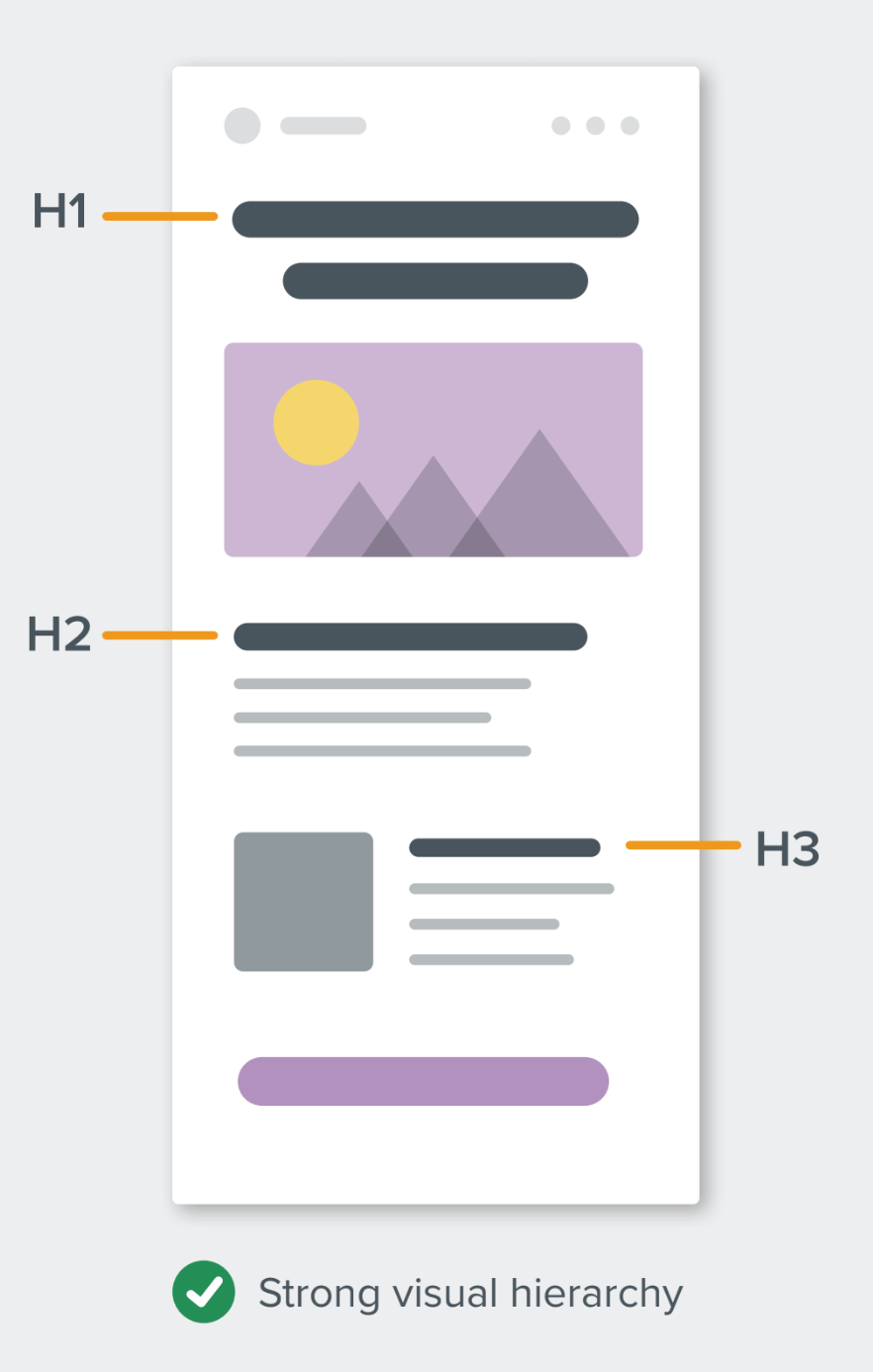
A clear visual structure and hierarchy are vital for readability and screen reader navigation. Employ HTML heading tags (<h1> through <h6>) to organize content logically. This allows screen reader users to "scan" an email by jumping between headings, much like sighted users visually scan a page.
When coding, ensure headings are properly nested (e.g., don’t skip from an <h1> to an <h3>). While styling <h1> and <p> tags has historically been challenging in email, using inline styles for margin and line-height can provide control:
<h1 style="mso-line-height-rule:exactly; margin:0; font-size:24px; line-height:28px;">This is a title in an email</h1>
<p style="margin:0; font-size:14px; line-height:18px;">And this is the paragraph</p>
Using mso-line-height-rule:exactly; helps maintain consistent line height in Microsoft Outlook clients.
Content and Interaction Best Practices
1. Improve the Overall Readability of Your Email Copy
Accessible writing is synonymous with human-centric writing. Focus on clarity, conciseness, and directness. The Flesch-Kincaid Reading Ease test, available in Microsoft Word, provides a score (0-100) indicating readability:
- 90-100: Easily understood by an average 11-year-old.
- 60-70: Easily understood by 13- to 15-year-olds; suitable for general audiences.
- 0-30: Best understood by university graduates.
For most businesses aiming for a broad audience, a score between 60 and 70 is ideal. This doesn’t mean "dumbing down" complex topics but rather presenting them in an accessible format using:
- Shorter sentences and paragraphs: Break up long blocks of text.
- Simple, direct language: Avoid jargon, acronyms, and complex vocabulary where simpler alternatives exist.
- Active voice: More direct and easier to understand than passive voice.
- Clear calls to action: Make it obvious what the user should do next.
- Bulleted or numbered lists: To present information in an easy-to-digest format.
2. Make Links Clickable/Tappable and Descriptive
Buttons and links should be large enough to be easily activated by thumbs and fingers on mobile devices. A minimum target size of 44×44 pixels is often recommended for interactive elements. This benefits users with motor impairments or those using less precise input methods.
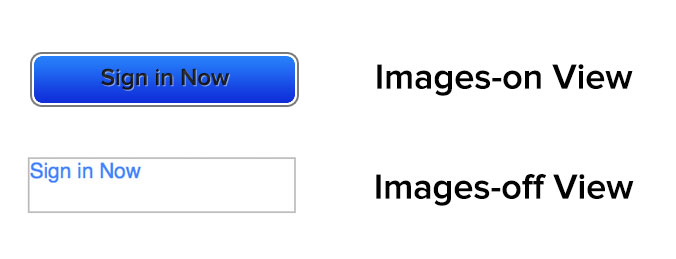
Crucially, avoid generic link text like "click here," "learn more," or "read more." Screen reader users often tab through links to quickly understand the email’s offerings. Descriptive link text provides context out of isolation. For example, instead of "Click here to see our new shoe collection," use "See our new shoe collection." This also makes your email content device-independent, as "click here" is irrelevant for touchscreens.
3. Use the ALT Attribute Correctly for Images
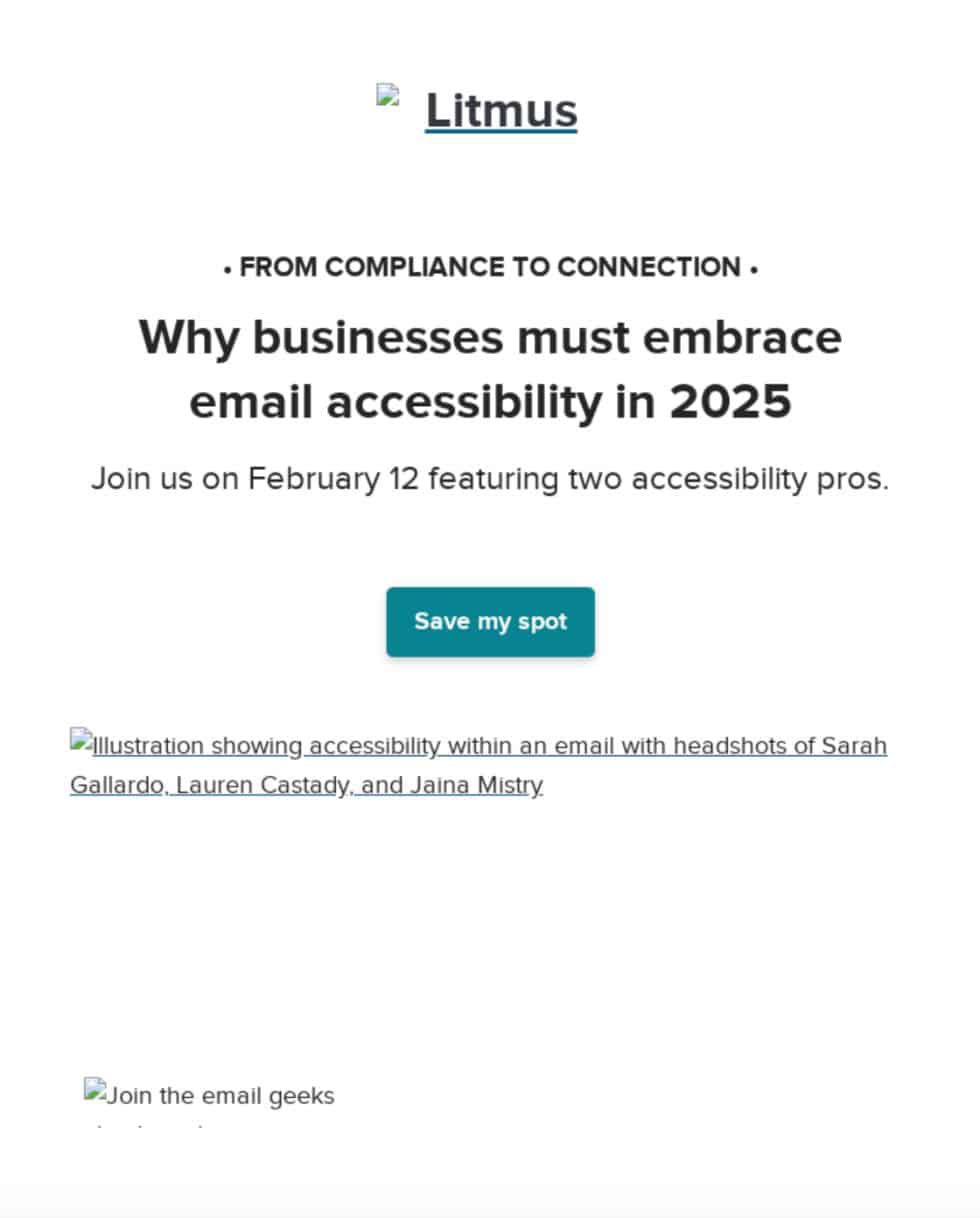
The ALT attribute, which displays alternative text when images are blocked or for screen readers, is a cornerstone of email accessibility. Its correct usage requires understanding the image’s context. Images can be:
- Functional: An image that acts as a button or link (e.g., a "Buy Now" button image). Its ALT text should describe the action.
- Illustrative/Informative: An image conveying important information not present in the surrounding text (e.g., a chart, an infographic, a product photo with key features). Its ALT text should accurately describe the visual content.
- Decorative: An image purely for aesthetic purposes, adding no informational value (e.g., a background pattern, a spacer image). These should have a null ALT attribute (
alt="") so screen readers skip them.
Reviewing your email with images turned off helps identify which images require descriptive ALT text and which can be decorative. For instance, a promotional banner image should have ALT text that conveys the headline and main offer.
4. Use role="presentation" and aria-hidden="true" on Layout Tables
Email design often relies on <table> elements for layout, despite their original purpose for tabular data. To help screen readers distinguish between layout tables and data tables, apply role="presentation" to tables used solely for design:
<table role="presentation" cellpadding="0" cellspacing="0" border="0">
<tr>
<td>Content here</td>
</tr>
</table>
This prevents screen readers from announcing each cell, allowing users to focus on the actual content. Additionally, aria-hidden="true" can be used on elements that are purely visual and should be entirely hidden from assistive technologies. This is particularly useful for decorative icons or complex visual elements that might confuse a screen reader.
Real-World Application: Exemplars of Accessible Email Design
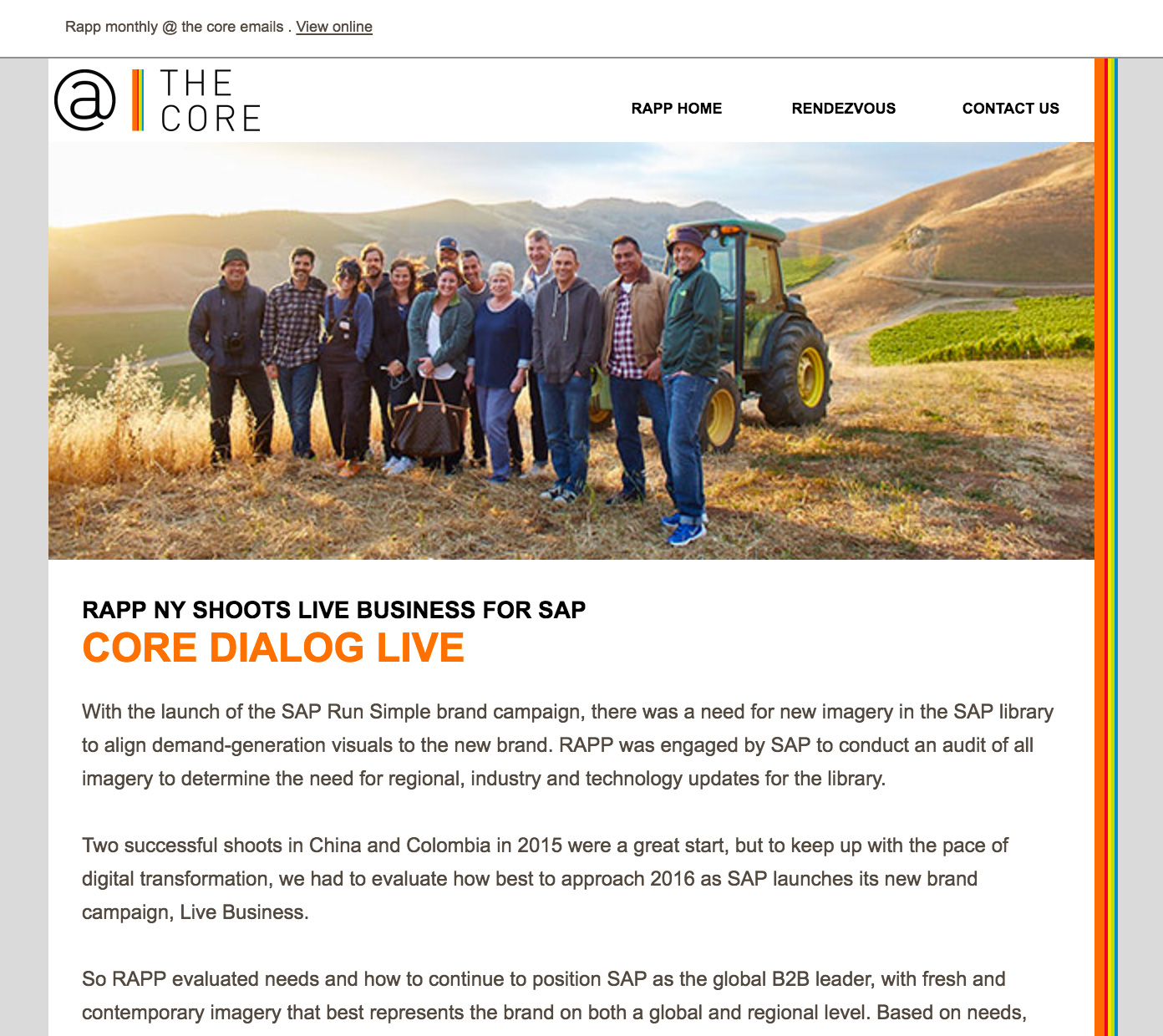
The email community has produced excellent examples demonstrating that accessibility can be seamlessly integrated into engaging designs. These examples showcase practical applications of best practices:
- Responsive Text Sizing and Controlled Animations: An email by Eyal Bitton, for instance, allows subscribers to increase text size via their browser by up to 200% without breaking the design. It also features an animated GIF that gracefully stops after three cycles (within five seconds), safeguarding users susceptible to photosensitive seizures. This proactive design ensures both adaptability and safety.
- Contextual Links and Hidden Screen Reader Text: Eyal Bitton also created an email where link copy makes sense out of context, using phrases like "Explore our latest innovations" instead of generic "Read more." Furthermore, subtle, hidden text at the end of the email provides additional navigation cues exclusively for blind subscribers using screen readers, enhancing their overall experience.
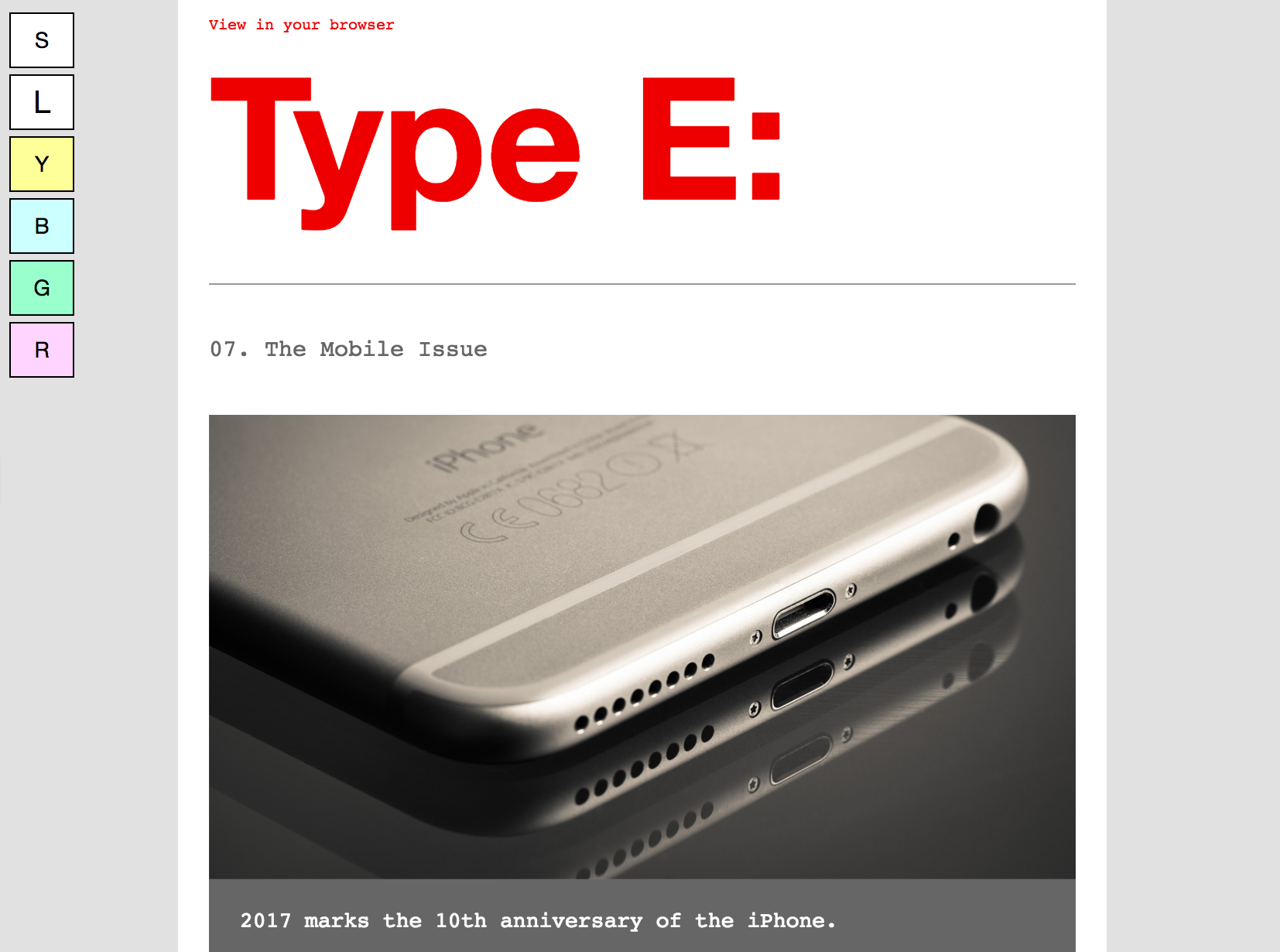
- User-Controlled Display Options: Paul Airy’s "Type E" newsletter exemplifies progressive enhancement by offering interactive options for subscribers. Users can choose between standard or large text sizes. Critically, it includes an opt-in feature allowing subscribers to display the email with tinted backgrounds, a thoughtful consideration for those with certain visual disabilities who benefit from reduced glare or specific color overlays.
These examples underscore that even small, incremental steps toward accessibility can significantly broaden an email’s reach and improve the experience for everyone. Many of these practices, while targeting specific accessibility needs, simultaneously enhance general usability and readability for all subscribers.
Fostering a Culture of Inclusivity: Scaling Accessibility Efforts
Making emails accessible is unequivocally the right choice, but integrating it effectively across an organization requires demonstrating its profound business value. Email remains a highly effective marketing channel, boasting an impressive ROI of 36:1. When considering that people with disabilities in the U.S. alone command over $1 trillion in annual disposable income, ignoring accessibility means consciously overlooking a key demographic of potential customers and significant revenue opportunities.
To scale accessibility adherence, organizations should implement a multi-faceted approach:
- Develop Accessible Email Templates: Start by creating a library of accessible email templates that embed best practices from the outset. These templates should feature live text, robust color contrast, semantic HTML, and responsive design, making it easier for marketing and design teams to maintain consistency across all campaigns without needing to reinvent accessibility for each email.
- Provide Regular Training and Education: Continuous learning is vital. Regularly train designers, developers, and copywriters on the latest WCAG guidelines, assistive technologies, and accessible content creation techniques. Workshops and resources can empower teams to integrate accessibility into their daily workflows naturally.
- Integrate Accessibility into the Workflow: Make accessibility a routine part of the email campaign lifecycle. This means incorporating accessibility checks into the design review, development, and quality assurance (QA) phases. Collaboration between design, development, content, and legal teams ensures that accessibility is considered at every stage.
- Leverage Specialized Tools and Technology: Platforms like Litmus offer built-in features that streamline accessibility efforts:
- Automatic Accessibility Checks: Scan emails for over 40 accessibility areas, providing detailed reports and actionable guidance on identified issues. Integrating these checks directly into an Email Builder allows for real-time adjustments during the coding process.
- Visual Impairment Filters: Simulate how emails appear to subscribers with various color vision deficiencies (e.g., deuteranopia, protanopia, tritanopia, achromatopsia). This visual feedback is invaluable for refining color choices and ensuring critical information is not lost.
- NVDA Screen Reader Preview: An integration with NVDA (NonVisual Desktop Access) screen reader, supporting over 80 languages, allows teams to experience their emails as blind or low-vision users would. Correct use of the
langattribute helps screen readers accurately transcribe the message.
By proactively integrating accessibility into campaign planning and fostering cross-functional collaboration, organizations can transition from a reactive, compliance-driven approach to a proactive, inclusive communication strategy. This not only helps meet regulatory standards but also cultivates stronger, more enduring relationships with a diverse audience.
The Path Forward: A Commitment to Universal Email Experience
Email accessibility is more than a technical checklist; it is a fundamental commitment to inclusivity and universal design. As the digital landscape continues to evolve, the expectation for accessible digital experiences will only grow. By embracing WCAG guidelines, understanding the diverse needs of users with disabilities, and leveraging innovative tools, email marketers can ensure their messages resonate with everyone. This commitment transcends legal obligations, forging deeper connections, enhancing brand reputation, and unlocking significant economic opportunities in an increasingly interconnected world.