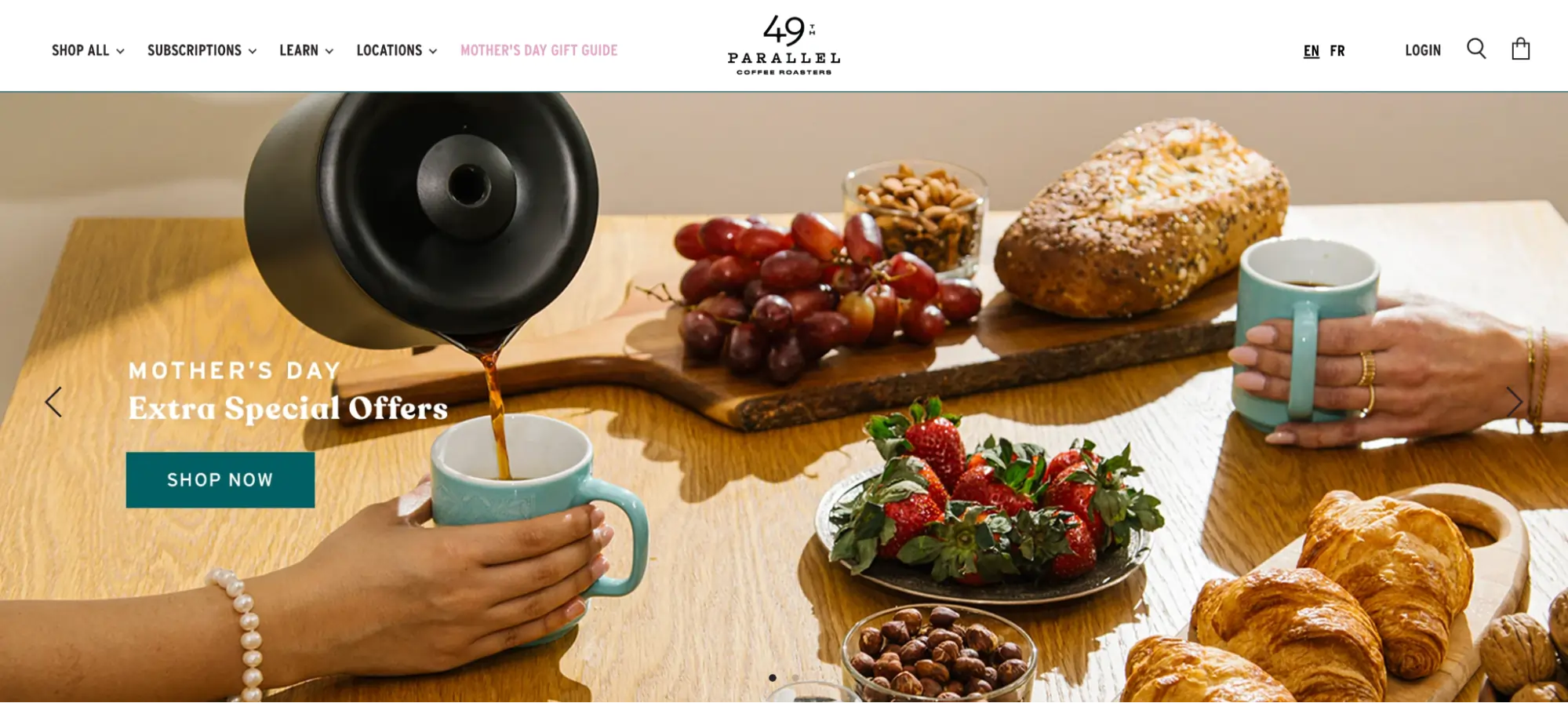
As the e-commerce landscape continues to evolve in 2026, the Shopify slider remains one of the most utilized yet debated design elements in digital storefronts. Defined as a rotating display element that showcases products, testimonials, or promotional offers in a compact, interactive format, the slider is designed to capture consumer attention without overwhelming the page real estate. However, the efficacy of these tools depends heavily on execution, technical optimization, and a data-driven approach to user experience (UX).
The Strategic Role of Sliders in Modern E-Commerce
The primary utility of a Shopify slider lies in its ability to address multiple conversion triggers simultaneously. In a high-speed retail environment, customers demand a comprehensive view of products, social proof via reviews, and clear visibility of available discounts before committing to a purchase. By condensing this information into a single, interactive section, merchants can maintain a clean aesthetic while providing the depth of information required to drive sales.

Industry experts remain divided on the absolute value of sliders. Luke Lee, co-founder of Ever Wallpaper, notes that image sliders are an essential method for highlighting special offers and adding visual interest. Similarly, Burak Ozdemir, founder of Set Alarm Online, emphasizes that when used correctly, these elements facilitate a streamlined learning process for the customer. Conversely, some conversion rate optimization (CRO) specialists argue that sliders can introduce "banner blindness" or technical lag if not managed with precision.
Historical Evolution and Technical Milestones
The trajectory of Shopify sliders has changed significantly over the last decade. Prior to 2021, adding a slider often required custom Liquid coding or heavy third-party scripts that could compromise site security and speed. The launch of Shopify’s Online Store 2.0 was a pivotal moment, introducing native slideshow sections that allowed merchants to manage sliders via a drag-and-drop interface.
By 2026, the technology has advanced into the era of Artificial Intelligence (AI) and automated optimization. Modern slider applications now feature AI-driven image generation, automatic lazy loading, and real-time performance adjustments based on the user’s device and connection speed. This evolution has moved the conversation from "should we use sliders" to "how do we optimize sliders for maximum conversion."

Data-Driven Analysis of Slider Efficacy
Research from the Baymard Institute indicates that approximately 33% of e-commerce websites utilize homepage carousels or sliders. However, the data also reveals a significant pitfall: 46% of these implementations suffer from UX performance issues. These issues typically stem from poor navigation cues, excessive rotation speeds, or a lack of mobile responsiveness.
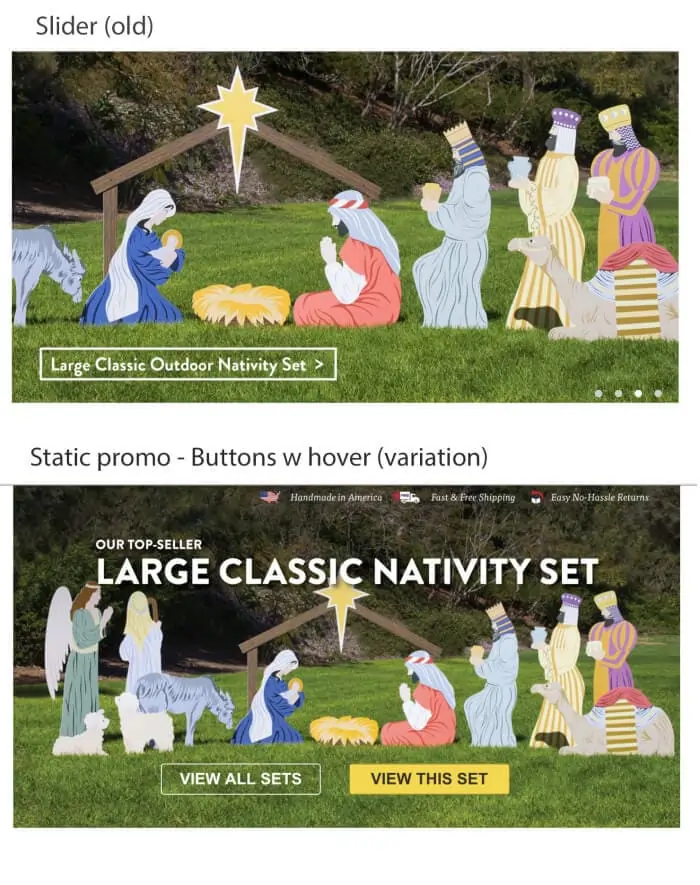
Empirical testing conducted by digital marketing specialists often reveals a "less is more" reality. For instance, Tim Brown, a prominent web designer, conducted an A/B test where a rotating slider was replaced with a static high-converting image. The result was a 30% improvement in conversions with a 98% statistical significance. This suggests that while sliders are popular, they must compete with the clarity and directness of static messaging.
Varieties of Shopify Sliders and Their Applications
Merchants in 2026 typically deploy several distinct types of sliders depending on the specific goal of the page:
- Testimonial Sliders: Frequently used on product pages to build trust. Companies like QuadLock utilize these to allow shoppers to cycle through reviews at their own pace.
- Logo Sliders: Essential for social proof. Brands like The Honey Pot use automatic logo carousels to display major retail partners, signaling brand authority.
- Product Image Sliders: Vertical or horizontal displays that allow customers to view a product from multiple angles. Pura Vida utilizes these to show bracelets in various contexts—stacked, worn, or separated.
- Collection and Bestseller Sliders: Used by retailers like Soko Glam to highlight trending items, ensuring that first-time visitors are immediately directed toward high-demand inventory.
- Banner Sliders: The classic homepage hero element used for seasonal promotions, such as Mother’s Day specials or new arrivals.
Technical Implementation Paths
For Shopify merchants, there are two primary methods for integrating sliders into a store:
Path 1: Native Online Store 2.0 Sections
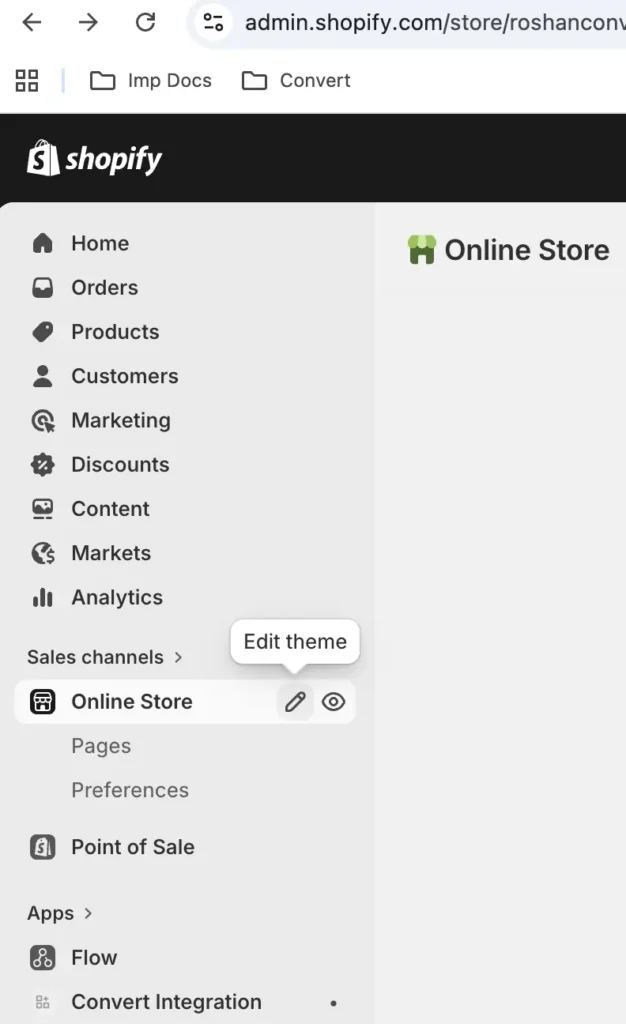
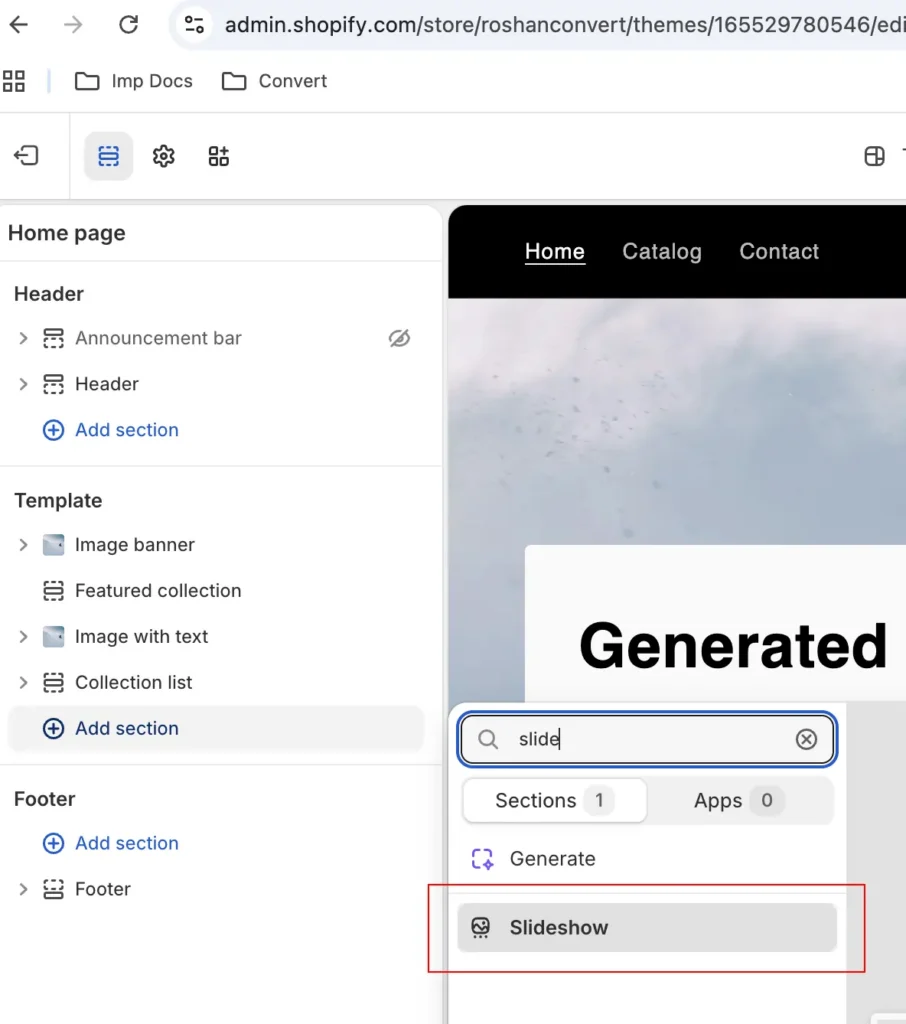
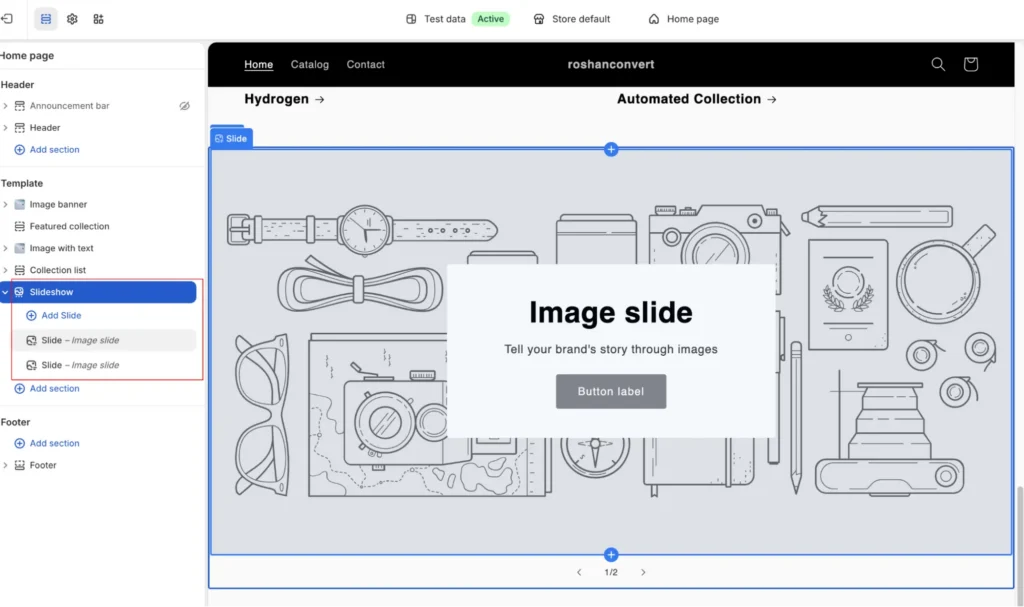
Most modern Shopify themes, such as Dawn, Sense, and Craft, include a built-in "Slideshow" section. This is the most performance-friendly method as it uses the theme’s native CSS and JavaScript. Merchants can customize headlines, call-to-action (CTA) buttons, and rotation speeds directly within the Shopify Theme Editor.
Path 2: Specialized Slider Applications
When native sections are insufficient, third-party apps provide advanced functionality. In 2026, the market is led by several key players:
- POWR Image Slider: Known for its AI image generation capabilities.
- Slider Revolution: Offers deep customization and support for multilingual and right-to-left (RTL) languages.
- GG Product Page Slider: Specifically optimizes the product gallery experience with 3D model and AR support.
- OctoSlide: Focuses on "lazy loading" to ensure that slider-heavy pages do not suffer from slow "PageSpeed" scores.
Expert Best Practices for Optimization
To ensure that a slider contributes to revenue rather than detracting from the user experience, industry leaders recommend following a strict set of optimization rules:
1. Prioritize the First Slide: Data shows that the majority of users never see the third or fourth slide. The most critical value proposition or "Hero" offer must be placed in the first position.
2. Optimize for Mobile Performance: Auto-rotation is often detrimental on mobile devices. Experts like Dean Kaplan suggest using static sliders with manual "swipe" or "tap" controls for mobile users to prevent frustration.
3. Manage Load Times and Core Web Vitals: Sliders are a common cause of high Largest Contentful Paint (LCP) and Cumulative Layout Shift (CLS) scores. Using modern formats like WebP and ensuring that images are compressed—avoiding the 50mb "image traps" mentioned by marketing experts—is non-negotiable for SEO and UX.
4. Limit Slide Count: Analysis paralysis is a documented psychological phenomenon. Keeping a slider to three or four high-quality frames is generally more effective than a long, sprawling slideshow.
5. Use Clear Navigation Cues: If a user does not realize there is more content to see, they will not interact. Subtle cues, such as "Deal 1 of 3" or visible arrow indicators, significantly increase engagement rates.
The Role of A/B Testing in Slider Strategy
Because the impact of a slider is highly subjective to the brand’s specific audience, A/B testing is the only definitive way to measure success. Using tools like Convert Experiences, merchants can test several hypotheses:
- Slider vs. Static Image: Testing if a single, powerful message outperforms a rotating series.
- Auto-Rotate vs. Manual: Determining if users prefer control over their browsing speed.
- Content Variations: Testing different headlines, CTA colors, or selling angles within the slides.
A thorough A/B test must account for "flicker"—the brief moment where the original content is visible before the test variation loads. Advanced testing platforms in 2026 use "anti-flicker" snippets to ensure a seamless experience for the test group, providing cleaner data and more reliable results.
Industry Implications and Future Outlook
As we look toward the remainder of 2026, the integration of AI is expected to further refine the Shopify slider. We are seeing the rise of "Personalized Sliders," where the content of the slideshow changes in real-time based on the visitor’s browsing history or geographic location. If a customer has previously looked at men’s footwear, the homepage slider may automatically prioritize those collections over others.

Furthermore, the emphasis on Core Web Vitals means that the "heavy" sliders of the past are being replaced by lightweight, code-efficient versions that prioritize speed. The broader implication for Shopify merchants is clear: the slider is no longer just a decorative element; it is a sophisticated, data-driven tool that requires constant monitoring and optimization to remain effective in a competitive digital economy.
In conclusion, while the debate over the "perfect" slider continues, the consensus among successful Shopify store owners is that success lies in the details. By combining high-quality visuals with technical precision and rigorous A/B testing, merchants can leverage sliders to tell a compelling brand story that converts visitors into loyal customers.


 Ammar Sabilarrohman