
For businesses aiming to optimize their digital outreach in 2024, understanding the nuanced differences between plain text and HTML email formats is not merely an operational detail but a critical strategic decision. Each format presents distinct advantages and limitations, profoundly impacting campaign effectiveness, audience engagement, and overall return on investment. While visually rich HTML emails offer unparalleled opportunities for brand expression and interactive content, the understated simplicity of plain text ensures universal accessibility and often superior deliverability, making the choice dependent on specific campaign objectives, target audience preferences, and technical considerations. This guide delves into the core distinctions, advantages, disadvantages, and best practices for both HTML and plain text emails, providing a comprehensive framework for marketers to maximize their 2024 email campaign success.
The Evolution of Email Formats: A Brief History

The journey of email, from its nascent stages as a simple text-based communication tool in the early days of ARPANET, has seen a significant transformation. Initially, all emails were inherently plain text, devoid of formatting, images, or interactive elements. The advent of HTML (HyperText Markup Language) in the mid-1990s revolutionized web design and soon permeated email, offering marketers unprecedented control over visual presentation. This marked a pivotal shift, allowing for the inclusion of branding, multimedia, and complex layouts that mirrored the evolving capabilities of the internet.
However, this evolution also introduced complexities. The promise of stunning visual campaigns came with challenges: inconsistent rendering across various email clients, increased file sizes, and heightened susceptibility to spam filters. Consequently, plain text emails retained their relevance, particularly for personal communications and scenarios where maximum deliverability and accessibility were paramount. Today, the choice between these two formats is a deliberate strategic one, often involving a hybrid approach to cater to a diverse digital landscape.

Understanding HTML Emails: Visual Impact and Interactivity
HTML, the foundational code for web pages, empowers marketers to create visually compelling and interactive email experiences. An HTML email can incorporate a vast array of design features, moving far beyond simple text.
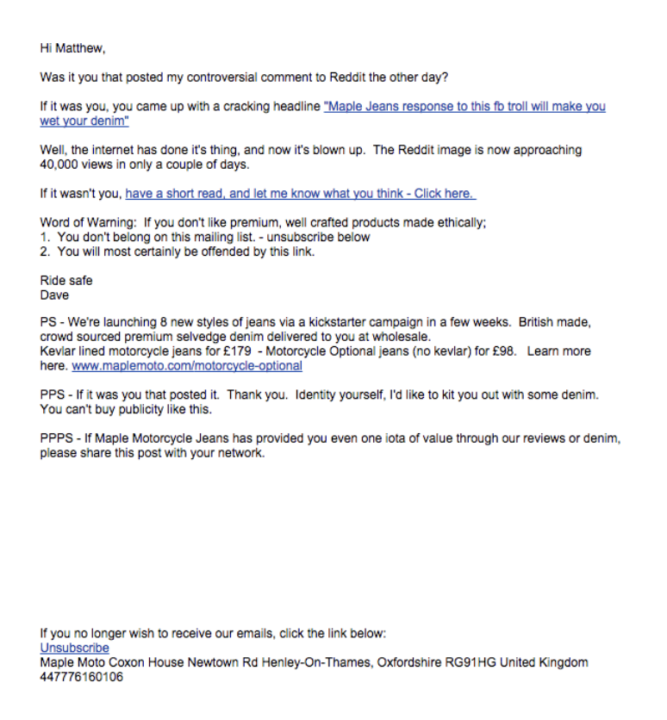
- Definition: HTML (HyperText Markup Language) emails are coded messages that allow for sophisticated design elements. They function much like miniature web pages delivered directly to an inbox.
- Key Features:
- Rich Visuals: Includes images, GIFs, videos, custom fonts, background colors, and intricate layouts.
- Interactive Elements: Features clickable buttons (Calls-to-Action), embedded forms, countdown timers, and even dynamic content that changes based on user behavior or real-time data.
- Branding Consistency: Allows for precise replication of brand guidelines, maintaining a consistent look and feel across all marketing touchpoints.
- Advanced Tracking: Facilitates detailed analytics on open rates, click-through rates, scroll depth, and even heatmaps, providing invaluable insights into subscriber engagement.
- Advantages:
- Enhanced Brand Storytelling: Visually appealing designs help convey brand identity and message more effectively.
- Higher Engagement Potential: Interactive elements and compelling visuals can lead to increased click-through rates and conversions. Industry data often indicates that well-designed HTML emails can see 20-30% higher engagement compared to plain text for certain campaign types, particularly promotional ones.
- Sophisticated Personalization: Dynamic content blocks can be tailored to individual subscriber preferences, purchase history, or demographic data.
- Professional Appearance: Conveys a modern and polished image, suitable for high-end promotions or corporate communications.
- Disadvantages:
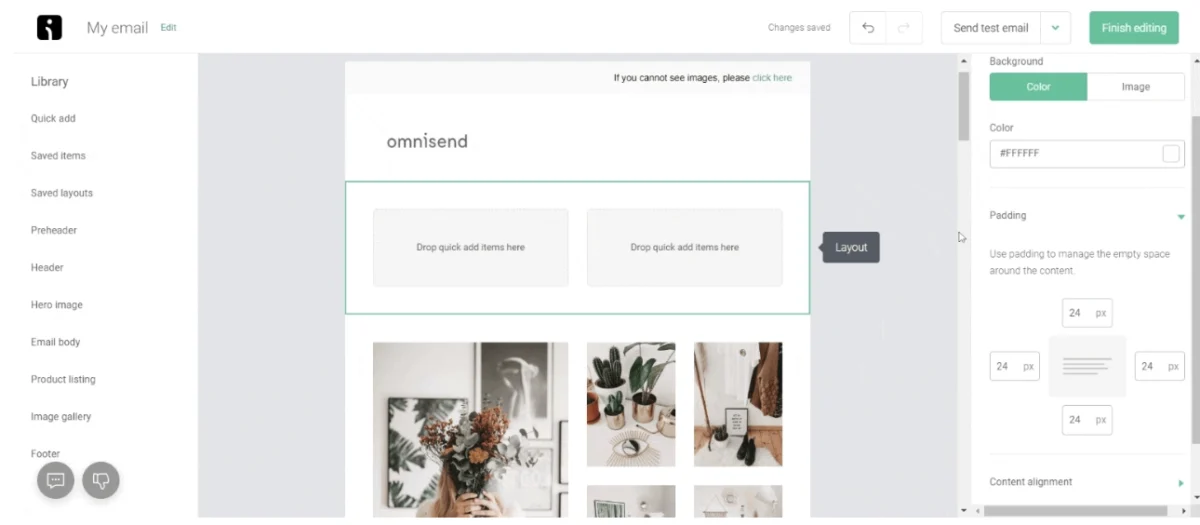
- Complex Creation Process: Requires design skills, knowledge of HTML/CSS, and extensive testing across numerous email clients (e.g., Gmail, Outlook, Apple Mail) and devices (desktop, mobile) to ensure consistent rendering. Tools like Omnisend’s drag-and-drop builder aim to simplify this, but the underlying complexity remains.
- Slower Load Times: Larger file sizes due to images and complex code can lead to slower loading, especially on poor internet connections or older devices. This can frustrate users and lead to abandonment.
- Spam Filter Sensitivity: HTML emails, particularly those with excessive images, complex code, or suspicious links, are more prone to being flagged by spam filters, impacting deliverability.
- Accessibility Challenges: Without proper coding (e.g., alt text for images), HTML emails can be inaccessible to users relying on screen readers or those with visual impairments.
- Image Blocking: Many email clients block images by default, requiring users to manually enable them, which can diminish the intended visual impact.
Understanding Plain Text Emails: Simplicity and Reliability
Plain text emails, by contrast, strip away all formatting, images, and elaborate design, presenting content as pure, unformatted text.
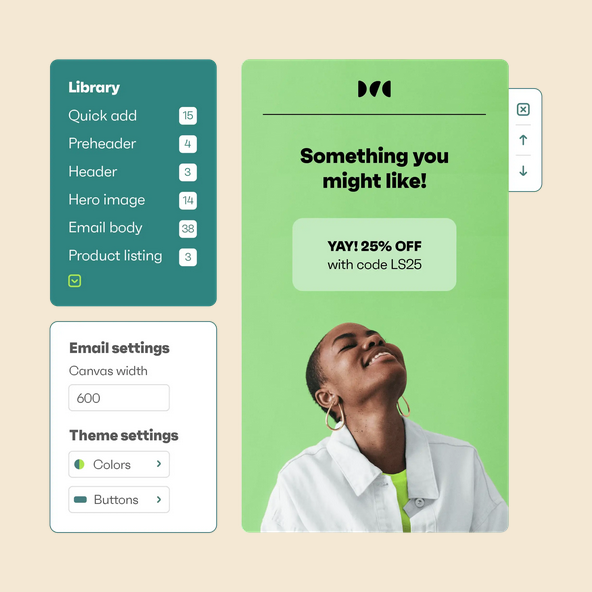
- Definition: Plain text emails are messages composed solely of characters, without any styling, embedded media, or complex layouts.
- Key Features:
- No Formatting: Text-only content, typically rendered in a default monospace font.
- Universal Compatibility: Displays identically across virtually all email clients, devices, and internet connections.
- Minimalist Appearance: Focuses entirely on the message content.
- Advantages:
- Guaranteed Deliverability: Less likely to be flagged by spam filters due to their simplicity and lack of potentially malicious code or heavy assets. This often translates to higher inbox placement rates, a critical factor for urgent communications.
- Faster Load Times: Extremely small file sizes ensure near-instantaneous loading, regardless of network conditions or device capabilities.
- Superior Accessibility: Inherently compatible with screen readers and assistive technologies, making them ideal for subscribers with visual impairments.
- Quick Creation: Requires minimal design effort, allowing marketers to draft and send campaigns rapidly.
- Personal and Direct Tone: Often perceived as more personal, like a direct message from an individual, which can foster trust and authenticity. This is particularly effective for transactional emails, customer service updates, or one-to-one communications.
- Disadvantages:
- Limited Visual Appeal: Lacks branding elements and visual hierarchy, potentially appearing less engaging for certain audiences or campaign types.
- Basic Analytics: Tracking is primarily limited to link clicks (if links are included) and direct replies, offering less granular insight into user engagement compared to HTML.
- No Interactive Elements: Cannot include buttons, embedded videos, or other dynamic features, potentially limiting conversion opportunities for product-centric campaigns.
- Monochromatic Presentation: Can be perceived as dull or uninteresting in a crowded inbox, especially for brands that rely heavily on visual identity.
HTML vs. Plain Text Emails: A Comparative Analysis
The choice between HTML and plain text is a strategic one, often requiring marketers to weigh trade-offs across several key criteria.

| Criterion | HTML Email | Plain Text Email | Strategic Implication

 Laily UPN

 Basiran