Sellfy has carved a significant niche for itself as a go-to platform for creators and small businesses seeking a streamlined approach to selling digital products, subscriptions, and straightforward merchandise online. Its all-in-one design and user-friendly tools have effectively addressed a clear market need for accessible e-commerce solutions. However, as businesses mature and their needs evolve, particularly those with a strong focus on e-commerce capabilities and sophisticated site design, Sellfy’s inherent limitations can begin to feel restrictive. In 2026, the digital marketplace offers a robust array of alternatives, each providing enhanced customization, superior scalability, and more competitive fee structures, alongside advanced e-commerce tools, broader integration possibilities, and greater design flexibility.
A comprehensive review of these platforms reveals a dynamic market where innovation continues to drive the evolution of online selling. This analysis, based on extensive research and hands-on testing of various platforms, compares pricing models, feature sets, inherent advantages and disadvantages, and overall user experience. The objective is to provide a clear, data-driven guide for businesses looking to optimize their online sales strategies.
The Shifting Sands of Online Sales: Why Seek Alternatives?
The digital commerce landscape is in constant flux. What suffices for a nascent business can quickly become a bottleneck for an expanding enterprise. For Sellfy users, the desire for more advanced features often stems from several key areas:
- Scalability Challenges: As sales volume increases, platforms with limited backend infrastructure or tiered feature sets can struggle to keep pace, leading to performance issues or the necessity of complex workarounds.
- Customization Limitations: While Sellfy offers ease of use, its templated approach can hinder brands aiming for a unique visual identity or specific user experience tailored to their niche.
- Fee Structures: For high-volume sellers, transaction fees can significantly impact profit margins. Exploring platforms with more flexible or tiered fee structures becomes a strategic imperative.
- Integration Needs: Modern e-commerce often requires seamless integration with marketing automation tools, CRM systems, analytics platforms, and other third-party services. Sellfy’s integration ecosystem may not always meet these demands.
- Advanced E-commerce Functionality: Features such as complex shipping rules, multi-currency support, advanced inventory management, and sophisticated marketing automation are often critical for growth, and these may be underdeveloped on more basic platforms.
Top Sellfy Alternatives in 2026: A Detailed Breakdown
The following platforms have emerged as leading contenders, offering distinct advantages for various business models.
| Platform | Starting Price (USD) | Best For |
|---|---|---|
| Shopify | $5 – $39/month | Full-featured e-commerce businesses |
| Wix | $29/month | Quick launch with custom design |
| Squarespace | $16 – $99/month | Creative brands and portfolios |
| WooCommerce | Free (plus hosting) | SEO-focused sellers on WordPress |
| Podia | $39 – $89/month | All-in-one creator businesses |
| Gumroad | 10% fee per sale | Fast, no-fuss digital selling |
| Payhip | Free – $99/month | Transparent pricing, small teams |
| Ko-fi | Free – $12/month | Fan support and lightweight shops |
| Fourthwall | Free – $19/month | Merch + digital for creators |
| Teachable | $39+/month | Course-first sellers |
| Big Cartel | Free – $30/month | Small catalogs, artist shops |
1. Shopify: The E-commerce Powerhouse
Starting price: $5 per month (Starter plan), $39 per month (Basic, billed annually)
AI features: Yes – Shopify Sidekick (AI assistant), AI-generated product descriptions
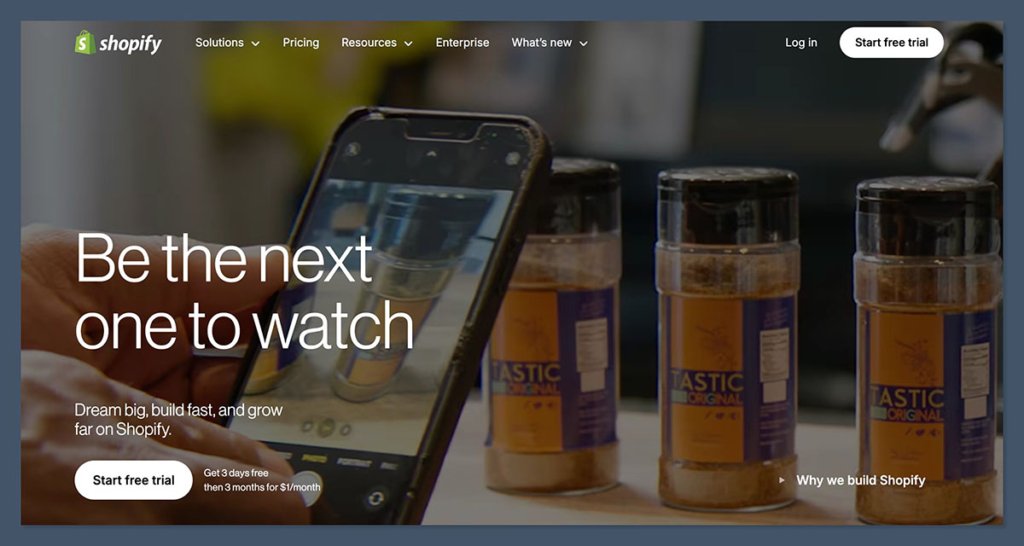
Shopify continues to dominate the e-commerce platform market, serving as the premier choice for businesses of all sizes aiming to sell products online. Its comprehensive suite of sales tools makes it an ideal ecosystem for independent creators looking to scale their operations and fast-growing brands. While its website editor may not be as immediately intuitive as some drag-and-drop builders, Shopify’s unwavering focus on performance, robust inventory management, and optimized checkout experience solidify its position as the most potent platform for online selling.
In recent tests, the integration of Shopify Sidekick proved transformative. This AI assistant not only suggested effective storefront layouts and compelling product descriptions but also offered strategic discount ideas, functioning more like a collaborative business partner than a mere tool. This level of integrated AI support significantly streamlines the initial setup and ongoing management of an online store.
Pros:

- Unrivaled Scalability: Built to handle businesses of all sizes, from startups to enterprises.
- Extensive App Store: Access to over 8,000 apps for enhanced functionality and integrations.
- Robust E-commerce Features: Includes advanced shipping, tax calculations, abandoned cart recovery, and more.
- Strong Security and Reliability: Dependable infrastructure ensures smooth operations.
- AI-Powered Assistance: Shopify Sidekick and AI description tools enhance efficiency.
Cons:
- Transaction Fees: Standard plans incur transaction fees unless using Shopify Payments.
- Steeper Learning Curve: Can be more complex for absolute beginners compared to simpler builders.
- Cost of Apps: Many powerful integrations come with additional subscription fees.
Recent Shopify Updates and Features:
The platform has consistently invested in its AI capabilities, most notably with the rollout of Shopify Sidekick, an AI assistant designed to help merchants with tasks ranging from content creation and marketing to operational efficiency. Furthermore, AI-powered product description generation and enhanced theme customization options are continuously being integrated, aiming to reduce the time and expertise required to build and manage a professional online store.
How Much Does Shopify Cost?
Shopify offers a tiered pricing structure:
- Starter Plan: $5/month (allows selling on social media and messaging apps).
- Basic Plan: $39/month (billed annually) for core e-commerce features.
- Shopify Plan: $105/month (billed annually) for larger businesses needing better margins.
- Advanced Plan: $399/month (billed annually) for maximum reporting and automation.
Additional fees may apply for third-party payment gateways and specific apps.
Why Use Shopify in 2026?
Shopify’s market leadership in 2026 is underpinned by its comprehensive e-commerce feature set, secure and reliable infrastructure, and inherent scalability. Unlike simpler website builders, Shopify provides advanced functionalities such as sophisticated shipping rules, international tax management, and effective abandoned cart recovery mechanisms without the need for numerous third-party plugins. The introduction of its AI assistant, Shopify Sidekick, further optimizes operational efficiency by assisting with content generation, automation, and customer support, making it an invaluable asset for solo entrepreneurs and small teams. For businesses prioritizing e-commerce growth over mere website launch, Shopify offers the tools and flexibility to scale confidently, whether selling digital downloads, print-on-demand items, or extensive product catalogs.
Shopify is suitable for:
- Businesses aiming for significant growth and scalability.
- Sellers requiring advanced e-commerce features and integrations.
- Brands seeking a professional and robust online store presence.
- Users who can leverage AI tools to enhance productivity.
Shopify isn’t suitable for:
- Individuals with extremely basic selling needs and minimal budget.
- Those seeking a purely artistic portfolio site with minimal e-commerce functionality.
- Users who prefer a completely free platform with no transaction fees.
2. Wix: The Design-Forward E-commerce Builder
Starting price: $29 per month (e-commerce plans)
AI tools: Yes – Wix ADI, AI image/text generation, Astro AI assistant
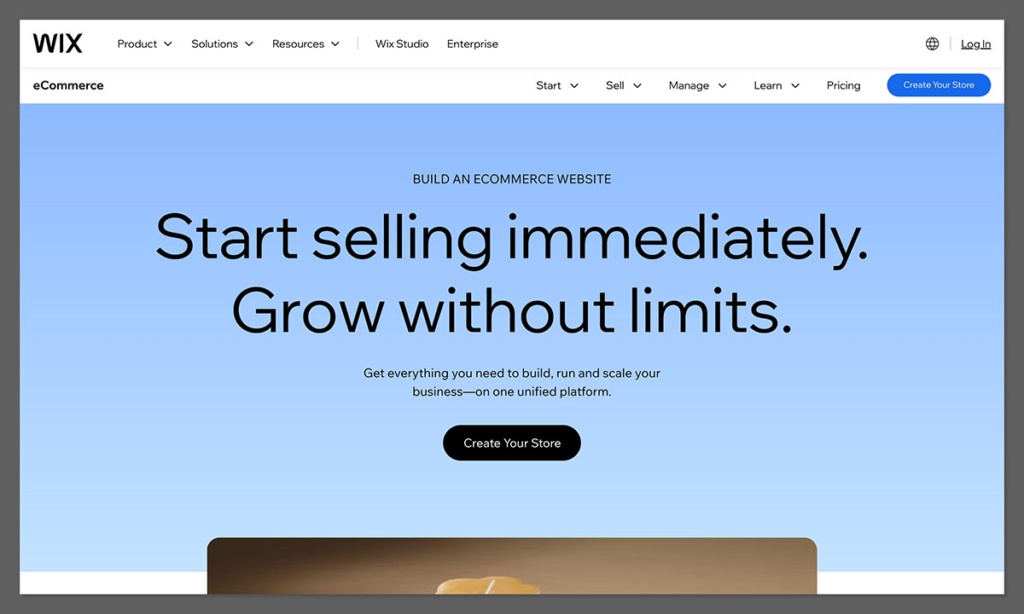
Wix stands out as one of the most accessible and design-flexible e-commerce builders available today. It’s particularly well-suited for sellers who prioritize a visually appealing website and require a rapid launch without needing extensive coding knowledge. Wix integrates built-in marketing tools, basic automation capabilities, and e-commerce functionalities that perform exceptionally well for smaller to medium-sized online stores.
During testing, Wix’s AI builder proved remarkably effective. Setting up a storefront for digital templates was swift, with the AI generating a tailored layout complete with product pages, checkout flows, and email opt-in forms. The subsequent customization via the intuitive drag-and-drop editor allowed for fine-tuning to achieve the desired aesthetic.
Pros:
- Exceptional Design Flexibility: Vast template library and intuitive drag-and-drop editor.
- User-Friendly Interface: Easy for beginners to navigate and build a professional-looking site.
- Integrated Marketing Tools: Built-in features for email marketing, SEO, and social media.
- AI-Powered Design Assistance: Wix ADI and Astro AI expedite site creation.
- Comprehensive Features for Small Businesses: Includes booking, events, and membership options.
Cons:
- Less Scalable for High-Volume E-commerce: May not be the best fit for rapidly scaling enterprises.
- Limited App Customization: The app market is smaller and less diverse than Shopify’s.
- Site Migration Difficulties: Once a template is chosen, switching to a different one can be challenging.
How Much Does Wix Cost?
Wix offers several e-commerce plans:
- Business Basic: $29/month (billed annually) for core e-commerce features.
- Business Unlimited: $32/month (billed annually) with advanced features like abandoned cart recovery.
- Business VIP: $59/month (billed annually) for premium features and dedicated support.
Why Use Wix in 2026?
Wix effectively consolidates website design, e-commerce functionality, and marketing tools into a single, cohesive platform. It is a prime selection for creators, emerging brands, and boutique stores that aspire to establish a strong online presence characterized by visual appeal. While it might not be the optimal choice for managing massive product catalogs or highly complex operational workflows, its strengths lie in its simplicity, intuitive design process, and polished presentation. The platform’s ongoing investment in AI, including tools for content generation and design assistance, further enhances its appeal for quick, professional online store launches.
Wix is suitable for:
- Small to medium-sized businesses prioritizing visual appeal.
- Creators and entrepreneurs who need to launch quickly.
- Users who want an all-in-one solution for design and basic e-commerce.
- Businesses that can benefit from integrated marketing tools.
Wix isn’t suitable for:
- Large enterprises with complex, high-volume e-commerce needs.
- Users who require deep customization beyond template options.
- Businesses needing extensive third-party integrations not available on Wix.
3. Squarespace: The Epitome of Design-Focused Branding
Starting price: $25/month (monthly), $16/month (annual billing)
AI features: Yes – Squarespace Blueprint and AI content tools
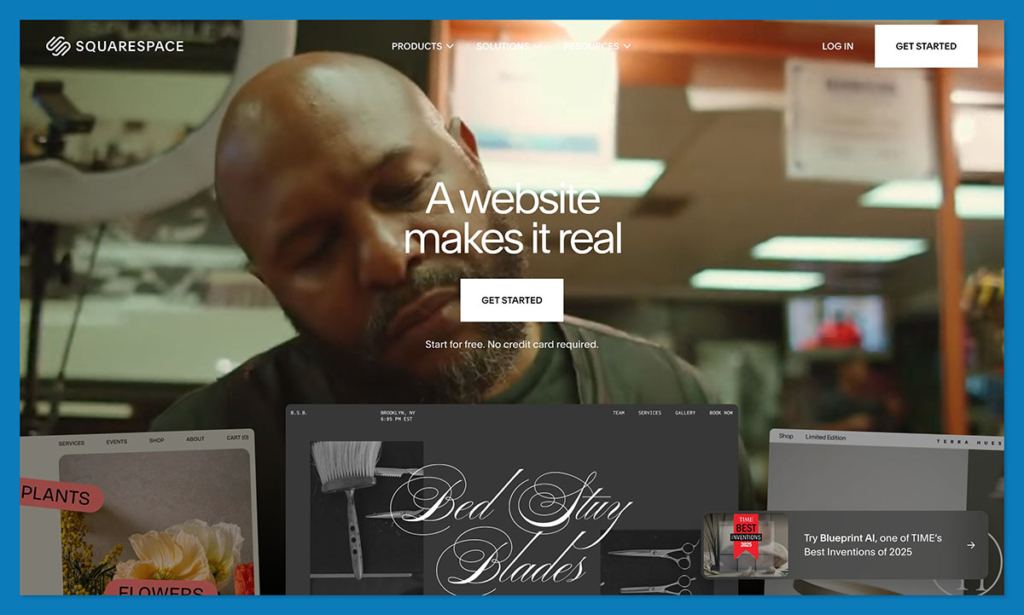
Squarespace is renowned for its aesthetically stunning templates and a remarkably smooth editing experience, making it a top-tier platform for designers, artists, and premium brands. It excels at showcasing products and crafting sophisticated, high-end storefronts. Squarespace supports a range of product types, including digital downloads, subscriptions, and physical goods, all with a minimal setup effort.
When building a portfolio-style store on Squarespace, the platform’s templates provided a significant head start. The process involved simply swapping out placeholder content and making minor adjustments, resulting in a polished and professional appearance from the outset. The platform’s AI content tools also assist in generating compelling copy to complement the visual design.
Pros:
- Exquisite Design Templates: Offers a wide array of modern, professional, and visually striking designs.
- Intuitive Editor: Easy-to-use interface for customizing layouts and content.
- All-in-One Solution: Includes website building, e-commerce, blogging, and marketing tools.
- Strong for Visual Products: Ideal for artists, photographers, and designers.
- AI-Assisted Content Creation: Helps in generating product descriptions and other copy.
Cons:
- Limited Third-Party Integrations: Fewer app integrations compared to Shopify.
- Less E-commerce Depth: Lacks some advanced features found on dedicated e-commerce platforms.
- Pricing Can Be Higher: Especially for advanced e-commerce functionality.
How Much Does Squarespace Cost?
Squarespace offers several pricing tiers:
- Personal: $16/month (billed annually) for basic websites.
- Business: $23/month (billed annually) for e-commerce features and advanced marketing.
- Commerce Basic: $27/month (billed annually) for full e-commerce capabilities.
- Commerce Advanced: $49/month (billed annually) for advanced features like abandoned cart recovery and advanced shipping.
Why Use Squarespace in 2026?
Squarespace is the preeminent choice when design is the paramount consideration. It empowers users to create modern, professional online stores effortlessly, eliminating the need for dedicated design expertise. For those selling digital goods, print media, artwork, or any visually oriented product, Squarespace provides the essential visual edge required to stand out in the competitive online marketplace. The platform’s commitment to design excellence, coupled with its evolving AI content tools, makes it a compelling option for brands that prioritize aesthetics and a premium user experience.
Squarespace is suitable for:
- Creative professionals and brands where visual presentation is key.
- Businesses selling high-end or artisanal products.
- Users who want a beautiful, easy-to-manage website.
- Those who value integrated blogging and portfolio features.
Squarespace isn’t suitable for:
- Businesses requiring extensive third-party integrations and app ecosystems.
- Sellers needing highly advanced e-commerce functionality and customization.
- Users focused solely on high-volume, data-driven e-commerce operations.
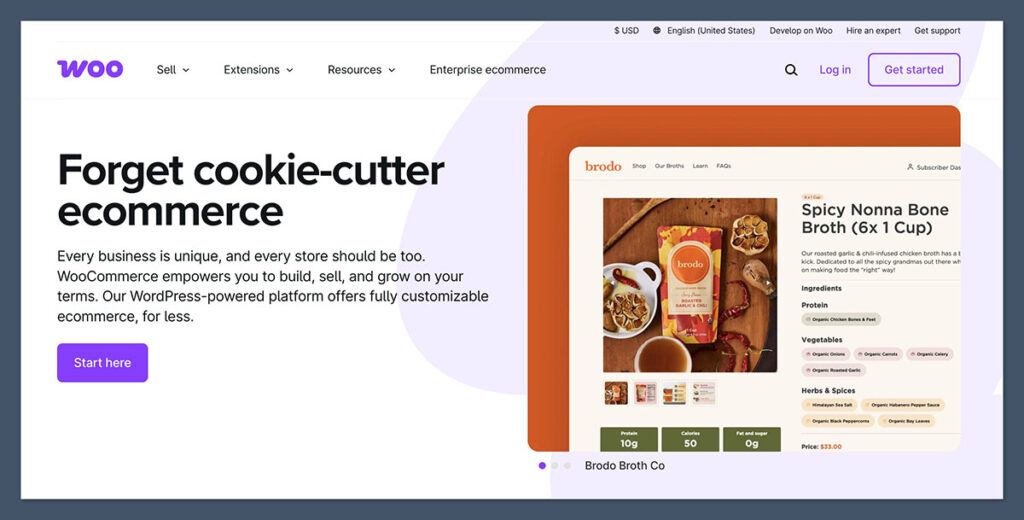
4. WooCommerce: The WordPress E-commerce Powerhouse
Starting price: Free plugin, hosting from ~$20/month
AI features: No native AI tools
WooCommerce, a flexible e-commerce plugin for WordPress, grants users complete autonomy over their store’s design, performance, and search engine optimization (SEO). It is the ideal solution for sellers who already utilize WordPress or wish to integrate e-commerce seamlessly with their content marketing and blogging efforts.
Integrating WooCommerce into an existing WordPress blog proved to be a smooth transition. While the initial setup required the installation of a few supplementary plugins to enable digital delivery and payment processing, the platform transformed into a formidable e-commerce engine when paired with appropriate hosting and a well-chosen theme.
Pros:
- Ultimate Flexibility and Control: Full customization over design, functionality, and data.
- Excellent for SEO: Leverages WordPress’s strong SEO capabilities.
- Vast Plugin Ecosystem: Thousands of extensions available to add virtually any feature.
- Open-Source and Free: The core plugin is free, with costs primarily for hosting and premium extensions.
- Scalable: Can handle businesses of all sizes with the right setup.
Cons:
- Requires WordPress Knowledge: Best suited for users familiar with the WordPress ecosystem.
- Higher Technical Overhead: Requires self-hosting, management, and security.
- Can Become Expensive: Costs can add up with premium themes, plugins, and hosting.
- No Native AI Tools: Relies on third-party WordPress plugins for AI functionalities.
How Much Does WooCommerce Cost?
The WooCommerce plugin itself is free. However, essential costs include:
- Web Hosting: Varies, but typically starts around $20/month for reliable hosting.
- Domain Name: Around $10-$20 per year.
- Premium Themes and Plugins: Optional, but can range from $50 to several hundred dollars.
- Payment Gateway Fees: Standard transaction fees apply based on the gateway used.
Why Use WooCommerce?
WooCommerce represents the most potent Sellfy alternative for individuals already immersed in the WordPress ecosystem and seeking unparalleled flexibility. It is particularly advantageous for content-centric sellers or those focused on optimizing their online presence for organic search traffic. While it demands a more substantial initial setup than all-in-one platforms, it offers unmatched control over functionality, performance, and data management, making it a superior choice for businesses that prioritize customization and long-term growth potential.
WooCommerce is suitable for:
- Existing WordPress users seeking to add e-commerce capabilities.
- Content-driven businesses focused on SEO and organic traffic.
- Sellers who require extensive customization and control.
- Developers and agencies managing multiple client stores.
WooCommerce isn’t suitable for:
- Absolute beginners with no experience in website management.
- Users who prefer a completely managed, all-in-one solution.
- Businesses with very limited technical resources.
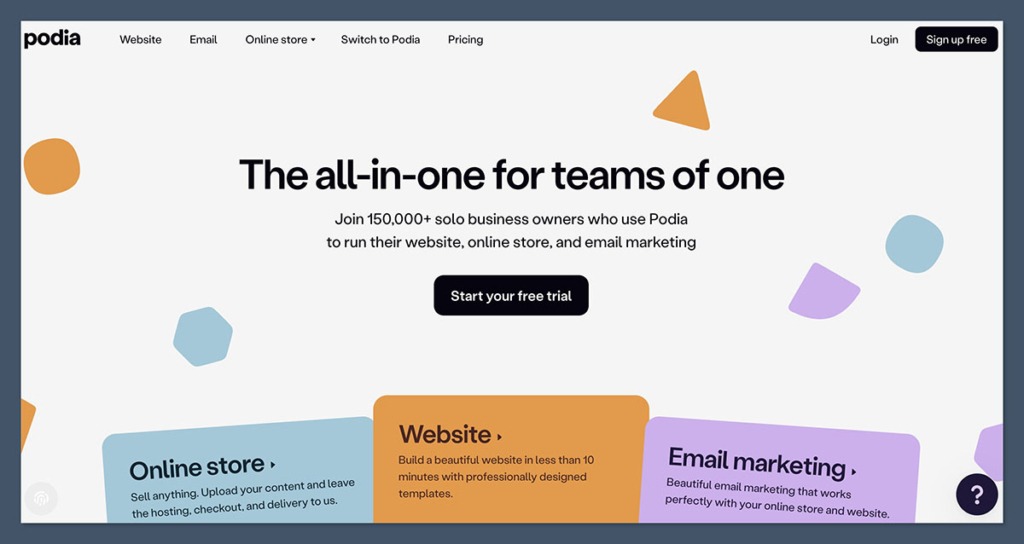
5. Podia: The Creator’s All-in-One Solution
Starting price: $39/month (5% fee), $89/month (0% fee)
AI tools: No AI assistant, but intuitive UI
Podia is meticulously designed for creators, including coaches, online course instructors, and digital product sellers. It integrates storefront capabilities, email marketing, membership management, and content hosting into a single, uncluttered interface. For businesses whose core operations revolve around digital products and audience engagement, Podia emerges as an intelligent alternative to Sellfy.
The process of creating an online course within Podia was notably efficient. The platform handles all aspects of course delivery, from uploading lesson materials and managing customer payments to implementing drip content schedules, without the need for additional tools or plugins.
Pros:
- Creator-Focused Features: Built for selling courses, downloads, memberships, and webinars.
- All-in-One Platform: Eliminates the need for multiple subscriptions for different tools.
- User-Friendly Interface: Simple and intuitive for creators to manage their business.
- No Transaction Fees on Higher Tiers: The $89/month plan offers 0% transaction fees.
- Excellent for Digital Products: Streamlined process for selling and delivering digital goods.
Cons:
- Limited Design Customization: Less flexibility in website aesthetics compared to Wix or Squarespace.
- No Built-in Affiliate Program: Requires third-party integration for affiliate marketing.
- Transaction Fees on Lower Tiers: The $39/month plan incurs a 5% transaction fee.
How Much Does Podia Cost?
Podia offers several plans focused on creator needs:
- Mover: $39/month (billed annually) with a 5% transaction fee.
- Shaker: $89/month (billed annually) with 0% transaction fees.
- Earthquaker: $199/month (billed annually) for larger teams and advanced features.
Why Use Podia in 2026?
Podia consolidates the essential tools that most creators require into a singular platform. This eliminates the burden of managing separate services for courses, email marketing, and storefronts. For content-first businesses, Podia offers a more efficient and user-friendly experience than Sellfy, enhanced by superior customer engagement and marketing tools. Its focus on simplifying the creator economy makes it a compelling choice for those prioritizing content delivery and audience building.
Podia is suitable for:
- Online course creators and educators.
- Coaches and consultants offering digital services.
- Businesses selling digital downloads and memberships.
- Creators looking for an integrated platform to manage their offerings.
Podia isn’t suitable for:
- Businesses primarily focused on selling physical products.
- Sellers requiring extensive e-commerce features like complex shipping.
- Users who need a highly customizable website design.
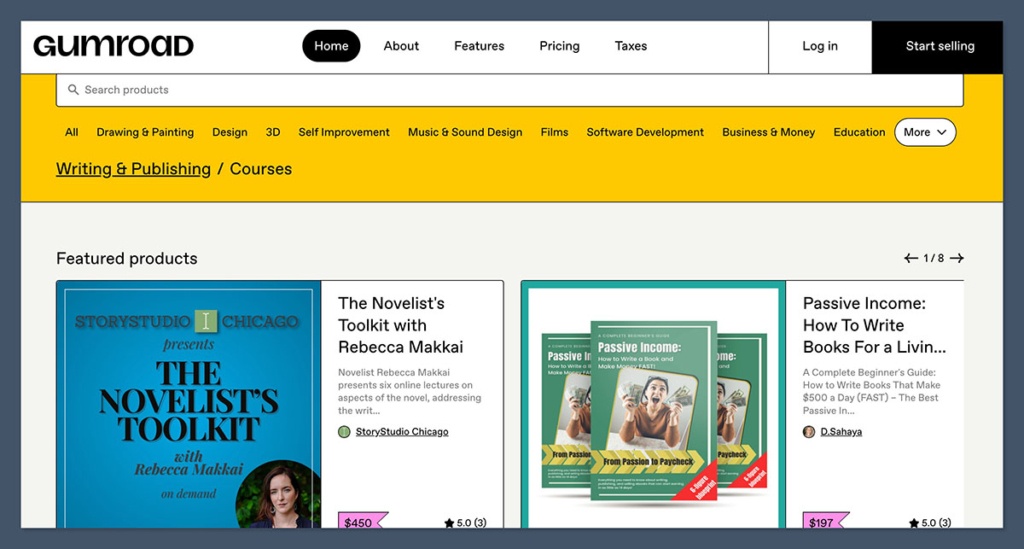
6. Gumroad: The Simplicity Champion for Digital Sales
Starting price: Free to use, with a 10% transaction fee
AI tools: No
Gumroad stands out as one of the most expeditious platforms for selling digital products online. If you have a digital asset, a price point, and an audience, you can begin generating sales within minutes. Its design prioritizes simplicity over complexity, making it particularly attractive to creators who are just starting or prefer a no-fuss approach. The absence of a subscription fee further enhances its appeal for early-stage ventures.
Having utilized Gumroad for launching and testing new products without committing to a full-scale storefront, the setup process was remarkably effortless. However, the platform’s branding and design customization options are quite limited, which is a trade-off for its speed and simplicity.
Pros:
- Extremely Easy to Use: Quick setup and intuitive interface for immediate sales.
- No Monthly Fees: Pay only when you make a sale (10% transaction fee).
- Ideal for Digital Products: Streamlined for selling e-books, templates, software, etc.
- Built-in Audience Engagement: Tools for creating a following and direct communication.
- Fast Product Launch: Get your products to market quickly.
Cons:
- High Transaction Fee: 10% fee can be costly for high-volume sellers.
- Limited Customization: Basic storefront design and branding options.
- Not Suited for Physical Products: Primarily designed for digital goods.
- Scalability Concerns: Fees can become prohibitive as sales grow significantly.
How Much Does Gumroad Cost?
Gumroad operates on a simple fee structure:
- Free to Use: No monthly subscription costs.
- 10% Transaction Fee: Applied to every sale made through the platform.
Why Use Gumroad?
Gumroad is the optimal Sellfy alternative for minimalist creators who aim for rapid product launches and wish to avoid monthly subscription costs. It is particularly well-suited for selling PDFs, templates, short video content, or small software tools. However, for businesses generating over $1,000 per month, the 10% transaction fee can become a significant financial burden, impacting overall profitability.
Gumroad is suitable for:
- Creators launching their first digital products.
- Those who prioritize speed and simplicity over extensive customization.
- Sellers testing new product ideas with minimal upfront investment.
- Individuals with a strong existing audience on social media.
Gumroad isn’t suitable for:
- Businesses with high sales volumes that would benefit from lower fees.
- Sellers requiring extensive branding and design control.
- Those primarily selling physical products.
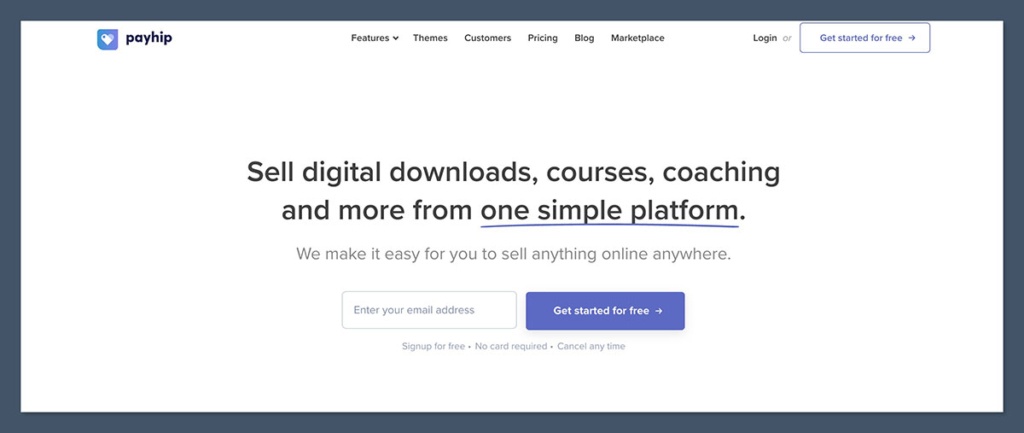
7. Payhip: The Champion of Transparent Pricing and Simplicity
Starting price: Free (5% fee), $29/month (2% fee), $99/month (0% fee)
AI tools: No
Payhip is a creator-centric platform offering a clean, all-in-one solution for selling digital products, memberships, and even physical goods. It is recognized for its straightforward pricing model and ease of setup, allowing users to launch their stores within an hour. Payhip includes features for VAT compliance, coupon creation, and affiliate program management.
Payhip has been consistently recommended to creators seeking to avoid hidden fees or complex setup procedures. While its storefront design is simple, it provides sufficient functionality for sellers focused on product delivery rather than elaborate aesthetics.
Pros:
- Transparent Pricing: Clear fee structure across all plans.
- All-in-One Functionality: Supports digital products, memberships, and physical goods.
- Easy Setup: Can launch a store quickly with minimal technical expertise.
- No Transaction Fees on Higher Tiers: The $99/month plan offers 0% fees.
- Built-in EU VAT Handling: Simplifies compliance for international sales.
Cons:
- Limited Design Customization: Basic storefront design options.
- Transaction Fees on Lower Tiers: The free and $29/month plans have transaction fees.
- Smaller App Ecosystem: Fewer integrations compared to larger platforms.
How Much Does Payhip Cost?
Payhip offers a tiered pricing structure:
- Free Plan: 5% transaction fee per sale.
- Plus Plan: $29/month (billed annually) with a 2% transaction fee.
- Pro Plan: $99/month (billed annually) with 0% transaction fees.
Why Use Payhip?
For those seeking a no-nonsense approach to selling digital goods, Payhip offers substantial value without unnecessary complexity. Its pricing is easy to comprehend, and its tools are well-suited for solo entrepreneurs. While it may not be designed for enterprise-level scaling, it is more than adequate for lean, digitally focused businesses. The platform’s emphasis on transparency and ease of use makes it a strong contender for creators prioritizing efficiency and straightforward operations.
Payhip is suitable for:
- Solo creators and small teams selling digital products.
- Businesses that value transparent pricing and minimal fees.
- Sellers who need a simple, integrated platform.
- Users who appreciate built-in features like EU VAT handling.
Payhip isn’t suitable for:
- Large businesses requiring advanced e-commerce features and integrations.
- Sellers prioritizing highly sophisticated website design.
- Companies needing extensive customization beyond the platform’s offerings.
8. Ko-fi: Fan Support and Tipping, Enhanced with Simple Sales
Starting price: Free with 5% fee, $12/month for Ko-fi Gold (0% fee)
AI tools: No
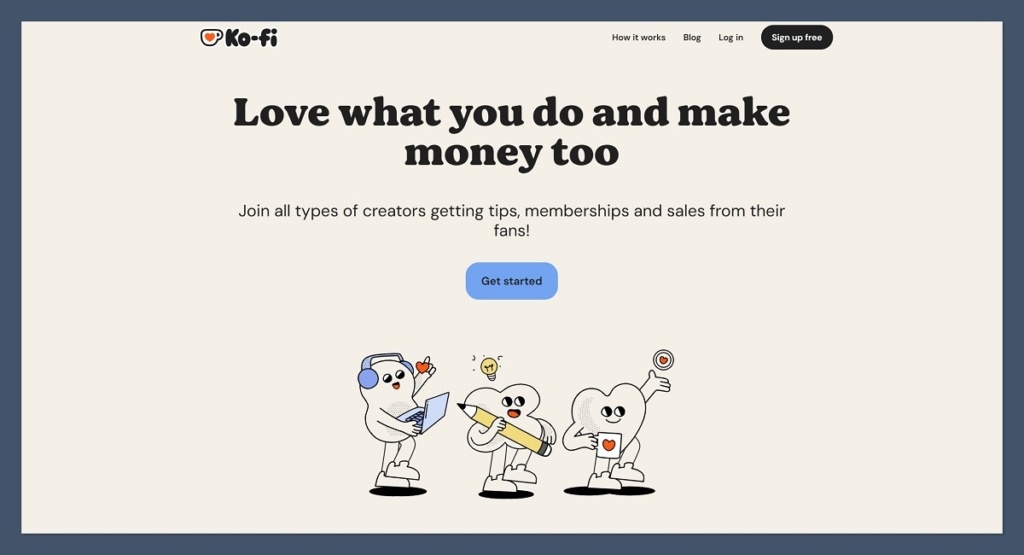
Ko-fi is fundamentally a support-first platform that enables fans to tip creators, subscribe to their work, or purchase digital products from a straightforward shop interface. It has gained significant traction among artists, writers, and streamers who seek a low-overhead method for monetization without the complexities of establishing a full online store.
Ko-fi is an ideal solution for those desiring a blend of donation and product sales capabilities. Its ease of setup is remarkable, and the platform eliminates the need to worry about product hosting or intricate design elements, making it highly convenient for creators.
Pros:
- Fan Support Focused: Integrates tipping, subscriptions, and commissions.
- Lightweight Shop Functionality: Easy to list and sell digital products.
- Low Fees: Free option with a 5% fee, or $12/month for Ko-fi Gold with 0% fees.
- Creator-Friendly: Designed to support individual artists and creators.
- Simple Interface: Easy to navigate and manage.
Cons:
- Limited E-commerce Features: Not designed for extensive product catalogs or advanced sales.
- Basic Design Options: Storefronts are functional but not highly customizable.
- Transaction Fees on Free Tier: A 5% fee applies unless subscribing to Ko-fi Gold.
How Much Does Ko-fi Cost?
Ko-fi offers straightforward pricing:
- Free Plan: 5% transaction fee on all sales.
- Ko-fi Gold: $12/month for 0% transaction fees and additional features.
Why Use Ko-fi?
Ko-fi presents a creator-friendly Sellfy alternative that adeptly balances donation-based support with direct sales without overwhelming users with excessive features. If you already possess an engaged audience and aim to monetize with minimal effort, Ko-fi offers one of the most hassle-free pathways to achieving this. Its focus on community and direct fan interaction makes it a unique and valuable tool for creators.
Ko-fi is suitable for:
- Artists, writers, musicians, and streamers seeking fan support.
- Creators looking to offer digital downloads alongside donations.
- Those who want a simple way to monetize their content.
- Users who value a community-driven platform.
Ko-fi isn’t suitable for:
- Businesses requiring robust e-commerce capabilities and scalability.
- Sellers who need advanced marketing and analytics tools.
- Those primarily focused on selling large volumes of physical products.
9. Fourthwall: Seamless Merch and Digital Products for Creators
Starting price: Free plan available, Pro plan is $19/month or $180/year
AI tools: No
Fourthwall is specifically engineered for creators aiming to sell merchandise, memberships, and digital products directly to their audiences. It incorporates built-in fulfillment for physical products and integrates with popular platforms like YouTube and Twitch, making it an ideal choice for social media influencers with an established following.
In testing, Fourthwall proved instrumental in setting up a combined merch and digital product page for a YouTube client. It streamlined the entire process, from order processing to custom domain configuration, eliminating the need for manual fulfillment or shipping management.
Pros:
- Creator-Centric Design: Tailored for social media influencers and content creators.
- Integrated Merch Fulfillment: Handles production and shipping of physical goods.
- Supports Digital Products and Memberships: Offers a comprehensive monetization suite.
- Seamless Integrations: Connects with platforms like Twitch and YouTube.
- Free Plan Available: Allows creators to start without upfront costs.
Cons:
- Less Customization for Physical Products: Options may be limited compared to dedicated print-on-demand services.
- Focus on Creators: May not be the best fit for traditional retail businesses.
- Pro Plan Required for Advanced Features: Some key functionalities are behind a paywall.
How Much Does Fourthwall Cost?
Fourthwall offers a flexible pricing structure:
- Free Plan: Available for creators to start selling.
- Pro Plan: $19/month (or $180/year) for enhanced features and support.
Why Use Fourthwall?
Fourthwall simplifies the process of transforming an audience into a revenue stream. Whether selling apparel, digital content packs, or membership tiers, it is fundamentally built for creators rather than generic e-commerce stores. For individuals whose income is intrinsically linked to content creation, Fourthwall stands out as one of the most relevant and effective tools available today. Its integrated approach to both physical and digital sales streamlines operations for a creator-first business model.
Fourthwall is suitable for:
- Content creators on platforms like YouTube, Twitch, TikTok, and Instagram.
- Businesses selling a mix of merchandise and digital products.
- Creators looking for integrated fulfillment and membership options.
- Influencers aiming to monetize their audience directly.
Fourthwall isn’t suitable for:
- Traditional e-commerce businesses with large physical product inventories.
- Sellers requiring extensive customization for their merchandise.
- Users who need a platform solely for digital product sales without merch.
10. Teachable: The Premier Platform for Course Sellers
Starting price: $39/month (7.5% fee), higher plans reduce fees
AI tools: No
Teachable is a purpose-built platform dedicated to hosting, selling, and managing online courses. It is the ideal solution for educators and digital creators who wish to offer structured content, including video lessons, coaching services, and downloadable materials.
When creating a sample course on Teachable, the platform facilitated seamless management of students, lesson progress tracking, and the issuance of certificates, all without requiring any plugins or coding. The student experience was consistently polished and intuitive.

Pros:
- Course-Focused Features: Designed specifically for online education.
- Integrated Payment Processing: Handles all sales transactions efficiently.
- Student Management Tools: Track progress, offer certificates, and manage enrollments.
- Customizable Course Pages: Create professional and branded learning environments.
- Strong Support for Digital Content: Optimized for video, audio, and downloadable resources.
Cons:
- Transaction Fees: Higher tiers are needed to eliminate fees.
- Limited for General E-commerce: Not ideal for selling a wide range of physical products.
- Pricing Can Be High: Especially for businesses needing to avoid transaction fees.
How Much Does Teachable Cost?
Teachable offers tiered pricing based on features and transaction fees:
- Basic Plan: $39/month (billed annually) with a 7.5% transaction fee.
- Pro Plan: $119/month (billed annually) with a 4.5% transaction fee.
- Business Plan: $249/month (billed annually) with 0% transaction fees.
Why Use Teachable?
Teachable serves as a powerful Sellfy alternative when the primary focus is on education and structured content delivery. Its learning-centric features make it significantly more advantageous for course-based businesses than general e-commerce platforms. For educators and experts looking to share their knowledge online, Teachable provides the specialized tools necessary for creating engaging and profitable online courses.
Teachable is suitable for:
- Online course creators and educators.
- Coaches offering structured programs.
- Businesses selling digital learning materials.
- Experts wanting to build an educational brand online.
Teachable isn’t suitable for:
- Sellers primarily focused on physical products or general e-commerce.
- Businesses needing extensive website customization beyond course delivery.
- Users seeking a free platform with no transaction fees.
11. Big Cartel: The Go-To for Small Artist Shops
Starting price: Free for up to 5 products, paid plans at $15/month and $30/month
AI tools: No
Big Cartel is a lightweight e-commerce platform specifically designed for artists, makers, and small-scale sellers. It offers an intuitive interface, minimal overhead, and a clean storefront experience, making it ideal for businesses with a limited number of products.
Setting up a shop on Big Cartel took less than an hour, and the platform provided just enough customization to maintain brand consistency. While not engineered for rapid scaling, it effectively serves its niche market.

Pros:
- Affordable for Small Businesses: Free plan available, with inexpensive paid options.
- Easy to Use: Simple interface for managing products and orders.
- Artist-Focused: Designed with the needs of makers and artists in mind.
- Clean Storefronts: Offers simple, elegant templates.
- No Transaction Fees: A significant advantage for small sellers.
Cons:
- Limited Product Listings: Free plan is restricted to 5 products.
- Basic Features: Lacks advanced e-commerce functionalities.
- Limited Integrations: Fewer third-party app options compared to larger platforms.
- Not Scalable for Large Inventories: Best suited for small, curated collections.
How Much Does Big Cartel Cost?
Big Cartel’s pricing is designed for small sellers:
- Free Plan: Up to 5 products.
- Gold Plan: $15/month for up to 50 products.
- Platinum Plan: $30/month for up to 500 products.
Why Use Big Cartel in 2026?
Big Cartel remains a prime option for small artists or hobbyists selling a limited selection of products. It is perfect for individuals who prefer to avoid complex e-commerce dashboards and high monthly expenses. Its straightforward approach and lack of transaction fees make it an accessible entry point for creative entrepreneurs establishing their online presence.
Big Cartel is suitable for:
- Independent artists, makers, and crafters.
- Small businesses with limited product catalogs.
- Sellers prioritizing ease of use and low costs.
- Hobbyists looking to monetize their creations.
Big Cartel isn’t suitable for:
- Businesses with large or rapidly expanding product inventories.
- Sellers requiring advanced marketing and analytics tools.
- Companies needing extensive customization and third-party integrations.
Final Thoughts: Charting Your Course in the E-commerce Universe
The realization that Sellfy may be too limiting is a common sentiment among creators and small businesses navigating the increasingly sophisticated world of online sales. Whether you are managing a creator business, selling digital downloads, or launching your inaugural online store, selecting the appropriate platform can profoundly influence your growth trajectory and profitability.
For businesses prioritizing long-term scalability and comprehensive e-commerce functionalities, Shopify and WooCommerce stand out. Wix and Squarespace are exceptional choices for those who place a high value on visual design and user-friendliness. Creators focused on selling content will find Podia, Gumroad, Ko-fi, and Fourthwall offer clear, streamlined pathways to monetization.
Ultimately, the most critical decision is choosing a platform that aligns with your current business model and provides sufficient room for future expansion, thereby avoiding the need for frequent platform migrations. While it is unnecessary to overbuild or overspend, it is equally important to avoid being constrained by a tool that impedes your brand’s future potential. The right platform serves as a foundation for sustained success in the digital marketplace.

 Raul Delapena Setiawan
 Ammar Sabilarrohman