
The digital landscape faces an unprecedented threat, with a staggering 80 to 95 percent of all cyberattacks originating from a seemingly innocuous phishing email. As artificial intelligence (AI) rapidly advances, cybercriminals are leveraging its capabilities to craft increasingly sophisticated and convincing attacks, making the defense against such threats more challenging than ever. This surge in malicious activity is projected to escalate the global cost of cybercrime to an alarming $10.5 trillion annually by 2025, underscoring the urgent need for robust cybersecurity measures. Fortunately, proactive steps can be taken to safeguard organizations, their brands, and their customer base from even the most deceptive phishing and spoofing attempts. Central to this defense is the proper authentication of email through a meticulously formatted Sender Policy Framework (SPF) record. Understanding the intricacies of SPF records and their implementation is no longer optional but a fundamental requirement for digital resilience.
The Foundation of Email Trust: What is an SPF Record?
A Sender Policy Framework (SPF) record is a type of Domain Name System (DNS) text record that empowers domain owners to specify which mail servers are authorized to send email on behalf of their domain. In essence, it acts as a public declaration, listing all legitimate IP addresses and hostnames permitted to send mail, preventing unauthorized senders from impersonating the domain.
The significance of SPF-protected domains extends beyond mere technical configuration. Domains with properly configured SPF records are inherently less attractive targets for fraudsters. This reduced appeal translates directly into a lower likelihood of their emails being flagged or blocklisted by stringent spam filters, thereby improving email deliverability. This protection is particularly vital for custom domain email addresses, which often lack the inherent authentication mechanisms provided by larger Email Service Providers (ESPs). By authenticating email with SPF, an organization signals to recipient mail servers that it is a legitimate and trustworthy source of information. This enhanced reputability significantly increases the probability that legitimate messages will reach recipients’ inboxes, rather than being relegated to spam or junk folders, a critical factor for business communication and marketing campaigns.
The Evolution of Email Security: Why SPF Became Essential
The internet’s early architects designed email for simplicity and open communication, not robust security. This foundational lack of authentication meant that anyone could easily forge the “From” address of an email, a practice known as email spoofing. For decades, this vulnerability was exploited by spammers and, increasingly, by phishers. As the volume of unwanted and malicious email grew, the need for mechanisms to verify sender identity became paramount.
SPF emerged from this necessity in the early 2000s, with its initial proposals and RFCs (Request for Comments) formalizing its specification. It was designed to address the problem of email spoofing at the envelope-sender level (the address used by the mail server, often hidden from the end-user). While not a standalone panacea, SPF quickly became a cornerstone of modern email authentication, laying the groundwork for more comprehensive standards like DomainKeys Identified Mail (DKIM) and Domain-based Message Authentication, Reporting & Conformance (DMARC). Its widespread adoption by major email providers underscores its critical role in establishing trust within the email ecosystem.
Decoding the Anatomy of an Email SPF Record
A typical SPF record is a string of text within a DNS TXT record that begins with v=spf1 to declare the SPF version. Following this, it lists various “mechanisms” and “qualifiers” that define the sending policy.
Key SPF Record Mechanisms:
a(Address): Specifies that the IP addresses of the domain’s A records are authorized to send email.mx(Mail Exchanger): Authorizes the mail servers listed in the domain’s MX records to send email.ip4/ip6: Explicitly lists specific IPv4 or IPv6 addresses or CIDR ranges that are authorized. E.g.,ip4:192.0.2.1orip4:198.51.100.0/24.include: Allows for the inclusion of SPF records from other domains. This is crucial when using third-party email service providers (ESPs) like Mailchimp, SendGrid, or Google Workspace, as their sending servers need to be authorized. E.g.,include:spf.example.com.exists: A more advanced mechanism that queries a DNS A record for a specific domain.redirect: Points to another domain’s SPF record, effectively using that domain’s policy. Note: Only oneredirectmechanism is allowed and it must be the last mechanism.
Quantifiers to Direct Server Action:

Each mechanism can be prefixed with a quantifier that dictates how the receiving server should treat an email if it matches that mechanism:
+(Pass): The default quantifier, implicitly used if none is specified. Indicates that the sender is authorized. Emails pass SPF.-(Fail/Hardfail): The strongest rejection. Indicates that the sender is not authorized, and the email should be rejected outright. This is often preferred for domains that only send email from a limited, controlled set of servers.~(Softfail): A less stringent rejection. Indicates that the sender is probably not authorized, but the email should still be accepted, though possibly marked as suspicious or spam. This is a common choice for initial SPF deployments or for domains with complex sending environments.?(Neutral): States that SPF cannot determine whether the sender is authorized or not. The email is typically accepted without any specific SPF-based penalty. This quantifier is rarely recommended due to its low security posture.
Example of an SPF Record:
v=spf1 ip4:192.0.2.1 ip4:198.51.100.0/24 include:spf.mailchimp.com include:_spf.google.com ~all
This example SPF record declares that:
- Version 1 of SPF is being used.
- Emails from
192.0.2.1and the IP range198.51.100.0/24are authorized. - Emails sent via Mailchimp’s authorized servers (as defined in
spf.mailchimp.com) are authorized. - Emails sent via Google’s authorized servers (as defined in
_spf.google.com) are authorized. - For any other sender not explicitly listed, the email should be treated as a “Softfail” (
~all), meaning it’s likely unauthorized but not outright rejected.
The Alarming Cost of Inaction: Cybercrime and Phishing Statistics
The rise of cybercrime, fueled by sophisticated phishing attacks, presents a stark warning about the consequences of neglecting email security. Industry reports consistently highlight the severe financial and reputational damage inflicted by these threats. According to Cybersecurity Ventures, the global cost of cybercrime is projected to hit $10.5 trillion annually by 2025, up from $3 trillion in 2015. This astronomical figure includes damage and destruction of data, stolen money, intellectual property theft, personal and financial data theft, embezzlement, fraud, post-attack disruption to the ordinary course of business, forensic investigation, restoration and deletion of hacked data and systems, and reputational harm.
Phishing remains the primary vector for these attacks. A study by Security Magazine indicates that between 80% and 95% of all cyberattacks commence with a phishing email. The advent of generative AI tools has only exacerbated this problem, enabling cybercriminals to craft highly personalized, grammatically flawless, and contextually relevant phishing emails at scale. This new generation of AI-powered phishing scams is significantly more difficult for human users to detect, increasing their success rates. Research by Harvard Business Review underscores that AI will not only increase the quantity but also the quality of phishing scams, making email authentication mechanisms like SPF more critical than ever before. For businesses, a successful phishing attack can lead to direct financial loss, data breaches, regulatory penalties (e.g., GDPR, CCPA), and severe damage to customer trust and brand reputation, which can take years to rebuild.
A Practical Guide: Setting Up an SPF Record in 5 Steps
Implementing an SPF record might seem technical, but breaking it down into manageable steps clarifies the process.
Step 1: Identify All IP Addresses and Sending Services
The initial and most crucial step is to compile a comprehensive list of all mail servers, IP addresses, and third-party email services that send email on behalf of your domain. This inventory might include:
- Your organization’s primary mail servers (e.g., Microsoft Exchange, Postfix, Sendmail).
- Web servers that send transactional emails (e.g., order confirmations, password resets).
- Marketing automation platforms (e.g., HubSpot, Marketo, Mailchimp).
- Customer Relationship Management (CRM) systems (e.g., Salesforce).
- Any other third-party services used for sending notifications, newsletters, or customer support emails.
If unsure, consult your IT System Administrator, your Email Service Provider (ESP), or review your email logs to identify all sending sources. Missing even one legitimate sender can lead to deliverability issues.
Step 2: Identify All Sending Domains
While organizations often own numerous domains, not all of them are actively used for sending email. It is imperative to create SPF records for all domains you own, not just the ones actively sending mail. This practice is vital for defensive reasons: it prevents malicious actors from spoofing your non-sending domains, thereby protecting your brand’s overall integrity and preventing potential reputational damage. Your IT System Administrator or ESP can provide a comprehensive list of all domains associated with your organization.
Step 3: Create the SPF Record
With the list of authorized senders and domains in hand, the next step is to craft the SPF record. While IT teams or ESPs typically handle the actual creation, understanding the structure is beneficial. The record will start with v=spf1 and then incorporate the ip4, ip6, a, mx, and include mechanisms to list all identified authorized senders. For third-party services, you will typically include their SPF records.
For example, if your company uses Google Workspace for internal emails and Mailchimp for marketing, your record might look like:
v=spf1 include:_spf.google.com include:spf.mailchimp.com ~all
The ~all (Softfail) quantifier is often a safe starting point, allowing legitimate emails from unlisted sources to be delivered (though potentially flagged), while –all (Hardfail) offers stricter rejection but requires absolute certainty that all senders are listed.
Step 4: Publish the SPF Record to DNS
Once created, the SPF record must be published as a TXT record in your domain’s DNS. This step is typically performed by your company’s IT or security team, often with the assistance of your DNS server administrator or your ESP.
The DNS (Domain Name System) acts as the internet’s phonebook, mapping human-readable domain names to numerical IP addresses. When an email is received, the recipient’s mail server performs a DNS lookup to check the SPF record for the sender’s domain. It then compares the sending server’s IP address against the list of authorized IP addresses in your published SPF record. If a match is found, the email passes SPF authentication. If not, the email is handled according to the SPF record’s quantifier (-all, ~all, etc.).
This process is straightforward for companies using common hosting providers like GoDaddy, Cloudflare, or AWS Route 53, where DNS management is often accessible through a control panel. If your Internet Service Provider (ISP) administers your DNS records, or if you are unsure who is responsible, your IT department will be able to clarify and assist.
Step 5: Verify the SPF Record
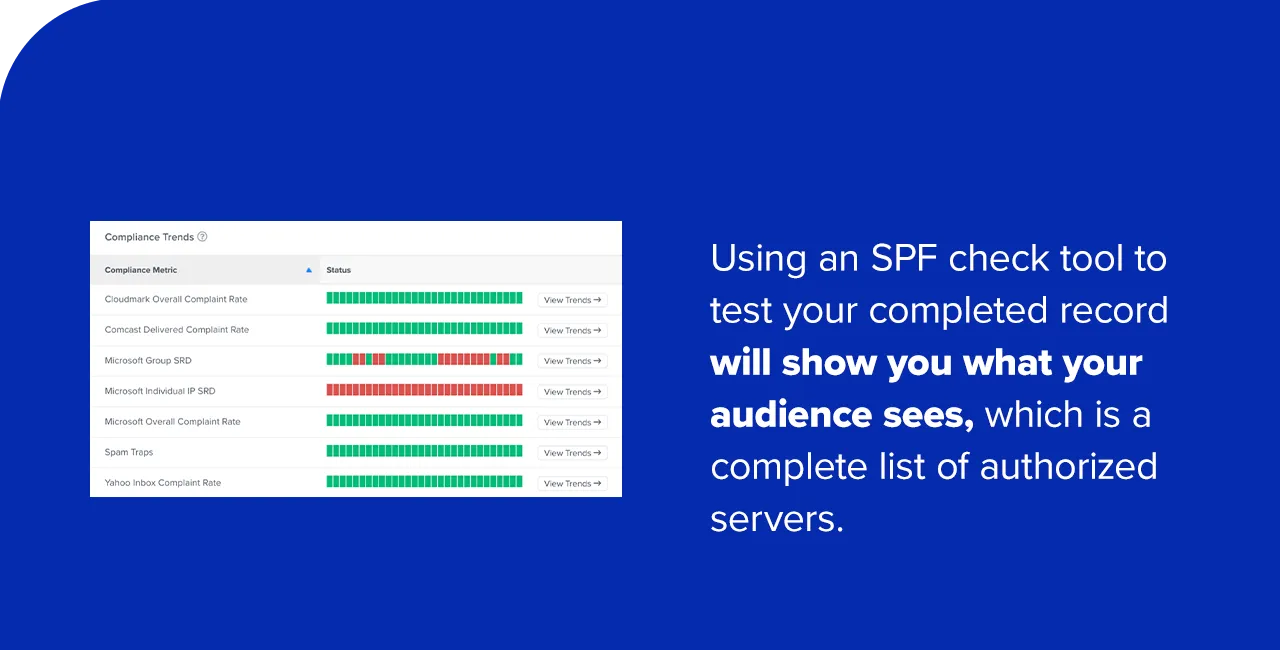
After publishing, it is crucial to test the SPF record to ensure it is correctly configured and functioning as expected before sending any email campaigns. Numerous online SPF check tools are available (e.g., MXToolbox, SPF Surveyor). These tools will analyze your domain’s DNS settings and display the interpreted SPF record, showing which servers are authorized. If any trusted IP addresses or sending services are missing, or if there are syntax errors, the tool will highlight them, allowing you to update the record accordingly. This verification step is vital to prevent legitimate emails from being incorrectly flagged as spam.
Common Pitfalls and Best Practices in SPF Management
Improperly configured SPF records can lead to significant deliverability problems and undermine your email security efforts. Awareness of common errors and adherence to best practices are essential.
Common Errors:
- Multiple SPF Records: The Internet Engineering Task Force (IETF) explicitly forbids multiple SPF records for a single domain. If a domain has more than one SPF TXT record, all emails from that domain will receive a
PermError, causing them to be flagged as spam or rejected. All authorized senders must be consolidated into a single SPF record. - Too Many DNS Lookups: An SPF record is limited to a maximum of 10 DNS lookups (mechanisms like
a,mx,ptr,exists, andincludecount towards this limit). Exceeding this limit results in aPermError, invalidating the SPF record. This often occurs when multiple third-party services are included. Strategies like “SPF flattening” or consolidatingincludestatements can help mitigate this. - Syntax Errors: Minor typos, incorrect spacing, or missing delimiters can render an SPF record invalid, leading to
PermErrororNoneresults. - Missing Authorized Senders: If an email is sent from a legitimate server not listed in the SPF record, it will fail SPF authentication, potentially leading to rejection or spam classification.
- Incorrect Quantifier Usage: Using
?all(Neutral) or+all(Pass) can weaken security, as it allows unauthorized senders to pass SPF checks. Conversely, using-all(Hardfail) too aggressively without a complete list of authorized senders can block legitimate emails.
Best Practices for Managing SPF Records:
- Regular Review and Updates: Email sending infrastructure evolves. Regularly review and update your SPF record whenever you add or remove an email service provider, change mail servers, or acquire new domains.
- Consolidate and Simplify: Aim for a concise SPF record. If possible, consolidate multiple
includestatements, or use CIDR blocks for IP addresses to minimize the record’s length and complexity. - Monitor DNS Changes: Keep track of changes to your DNS records, as unauthorized modifications could compromise your email authentication.
- Leverage DMARC: SPF is most effective when used in conjunction with DKIM and DMARC. DMARC provides reporting that allows you to see which emails are passing or failing authentication, and it enables you to set policies (none, quarantine, reject) for unauthenticated emails, giving you greater control and visibility.
- Staff Education: Train employees on the importance of email security and how to identify suspicious emails, even with robust authentication in place.
The Broader Email Security Ecosystem: SPF, DKIM, and DMARC
While SPF is a vital component, it is one part of a larger, integrated email authentication strategy. For comprehensive protection and optimal deliverability, SPF should be deployed alongside DomainKeys Identified Mail (DKIM) and Domain-based Message Authentication, Reporting & Conformance (DMARC).
- SPF (Sender Policy Framework): Verifies the sending server’s IP address against a list of authorized senders for a domain. It addresses email spoofing at the envelope-sender level.
- DKIM (DomainKeys Identified Mail): Provides a cryptographic signature for outgoing emails, allowing recipient servers to verify that the email has not been tampered with in transit and that it genuinely originates from the stated domain. It ensures message integrity and authenticity at the header level.
- DMARC (Domain-based Message Authentication, Reporting & Conformance): Builds upon SPF and DKIM. It allows domain owners to specify how recipient mail servers should handle emails that fail SPF or DKIM authentication (e.g., quarantine them, reject them, or simply monitor them). Crucially, DMARC also provides aggregated daily reports to the domain owner, offering invaluable insights into email sending practices and potential abuse. A DMARC policy requires that either SPF or DKIM (or both) pass and that the domain used for authentication aligns with the “From” address domain visible to the end-user.
Implementing a robust DMARC policy, which relies on correctly configured SPF and DKIM, is the gold standard for email authentication. It provides the strongest defense against phishing, spoofing, and brand impersonation, while simultaneously offering the data needed to continually refine and improve email deliverability. Industry bodies like the Messaging, Malware and Mobile Anti-Abuse Working Group (M3AAWG) consistently advocate for the widespread adoption of all three protocols.
Frequently Asked Questions about SPF Records
1. What is an SPF record for?
An SPF record is used to protect email senders and recipients against spoofing, phishing, and spam attacks. It mandates that a recipient mail server verify the sending server’s IP address against a list of authorized senders published by the domain owner. This prevents malicious senders from forging emails that appear to originate from a legitimate company’s domain. If the sender’s IP address matches an authorized entry in the SPF record, the email is accepted with an SPF pass. If it does not, the email is handled according to the SPF policy (e.g., flagged as spam, quarantined, or rejected), demonstrating to the recipient’s server that you are a safe source and significantly improving the chances your messages will reach their intended inboxes.

2. What should be in your SPF record?
Your SPF record must begin with the version tag (v=spf1). It should then include all mechanisms necessary to identify and authorize hostnames, IP addresses, and third-party services permitted to send messages from your domain. This typically includes ip4 and ip6 for your own servers, a and mx if applicable, and include statements for all third-party ESPs (e.g., include:_spf.google.com, include:spf.mailchimp.com). Finally, it must end with a quantifier like ~all (Softfail) or -all (Hardfail) to define the policy for unauthorized senders. A common example is: v=spf1 a mx include:spf.yourbusinessdomainname.com ~all.
3. How much does an SPF record cost?
There is no direct cost associated with creating or using an SPF record. SPF is a standard, publicly available email authentication technology that does not require a paid subscription or service. The only potential indirect costs might be related to your domain registrar’s DNS management fees if you need to modify your DNS settings, or if you opt to use a third-party DNS provider with advanced features. However, for most users, adding or modifying a TXT record for SPF is a standard feature included with domain registration.
4. Where can you publish your SPF record?
You publish your SPF record within your domain’s DNS control panel area, typically provided by your domain registrar or hosting provider. To do this, you log into your domain account, navigate to the section for DNS management (often labeled “DNS settings,” “Name Server Management,” or “Zone File Editor”), select the domain you wish to modify, and add a new TXT record. The “Host” or “Name” field for the TXT record is usually @ or your domain name, and the “Value” or “Text” field is your complete SPF record string (e.g., v=spf1 ... ~all). After publishing, use an SPF record checker tool to confirm correct implementation.
5. How many SPF records should you have?
You should only have one SPF record (one TXT record beginning with v=spf1) per domain. The Internet Engineering Task Force (IETF) explicitly forbids multiple SPF records for a single domain. If a domain is found to have more than one SPF record, mail servers will return a PermError for SPF checks, which typically results in all emails from that domain being treated as unauthenticated and often routed to spam folders or rejected. If you need to include multiple sending sources, you must merge all mechanisms into a single, comprehensive SPF record.
SPF Records: A Cornerstone of Modern Email Deliverability
At Validity, we recognize that email is a critical communication channel. Empowering organizations with the knowledge and tools to implement effective email marketing and communication strategies is paramount. Understanding how to create and manage a mail SPF record is an indispensable step not only in fortifying your security posture against the rising tide of cybercrime but also in significantly improving your email deliverability rates. In a world where every email counts, ensuring your messages reach their intended recipients reliably and securely is a competitive advantage.
For those seeking a deeper dive into the full suite of email authentication protocols, including SPF, DKIM, and DMARC, further resources and on-demand webinars provide comprehensive insights into mastering these essential tools for inbox success. Mastering these protocols is not just about compliance; it’s about building trust, protecting your brand, and ensuring your messages get seen.