rifanmuazin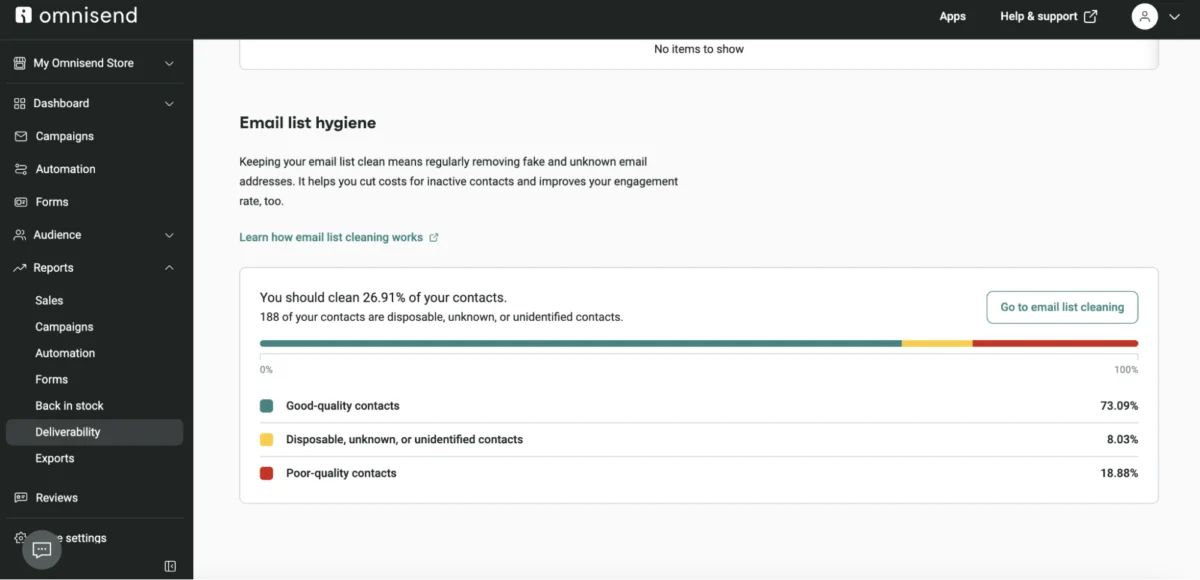
Roughly one in six marketing emails never reach their intended inbox, a stark reality that translates into significant lost revenue and diminished brand visibility for businesses globally. This critical issue, highlighted by Validity’s 2025 deliverability benchmark, means that out of every 50,000 sends, over 8,300 messages are intercepted by sophisticated spam filters, failing to connect with their audience. The reasons behind this pervasive problem are multifaceted, often stemming from a combination of domain configuration errors, suboptimal content quality, weak engagement signals, and poor sender reputation, all of which are, fortunately, addressable with strategic intervention. This article serves as an exhaustive guide to understanding why emails are diverted to spam folders, outlining the preventative measures businesses can implement, and detailing the steps to take when deliverability issues arise, thereby ensuring maximum inbox placement and safeguarding crucial customer communications.
The Evolving Landscape of Email Deliverability
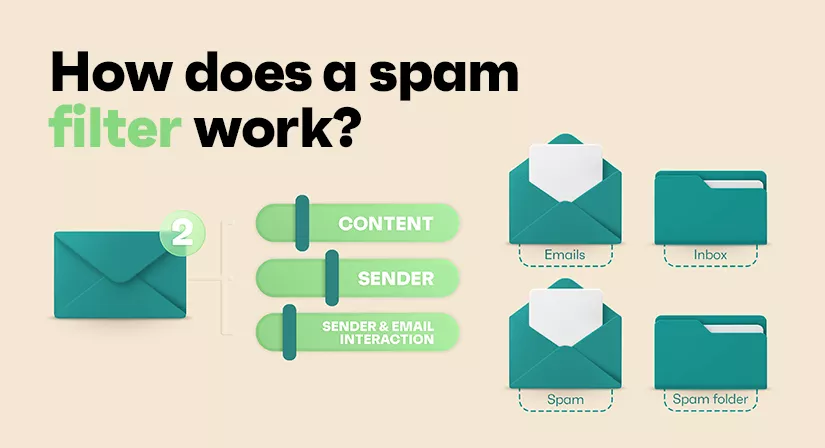
Email, since its inception, has been a cornerstone of digital communication, evolving from simple text messages to rich, interactive marketing tools. However, this ubiquity also made it a prime target for unsolicited commercial messages, or "spam," leading to the rapid development of anti-spam technologies. Modern spam filters, employed by major email service providers (ESPs) such as Gmail, Yahoo, and Outlook, are no longer rudimentary keyword scanners. They are highly intelligent algorithms leveraging artificial intelligence (AI) and machine learning (ML) to meticulously analyze every incoming email within milliseconds. These systems assess a sender’s identity, the technical integrity of the sending infrastructure, the content of the message, and, critically, the historical and real-time reactions of recipients to past communications.
The primary objective of these filters is to protect users from malicious content, phishing attempts, and unwanted solicitations, thereby preserving the integrity and utility of email as a communication channel. For businesses, navigating this intricate landscape is paramount. Poor email deliverability not only impacts direct revenue from marketing campaigns but also erodes brand trust, diminishes customer engagement, and wastes valuable marketing resources. According to industry reports, a significant portion of digital marketing ROI is directly tied to effective email campaigns, making consistent inbox placement a non-negotiable aspect of business strategy.

Key Pillars of Inbox Placement: Understanding Spam Filters and Sender Guidelines
To consistently reach the inbox, senders must adhere to stringent guidelines set by major mailbox providers. Google’s sender guidelines, mirrored by Yahoo, establish a clear benchmark: bulk senders must configure SPF, DKIM, and DMARC authentication protocols, maintain a spam complaint rate below 0.10% (with 0.30% triggering heavy filtering), and include a prominent one-click unsubscribe option on marketing emails.
- SPF (Sender Policy Framework): This protocol allows domain owners to specify which mail servers are authorized to send emails on their behalf, helping to prevent spoofing.
- DKIM (DomainKeys Identified Mail): DKIM adds a digital signature to outgoing emails, verifying that the email has not been tampered with in transit and that it genuinely originates from the claimed domain.
- DMARC (Domain-based Message Authentication, Reporting, and Conformance): Building upon SPF and DKIM, DMARC provides instructions to receiving mail servers on how to handle emails that fail authentication (e.g., quarantine, reject) and offers reporting mechanisms for domain owners to monitor authentication results.
The proper configuration of these protocols is not merely a recommendation; it is a mandatory requirement for bulk senders. Failure to implement them correctly significantly increases the likelihood of emails being flagged as suspicious or outright rejected. Beyond technical authentication, sender reputation is a composite score derived from various factors, including bounce rates, spam complaint rates, unsubscribe rates, and positive engagement signals like opens, clicks, and replies. Reputable Email Service Providers (ESPs) actively manage their shared IP addresses, proactively removing "bad actors" to protect the collective sender reputation of their clients. For exceptionally high-volume senders (e.g., over 300,000 emails per week), a dedicated IP address offers complete control over their sending reputation, though it requires meticulous management.
Dissecting the Causes: Why Emails Get Flagged as Spam
The journey of an email from sender to recipient is fraught with potential pitfalls that can lead to its diversion to the spam folder. These issues can be broadly categorized into engagement problems, sender reputation damage, content-related triggers, and technical anomalies.
Low Recipient Engagement:
Engagement metrics are critical indicators for spam filters. If emails consistently exhibit low open rates or a high proportion of recipients delete them without reading, spam filters interpret this as a sign of irrelevant or unwanted content.
- Low Open Rates or High Deletions: When recipients routinely ignore or delete emails, it signals to algorithms that the content lacks value. Strategies to combat this include segmenting audiences, personalizing content, optimizing subject lines and preheaders, and ensuring email frequency aligns with subscriber preferences.
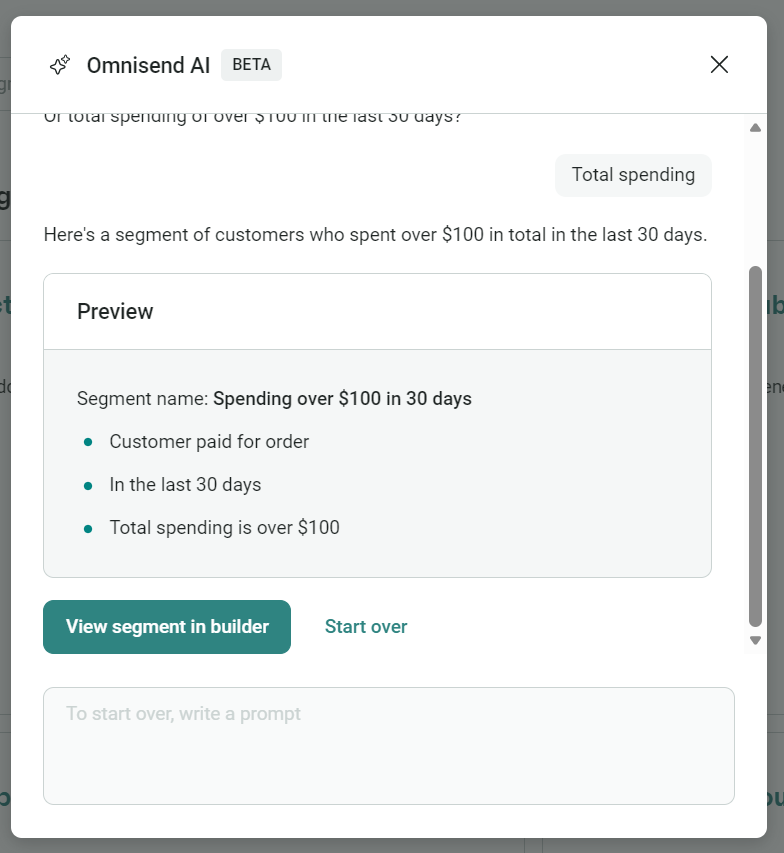
- Marking Emails as Spam: The most damaging engagement signal is when recipients manually mark an email as spam. This directly harms sender reputation. Google’s benchmark of under 0.10% spam complaints is a strict target, with 0.30% triggering severe filtering. Personalization and relevance are key; for example, leveraging AI-driven segmentation tools (like those offered by Omnisend) to recommend products relevant to a customer’s browsing history rather than sending generic blasts.
- Inactive or Dormant Subscribers: Sending to subscribers who haven’t engaged in three to six months (or up to 12 months, depending on the industry) inflates email lists with unresponsive contacts. This dilutes engagement rates and wastes sending quotas. A proactive approach involves re-engagement campaigns to win back dormant subscribers and, failing that, removing them from the active list. This "quality over quantity" approach, while potentially reducing list size, significantly boosts overall deliverability and engagement signals.
Compromised Sender Reputation:
A sender’s reputation is their digital trustworthiness, and any blemish can lead to emails being filtered.
- Authentication Problems: As previously noted, the absence or incorrect configuration of SPF, DKIM, and DMARC is a major red flag. Unauthenticated emails are not only prone to spam filtering but are also vulnerable to phishing and spoofing attacks. Such attacks are rampant; Programs.com reported over 1.13 million phishing attacks in Q2 2025 alone, with phishing emails associated with over 90% of successful cyberattacks. Ensuring these protocols are correctly set up, often with guidance from ESPs like Omnisend, is fundamental.
- Bad Sending IP Reputation: If an email is sent from an IP address with a history of spamming, its deliverability is severely compromised. While most businesses use shared IPs provided by their ESPs, it’s crucial to select a reputable provider that actively monitors and purges malicious senders from their shared pools.
- Low Sender Scores or High Spam Complaint Rates: Consistently high spam complaint rates, monitored via tools like Google Postmaster Tools, indicate that recipients perceive emails as unwanted. This can often stem from inconsistent branding, infrequent communication, or a lack of clear opt-in consent, leading subscribers to forget they ever signed up. Re-establishing brand recognition and communicating value are vital.
Content-Related Red Flags:
The content within an email can trigger filters, even with a strong sender reputation.

- Spam Filter Triggers: Certain words and phrases (e.g., "free," "buy now," "urgent," "guaranteed," "click here") were historically blacklisted. While modern AI filters are more nuanced, overuse or combination with other spam indicators can still be problematic. Moreover, emails with an excessive number of hyperlinks, too many images, or zipped file attachments (due to malware risks) are often viewed suspiciously. A balanced approach that prioritizes value and clear communication over aggressive sales language is key.
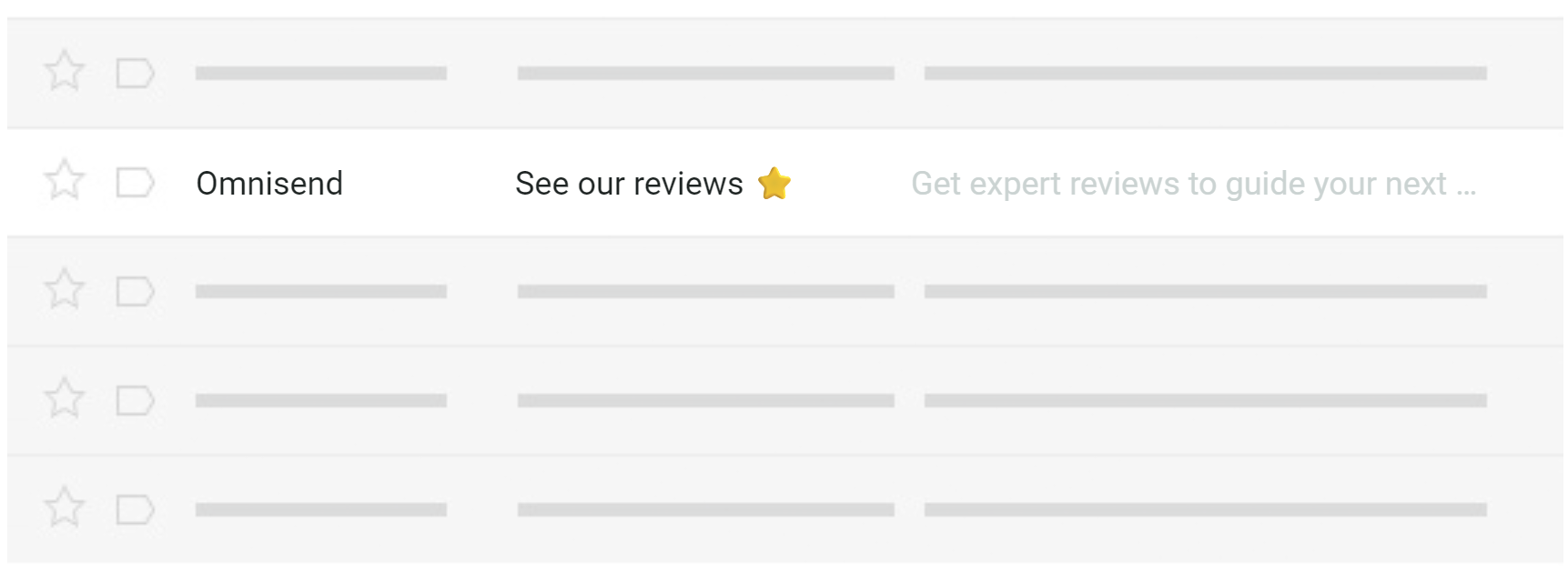
- Misleading Subject Lines and Preheaders: Google’s guidelines explicitly demand that subject lines, headers, and display names accurately represent the sender and content. Misleading information leads to user frustration, high spam complaints, and low engagement, all of which negatively impact sender reputation. Tools like Omnisend’s subject line tester can help optimize these crucial elements.
- Unclear Unsubscribe Links: Hiding the unsubscribe option or making the process arduous (e.g., requiring an email reply, lengthy forms) is a direct violation of anti-spam laws like CAN-SPAM and GDPR, and a surefire way to trigger spam complaints. The requirement for a one-click unsubscribe header for bulk senders (over 5,000 emails/day) by Gmail and Yahoo underscores the importance of user control. Physical business addresses are also mandatory.
- Poor Image-to-Text Ratio: A best practice ratio of 60% text to 40% images is recommended. Spam filters cannot "read" images, so an image-heavy or HTML-only email appears empty, a common tactic used by spammers to evade detection. Sufficient text provides filters with content to analyze, helping to validate legitimacy.
- Too Many URLs in the Content: Excessive hyperlinks can signal commercial intent over user value, triggering spam filters. Moreover, generic shortened URLs (e.g., bit.ly) are viewed with suspicion as their destination cannot be immediately discerned. Using full, descriptive URLs or branded click-tracking subdomains is preferable.
Technical & Behavioral Anomalies:
Beyond content, the technical delivery and sending patterns play a significant role.
- Blacklisted IP Addresses or Poor Sending Reputations: An IP address or domain can be blacklisted by various organizations (e.g., Spamhaus, Barracuda). Tools like MX Toolbox allow senders to check their status. While IP blacklistings on shared infrastructure can sometimes resolve automatically when a "bad actor" is removed, domain blacklistings are more persistent and require addressing the root cause (e.g., compromised DNS, list issues, spammy content) before delisting requests are effective.
- Attachments and Large File Sizes: Marketing emails rarely contain attachments, so their presence can trigger security alerts. Instead, host files on cloud platforms (e.g., Google Drive) or provide download links to a landing page. If attachments are essential, compressing them to the smallest possible size is advisable.
- Missing or Misleading Preheader Text: The preheader, or preview text, appearing next to the subject line, is a valuable opportunity to provide context or build curiosity. Omitting it allows ESPs to pull the first few characters of the email body, which may be irrelevant. Misleading preheaders, like misleading subject lines, frustrate recipients and invite spam complaints.
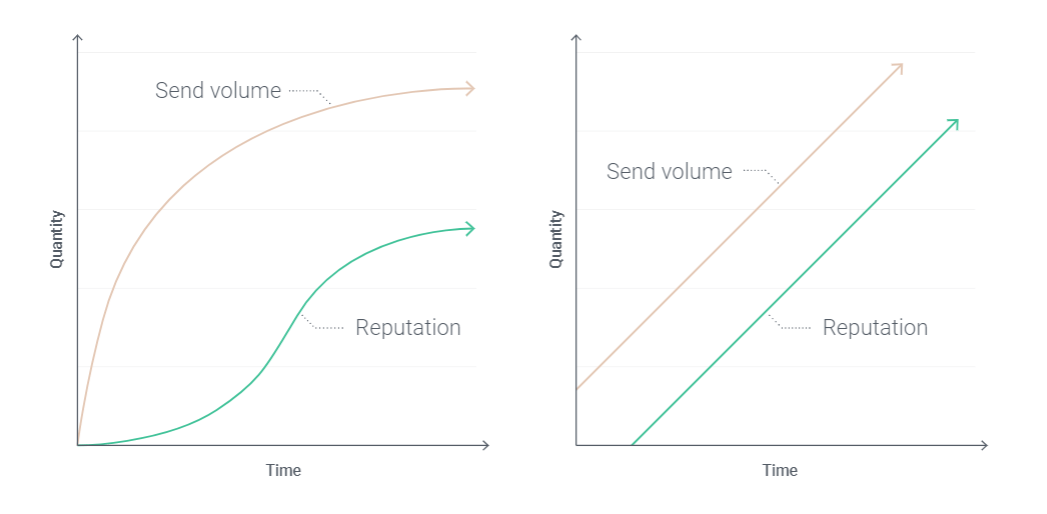
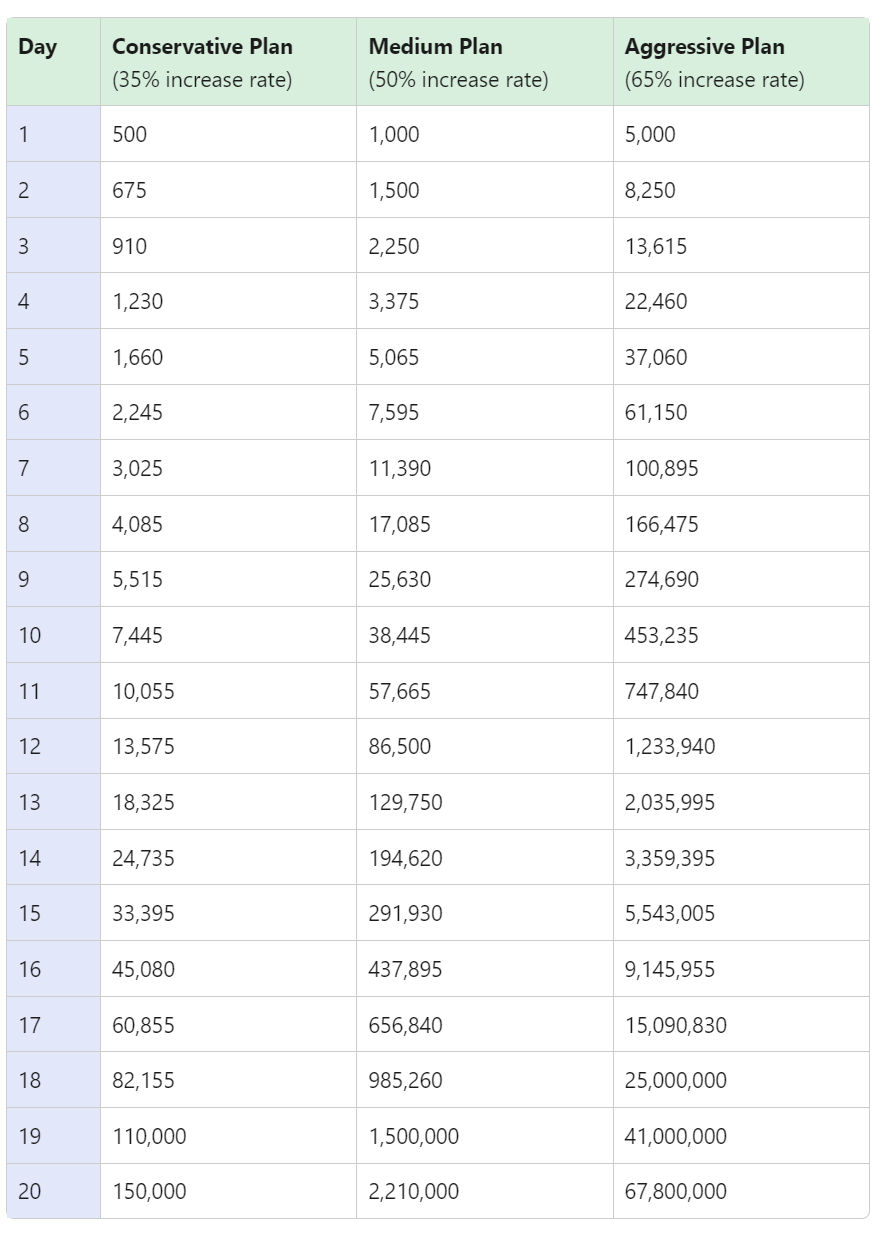
- Not Warming Up Your Domain/IP Properly: New domains or IP addresses lack a sending history and are treated cautiously by ISPs. A sudden surge in email volume is a major red flag. Domain/IP warming involves gradually increasing sending volume over time, starting with highly engaged subscribers, to build a positive reputation.
- Broken or Sloppy HTML Code: Spam filters parse email HTML. Malformed code, unclosed tags, or overly complex structures can be interpreted as obfuscation tactics used by spammers. This can lead to emails being downgraded or filtered, particularly by stricter providers like Outlook. Reputable ESPs provide validated HTML templates and preview tools to ensure proper rendering.
- Overly Frequent or Inconsistent Sending Patterns: Sending too many emails too quickly can overwhelm subscribers and trigger spam filters. While there’s no universal "perfect" frequency, businesses must be attuned to their audience’s preferences. Similarly, massive, inconsistent spikes in sending volume can be mistaken for compromised accounts, flagging emails for closer scrutiny.
- Poorly Maintained Email Lists: Beyond inactive subscribers, buying or renting email lists is a detrimental practice. These lists often contain spam traps (dormant or fake addresses used to catch spammers) and lead to high complaint rates from recipients who never opted in. Maintaining a clean, organically grown list is paramount.
- Anti-spam Law and Regulations Compliance: Adherence to laws like the CAN-SPAM Act (US), GDPR (EU), and CASL (Canada) is non-negotiable. These laws mandate accurate sender information, valid physical addresses, and clear unsubscribe mechanisms. Non-compliance can result in significant legal penalties and severe damage to sender reputation.
- Mailbox Provider-Specific Filters: While many filter criteria overlap, providers have unique emphases. Gmail, for instance, heavily prioritizes engagement, filtering emails if subscribers don’t consistently open or click. Outlook is known for its stricter content filtering and overall sender reputation scrutiny, often being the most challenging provider to achieve consistent inbox placement with.
Strategic Preventative Measures: Ensuring Inbox Placement
Preventing emails from going to spam requires a holistic and proactive strategy, encompassing list management, sender identity fortification, content optimization, and continuous monitoring.
Proactive List Management:
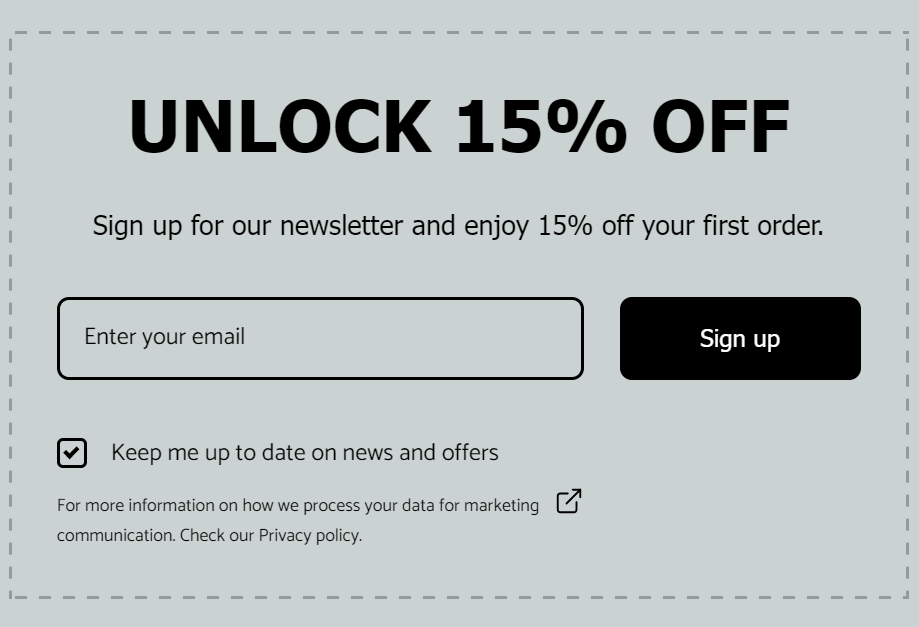
- Strict Opt-in Processes: Implement clear, explicit opt-in mechanisms, preferably double opt-in, where subscribers confirm their subscription via a verification email. This ensures genuine interest and minimizes spam complaints.
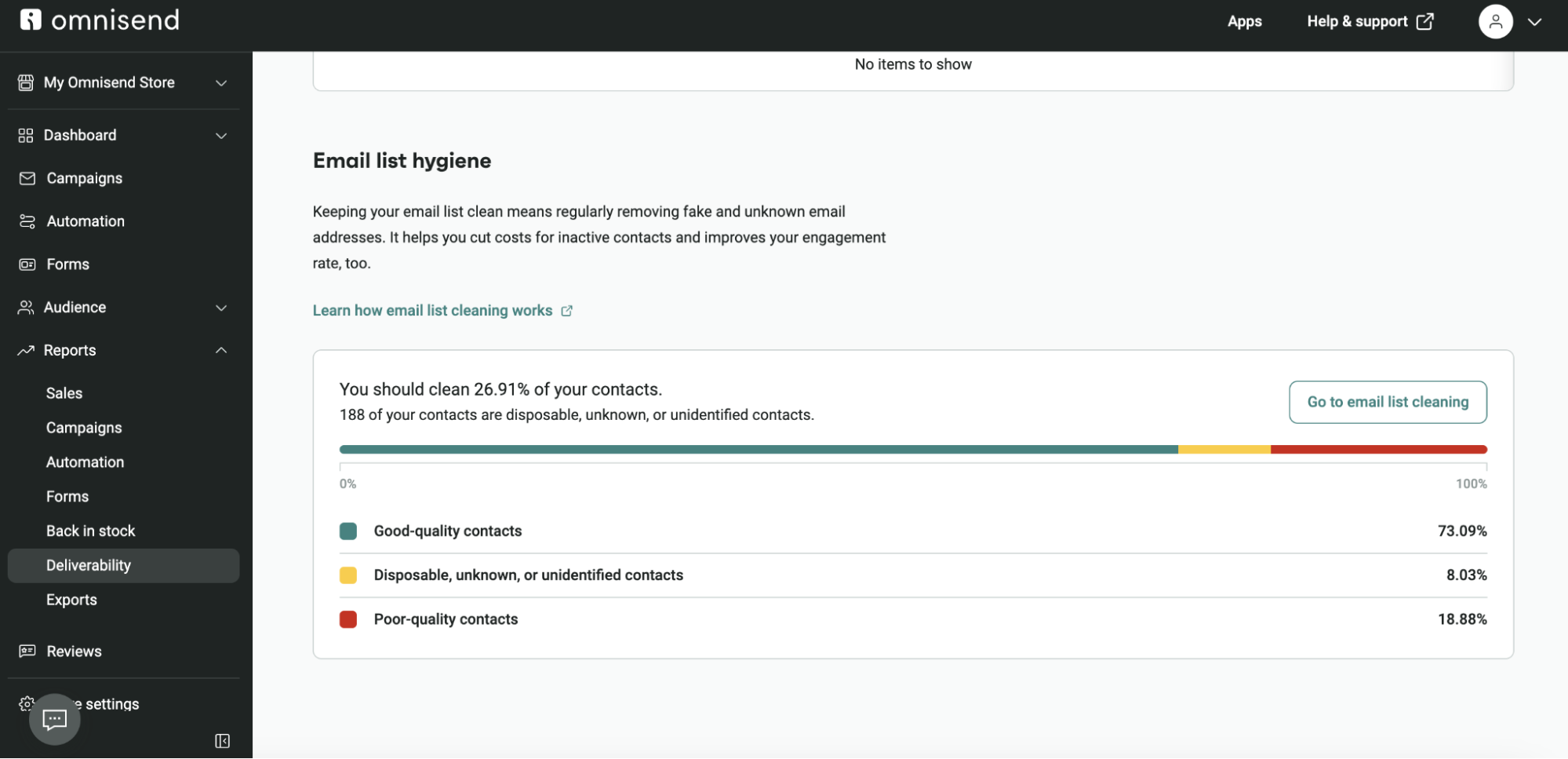
- Regular List Cleaning and Re-engagement Campaigns: Periodically identify and attempt to re-engage inactive subscribers. Those who remain unresponsive should be removed from the active mailing list. This improves engagement metrics and reduces costs associated with sending to uninterested recipients. Omnisend, for example, offers tools for quick and straightforward email list cleaning.
- Segmentation and Personalization: Tailor email content based on subscriber behavior, preferences, and demographics. Personalized emails, whether through product recommendations based on browsing history or targeted offers for specific customer segments, significantly boost engagement. Automated personalized emails are particularly effective, with reports indicating they generate a disproportionate amount of revenue from a small percentage of sends.
Fortifying Sender Identity:
- Implementing and Verifying Authentication Protocols: Ensure SPF, DKIM, and DMARC records are correctly set up and continuously monitored. Many ESPs provide detailed guidance and automated verification tools. As Desislava Zhivkova, CustOps Deliverability Team Lead at Omnisend, notes, "A clean list is crucial for building quality into your sending strategy. Add proper domain authentication and a warm-up process when you’re migrating to a new ESP, and you’ll have the infrastructure needed to reach maximum inboxes."
- Domain/IP Warming Protocols: Especially when migrating ESPs or using a new domain/IP, gradually increase sending volume over several days or weeks, starting with your most engaged subscribers. This builds a positive sending history with mailbox providers. Evaldas Mockus, VP of Growth at Omnisend, emphasizes, "I’ve seen countless businesses damage their sender reputation simply because they didn’t warm up their domain properly after switching ESPs. Taking it slow at the start always pays off with better deliverability long term."
- Choosing Reputable ESPs: A quality ESP provides managed shared IPs, deliverability expertise, and tools to help senders adhere to best practices.
Optimizing Email Content:
- Crafting Compelling, Honest Subject Lines and Preheaders: These elements are the first impression of an email. They must be clear, engaging, and accurately reflect the email’s content to encourage opens and prevent misdirection.
- Balancing Text and Images: Adhere to a healthy image-to-text ratio (e.g., 60% text, 40% images) to ensure spam filters can analyze sufficient text content.
- Clear, One-Click Unsubscribe Options: Make the unsubscribe process simple and transparent, placing the link prominently.
- Clean HTML and Plain-Text Versions: Ensure HTML code is well-structured and free of errors. Always include a plain-text version of every email; most ESPs generate this automatically, which not only aids deliverability but also improves accessibility for various email clients and screen readers.
- Avoiding "Spammy" Language: While some marketing terms are unavoidable, use them judiciously and ensure the overall context of the email is valuable and non-deceptive.
Continuous Monitoring & Adaptation:
- Leveraging Deliverability Reports: Regularly review ESP performance reports for metrics like open rates, click rates, failed delivery rates, marked as spam rates, and unsubscribe rates. Tools like Google Postmaster Tools provide specific insights into Gmail deliverability. Omnisend, for instance, offers detailed performance reports and a sender health overview to rank domain, email, and list hygiene.
- Using Third-Party Testing Tools: Platforms like Mail Tester can analyze emails for potential spam issues, including HTML errors, before sending.
- Adapting to Evolving Algorithms: The landscape of spam filtering is dynamic. Staying informed about changes in mailbox provider guidelines and adapting strategies accordingly is crucial for sustained inbox placement.
The Broader Implications for Digital Marketing
The consequences of poor email deliverability extend far beyond individual campaign performance. Consistently landing in spam folders erodes customer trust and brand reputation, making it harder to engage with an audience that might otherwise be receptive. The financial implications are substantial, with wasted marketing spend and lost conversion opportunities directly impacting the bottom line. In an increasingly competitive digital marketplace, email remains one of the most cost-effective and highest-ROI marketing channels. Protecting its efficacy is, therefore, a strategic imperative. The future of email deliverability will likely see even greater reliance on AI and machine learning, alongside an intensified focus on user privacy and consent, demanding even more sophisticated and ethical sending practices from businesses.
Most reasons why emails end up in spam folders stem from fundamental issues: broken or missing authentication, suboptimal content quality, weak engagement signals, and a damaged sender reputation. The path to resolving these issues begins with robust authentication records, followed by a thorough review of engagement metrics and content strategies. Sending test emails and utilizing comprehensive deliverability reports are essential for continuous improvement. Platforms like Omnisend offer built-in domain authentication with step-by-step instructions, automatic error flagging, warm-up guidance, email list cleaning tools, and detailed deliverability reports, all designed to maximize inbox placement and swiftly resolve any deliverability challenges.