rifanmuazin
The digital landscape is increasingly fraught with sophisticated threats, making robust cybersecurity measures more critical than ever for individuals and organizations alike. A startling statistic reveals the sheer vulnerability of email communication: between 80% and 95% of all cyberattacks originate from phishing emails. This pervasive threat is only escalating, with artificial intelligence (AI) now empowering cybercriminals to craft increasingly convincing and scalable attacks. Experts project that the global cost of cybercrime will surge to an staggering $10.5 trillion annually by 2025, underscoring the urgent need for proactive defense mechanisms.
Fortunately, powerful tools exist to combat these evolving threats and safeguard digital assets, brand reputation, and customer trust. Among the most fundamental is email authentication, specifically through the proper implementation of a Sender Policy Framework (SPF) record. Understanding and correctly configuring SPF records is a crucial step in building a resilient defense against even the most deceptive phishing and spoofing attempts. This article will provide a detailed explanation of SPF records, their operational mechanics, and a practical guide to their creation and management.
The Alarming Rise of Cybercrime and Phishing
The current cybersecurity climate is characterized by an relentless “arms race” between defenders and attackers. Phishing, a form of social engineering where attackers attempt to trick individuals into revealing sensitive information or deploying malicious software, remains the preferred vector for initial compromise. The advent of AI has dramatically lowered the barrier to entry for cybercriminals, enabling them to generate highly personalized and grammatically flawless phishing emails at unprecedented volumes. AI tools can analyze victim profiles, mimic writing styles, and even automate the entire phishing campaign lifecycle, making detection significantly more challenging for human users. This technological leap contributes directly to the projected multi-trillion-dollar cost of cybercrime, encompassing data breaches, intellectual property theft, business disruption, and reputational damage.
Understanding Sender Policy Framework (SPF): A Core Defense
A Sender Policy Framework (SPF) is a critical email authentication method designed to detect email spoofing and prevent spam. At its core, SPF is a type of Domain Name System (DNS) text record (TXT record) that allows a domain owner to specify which mail servers are authorized to send email on behalf of that particular domain. When an email server receives an incoming message, it can query the sender’s domain for its SPF record. If the IP address of the server sending the email is listed in the domain’s SPF record, the email is considered legitimate. If the IP address is not listed, it signals a potential spoofing attempt.
Why SPF is Indispensable for Email Security
The importance of SPF-protected domains extends beyond mere security. Domains with correctly configured SPF records are inherently less attractive targets for fraudsters. This proactive measure significantly reduces the likelihood of a domain being blocklisted by spam filters, a common fate for domains associated with spoofing or malicious activity. This protection is particularly vital for custom domain email addresses, which often lack the inherent authentication layers provided by large Email Service Providers (ESPs).
Beyond its direct security benefits, SPF email authentication also plays a pivotal role in improving email deliverability. Deliverability refers to the probability that an email will successfully reach a recipient’s inbox rather than being diverted to spam or junk folders. By demonstrating to the recipient’s mail server that messages originating from your domain are from a verified, safe source, SPF enhances your domain’s sender reputation. This added credibility dramatically increases the chances that your legitimate communications will be seen and engaged with by their intended audience, a critical factor for marketing campaigns, customer service, and routine business operations.

Historical Context: The Evolution of Email Authentication
The need for email authentication arose as the internet matured and email became a primary communication channel. Early email protocols offered little in the way of sender verification, making it easy for malicious actors to forge sender addresses (spoofing). This vulnerability led to a proliferation of spam, phishing, and other email-based attacks.
Recognizing this growing problem, the internet community began developing standards to authenticate email senders. SPF was one of the earliest and most widely adopted solutions, first formally proposed in RFC 4408 in April 2006 by the Internet Engineering Task Force (IETF). SPF provided a simple yet effective mechanism for domain owners to declare authorized sending sources. Following SPF, other complementary authentication protocols like DomainKeys Identified Mail (DKIM), which uses cryptographic signatures, and Domain-based Message Authentication, Reporting, and Conformance (DMARC), which unifies SPF and DKIM and allows domain owners to specify policies for unauthenticated mail, were developed to provide a more comprehensive email security framework. This chronological development highlights a continuous effort to fortify email against an ever-evolving threat landscape.
Deconstructing an SPF Record: Key Components and Mechanisms
An SPF record is a single line of text within a DNS TXT record, beginning with v=spf1, indicating the SPF version being used. This version tag is mandatory. Following the version tag, the record includes a series of mechanisms and qualifiers that instruct receiving mail servers on how to evaluate incoming mail.
SPF Record Mechanisms Explained
A typical email SPF record will contain several of the following mechanisms to define authorized senders:
a: Authorizes the IP addresses associated with the domain’s A records (host records). If your domain’s A record points to a server, that server is authorized to send mail.mx: Authorizes the IP addresses of the domain’s MX records (mail exchange records). This typically covers mail servers designated to receive mail for your domain.ip4: Directly authorizes specific IPv4 addresses or IP ranges. For example,ip4:192.0.2.1orip4:192.0.2.0/24.ip6: Directly authorizes specific IPv6 addresses or IP ranges. For example,ip6:2001:db8::1orip6:2001:db8::/32.include: Authorizes domains specified in another domain’s SPF record. This is crucial for organizations using third-party email service providers (ESPs) like Google Workspace, Microsoft 365, or marketing automation platforms, as it allows their sending servers to be included in your domain’s SPF. For example,include:spf.protection.outlook.com.exists: A more advanced mechanism that queries DNS for an A record for a given domain name. If an A record exists, the sender is authorized. This is less common and can be complex to manage.redirect: Specifies that the SPF record for another domain should be used instead of the current one. This is rarely used in practice.
SPF Quantifiers
Each mechanism can optionally be prefixed with a quantifier, which dictates the action to be taken if the mechanism matches:
+(Pass): The default quantifier, implying “pass.” If the sender’s IP matches an authorized mechanism, the email passes SPF verification. (e.g.,+ais the same asa).-(Fail): Indicates a “hard fail.” If the sender’s IP matches the mechanism but is not authorized, the email explicitly fails SPF verification and should be rejected. This is the strongest policy for unauthorized senders. (e.g.,-allmeans all other senders are unauthorized and should be rejected).~(SoftFail): Indicates a “soft fail.” If the sender’s IP matches the mechanism but is not authorized, the email might be rejected or marked as spam, but it’s not a definitive failure. This is often used during the initial deployment of SPF to monitor potential issues without immediately blocking legitimate mail. (e.g.,~allmeans all other senders are unauthorized but not necessarily rejected).?(Neutral): Indicates “neutral.” The email neither passes nor fails SPF verification, meaning no policy is asserted. This quantifier is rarely used inallmechanisms as it offers minimal protection.
The all mechanism is always the last component of an SPF record, indicating how to treat senders not matched by any preceding mechanism. Using -all (hard fail) or ~all (soft fail) is critical for effective protection.
How an SPF Record Looks
Combining these components, a typical SPF record might look like this:
v=spf1 ip4:192.0.2.1 include:_spf.google.com include:mail.validity.com -all
This example record specifies:
- It is an SPF version 1 record.
- The IP address
192.0.2.1is authorized. - Any server authorized by Google’s SPF record (
_spf.google.com) is authorized. - Any server authorized by Validity’s SPF record (
mail.validity.com) is authorized. - All other sending servers not explicitly listed or included should result in a hard fail (
-all).
A Step-by-Step Guide to Implementing SPF Records
Setting up an SPF record can appear technical, but breaking it down into manageable steps clarifies the process. For most organizations, collaboration between marketing, IT, and security teams is essential.
Step 1: Identify All IP Addresses Used for Sending Email
The foundational step is to compile a comprehensive list of all mail servers and IP addresses that your organization uses to send emails. This often includes:
- Your primary corporate mail servers.
- Third-party Email Service Providers (ESPs) for marketing campaigns (e.g., Mailchimp, Salesforce Marketing Cloud).
- Customer Relationship Management (CRM) systems (e.g., HubSpot, Salesforce Sales Cloud) that send automated emails.
- Transactional email services (e.g., SendGrid, AWS SES) for order confirmations or password resets.
- Web servers or application servers that send notifications.
- Any other platform or service authorized to send email on behalf of your domain.
If you are unsure about the complete list, consult your IT System Administrator, your primary ESP, or any vendor whose service sends email using your domain. They can provide the necessary IP addresses or include statements.
Step 2: Identify All Sending Domains
While many companies own multiple domains (e.g., primary domain, subdomains, parked domains, regional domains), not all are actively used for sending email. It is crucial to create SPF records for all your domains, not just those actively sending mail. This practice is vital for reducing risk, as it prevents malicious actors from spoofing your non-sending domains, which might otherwise be unprotected. Your IT System Administrator or ESP can help compile this comprehensive list.
Step 3: Create the SPF Record
With the list of authorized IP addresses and include mechanisms, your IT or security team (or your ESP, if they manage your DNS) will craft the actual SPF record. They will use the v=spf1 tag, followed by the relevant ip4, ip6, a, mx, and include mechanisms, culminating in a strong ~all or -all quantifier. It’s important to consolidate all authorized sending sources into a single SPF record per domain, as the Internet Engineering Task Force (IETF) explicitly forbids multiple SPF records for a single domain. Having more than one SPF record will result in a “PermError” and can severely impact deliverability.
Step 4: Publish the SPF Record to DNS
Once created, the SPF record must be published as a TXT record in your domain’s DNS settings. This step is typically handled by your company’s IT or security team, often in collaboration with your DNS server administrator. If you use an ESP, they may publish it on your behalf.
The DNS record is the internet’s directory, mapping human-readable URLs to numerical IP addresses. When you publish an SPF record, you are essentially adding an entry to this directory that lists the IP addresses authorized to send mail for your domain. When an email arrives, the recipient’s mail server performs a DNS lookup to retrieve your domain’s SPF record. It then compares the sender’s IP address against the authorized list in the TXT record and responds according to the specified quantifiers.
For companies using popular hosting providers like GoDaddy, Bluehost, or 123-reg, this process usually involves logging into their control panel and navigating to the “DNS management” or “name server management” section. If your Internet Service Provider (ISP) administers your DNS, or if you’re uncertain who is responsible, your IT department can provide guidance.
Step 5: Verify the SPF Record
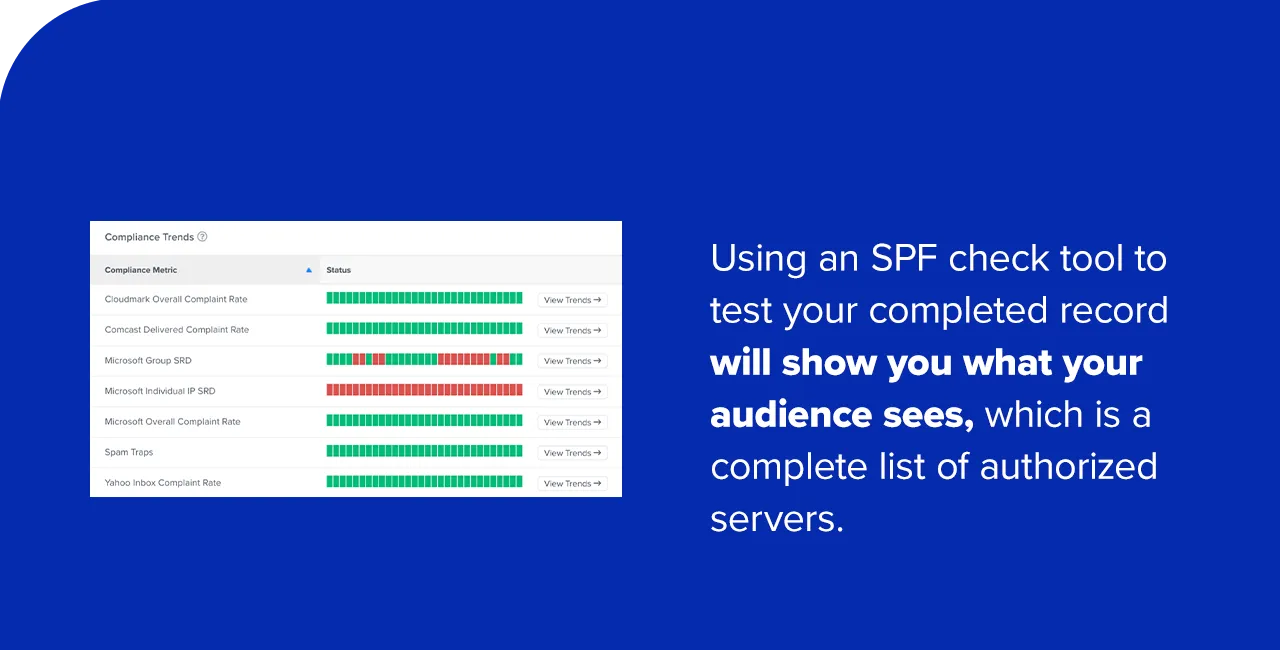
After publishing, it is imperative to test the SPF record to ensure it is correctly configured and functioning as expected. This validation should be completed before sending any email campaigns. Numerous free online SPF check tools are available (e.g., MXToolbox, SPF Surveyor) that can analyze your domain’s DNS settings and report on the validity and content of your SPF record. These tools will show you the authorized servers and highlight any potential errors. If you discover any missing trusted IP addresses or incorrect syntax, the record must be updated and re-verified. This verification step is as critical as the creation itself, preventing unforeseen deliverability issues.
Common Errors and Best Practices for SPF Management
Improperly formatted or managed SPF records can lead to significant issues, including email rejection, reduced deliverability, and a loss of domain credibility.
Common Errors in Email SPF Records:
- Multiple SPF Records: This is the most frequent and critical error. A domain must have only one SPF TXT record. Multiple records will lead to a “PermError,” causing all emails from that domain to be treated as suspicious. If multiple services require separate SPF records, they must be merged into a single comprehensive record.
- Too Many DNS Lookups: An SPF record cannot require more than 10 DNS lookups to evaluate. Each
a,mx,ptr,exists, andincludemechanism counts as one lookup. Exceeding this limit will also result in a “PermError.” This often happens whenincludestatements chain to otherincludestatements. - Syntax Errors: Simple typos, missing spaces, or incorrect characters can render an SPF record invalid.
- Missing or Incorrect
allMechanism: Without anallmechanism, the SPF record is incomplete and offers little protection. Using a weak?allprovides minimal security. - Outdated Records: If an organization changes ESPs, adds new sending services, or retires old ones, and the SPF record is not updated, it can lead to legitimate emails failing authentication or unauthorized servers still being implicitly allowed.
Best Practices for Managing SPF Records:
- Consolidate Records: Ensure only one SPF TXT record exists per domain. Merge all
includestatements and IP addresses into this single record. - Minimize Lookups: Regularly audit your SPF record to ensure it does not exceed the 10-lookup limit. Consider flattening complex
includechains if necessary, although this can be an advanced task. - Use Strong Quantifiers: Employ
-all(hard fail) for maximum protection once you are confident all legitimate senders are covered. During initial deployment or for domains with complex sending infrastructure,~all(soft fail) can be a safer starting point for monitoring. - Regular Audits: Periodically review your SPF record to ensure it accurately reflects your current sending infrastructure. New services, discontinued services, or IP address changes all necessitate updates.
- Integrate with DMARC: SPF is most effective when combined with DKIM and DMARC. DMARC provides reporting on SPF and DKIM authentication results, offering invaluable insights into email traffic and potential spoofing attempts.
- Document Changes: Maintain clear documentation of all changes made to SPF records, including dates, reasons, and the personnel involved.
- Leverage SPF Check Tools: Utilize online SPF validation tools regularly to check for errors, syntax issues, and lookup limits.
Beyond SPF: A Multi-Layered Approach to Email Security
While SPF is a foundational element, it is only one piece of the broader email authentication puzzle. For a truly robust email security posture, SPF should be implemented in conjunction with other protocols:
- DomainKeys Identified Mail (DKIM): DKIM adds a digital signature to outgoing emails, allowing the recipient server to verify that the email was sent by the domain owner and that its content has not been tampered with in transit.
- Domain-based Message Authentication, Reporting, and Conformance (DMARC): DMARC builds upon SPF and DKIM, providing a framework for domain owners to specify policies for how receiving mail servers should handle emails that fail SPF or DKIM checks. DMARC also provides reporting, giving domain owners visibility into who is sending email on their behalf and how those emails are authenticating.
Industry experts consistently emphasize that a comprehensive email authentication strategy incorporating SPF, DKIM, and DMARC is the gold standard for protecting against spoofing and improving deliverability. This multi-layered approach creates a strong defense, making it significantly harder for cybercriminals to impersonate legitimate senders.

Frequently Asked Questions about SPF Records
This section addresses common questions about SPF records, an essential part of email authentication.
1. What is an SPF record for?
An SPF record is primarily used to protect email senders and recipients against email spoofing, phishing, and spam attacks. It functions by requiring a receiving mail server to verify an email’s sending IP address against a list of authorized IP addresses published by the sender’s domain. This mechanism prevents malicious senders from faking the “From” address of a legitimate company’s domain. If the sender’s IP address matches an entry in the SPF record, the email is more likely to be accepted. If it does not, the email is flagged as potentially illegitimate, leading to rejection or redirection to spam. By denying spammers access to your domain’s identity, SPF demonstrates to recipient servers that you are a trustworthy source, significantly improving the likelihood that your messages will reach their intended inboxes.
2. What should be in your SPF record?
Your SPF record must begin with the version tag (v=spf1). It should then include all mechanisms necessary to explicitly authorize every host name and IP address permitted to send messages from your domain. This typically involves a, mx, ip4, ip6 mechanisms, and crucially, include statements for any third-party services (like ESPs, CRM systems) that send email on your behalf. The record must conclude with an all mechanism, usually ~all (soft fail) or -all (hard fail), to specify the policy for unauthorized senders. A common example of a functional SPF record is: v=spf1 a MX include:spf.yourbusinessdomainname.com ~all, assuming spf.yourbusinessdomainname.com refers to an existing SPF record for a third-party service.
3. How much does an SPF record cost?
There is no direct cost associated with creating and using an SPF record itself. SPF is a standard, publicly available email authentication technology that does not require a paid subscription or service fee. The only potential costs might be indirect, related to your domain registrar’s DNS management fees if you require their assistance to modify your DNS settings to add the SPF TXT record, or if you opt for specialized email authentication management services from a vendor. For most users, adding or editing a TXT record via their domain’s control panel is a free process included with domain registration.
4. Where can you publish your SPF record?
You publish your SPF record within the DNS control panel area provided by your domain registrar or hosting provider. To do this, you will need to log into your domain account (e.g., at GoDaddy, Namecheap, Cloudflare, etc.) and navigate to the section designated for updating your DNS records. This section might be labeled “DNS management,” “name server management,” or “advanced DNS settings.” From there, you select the specific domain for which you want to modify records, choose to add a new TXT record, enter your SPF record text (e.g., v=spf1 ...), and then publish or save the changes. After publishing, it is highly recommended to use an online SPF record checker tool to analyze your domain’s DNS settings and confirm that your SPF record has been published correctly and is free of errors.
5. How many SPF records should you have?
You should only have one SPF record on a single domain. The Internet Engineering Task Force (IETF) explicitly forbids multiple SPF records for a given domain. If a domain is found to have more than one SPF TXT record, receiving mail servers will typically return a “PermError” during the SPF check, causing all emails from that domain to fail authentication and likely end up in spam folders. If you have multiple services that require SPF authorization, you must merge all the necessary include statements and IP addresses into a single, comprehensive SPF record for that domain.
SPF Records: A Critical Piece of the Email Deliverability Puzzle
At the forefront of email deliverability and cybersecurity, Validity and similar industry leaders aim to empower organizations with the knowledge and tools necessary to launch effective and secure email marketing strategies. Understanding how to create and manage a robust mail SPF record is not merely a technical task; it’s a fundamental step in enhancing both your email security posture and your overall email deliverability. In an era where AI-powered phishing threats are constantly evolving, foundational authentication protocols like SPF are your first line of defense. For a more in-depth, practical breakdown of SPF and other vital authentication protocols like DMARC and DKIM, resources such as on-demand webinars and comprehensive guides are readily available from cybersecurity and email deliverability experts. Embracing these protocols is no longer optional but a strategic imperative for any entity engaging in digital communication.