admin
admin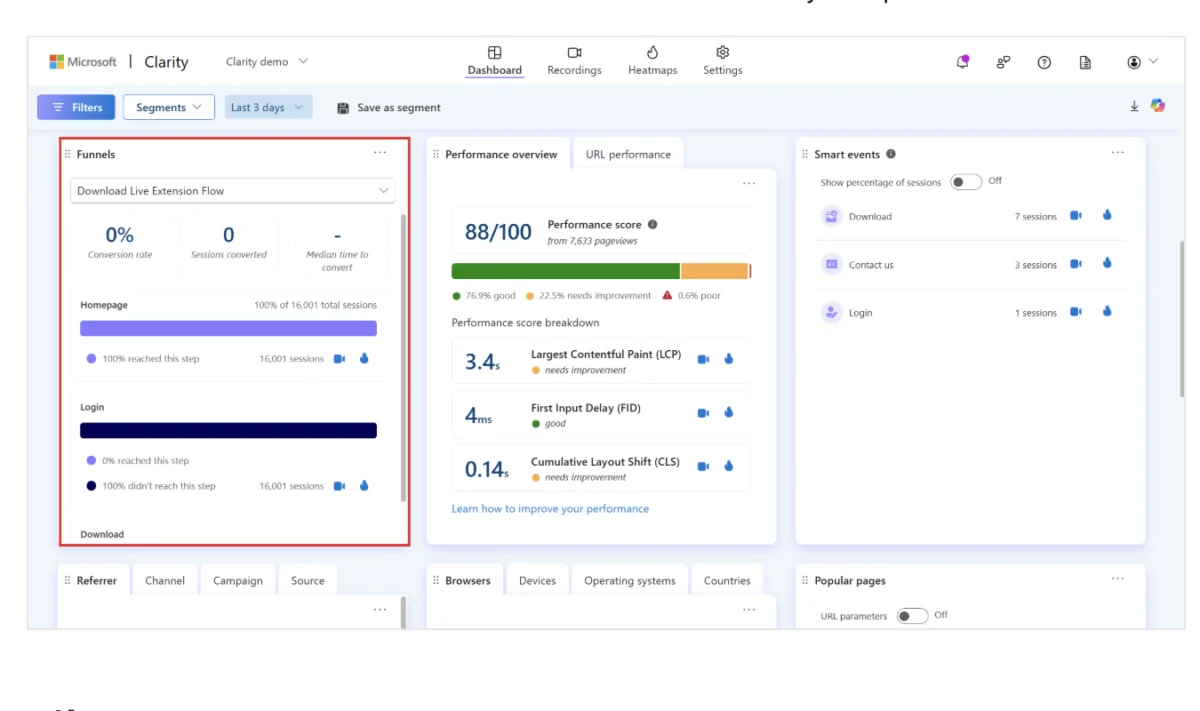
The digital analytics landscape has undergone a significant transformation over the last decade, shifting from simple page-view metrics to the sophisticated observation of real-time user behavior. As businesses increasingly prioritize Conversion Rate Optimization (CRO) and User Experience (UX), two platforms have emerged as frontrunners in the behavioral analytics space: Mouseflow and Microsoft Clarity. While both tools aim to provide transparency into how users interact with websites, they cater to vastly different segments of the market, ranging from enterprise-level diagnostic teams to small-scale creators seeking cost-effective visibility.
The fundamental distinction between the two lies in their philosophical approach to data. Mouseflow is positioned as a deep-dive diagnostic suite, offering structured analysis and qualitative feedback tools designed to pinpoint the "why" behind user abandonment. Microsoft Clarity, launched in late 2020, focuses on democratizing data by offering unlimited session recordings and heatmaps at no financial cost, leveraging the broader Microsoft ecosystem to provide AI-driven summaries. Understanding which tool aligns with a specific business objective requires a detailed examination of their features, data processing methodologies, and long-term scalability.
The Evolution of Behavioral Analytics: A Brief Chronology
To understand the current competition between Mouseflow and Microsoft Clarity, one must look at the timeline of the industry. Mouseflow was founded in 2010, during the early wave of visual analytics tools. At the time, most webmasters relied solely on Google Analytics (now GA4), which provided quantitative data—such as bounce rates and session durations—but lacked the visual context of what users were actually seeing. Mouseflow filled this gap by introducing session replays and heatmaps as a professional service.
For nearly a decade, the market for behavior analytics was dominated by paid SaaS models. However, the entry of Microsoft Clarity in October 2020 disrupted the status quo. By offering features that were previously gated behind expensive subscriptions for free, Microsoft forced a shift in the industry. In the years following its launch, Clarity has aggressively updated its platform, adding Google Analytics 4 (GA4) integration, Shopify-specific heatmaps, and AI-powered insights via Microsoft Copilot. Mouseflow responded by refining its analytical depth, introducing "Mina"—an AI agent designed to surface friction patterns—and expanding its heatmap capabilities to include seven distinct types of visual data.
Comparative Feature Analysis: Depth vs. Scale
Session Recordings and AI-Driven Insights
Both platforms offer session recordings, which allow developers and marketers to watch a video-like playback of a user’s journey on a site. However, the execution differs significantly.
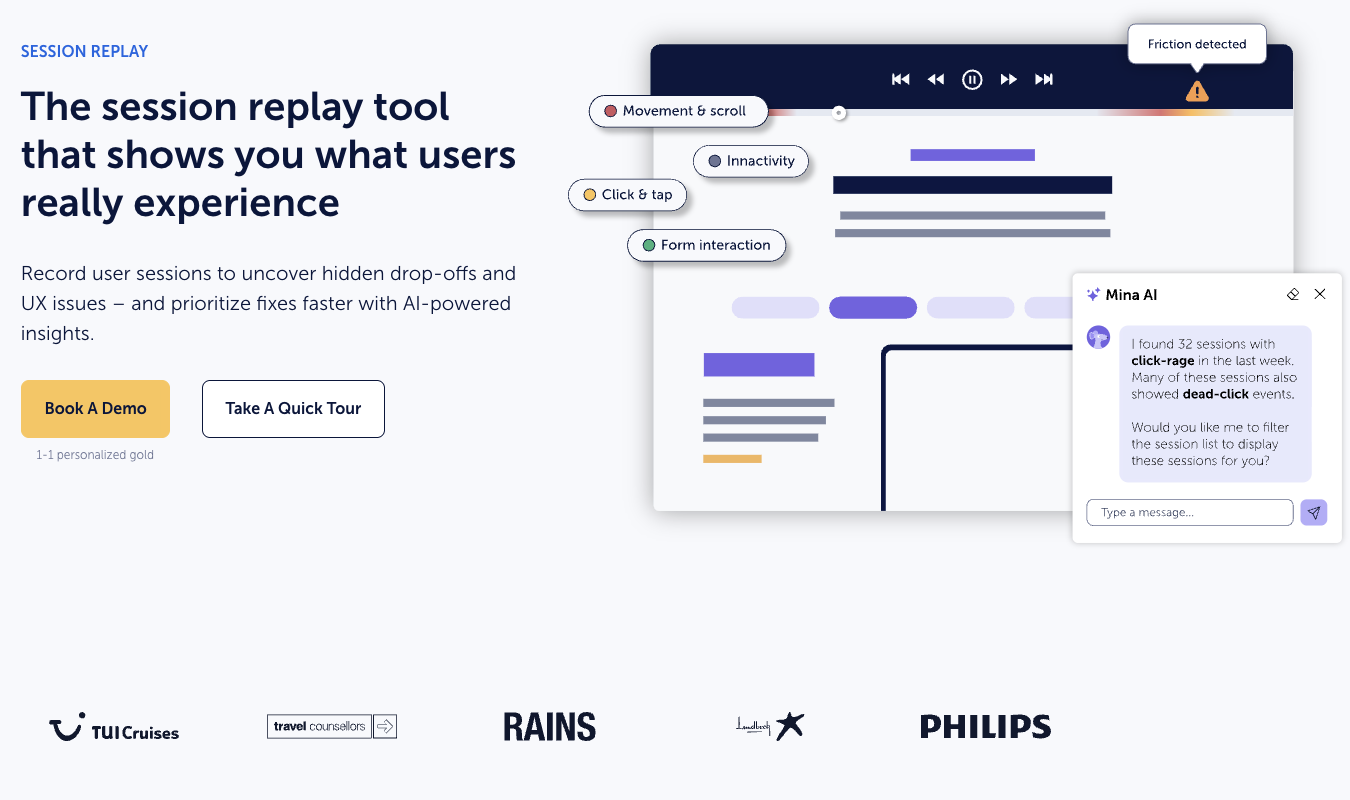
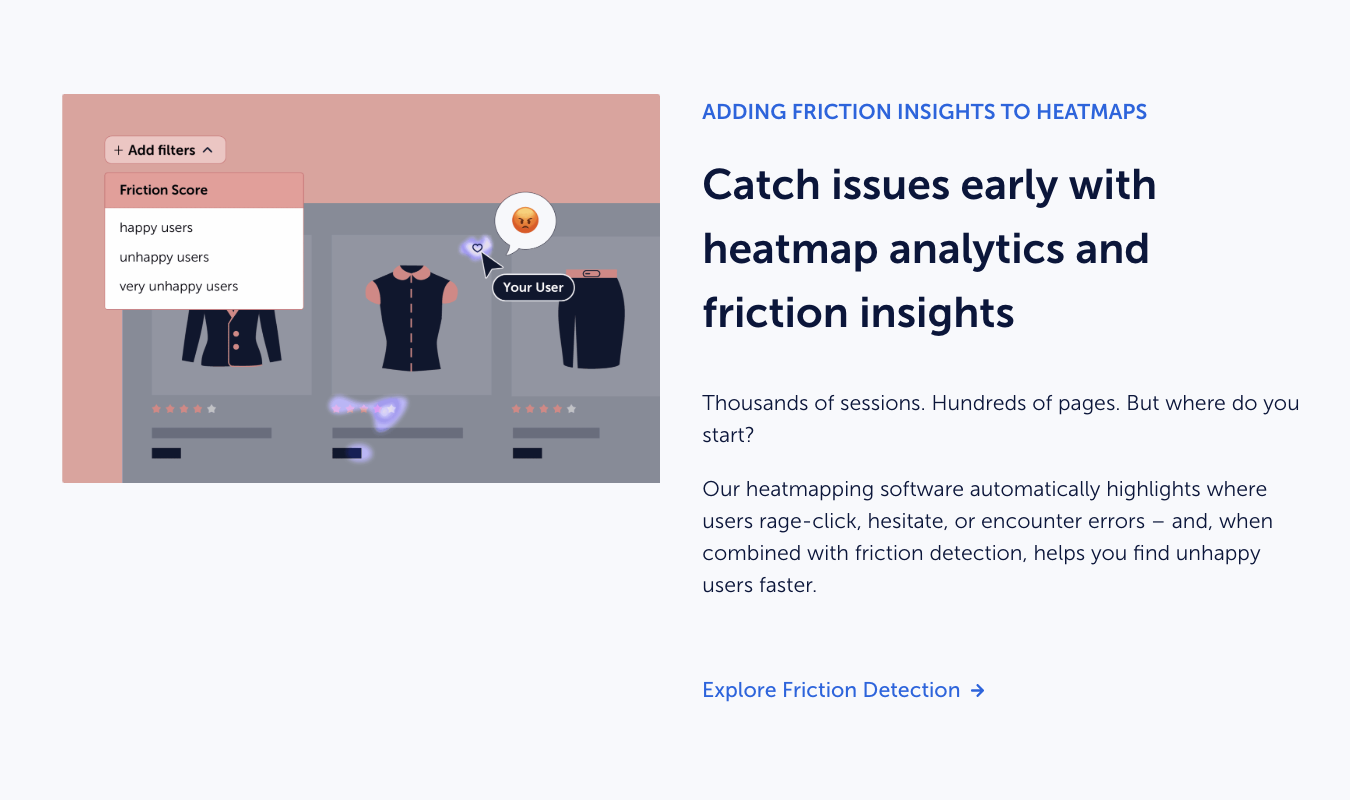
Mouseflow’s session recordings are built for precision. Rather than requiring a user to watch hundreds of hours of video, Mouseflow utilizes its AI assistant, Mina, to automatically detect patterns. For example, a user can ask Mina to identify all sessions where "rage clicking" occurred on a specific landing page. Mouseflow also assigns "friction scores" to sessions, allowing teams to prioritize recordings that show high levels of user frustration.
Microsoft Clarity takes a "capture everything" approach. It offers unlimited session recordings without sampling, a feature that is often restricted in Mouseflow’s lower-tier plans. Clarity’s strength lies in its "Friction Signals," which automatically tag recordings with labels like "Dead Clicks," "Rage Clicks," and "Excessive Scrolling." In 2023, Microsoft integrated Copilot, which generates concise text summaries of session recordings, saving time for high-traffic sites where manual review is impossible.
Heatmap Versatility
Heatmaps provide a visual representation of where users click, move their cursors, and scroll. Mouseflow offers a superior variety in this category, providing seven different heatmap types:
- Click Heatmaps: Showing where users click or tap.
- Scroll Heatmaps: Indicating how far down a page users travel.
- Movement Heatmaps: Tracking cursor paths.
- Attention Heatmaps: Identifying which parts of a page are viewed longest.
- Friction Heatmaps: Highlighting areas where users experience errors or UI lag.
- Interactive Heatmaps: Tracking interactions with dynamic elements like dropdowns.
- Geo Heatmaps: Visualizing user behavior by geographic location.
Microsoft Clarity offers three primary heatmaps: click, scroll, and area maps. While more limited than Mouseflow, Clarity’s area maps are highly effective for identifying clicks on non-link elements. Additionally, Clarity’s specialized integration with Shopify provides conversion heatmaps, which link behavior directly to purchase data, a significant advantage for e-commerce operators.
Funnels and User Journeys
The ability to track a user through a specific path—such as from a product page to a checkout confirmation—is vital for identifying conversion leaks.
Mouseflow’s funnel tool is highly sophisticated, allowing for deep segmentation. Users can filter funnels by device type, traffic source, or custom tags. Because Mouseflow integrates its qualitative survey data into these funnels, a marketer can see that a user dropped off at the "Shipping Information" stage and then immediately review a survey response from that same user explaining that the shipping costs were too high.
Microsoft Clarity introduced funnels in 2024 to remain competitive. While the tool is intuitive and provides essential metrics like conversion rates and drop-off points, it lacks the granular slicing and dicing found in Mouseflow. Clarity’s funnels are best suited for a high-level overview of site health rather than a forensic audit of a complex multi-step checkout process.
Qualitative Data: The Missing Link in Free Tools
One of the most significant architectural differences is the inclusion of feedback tools. Mouseflow includes a native survey and feedback module. This allows businesses to trigger surveys based on specific triggers, such as "Exit Intent" (when a user moves their mouse toward the browser’s close button) or "Hesitation" (when a user spends an unusual amount of time on a form field).
Microsoft Clarity does not have a native survey tool. It relies entirely on quantitative behavioral signals. To get qualitative feedback, Clarity users must integrate third-party tools, which may introduce additional costs and technical complexity. For organizations that believe the "voice of the customer" is essential to data interpretation, Mouseflow’s all-in-one approach offers a clear logistical advantage.
Data Privacy and the "Cost of Free"
In the era of GDPR, CCPA, and evolving privacy regulations, data processing transparency is a critical consideration for enterprise legal teams.
Mouseflow operates as a dedicated data processor. Users pay a subscription fee, and in exchange, Mouseflow processes behavioral data exclusively for the benefit of the website owner. They offer robust data masking features to ensure that Personal Identifiable Information (PII) is never recorded.
Microsoft Clarity is free because it exists within the broader Microsoft Advertising and Bing ecosystem. According to Microsoft’s terms of service, the data collected via Clarity can be used by Microsoft to improve its other products and services. While Clarity is fully GDPR compliant and provides excellent PII masking tools, some privacy-conscious organizations may prefer the "paid-for privacy" model of Mouseflow over the "data-exchange" model of a free tool.
Supporting Data and Market Impact
Market research indicates that the average conversion rate for e-commerce websites is between 2% and 3%. A tool like Mouseflow or Clarity that identifies a single broken button or confusing form field can theoretically increase that rate by 0.5% to 1%, representing a significant revenue gain for high-volume retailers.
Mouseflow currently serves over 200,000 customers, including major brands like Philips and Verizon. Microsoft Clarity, despite being younger, has seen rapid adoption, particularly among the 28 million websites currently using the Shopify and WordPress platforms, where its one-click installation and lack of cost make it an easy choice for entry-level users.
Strategic Implications for Businesses
The choice between these two platforms often comes down to the maturity of the organization’s data strategy.
For Small Businesses and Content Creators: Microsoft Clarity is the logical choice. The absence of traffic caps means that a sudden viral surge in traffic won’t result in lost data or overage charges. The integration with GA4 provides a unified dashboard that covers both quantitative and qualitative bases without requiring a dedicated analytics budget.
For Enterprise UX Teams and CRO Specialists: Mouseflow provides the "industrial-strength" tools required for deep optimization. The ability to link session recordings to specific friction scores, utilize seven different heatmap layers, and collect direct user feedback through surveys creates a comprehensive diagnostic environment. For these users, the subscription cost—which starts at approximately $31 per month and scales with traffic—is viewed as a minor investment compared to the potential ROI of a more efficient conversion funnel.
Broader Impact on the Analytics Industry
The rivalry between Mouseflow and Microsoft Clarity reflects a broader trend in the tech industry: the move toward AI-assisted interpretation. Both companies have realized that simply providing data is no longer enough; the value lies in providing answers.
As Mouseflow’s Mina and Microsoft’s Copilot continue to evolve, the role of the human analyst will shift from "data finder" to "decision maker." The industry is moving toward a future where behavior analytics tools will not only show where a user clicked but will also proactively suggest UI changes based on millions of similar session patterns.
In conclusion, while Microsoft Clarity has successfully lowered the barrier to entry for behavioral analytics, Mouseflow maintains its position as the preferred choice for those requiring precision, qualitative context, and a private data-processing environment. Businesses must weigh the benefits of Clarity’s unlimited scale against the depth and integrated feedback mechanisms of Mouseflow to determine which tool will best serve their long-term growth objectives.