
In the dynamic landscape of digital marketing, the ability to convert anonymous website visitors into identifiable leads is paramount for sustainable business growth. While websites increasingly attract significant traffic, a common challenge persists: visitors consume content and depart without leaving any contact information, severing the potential for follow-up, relationship building, and ultimately, conversion. This critical gap is effectively bridged by the strategic deployment of lead capture forms – essential digital instruments designed to collect visitor contact details in exchange for valuable content or services. These forms, once simple data collection points, have evolved into sophisticated tools capable of personalizing the customer journey from the very first interaction, particularly through innovations like AWeber’s AI Signup Form Builder, which promises unprecedented ease and customization in their creation and deployment.
The Evolution and Strategic Importance of Lead Capture
The concept of lead generation itself is not new, tracing its roots back to traditional sales and marketing practices. However, the advent of the internet and the subsequent explosion of digital channels transformed this process fundamentally. Early digital lead capture often involved rudimentary forms embedded on static web pages, primarily focused on gathering an email address. The shift from outbound marketing (pushing messages to consumers) to inbound marketing (attracting consumers with valuable content) elevated the lead capture form from a mere data entry point to a cornerstone of digital strategy. In an era where consumers are increasingly selective about who they engage with, offering genuine value upfront in exchange for contact information has become the gold standard.
Modern lead capture forms are integral to the marketing funnel, serving as the gateway to nurturing relationships, delivering targeted content, and driving sales. They appear across a multitude of digital touchpoints, including company websites, dedicated landing pages, individual blog posts, and even social media profiles via “link-in-bio” pages. Their primary function is to seamlessly integrate with email marketing platforms, ensuring that every new subscriber is automatically entered into a system, ready to receive a tailored welcome sequence and subsequent communications. This immediate integration is crucial for maximizing the impact of initial interest and setting the stage for a long-term customer relationship.
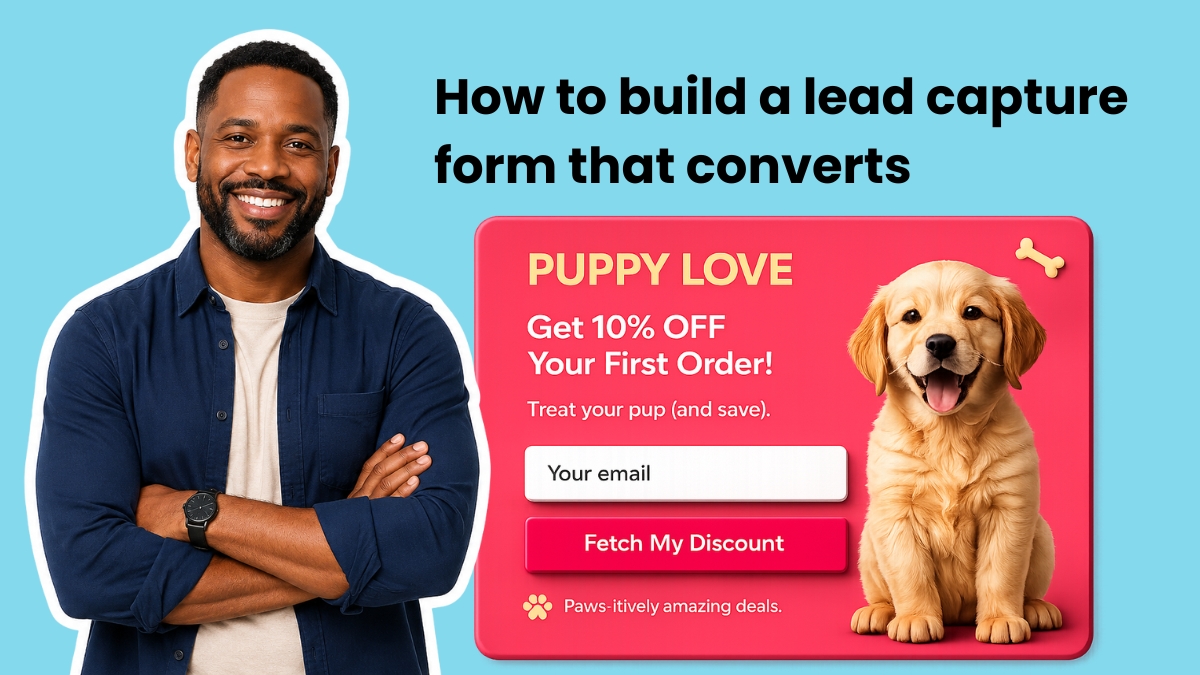
Anatomy of an Effective Lead Capture Form: Striking the Balance
The design and content of a lead capture form are critical determinants of its success. The fundamental principle is to minimize friction while maximizing the perceived value of the exchange. Every additional field on a form, beyond the absolute minimum, has been shown to incrementally reduce conversion rates. Marketing analytics consistently indicate that conversion rates can drop by 2-5% for each extra field introduced, underscoring the importance of judicious selection.
- The Indispensable Email Address: At its core, a lead capture form must include an email address field. This is the undisputed currency of online communication and relationship building. Without it, there is no direct channel for follow-up, no mechanism for nurturing, and no foundation for future engagement.
- The Power of Personalization: First Name: Adding a first name field, while a slight increase in friction, offers significant returns. The ability to personalize emails with a subscriber’s name (e.g., “Hey Sean” versus “Hey there”) has been shown to boost open rates by up to 26% and improve click-through rates, fostering a sense of individual connection and making communications feel more relevant. This simple addition transforms generic outreach into a more personalized experience, laying the groundwork for stronger rapport.
- Strategic Segmentation through Additional Fields: For businesses seeking to deliver highly relevant content and build sophisticated automation workflows, a single, well-chosen segmentation question can be invaluable. Questions such as “What best describes your business?” or “What’s your biggest challenge right now?” allow for immediate tagging of subscribers at the point of signup. In platforms like AWeber, these tags seamlessly feed into Workflow Builder automations, enabling the delivery of highly targeted content from the very first email. This proactive segmentation ensures that subscribers receive information directly pertinent to their needs and interests, significantly increasing engagement and conversion potential.
- Fields to Approach with Caution: Certain fields, while potentially useful later in the customer journey, often create unnecessary friction during initial lead capture. These typically include phone number (unless the business model heavily relies on immediate calls), company name, job title, and physical address. Gathering such detailed information too early can deter potential subscribers who may not yet fully trust the brand or understand the value proposition. A common best practice is to save these for later stages, employing a strategy known as progressive profiling, where more information is requested as trust and engagement grow. For most small to medium-sized businesses, the sweet spot lies in two to three fields: email, first name, and one key segmentation question. This balance provides personalization and immediate automation power without overwhelming the visitor.
Revolutionizing Form Building with Artificial Intelligence
Historically, building effective lead capture forms often required a blend of design skills, coding knowledge, or reliance on rigid templates that offered limited customization. This barrier to entry could hinder businesses without dedicated technical resources. However, the advent of Artificial Intelligence (AI) in marketing tools has democratized form creation. Platforms like the AI Signup Form Builder in AWeber represent a significant leap forward, empowering users to create sophisticated forms without needing any coding or advanced design expertise.
This AI-powered builder operates on a simple yet powerful premise: users describe the form they envision using plain text, and the AI generates it. Whether it’s a single-field email capture for a homepage, a multi-step quiz designed to segment visitors across several screens before requesting an email, or a popup with branded button copy and a specific offer, the AI builder translates natural language descriptions into fully functional forms. This capability frees businesses from the constraints of pre-set layouts and templates, allowing for truly bespoke form designs that align perfectly with brand aesthetics and specific campaign objectives. The implications are profound, enabling marketers to rapidly iterate, test, and deploy highly optimized forms, significantly reducing the time and resources traditionally required.

Strategic Placement: Maximizing Visibility and Conversion
The most impeccably designed form will yield zero conversions if it fails to capture visitor attention. Form placement is a critical strategic decision, directly influencing whether visitors encounter the form before navigating away from a site. Different placements cater to varying levels of visitor intent and engagement.
- Above the Fold on Your Homepage: This is arguably the highest-visibility position on any website. Placing a lead capture form here ensures that visitors see it immediately upon arrival, without needing to scroll. This placement is ideal for capturing high-intent visitors who are actively seeking what your business offers. It must be paired with a crystal-clear value proposition, articulating precisely what subscribers will receive, how often, and why it matters to them.
- Inline within Blog Posts: Contextual forms embedded within content, typically one-third of the way into a blog post, are highly effective. At this point, the reader has consumed enough content to establish trust in the author’s expertise but has not yet finished the article. The offer presented in an inline form should be directly related to the topic being discussed. For instance, a blog post about email subject lines should offer a subject line template or a swipe file, rather than a generic newsletter signup. This contextual relevance significantly boosts conversion rates.
- Exit-Intent Popups: These forms are designed to activate when a visitor’s cursor indicates an intention to leave the page (e.g., moving towards the browser’s close button or back arrow). Exit-intent popups are powerful last-chance mechanisms to capture visitors who would otherwise depart without interaction. The success of an exit-intent form hinges on presenting a specific, compelling offer that provides immediate value. Phrases like “Wait, grab this free template before you go” consistently outperform generic calls to “Subscribe to our newsletter.” Modern email marketing platforms, including AWeber, feature sophisticated exit-intent detection that triggers these overlays automatically.
- Other Strategic Placements:
- Dedicated Landing Pages: For specific campaigns or offers, a dedicated landing page with a prominent lead capture form can achieve exceptionally high conversion rates due to focused messaging and minimal distractions.
- Sidebar Widgets and Footer Forms: While less prominent, these static placements serve as passive lead capture opportunities for visitors who might be browsing more extensively or actively looking for signup options.
- Social Media Link-in-Bio: For businesses with a strong social media presence, linking directly to a lead capture form from their profile bio provides a frictionless pathway for followers to become subscribers.
The intelligent form builders, like AWeber’s AI Signup Form Builder, further simplify this by allowing users to specify the desired placement directly within the descriptive prompt. This ensures that the form is not only well-designed but also strategically positioned for optimal visibility and conversion across various digital touchpoints.
Crafting Conversion-Driven Copy for Lead Capture Forms
Every word on a lead capture form plays a crucial role: it either motivates a visitor to subscribe or provides a reason for hesitation. The copy framework for high-converting forms is straightforward, focusing on clarity, benefit, and trust.

- Headline: The Benefit Statement: The headline should succinctly describe the primary benefit the subscriber will receive. A headline such as “Get weekly email marketing tips that take five minutes to read” is far more compelling than a generic “Subscribe to our newsletter.” It communicates immediate value and manages expectations regarding frequency and time commitment.
- Subheadline: Addressing Objections and Building Trust: The subheadline provides an opportunity to address common visitor objections or concerns. Phrases like “No spam. Unsubscribe anytime.” effectively remove perceived risk, reassuring potential subscribers about privacy and control over their inbox. This trust-building language is vital in an era of heightened awareness regarding data privacy.
- Button Text: The Specific Call to Action: The text on the submit button is a critical conversion element. Generic terms like “Submit” or “Sign Up” are less effective than specific, action-oriented language that clearly indicates what will happen next. For example, “Send me the templates” converts significantly better than “Submit” because it completes the implicit sentence “I want to…” by clearly stating the desired outcome.
- Social Proof (Optional but Powerful): When applicable, incorporating social proof can significantly enhance a form’s credibility and appeal. Phrases such as “Join 100,000+ small business owners” leverage the psychological principle of conformity, suggesting that if many others have found value, so too will the new subscriber. This is most effective when the number is genuinely impressive. If the list is small, a concise testimonial quote placed near the form can serve a similar purpose, providing an authentic endorsement.
Lead Capture Form Best Practices: Reducing Friction, Increasing Motivation
Effective form design is a meticulous blend of psychology, user experience, and strategic marketing. Adhering to best practices ensures that forms are not just aesthetically pleasing but also highly functional and conversion-optimized.
- Ask for One Thing Per Screen (Multi-Step Forms): For forms requiring more than a few fields, multi-step forms are often superior to long, single-page forms. This approach breaks down the request into smaller, more manageable steps, making each screen feel quick and less daunting. The psychological principle of micro-commitments encourages completion, as users are more likely to finish a process they have already started.
- Match the Offer to the Page (Relevance is Key): The single biggest driver of form conversion is relevance. A form on a blog post discussing email subject lines should offer a subject line swipe file or a guide to crafting compelling subject lines, not a general newsletter signup. Visitors are more likely to convert when the offer directly extends the value of the content they are already consuming.
- Use Specific Button Copy: Reiterate that explicit, benefit-oriented button text like “Get the Free Checklist” consistently outperforms generic calls to action. The button should clearly articulate the immediate benefit or outcome of clicking.
- Show a Progress Bar on Multi-Step Forms: For multi-step forms, a visual progress bar (e.g., “Step 2 of 4”) is crucial. It reduces abandonment by providing a clear indication of how much remains to be completed, offering encouragement and managing expectations.
- Place the Form Where Intent is Highest: Strategic placement is about aligning the form with the visitor’s likely intent. Above-the-fold forms target high-intent homepage visitors, inline forms engage blog readers mid-content, and exit-intent forms capture those about to leave. Different placements cater to different psychological states and levels of commitment.
- Keep the Design Clean: Visual clutter can be a significant deterrent. Ample white space around form fields, clear typography, and a minimalist design reduce visual noise, drawing more attention to the form itself and simplifying the user experience. Mobile responsiveness is also non-negotiable, ensuring forms are accessible and functional across all devices.
- Tag Subscribers at Submission for Automation: One of the most powerful best practices involves tagging subscribers immediately upon submission based on their answers. Every answer choice on a multi-step form, or even a single segmentation question, should apply a specific tag. These tags then act as triggers for automated email sequences within a Workflow Builder, ensuring that each subscriber receives content precisely matched to the information they provided on the form. This level of personalized automation significantly enhances the effectiveness of email marketing efforts, leading to higher engagement and better conversion rates down the line.
The Future of Lead Capture: AI-Driven Personalization and Integration
The ideal form builder for lead capture is one that offers boundless creative freedom, eliminating rigid templates and pre-set layouts. It should empower users to describe their desired form in plain text and have it instantly generated, complete with branding, custom copy, and specific fields. This level of customization is precisely what modern AI-driven builders provide. Furthermore, the best form builder is intrinsically linked to the email marketing platform. A form that collects data but cannot natively apply tags, trigger automations, or route subscribers into the correct welcome sequence is merely a data collection tool; its full potential remains untapped without seamless integration.
AWeber’s AI Signup Form Builder exemplifies this integrated approach. By residing within the AWeber ecosystem, every form created is natively connected to the user’s subscriber list, tag management system, and Workflow Builder automations. This eliminates the complexities of configuring integrations, maintaining webhooks, or relying on third-party tools to pass data between systems. The moment a subscriber fills out a form, they are instantly integrated into the designated automation, receiving tailored content without delay. This native integration ensures a frictionless experience for both the marketer and the subscriber, maximizing the efficiency and effectiveness of lead nurturing.

The obsolescence of rigid form templates is a key takeaway from this technological shift. Instead of forcing businesses to adapt to pre-existing designs, AI-powered builders enable a bespoke approach. If a business owner admires a form on another website, they can simply capture an image of it, paste it into the AI form builder, and instruct it to create a similar version tailored to their brand in seconds. This capability transforms the creative process, making sophisticated, high-converting forms accessible to businesses of all sizes, regardless of their technical expertise.
In conclusion, effective lead capture is no longer a peripheral marketing activity but a central pillar of digital strategy. By understanding the anatomy of high-converting forms, strategically placing them where visitor intent is highest, crafting compelling copy, and leveraging advanced AI-powered builders, businesses can transform anonymous website traffic into a thriving community of engaged subscribers and loyal customers. The continuous evolution of tools like AWeber’s AI Signup Form Builder signifies a future where lead capture is not just efficient but intelligently personalized, driving unprecedented levels of engagement and growth.