FOR IMMEDIATE RELEASE
May 20, 2026 – AWeber, a leading email marketing service provider, today announced the launch of its AI Signup Form Builder, marking a significant leap forward in how businesses create and deploy online forms. This innovative tool empowers users to generate sophisticated, interactive signup forms from simple plain-language descriptions, eliminating the need for coding, manual design, or extensive technical expertise. The announcement, penned by Sean Tinney, a content marketer at AWeber, highlights the builder’s capacity to transform text prompts, screenshots, or guided templates into fully functional, publishable forms in mere seconds.
This development represents a fundamental shift from traditional form-building paradigms. Instead of users meticulously selecting templates and editing fields one by one, AWeber’s AI-driven solution interprets user intent, handling the intricate details of layout, styling, animation, and field mapping autonomously. The AI Signup Form Builder is positioned not merely as an incremental upgrade but as a paradigm shift, democratizing advanced web design capabilities for businesses of all sizes, particularly small enterprises often constrained by limited resources and technical know-how.
The Evolution of Form Building: From Manual to Intelligent Automation
The journey of online form creation has seen several evolutionary stages. Initially, forms required extensive coding in HTML, CSS, and JavaScript, a barrier that restricted custom design to those with technical skills or the budget to hire developers. The advent of drag-and-drop form builders significantly lowered this barrier, allowing users to visually assemble forms using pre-built elements. While these tools offered greater accessibility, they still presented users with a “blank canvas” or a multitude of options that could be overwhelming, especially for those lacking design intuition or specific marketing objectives in mind.
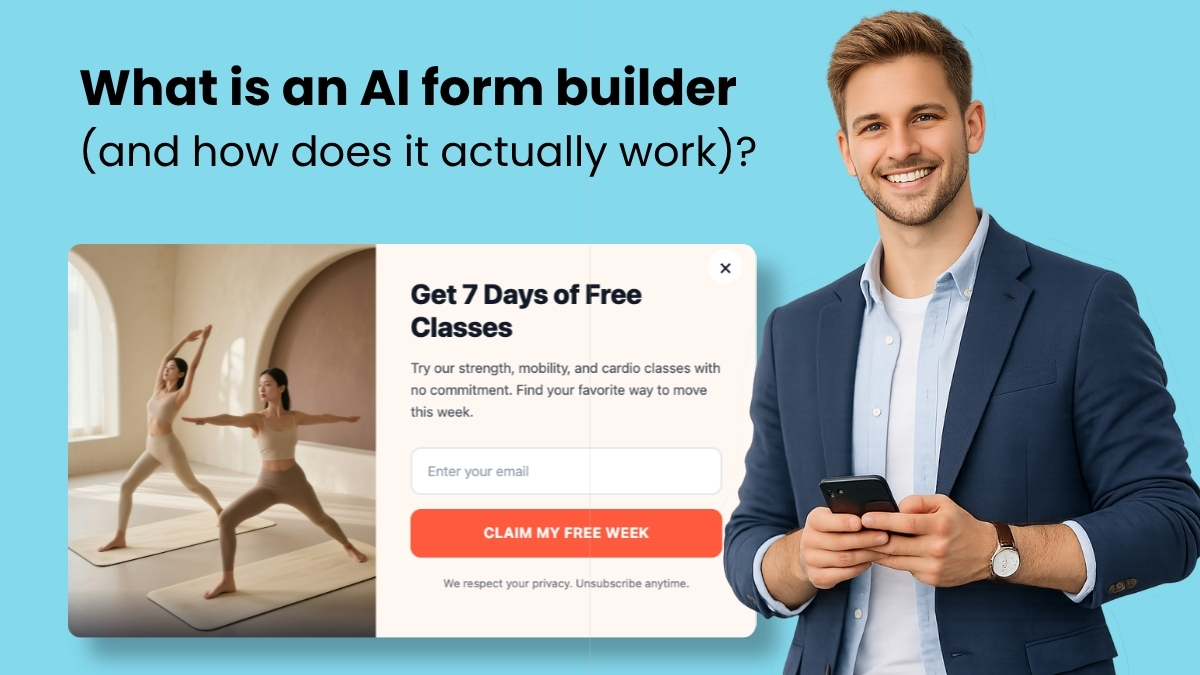
The emergence of AI form builders, powered by large language models (LLMs), represents the next frontier. These tools leverage advanced natural language processing to understand human descriptions and translate them into functional web elements. AWeber’s AI Signup Form Builder is a prime example of this technology, moving beyond static forms to generate animated popups, floating 3D buttons, scratch-card reveals, spin-the-wheel signups, and complex multi-step forms, all from a single, conversational prompt. This capability is particularly timely, as the global market for AI in marketing is projected to reach significant figures in the coming years, underscoring the rapid integration of AI into various business operations.
How AWeber’s AI Signup Form Builder Works: A Three-Stage Process
The operational mechanics of AWeber’s AI form builder are streamlined into an intuitive three-stage process, designed to minimize friction and maximize efficiency:
-
Input Provision: Users initiate the process by providing an input, which can take several forms. This includes a written description, such as “Create a popup with a countdown timer and email field,” articulating the desired form characteristics in plain language. Alternatively, users can upload a screenshot of an existing form they admire from another website, instructing the AI to replicate its design while incorporating their branding. For those less certain about their design vision, a guided prompt system walks them through structured choices regarding form type, required fields, and behavioral elements.
-
AI Interpretation and Generation: Upon receiving the input, the underlying large language models interpret the user’s description. The AI then autonomously generates a fully functional form, making intelligent decisions regarding layout, color schemes, animations, field types, and display logic. Crucially, a robust AI form builder like AWeber’s goes beyond producing static HTML. It constructs interactive elements such as scroll triggers, entrance animations, and conditional display rules, ensuring the generated form is dynamic and engaging.
-
Conversational Refinement: The initial generation is rarely the final step. The true power of AI form builders lies in their conversational refinement capabilities. Instead of navigating complex menus or property panels, users can articulate desired changes in natural language, such as “Make the button larger,” “Change the background to dark blue,” or “Add a progress bar.” The AI processes these instructions, updates the form in real-time, and provides an instant preview, fostering an iterative design loop that is both rapid and intuitive. This describe-generate-refine cycle replaces the laborious traditional build process, significantly cutting down on development time and design iterations.

Empowering Small Businesses: Addressing the “Blank Canvas” Dilemma
AWeber’s internal research highlights a critical pain point for small businesses: 43% of them operate with 500 or fewer email subscribers. While these businesses understand the imperative of building an email list through signup forms, many are deterred by the complexity and perceived technical barriers of traditional form builders. The “blank canvas” effect, where users are confronted with an overwhelming array of options, often leads to abandonment or the adoption of generic, unoptimized solutions.
The AI Signup Form Builder directly addresses this challenge by removing the initial friction. Small business owners, who often lack dedicated marketing teams or design expertise, can simply articulate their needs and receive a professionally designed, high-converting form. This accessibility not only saves valuable time and resources but also enables them to implement sophisticated marketing tactics previously exclusive to larger enterprises with bigger budgets. Industry analysts predict that such AI-driven tools will accelerate digital adoption among SMEs, bridging the technological gap and fostering greater competitive parity.
Key Differentiators: What Separates a Capable AI Form Builder from a Gimmick
Not all AI form builders are created equal. AWeber emphasizes several critical features that distinguish a truly capable AI tool from one that merely automates template selection:
- Multiple Input Methods: A superior AI form builder offers diverse starting points: free prompting for open-ended creativity, guided prompts for structured assistance, screenshot uploads for design inspiration, and a template gallery for quick customization.
- Conversational Refinement: The ability to make revisions using natural language is paramount. Users should be able to describe changes, upload images for visual cues mid-conversation, and resume their work with full context.
- Interactive and Animated Elements: Effective forms capture attention. A robust AI builder generates dynamic elements like animated popups with custom scroll triggers, floating buttons with hover effects, scratch-card reveals, countdown timers, and gamified mechanics like spin-the-wheel forms. These features traditionally required custom code or advanced design skills.
- Custom Field Mapping: Beyond basic name and email, the builder should intelligently map collected data (e.g., favorite product, company name) to existing fields in the email platform or create new ones automatically.
- Display and Targeting Controls: A form’s effectiveness hinges on its visibility to the right audience at the right time. Essential controls include page-level and device targeting, frequency settings (e.g., once per visitor, every visit), and scheduling capabilities for seasonal promotions.
- Comprehensive Preview Functionality: Before publishing, users must be able to preview the form’s exact appearance and behavior, including animations, field validation, entrance triggers, and thank-you page actions, in a real-time environment.
AWeber’s AI Signup Form Builder in Action
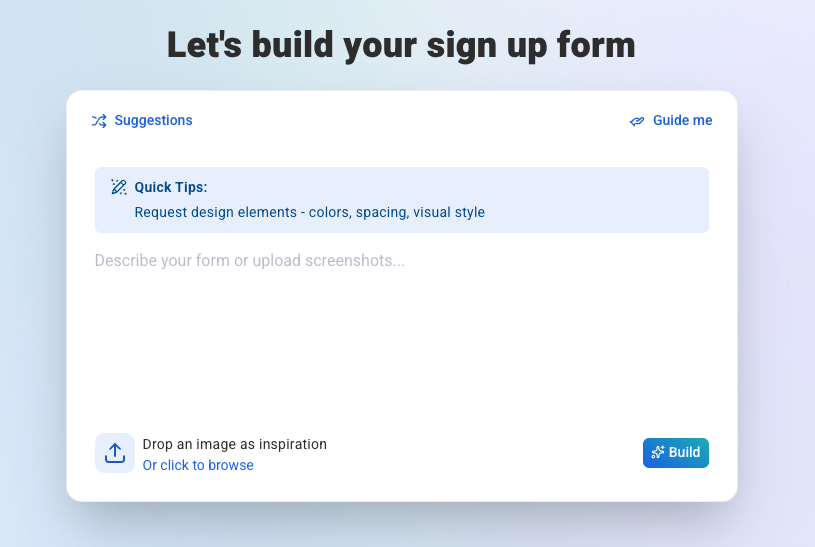
AWeber’s implementation of these principles is evident in its AI Signup Form Builder’s comprehensive feature set:
-
Getting Started: The builder offers the four distinct creation pathways:
- Free Prompting: Users can input specific requests like “Create a scratch-card signup form where visitors scratch off to reveal a hidden discount. Always reveal 15% off,” generating complex forms with integrated logic.
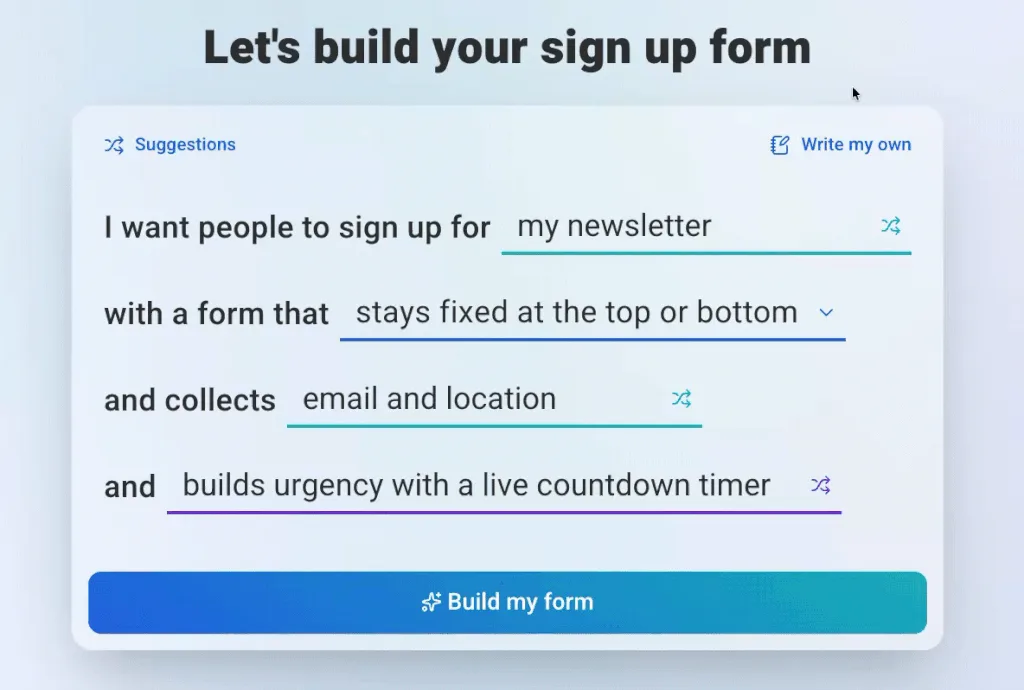
- Guided Prompts: A structured interface guides users through choices for form type (popup, slide-in), fields to collect, and behavioral additions (urgency timers, gamification).
- Screenshot Upload: Users can upload an image of a form they like, and the AI adapts its design with their branding.
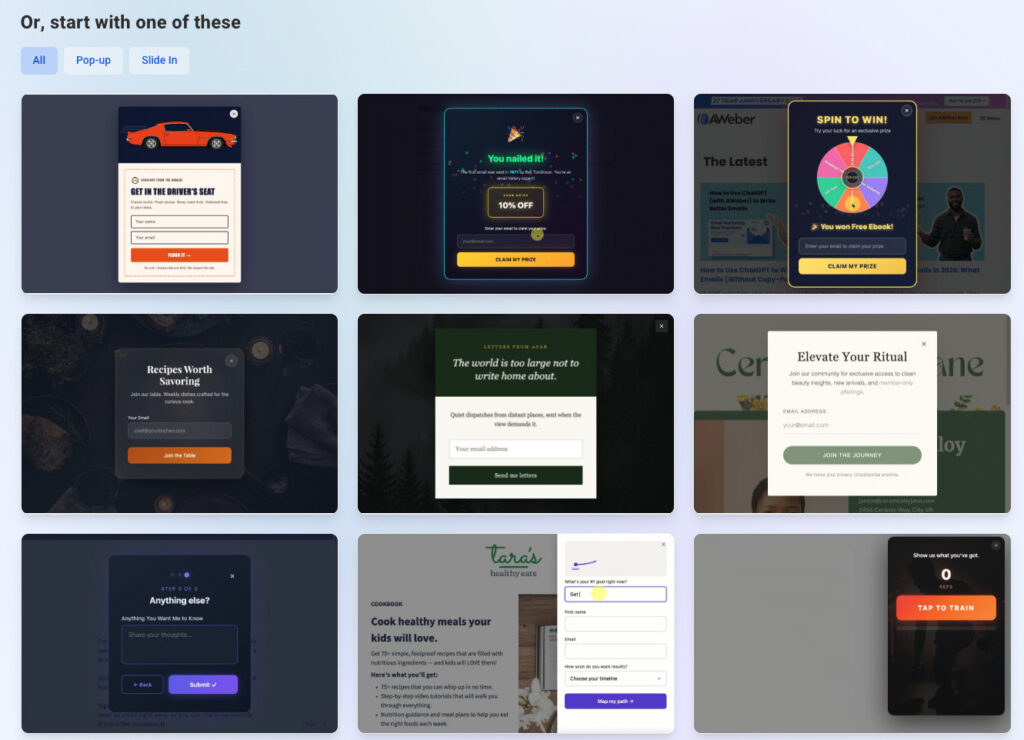
- Template Gallery: A curated selection of ready-to-use forms serves as a starting point for conversational customization.
-
Making Edits: A chat interface facilitates all revisions. Users can describe changes or directly click on elements for modification. The builder maintains full context, allowing users to pick up where they left off.
-
Publishing Controls: Granular display settings enable precise control over where and when forms appear, with options for specific pages, site-wide display, frequency, device targeting, and timed scheduling. An instant on/off switch allows for immediate activation or deactivation without code changes.
-
Custom Field Mapping: The builder intelligently matches collected data to existing custom fields in AWeber accounts. If no matching field exists, it automatically creates one upon publication, simplifying data management.
-
Previewing and Testing: A dedicated preview mode allows users to test all aspects of the form’s behavior, ensuring flawless performance before deployment.
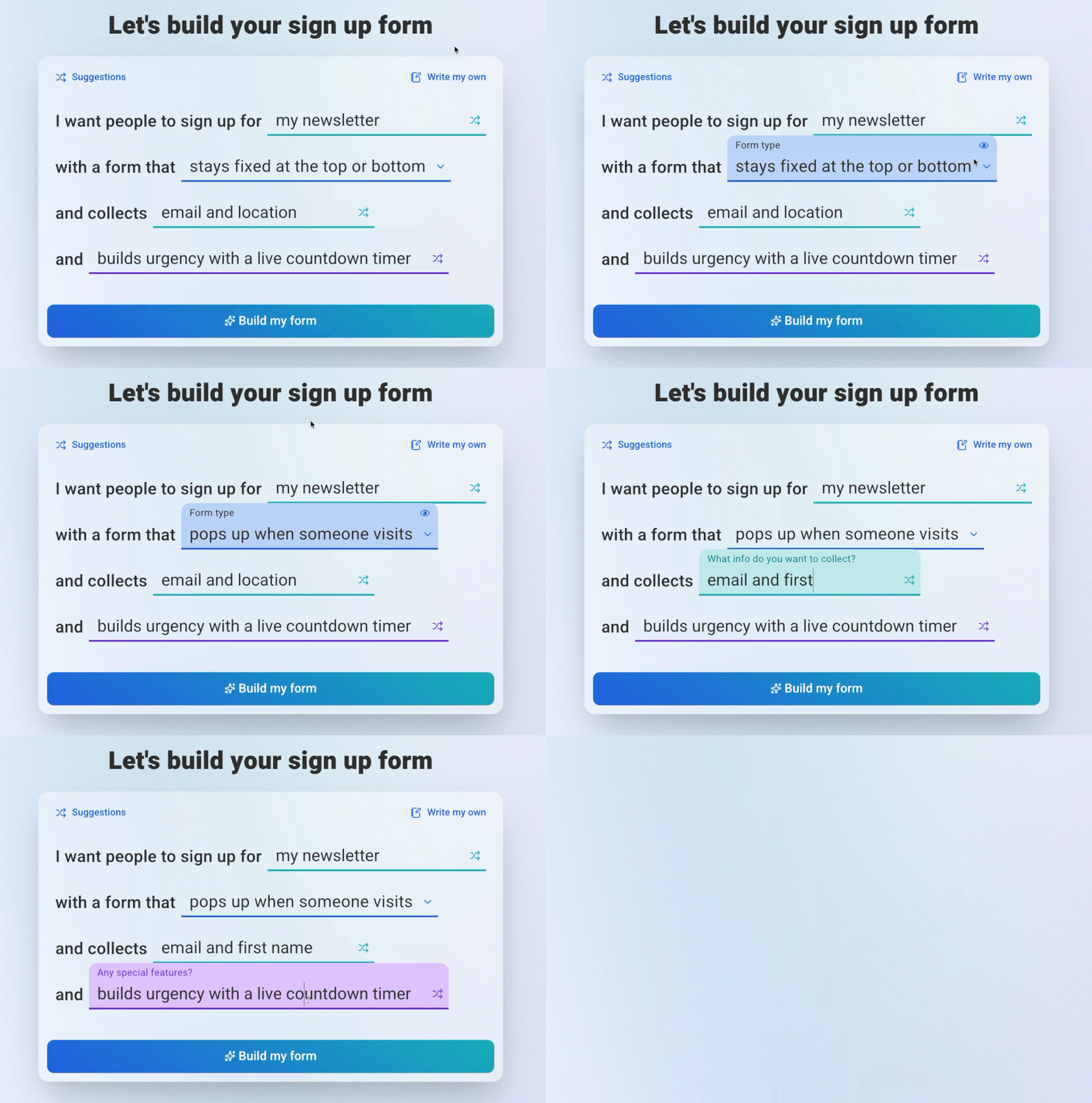
Beyond Basic Capture: Crafting Engaging Experiences
AWeber’s AI Signup Form Builder is designed to create a diverse range of interactive forms that significantly enhance user engagement:
- Animated Popups: Forms that dynamically slide, bounce, or fade into view, triggered by scroll depth or time, offering a more sophisticated user experience than static popups.
- Floating 3D Buttons: Buttons and elements with depth and hover animations that command attention without disrupting page content.
- Scratch-Card Reveals: Gamified forms where visitors interact by “scratching” a digital surface to uncover a hidden offer or discount, complete with integrated prize logic.
- Spin-the-Wheel Signups: Interactive elements where users enter their email for a chance to win a prize, with the builder generating the wheel, prize logic, and email capture.
- Multi-Step Forms with Progress Bars: Breaking down longer forms into manageable steps, enhanced with visual progress indicators and intelligent field validation, to improve completion rates.
- Countdown Timer Forms: Incorporating live countdown timers to create urgency for limited-time offers, with the timer, fields, and display logic generated holistically.
These advanced form types, traditionally the domain of experienced developers or designers wielding custom CSS and JavaScript, are now accessible to anyone through a conversational interface, representing a democratization of complex web design.
Strategic Implications and Market Outlook
AWeber’s foray into AI-powered form building is indicative of broader trends in the martech industry. The integration of AI is not just about automation but about intelligent assistance, making sophisticated tools accessible to a wider audience. This move is expected to bolster AWeber’s position in the competitive email marketing landscape, offering a unique value proposition that differentiates it from traditional providers.
For small businesses, the implications are profound. Enhanced digital engagement, simplified lead generation, and access to advanced marketing tactics can significantly impact growth and customer acquisition. This tool empowers them to compete more effectively in an increasingly digital-first economy. For the broader web development community, such tools signal a shift in focus from manual coding of repetitive elements to higher-level strategic design and integration tasks.
Availability and Accessibility
The AI Signup Form Builder is currently available in open beta, meaning all AWeber users, including those on the free plan (which supports up to 500 subscribers), have full access to its capabilities. This strategic decision by AWeber underscores its commitment to making advanced marketing tools accessible, fostering growth for businesses regardless of their current scale or budget. The ease of access, coupled with zero technical prerequisites, positions this tool as a pivotal resource for anyone looking to optimize their online lead capture strategies.
Frequently Asked Questions About AI Form Builders
Can an AI form builder create multi-step forms?
Yes. A capable AI form builder, such as AWeber’s AI Signup Form Builder, can generate multi-step forms complete with progress bars from a single descriptive prompt. Users can specify the information to collect at each stage, and the builder intelligently configures the step logic, progress indicators, and field validation. This capability offers a substantial advantage over traditional multi-step form builders, which typically require laborious, individual configuration of each step, transition, and validation rule.
Is the AI Signup Form Builder from AWeber free?
The AI Signup Form Builder is included as a core feature across all AWeber plans, encompassing its robust free plan, which supports up to 500 subscribers. Currently in open beta, all AWeber users can access and utilize this AI-generated signup form functionality without any additional cost, reflecting AWeber’s commitment to providing advanced tools to its entire user base.
Do I need coding skills to use an AI form builder?
Absolutely not. The fundamental principle behind an AI form builder is to eliminate the necessity for coding skills. Users interact with the system using plain, natural language to describe their desired form. AWeber’s AI Signup Form Builder further facilitates this by offering four non-technical input methods: free prompting (verbal description), guided prompts (structured choices), screenshot upload (visual replication), and a template gallery (customizable starting points), ensuring that zero technical knowledge is required to create sophisticated forms.


 Asro
Asro
 Nana
Nana