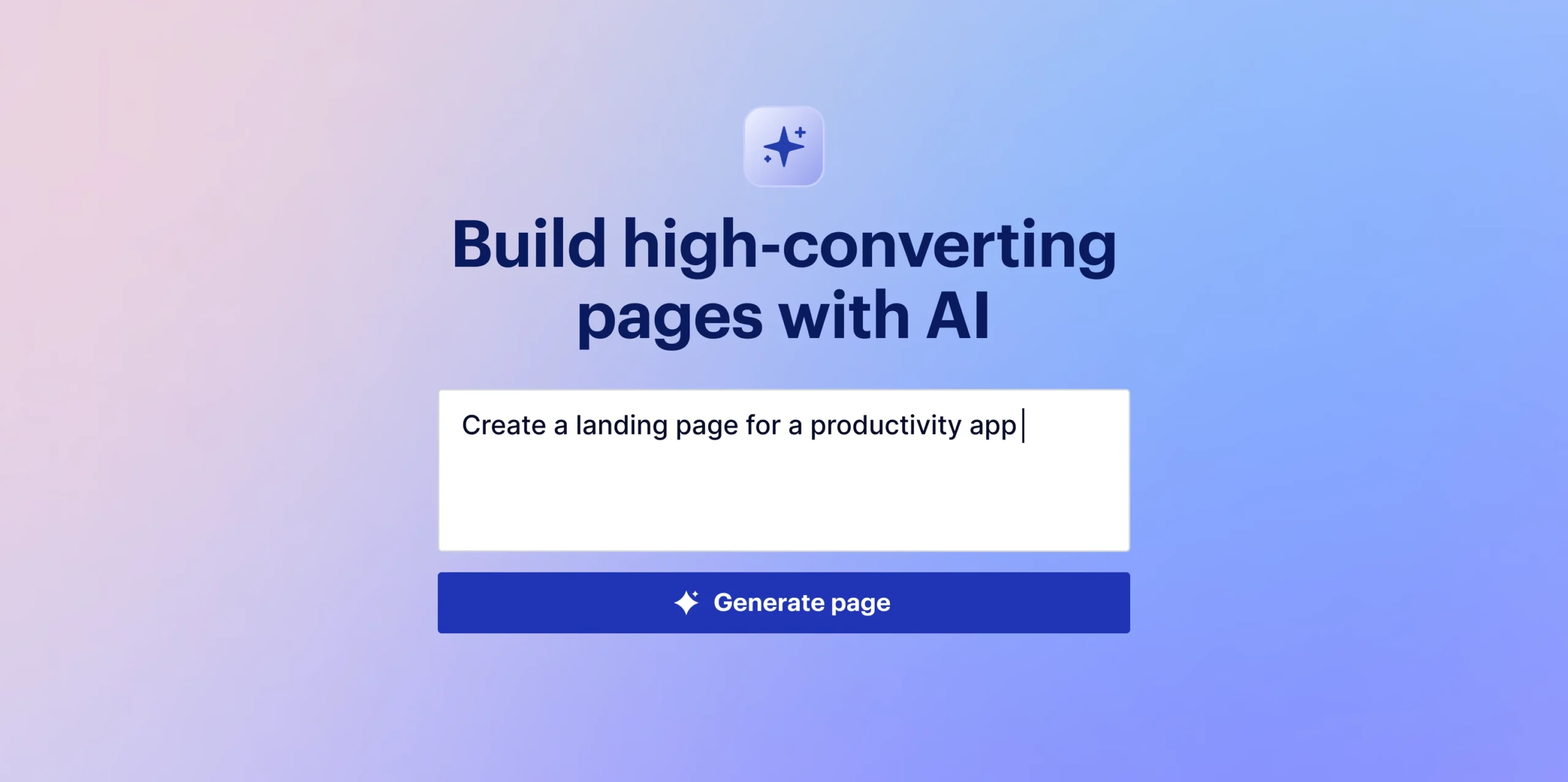

The proliferation of AI-powered website builders has revolutionized the landscape of online presence creation, offering an unprecedented pathway from a blank screen to a live website in mere minutes. This innovation is a boon for individuals and small businesses lacking technical web development skills, providing a democratic means to establish an internet foothold. However, a significant caveat often emerges: the tendency for vague or undifferentiated prompts to yield generic, indistinguishable results. While a simple command like "Build me a website for my bakery" will undoubtedly generate a functional site, it frequently fails to capture the unique essence, brand identity, specific functionalities, and aesthetic vision that truly define a business. The critical distinction between a generic AI-generated website and a truly personalized, effective one lies not in the AI’s capability, but in the precision and depth of the user’s input—effectively, learning to prompt an AI builder as one would brief a professional designer.
The Evolution of Web Development and the Rise of AI Builders
The journey of website creation has seen remarkable transformations over the past decades. Initially, building a website was the exclusive domain of skilled programmers, requiring intricate knowledge of HTML, CSS, JavaScript, and server-side languages. The early 2000s ushered in the era of Content Management Systems (CMS) like WordPress, Joomla, and Drupal, which significantly lowered the barrier to entry by separating content from code and offering user-friendly interfaces. This was followed by the rise of drag-and-drop website builders such as Wix and Squarespace, further simplifying the design process with visual editors and pre-designed templates, making web design accessible to a broader, non-technical audience.
The latest wave, AI-powered website builders, represents a leap forward in automation and efficiency. Leveraging sophisticated algorithms and machine learning, these platforms can interpret natural language prompts and rapidly construct entire website structures, suggest content, and even optimize layouts based on industry best practices. This technology emerged primarily to address the persistent need for speed, affordability, and simplicity in web creation, particularly for micro-businesses, freelancers, and startups operating with limited resources and expertise. Market analysts project continued robust growth in this sector, with an increasing number of entrepreneurs turning to AI solutions for their initial online ventures due to their promise of rapid deployment and cost-effectiveness. The timeline of web development thus illustrates a continuous trend towards democratizing the process, with AI builders being the pinnacle of this accessibility drive to date.
The Pitfall of Vague Prompts: Why Generic Websites Persist
The core challenge with basic AI prompting stems from how these systems are designed to operate. AI site builders, such as Bluehost’s AI-powered platform, function by identifying and filling in any information gaps left by the user. If critical details regarding industry specifics, brand tone, desired features, or aesthetic preferences are omitted, the AI defaults to what it perceives as statistically average or most common for a given category. This reliance on generalized data leads to an output that is functional but lacks distinctiveness.
For instance, a prompt for a "bakery website" without further elaboration will likely result in a site featuring standard bakery imagery (loaves of bread, pastries), a generic color palette, and a conventional layout. While technically a website, it will fail to reflect the unique charm of "The Wholesome Hearth Bakery" with its rustic-chic aesthetic, specialty sourdough offerings, and emphasis on community engagement. Such generic sites often feature interchangeable banners, ubiquitous stock photography, and layouts seen countless times across the internet. This homogeneity not only dilutes a brand’s individuality but also diminishes its ability to stand out in a crowded digital marketplace, potentially impacting customer engagement and conversion rates. The AI, in essence, is a powerful tool, but it is not a mind reader; its creativity and specificity are directly proportional to the clarity and detail of the instructions it receives.
The Art of Precision: Structuring Effective AI Prompts
To transcend the realm of generic websites and unlock the full potential of AI builders, users must adopt a more sophisticated approach to prompting, akin to providing a comprehensive brief to a human designer. This involves breaking down the desired website into several key components, ensuring that the AI has all the necessary information to construct a truly tailored online presence. While the original article alluded to "5 parts of a well-thought-out prompt," based on the strong examples provided, these essential elements can be inferred and elaborated upon:
- Business Identity and Core Purpose: This foundational element defines who the website is for and what its primary goal is. It includes the business name, industry, target audience, unique selling proposition (USP), and any specific mission or vision statements. Providing this context ensures the AI understands the fundamental nature of the entity it’s representing.
- Brand Aesthetics and Tone of Voice: This section dictates the visual and linguistic personality of the website. It encompasses desired color palettes, font styles (serif, sans-serif, display), preferred imagery types (realistic, abstract, illustrative, warm, moody), and the overall brand personality (e.g., trustworthy, elegant, approachable, modern, rustic, playful, corporate). Specifying the tone of voice ensures that the generated text aligns with the brand’s communication style.
- Key Pages and Structural Layout: Users must clearly outline all necessary pages and their hierarchical structure. This goes beyond just listing pages like "Homepage" and "Contact." It involves specifying the content focus for each page, their relationships, and any particular navigation requirements. For instance, a services page might need subsections, or an e-commerce site might require specific product categories.
- Essential Features and Functionality: This is where the practical utility of the website is defined. It includes specific interactive elements or tools that the site needs. Examples range from simple contact forms, newsletter sign-ups, and photo galleries to more complex features like booking systems, e-commerce shopping carts, donation buttons, client portals, or integration with external scheduling tools. Details like "sticky navigation" or "mobile-friendly checkout" also fall under this category.
- Specific Design Directives and User Experience (UX) Considerations: These are granular instructions that guide the AI on layout preferences and how users should interact with the site. This could include directives on white space, hero section design, placement of calls-to-action (CTAs), image display (e.g., full-bleed vs. thumbnails), mobile responsiveness priorities, and even specific design elements to avoid (e.g., "avoid anything that looks too corporate").
By meticulously detailing these five aspects, users move beyond simply requesting a website and begin to architect their digital footprint, providing the AI with a comprehensive blueprint to follow. This structured approach significantly reduces the AI’s need to "guess," thereby increasing the likelihood of generating a website that truly reflects the user’s vision and business objectives.
Deconstructing Effective Prompts: Case Studies and Best Practices
Let’s dissect how these principles translate into actionable prompts, expanding on the examples provided:
Example 1: A Local Service Business (Landscaping Company)
- Weak prompt: "Make a website for my landscaping business." (Fails on all five parts)
- Strong prompt analysis:
- Business Identity: "residential landscaping company called Greenery Design, serving homeowners in the Denver metropolitan area." (Clear name, service, and geographic target.)
- Brand Aesthetics/Tone: "The tone should be trustworthy and down-to-earth, not flashy. Think reliable neighbor, not luxury brand." (Establishes personality and avoids unwanted styles.) "Use earthy greens and browns in the color palette." (Specific visual guidance.)
- Key Pages/Structure: "Include a homepage… a services page… a photo gallery page… an about page… and a contact page." (Defines primary pages.)
- Essential Features/Functionality: "homepage with a strong hero section featuring a call-to-action for a free quote," "services page listing lawn care, garden design, irrigation installation, and seasonal cleanup," "photo gallery page to showcase before-and-after project photos," "about page introducing the owner and crew," "contact page with a quote request form that asks for name, phone number, property size, and service needed." (Details specific content and interactive elements.)
- Specific Design Directives: "make sure the quote form is visible on every page, not just the contact page." (Crucial UX instruction for lead generation.)
This strong prompt provides a complete vision, allowing the AI to construct a site that immediately conveys Greenery Design’s brand values and operational focus.
Example 2: A Personal Portfolio (Freelance Photographer)
- Weak prompt: "Create a portfolio site for a photographer." (Utterly lacking detail.)
- Strong prompt analysis:
- Business Identity: "portfolio website for a freelance wedding and portrait photographer named Alina Barr." (Specific niche and name.)
- Brand Aesthetics/Tone: "The site should feel elegant, warm, and editorial. Like a high-end wedding magazine, with lots of white space and large full-bleed photos rather than small thumbnails." (Evokes a specific high-end visual style and layout preference.) "Use a serif font for headings and a clean sans-serif for body text, and keep the color palette neutral: cream, black, and a soft blush accent." (Precise typographic and color instructions.)
- Key Pages/Structure: "Structure it with a homepage… a portfolio page organized into three categories (weddings, engagements, portraits), an about page… a pricing/packages page with three tiers, and a contact page." (Detailed page breakdown and content organization.)
- Essential Features/Functionality: "homepage that opens on a full-screen image slideshow," "about page written in first person with a friendly, personal tone," "contact page with a simple inquiry form asking for event date, location, and event type." (Specific content and interactive elements.)
- Specific Design Directives: "lots of white space and large full-bleed photos rather than small thumbnails." (Key visual directive for a photographer’s portfolio.)
Alina Barr’s prompt meticulously crafts a sophisticated online gallery designed to attract her target clientele, far beyond a simple image dump.
Example 3: A Small E-commerce Shop (Handmade Candles)
- Weak prompt: "I need an online store for my candle business." (Generic need, no brand or product specifics.)
- Strong prompt analysis:
- Business Identity: "ecommerce website for a small handmade candle brand called Amber & Ash." (Brand name and product type.)
- Brand Aesthetics/Tone: "The vibe should be cozy and artisanal, with warm, moody photography and a rustic-meets-modern feel." (Specific aesthetic and imagery style.) "Use a warm neutral palette (terracotta, cream, and charcoal) and avoid anything that looks too corporate or minimalist." (Clear color scheme and stylistic exclusions.)
- Key Pages/Structure: "Include a homepage… a shop page with product categories for seasonal scents, everyday scents, and gift sets, individual product pages… an FAQ page…" (Defines e-commerce structure.)
- Essential Features/Functionality: "homepage that highlights the bestselling scent collection and a short brand story," "individual product pages with scent notes, burn time, and size options," "FAQ page covering shipping, returns, and candle care tips," "newsletter signup offering 10% off a first order." (Specific content and conversion-focused features.)
- Specific Design Directives: "The checkout should be simple and mobile-friendly, since most customers will be shopping from their phones." (Crucial UX consideration for e-commerce.)
This detailed prompt ensures Amber & Ash gets an online store that feels authentic to its artisanal brand, optimized for customer experience and sales.
Example 4: A Nonprofit Organization
- Weak prompt: "Make a website for our nonprofit." (Lacks mission, impact, or call-to-action.)
- Strong prompt analysis:
- Business Identity: "website for a nonprofit called Community Roots Youth Network, which provides after-school tutoring and mentorship for middle and high school students in underserved communities." (Clear name, mission, and target beneficiaries.)
- Brand Aesthetics/Tone: "The tone should be hopeful and human-centered, using lots of photos throughout the website." (Emotional resonance and visual emphasis.) "use a color palette of deep blue and warm yellow to feel both trustworthy and optimistic." (Specific color psychology.)
- Key Pages/Structure: "Structure the site with a homepage… a programs page… an impact page… a volunteer page… and a donate page." (Comprehensive site structure for a nonprofit.)
- Essential Features/Functionality: "homepage that leads with our mission statement and a prominent donate button," "programs page describing our tutoring, mentorship, and college-prep initiatives separately," "impact page with a few key statistics and short quotes from families we’ve helped," "volunteer page with a sign-up form," "donate page with suggested giving amounts." (Critical elements for fundraising and engagement.)
- Specific Design Directives: "Make the donate button sticky in the navigation bar so it’s visible from every page." (Strategic UX for donations.)
This prompt enables Community Roots Youth Network to build a website that effectively communicates its mission, showcases impact, and drives engagement and donations.
Example 5: A Consultant or Coach (Business Strategy Consultant)
- Weak prompt: "Build a website for my consulting business." (Generic, no expertise or target defined.)
- Strong prompt analysis:
- Business Identity: "website for an independent business strategy consultant named Ann Reyes, who works with small business owners on growth planning and operations." (Specific expertise and target audience.)
- Brand Aesthetics/Tone: "The tone should be confident and professional but approachable, not stiff or corporate." (Nuanced professional persona.) "Use a navy and gold color scheme, and keep the overall layout clean and uncluttered, with plenty of white space." (Specific visual and layout preferences.)
- Key Pages/Structure: "Include a homepage… a services page breaking down three offerings (one-time strategy sessions, monthly advising retainers, and workshop facilitation)… a case studies page… an about page… and a contact page." (Defines service offerings and supporting content.)
- Essential Features/Functionality: "homepage with a clear one-sentence explanation of who I help and how," "services page… each with a short description and price range," "case studies page with two or three short client success stories," "about page focused on my background and philosophy," "contact page with a ‘Book a Free Consultation’ button linked to a calendar scheduling tool." (Crucial for lead generation and demonstrating expertise.)
- Specific Design Directives: "overall layout clean and uncluttered, with plenty of white space." (Reinforces professional, approachable aesthetic.)
Ann Reyes’s prompt constructs a website that immediately establishes her credibility and clarity of service, inviting potential clients to engage.
Iterative Design: The Power of Refinement
One of the most significant advantages of AI website builders is their inherent flexibility. The initial output generated from a prompt is rarely the final iteration; instead, it serves as a robust draft. Users should view this as the starting point for an iterative refinement process. If the homepage feels overly busy, a direct instruction like, "Simplify the homepage: remove the testimonials section and make the hero image larger," can be given. Should the tone of the generated copy feel off, a prompt such as, "This feels too formal; make the copy warmer and more conversational," will guide the AI towards the desired adjustment.
This iterative feedback loop allows for precise fine-tuning of every element, from layout and color to typography and content. While starting with a strong, detailed prompt is crucial for efficiency and resource conservation, the ability to continually refine and tweak the design is what ultimately molds the AI’s creation into a website that genuinely embodies the user’s vision. This process not only saves time and effort compared to building from scratch but also empowers users to act as direct collaborators with the AI, sculpting the digital presence to perfection.
The Human Element: AI Builders vs. Custom Web Design
While AI-powered website builders offer unparalleled speed and accessibility, it is crucial to understand their limitations and the enduring value of professional, custom web design. AI excels at generating functional, aesthetically pleasing websites based on existing patterns and user instructions. However, it often struggles with true originality, highly complex custom functionalities, and deeply strategic user experience (UX) design that anticipates nuanced user behaviors.
A seasoned web designer or agency brings a wealth of experience, strategic insight, and creative problem-solving that AI cannot yet replicate. They possess an understanding of market trends, advanced SEO strategies, brand storytelling, and complex technical integrations that go beyond what a generative AI can infer from a prompt. For businesses requiring unique branding, highly specialized features, robust scalability for future growth, or a truly bespoke digital experience that stands out in a crowded market, the investment in a human expert remains invaluable. A designer can conduct in-depth competitive analysis, develop a unique brand narrative, implement sophisticated animations, or build custom database integrations—tasks that typically exceed the current capabilities of AI builders. Therefore, while AI builders are excellent for rapid deployment and foundational online presences, a human touch continues to provide the strategic depth, intricate customization, and future-proofing often necessary for complex or high-stakes digital projects.
Beyond the Algorithm: Authenticity in Content and Imagery
Even with the most meticulously crafted prompts, AI-generated content and stock imagery should primarily serve as placeholders. The true authenticity and effectiveness of a website ultimately hinge on its unique content. AI-generated text, while grammatically correct and informative, often lacks the genuine voice, specific anecdotes, and deep expertise that resonate with an audience. Similarly, generic stock photos, though visually appealing, fail to connect users with the real faces, products, and experiences behind a brand.
It is imperative for users to critically review and rewrite all AI-generated text, infusing it with their authentic brand voice, specific details about their business, and compelling storytelling. This personalized content builds trust, conveys expertise, and differentiates the brand. Concurrently, replacing stock photography with high-quality, original images of products, team members, facilities, or service delivery is paramount. Real photos create a sense of transparency, foster emotional connection, and significantly enhance brand credibility. These final touches—authentic content and genuine visuals—are the ultimate differentiators, transforming an AI-constructed framework into a truly unique and impactful online presence.
The Future Landscape of Web Creation
The advent of AI website builders marks a significant paradigm shift in web creation. They are democratizing access to online presence, empowering countless small businesses and individuals who previously lacked the technical skills or financial resources. This has far-reaching implications, fostering innovation and reducing barriers to entry in various markets. For web designers, the role is evolving from mere coders or template manipulators to strategic consultants and expert prompt engineers, focusing on high-level strategy, bespoke solutions, and leveraging AI as a powerful assistant rather than a replacement. The ongoing development of AI capabilities promises even more sophisticated tools, further streamlining the design process and expanding creative possibilities. However, the fundamental principle will likely remain: the output quality of AI systems will always be directly proportional to the clarity, detail, and strategic intent embedded in the user’s input.
In conclusion, AI website builders are incredibly potent tools for establishing an online presence swiftly and efficiently. However, their true power is unlocked not by their mere existence, but by the user’s ability to communicate precisely and comprehensively. By embracing a structured, detailed prompting methodology—much like briefing a human designer—users can transcend generic templates and craft authentic, impactful, and distinctive websites that genuinely represent their brand and effectively serve their audience. The future of web design, for many, lies in this synergistic collaboration between human vision and artificial intelligence.