
The Evolution of Social Customer Engagement

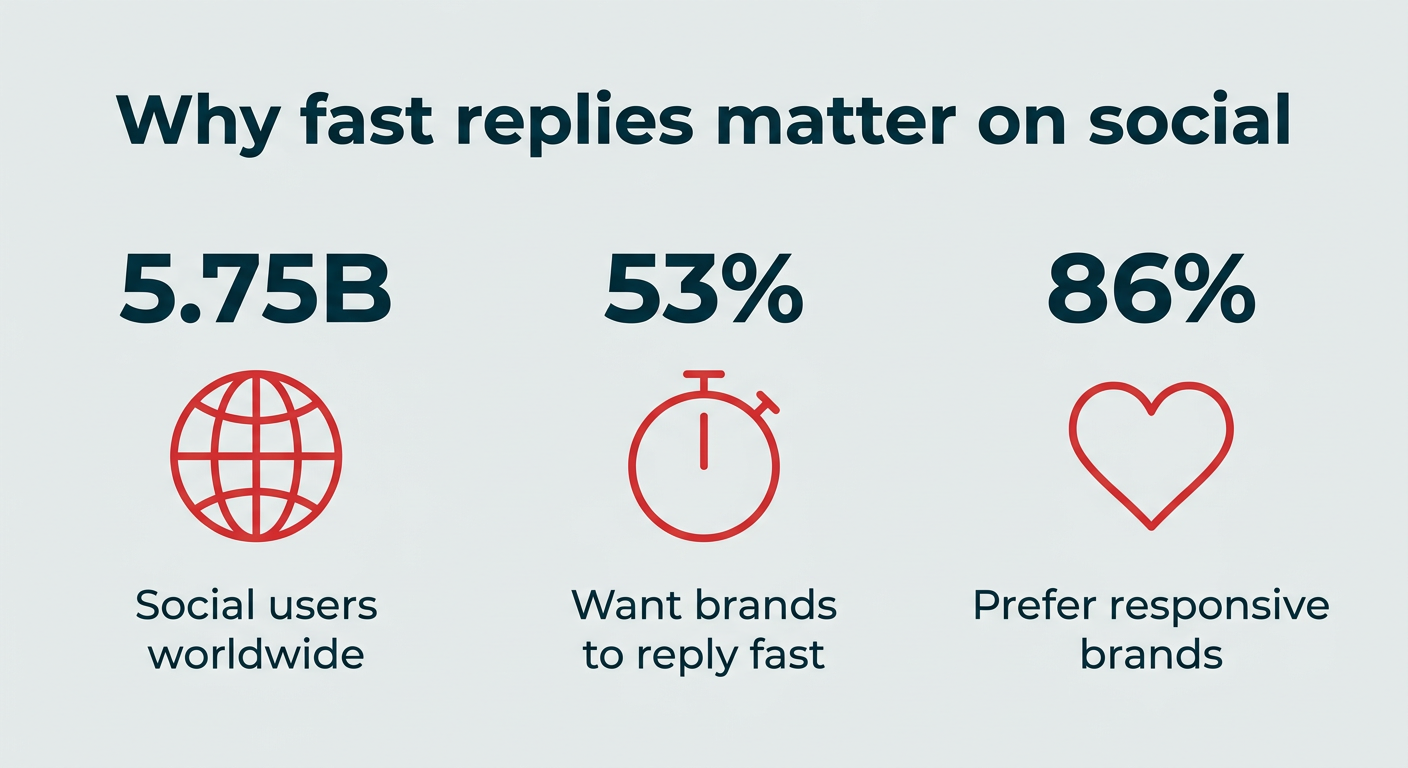
The journey to the modern social inbox began with the meteoric rise of social media itself. Initially conceived as platforms for personal connection, networks like Facebook, Twitter (now X), and Instagram rapidly evolved into critical touchpoints for consumer-brand interaction. This shift, accelerating over the past decade, has fundamentally reshaped customer service expectations. Historically, customer support was confined to traditional channels such as phone calls, email, and physical mail. However, as global social networks now engage an astounding 5.75 billion users worldwide, customers increasingly expect instantaneous, personalized responses directly on the platforms where they spend their time.
This exponential growth in social media adoption has created a fragmented communication environment for businesses. Without a centralized system, teams are forced to monitor multiple native apps, leading to missed messages, delayed responses, and inconsistent brand messaging. The imperative for brands to be agile and responsive on social media is underscored by research, with over half (53%) of consumers identifying quick responses to direct questions and comments as the most appealing action a brand can take on social media. Furthermore, a significant 86% of shoppers prefer brands that demonstrate responsiveness, highlighting the tangible impact of slow replies on customer loyalty and competitive standing. The emergence of social inbox tools directly addresses this fragmentation, offering a strategic solution to consolidate interactions and elevate the customer experience.

Understanding the Core Functionality of a Social Inbox Tool
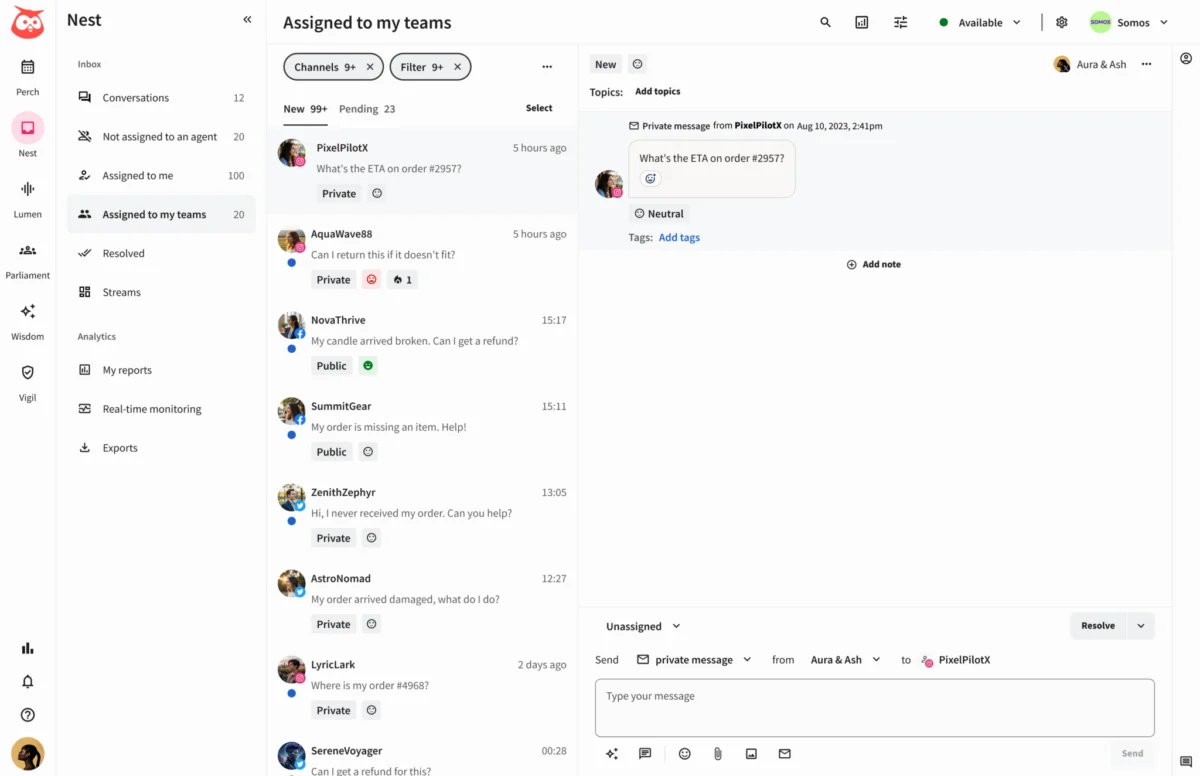
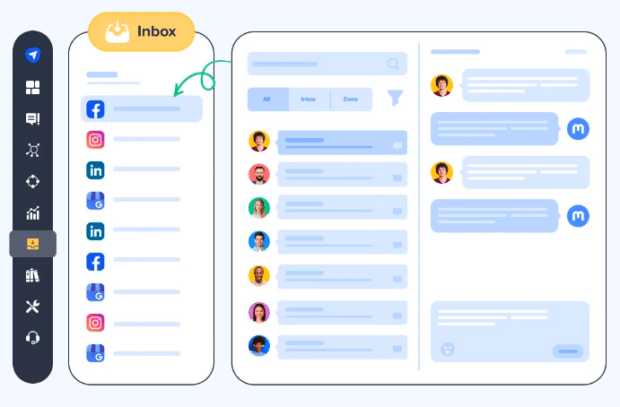
At its essence, a social inbox tool serves as the central nervous system for a brand’s social media communication. It aggregates all incoming messages, comments, and mentions from various platforms like Facebook, Instagram, X, LinkedIn, TikTok, and even review sites such as Yelp and Google Business Profile, into one dashboard. This aggregation prevents messages from slipping through the cracks and significantly reduces the time and effort required for teams to track and respond to customer queries. Beyond mere consolidation, a robust social inbox tool integrates a suite of advanced features designed to enhance team collaboration, accelerate response times, and provide actionable insights from daily conversations.
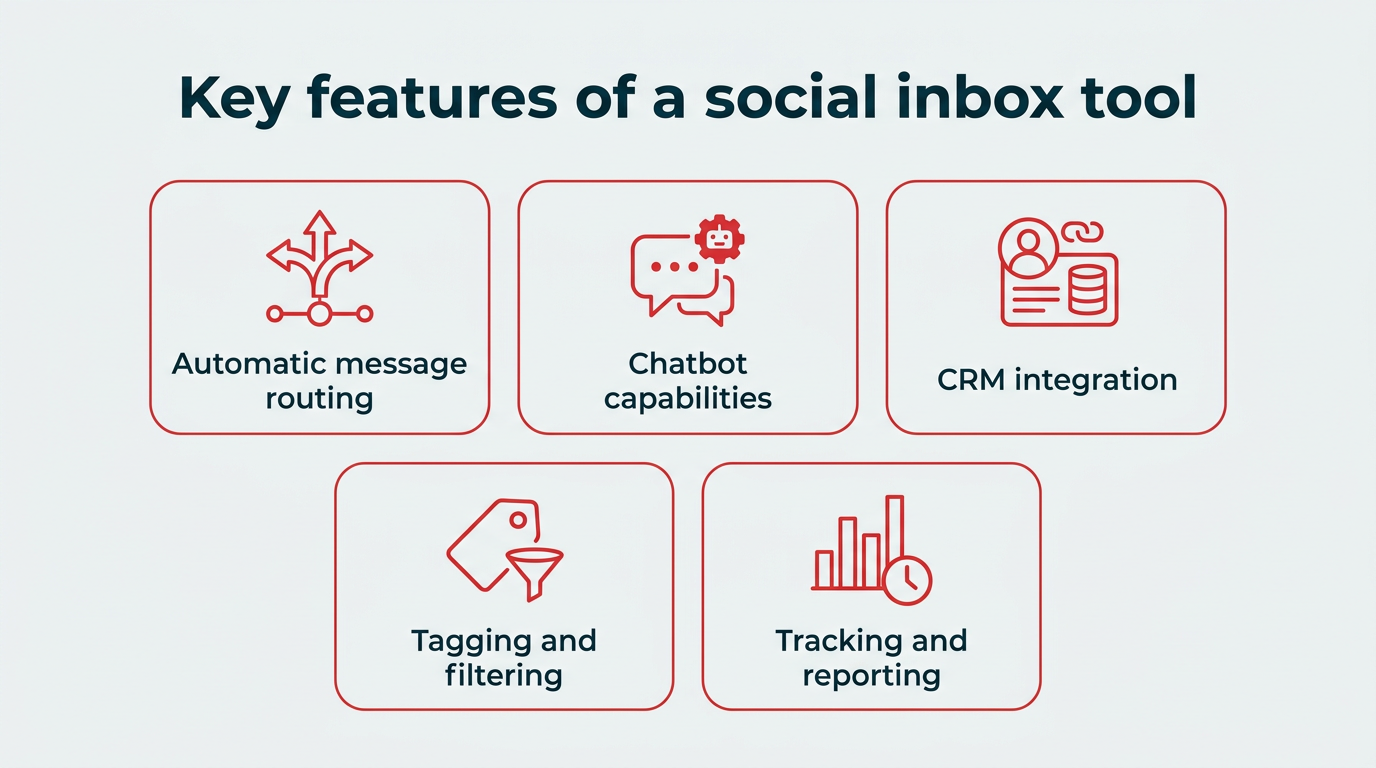
Key features that define a high-performing social inbox tool include:
- Unified Message Stream: A single view of all public and private social interactions, eliminating the need to toggle between platforms.
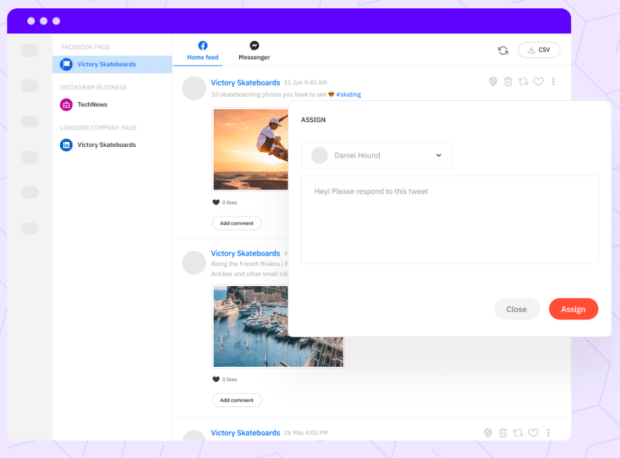
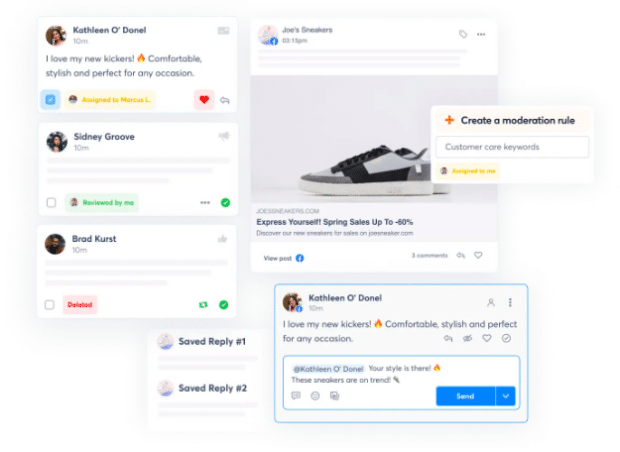
- Message Routing and Assignment: Intelligent algorithms or manual controls to automatically or manually direct messages to the most appropriate team member or department (e.g., sales, customer service, technical support).
- CRM Integration: Seamless, often two-way, integration with Customer Relationship Management systems to provide agents with a comprehensive customer history and context, ensuring personalized and informed responses.
- AI and Automation Capabilities: Features like AI-powered chatbots for handling routine inquiries, sentiment analysis to prioritize urgent or negative feedback, and AI-suggested replies or tone adjustments to maintain brand consistency and efficiency.
- Team Collaboration Tools: Internal notes, tagging, shared drafts, and ‘who’s viewing’ indicators to prevent duplicate efforts and foster seamless teamwork.
- Saved Replies and Templates: A library of pre-approved responses to frequently asked questions, standardizing brand voice and significantly reducing response times.
- Reporting and Analytics: Comprehensive dashboards to track key metrics such as response times, resolution rates, team performance, and sentiment trends, enabling continuous improvement.
- Multi-Account and Multi-Client Management: Essential for agencies and larger organizations to manage distinct brands or departments without mixing up communications.
These functionalities transform a simple message aggregator into a sophisticated management system for social messaging and customer support, allowing teams to turn social interactions from a chaotic scramble into a well-oiled system.
Strategic Benefits and Implications for Businesses
The adoption of a social inbox tool yields a multitude of benefits, directly impacting customer satisfaction, operational efficiency, and ultimately, a brand’s bottom line.
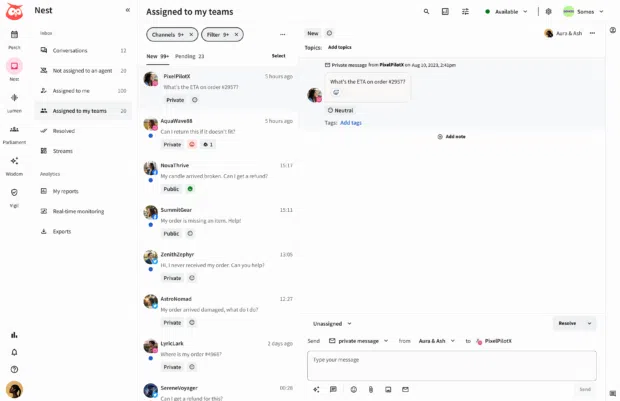
- Enhanced Customer Experience: By centralizing communications and enabling faster, more informed responses, businesses can significantly improve customer satisfaction. Customers feel heard and valued, fostering loyalty and positive brand perception. Studies indicate that brands with strong social customer service enjoy higher customer retention rates.
- Increased Team Efficiency: Eliminating the need to log into multiple platforms saves invaluable time for social media managers and customer service agents. Automation and intelligent routing further reduce manual workload, allowing teams to focus on complex issues and proactive engagement rather than administrative tasks. This efficiency can lead to reduced operational costs.
- Consistent Brand Voice: Saved replies and internal guidelines ensure that all communications adhere to the established brand voice and messaging standards, irrespective of the agent responding. This consistency builds trust and reinforces brand identity.
- Data-Driven Insights: Integrated analytics provide a clear overview of conversation volume, sentiment, common customer issues, and team performance. This data is invaluable for identifying trends, optimizing strategies, and making informed business decisions, extending beyond customer service to product development and marketing.
- Scalability: As a business grows and its social media presence expands, a robust social inbox tool can scale to handle increasing message volumes and team sizes without compromising service quality. AI chatbots, in particular, play a crucial role in managing high volumes of routine queries, freeing human agents for more complex interactions.
A Comparative Look at Leading Social Inbox Solutions
The market for social inbox tools is diverse, with platforms catering to different organizational sizes, budgets, and specific needs. Understanding the strengths of each can guide businesses in selecting the most appropriate solution.
For Large Teams and Enterprises: These organizations often require sophisticated automation, deep CRM integrations, and comprehensive reporting to manage high message volumes across complex structures.
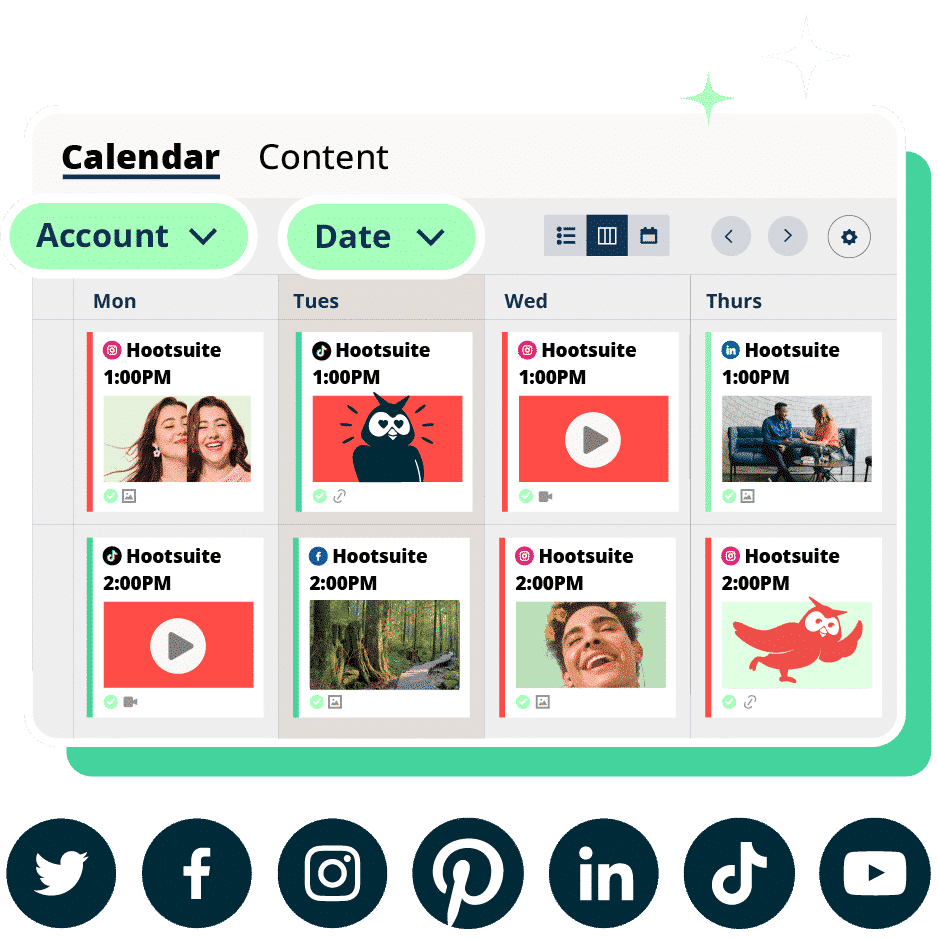
- Hootsuite: Positioned as a comprehensive Social OS, Hootsuite’s social inbox is part of a broader platform encompassing scheduling, analytics, and social listening. Its standout features include two-way CRM sync, built-in language detection, smart routing, and advanced AI-powered chatbots. Hootsuite’s ability to combine multiple social media functions into one platform makes it ideal for enterprises seeking an all-in-one solution for both marketing and customer service. Pricing starts at $99/user/month.
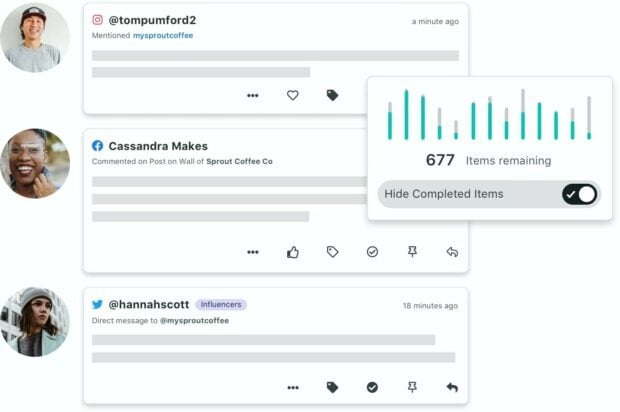
- Sprout Social: Another strong contender for large teams, Sprout Social offers a clean, integrated inbox with robust tagging and filtering. It provides a detailed conversation history and customer relationship information. While offering some chatbot capabilities, its coverage can be limited. Sprout Social sits at a higher price point, starting at $199/seat/month for its Standard plan, reflecting its enterprise-grade features.
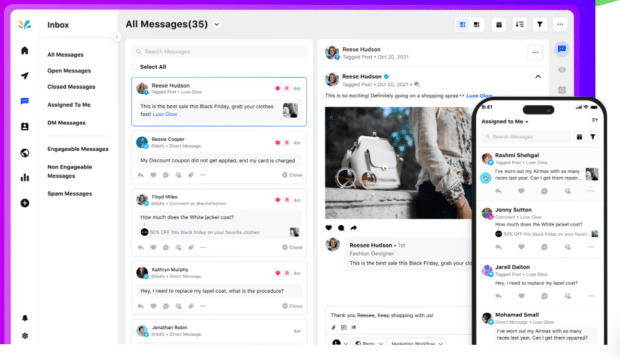
- Sprinklr: Tailored specifically for large enterprises, Sprinklr’s social inbox is a powerful, AI-driven offering. Its unique capability to differentiate between "engageable" and "unengageable" mentions helps teams focus their efforts efficiently. Sprinklr excels in AI automations and detailed reporting, but its custom, high-end pricing places it firmly in the enterprise segment, often requiring significant investment.
For Agencies and Multi-Client Teams: These users prioritize clear client separation, flexible workflows, and tools that support managing multiple brands seamlessly.
- Sendible: Agencies find Sendible appealing for its dual inbox views: a priority inbox (though with a potential two-hour delay and focus on recent engagement) and a real-time social feeds view. A notable feature for agencies is the option for white-labeling, allowing them to brand the tool as their own. Its sentiment detection helps prioritize messages.
- eClincher: Designed with collaboration in mind, eClincher’s social inbox facilitates team workflows through notes, tasks, and auto-assignment rules. It uniquely supports WordPress and Yelp alongside standard social platforms, making it versatile for businesses managing broader online reputations. Higher-tier plans include AI-suggested replies.
For Small Businesses and Solopreneurs: These users seek efficiency and organization without enterprise-level complexity or prohibitive pricing, often valuing strong tagging, saved replies, and fundamental collaboration.
- Agorapulse: Offering a strong entry-level pricing plan at $79/user/month (billed annually), Agorapulse is accessible for smaller operations. It provides a solid social inbox for managing both organic and paid comments and messages. Features like message assignment, conversation labeling, and saved replies contribute to efficient management, with integrations for Salesforce and HubSpot on higher plans.
- SocialPilot: A reliable choice for small teams, SocialPilot’s inbox manages private and public messages across various channels, though it notably excludes X (Twitter) messaging. Its intuitive tags and filters aid organization, and basic team collaboration features allow for interaction review, making it suitable for teams without complex routing needs.
- NapoleonCat: A primary feature of NapoleonCat is its extensive social inbox, which includes a standout capability: managing app store and Google Business Profile reviews alongside social messages. This is particularly useful for small businesses juggling multiple review platforms. It also supports engagement on organic and paid TikTok content. While lacking direct CRM integration, it allows building user profiles within the tool.
- Content Studio: Offering a simple, clean interface, Content Studio is built for teams seeking essential features without excessive layers. Its "who’s viewing" indicators prevent duplicate work, and saved replies along with internal notes enhance team efficiency. Similar to NapoleonCat, it allows for creating user profiles within the platform.
- Simplified: Aimed at small teams and multi-client managers, Simplified’s social inbox features account grouping for distinct brands. It provides full conversation context, manual team assignments, and internal notes. Its built-in AI assistant can summarize conversations and adjust response tones, adding a layer of smart assistance. However, it does not support messaging on X (Twitter).
- Pallyy: Pallyy’s social inbox is designed with a familiar email-style layout, featuring folders, labels, and bulk actions for easy organization and management. It supports a wide array of networks, including TikTok comments. While offering rules-based automation for message assignment, it relies on manual setup rather than AI-powered filtering. A free plan is available, but the social inbox feature is part of paid tiers.
For Public Content Management Only: Some brands primarily focus on public engagement rather than direct messages, requiring tools specialized in monitoring and responding to public comments.
- Buffer: Buffer’s social inbox is tailored for managing public engagement, presenting comments in a grid view and indicating the number of unanswered interactions per post. It uses filtering and machine learning for sentiment detection and identifying questions. Unique keyboard hotkeys facilitate quick responses. However, Buffer’s focus is on public comments for Facebook and Instagram, and it does not include private messages. Free plans are available.
Choosing the Right Social Inbox Tool
The selection of a social inbox tool is a strategic decision that should align closely with a business’s operational realities and future goals. Key factors to consider include:
- Team Size and Structure: The number of users, departmental divisions, and need for complex routing mechanisms.
- Message Volume and Velocity: The average number of daily interactions and the expectation for real-time responses.
- Budgetary Constraints: Pricing models vary significantly, from free tiers with limitations to custom enterprise solutions.
- Required Platform Integrations: The necessity of connecting with existing CRMs, help desk systems, or other marketing tools.
- Specific Social Media Channels: Ensuring the tool supports all platforms critical to the brand’s presence, including niche networks or review sites.
- AI and Automation Needs: The extent to which AI chatbots, sentiment analysis, or automated workflows are desired to enhance efficiency.
- Reporting and Analytics Depth: The level of insight required to track performance, identify trends, and optimize strategies.
- Scalability Requirements: The ability of the tool to grow with the business’s expanding social media footprint.
By meticulously evaluating these criteria, businesses can shortlist and select a social inbox tool that not only addresses current challenges but also supports future growth and customer engagement objectives.
Implementing a Unified Social Inbox Solution
Once the ideal social inbox tool has been identified, a structured implementation process ensures a smooth transition and maximizes benefits:
- Conduct a Needs Assessment: Clearly define current pain points, desired outcomes, and specific feature requirements based on team workflows and customer expectations.
- Select and Procure the Tool: Finalize the choice, negotiate pricing, and complete the subscription process.
- Integrate Social Profiles: Connect all relevant social media accounts (Facebook, Instagram, X, LinkedIn, TikTok, etc.) to the new social inbox dashboard. Configure any necessary CRM or help desk integrations.
- Define Workflows and Train Teams: Establish clear guidelines for message handling, routing protocols, response SLAs, and escalation paths. Provide comprehensive training to all team members on the tool’s functionalities and best practices.
- Monitor Performance and Optimize: Continuously track key metrics (response times, resolution rates, customer satisfaction) through the tool’s reporting features. Use these insights to refine workflows, update saved replies, and optimize team performance.
With these steps in place, businesses can rapidly deploy a unified social inbox, empowering their teams to respond faster, collaborate more effectively, and build stronger, more loyal customer relationships from day one.
The Future Landscape of Social Engagement
The trajectory of social inbox tools is intrinsically linked to the ongoing evolution of social media platforms and the ever-increasing sophistication of customer expectations. The future will likely see deeper integration of Artificial Intelligence and Machine Learning, moving beyond basic chatbots to more predictive analytics, proactive engagement suggestions, and hyper-personalized responses at scale. The convergence of social media management, CRM, and broader customer service systems will continue, blurring the lines between these functions to create truly holistic customer interaction platforms. For businesses, mastering the social inbox is no longer a luxury but a strategic imperative, a cornerstone for building robust brand reputations and securing a competitive edge in an increasingly interconnected digital world.