
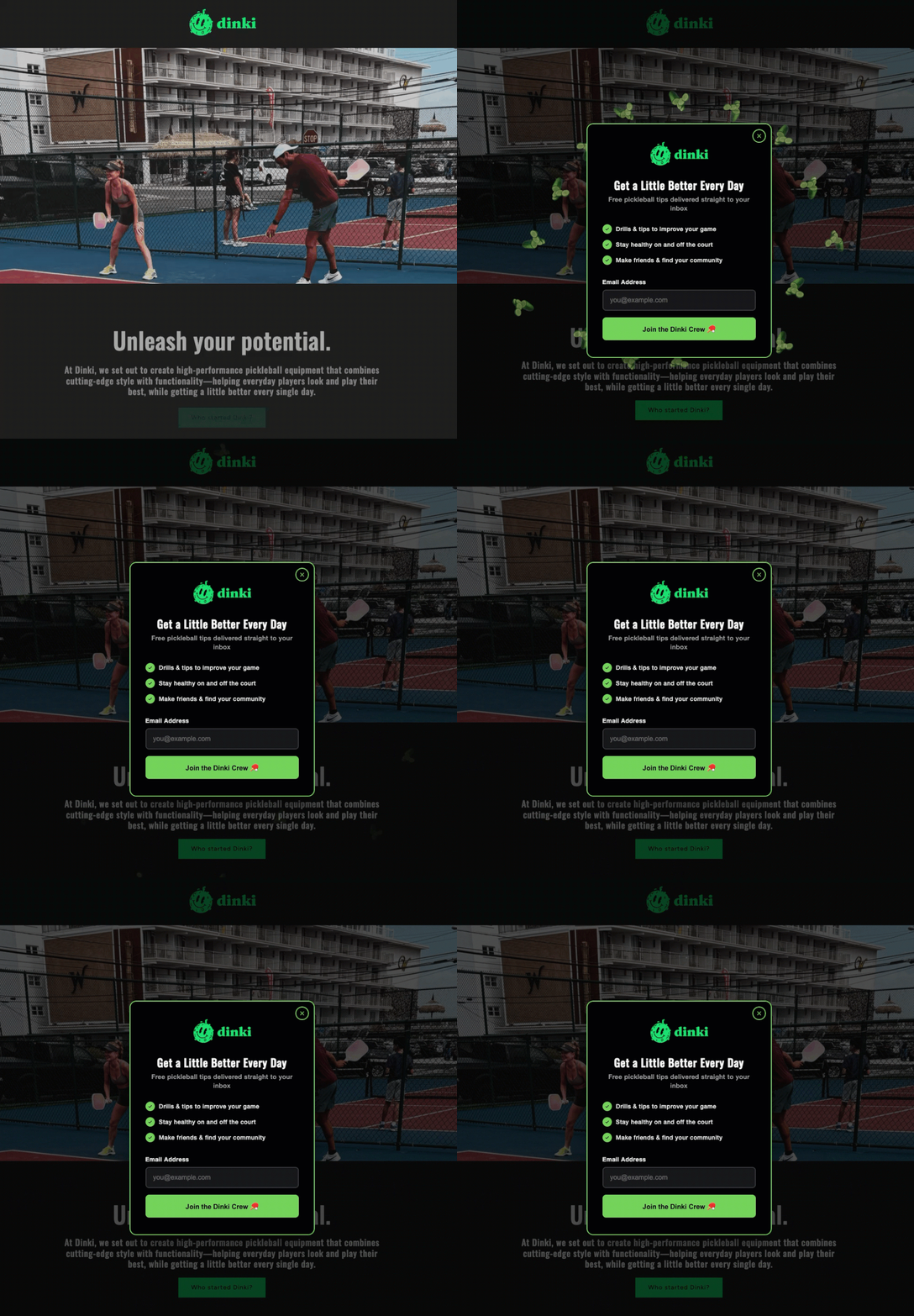
A popup form, a small overlay window designed to collect email addresses on a website, stands as one of the most potent yet polarizing tools in digital marketing. When deployed with precision and respect for the user experience, it serves as the fastest accelerator for list growth, transforming casual visitors into engaged subscribers. Conversely, a poorly executed popup—appearing prematurely, too frequently, or indiscriminately across a site—swiftly alienates visitors, leading to high bounce rates and diminished brand perception. The critical distinction between a high-converting lead magnet and an unwelcome interruption lies not in the mere presence of the popup itself, but profoundly in the strategic considerations of its timing, placement, and frequency.
The Paradox of Popup Forms: Conversion vs. Interruption
For years, popup forms have evoked mixed reactions. Early iterations were often crude, aggressive, and universally despised, appearing without context and obstructing content, forcing users to actively dismiss them before engaging with the site. This legacy has left many website owners hesitant, fearing alienating their audience. However, the landscape has matured significantly. Modern digital marketing principles, coupled with advanced technological capabilities, have transformed popups from mere annoyances into sophisticated conversion mechanisms. The core issue, as highlighted by numerous marketing analyses, is the common mistake of deploying popups too early in the user journey, too often, and without contextual relevance. A visitor who hasn’t even absorbed a single sentence of content, yet is immediately confronted with an email request, perceives this as an interruption rather than an invitation. This approach fundamentally misunderstands user psychology and sabotages potential conversions. The imperative for contemporary marketers is to build popups that not only convert effectively but also genuinely respect the person on the other side of the screen, enhancing their experience rather than detracting from it.
The Evolution of Lead Capture: From Annoyance to Art

The journey of lead capture forms, particularly popups, mirrors the broader evolution of digital marketing itself. In the nascent days of the internet, rudimentary forms were embedded directly into pages. The advent of JavaScript enabled dynamic overlays, giving birth to the popup. Initially, these were often employed indiscriminately, driven by a "more is better" philosophy, leading to the infamous "popup blocker" era. However, as user experience (UX) became a cornerstone of web design and search engine algorithms began to penalize intrusive practices, the focus shifted dramatically. Marketers realized that sustainable growth necessitated a user-centric approach. This paradigm shift catalyzed the development of intelligent triggers and sophisticated design principles, transforming popups into an art form focused on delivering value at opportune moments. The enduring importance of email marketing, consistently cited as having one of the highest returns on investment (ROI) in digital marketing (often exceeding $36 for every $1 spent, according to various industry reports), has only amplified the need for effective, yet ethical, lead capture mechanisms. An email list remains a direct, owned channel of communication, impervious to algorithm changes on social media or search engines, making its growth a top priority for businesses seeking long-term customer relationships.
AWeber’s AI-Powered Revolution in Form Building
In a significant leap forward for digital marketers, AWeber, a long-standing pioneer in email marketing solutions, has introduced its AI Signup Form Builder. Launched recently, this innovative tool dramatically simplifies the process of designing and deploying high-converting popup forms. This development reflects a broader industry trend where artificial intelligence is increasingly leveraged to democratize sophisticated marketing tools, making them accessible to businesses without extensive technical expertise or large marketing teams.
Streamlining Design with AI: The AI Signup Form Builder operates on a principle of intuitive natural language processing. Users simply describe their business, the specific offer they wish to promote, and their desired timing for the popup’s appearance. For instance, a command such as "I run a marketing blog. Offer a free email checklist. Show the form after 30 seconds" is all that’s needed. The AI then autonomously generates the complete popup, including compelling copy, a visually appealing design, an optimal layout, and all necessary form fields. This capability drastically reduces the time and effort traditionally required for form creation, allowing marketers to focus on strategy rather than design intricacies. Furthermore, the AI-generated elements are fully editable, providing users with the flexibility to fine-tune any aspect or simply deploy the form as-is, ensuring brand consistency and message accuracy. This functionality addresses a critical pain point for small business owners and content creators who often lack the resources for professional graphic design or extensive copywriting.
Seamless Integration and Automation: Once the form is generated and finalized, the AI builder ensures immediate and automatic connection to the user’s AWeber email list. This integration is seamless: when a visitor submits the form, their email address is instantly added to the designated list, triggering any pre-built automation sequences, such as a welcome series, lead nurturing campaign, or immediate delivery of the promised incentive. This eliminates the need for complex coding, reliance on separate design tools, or the installation of third-party plugins, which often introduce compatibility issues or security vulnerabilities. This level of integration streamlines the entire lead capture and nurturing process, allowing businesses to activate new subscribers almost instantaneously. AWeber’s comprehensive guide on "creating a form with the AI builder" offers step-by-step instructions, further enhancing user accessibility. Regardless of whether marketers opt for the AI builder’s efficiency or prefer manual design, the foundational principles of effective popup forms remain constant and critical for success.
Crafting the High-Converting Popup: Design Principles
Beyond the technological advancements, the efficacy of a popup hinges on adherence to proven design principles that prioritize clarity, value, and user respect.
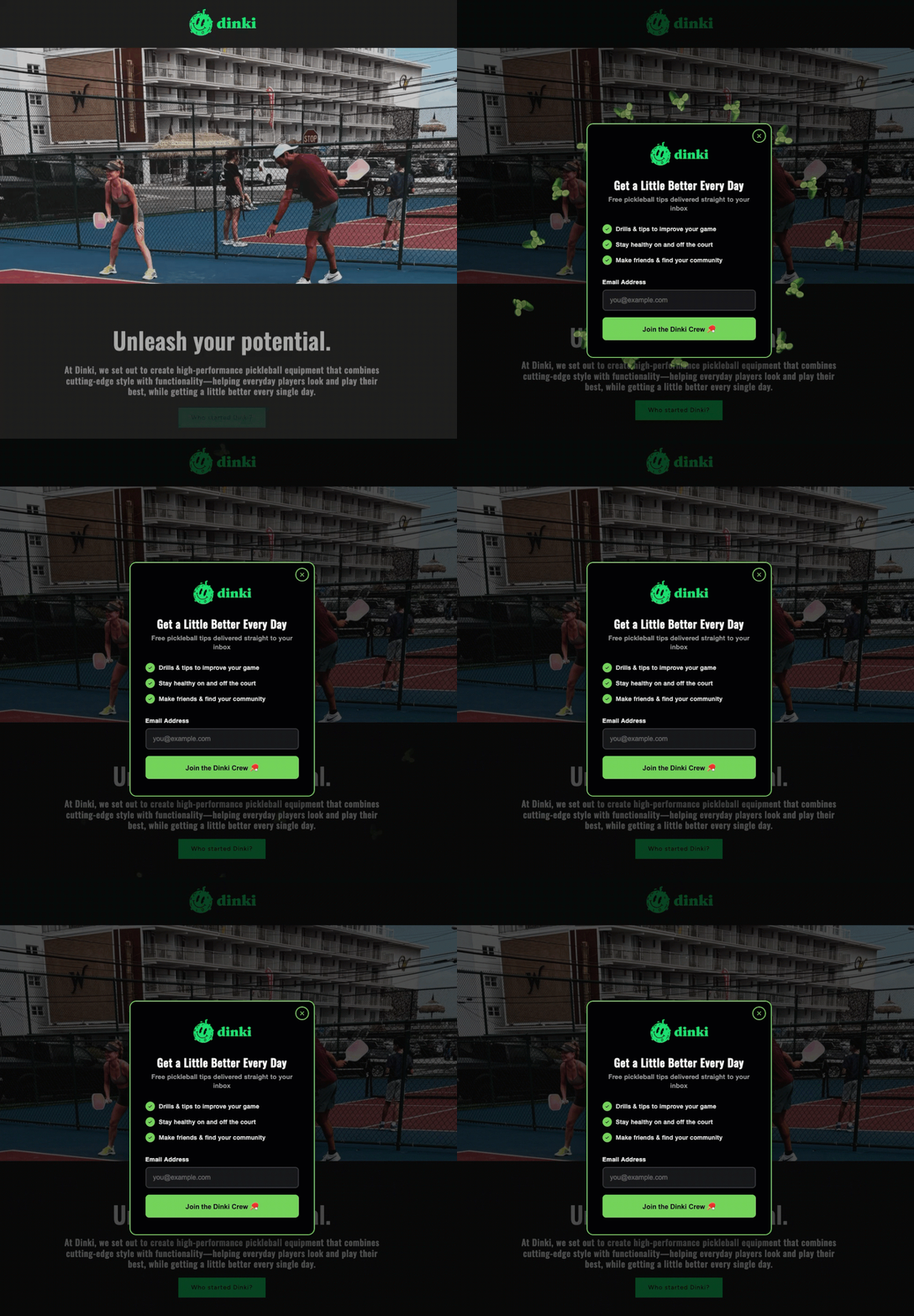
The Power of a Precise Headline: The headline is the popup’s first and often only chance to capture attention and convey value. It must be concise, specific, and immediately communicate what the visitor will receive, ideally in under ten words. Generic calls to action like "Subscribe to our newsletter" are consistently outperformed by headlines that articulate a clear benefit, such as "Get the weekly marketing checklist." The goal is to ensure the visitor grasps the offer’s essence before needing to read any further details. Naming the deliverable explicitly, for example, "Free email marketing checklist" versus "Join our list," significantly enhances conversion rates by setting clear expectations about what will arrive in their inbox. This directness fosters trust and reduces ambiguity, critical factors in encouraging engagement.
Value Proposition and Form Field Efficiency: While optional, a succinct value statement below the headline can provide crucial context, building urgency or credibility. Phrases like "Sent to your inbox in 60 seconds" create immediate gratification, while "Used by 5,000+ small business owners" leverages social proof. If the headline is sufficiently clear, this element can be omitted to maintain conciseness. Crucially, the number of form fields is a direct determinant of completion rates. For a popup, email is typically the only essential field required to initiate a relationship. Adding a field for a first name can facilitate personalization, but this should be considered the absolute maximum. Research consistently shows that every additional field beyond two dramatically reduces conversion rates. More extensive data, such as demographics or preferences, should be collected later through welcome emails, progressive profiling, or a dedicated preference center, allowing the initial interaction to be as frictionless as possible.
Action-Oriented Calls-to-Action and User Control: The call-to-action (CTA) button is the final prompt for conversion. It should utilize action-oriented language directly related to the offer, such as "Send me the checklist," which performs significantly better than a generic "Submit." Furthermore, tests frequently indicate that first-person language (e.g., "Get my free guide") often outperforms second-person language (e.g., "Get your free guide"), as it personalizes the action for the user. Beyond conversion, respecting user autonomy is paramount. The close button must be obvious and easily accessible. A tiny ‘X’ in a corner or a guilt-tripping dismiss link like "No, I don’t want more customers" erodes trust. A clear, visible close option signals respect for the visitor’s choice. Trapping visitors not only fails to generate conversions but actively damages brand reputation and increases bounce rates, reinforcing a negative perception of the site.
Strategic Deployment: Timing and Triggers
The perception of a popup as either helpful or hostile is largely dictated by its timing. A popup that appears within the first three seconds of a visit conveys a clear message: the website owner values an email address more than the visitor’s experience. In contrast, a popup that waits until a visitor has scrolled halfway down a page or spent 30 seconds engaging with content appears when the user is already invested and potentially receptive to an offer. Data from various conversion rate optimization (CRO) studies consistently shows that strategically timed popups can achieve conversion rates ranging from 3% to 10% or even higher, while poorly timed ones often fall below 1%.
Engaging Visitors with Scroll and Time-Based Triggers: Three primary triggers have proven most effective in balancing user experience with conversion goals:
- Scroll-based triggers: These activate the popup after a visitor has scrolled a predetermined percentage of the page. For content-rich pages like blog posts, a scroll depth of 40% to 60% is generally optimal. At this point, the visitor has consumed enough content to form an opinion about the site’s value and is more likely to be interested in supplementary resources.
- Time-based triggers: These popups appear after a set number of seconds on the page. A delay of 15 to 30 seconds allows most visitors sufficient time to engage with the content without feeling immediately ambushed. Any timing under ten seconds typically feels aggressive and leads to higher abandonment rates.
The Efficacy of Exit-Intent: Exit-intent triggers represent perhaps the least intrusive and often most effective option. This technology detects when a visitor’s cursor moves toward the browser’s close button, back button, or address bar, signaling an imminent departure. The popup then appears just before they leave, offering a final opportunity to engage. Exit-intent popups consistently boast higher conversion rates than timed popups, with some reports indicating rates of 5-10% or even 15% for highly targeted offers. This effectiveness stems from their non-interruptive nature; they only engage users who were already planning to leave, providing a last-ditch effort to retain their interest. A powerful strategy involves combining triggers: display a scroll-based popup to highly engaged readers who are deep into your content, and reserve an exit-intent popup for those who are about to leave without engaging further. This multi-layered approach ensures that offers are presented when visitors are most receptive or when there’s a final opportunity to connect.
Optimizing Frequency and Placement for Maximum Impact

Even the most well-designed and perfectly timed popup can become a detriment if its frequency and placement are not meticulously controlled.
Respecting User Preferences: The Frequency Cap: Once a visitor closes a popup, immediately re-displaying it on the next pageview is a sure-fire way to train them to abandon the site altogether. This aggressive approach signals a disregard for their initial decision. Implementing a frequency cap is crucial: set the popup to appear once per session, or more conservatively, once every seven days. Repeated popups do not convert resistant visitors; they merely confirm their decision to leave and damage the brand’s credibility. Respecting a visitor’s choice to close a popup for at least the remainder of their current visit is a fundamental aspect of building trust and fostering a positive user experience.
Contextual Relevance: Page Targeting: Not every page on a website requires a popup, and showing the same generic form everywhere dilutes its impact and frustrates visitors. Effective page targeting involves matching the popup’s offer to the specific content being viewed. For example, a popup offering a "blog writing checklist" is highly relevant and valuable on a post discussing content marketing strategies. Conversely, the same popup would be entirely out of context and ineffective on a pricing page. Generic "join our newsletter" popups rarely perform as well as highly targeted offers tied directly to the content. If a visitor is reading about email automation, presenting a resource specifically about email automation significantly increases the likelihood of conversion. This contextual relevance underscores the principle of delivering value where and when it is most pertinent to the user’s current interest.
Adapting for Mobile: Device Targeting and SEO Considerations: Popups behave distinctly on different devices, and neglecting this can lead to severe penalties. A popup that renders perfectly on a desktop or laptop screen can completely cover the content on a smaller mobile phone display, creating an extremely frustrating experience. Recognizing this, Google has explicitly used "intrusive mobile interstitials" as a negative ranking signal since January 2017. Full-screen popups that immediately cover all content upon a mobile page load can significantly harm a website’s search rankings. However, Google’s guidelines differentiate between intrusive interstitials and those triggered by a time delay, scroll depth, or exit intent, which are generally not penalized, provided they don’t impede primary content. Best practice dictates deploying smaller banners or slide-in forms on mobile devices, reserving full-screen popups for desktop users. Furthermore, on any screen size, the close button must be conspicuously easy to find and tap, ensuring a smooth dismissal experience. This dual approach to device targeting ensures compliance with SEO best practices while optimizing for user experience across all platforms.
Innovative Popup Formats: Beyond the Standard Box

The traditional rectangular popup form has evolved, with marketers now leveraging creative formats to boost engagement and conversion rates. AWeber’s AI Signup Form Builder facilitates the creation of these diverse and dynamic forms, often with just a simple text description.
Gamification and Discount Incentives:
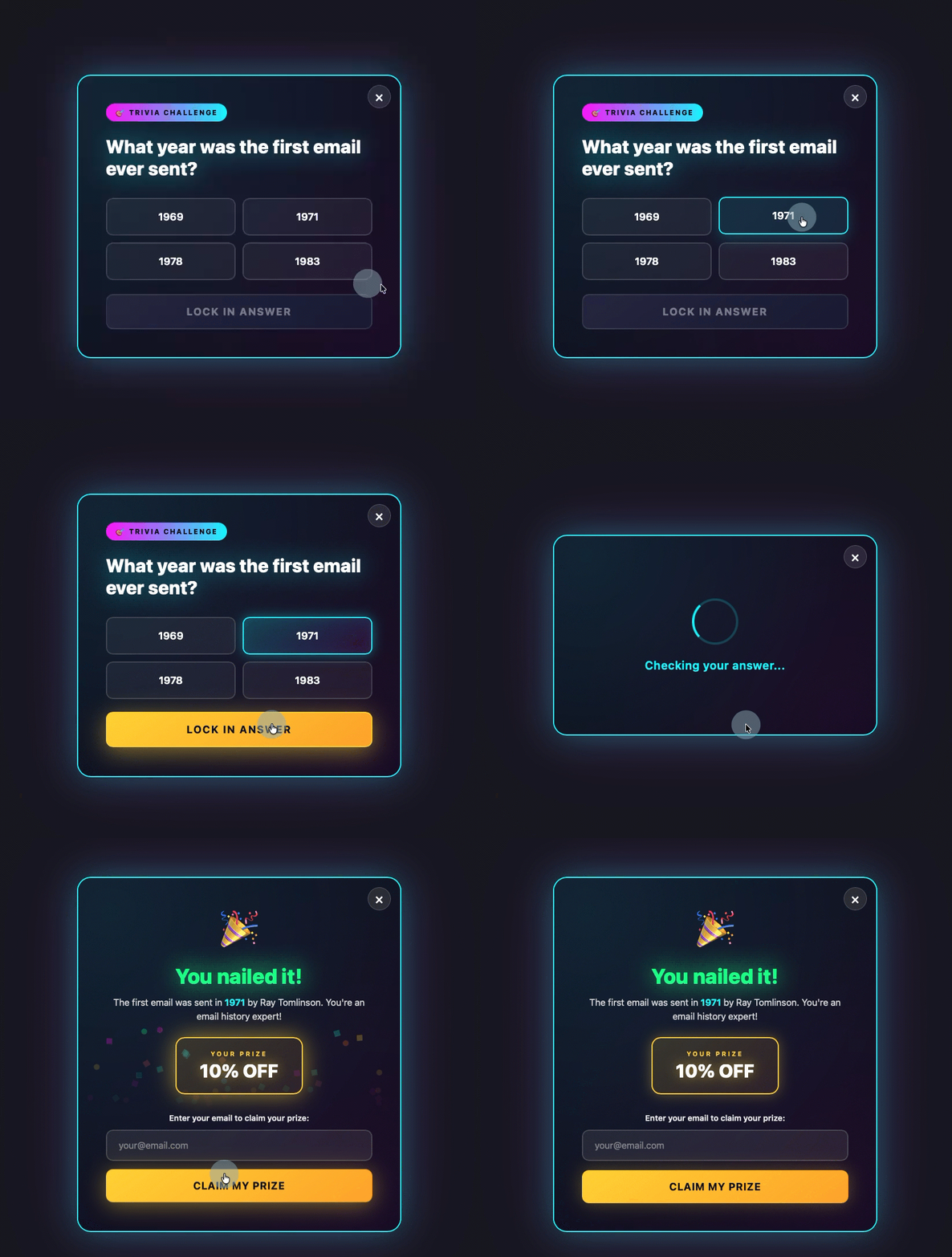
- Gamified Popups: These transform the lead capture process into an interactive experience, such as a quiz, trivia question, or a "spin-to-win" wheel. Visitors engage with the game before they even encounter the email field, increasing their psychological investment and willingness to provide their information to claim a prize or see results.
- Discount Offers: Often implemented as a spin-to-win wheel or a direct coupon offer, these are particularly effective when triggered by exit-intent. As a visitor prepares to leave, a discount popup presents a compelling reason to stay and convert, usually requiring an email address to claim the prize or coupon code. This taps into the psychological principle of loss aversion, offering a tangible benefit that might otherwise be missed.
Multi-Step Engagement and Non-Intrusive Bars:
- Multi-step Forms: These forms break down the commitment barrier by first asking visitors to make a low-commitment decision (e.g., selecting a category of interest). By the time they reach the email field, they have already invested a small amount of effort and implicitly said "yes" to a preceding question, making them more likely to complete the final step. This technique leverages the principle of consistency and commitment.
- Sticky Bars: Also known as "hello bars" or "notification bars," these are thin strips positioned at the top or bottom of the page. They typically contain a concise message, a form field, and a CTA button. Their key advantage is that they are always visible without blocking the primary content, offering a persistent yet non-intrusive opportunity for conversion. They are particularly effective for evergreen offers or announcements that need continuous visibility.
Each of these innovative formats can be efficiently designed and deployed using tools like the AI Signup Form Builder. By simply describing the desired format and setting the timing, the builder handles the intricate design and implementation, allowing marketers to experiment with advanced lead capture strategies without technical hurdles.
The Broader Implications for Digital Marketing

The advancements in popup form technology and the refined understanding of their strategic deployment carry significant implications for the broader digital marketing landscape. For businesses, this means the potential for significantly improved lead generation, which directly translates to enhanced customer relationship management and, ultimately, revenue growth. The ability to ethically grow an email list empowers businesses with a direct communication channel, reducing reliance on increasingly complex and costly advertising platforms. For users, the shift towards respectful, context-aware popups means a far less intrusive and more helpful browsing experience, where offers are genuinely relevant to their interests rather than arbitrary interruptions.
The integration of AI into form builders, as exemplified by AWeber, signals a future where sophisticated marketing tools are not exclusive to large enterprises with dedicated development teams. This democratization of technology empowers small business owners, entrepreneurs, and content creators to compete effectively by leveraging advanced lead capture techniques that were once out of reach. As the digital ecosystem continues to evolve, with increasing emphasis on data privacy and user experience, the ability to build trust through respectful engagement will become even more critical. Popup forms, when implemented with intelligence, empathy, and strategic foresight, are poised to remain a cornerstone of effective digital lead generation, driving meaningful connections between businesses and their audiences.
Conclusion: The Future of Respectful Lead Generation
The journey of the popup form from a widely detested internet nuisance to a highly sophisticated and effective lead generation tool underscores a fundamental truth in digital marketing: user experience is paramount. The difference between a popup that converts and one that repels lies entirely in its thoughtful execution. By adhering to best practices in design, timing, frequency, and placement, marketers can leverage these dynamic elements to significantly grow their email lists while simultaneously enhancing user satisfaction. Tools like AWeber’s AI Signup Form Builder are accelerating this transformation, making it easier than ever for businesses of all sizes to implement these advanced strategies. As we move forward, the emphasis will continue to be on creating personalized, valuable, and non-intrusive interactions, ensuring that every popup serves as an invitation to engage, not an interruption to dismiss. The future of lead generation is intrinsically linked to the ability to build trust and deliver value, and intelligently designed popup forms are proving to be an indispensable component of this respectful approach.