rifanmuazin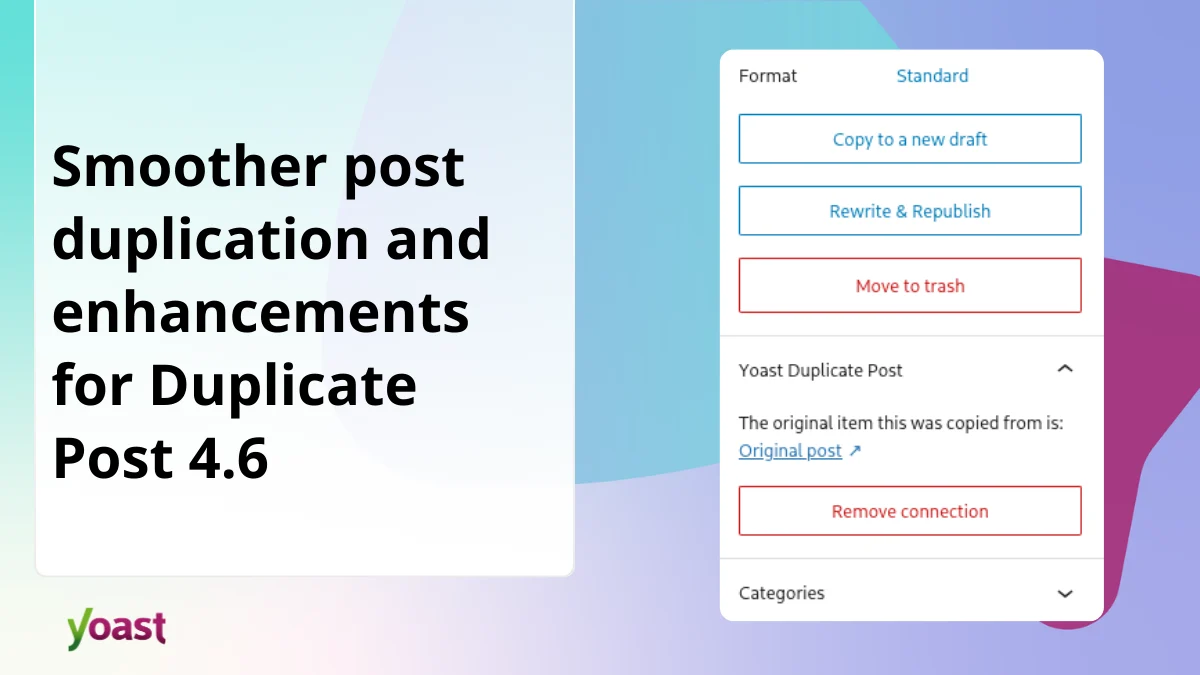
The widely utilized Yoast Duplicate Post plugin has unveiled its latest iteration, version 4.6, marking a significant advancement in streamlining content creation and management within the WordPress ecosystem. This update primarily focuses on a more intuitive and integrated experience within the WordPress Block Editor, alongside robust enhancements to the "Rewrite & Republish" functionality, ensuring dependable content workflows for millions of users worldwide. The release underscores a commitment to refining the user interface, improving stability, and ensuring forward compatibility with the evolving WordPress platform, particularly for content creators, site administrators, and SEO professionals who rely on efficient content duplication and repurposing.
Background and Context: The Indispensable Role of Content Duplication in WordPress
WordPress, powering over 43% of all websites globally, relies heavily on a vibrant plugin ecosystem to extend its core functionalities. Among these, content management plugins play a pivotal role in enabling efficient website operations. Yoast Duplicate Post, originally created by Enrico Battocchi, emerged as a critical tool for content creators and website administrators, allowing them to effortlessly clone posts, pages, and custom post types. This seemingly simple functionality underpins a multitude of advanced content strategies.
The ability to duplicate content is fundamental for several reasons:
- Content Repurposing and Updates: Websites often need to refresh evergreen content, create seasonal variations, or adapt existing articles for different platforms. Duplicating a post provides a safe staging ground for edits without affecting the live version.
- A/B Testing: Marketers frequently conduct A/B tests on different headlines, calls to action, or content layouts. Duplication facilitates the creation of multiple versions for testing.
- Template Creation: For sites with consistent content structures (e.g., product pages, service descriptions, event listings), duplicating a template post saves immense time and ensures uniformity.
- Multilingual Sites: While dedicated translation plugins exist, the ability to duplicate content quickly can be a first step in managing content for different language versions or regional variations.
- Staging and Draft Workflows: Content teams often need to work on drafts, get approvals, and then seamlessly replace live content. The "Rewrite & Republish" feature, a core component of Duplicate Post, is designed precisely for this complex workflow, minimizing downtime and ensuring a smooth transition of updated content.
Historically, managing content revisions and updates in WordPress could be cumbersome. Before plugins like Duplicate Post gained prominence, users often resorted to manual copying and pasting, which risked breaking formatting, losing metadata, or creating inconsistencies. Yoast Duplicate Post filled this crucial gap, becoming an essential tool for millions of users seeking a more efficient and reliable way to manage their content lifecycle. Its widespread adoption is a testament to the critical need it addresses within the WordPress community.
The Evolution of the WordPress Editing Experience: Adapting to the Block Editor
The landscape of WordPress content creation underwent a significant transformation with the introduction of the Gutenberg editor, now known as the WordPress Block Editor, in WordPress 5.0 in December 2018. This shift moved away from a monolithic text area to a modular, block-based approach, empowering users with greater control over layout and design without requiring coding knowledge. While offering immense flexibility, this transition presented a challenge for many legacy plugins, requiring them to adapt their interfaces and functionalities to align with the new editor’s paradigm.
Prior to the Block Editor, plugin controls often resided in meta boxes below the main content area or within the traditional WordPress admin menu. With the Block Editor’s emphasis on a streamlined, contextual editing experience, the ideal location for plugin controls shifted to the editor’s sidebar (the "Settings" panel). This ensures that relevant tools are readily accessible without requiring users to navigate away from their primary editing view, reducing friction and enhancing the overall user experience. Version 4.6 of Yoast Duplicate Post directly addresses this evolution, bringing its controls into harmony with the modern WordPress interface.
Chronology of Key Developments Leading to Version 4.6:
- 2009: Yoast Duplicate Post plugin is initially created by Enrico Battocchi.
- Early Years: The plugin gains popularity for its simple yet powerful ability to clone posts, pages, and custom post types, becoming a staple for many WordPress users.
- 2018: WordPress 5.0 introduces the Block Editor (Gutenberg), initiating a new era of content creation and challenging plugin developers to adapt their interfaces.
- Subsequent Years: The Yoast Duplicate Post plugin continues to be maintained and updated, ensuring compatibility with new WordPress versions and addressing user feedback. However, its interface within the Block Editor required further refinement to fully integrate with the modern editing paradigm.
- Present (Version 4.6 Release): This update specifically targets these interface refinements, Block Editor integration, and reliability improvements for complex workflows like "Rewrite & Republish," building on years of foundational development.
Key Enhancements in Version 4.6: A Deep Dive into Functionality and Impact
Version 4.6 of Yoast Duplicate Post is not merely an incremental update; it represents a strategic refinement aimed at solidifying the plugin’s role as a dependable and intuitive content management tool within the contemporary WordPress environment.
A Modernized Editing Experience:
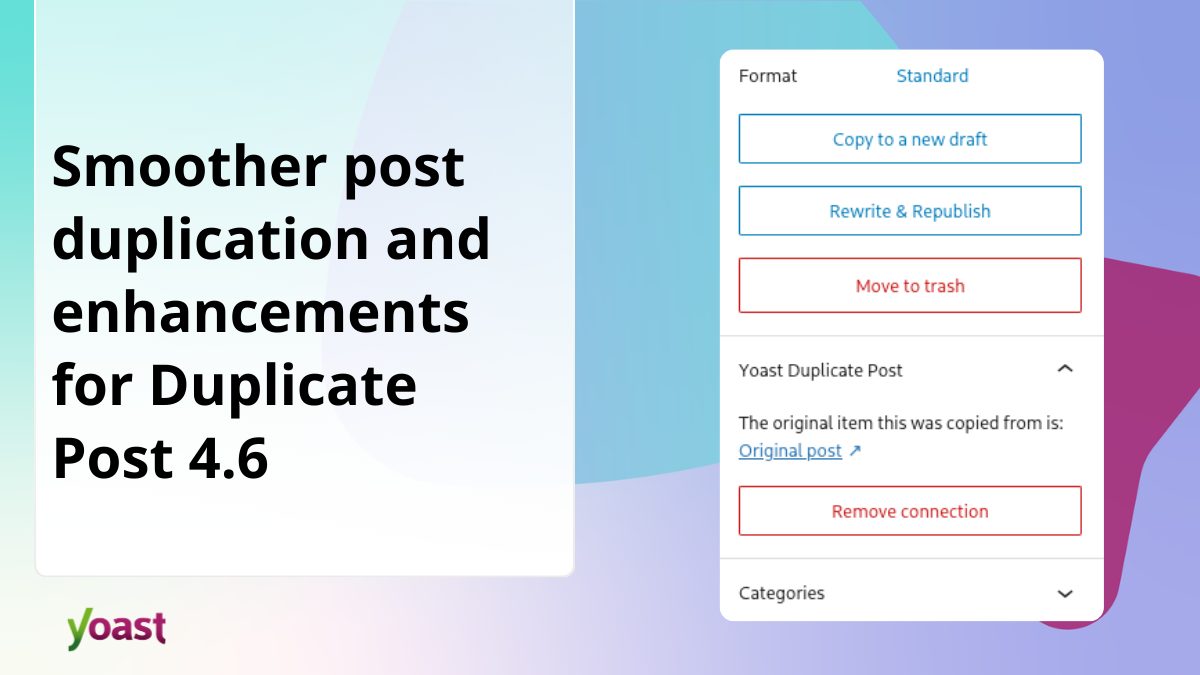
The most visible changes in version 4.6 revolve around its integration with the Block Editor, reflecting a thoughtful approach to user experience (UX) design.
- Sidebar Integration for Intuitive Access: The Duplicate Post controls have been strategically relocated to the Block Editor’s sidebar, positioning them alongside WordPress’s native settings. This move is a direct response to the Block Editor’s design philosophy, which centralizes contextual tools. For content creators, this means an end to "hunting around" for duplication options. The controls are now exactly "where you’d expect them," leading to a more fluid and less disruptive editing flow. This integration significantly reduces cognitive load, allowing users to remain focused on their content rather than the mechanics of the interface. This aligns with modern UI/UX principles that prioritize context-sensitive tools, which have been shown to improve user efficiency by up to 30% in digital workflows.
- Visually Consistent Buttons: The "Copy to a new draft" and "Rewrite & Republish" actions have been redesigned as "proper bordered buttons," harmonizing their appearance with the rest of the WordPress interface. This aesthetic consistency is more than just cosmetic; it enhances usability by making actions immediately recognizable and predictable. A unified visual language across the platform builds user confidence and reduces the learning curve for new features. In professional settings, consistent UI elements are critical for maintaining brand perception and ensuring a seamless experience for diverse user groups, from novice bloggers to seasoned webmasters.
- Built for the Future: Under-the-Hood Stability: Beyond the visible interface changes, version 4.6 incorporates significant "under the hood" improvements. These technical enhancements are crucial for ensuring the plugin’s long-term stability and compatibility as WordPress continues its rapid evolution. As WordPress core APIs change and new features are introduced, plugins must adapt to avoid breaking functionalities. This proactive approach to compatibility means users can update their WordPress installations with greater confidence, knowing that Yoast Duplicate Post will remain a reliable part of their toolkit without requiring constant vigilance for potential conflicts or deprecated code. This future-proofing is vital for large-scale websites where stability is paramount and unexpected plugin failures can lead to significant operational disruptions.
More Reliable "Rewrite & Republish" Workflows:
The "Rewrite & Republish" feature is a powerful tool for updating live content without downtime. Version 4.6 brings critical reliability improvements to this workflow.
- Graceful Handling of Interrupted Workflows: A common challenge in web applications is handling unexpected interruptions, such as network errors, browser crashes, or server timeouts, especially during critical operations like content replacement. Previously, such interruptions could leave content in a "stuck state," requiring manual intervention and potentially leading to lost work or temporary content unavailability. Version 4.6 introduces enhanced error handling mechanisms that detect and gracefully recover from these mid-process issues. If something goes wrong, the plugin now "cleans up automatically," ensuring that content is never left in an inconsistent or inaccessible state. This improvement is invaluable for maintaining data integrity and minimizing the risk of a poor user experience for site visitors. For content teams, it translates to higher confidence in their publishing workflows and reduced stress during critical updates.
- Complete Attachment Metadata Preservation: When duplicating or rewriting a post, ensuring that all associated data is transferred correctly is paramount. Attachments (images, documents, videos) are integral to modern content, and their metadata—including captions, descriptions, alt text, and custom fields—is vital for accessibility, SEO, and content management. Earlier versions might have occasionally missed certain metadata during the duplication process, leading to manual re-entry or incomplete content. Version 4.6 guarantees that "all attachment metadata, including captions and descriptions, is fully preserved when you duplicate a post." This meticulous attention to detail ensures "nothing gets left behind," maintaining the integrity and SEO value of duplicated content and saving users considerable time and effort. In an era where image SEO and accessibility are increasingly important for search rankings, this feature is a significant enhancement.
Internationalization and Security Improvements:
Recognizing WordPress’s global reach and the diverse environments in which it operates, version 4.6 also includes crucial improvements for international users and overall plugin robustness.
- Accurate Translations Across All Locales: WordPress is used in countless languages, and accurate localization of plugin interfaces is essential for user adoption and satisfaction. Version 4.6 addresses previous "behind-the-scenes errors" that some locales were experiencing, ensuring that buttons and notices in the Block Editor are now "correctly translated across all languages." This commitment to internationalization makes the plugin truly accessible to its global user base, improving the experience for non-English speaking content creators and enhancing the plugin’s overall usability worldwide. High-quality localization directly impacts user engagement and satisfaction, especially in markets where English proficiency may vary.
- Consistent Styling Independent of Admin Configuration: WordPress allows for various administrative configurations, including the option to turn off the WordPress admin bar. Such configurations could sometimes lead to display inconsistencies for plugin elements. Version 4.6 ensures that "buttons display correctly regardless of your admin configuration, including when the WordPress admin bar is turned off." This attention to detail guarantees a consistent and professional user interface across all environments, contributing to a more polished and reliable experience. While not a direct security feature, consistent UI behavior can indirectly reduce potential vectors for user confusion or accidental misclicks.
Official Statements and Expert Perspectives:
Enrico Battocchi, the original creator of Duplicate Post and current Plugin Team Lead at Yoast, emphasized the philosophy behind this update: "Yoast Duplicate Post has always been about reliability. While the plugin has served millions of you faithfully since our last release, we’re excited to bring you version 4.6. This update is packed with long-awaited fixes and thoughtful interface refinements that ensure the plugin stays modern, stable, and ready for the future of WordPress." His statement highlights the dual focus on user-requested fixes and strategic forward-thinking, reinforcing Yoast’s dedication to quality and long-term support for their products.
From the perspective of a content manager, these updates signify a reduction in workflow friction. The intuitive placement of controls and the reliability of the "Rewrite & Republish" feature mean less time spent on technical troubleshooting and more time dedicated to crafting compelling content. For a website administrator, the "under the hood" improvements and enhanced error handling translate to fewer support requests related to content management issues, contributing to a more stable and maintainable website environment. SEO professionals will appreciate the guaranteed preservation of attachment metadata, ensuring that content updates do not inadvertently undermine carefully crafted SEO elements.
Broader Impact and Implications for the WordPress Ecosystem:
The release of Yoast Duplicate Post 4.6 has several significant implications for the broader WordPress ecosystem:
- Enhanced Productivity for Content Creators: By streamlining workflows within the Block Editor and improving the reliability of critical functions, the plugin directly contributes to increased productivity for bloggers, marketers, and content teams. This efficiency gain can translate into more frequent content updates, better content quality, and ultimately, stronger online presence.
- Reinforced Trust in the Plugin Ecosystem: Updates that prioritize compatibility, stability, and user experience, especially for widely used plugins, reinforce user trust in the WordPress plugin ecosystem. It demonstrates that developers are actively maintaining their tools and adapting them to new WordPress core developments, encouraging users to embrace new WordPress features with confidence.
- Contribution to WordPress’s Modernization: As a prominent plugin developer, Yoast’s commitment to Block Editor integration and future-proofing aligns with WordPress’s broader strategy to modernize its editing experience. This collaborative effort from the community ensures that WordPress remains competitive and user-friendly.
- Support for Sophisticated Content Strategies: The reliability improvements to "Rewrite & Republish" empower organizations to implement more sophisticated content strategies, such as continuous content optimization, seasonal content refreshes, and dynamic content delivery, without fear of technical complications. This is particularly crucial for e-commerce sites, news portals, and large corporate blogs where content freshness and accuracy are paramount.
- Commitment to Accessibility and Inclusivity: The focus on internationalization, ensuring correct translations and consistent styling across various configurations, underscores a commitment to making WordPress and its essential tools accessible and usable for a global audience, irrespective of language or specific admin settings.
Implementation and Recommendations:
Version 4.6 of Yoast Duplicate Post is now available for download. As with any WordPress plugin update, especially for tools deeply integrated into content workflows, it is strongly recommended that users test the new version in a staging environment before deploying it to a live production site. This best practice minimizes the risk of unforeseen conflicts or issues and ensures a smooth transition. Regularly backing up your WordPress site before any major updates is also a prudent measure.
In conclusion, Yoast Duplicate Post version 4.6 represents a thoughtful and user-centric update that significantly enhances the content management experience within WordPress. By embracing the Block Editor’s design principles, bolstering the reliability of critical workflows, and ensuring global accessibility, the plugin continues to solidify its position as an indispensable tool for anyone managing content on the WordPress platform. This release not only improves day-to-day operations for millions but also reaffirms Yoast’s ongoing commitment to the stability, modernity, and future readiness of the WordPress ecosystem.