Asep Darmawan
In an increasingly complex and data-rich digital landscape, social media dashboards have emerged as an indispensable tool for businesses seeking to effectively track, analyze, and report on their online performance. These sophisticated interfaces consolidate metrics from diverse social accounts—ranging from Instagram and LinkedIn to Facebook, TikTok, and X—into a single, coherent view. This aggregation is particularly critical for enterprise marketing teams, agencies managing extensive client portfolios, and rapidly expanding social media departments, where the burden of reporting scales exponentially with each new account and campaign.

The Evolution and Imperative of Centralized Social Data
The journey of social media analytics has mirrored the rapid expansion of social platforms themselves. Initially, marketers relied on rudimentary, platform-specific insights, often logging into each network individually to glean basic performance data. This fragmented approach, while manageable for smaller operations, quickly became unsustainable as social media evolved from a peripheral marketing channel into a central pillar of business strategy. The sheer volume of data, coupled with the proliferation of platforms and content types, necessitated a more streamlined solution.

The late 2010s saw the rise of dedicated social media management platforms, which began to integrate scheduling, publishing, and basic analytics functions. However, the demand for deeper, more actionable insights—especially those that could be tied directly to business objectives—paved the way for advanced dashboard capabilities. Today, a social media dashboard is not merely a reporting tool; it is a strategic command center, offering real-time or near-real-time data, customizable visualizations, and robust filtering options by platform, date range, campaign, or specific metric. From free tools like Google Looker Studio, offering extensive customization for those willing to invest manual effort, to comprehensive, connected systems such as Hootsuite Social OS, which seamlessly combine scheduling, publishing, and cross-platform analytics, the market offers solutions tailored to every scale and budget.
The financial stakes in social media marketing are considerable and continue to grow. Projections indicate that US social ad spending alone is set to exceed $121 billion by 2026, with global social media ad spending on pace to reach approximately $530 billion by 2030. In this environment, the cost of not understanding what resonates with audiences and drives conversions is prohibitive. For large enterprises grappling with multiple brands, regional accounts, and diverse campaigns, dashboards address significant operational challenges, transforming data into strategic advantages.
Categorizing Dashboards for Strategic Clarity
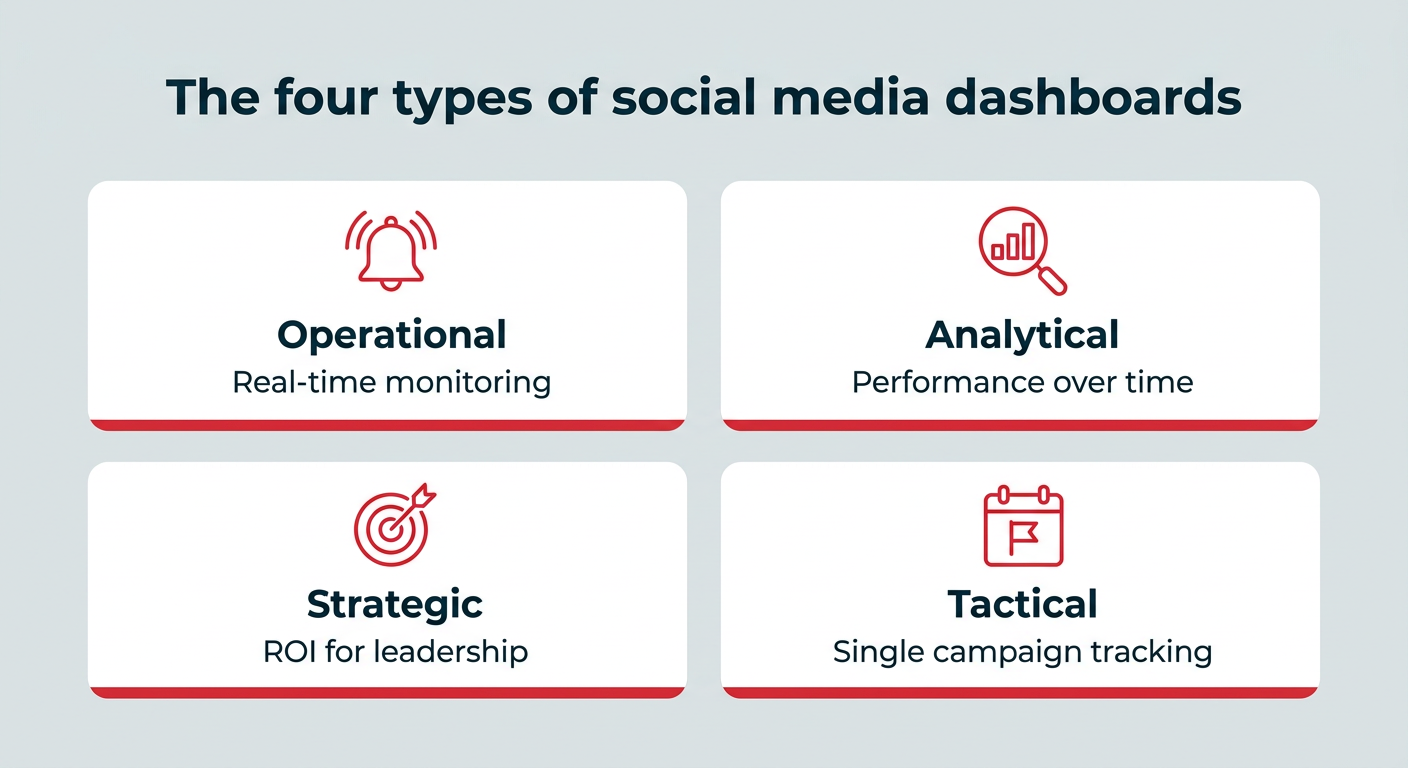
To maximize their utility, dashboards are typically categorized into four distinct types, each serving a specific purpose and audience, preventing data overload by focusing on relevant metrics. These categories are operational, analytical, strategic, and tactical.
- Operational Dashboards: Designed for social media coordinators, community managers, and customer care teams, these dashboards monitor real-time activity and immediate response needs. They provide an instant snapshot of incoming messages, mentions, and urgent trends, enabling swift engagement and crisis management.
- Analytical Dashboards: Primarily utilized by social media managers and analysts, these tools delve into content and audience performance over extended periods. They help identify patterns, optimize content strategies, and understand long-term engagement trends.
- Strategic Dashboards: Geared towards C-suite executives, VPs of marketing, and directors, strategic dashboards report on return on investment (ROI) and progress against overarching business goals. They provide a high-level view of social media’s contribution to revenue, brand health, and market share.
- Tactical Dashboards: Campaign managers and paid social specialists rely on tactical dashboards to track specific campaigns from inception to conclusion. These dashboards offer granular insights into campaign performance, allowing for real-time adjustments and optimization.
Understanding these distinctions ensures that the right data is presented to the right stakeholders, fostering more informed decision-making across the organization.
Transforming Data into Decisions: The Core Benefits

The implementation of a well-designed social media dashboard offers several critical advantages for businesses:
- Expedited and Simplified Reporting: The traditional method of logging into multiple native analytics platforms to compile reports can consume countless hours. Dashboards automate data aggregation, allowing teams to generate comprehensive reports and presentations in minutes, freeing up valuable time for strategic planning and execution.
- Enabling Real-time Decision-Making: Scattered performance data inevitably leads to delayed reactions. A consolidated dashboard provides an immediate, at-a-glance understanding of what is performing well and what is not, empowering marketers to pivot their social media strategies promptly. Advanced platforms often integrate AI-powered insights, which can proactively highlight emerging trends or anomalies that might otherwise be overlooked.
- Demonstrating Social Media ROI to Leadership: A persistent challenge for social media teams is quantifying their impact on core business outcomes. With marketing budgets frequently under scrutiny—59% of CMOs report insufficient budget, and overall marketing budgets have flatlined at approximately 7.8% of company revenue—the ability to clearly demonstrate ROI is paramount. Dashboards provide historical context, track progress against business goals over time, and present metrics directly tied to revenue, leads, and brand health, bolstering budget requests and strategic justifications.
Aligning Metrics with Business Objectives
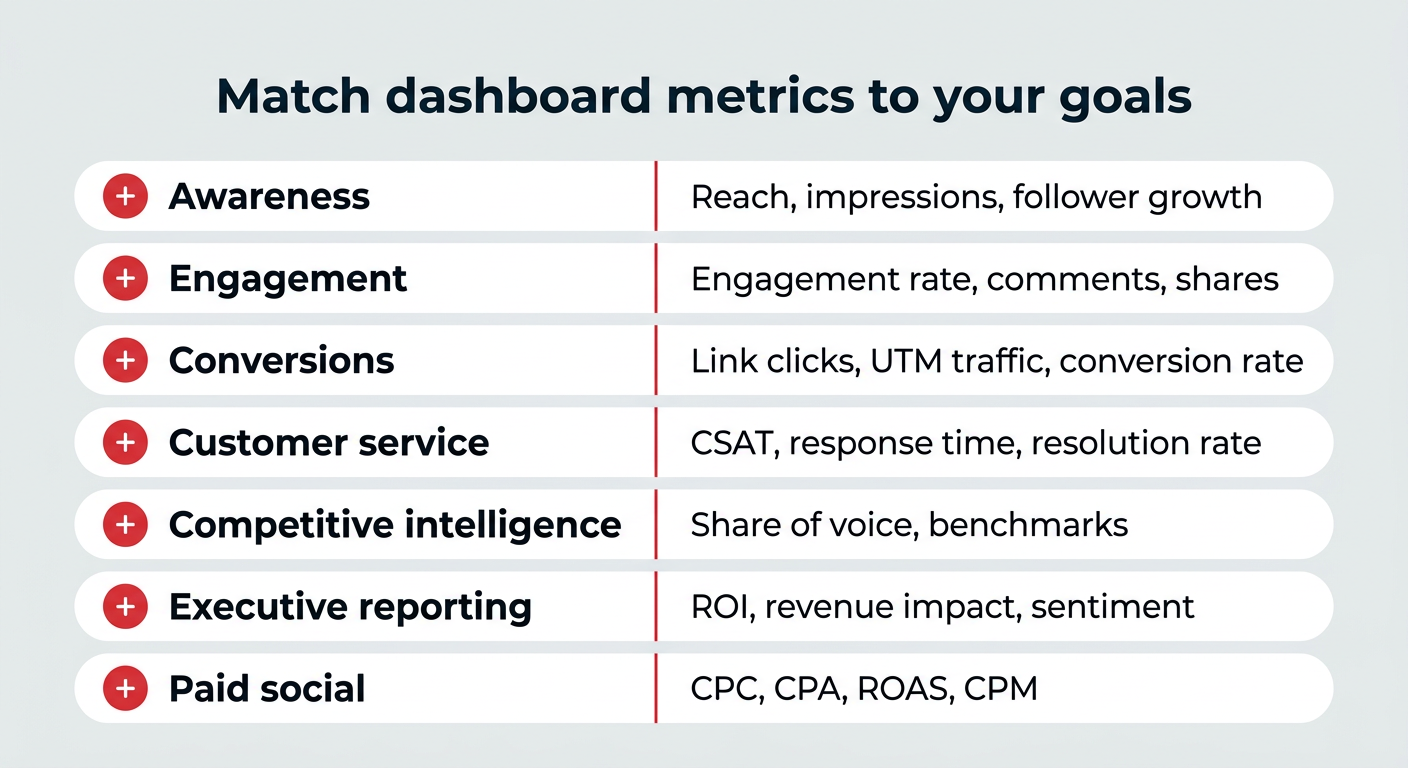
The effectiveness of a social media dashboard hinges on the careful selection of metrics that directly align with specific business goals. A cluttered dashboard tracking irrelevant data is as unhelpful as no dashboard at all.
- Awareness: For goals centered on brand visibility, dashboards track reach, impressions, and follower growth. A brand awareness dashboard helps organizations understand how their audience is expanding and interacting with content.
- Engagement: To gauge audience interaction, metrics such as engagement rate, likes, comments, shares, and saves are crucial. A content and engagement dashboard reveals which content types and topics resonate most deeply.
- Conversions: When the objective is to drive specific actions, dashboards focus on link clicks, UTM-tracked traffic, and conversion rates. For comprehensive full-funnel measurement, integrating dashboard data with Google Analytics or CRM systems is essential to connect social clicks to downstream actions like sign-ups or purchases.
- Customer Service: To evaluate social customer care, metrics like CSAT (Customer Satisfaction) score, response time, and resolution rate are key. Dedicated social customer service dashboards help optimize support channels, especially given that 81% of customers expect faster service due to technological advancements.
- Competitive Intelligence: Understanding the market landscape involves tracking share of voice, competitor engagement, and industry benchmarks. Competitive analysis dashboards offer insights into market positioning and identify strategic opportunities.
- Executive Reporting: High-level stakeholders require concise summaries focused on ROI, revenue impact, overall goal progress, and brand sentiment. Executive summary dashboards distill complex data into actionable insights for strategic decision-making.
- Paid Social: For advertising efforts, metrics such as Cost Per Click (CPC), Cost Per Acquisition (CPA), Return on Ad Spend (ROAS), and Cost Per Mille (CPM) are vital. An advertising and paid social dashboard allows for side-by-side performance comparison of organic and paid content.
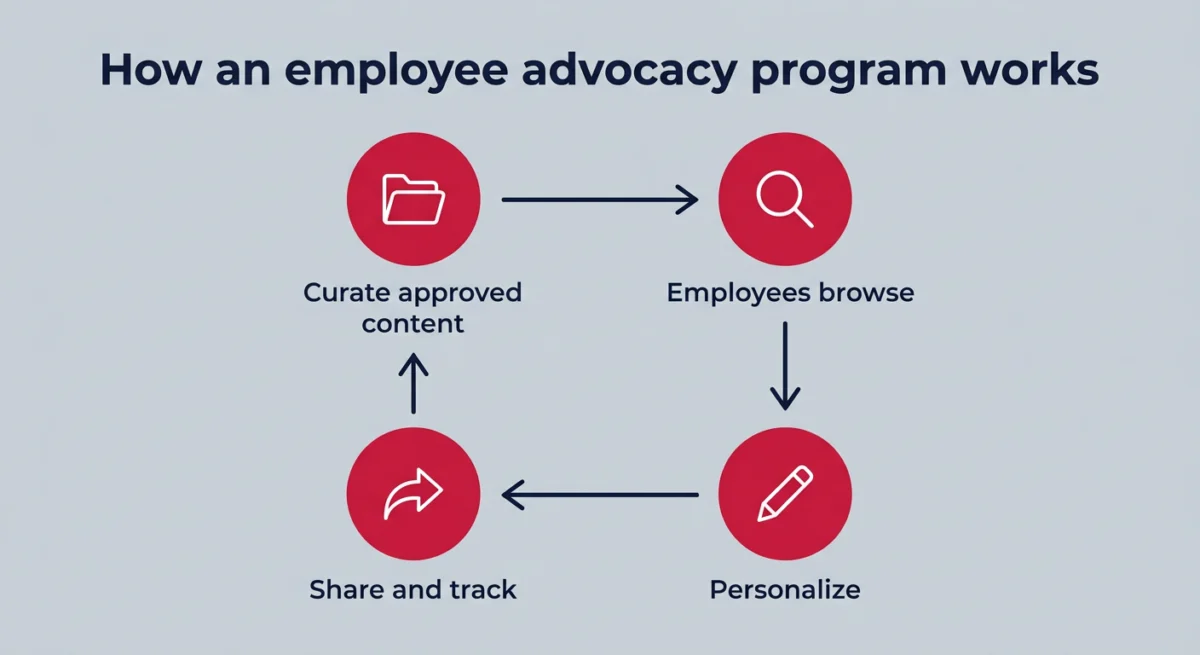
- Employee Advocacy: Measuring the impact of employee advocacy programs involves tracking employee reach, engagement, shares, and the overall amplification of company messages. These programs significantly expand organic reach and build trust, with tools like Hootsuite’s Parliament enabling formal program management and success measurement.
Principles for Effective Dashboard Design
Beyond selecting the right metrics, adhering to best practices in dashboard design ensures maximum utility:
- Keep it Focused: Each dashboard should serve a specific purpose and audience, avoiding the temptation to cram every available metric into a single view.
- Prioritize Key Metrics: Display the most important KPIs prominently, allowing for quick comprehension of overall performance.
- Visual Clarity: Utilize clear charts, graphs, and tables. Visualizations should be easy to interpret, highlighting trends and anomalies at a glance.
- Actionable Insights: Data should not just inform but also empower action. Dashboards should help identify what’s working, what’s not, and suggest potential areas for improvement.
- Historical Context: Include comparative data from previous periods to track progress over time and understand performance trends.
- Accessibility: Ensure the dashboard is accessible and understandable to its intended audience, regardless of their data analysis expertise.
- Regular Review and Iteration: Dashboards are not static; they should be regularly reviewed and adjusted as goals evolve or new platforms emerge.
Building and Selecting the Right Dashboard Tool
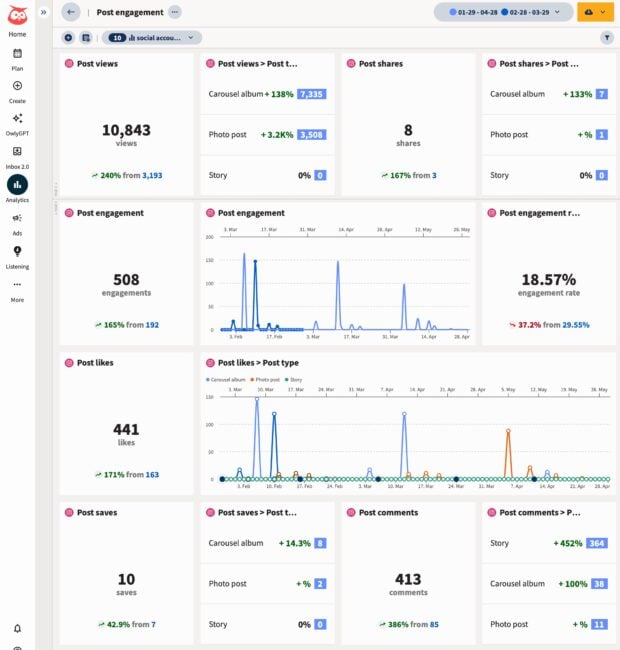
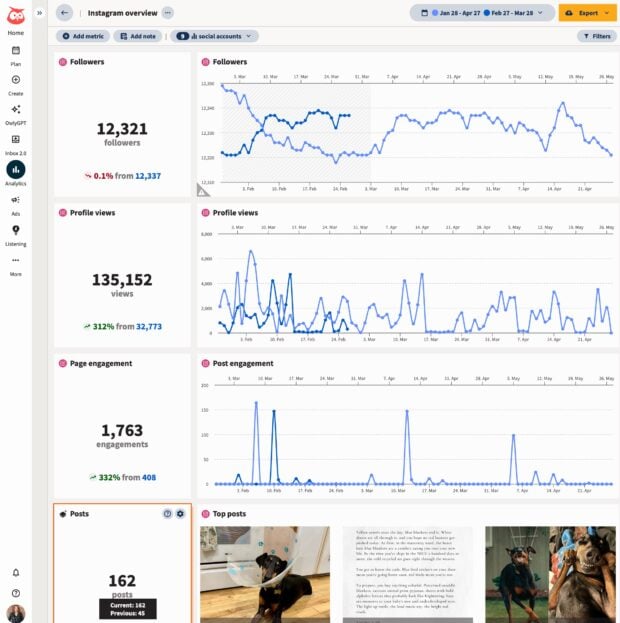
Businesses typically have two primary approaches to establishing social media dashboards: utilizing comprehensive social media management platforms with integrated analytics or building custom solutions with free tools.
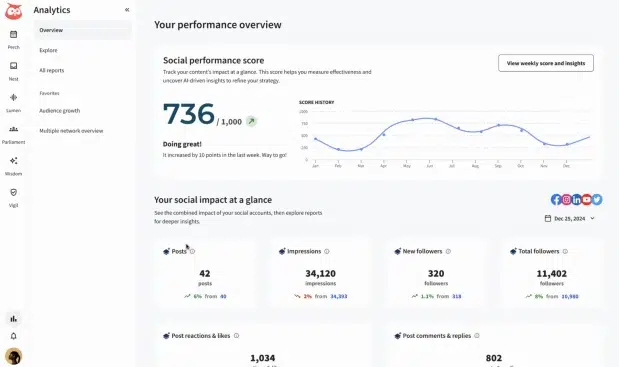
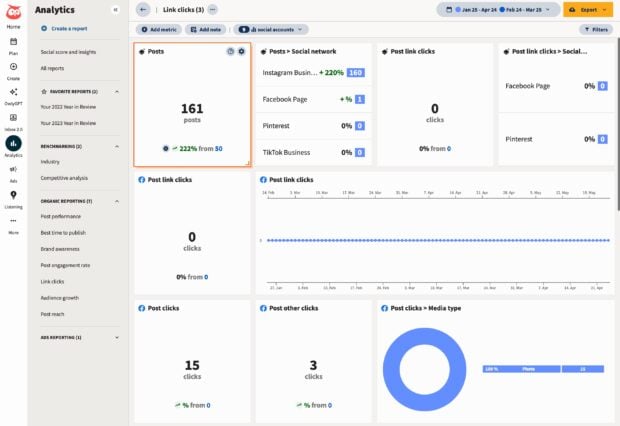
For instance, platforms like Hootsuite Social OS offer pre-built report templates where users can select accounts and date ranges, with data populating automatically and continuously updating as platform APIs evolve. This "out-of-the-box" convenience is invaluable for teams prioritizing efficiency.
Alternatively, for budget-conscious teams requiring extensive customization, Google Looker Studio (formerly Google Data Studio) provides a powerful, free solution. This path involves a more manual setup:
- Log in to Looker Studio: Access the platform using a Google account.
- Create a Data Source: Initiate the creation of a new data source, connecting to relevant business information.
- Connect Google Analytics: Integrate Google Analytics 4 (GA4) as a primary data source, authorizing access to performance data.
- Create Report: Transform the raw data view into a blank canvas for report creation.
- Add Metrics and Finalize: Manually add desired metrics from a vast library, positioning and styling them to create a perfectly customized dashboard.
While Looker Studio offers unparalleled flexibility, its main trade-offs are the significant time investment required for initial setup and ongoing maintenance, especially concerning platform API changes that necessitate manual adjustments.
When evaluating social media dashboard tools, several options stand out in 2026, each catering to specific needs:
- Hootsuite Social OS: Ideal for teams that require a unified platform for publishing, listening, and reporting. It offers pre-built cross-platform reports and AI-powered insights.
- Google Looker Studio: Best for budget-conscious teams comfortable with manual setup and desiring fully custom reports built on GA4 data.
- Klipfolio: Suited for analysts seeking granular control over visualizations and custom metric formulas across multiple data sources.
- Databox: Excellent for teams tracking marketing goals across various tools, featuring goal tracking and automated performance alerts.
- DashThis: A strong choice for agencies producing recurring client reports, offering automated, white-labeled report delivery.
- Whatagraph: Designed for multi-client reporting at scale, providing templated visual reports across diverse marketing channels.
The selection process should consider factors such as data integration capabilities, customization options, ease of use, scalability, automation features, pricing, and the quality of customer support. The goal is to choose a tool that not only provides comprehensive insights but also seamlessly integrates into existing workflows and supports the organization’s strategic objectives.

The Future of Social Intelligence
As social media platforms continue to evolve and user behaviors shift, the demand for sophisticated, integrated social intelligence will only intensify. The future of social media dashboards will likely see even deeper integration with other business intelligence tools, advanced predictive analytics driven by artificial intelligence, and more intuitive, personalized reporting experiences. For businesses navigating the complexities of the digital age, a robust social media dashboard is no longer a luxury but a fundamental requirement for sustained growth, effective brand management, and competitive advantage.

 Lina Irawan