
The digital landscape is increasingly fraught with peril, as cybercriminals continuously refine their tactics, making robust email security measures not merely advisable, but absolutely critical. It might shock you to learn that between 80 to 95 percent of all cyberattacks begin with a phishing email. This alarming statistic underscores the pervasive threat posed by deceptive email communications. With artificial intelligence (AI) now assisting cybercriminals in creating more sophisticated, convincing, and scalable attacks, the financial toll of cybercrime is projected to escalate dramatically, reaching an estimated $10.5 trillion annually by 2025. This staggering figure highlights the urgent need for organizations and individuals alike to fortify their digital defenses. Fortunately, proactive steps can be taken to protect digital assets, brand integrity, and customer trust from even the most cunning phishing and spoofing attacks. Central to this defense is the proper authentication of email with a correctly formatted Sender Policy Framework (SPF) record. Understanding and implementing SPF records is a fundamental step in building a resilient email security posture.
The Escalating Threat Landscape: Phishing, AI, and Cybercrime
Phishing remains the undisputed king of initial attack vectors in the cyber underworld. Its effectiveness lies in exploiting human psychology, tricking recipients into revealing sensitive information or unknowingly downloading malware. The statistics paint a grim picture: reports consistently show that the vast majority of successful cyber breaches originate from a seemingly innocuous email. This prevalence is exacerbated by the rapid advancements in artificial intelligence. AI tools are now being leveraged by malicious actors to craft highly personalized and grammatically flawless phishing emails, often mimicking legitimate communications with uncanny accuracy. This makes it increasingly difficult for human recipients to discern genuine messages from fraudulent ones.
Beyond merely improving the quality of phishing lures, AI also enables cybercriminals to scale their operations. Automated systems can generate thousands, even millions, of unique phishing emails, tailored to specific targets or industries, bypassing traditional spam filters that rely on pattern recognition. This exponential increase in both the quantity and quality of attacks is a primary driver behind the projected surge in cybercrime costs. Businesses face not only direct financial losses from fraud, data breaches, and ransomware but also severe reputational damage, regulatory fines, and a loss of customer trust. The sheer scale of this threat necessitates a multi-layered defense strategy, with email authentication protocols like SPF forming a critical first line.
Understanding Sender Policy Framework (SPF): A Foundation of Email Security
A Sender Policy Framework (SPF) record is a type of Domain Name System (DNS) text record (TXT) that empowers email senders to explicitly specify which IP addresses are authorized to send email on behalf of a particular domain. In essence, it acts as a public declaration, published in a domain’s DNS, listing all the legitimate mail servers permitted to dispatch emails using that domain name. When a receiving mail server gets an email, it checks the sender’s domain’s SPF record to verify if the sending IP address is on the authorized list.
The significance of SPF cannot be overstated in today’s digital communication ecosystem. SPF-protected domains are inherently less appealing targets for fraudsters because their attempts at spoofing are more likely to be detected and blocked. This protection is especially vital for organizations utilizing custom domain email addresses (e.g., [email protected]), as these are frequently impersonated in sophisticated attacks. Email Service Providers (ESPs) often provide some level of default protection, but custom domains require explicit configuration to achieve optimal security.
Beyond its role in preventing fraud, SPF email authentication also significantly improves email deliverability. Deliverability refers to the likelihood that an email will successfully reach the recipient’s inbox rather than being shunted to spam or junk folders. By validating the sender’s identity, SPF demonstrates to the recipient’s server that the email originates from a legitimate and trusted source. This added reputability boosts the chances that messages will be seen by their intended audience, which is crucial for marketing campaigns, transactional emails, and internal communications. Without SPF, even legitimate emails risk being flagged as suspicious, undermining communication effectiveness and potentially impacting business operations.
A Brief History of Email Authentication: From Open Relays to Robust Protocols
The internet’s early days were characterized by an open and trusting environment. Email, initially designed for academic and research purposes, lacked inherent authentication mechanisms. Any server could, in principle, send an email claiming to be from any address, a concept akin to sending a letter without a return address or official postmark. This openness, while fostering early innovation, quickly became a vulnerability with the advent of commercial internet use and the subsequent explosion of spam in the late 1990s and early 2000s. Spammers exploited the lack of sender verification to flood inboxes with unsolicited messages, often forging sender addresses to obscure their origins.
The escalating spam crisis necessitated a concerted effort to develop email authentication standards. SPF emerged as one of the pioneering solutions. Developed through community effort, SPF was formally introduced as an experimental protocol in 2003 and later standardized as RFC 4408 in 2006, then updated to RFC 7208 in 2014. Its core innovation was to leverage existing DNS infrastructure to publish sender policies, allowing receiving mail servers to check the legitimacy of the sending IP address.

While SPF provided a crucial layer of defense against direct domain spoofing, it had limitations. It primarily verified the "envelope from" address (the address used by the mail server for delivery), but not necessarily the "header from" address (what users see in their email client). This led to the development of other complementary protocols:
- DomainKeys Identified Mail (DKIM): Introduced in 2007 (RFC 4871, later RFC 6376), DKIM uses cryptographic signatures to verify that an email’s content has not been tampered with in transit and that the email truly originated from the claimed domain.
- Domain-based Message Authentication, Reporting, and Conformance (DMARC): Building upon SPF and DKIM, DMARC (RFC 7489, 2015) provides a policy layer that tells receiving mail servers how to handle emails that fail SPF or DKIM checks (e.g., quarantine, reject) and provides reporting capabilities back to the domain owner.
Together, SPF, DKIM, and DMARC form the trifecta of modern email authentication, creating a robust, multi-layered defense against email-borne threats. SPF laid the groundwork, and its continued importance in this integrated security ecosystem remains paramount.
Deconstructing the SPF Record: Mechanisms and Qualifiers
An SPF record is essentially a single line of text published as a TXT record in a domain’s DNS. Its structure is standardized, beginning with a version indicator and followed by various "mechanisms" that define authorized sending hosts, concluding with an "all" mechanism that specifies the default policy for unauthorized senders.
Structure of an SPF Record
Every SPF record must start with v=spf1, indicating the SPF version being used. This prefix is crucial for email servers to correctly interpret the record. Following this, a series of mechanisms and qualifiers are listed, which specify the rules for sender authorization.
SPF Record Mechanisms Explained
A typical email SPF record will contain at least some of the following mechanisms, each serving a specific purpose in defining authorized senders:
a: This mechanism authorizes the IP addresses found in the A records of the domain. If an email originates from an IP address listed in the domain’s A records, it passes.mx: This authorizes the IP addresses of the mail exchangers (MX records) for the domain. If an email comes from an IP address of one of the domain’s incoming mail servers, it’s considered legitimate.ip4/ip6: These mechanisms explicitly list specific IPv4 or IPv6 addresses or ranges (using CIDR notation) that are authorized to send email. For example,ip4:192.0.2.1orip4:192.0.2.0/24.include: This mechanism is used to delegate SPF checking to another domain’s SPF record. It’s particularly useful when using third-party email service providers (ESPs) like Mailchimp, SendGrid, or Google Workspace. For instance,include:_spf.google.comwould tell a receiving server to also check Google’s authorized senders. It’s critical to note thatincludestatements count towards the SPF 10-lookup limit.exists: This mechanism performs a DNS A record query on a specified domain. If an A record exists, the mechanism matches. It’s generally used for more complex, dynamic authorization scenarios.ptr: (Pointer) This mechanism performs a reverse DNS lookup to match the sender’s IP to a domain name, and then a forward DNS lookup on that domain name to match it back to the sender’s IP. While historically used,ptris now largely deprecated and discouraged due to performance and security concerns.
SPF Record Qualifiers Explained
Each mechanism can be preceded by a quantifier, which dictates how the receiving server should treat an email if it matches that particular mechanism:
+(Pass): This is the default quantifier if none is specified (e.g.,ais equivalent to+a). It means the email is authorized and should pass SPF authentication.-(Fail): Often referred to as a "Hard Fail," this quantifier indicates that the email is not authorized by the domain’s SPF policy and should be rejected. This is the strongest enforcement mechanism and is ideal for domains that strictly control their sending infrastructure.~(SoftFail): A "Soft Fail" suggests that the email is probably not authorized, but the receiving server should still accept it, albeit marking it as suspicious or quarantining it. This is a more lenient policy, often used during initial SPF deployment or for domains with complex, distributed sending setups where some legitimate senders might occasionally be missed.?(Neutral): This quantifier means the domain cannot assert whether the IP address is authorized or not. The result is inconclusive, and the email is usually accepted without any specific SPF-based flagging. It offers minimal protection and is rarely recommended for production environments.
Anatomy of an SPF Record: A Detailed Example
To illustrate how these components combine, consider this example of an SPF TXT record:
v=spf1 ip4:192.0.2.1 ip4:192.0.2.2 include:_spf.example.com include:sendgrid.net -all
Let’s break down each part:
v=spf1: Declares that this is an SPF version 1 record.ip4:192.0.2.1 ip4:192.0.2.2: Explicitly authorizes IPv4 addresses192.0.2.1and192.0.2.2to send mail for this domain.include:_spf.example.com: Delegates authorization to the SPF record of_spf.example.com. This is common for internal email systems or partner services.include:sendgrid.net: Delegates authorization to the SPF record ofsendgrid.net, indicating that SendGrid is used as an authorized email sending service.-all: This is the final and crucial part. It acts as a "catch-all" and specifies that any sender not explicitly authorized by the preceding mechanisms should result in a "Hard Fail" and be rejected.
This example demonstrates a common configuration where a domain uses its own servers (explicit IP addresses) and also relies on third-party services for email delivery. The -all policy indicates a strong stance against unauthorized senders, which is generally recommended for maximum protection against spoofing.
Implementing SPF: A Step-by-Step Guide for Robust Email Security
Setting up an SPF record, while technical, can be broken down into a methodical five-step process. While specialized IT teams or Email Service Providers (ESPs) often handle this, understanding the process is beneficial for any organization.
Step 1: Inventory Your Sending Infrastructure
The first critical step is to compile a comprehensive list of all IP addresses and domains that your organization uses to send emails on behalf of your brand. This inventory should be exhaustive and may include:
- Internal mail servers: Any servers hosted within your own infrastructure that send email.
- Email Service Providers (ESPs): Services like Mailchimp, Constant Contact, SendGrid, Mailgun, or HubSpot used for marketing campaigns, newsletters, or transactional emails.
- Cloud-based email providers: Such as Google Workspace (formerly G Suite) or Microsoft 365 (formerly Office 365).
- Customer Relationship Management (CRM) systems: Salesforce, Zoho CRM, etc., that send automated emails.
- Help desk/support platforms: Zendesk, Freshdesk, etc.
- Other third-party applications: Any software that sends notifications, invoices, or other communications using your domain.
For assistance in identifying these addresses, consult your IT System Administrator or your ESP, who can provide a complete list of all IP addresses and include statements associated with your account or services. Missing even one legitimate sender can lead to deliverability issues.
Step 2: Map All Relevant Domains
While many companies own numerous domains, they typically use only a subset of these for sending emails. It is imperative to identify all domains associated with your organization, regardless of whether they actively send email. This includes:
- Primary sending domains: The main domain(s) from which you send emails.
- Subdomains: For example,
marketing.yourcompany.comorsupport.yourcompany.com. - Parked domains: Domains you own but don’t actively use for websites or email.
- Non-sending domains: Domains acquired for future use or defensive purposes.
Creating email SPF records for all your domains—even those not actively used for sending mail—is a crucial defensive measure. This "defensive SPF" strategy helps reduce your risk by protecting non-sending domains from being spoofed, preventing malicious actors from impersonating your brand through dormant or auxiliary domains. Your IT System Administrator or ESP can also assist in compiling this complete list of domains.
Step 3: Crafting the SPF Record
Once you have a complete inventory of authorized IP addresses and domains, the next step is to create the actual SPF record. This task is typically handled by your IT team or ESP, as it requires precise syntax and an understanding of SPF mechanisms and qualifiers. They will use the information gathered in the previous steps and the SPF record structure discussed earlier to construct a functional record that accurately reflects your sending infrastructure.
A key consideration here is avoiding the "10-lookup limit." SPF records have a design constraint that limits the number of DNS lookups performed during validation to ten. Exceeding this limit will cause a "PermError," effectively rendering your SPF record invalid and leading to deliverability issues. This often happens when numerous include mechanisms are used. Strategies like "SPF flattening" or consolidating services can help manage this limit.
Step 4: Publishing to Your Domain’s DNS
After the SPF record has been crafted, your company’s IT or security team will publish it to your domain’s DNS with the assistance of your DNS server administrator. If you utilize an ESP, they will often publish or guide you through publishing SPF records on your behalf. However, if you manage your DNS directly or do not use an ESP, you will be responsible for this step.
The DNS record is the system that maps human-readable URLs to numerical IP addresses. Specifically, the SPF record is published as a TXT record for your domain. When a receiving mail server processes an incoming email, it queries the sender’s domain’s DNS for the SPF TXT record. It then compares the sender’s IP address against the list of authorized IP addresses within that record and responds accordingly (pass, fail, softfail, etc.).
This process is generally straightforward for companies using common hosting providers like GoDaddy, Bluehost, or Cloudflare, which offer intuitive DNS management interfaces. If your Internet Service Provider (ISP) administers your DNS records, or if you are uncertain who is responsible, your IT department can clarify. DNS changes can take some time to propagate across the internet (typically a few minutes to a few hours), so patience is advised.
Step 5: Verifying and Monitoring SPF Implementation
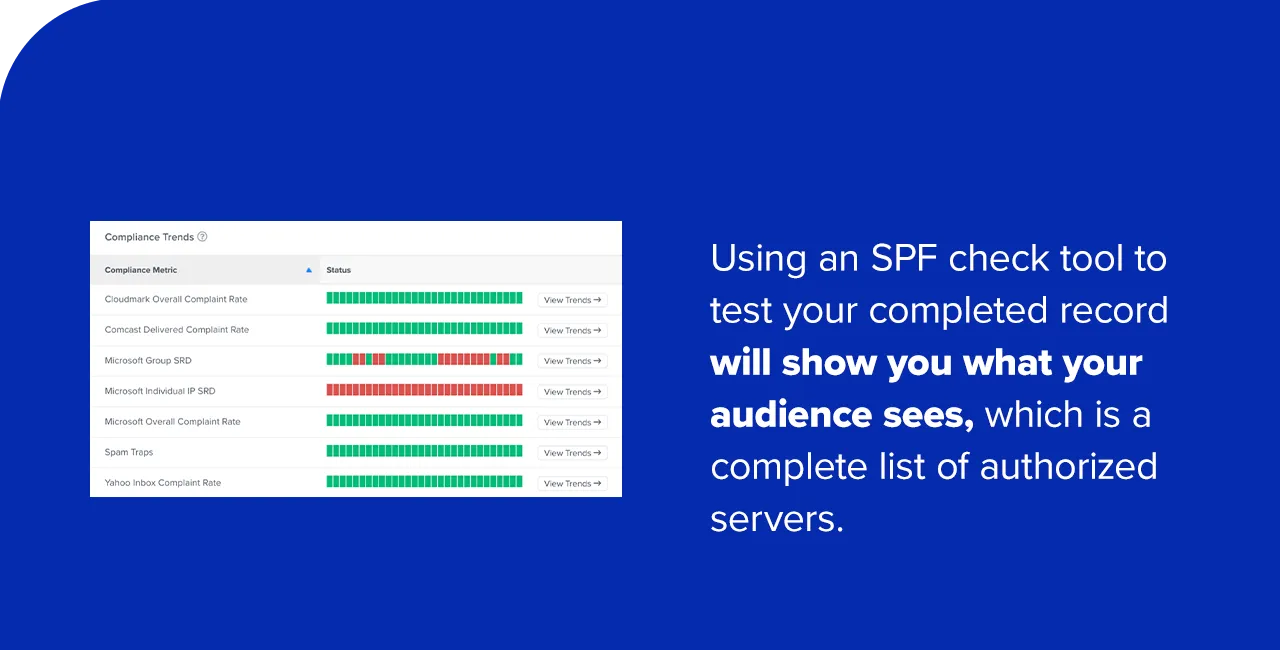
The final, crucial step is to test and verify that the newly published SPF record is working as intended. This should always be completed before launching any significant email campaigns. Using an SPF check tool (many free online tools are available) allows you to simulate how a receiving mail server would interpret your SPF record. You simply input your domain name, and the tool analyzes your DNS settings to display your SPF record and identify any potential errors or warnings.
The tool will show a complete list of authorized servers as understood by the internet. If you discover that one or more trusted IP addresses or include statements are missing, or if there are syntax errors, you must update the record in your DNS. Regular monitoring is also essential, especially after changes to your email infrastructure or the addition of new third-party sending services. This proactive approach helps prevent future deliverability issues and maintains a strong sender reputation.
Common Pitfalls and How to Avoid Them in SPF Management
Even with careful planning, errors can occur when setting up and managing SPF records, potentially leading to email deliverability issues and reduced domain credibility. Understanding these common pitfalls is key to avoiding them.
The "Multiple SPF Records" Error
One of the most frequent and critical errors is having more than one SPF record on a single domain. The Internet Engineering Task Force (IETF) explicitly forbids multiple SPF records for a single domain (RFC 7208, Section 3.2). If a domain has more than one TXT record beginning with v=spf1, all emails from that domain will receive a "PermError" during SPF validation. A PermError indicates a permanent error in the SPF record itself, causing receiving servers to often treat emails as unauthenticated or even reject them outright.
Solution: Always consolidate all authorized senders into a single SPF record. If you need to add a new service, merge its include statement or IP addresses into your existing record rather than creating a new one.
The 10-Lookup Limit
SPF records have a technical limitation: a maximum of 10 DNS lookups are allowed during the evaluation process. Each a, mx, ptr, exists, and include mechanism counts as a lookup. If your SPF record triggers more than 10 DNS lookups, it will result in a "PermError." This is a common issue for organizations that use numerous third-party email services, as each include statement typically requires a DNS lookup.
Solution:

- Consolidate: If multiple
includestatements point to the same provider, check if they can be combined. - Flattening: For highly complex SPF records, some tools and services can "flatten" the record by resolving all
includestatements into their respective IP addresses, reducing the number of lookups. However, this requires frequent updates as third-party IP addresses can change. - Prioritize: Remove unnecessary
includestatements or mechanisms that are no longer in use.
Syntax and Formatting Errors
Even minor typos, incorrect spacing, or misplaced characters can invalidate an SPF record. Common syntax errors include:
- Missing
v=spf1tag. - Incorrectly spelled mechanisms (e.g.,
incluedinstead ofinclude). - Missing colons or incorrect CIDR notation for IP ranges.
- Having multiple
allmechanisms.
Solution: Always use an SPF validation tool to check your record after creation or modification. Proofread carefully, paying attention to every character.
Incorrect all Mechanism
The choice of the final all mechanism (-all vs. ~all vs. ?all) is crucial and dictates how receiving servers handle emails from unauthorized sources.
-all(Hard Fail): The most secure option. Any email from an unauthorized source will be rejected. This is ideal when you have full control over all your sending IPs and services.~all(Soft Fail): Less strict. Unauthorized emails are accepted but marked as suspicious. Useful during initial deployment or for complex setups where occasional legitimate emails might come from unlisted sources.?all(Neutral): Provides no real protection, as all emails are accepted regardless of authorization. Rarely recommended.
Solution: Carefully consider the implications of your all mechanism. For maximum security, aim for -all once all legitimate senders are accounted for.
Omission of Legitimate Senders
Failing to include all legitimate sending IP addresses or include statements in your SPF record will cause legitimate emails to fail SPF checks. This can lead to those emails being quarantined, marked as spam, or rejected outright, severely impacting your email deliverability and business communications.
Solution: Conduct a thorough inventory (Step 1) and regularly review your SPF record to ensure it reflects all current sending sources. Monitor DMARC reports (if implemented) to identify legitimate senders that are failing SPF authentication.
By diligently checking for these common errors and understanding their implications, organizations can ensure their SPF records are correctly configured and provide the intended level of protection and deliverability.
Strategic Management of SPF Records: Best Practices for Enduring Protection
Effective management of new and existing SPF records is an ongoing process that requires vigilance and strategic planning to ensure continuous protection and optimal email deliverability.
- Regular Audits and Updates: Your email infrastructure is not static. As your organization grows, adopts new cloud services, or changes ESPs, your SPF record will need updates. Schedule quarterly or semi-annual audits of your sending sources and corresponding SPF record. This proactive approach ensures your SPF record remains accurate and effective.
- Integration with DKIM and DMARC: SPF is a powerful tool, but it is most effective when combined with other email authentication protocols. DomainKeys Identified Mail (DKIM) adds a cryptographic signature to emails, verifying content integrity and sender identity. Domain-based Message Authentication, Reporting, and Conformance (DMARC) builds upon SPF and DKIM by allowing domain owners to specify policies for handling unauthenticated emails (e.g., quarantine, reject) and provides valuable reporting on authentication outcomes. Implementing all three creates a comprehensive, layered defense.
- Defensive SPF for Non-Sending Domains: As mentioned, apply an SPF record with a
-allpolicy (e.g.,v=spf1 -all) to any domains you own but do not use for sending email. This prevents threat actors from spoofing these dormant or parked domains, protecting your brand’s overall reputation. - Monitoring DMARC Reports: If DMARC is implemented, its aggregate reports provide invaluable insights into SPF authentication failures. These reports can help identify legitimate senders that might be missing from your SPF record, as well as highlight attempts at spoofing your domain. Regularly analyzing DMARC reports is crucial for fine-tuning your