The digital storefront has evolved into a sophisticated interactive experience where the balance between visual engagement and technical performance determines the ultimate success of an e-commerce enterprise. Central to this evolution is the Shopify slider—a rotating display element designed to showcase products, testimonials, and seasonal promotions within a compact, interactive framework. As global e-commerce competition intensifies in 2026, merchants are increasingly leveraging these tools to satisfy consumer demands for multi-angle product views and social proof without overwhelming the user interface. However, the implementation of these elements remains a subject of significant debate among user experience (UX) designers and conversion rate optimization (CRO) specialists, necessitating a data-driven approach to their deployment.
The State of Interactive Design on Shopify
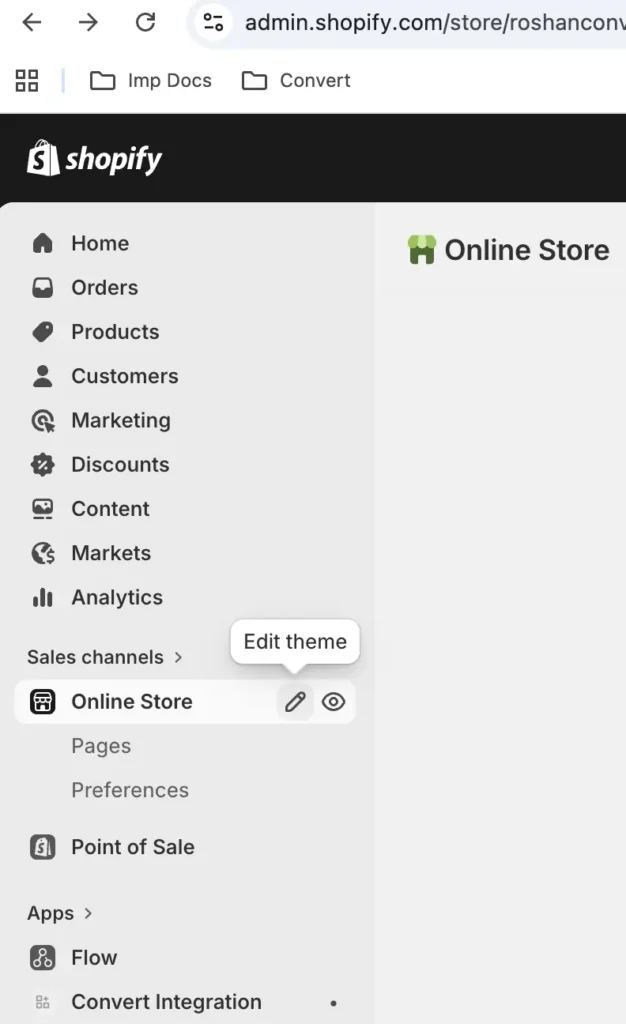
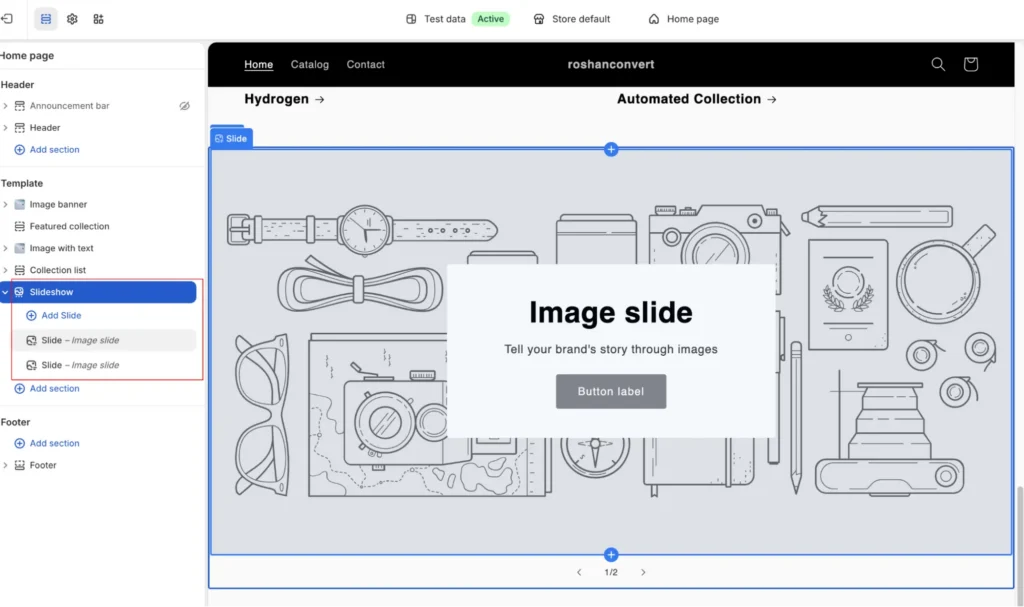
The contemporary Shopify ecosystem, particularly since the widespread adoption of Online Store 2.0, has standardized the inclusion of slideshow sections across most premium and free themes. Sliders serve as a primary vehicle for "conversion triggers," allowing brands to present high-value information—such as discounts, limited-time offers, and brand authority markers—without cluttering the landing page. According to industry data, the strategic use of visual sliders can significantly impact "Time on Page" metrics, provided the content is relevant to the user’s intent.

Despite their ubiquity, sliders are not without controversy. Research from the Baymard Institute indicates that while approximately 33% of e-commerce sites utilize homepage carousels, nearly 46% of these implementations suffer from significant UX performance issues. These problems often manifest as "banner blindness," where users subconsciously ignore large rotating graphics because they resemble traditional advertisements, or technical lag that compromises the mobile experience.
Categorizing Shopify Sliders: From Testimonials to Product Showcases
To effectively utilize sliders, merchants must distinguish between the various formats available within the Shopify framework. Each type serves a distinct psychological purpose in the buyer’s journey:
- Testimonial Sliders: Companies like QuadLock utilize these to build trust. By allowing shoppers to cycle through peer reviews at their own pace, brands provide necessary social proof without requiring the user to navigate away from the product page.
- Logo Sliders: Brands such as The Honey Pot use automatic logo carousels to display "As Seen In" or "Stocked By" badges. This establishes immediate institutional credibility by associating the brand with major retailers like Walmart or CVS.
- Product Image Sliders: Pura Vida exemplifies the use of vertical sliders to show products in various contexts—stacked, separated, or worn. This reduces the "sensory gap" inherent in online shopping.
- Bestseller and New Arrival Sliders: Retailers like Soko Glam and Beauty Solutions use manual and automatic sliders to guide first-time visitors toward high-converting inventory, effectively acting as a digital personal shopper.
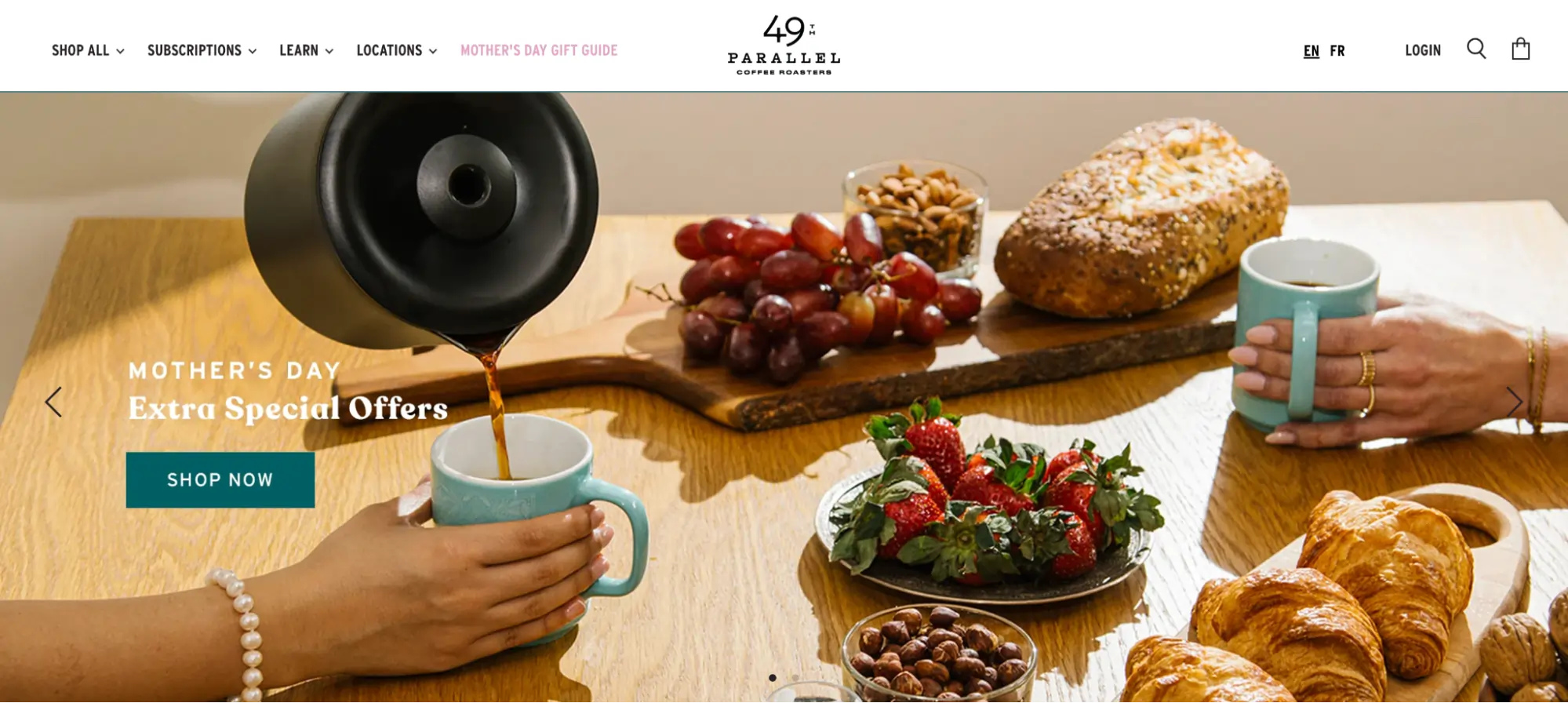
- Promotional Banners: Coffee retailers like 49th Parallel use manual banners to spotlight seasonal events, ensuring that time-sensitive offers receive maximum visibility without permanently altering the site’s architecture.
The Technical Evolution: From Liquid Code to Online Store 2.0
The chronology of slider implementation on Shopify reflects the platform’s broader shift toward "no-code" accessibility. Historically, adding a functional, responsive slider required manual editing of Liquid, CSS, and JavaScript files. This often led to "code bloat," where poorly optimized scripts slowed down site performance.

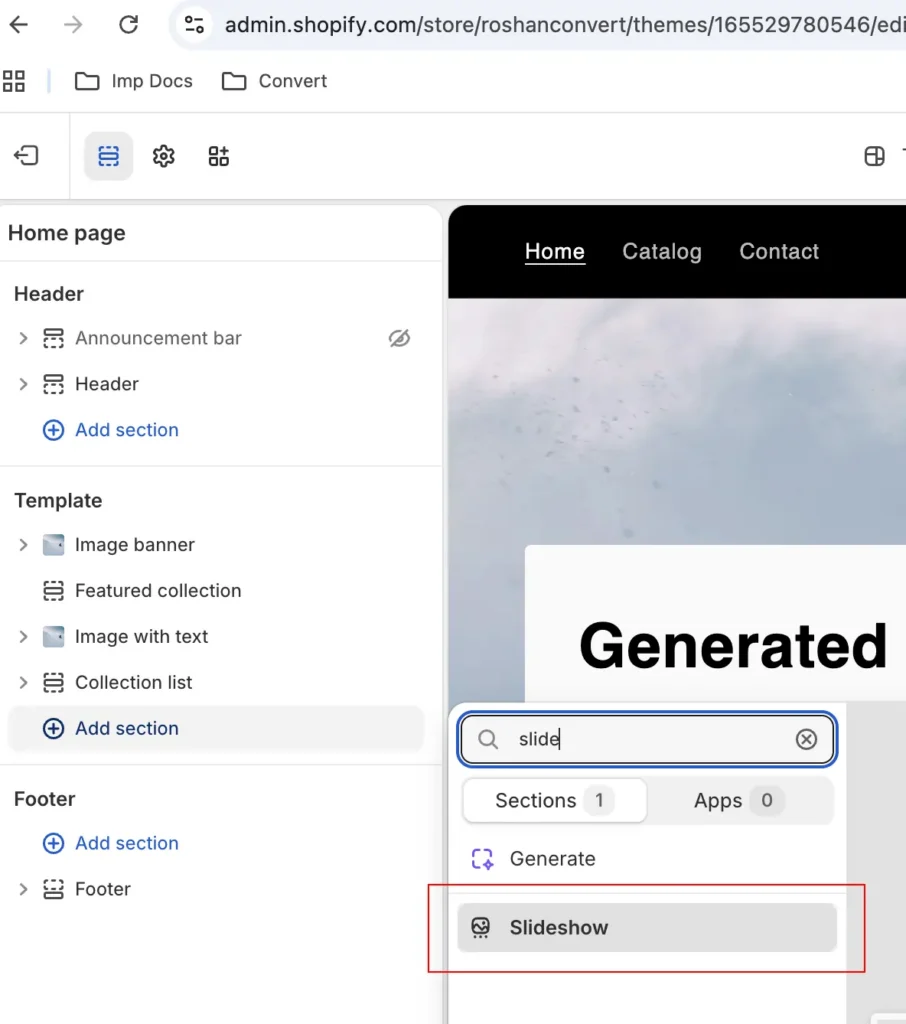
In 2021, the launch of Online Store 2.0 revolutionized this process by introducing "Sections on Every Page." This allowed merchants to drag and drop slideshow sections directly through the theme editor. By 2026, this has further evolved to include native support for video backgrounds and AR (Augmented Reality) previews within standard slider modules. For merchants requiring more advanced functionality—such as "add-to-cart" buttons within a slider or AI-driven content personalization—the Shopify App Store now hosts a robust selection of third-party tools that integrate seamlessly with the modern Shopify framework.
Expert Perspectives: The Great Slider Debate
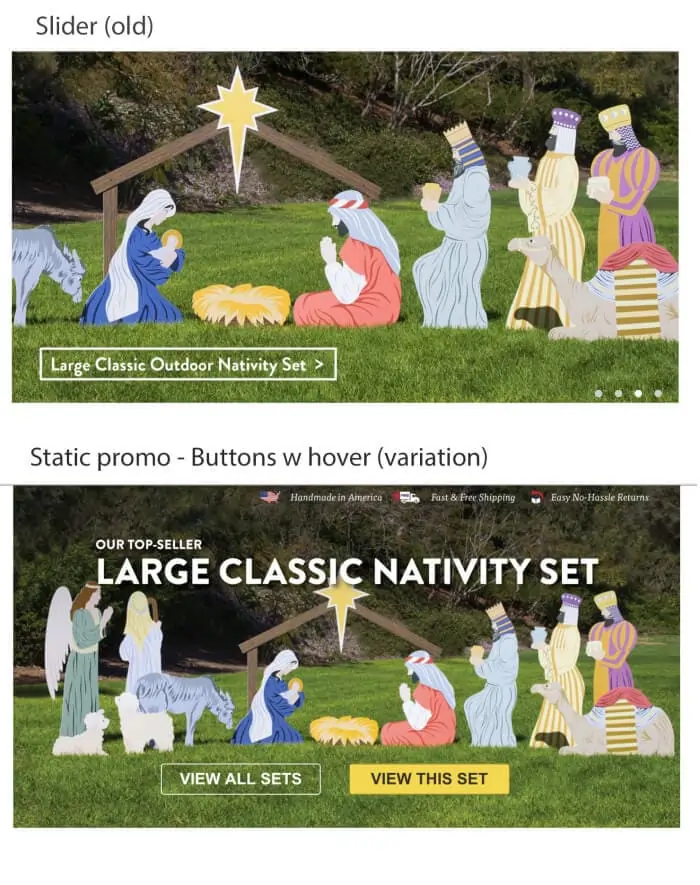
The efficacy of sliders is often contested by digital marketing experts. Tim Brown, a prominent CRO specialist, notes that in specific A/B tests, replacing a rotating slider with a static, high-quality image promo improved conversions by as much as 30%. Brown argues that sliders can often be perceived as intrusive or distracting. "The issue is that people perceive sliders as if they are ads," Brown stated. "They don’t interact with them, especially if the navigation is tucked away."
Conversely, business owners like Luke Lee, co-founder of Ever Wallpaper, report high satisfaction with the visual interest sliders add to a store. The consensus among successful merchants in 2026 is that sliders work when they are "user-controlled" rather than "system-controlled." Jeff Moriarty of JMoriarty Marketing suggests that the best-performing sliders provide a visual cue of what is to come, such as "Deal 1 of 3," which encourages active engagement rather than passive observation.
Comparative Analysis: Sliders vs. Carousels
While often used interchangeably, the technical distinction between a slider and a carousel is vital for UX strategy. A slider typically displays one full-frame image or message at a time, making it ideal for hero banners where singular focus is required. A carousel displays multiple items side-by-side, such as a row of four products, and rotates the entire group. Carousels are generally preferred for "Logo Walls" and "Product Grids" because they allow shoppers to scan multiple options simultaneously, reducing the cognitive load required to find a specific item.
Top Shopify Slider Applications for 2026
For merchants seeking functionality beyond native theme capabilities, several third-party applications have emerged as industry leaders. These tools are evaluated based on their impact on page speed, ease of use, and conversion-focused features:
- POWR Image Slider & Carousel: Notable for its built-in AI image generation, allowing merchants to create campaign visuals from text prompts.
- Slider Revolution & Sections: A feature-heavy option offering deep template libraries and multilingual support, ideal for global enterprises.
- GG Product Page Image Slider: Focuses specifically on the product page experience, supporting 3D models and AR previews to enhance the "inspection" phase of shopping.
- OctoSlide Slider & Carousel: Prioritizes performance with "lazy load" support, ensuring that heavy imagery does not negatively impact the site’s Core Web Vitals.
Strategic Optimization: Best Practices for Conversion
To ensure that a Shopify slider contributes to a positive Return on Investment (ROI), merchants must adhere to several technical and design standards:
1. Performance and Core Web Vitals
In 2026, Google’s ranking algorithms heavily weight Largest Contentful Paint (LCP) and Cumulative Layout Shift (CLS). A heavy slider in the hero section can tank these scores. Optimization strategies include using WebP or AVIF image formats, implementing lazy loading for slides "below the fold," and ensuring the slider container has a defined height to prevent layout shifts during loading.
2. Mobile-First Navigation
With mobile traffic accounting for over 70% of e-commerce visits, sliders must be optimized for touch interfaces. This includes large, tappable navigation arrows and support for "swipe" gestures. Experts recommend disabling auto-rotation on mobile devices to prevent user frustration.
3. Content Hierarchy
The first slide is statistically the most viewed. Merchants should place their strongest Value Proposition (USP) or most urgent offer in the initial slot. Data suggests that engagement drops by nearly 50% for every subsequent slide. Consequently, keeping the total count to fewer than five slides is essential for maintaining user interest.
4. Rotation Speed and Manual Control
For desktop users, an auto-rotation speed of approximately 3 to 5 seconds is recommended. This provides sufficient time for the user to process the headline and visual without feeling rushed. However, any interaction (such as a mouse-over) should immediately pause the rotation to allow for closer inspection.
The Role of A/B Testing in Slider Implementation
The only definitive way to determine if a slider is effective for a specific audience is through rigorous A/B testing. Using platforms like Convert Experiences, merchants can test several hypotheses:
- Slider vs. Static Hero: Comparing a rotating banner against a single, high-impact image.
- Manual vs. Auto-Play: Testing whether users prefer to control the progression of content.
- Content Variation: Testing different headlines, selling angles, and Call-to-Action (CTA) buttons within the slides.
A/B testing provides the empirical evidence needed to move beyond "best practices" and toward a strategy tailored to a specific customer base.
Broader Impact: AI and the Future of Interactive Banners
As we move deeper into 2026, Artificial Intelligence is fundamentally transforming how sliders function. AI-driven sliders can now dynamically reorder slides based on a visitor’s past browsing behavior or geographic location. For example, a customer visiting from a cold climate may see winter apparel in the first slide, while a customer from a warmer region sees the summer collection.
Furthermore, AI assisted design tools are reducing the time required to launch seasonal campaigns. Merchants can now generate high-resolution, brand-consistent imagery and optimized copy within their slider apps, significantly lowering the barrier to entry for professional-grade e-commerce design.
Conclusion
Shopify sliders and carousels, when implemented with technical precision and a focus on user intent, remain powerful tools for digital storytelling and conversion. The transition from static pages to interactive experiences reflects a broader trend toward personalized, engaging e-commerce. However, the potential for sliders to negatively impact page speed and user experience remains high. By prioritizing mobile responsiveness, image optimization, and rigorous A/B testing, Shopify merchants can harness the visual power of sliders to drive growth while maintaining the high performance standards required in the competitive landscape of 2026.


 Dwi Wanna
 Reynand Wu