 Raul Delapena Setiawan
The digital content ecosystem is in constant flux, characterized by fleeting trends and a relentless demand for novel ways to capture attention. In this environment, Pinterest has carved out a unique niche, distinguishing itself from traditional social media by positioning itself as "personal media." This philosophy underpins its success as a future-facing platform for creators, small business owners, and digital daydreamers alike. While other platforms grapple with the ephemeral nature of "scroll-and-forget" content, Pinterest fosters an environment where visuals are not just seen, but actively saved, planned with, and returned to, making content evergreen and enduring.
The Ascendance of the Pinterest Collage
Currently, Pinterest collages are experiencing a significant surge in popularity. These visual composites, ranging from intricate vision boards and curated product roundups to dynamic aesthetic mashups, are dominating feeds. Their appeal lies in their intuitive design, which aligns seamlessly with contemporary consumption habits: visual-first, mood-forward, and optimized for both immediate inspiration and long-term strategic planning. Unlike single-image Pins, collages offer a richer, more comprehensive narrative, allowing users to convey an entire story or theme without navigating away from the platform. This "bite-sized branding with big results" approach has made them indispensable.
A pivotal moment in the collage phenomenon was the introduction of "Shuffles by Pinterest." This innovative app allows users to create interactive collage content directly from existing Pins and their personal photo libraries. Gen Z, a demographic known for its visual fluency and desire for self-expression, rapidly adopted Shuffles, utilizing it to explore and articulate identities, fashion trends, interior design concepts, and broader lifestyle aesthetics. Modern Retail reported that Shuffles garnered nearly 500,000 downloads on Apple’s App Store within four weeks of its beta release, underscoring the immense appetite for visual remixing as a discovery engine. This, coupled with Pinterest’s continuous investment in AI-powered search upgrades, solidifies the platform’s commitment to aesthetic-driven content that is not only seen but saved and acted upon.
Defining the Pinterest Collage: More Than Just a Mood Board
While often associated with traditional mood boards, a Pinterest collage transcends simple aesthetic curation. It is a carefully styled, layered, and designed collection of images that visually tells a specific story. Whether it’s evoking a particular "vibe" like "slow mornings + strong matcha," showcasing a product lineup, or outlining a complete aesthetic vision, a collage represents the intersection of creative expression, strategic planning, and scroll-stopping appeal.
Collages manifest in various forms on the platform, each serving a distinct purpose:
- Vision Board Collages: Classic applications for visualizing goals, aspirations, and combining images, quotes, and affirmations for motivation.
- Style and Aesthetic Collages: Showcasing fashion trends, personal style, or specific aesthetics by blending outfit ideas, accessories, and color schemes.
- Seasonal Mood Boards: Capturing the essence of a particular time of year through colors, activities, and themes for fashion, home decor, and lifestyle inspiration.
- Product Collages: Utilized by brands and influencers to promote multiple items in a single, visually appealing image, driving product discovery and sales.
- Color Palette Guides: Focusing on specific color schemes, offering inspiration for design projects, fashion, or home decor through swatches and illustrative images.
- Quote + Image Mashups: Combining motivational quotes with relevant imagery to inspire and resonate emotionally, popular for personal development content.
- Mobile Pinterest Collages (via Shuffles): Dynamic, interactive collages created directly within the Pinterest mobile app using cutouts from Pins and personal photos, offering a highly personalized experience.
Who Leverages Pinterest Collages and Why
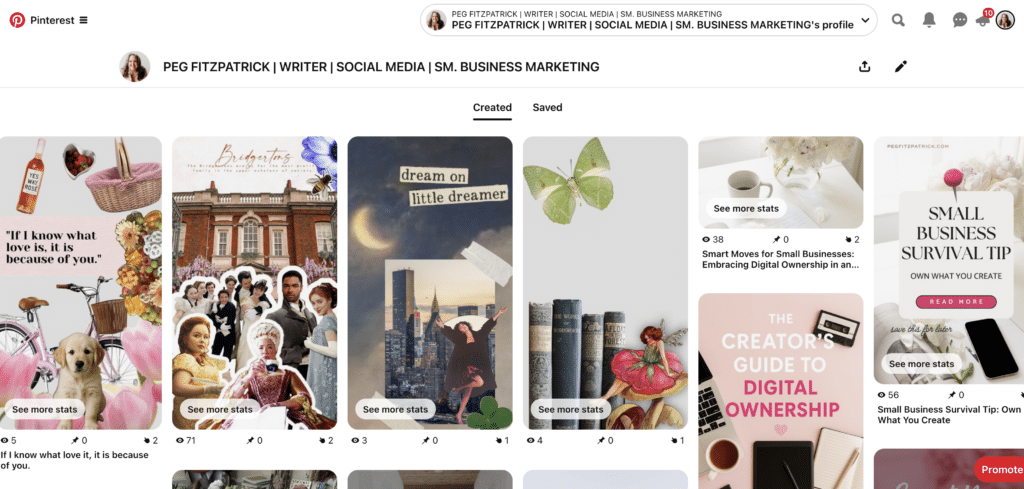
The widespread adoption of Pinterest collages extends far beyond a singular demographic or fleeting trend. It represents a fundamental shift in how individuals and entities create, communicate, and curate their online presence.
- Creators and Influencers: For content creators, collages are powerful storytelling devices. They can introduce an entire brand mood, illustrate seasonal style transformations, or compile curated favorites without the need for numerous individual Pins. This format allows them to craft compelling visual narratives that are readily shared and saved, enhancing audience engagement and brand recall.
- Small Business Owners and Brands: Pinterest has long been a critical channel for product discovery. Collages transform this discovery into tangible conversions by allowing brands to present products within a broader context, showcasing lifestyle integration and how multiple items complement each other. This creates a virtual storefront display that is both aspirational and practical, driving sales and brand affinity. Pinterest Business data indicates that 80% of weekly users have discovered a new brand or product on the platform, highlighting its efficacy for commerce.
- Coaches, Educators, and Thought Leaders: For those in the coaching and education sectors, collages serve as bite-sized content libraries. They visually simplify complex concepts, making information digestible and easily shareable. These evergreen assets offer long-term value, often outlasting the lifespan of traditional social media posts, and can be repurposed across various digital products and content channels.
- Everyday Users (Pinterest’s Power Base): This demographic forms the core of Pinterest’s user base, comprising individuals planning everything from dream weddings and home renovations to minimalist capsule wardrobes. Collages provide an intuitive tool for visual planning, offering a sense of control, creative expression, and focused intention in their digital lives. It’s no longer just about collecting ideas; it’s about actively constructing a visual blueprint of one’s aspirations.
Crafting Effective Collages: A Practical Guide
Creating a Pinterest collage demands a blend of creativity and strategic foresight. The objective is to produce a visual message that instantly resonates with the target audience.
Option 1: Utilizing Pinterest’s Native Collage Tool (Mobile Only)
Pinterest’s integrated collage feature, reminiscent of the Shuffles app, streamlines the creation process directly within the platform:
- Open the Pinterest app on your mobile device.
- Tap the "+" icon at the bottom of the screen to start a new Pin.
- Select "Collage" from the options.
- Choose images from your device’s gallery or from your saved Pins.
- Use the editing tools to arrange, resize, rotate, and layer elements.
- Add text, stickers, or other decorative elements to enhance the visual story.
- Once satisfied, tap "Next" and add a descriptive title, relevant hashtags, and a link to your desired destination.
- Choose the appropriate board for your collage and publish.
Option 2: Designing with Canva for Professional Polish
For creators seeking a branded and polished aesthetic, Canva remains the preferred tool:
- Open Canva and select a Pinterest Pin template (standard vertical dimensions).
- Choose a pre-designed collage template or start from scratch.
- Upload your desired images, ensuring high resolution and visual cohesion.
- Arrange the images using Canva’s drag-and-drop interface, experimenting with grids, overlays, and frames.
- Incorporate brand elements such as specific fonts, colors, or a subtle logo.
- Add concise, impactful text to guide the viewer or reinforce the message.
- Download the finished collage as a high-quality JPG or PNG file.
- Upload the image to Pinterest, adding a compelling title, rich description, and a strategic outbound link.
Pro tip: Save your custom Canva collage as a template for consistent branding across future series or seasonal content.
Optimizing for Visibility and Impact: The SEO and Traffic Imperative
A visually stunning collage is merely the first step. To ensure sustained reach and drive tangible results, strategic optimization is paramount.
- Optimize Pin Title and Description: Keywords are the bedrock of Pinterest SEO. Incorporate relevant search terms into your Pin title and description. Think like your audience: what phrases would they use to find this content? Descriptions should be rich, detailed, and naturally integrate keywords, telling Pinterest what the collage is about so it can be shown to the right users.
- Incorporate Hashtags Strategically: While Pinterest’s algorithm has evolved, hashtags still play a role, particularly within the Shuffles app environment. Use a mix of broad and niche hashtags (3-5 relevant ones are often sufficient) to increase discoverability.
- Design with SEO in Mind: Pinterest favors vertical images (e.g., 2:3 aspect ratio) as they occupy more screen real estate. High-quality, vibrant imagery captures attention, and readable text ensures the message is conveyed. Ensure the collage is optimized for mobile viewing, as over 80% of Pinterest traffic originates from mobile devices.
- Engage with the Community: Actively save other relevant Pins, comment thoughtfully, and participate in group boards (if applicable) to increase your profile’s visibility and signal engagement to the algorithm.
- Monitor Performance and Adjust: Utilize Pinterest Analytics to track key metrics such as impressions, saves, outbound clicks, and engagement rates. This data provides invaluable insights into what resonates with your audience, allowing for continuous refinement of your content strategy.
Driving Traffic: Turning Inspiration into Action
The true power of a Pinterest collage lies in its ability to generate long-term traffic. Each collage should be designed with a clear destination in mind, guiding the audience from inspiration to action.

- Every Pin Needs a Destination: Whether it’s a blog post, a product page, a lead magnet, or a newsletter signup, provide a clear action step. Avoid generic links; direct users to specific, relevant content that extends the value proposition of the collage.
- Match the Collage to the Link: A crucial aspect often overlooked is the alignment between the collage’s content and its linked destination. If a collage showcases "fall slow fashion," the link should lead directly to a blog post or product collection focused on that theme, not just a generic homepage.
- Save to Multiple Relevant Boards: Maximize visibility by pinning your collage to several boards where it logically fits. For example, a "clean girl skincare" collage could be saved to boards like "Beauty Routines," "Self-Care Rituals," and "Minimalist Lifestyle." Stagger these saves to appear natural and avoid spamming.
- Repurpose Smartly: Extend the lifespan and reach of your collage by repurposing it across other platforms. Share it on Instagram Stories, embed it in newsletters, or feature it in blog posts. This multi-channel approach amplifies your content’s impact.
- Leverage Idea Pins and Shuffles for Engagement: While Idea Pins and Shuffles collages may not always allow direct outbound links, they excel at generating broad reach and engagement. Use them to build brand awareness, tell multi-frame stories, and capture audience interest, then guide users to your profile for linked content.
Analytics and What Works: Data-Driven Creativity
Pinterest provides robust analytics that empower creators to understand their audience and optimize their strategy. By consistently reviewing performance data, creators can identify patterns and refine their content to maximize impact.
Within the Pinterest Business Hub, key metrics to monitor include:
- Impressions: The number of times your Pin was seen.
- Saves: How many users saved your Pin to their boards, indicating strong resonance.
- Outbound Clicks: The number of times users clicked through to your linked destination.
- Engagement Rate: A measure of how interactive your Pin is (saves, comments, close-ups).
- Audience Demographics: Insights into who is interacting with your content.
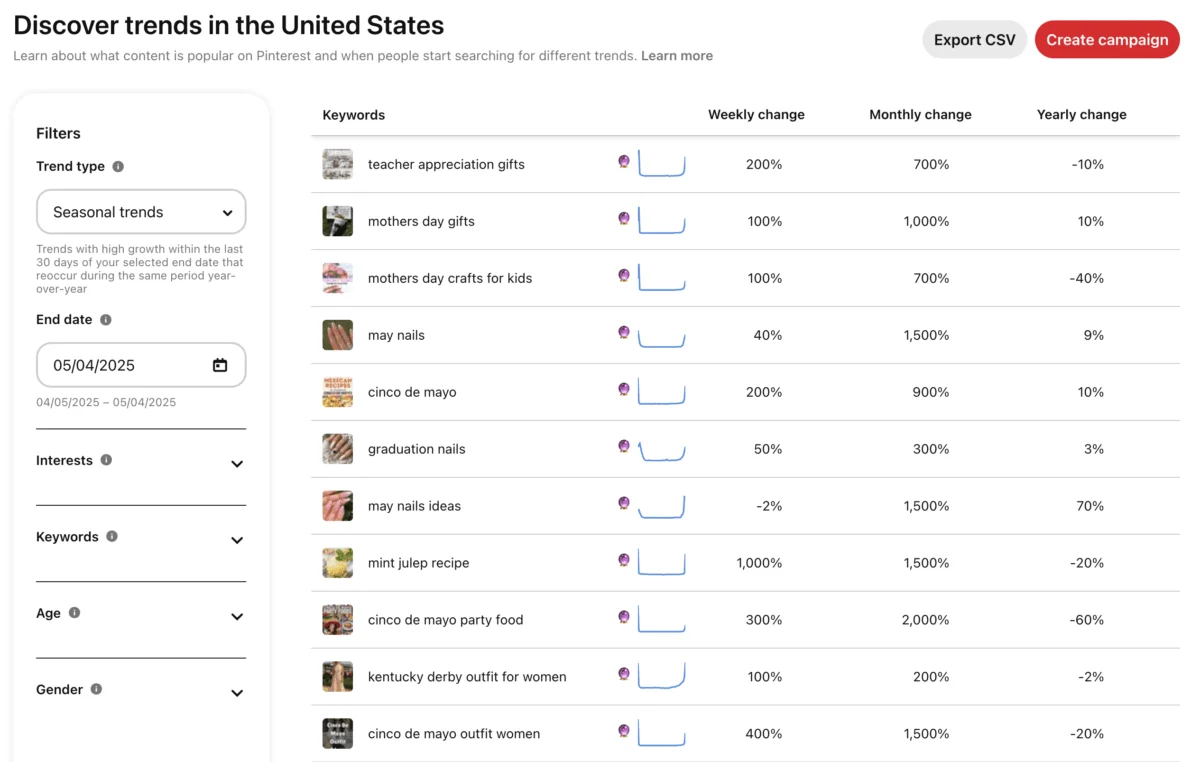
The Pinterest Trends tool is an invaluable resource, acting as a "crystal ball" to reveal rising search terms and anticipate audience interest. By searching for keywords relevant to your niche (e.g., "cottagecore aesthetic," "sustainable fashion," "DIY home decor"), you can identify emerging trends and create collages around them before they reach peak popularity. This proactive approach significantly increases the likelihood of ranking high in search results.
Common Mistakes to Avoid for Sustained Success
While Pinterest offers significant long-term rewards, certain missteps can hinder a collage’s effectiveness.
- Overdesigning or Overcrowding: A collage should be a visual story, not a cluttered scrapbook. Too many images, fonts, or excessive text can overwhelm viewers. Prioritize clarity, focus, and sufficient white space.
- Ignoring Mobile Optimization: Given the mobile-first nature of Pinterest, collages must be designed to look crisp and readable on small screens. Always preview your content on a phone before publishing.
- No Clear Focus or Call to Action (CTA): Every collage needs a purpose. Whether it’s to inspire, educate, or sell, guide your audience towards a next step, even if it’s a subtle prompt to save or click for more information.
- Weak or Missing Keywords: Without proper keyword optimization in titles and descriptions, your collage will struggle for discoverability. Conduct thorough keyword research and use descriptive, searchable phrases.
- Forgetting to Link Out (or Linking to the Wrong Page): A Pin without a logical, specific destination is a missed opportunity for traffic generation. Ensure every collage with commercial intent leads to the most relevant page.
- Relying Only on Static Pins: While static Pins remain valuable, Pinterest increasingly favors engagement-rich content like video Pins and those created via Shuffles. Diversify your content formats to leverage algorithmic boosts.
- Posting Once, Then Ghosting: Pinterest rewards consistency and freshness. Repin high-performing collages to different boards, update seasonal content, and maintain a regular publishing schedule to keep the content flywheel turning.
Advanced Tips and Creative Strategies
Once the fundamentals are mastered, advanced techniques can further elevate your Pinterest collage strategy.
- Create a Collage Series: Develop a cohesive series with a consistent layout or branding. Examples include "Weekly Style Guides," "Monthly Productivity Hacks," or "Seasonal Home Decor Inspirations." This fosters bingeability and encourages repeat engagement.
- Lean Into Themes That Spark Emotion or Utility: Pinterest users are often planners and dreamers. Collages that offer solutions or evoke desirable feelings (e.g., "Calm Morning Routines," "Eco-Friendly Living Essentials," "Travel Bucket List Ideas") tend to perform exceptionally well.
- Collaborate for Shared Reach: Partner with creators or brands in complementary niches to create joint collage campaigns. Cross-promotion and shared audiences can significantly expand your reach.
- Repurpose High-Performing Content: Transform successful blog posts or product guides into collages. Conversely, remix popular collages into video Pins, carousels, or even short-form social media content.
- Add Subtle Brand Elements: Instead of overt advertising, integrate your brand identity subtly through consistent color palettes, unique typography, or a distinctive visual style that makes your content instantly recognizable without being intrusive.
- Tap Into Nostalgia and Pop Culture: Leverage cultural references or nostalgic themes that resonate with your target demographic, particularly Gen Z and Millennials. Examples include "90s Fashion Throwbacks" or "Vintage Aesthetic Mood Boards."
In conclusion, Pinterest collages are far more than aesthetically pleasing arrangements; they are a sophisticated visual language that facilitates discovery, builds brands, and drives tangible traffic. By embracing strategic design, optimizing for search, and consistently analyzing performance, creators and businesses can harness the enduring power of visual remixing to cultivate a robust and lasting digital presence on Pinterest. The platform rewards intentionality, consistency, and a keen understanding of what truly connects with an audience seeking inspiration, planning tools, and authentic content that works harder than the fleeting algorithm.


 Iffa Jayyana
 Reynand Wu