rifanmuazin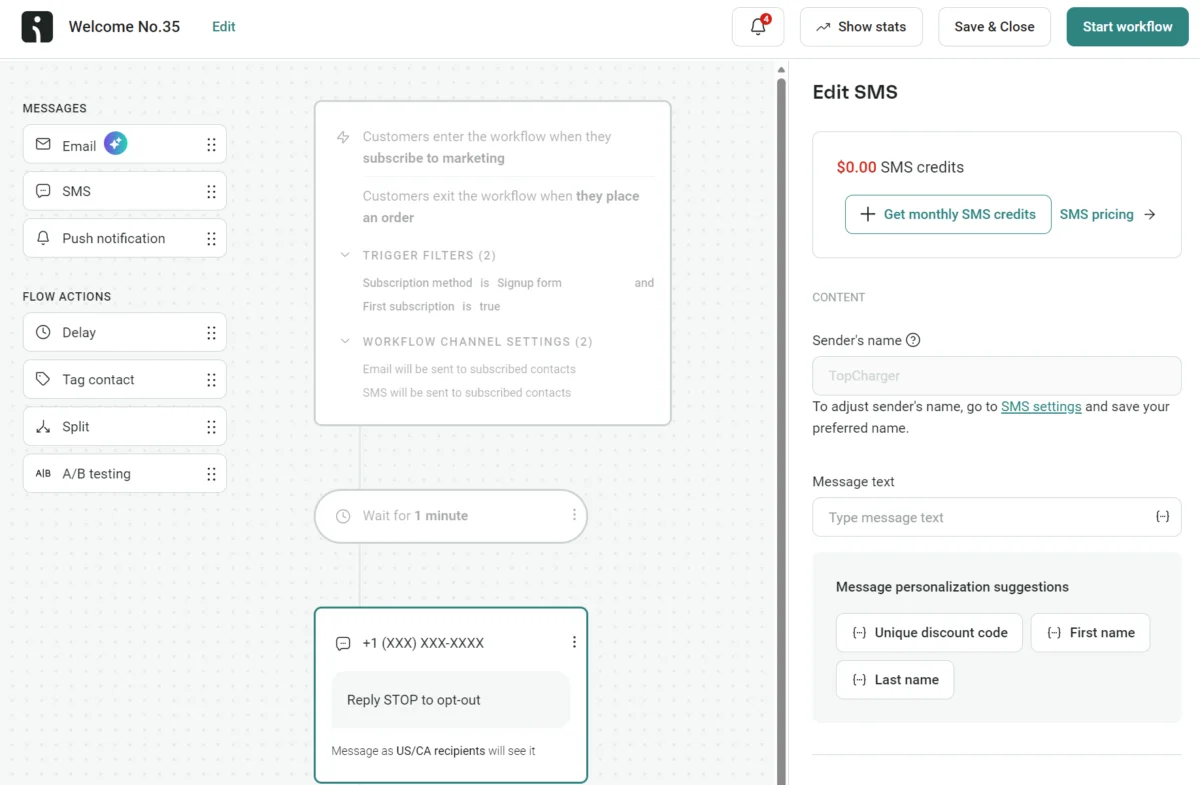
The inherent challenge of SMS marketing, rooted in its foundational 160-character limit, often raises the critical question of how to effectively integrate actionable links without compromising message content. The answer lies in sophisticated automation and strategic deployment of shortened, branded URLs, transforming simple awareness messages into powerful revenue-generating pathways. Evidence from platforms like Omnisend demonstrates that customers leveraging automated SMS, particularly with contextual links, achieved a fivefold increase in revenue compared to standard campaigns in 2025. While manual, one-time messages serve a purpose, the true potential for personalized, scalable engagement, coupled with robust click and revenue tracking, is unlocked through dedicated SMS marketing tools. This article serves as an exhaustive guide for 2026, detailing link types, creation methods, message integration, and best practices essential for marketing success in the mobile-first era.
The Evolution of SMS Marketing: From Basic Alerts to Revenue Drivers
Initially conceived in the early 1990s as a simple means for short, text-based communication between mobile devices, SMS (Short Message Service) was never designed for rich media or complex interactions. Its 160-character constraint, a legacy of its technical origins, has remained a defining characteristic. For years, businesses primarily utilized SMS for transactional alerts, appointment reminders, or basic promotional blasts. However, with the exponential growth of smartphone adoption and the pervasive nature of mobile internet access, consumer behavior has fundamentally shifted. Customers now expect immediate access to information and frictionless pathways to purchase directly from their mobile devices.
This evolving landscape necessitated a transformation in SMS marketing. Basic awareness messages, devoid of clickable links, proved increasingly insufficient. Subscribers, accustomed to instant gratification, were unlikely to manually open a browser or an app to complete an action suggested in a text. The imperative arose to embed actionable "next steps" directly within the message itself. This marked a pivotal shift, elevating SMS from a mere communication channel to a potent engagement and conversion tool. The advent of dedicated SMS marketing platforms, integrating features like link shortening and automation, has been crucial in this evolution, enabling businesses to bridge the gap between initial message reception and desired customer action. The ability to track these interactions, from click-throughs to ultimate purchases, further solidified SMS’s role as a measurable and highly effective component of a comprehensive digital marketing strategy.
Deconstructing the SMS Link: Types and Strategic Application
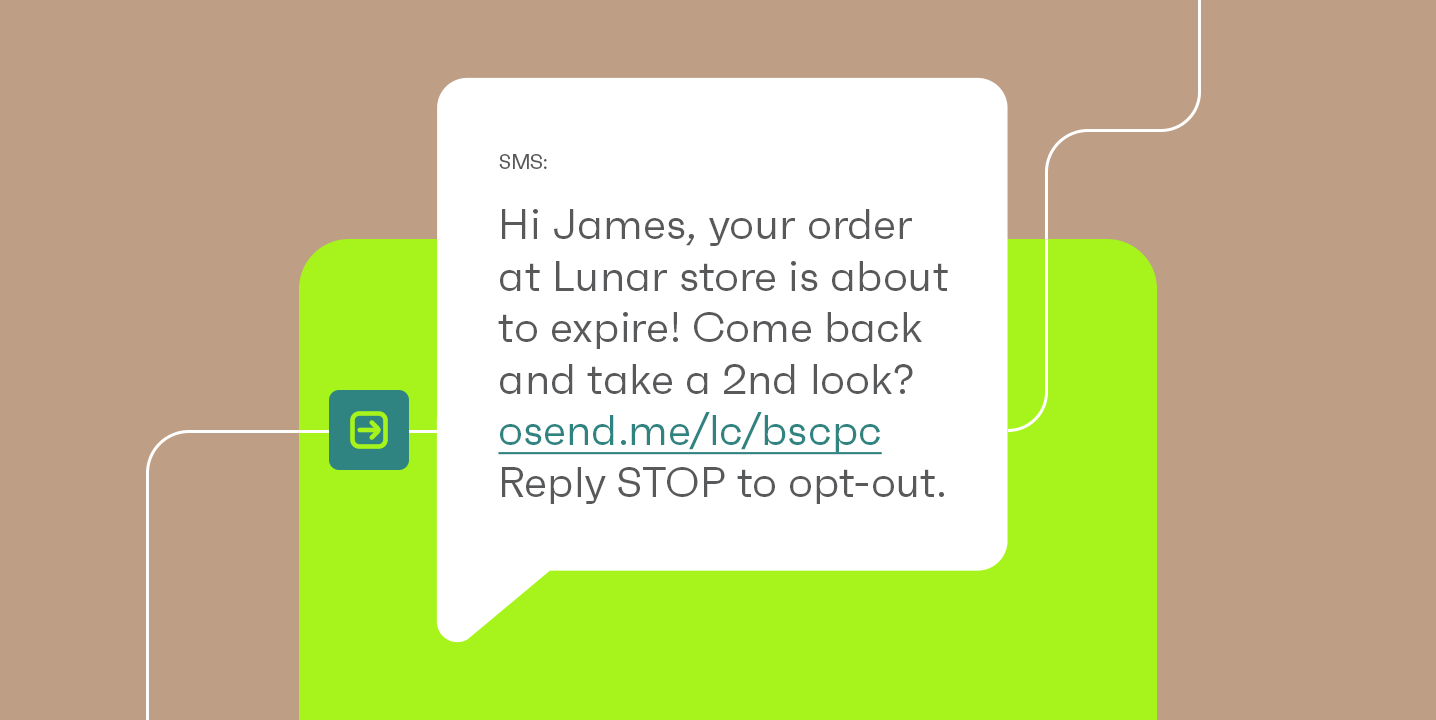
Understanding the various types of links and their suitability for SMS is paramount for optimizing marketing efforts. The 160-character limit isn’t merely a guideline; it’s a technical constraint that directly impacts messaging strategy and cost, as exceeding it results in message segmentation and additional charges.
-
Regular Links: A full URL, such as
https://www.omnisend.com/blog/sms-marketing/, offers complete transparency, showing recipients the exact destination. While straightforward, its significant character consumption (often 40-70 characters) drastically reduces the space available for the actual message. In a 160-character environment, a regular link can consume nearly half of the allotted space, leaving little room for compelling copy, personalization, or essential opt-out language. This makes them largely impractical for effective SMS marketing at scale. -
Hyperlinks: Hyperlinks, which embed a URL behind clickable text or images (e.g., "Learn SMS marketing"), are a staple of email and web content. However, standard SMS does not natively support HTML, the language required for hyperlinks. Consequently, attempting to send a hyperlink via traditional SMS will result in the raw URL appearing as plain text, defeating the purpose of the embedded text. The only exceptions are Rich Communication Services (RCS) messaging and certain proprietary messaging apps (like iMessage), which offer richer interactive features. However, RCS adoption is still fragmented across devices, carriers, and regions in 2026, meaning relying on it for universal hyperlink delivery is not a viable strategy for broad SMS campaigns. Marketers must operate on the assumption that most recipients will see plain text.
-
Short Links (Recommended Option): Shortened links are created by services (like Bitly or TinyURL) or integrated SMS platforms that compress a long URL into a much shorter string of characters. These services then redirect visitors to the original destination. The primary advantage is significant character savings, often reducing a 70-character URL to just 15-20 characters. This preservation of character count is invaluable for staying within the 160-character limit and maximizing space for persuasive copy. While efficient, generic short links (e.g.,
bit.ly/xxxxxxor0snd.com/c/XXXXXas used by Omnisend by default) can sometimes lack immediate trust indicators, as the recipient cannot discern the destination at a glance.
-
Branded Short Links (The Gold Standard): These represent the pinnacle of SMS link strategy. A branded short link, such as
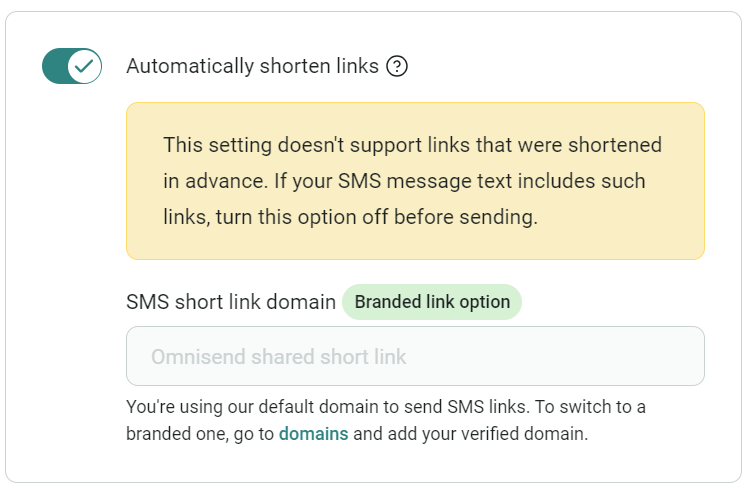
sms.yourbrand.com/spring-sale, combines the character-saving efficiency of a short link with the crucial element of brand recognition. By incorporating a company’s domain or a subdomain into the shortened URL, it instills immediate trust and credibility, assuring recipients of the link’s legitimacy before they click. Furthermore, branded links can often retain more descriptive elements (e.g.,/spring-saleinstead of/abc), providing a clearer hint of the content. This enhances engagement and click-through rates by fostering a sense of security and professionalism. Omnisend, for example, allows users to connect and verify their domain, automatically converting any added links into branded shortened URLs, streamlining this best practice.
The effectiveness of incorporating these contextual links, especially in automated flows, is underscored by compelling data. In 2025, automated texts generated an impressive $0.74 per message sent, a stark contrast to the $0.15 generated by one-time, scheduled campaigns. This significant difference highlights how timely, relevant links, delivered within an automated sequence (such as a cart recovery URL), are crucial drivers of direct revenue, transforming SMS from a cost center into a powerful profit generator.
Practical Implementation: Adding Links to Your SMS Campaigns
While sending a single link via a personal smartphone is straightforward, scaling this for marketing campaigns demands a more sophisticated approach.
Manual Link Sending (for individual messages):
-
iPhone (iMessage):
- Copy the desired URL from a browser or app.
- Open the Messages app, select a contact, and paste the URL into the text field.
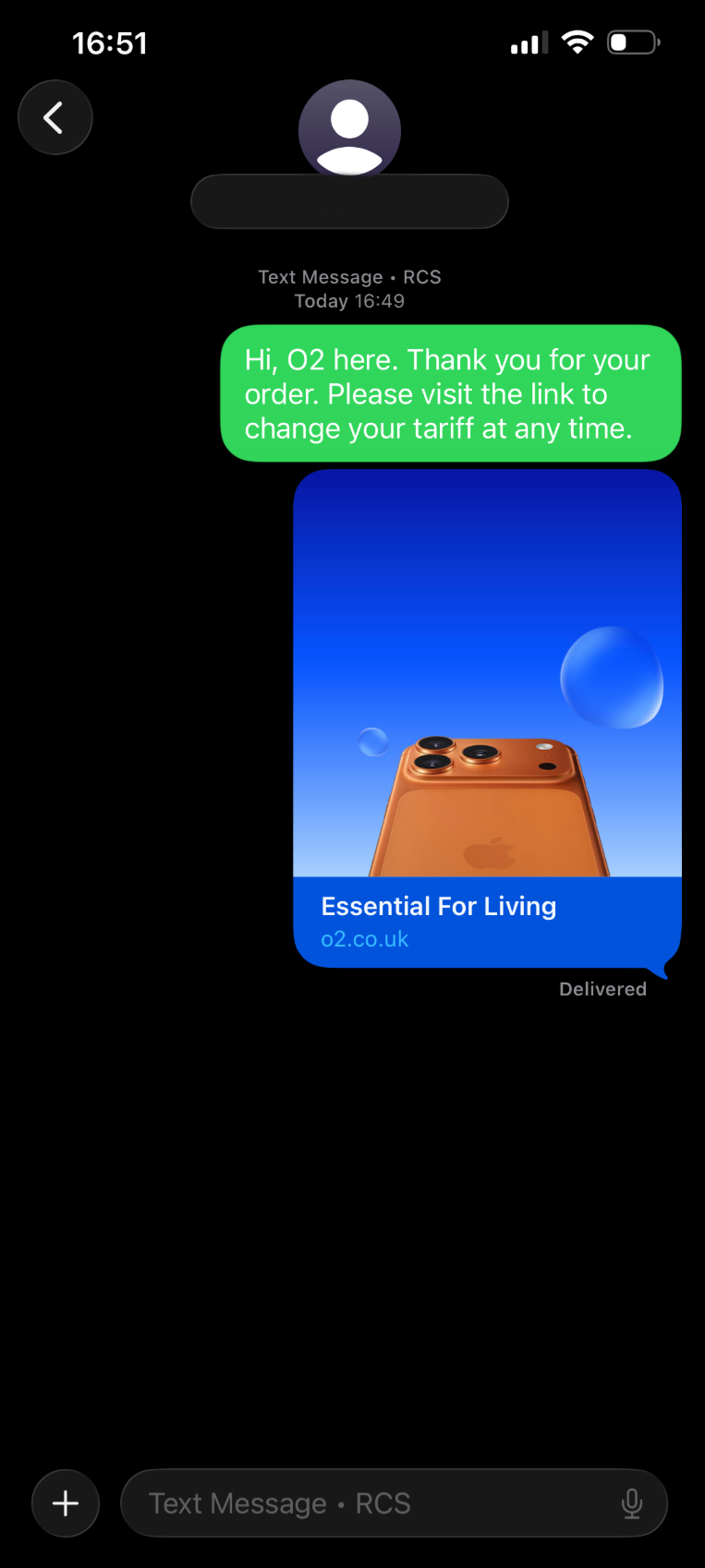
- iMessage-to-iMessage conversations often display a "preview card" – a rich snippet with an image, headline, and description pulled from the linked page. This enhances the user experience.
- However, when texting recipients on Android or other non-iMessage platforms, this preview card is typically absent, and only the raw URL appears. Therefore, it’s always best practice to add a brief explanatory sentence before or after the link.
-
Android Devices:
- Copy the URL from its source.
- Open your messaging app (e.g., Google Messages), select a contact, and paste the URL into the compose box.
- Tap send.
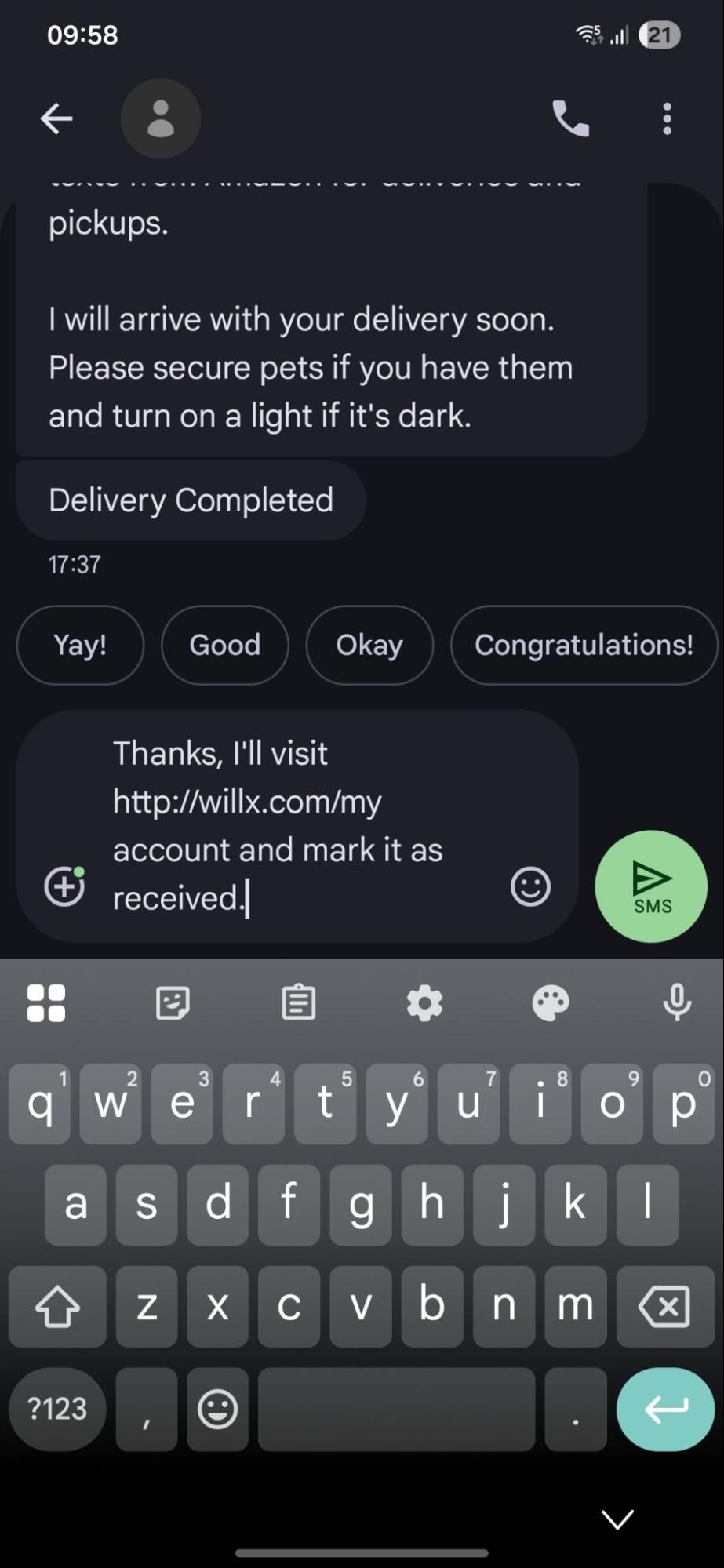
- Similar to iMessage when communicating with non-iMessage users, standard SMS on Android primarily displays raw URLs. While Google Messages (which uses RCS) offers richer previews for compatible devices, universal support for these features is not guaranteed. Therefore, describing the link’s destination remains crucial for clarity and engagement.
These manual methods are suitable for personal, one-off communications but are wholly inadequate for marketing at scale. They lack personalization, automation, and the critical tracking capabilities necessary to measure campaign performance and ROI.
Leveraging SMS Automation for Scalable Success:
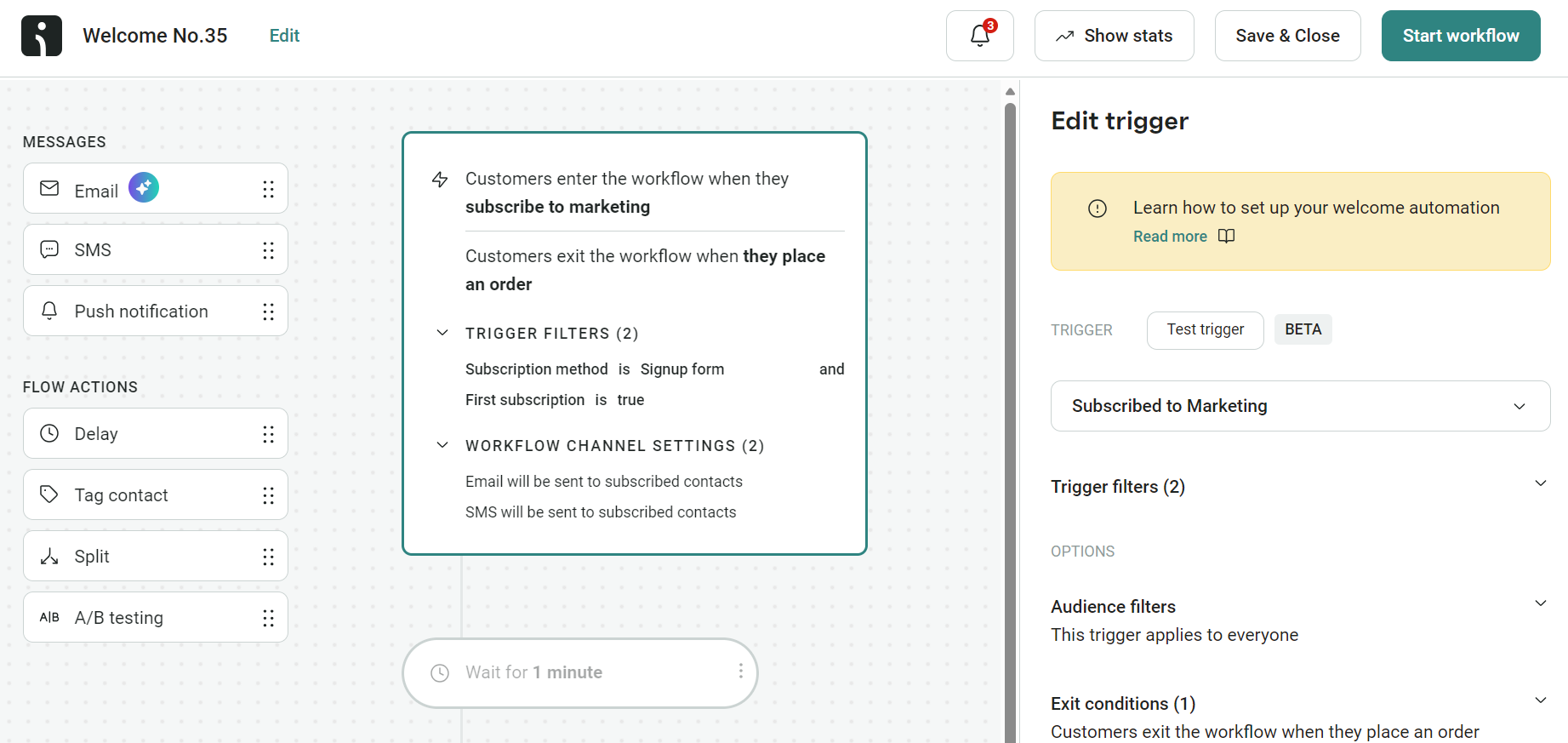
For businesses aiming to generate significant revenue from SMS, an integrated marketing automation platform is indispensable. Tools like Omnisend allow marketers to build sophisticated SMS workflows that trigger based on customer behavior, segment activity, and predefined events. This ensures messages are contextual, timely, and highly relevant, leading to superior engagement. The Omnisend 2026 Ecommerce Marketing Report emphatically states that SMS automations achieved five times the revenue per send compared to general campaigns, underscoring their power.
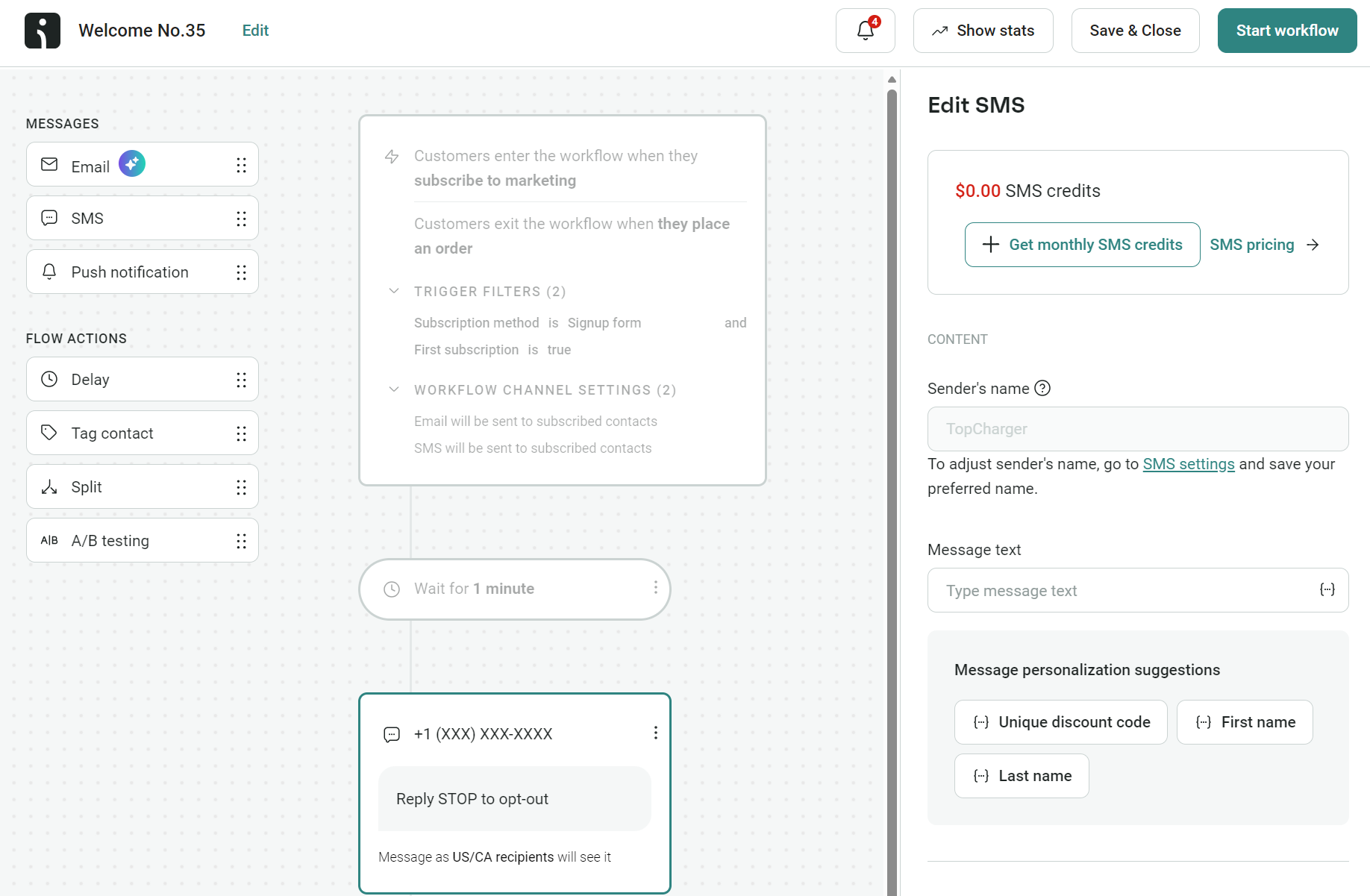
Here’s a simplified overview of how to build an automated SMS with links using such a platform:
- Select an Automation Workflow: Start by choosing an existing workflow template (e.g., abandoned cart, welcome series, post-purchase) or creating a custom one. These workflows define the "trigger" (e.g., "customer abandons cart," "new subscriber joins list") and the subsequent actions.
- Add an SMS Block: Drag and drop an SMS message block into your workflow. This is where you’ll craft your text message.
- Craft Your Message: Write your compelling copy, ensuring it adheres to character limits.
- Insert Your Link: Paste the desired URL directly into the message text. The platform will automatically shorten it. If branded links are configured, it will use your custom domain.
- Personalize Content: Utilize personalization tags (e.g.,
customer.first_name,cart.url,discount_code) to make the message highly relevant to each recipient. For instance, an abandoned cart message can dynamically insert the exact cart URL and even the name of the product the customer left behind. - Review and Activate: Preview the message to ensure it looks correct on a mobile device. Configure any delays or additional steps in the workflow, then activate it.
When the defined trigger occurs, the system automatically sends the personalized SMS with the shortened, often branded, link. This ensures consistent, timely, and relevant communication without manual intervention.
Automation Opportunities for Your Store:
Automated text messages with links are particularly effective across various customer journey touchpoints:
- Welcome Series: Immediately after a new subscriber opts in, direct them to a welcome offer or a "getting started" guide on your website.
- Abandoned Cart Recovery: Send a reminder with a direct link back to their cart, often coupled with a time-sensitive discount.
- Browse Abandonment: If a customer views products but doesn’t add to cart, send a message with links to those specific items or similar recommendations.
- Post-Purchase Updates: Provide order confirmations, shipping updates, and delivery notifications with links to tracking pages or customer accounts.
- Re-engagement Campaigns: For inactive customers, send personalized offers or links to new product arrivals based on their past purchase history.
- Back-in-Stock Alerts: Notify customers when a previously unavailable product they showed interest in is back, with a direct purchase link.
- Customer Loyalty Programs: Share exclusive deals or links to their loyalty dashboard.
Analytics and Best Practices for Maximizing SMS Link Performance
To ensure SMS links drive maximum engagement and revenue, adherence to best practices and robust tracking is essential.
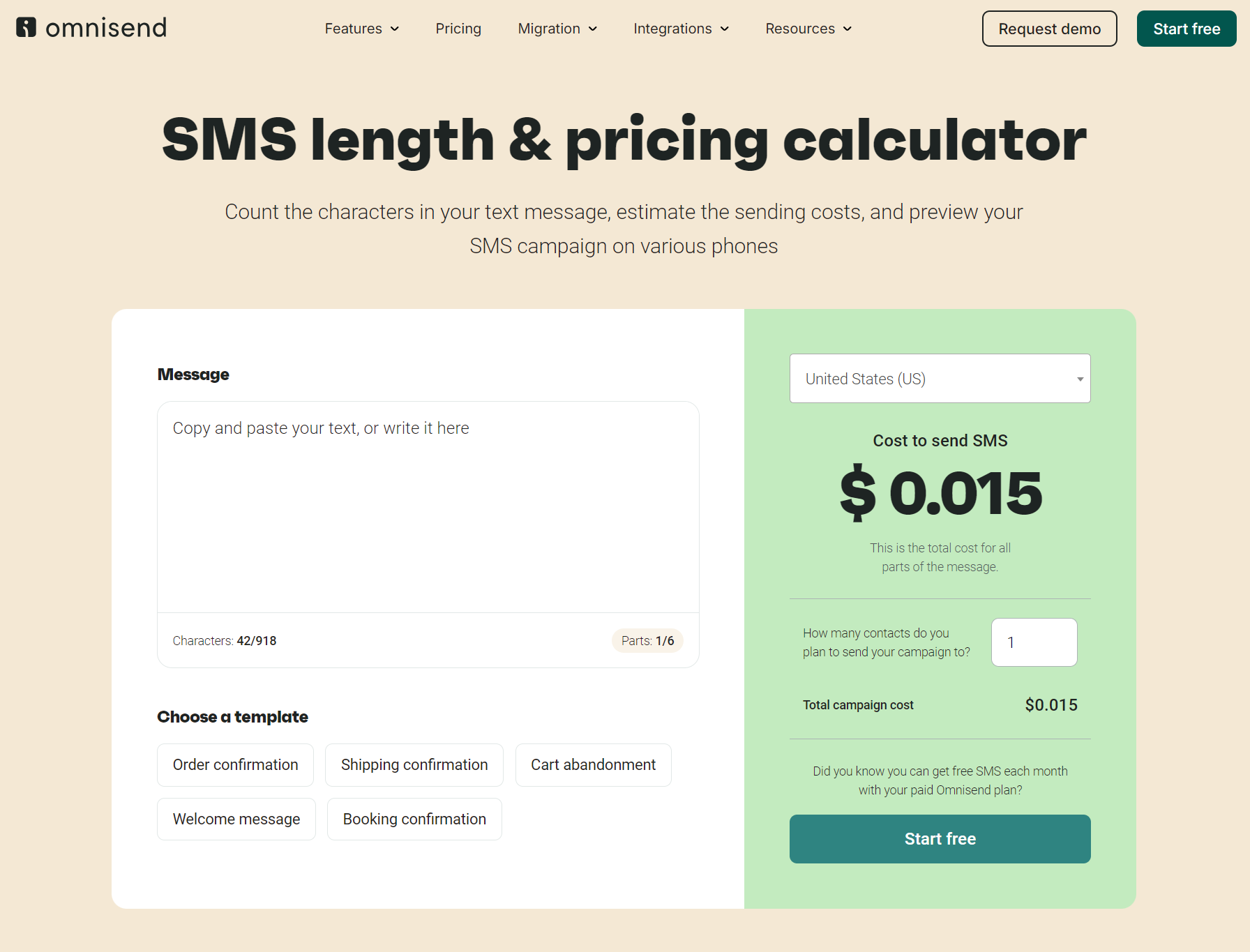
Keep Messages Under 160 Characters: This is the golden rule of SMS. Exceeding 160 characters (including spaces, punctuation, and links) results in message segmentation, where a single logical message is split into multiple physical SMS parts. Each segment consumes a separate message credit, effectively doubling or tripling your costs. Given that links can take 15-70 characters and mandatory opt-out language another 20-30, careful word economy is crucial. Tools like Omnisend’s SMS length and pricing calculator are invaluable for real-time character counting and cost estimation, helping marketers stay within budget and avoid unintended segmentation.
Shorten and Brand Your Links: Always use shortened links to conserve characters. While generic short links (e.g., 0snd.com/c/XXXXX) are efficient, branded short links (e.g., sms.yourbrand.com/spring-sale) are superior. Branded links build trust, reinforce your brand identity, and signal legitimacy, leading to higher click-through rates. Setting these up in platforms like Omnisend typically involves connecting and verifying your domain, after which the platform automatically shortens links using your brand’s domain.
Place Links Strategically: The placement of your link within the message can significantly impact its visibility and clickability:
- Early Placement: Position the link relatively early in the message, especially if it’s the primary call to action. Given the small screen size and potential for truncated previews, ensuring the link is visible without scrolling improves engagement.
- Contextual Relevance: The link should directly relate to the message’s content. If you’re announcing a sale, the link should go directly to the sale page. If it’s an abandoned cart, link directly to the pre-filled cart.
- Clear Call to Action (CTA): Accompany the link with explicit, concise instructions. Instead of just "Check it out: [link]," use "Tap here for your exclusive offer: [link]" or "Complete your purchase now: [link]."
Track SMS Link Clicks in Google Analytics 4 (GA4):
While SMS marketing platforms provide basic click metrics, integrating with Google Analytics 4 offers a deeper, holistic view of customer behavior and revenue attribution across all channels.
Tag Every Link with UTM Parameters: UTM (Urchin Tracking Module) parameters are snippets of text added to the end of a URL that allow Google Analytics to track where visitors come from and what campaign brought them to your site.
utm_source: Identifies the source of traffic (e.g.,sms).utm_medium: Identifies the medium (e.g.,text_message,promotional_sms,transactional_sms).utm_campaign: Identifies the specific campaign (e.g.,spring_sale,cart_recovery,welcome_series).utm_content(optional): Differentiates between similar content within the same campaign (e.g.,text_version_A,image_version_B).utm_term(optional): Identifies keywords for paid search, less relevant for SMS.
For links automatically shortened by platforms like Omnisend, these parameters are often appended automatically. For manually shortened links using third-party tools, marketers must add these UTMs manually using a URL builder. An example of a tagged URL would be: https://yoursite.com?utm_source=sms&utm_medium=sms&utm_campaign=spring_sale. Each unique combination of parameters helps in precise campaign identification.
Check Performance in GA4: Once tagged, open Google Analytics 4. Navigate to Reports > Acquisition > Traffic acquisition. To isolate SMS performance, set a filter for Session medium = sms. This view will display key metrics such as session counts, engagement rates, and, crucially, conversions and revenue. However, for revenue to appear, e-commerce tracking must be correctly configured in GA4, bridging the gap between website activity and purchase data. This often involves connecting GA4 directly to your e-commerce platform (e.g., using the Google & YouTube app for Shopify). Accurate e-commerce tracking in GA4 provides invaluable insights into the direct financial impact of your SMS marketing efforts.
Case Studies: Illustrative Examples of Effective SMS Link Usage
Real-world examples powerfully demonstrate how strategic link placement in SMS can drive desired outcomes.
-
Cart Recovery Link:
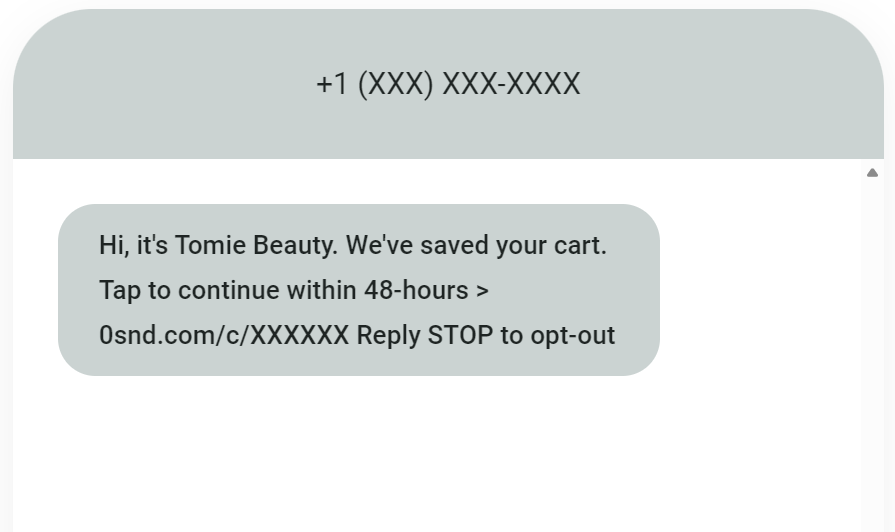
- Example: "We’ve saved your cart! Tap to continue within 48-hours >
0snd.com/c/XXXXXXReply STOP to opt-out." - Effectiveness: This message leverages urgency ("within 48-hours") and a clear call to action ("Tap to continue"). The link is placed prominently and leads directly to the customer’s pre-filled cart, minimizing friction. Automated abandoned cart messages are a prime example of the high ROI (average $0.74 per send in 2025) seen in contextual SMS. The brief, polite tone coupled with the direct link makes it highly effective in converting near-purchases into completed sales.
- Example: "We’ve saved your cart! Tap to continue within 48-hours >
-
Re-engagement Link:
- Example: "Hi Samantha, check out our newest jeans range with beautiful variants similar to your last purchase. Visit
0snd.com/c/XXXXXXReply STOP to opt-out." - Effectiveness: This message is highly personalized ("Hi Samantha," "similar to your last purchase") and provides a relevant reason to click. It offers value by showcasing new products aligned with past interests, making it feel less like a generic promotion and more like a tailored recommendation. The link directs straight to the relevant product category, streamlining the customer journey. This approach significantly increases the likelihood of re-engaging dormant customers and driving repeat purchases.
- Example: "Hi Samantha, check out our newest jeans range with beautiful variants similar to your last purchase. Visit
-
Order Confirmation Link:
- Example: "Hi Daniel, your order #12345 is being prepared! Track it here:
0snd.com/c/XXXXXXReply STOP to opt-out." - Effectiveness: This message provides immediate, essential information ("order #12345 is being prepared") and proactively addresses potential customer queries by including a tracking link. This transparency builds trust and reduces inbound customer support requests. The personalization ("Hi Daniel") adds a friendly, professional touch. By providing a clear path to track their order, the brand enhances the post-purchase experience, fostering customer satisfaction and loyalty.
- Example: "Hi Daniel, your order #12345 is being prepared! Track it here:
These examples illustrate how well-crafted SMS, combined with strategically placed, actionable links, can transform routine interactions into valuable touchpoints across the entire customer lifecycle. Businesses can replicate these elements and build comprehensive SMS series within platforms like Omnisend, catering to various stages of the customer journey.
The Strategic Imperative: Integrating SMS Links into the Modern Marketing Mix
The era of basic, non-actionable SMS is over. In today’s hyper-connected, mobile-first world, integrating intelligent links into SMS marketing is not merely an option but a strategic imperative for businesses. Industry analysts consistently predict continued growth in SMS marketing, driven by its unparalleled open rates (often exceeding 90%) and direct delivery to consumers’ most personal devices. Marketing experts emphasize that the future of mobile engagement lies in seamless, actionable interactions, making intelligent link deployment paramount. Businesses that fail to adapt to these mobile-first strategies risk being left behind in a competitive digital landscape, missing out on direct, high-intent conversion opportunities.
For businesses, the implications are profound:
- Increased Customer Lifetime Value (CLV): By facilitating easy re-engagement and personalized offers, SMS links help nurture customer relationships and encourage repeat purchases.
- Reduced Cart Abandonment: Timely, automated messages with direct links to abandoned carts are a proven method for recovering lost sales.
- Improved Customer Satisfaction: Proactive communication with tracking links, order confirmations, and personalized recommendations enhances the overall customer experience.
- Diversified Marketing Channels: SMS complements email and web push notifications, providing an additional, highly effective touchpoint for reaching customers.
For consumers, this evolution translates to a more convenient, relevant, and immediate experience. They receive timely information, personalized offers, and direct access to desired actions, all within the familiar and ubiquitous text messaging interface.
Looking ahead, the role of RCS will continue to expand, offering richer media and interactive elements, potentially bringing true hyperlinks to a broader audience. Furthermore, advancements in AI will likely enable even deeper personalization of link content and timing, making SMS interactions even more predictive and effective. Regardless of these future developments, the core principles of compliance (TCPA/GDPR for opt-ins and opt-outs) and providing clear, actionable pathways will remain foundational.
Ultimately, the power of SMS lies in its directness and immediacy. By leveraging dedicated SMS marketing tools, businesses can automate messages, ensure character efficiency through shortening, build trust with branded links, and meticulously track performance. Platforms like Omnisend empower businesses with multichannel tools (SMS, email, web push) that generated an impressive $79 ROI for every $1 spent in 2025, demonstrating the immense potential when these channels are integrated effectively.
The obvious solution for sending a link in a text – simply pasting a URL into a smartphone’s message field – falls short for bulk campaigns and automated customer journeys. True marketing success hinges on leveraging an SMS marketing tool capable of creating automations for welcome series, abandoned carts, re-engagement, and other high-intent touchpoints. With platforms like Omnisend, links are automatically shortened, and the option to use authoritative, trustworthy branded links is readily available. This sophisticated approach to SMS marketing is no longer a luxury but a necessity for driving enhanced engagement and significant revenue in the modern digital economy.