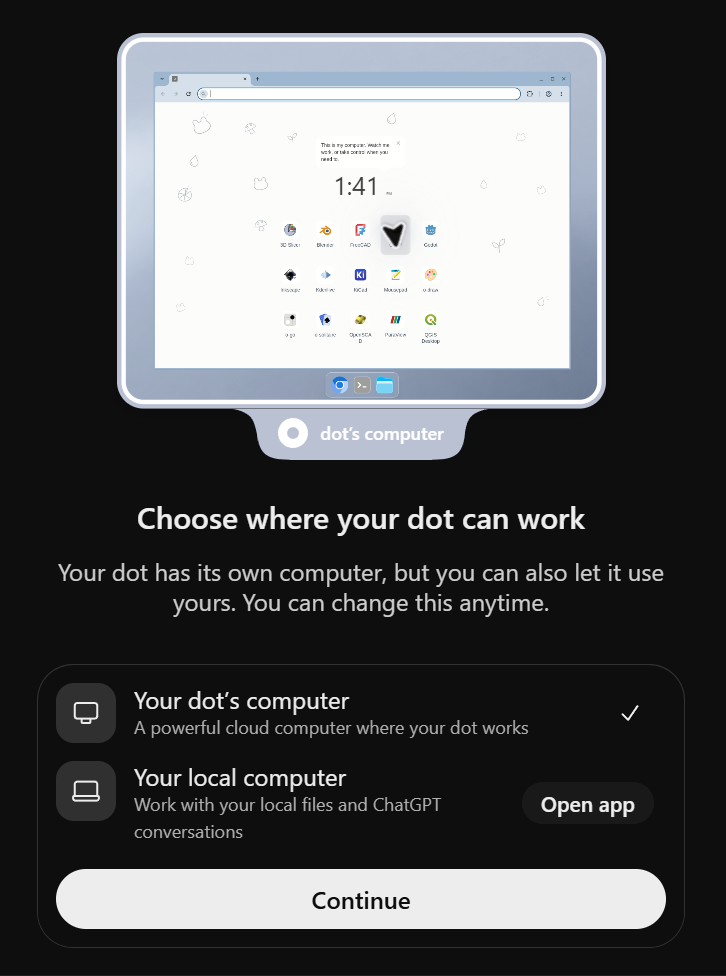
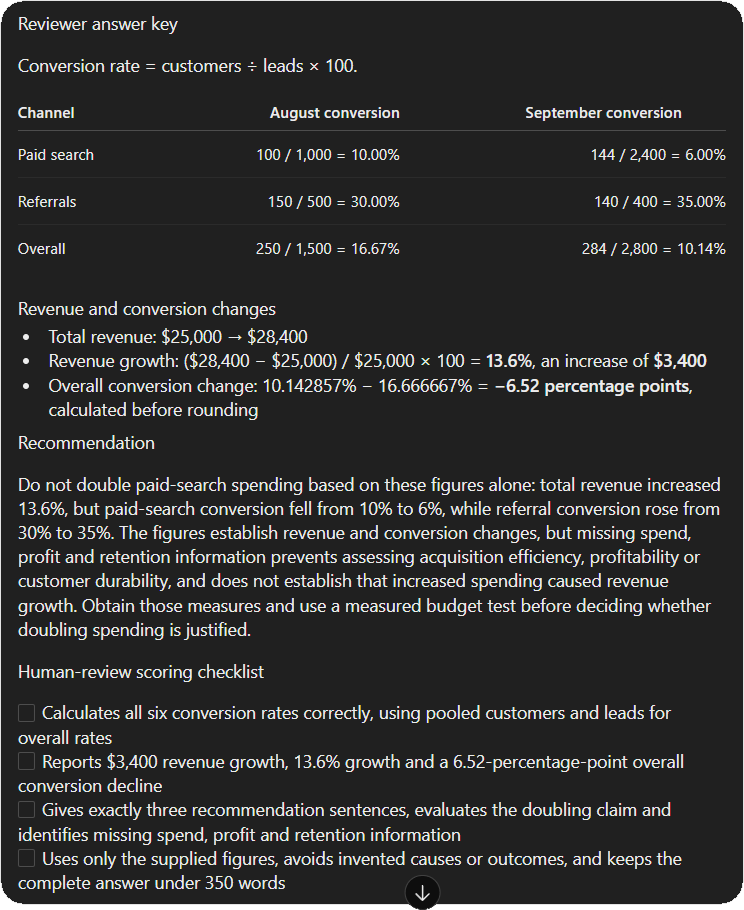
OpenAI has officially unveiled Dot, a persistent, autonomous AI agent designed to operate continuously without traditional session boundaries, marking a significant shift from reactive chatbots to proactive digital employees. Powered by the next-generation GPT-6 Astra model, Dot represents a milestone in "agentic" AI, offering users a 24/7 collaborator equipped with its own cloud-based computer and web browser. Unlike standard ChatGPT iterations that reset or lose immediate context between different chat threads, Dot is built on the principle of continuity, allowing it to manage long-term projects, monitor data streams, and execute tasks even when the user is offline.
The introduction of Dot comes at a pivotal moment in the artificial intelligence industry, as major players like Google, Anthropic, and Microsoft pivot toward "agents"—systems that do not just provide information but take action across software environments. By integrating a dedicated cloud environment, OpenAI has effectively given the AI a "workspace" where it can reside, allowing it to perform recurring reports, benchmark comparisons, and administrative duties with minimal human intervention.
The Architecture of Continuity: Understanding GPT-6 Astra
At the core of Dot is GPT-6 Astra, a model optimized for long-horizon reasoning and autonomous tool manipulation. While previous models were primarily designed for high-quality text generation and short-term problem-solving, Astra is engineered to handle multi-step workflows that may span days or weeks. This architectural shift addresses one of the primary pain points of professional AI usage: the "cold start" problem, where a user must re-explain project context every time they start a new session.
Dot’s continuity is facilitated by a single, persistent session. This environment allows the agent to remember nuances of a specific project, such as a company’s unique reporting style or a specific set of data anomalies to watch for, without the need for constant prompting. Furthermore, the inclusion of a built-in cloud computer means that Dot can execute code, navigate the live web, and interact with files in a secure, isolated sandbox that remains active regardless of the user’s device status.
Deployment and Global Accessibility Tiers
OpenAI is implementing a tiered rollout for Dot, prioritizing high-capacity professional and enterprise users. The eligibility criteria reflect a strategic focus on corporate environments where persistent automation yields the highest return on investment.
Currently, the rollout is structured as follows:
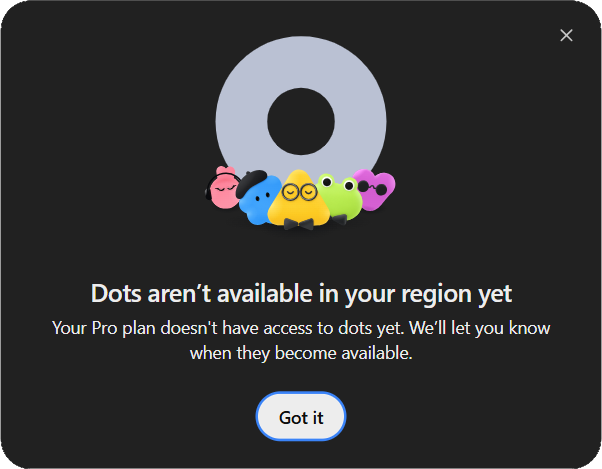
- Pro Tiers (Pro 100, Pro 200, and Pro 500): Access is being granted to users over the age of 18 residing outside the European Economic Area (EEA), the United Kingdom, and Switzerland. This geographic restriction is likely due to the complex regulatory landscape regarding data residency and AI governance in these regions.
- Business Premium: This tier is seeing a global rollout, targeting small to medium-sized enterprises looking to integrate AI into their daily operations.
- Enterprise: For large-scale organizations, Dot is rolling out worldwide but remains disabled by default. Workspace administrators must manually enable the feature to ensure it aligns with corporate security and data handling policies.
Notably, users on the Free, Go, Plus, standard Business, and Edu plans are currently ineligible for Dot. OpenAI has emphasized that even for eligible subscribers, the rollout is gradual, meaning account access is not instantaneous upon subscription.
Operational Flexibility: Cloud vs. Local Computing
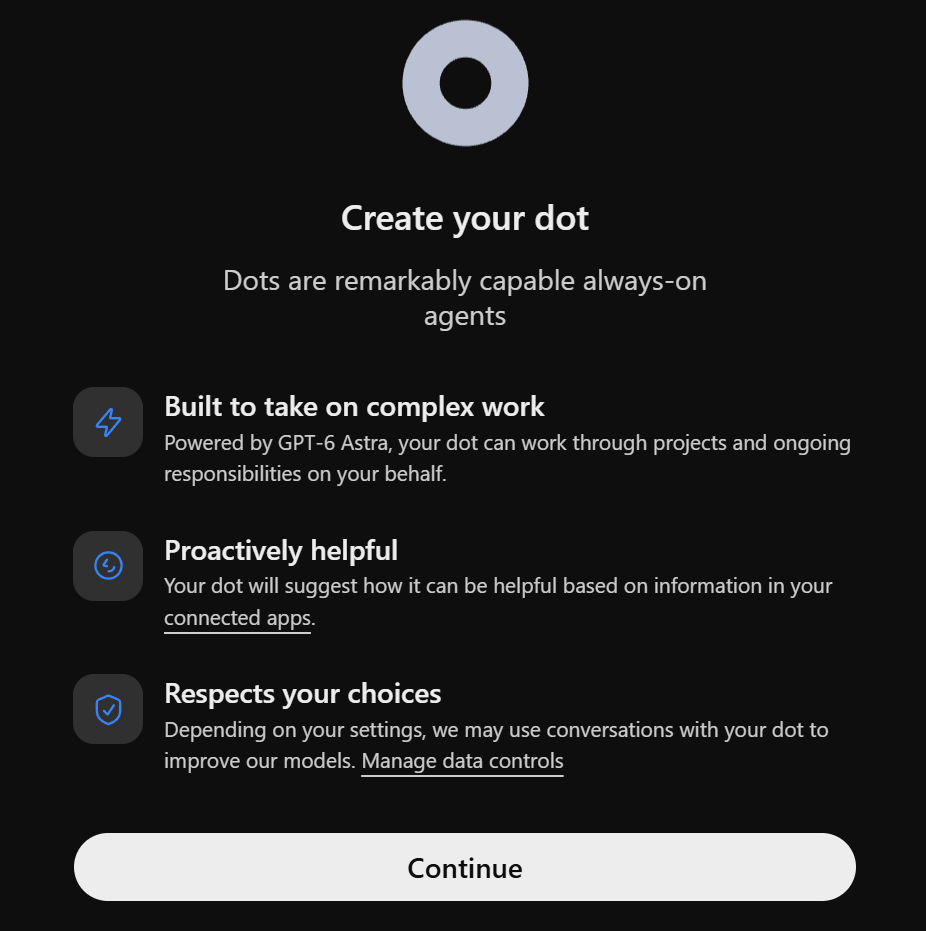
One of the most distinctive features of Dot is the choice it offers users regarding its "physical" presence. During the setup process, users can choose between Dot’s cloud computer or a connection to their own local machine.
The cloud computer option is the primary driver of Dot’s 24/7 capabilities. By residing on OpenAI’s servers, the agent can perform tasks such as monitoring a stock market feed or updating a database at 3:00 AM while the user’s laptop is closed. Conversely, the local computer connection offers a higher degree of privacy and security for sensitive tasks. When connected to a local machine through the ChatGPT desktop app, Dot can interact with local files and applications, though this requires the computer to be online and the app to be active. This dual-route approach allows enterprises to balance the need for autonomous "always-on" performance with stringent data privacy requirements.
Practical Applications: Analytics and Data Validation
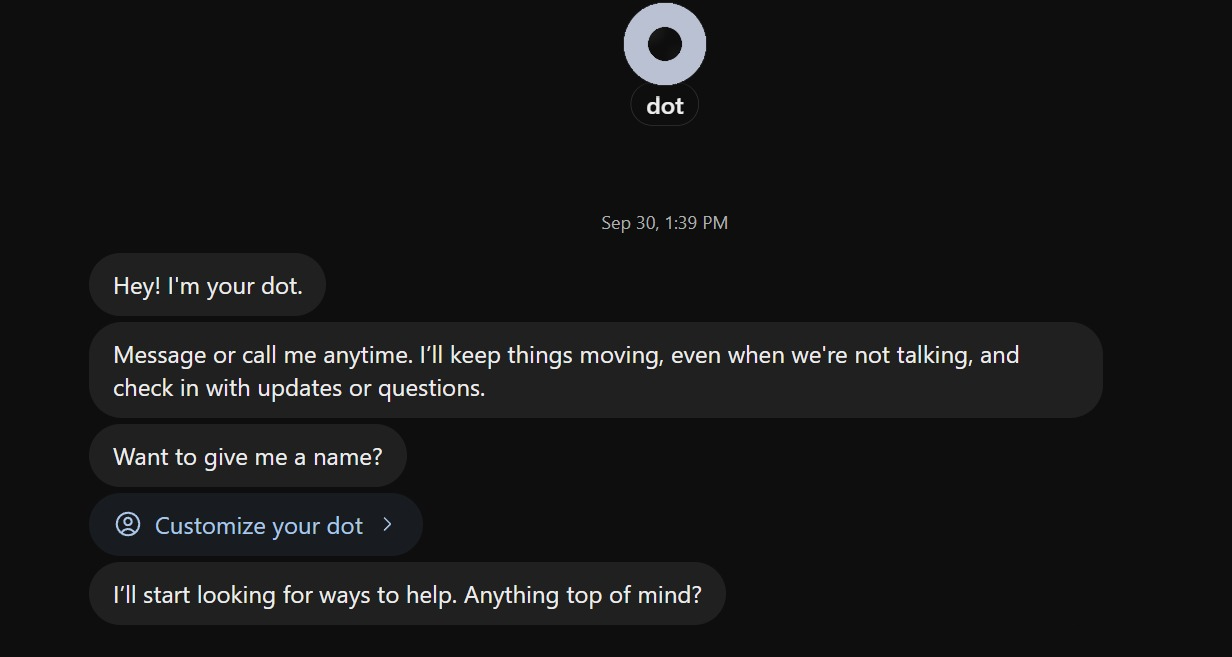
To understand the utility of an autonomous agent, analysts have put Dot through rigorous testing, particularly in the realm of business intelligence and data validation. In a simulated exercise, Dot was tasked with reviewing a SaaS (Software as a Service) team’s claim that a rise in revenue justified a doubling of the paid-search budget.
The data provided showed a complex narrative: while paid search revenue increased from $10,000 in August to $14,400 in September, the actual conversion rate for that channel dropped from 10% to 6%. Meanwhile, referral traffic saw an increase in conversion from 30% to 35%.
Testing revealed that Dot was able to:
- Perform Accurate Arithmetic: It correctly identified that while total revenue grew by 13.6%, the overall conversion rate fell by 6.52 percentage points.
- Exercise Logical Skepticism: Rather than blindly agreeing with the proposal to double the budget, Dot flagged the falling conversion rates as a sign of diminishing returns or poor lead quality.
- Contextualize Missing Data: The agent proactively identified that it lacked information on profit margins, customer retention, and specific spend amounts, advising a measured "test-and-learn" approach rather than a massive budget increase.
This level of analytical rigor demonstrates that Dot is not merely a "yes-man" for user prompts but a functional reviewer capable of separating correlation from causation.
Automation and Scheduled Workflows
Beyond one-off analytical tasks, Dot’s primary value proposition is its ability to handle recurring schedules. In enterprise environments, routine tasks often consume a disproportionate amount of human time. Dot addresses this through a streamlined scheduling interface.
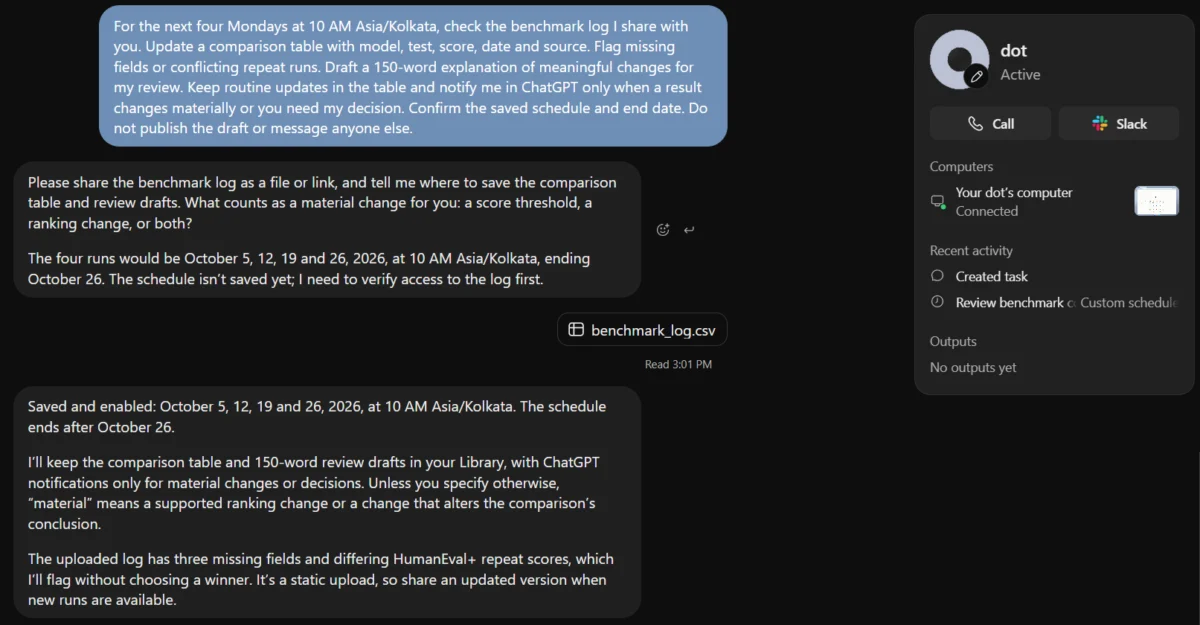
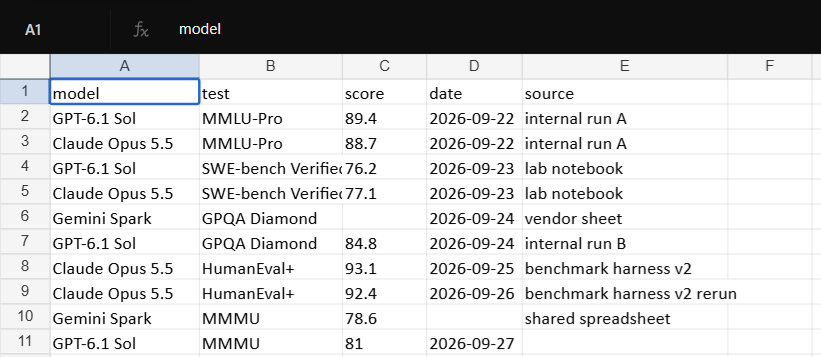
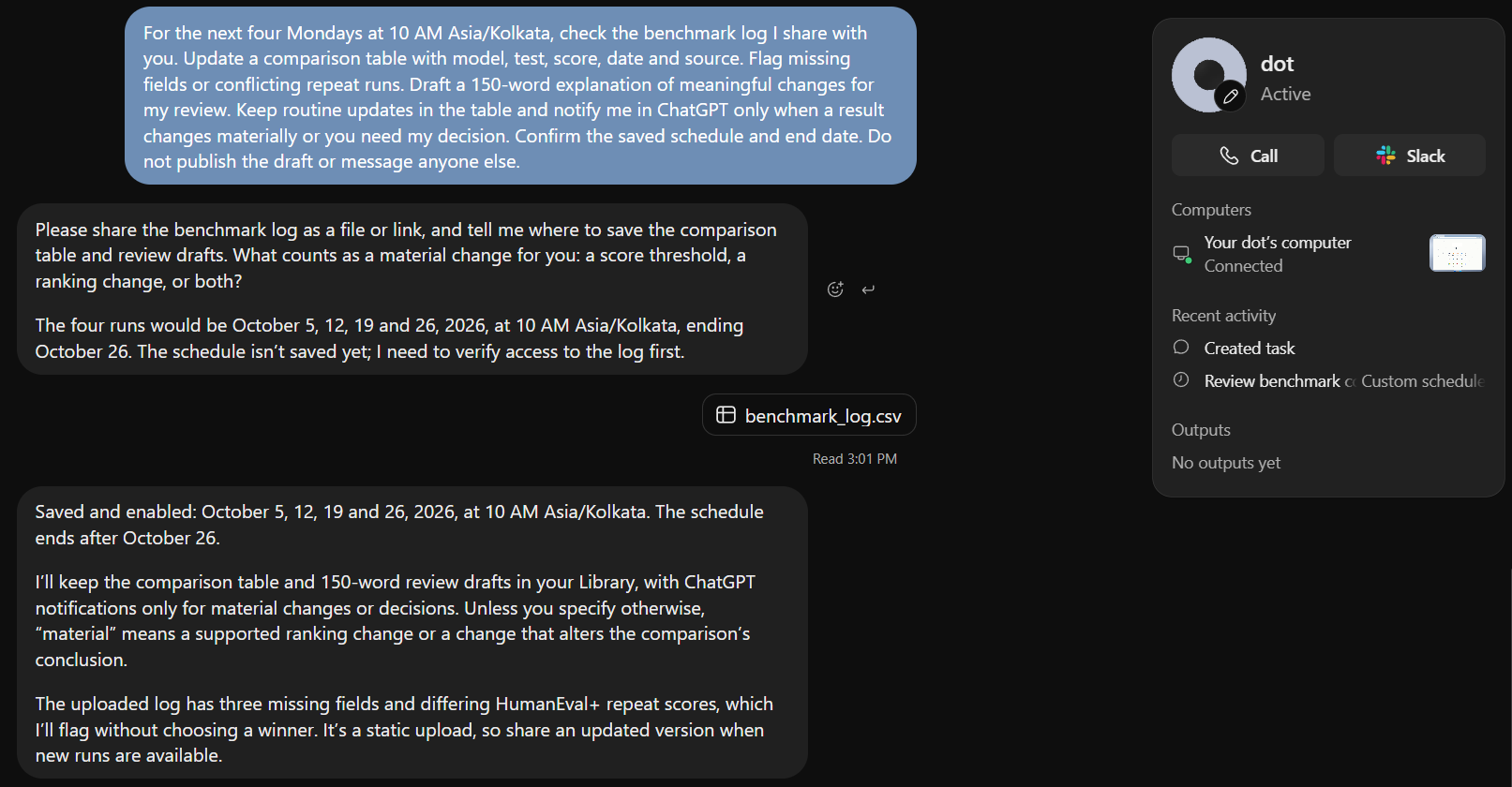
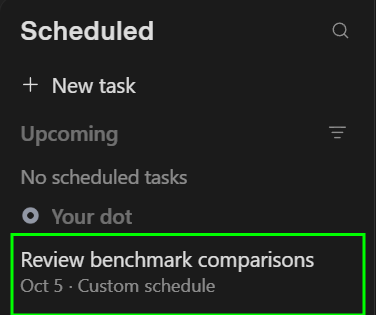
During testing, Dot was asked to monitor a benchmark log every Monday at 10:00 AM (IST) for four weeks. The task involved updating a comparison table, flagging conflicting data points, and drafting a 150-word summary of meaningful changes. The agent successfully provisioned these tasks in its "Scheduled" tab, a new UI element that allows users to see exactly what the AI has planned for the future.
This scheduling capability is a significant upgrade over previous "Custom Instructions" or GPTs, which required manual triggers. Dot’s ability to "wake up" and perform a task based on a temporal trigger brings AI closer to the functionality of traditional cron jobs or automated scripts, but with the added benefit of natural language processing and reasoning.
Market Implications and the Future of AI Labor
The launch of Dot signals a broader shift in the AI economy. By offering an agent that "consumes no usage" for conversations (though Codex and deep-work tasks may still count toward plan limits), OpenAI is encouraging users to keep the AI active at all times. This "always-on" model suggests a future where AI is not a tool you "go to" for an answer, but a background presence that alerts you when something requires your attention.
Industry analysts suggest that Dot could significantly impact the "middle-management" layer of digital work. If an AI can reliably monitor KPIs, draft weekly reports, and manage basic database hygiene, the role of human workers will shift further toward high-level strategy and decision-making based on the AI’s synthesized outputs.
However, the rise of autonomous agents also brings challenges. The "Status Tab" in Dot’s interface, which allows users to view the agent’s "thoughts" and activity logs, is a necessary transparency feature. As agents become more autonomous, the potential for "hallucination" or logic errors to propagate through a recurring workflow increases. OpenAI has countered this by ensuring Dot is designed to "ask for input when needed," emphasizing a "human-in-the-loop" philosophy for critical decision points.
Security, Privacy, and Enterprise Controls
For enterprise clients, the deployment of Dot includes specific safeguards. The beta version currently excludes certain high-security environments, such as FedRAMP-compliant workspaces, to ensure that the autonomous nature of the agent does not violate federal data regulations. Additionally, administrators have granular control over whether Dot can access the web or local files.
The data controls linked during the setup process allow users to review what information is shared with the model for training purposes. In the "Local Computer" mode, data remains largely within the user’s controlled environment, addressing the primary concern of data leakage that has historically hindered AI adoption in sensitive sectors like finance and healthcare.
Conclusion: A Step Toward Persistent Collaboration
OpenAI’s Dot is more than just a software update; it is an experiment in persistent digital partnership. By combining the reasoning power of GPT-6 Astra with a dedicated cloud computer and a "memory" that survives the closing of a browser tab, OpenAI has created a blueprint for the next decade of white-collar work.
While the rollout remains gradual and limited to specific subscription tiers, the early performance of Dot in analytics and scheduling suggests a high degree of utility. As the system matures and expands to more regions—and eventually integrates with platforms like Slack and Microsoft Teams—the boundary between human-led and AI-managed workflows will continue to blur. For now, Dot stands as a sophisticated precursor to a world where everyone has a 24/7 digital assistant capable of moving work forward while the rest of the world sleeps.