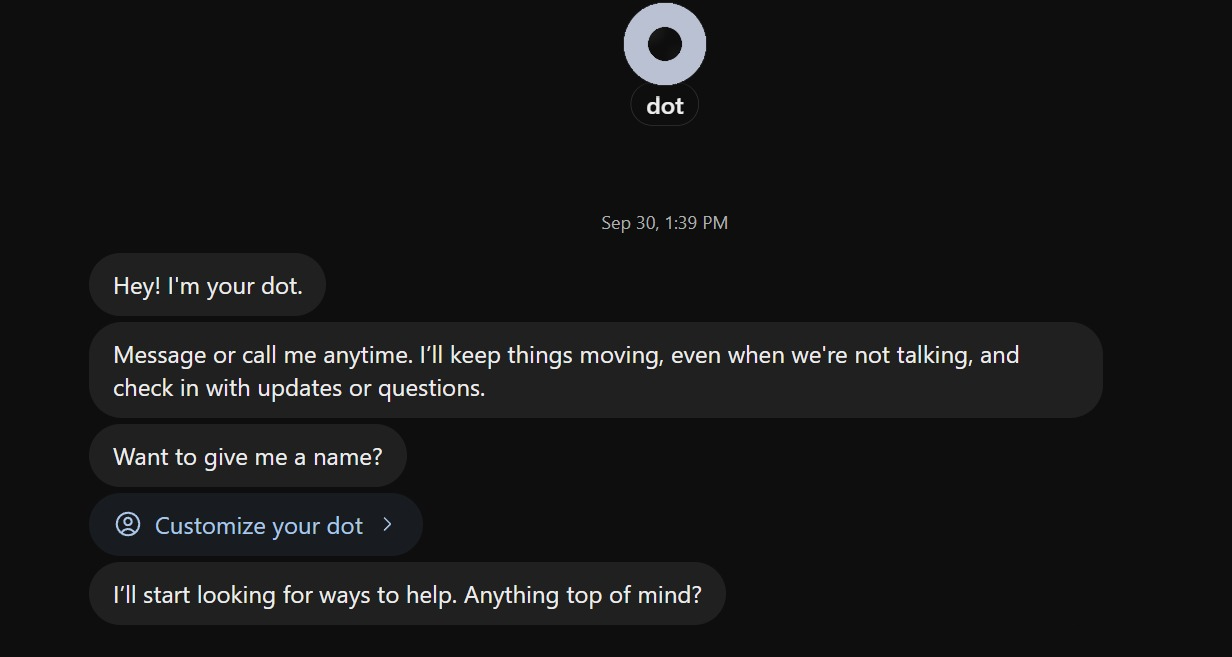
The landscape of artificial intelligence has shifted from reactive conversational interfaces to proactive, autonomous systems with the official release of OpenAI Dot. As the first major deployment of the GPT-6 Astra architecture, Dot represents a fundamental departure from the traditional "prompt-and-response" cycle that has defined the AI industry since 2022. Unlike standard ChatGPT models, which operate within isolated sessions, Dot is designed as a persistent, always-on agent capable of executing complex workflows, monitoring data streams, and maintaining long-term project continuity without human intervention. This launch marks OpenAI’s most aggressive move toward "agentic AI," a category of software that can use tools, browse the web, and manage cloud-based computing resources independently to achieve high-level objectives.
The Evolution of the Astra Architecture
The foundation of Dot is GPT-6 Astra, a model optimized for what researchers call "extended-horizon reasoning." While previous iterations of GPT focused on predicting the next token in a sequence, the Astra architecture is built to maintain a "state" across days or weeks. This allows the agent to remember the nuances of a project—such as a specific brand voice, a complex financial model, or a recurring reporting schedule—without requiring the user to re-upload context in every session.
Dot operates within its own dedicated cloud environment. Each instance of Dot is provisioned with a virtual computer and a secure browser, allowing it to interact with the web and software applications just as a human employee would. This "continuity" feature is the defining characteristic of the platform. In practice, an analyst can delegate a task to Dot on a Friday evening, and the agent will continue to monitor data sources, perform calculations, and prepare briefs over the weekend, delivering a finished product by Monday morning.
Tiered Access and Global Rollout Strategy
OpenAI has implemented a controlled rollout for Dot, prioritizing high-capacity professional and enterprise users. The eligibility criteria reflect the high compute demands of an "always-on" agent. Access is currently limited to the following tiers:
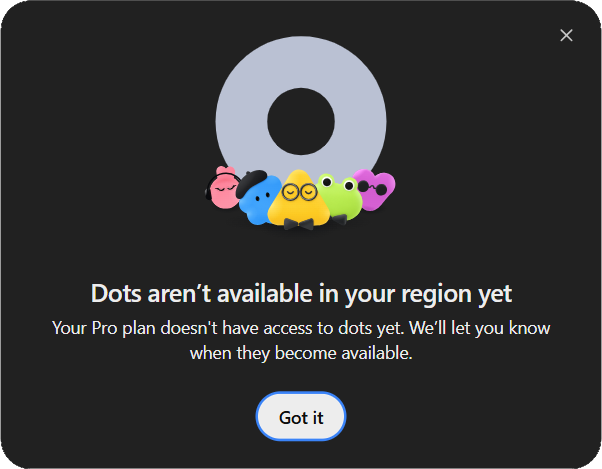
- Pro 100, Pro 200, and Pro 500: These individual professional tiers are the first to receive access, provided the users are over 18 and located outside the European Economic Area (EEA), the United Kingdom, and Switzerland. This regional exclusion is largely attributed to the complex regulatory environment regarding autonomous data processing in those jurisdictions.
- Business Premium: A global rollout is underway for this tier, aimed at small to medium-sized enterprises (SMEs) looking to automate administrative overhead.
- Enterprise: For large-scale organizations, Dot is being deployed with a "default-off" setting. Workspace administrators must manually enable the feature to ensure compliance with internal security protocols.
Notably, users on the Free, Go, Plus, and standard Business or Edu plans are currently ineligible for the Dot beta. OpenAI has indicated that while talking to Dot does not consume standard ChatGPT message limits, the background tasks and "Codex" executions it performs are subject to specific "deep-work" allowances tied to the user’s subscription level.
Deployment Logistics: Cloud vs. Local Compute
One of the most significant technical choices presented to users during the Dot setup process is the location of the agent’s "brain." OpenAI offers two distinct routes for deployment, each catering to different security and availability needs.
The Cloud Computer option is the default for most users. In this mode, Dot lives on OpenAI’s servers, granting it 24/7 uptime regardless of whether the user’s personal device is online. This is the preferred method for scheduling recurring tasks, such as database monitoring or social media management.
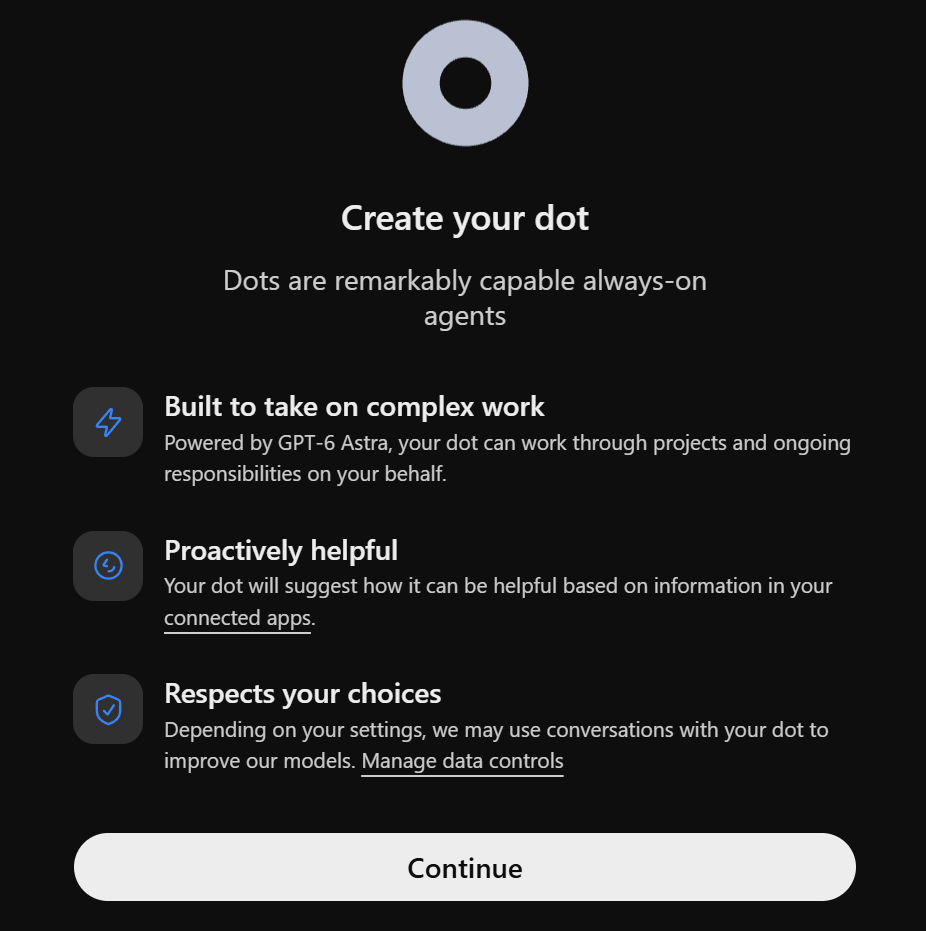
The Local Computer option allows Dot to connect directly to the user’s physical machine via the ChatGPT desktop application. This route is designed for users with high-security requirements or those who need the agent to interact with local files and software that are not accessible via the cloud. However, this mode requires the host computer to remain online and the ChatGPT app to stay open for the agent to function.
Case Study in Autonomous Reasoning: The SaaS Analytics Exercise
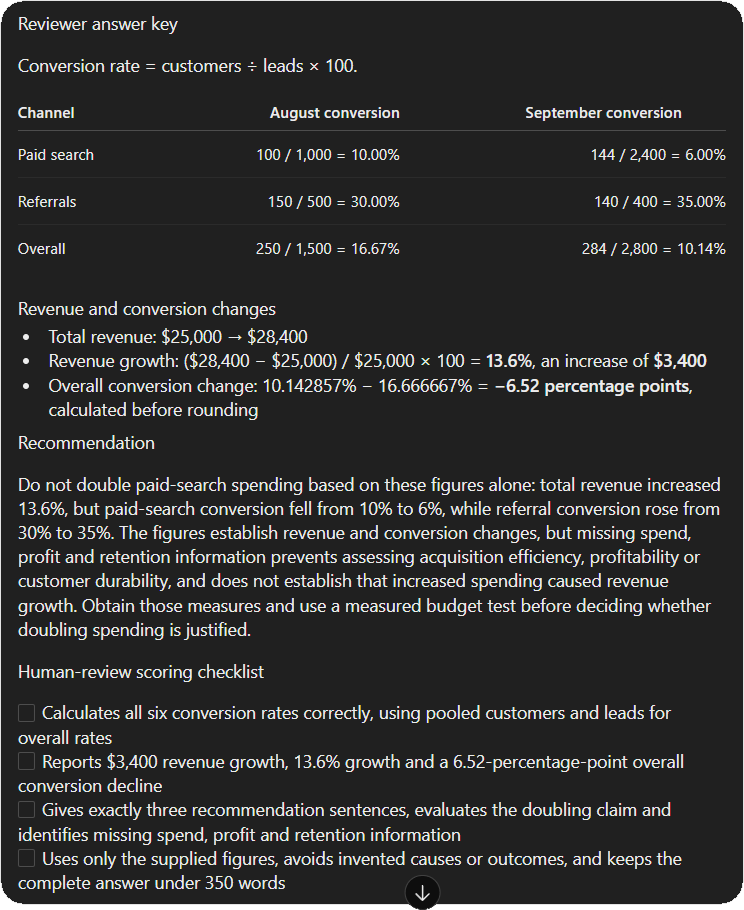
To demonstrate the superior reasoning capabilities of the Astra model, initial tests focused on a complex SaaS (Software as a Service) analytics claim. In this scenario, a fictional team claimed that because revenue had risen between August and September, the company should double its paid-search budget.
Dot was tasked with evaluating this claim using raw data:
- August: 1,000 leads, 100 customers, $10,000 revenue.
- September: 2,400 leads, 144 customers, $14,400 revenue.
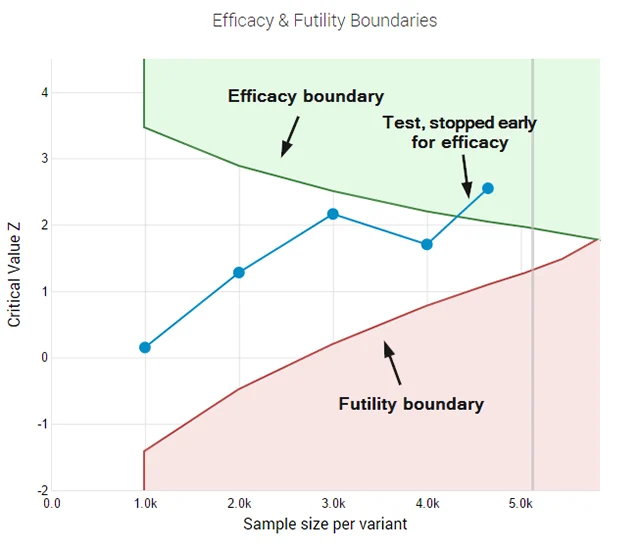
The agent’s analysis revealed a critical insight that a less sophisticated model might have missed. While revenue did increase by 44%, the conversion rate for paid search actually plummeted from 10% in August to 6% in September. Furthermore, overall conversion across all channels dropped by 6.52 percentage points. Dot concluded that the revenue growth was driven by a massive increase in lead volume (and likely spend) rather than efficiency. It recommended against doubling the budget, instead proposing a measured test to identify why conversion was failing.
This exercise highlights Dot’s ability to separate "measurable change" from "unsupported business conclusions." By providing a four-item scoring checklist and a three-sentence executive summary, the agent functioned as a senior auditor rather than a simple data processor.
Streamlining Workflow: The Scheduling Breakthrough
For many early adopters, the most practical application of Dot is its ability to handle "event-driven" workflows. Previous versions of AI required third-party integrations (like Zapier or Make) to handle scheduling, which were often prone to "API drift" and configuration errors. Dot simplifies this by allowing users to schedule tasks in plain natural language.
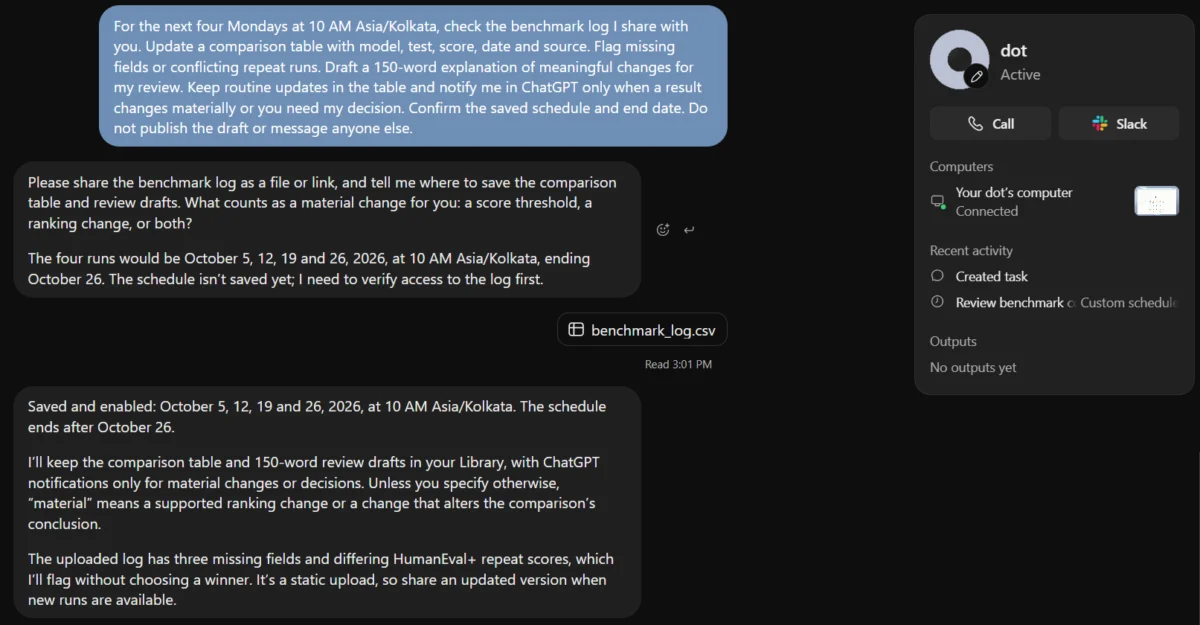
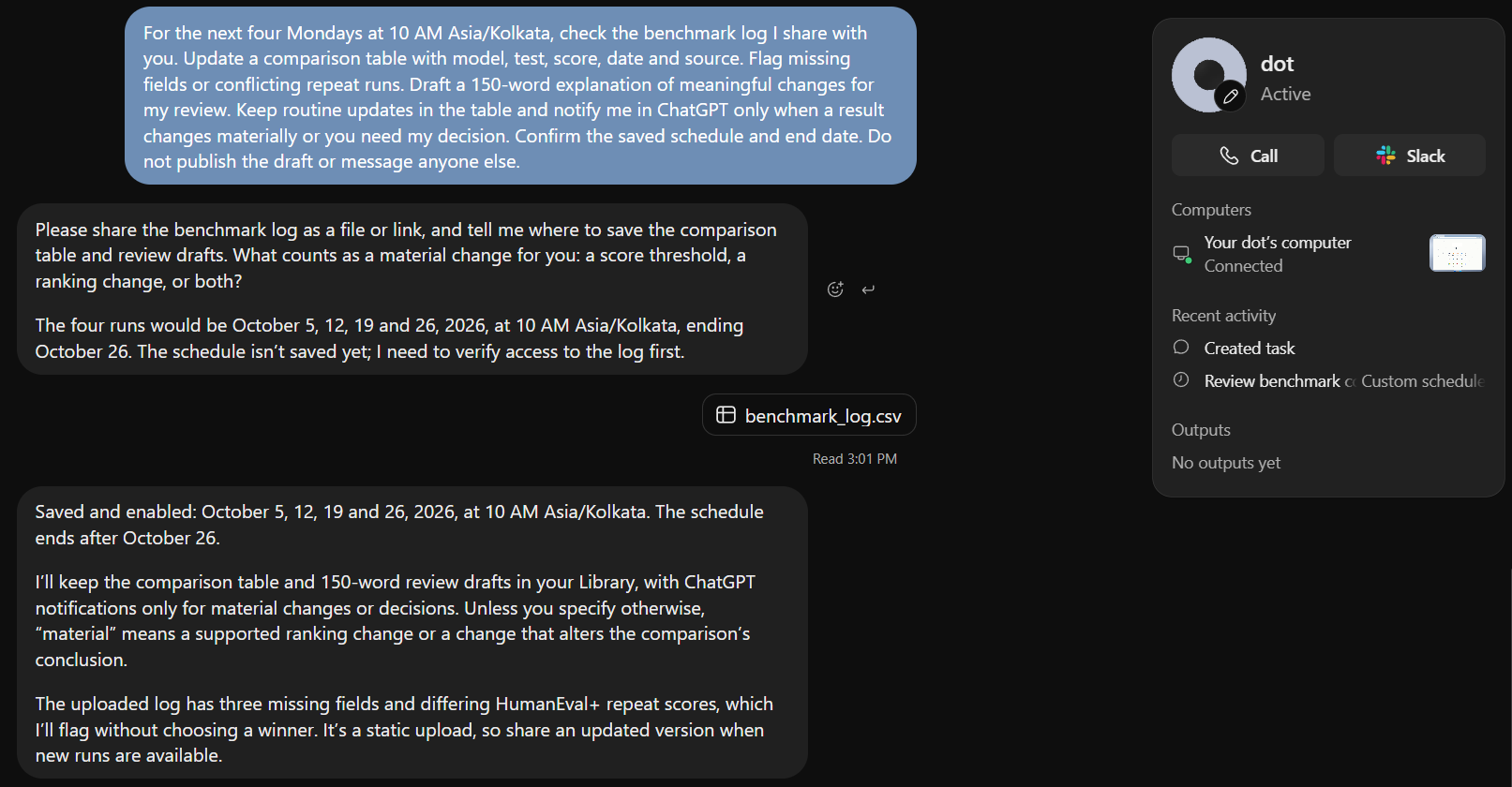
In a benchmark update test, the agent was instructed to:
- Check a specific benchmark log every Monday at 10:00 AM IST.
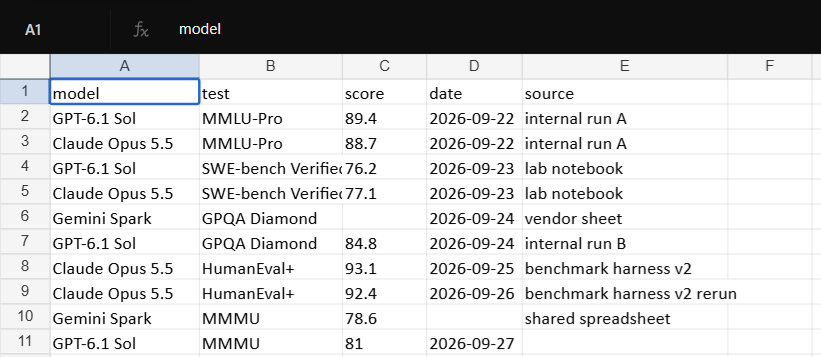
- Update a comparison table with model scores and dates.
- Identify and flag any conflicting data points.
- Draft a 150-word explanation of any meaningful changes.
- Notify the user only if a result changed "materially."
The setup process for this workflow was completed in seconds. Dot successfully created a persistent "Scheduled Event" in its internal calendar, provisioned the necessary file-reading tools, and confirmed the end date of the project. The ability to set "notification conditions"—instructing the AI to stay silent unless something is wrong—addresses the "noise" problem that has long plagued automated systems.
Industry Implications and the Future of Knowledge Work
The release of Dot is expected to have a profound impact on the professional services sector. By automating the "middle management" of data—the routine checking, formatting, and summarizing of information—Dot allows human workers to focus on high-level strategy. However, this shift also raises questions about the future of entry-level analyst roles, many of which involve the very tasks Dot is now capable of performing with higher accuracy and lower cost.
From a competitive standpoint, Dot places OpenAI ahead of rivals like Anthropic and Google in the race for "Computer Use" capabilities. While other models can interact with a screen, Dot’s "always-on" cloud persistence makes it a more viable tool for enterprise-grade automation.
Security and Compliance Considerations
As with any autonomous system, data privacy remains a primary concern. OpenAI has integrated a "Status Tab" into the Dot interface, allowing users to view the agent’s "thoughts" and activity logs in real-time. This transparency is intended to build trust, as users can see exactly which files the agent is accessing and what logic it is applying.
For enterprise users, the restrictions are more stringent. The current beta does not support data residency in certain regions, and it excludes high-security environments such as FedRAMP or EKM-enabled workspaces. As the rollout continues, OpenAI will likely face pressure to adapt Dot to the rigorous "Right to Explanation" requirements found in the EU AI Act.
In conclusion, OpenAI Dot is not merely an update to ChatGPT; it is a new category of software. By combining the reasoning power of GPT-6 Astra with persistent cloud computing and autonomous scheduling, OpenAI has moved the needle from "AI as a tool" to "AI as a teammate." Whether this leads to a new era of productivity or creates new complexities in data management will depend on how effectively users can integrate these autonomous agents into their existing workflows.