rifanmuazin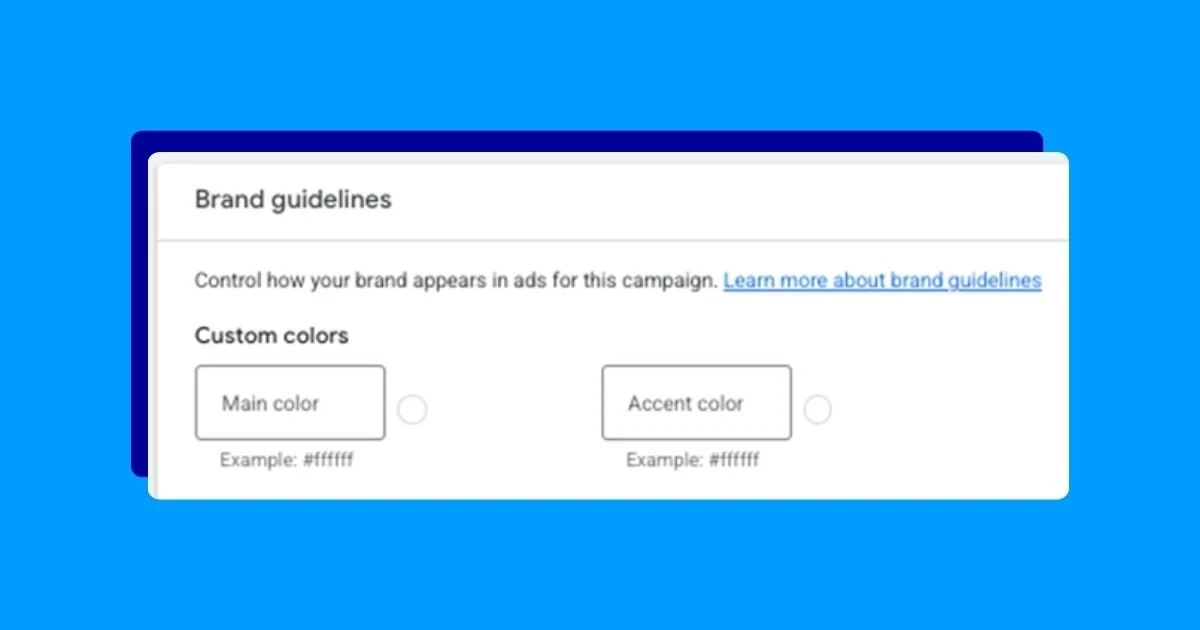
The rapid integration of artificial intelligence and automation within the digital advertising landscape, particularly on platforms like Google Ads, necessitates a more robust approach for brands to maintain oversight of their messaging and visual identity. While automated solutions often surpass manual processes in efficiency and performance, the crucial aspect of brand representation cannot be compromised. In response to these evolving needs, Google Ads has rolled out enhanced brand guideline features, aiming to provide advertisers with greater assurance that their campaigns align with their established brand standards, even when leveraging automated campaign management.
The shift towards AI-driven ad services presents a dual challenge and opportunity for businesses. On one hand, algorithms can optimize ad delivery, targeting, and creative variations at a scale and speed previously unattainable. This can lead to significant performance gains, including improved click-through rates, conversion volumes, and return on ad spend. However, this very efficiency can also introduce risks if not properly managed. Without clear directives, automated systems might inadvertently generate ad variations that are incongruous with a brand’s established voice, visual identity, or core values, potentially diluting brand equity and confusing consumers.
Google Ads, recognizing this critical balance, has been progressively enhancing its brand control mechanisms. While not a single, monolithic control panel, these features collectively empower advertisers to guide how their brands are presented across various ad formats and placements. This evolution reflects a broader industry trend where platforms are increasingly offering tools to bridge the gap between the power of automation and the imperative of brand consistency.
Understanding the Evolution of Brand Controls in Google Ads
Historically, advertisers relied heavily on manual campaign setup and a keen eye for detail to ensure brand alignment. This was a labor-intensive process, especially for businesses running large-scale campaigns across numerous ad groups and ad sets. The advent of sophisticated AI and machine learning in ad platforms offered unprecedented optimization potential, but this often came at the cost of granular control over creative elements. The introduction and refinement of brand guideline features within Google Ads represent a strategic move to reclaim that control, offering advertisers a more proactive way to shape automated ad creation.
These new controls are designed to act as guardrails for Google’s automated systems, ensuring that the ads generated not only perform well but also resonate with the intended brand persona. This is particularly crucial in today’s competitive market, where brand perception is a key differentiator. A consistent and well-defined brand presence across all customer touchpoints, including paid advertising, can significantly impact consumer trust, loyalty, and ultimately, sales.
A Comprehensive Look at Google Ads Brand Guideline Options
Google Ads offers a multi-faceted approach to brand control, allowing advertisers to influence various aspects of their ad presentation. These settings are typically found within the campaign setup or account-level settings, depending on the specific feature.
1. Business Name and Logos: The Foundation of Brand Identity
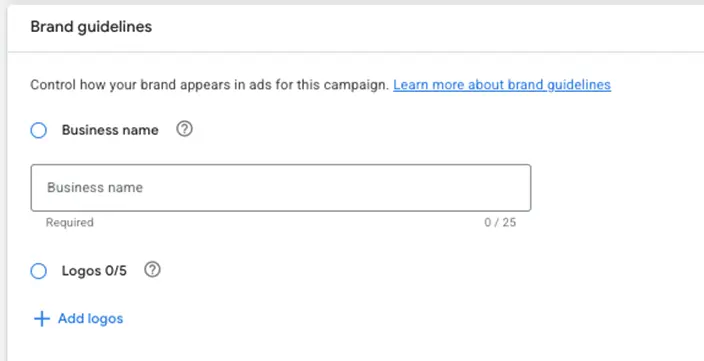
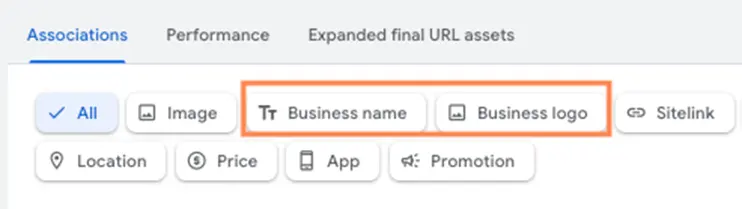
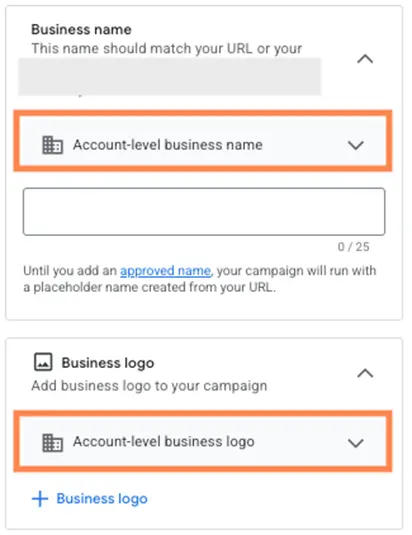
The most fundamental brand guideline available within Google Ads pertains to the business name and logo. This feature serves as the bedrock for brand recognition in ads. Advertisers can input their official business name, which is subject to a character limit of 25 characters. This constraint can pose a challenge for businesses with longer or more descriptive names, often requiring creative abbreviation or a strategic focus on the most recognizable part of their brand.
Beyond the business name, advertisers can upload multiple logo variants. This includes a square logo (typically 1:1 aspect ratio) and a landscape logo (often 4:1 ratio). It is recommended to upload all available logo formats to maximize placement flexibility. For optimal brand recognition, particularly when logos appear in small dimensions, it is advisable to select versions that are clear and easily identifiable even at reduced sizes. This might involve opting for logos with bold, simple designs and avoiding those with intricate details or small sub-brand elements. Having both light and dark versions of logos is also beneficial to ensure good contrast across different ad backgrounds.
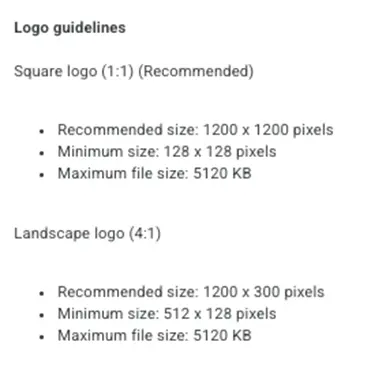
Where These Work: The business name and logo are critical components that appear across a wide array of Google Ads campaign types and placements. They are prominently featured in:
- Responsive Search Ads (RSAs): The business name is displayed to clearly identify the advertiser.
- Responsive Display Ads (RDAs): Logos are integral to visual branding in display campaigns, helping users quickly associate ads with familiar companies.
- Performance Max Campaigns (PMax): This integrated campaign type leverages various assets, including logos, to generate ads across all of Google’s channels. The business name and logos provided here are used to inform ad creative across Search, Display, YouTube, Gmail, and Discover.
- App Campaigns: Logos are essential for app icon and promotional creatives.
- Demand Gen Campaigns: These newer campaigns, designed for driving demand, heavily rely on visual assets like logos for prominent placement in feeds and discovery surfaces.
The ability to set these at the account level ensures consistency across all campaigns, simplifying management and reducing the risk of errors. However, some specific campaign types or ad formats may offer further granular control over logo selection.
2. Brand Colors: Injecting Visual Personality
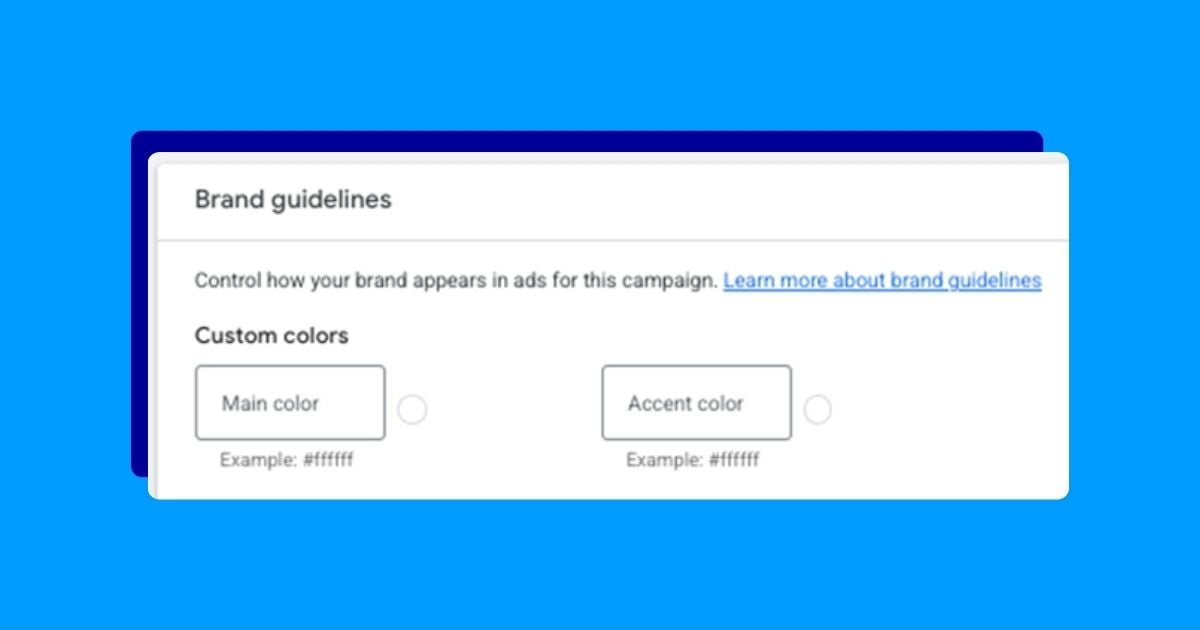
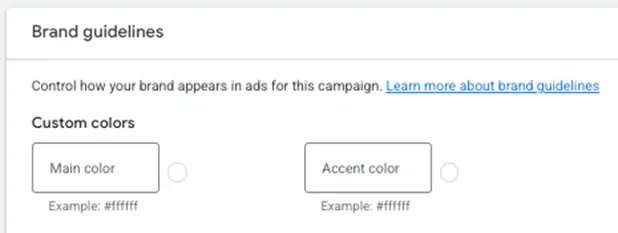
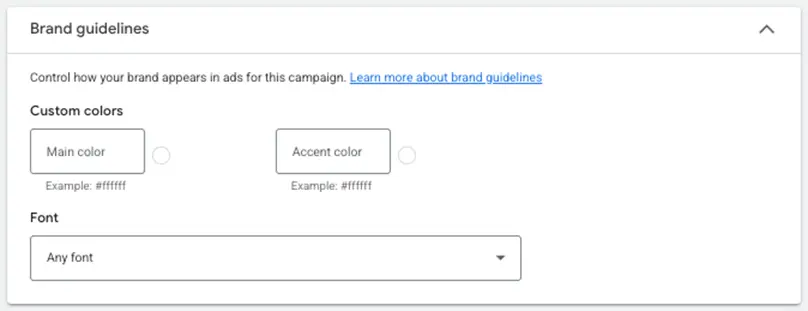
For campaigns that incorporate visual elements, Google Ads allows advertisers to specify brand colors. This feature enables the customization of primary and secondary accent colors used in ad creation. Crucially, these controls accept hex color codes, providing precise adherence to brand palettes. This level of specificity is a significant improvement over generic color pickers, minimizing the risk of off-brand color selections.
These specified colors can be applied to various ad elements, including background colors, call-to-action (CTA) buttons, and other accent graphics. The goal is to ensure that the visual aesthetic of the ads aligns seamlessly with the overall brand identity, reinforcing recognition and brand association.
It’s important to note that these color settings are considered guidelines, not absolute mandates. Google’s algorithms may, under certain performance-driven circumstances, deviate from the specified colors if data suggests that alternative color choices lead to improved ad performance. This pragmatic approach acknowledges the inherent tension between strict brand adherence and the optimization imperative of advertising platforms.
Where These Work: Brand colors play a role in visually enhancing ads across several campaign types, including:
- Responsive Display Ads (RDAs): Colors are used for backgrounds, CTAs, and decorative elements.
- Performance Max Campaigns (PMax): Brand colors contribute to the overall visual appeal of ads generated across different channels.
- Demand Gen Campaigns: These campaigns often utilize visually rich formats where brand colors are key to establishing a cohesive look.
3. Fonts: Subtle but Significant Branding Elements
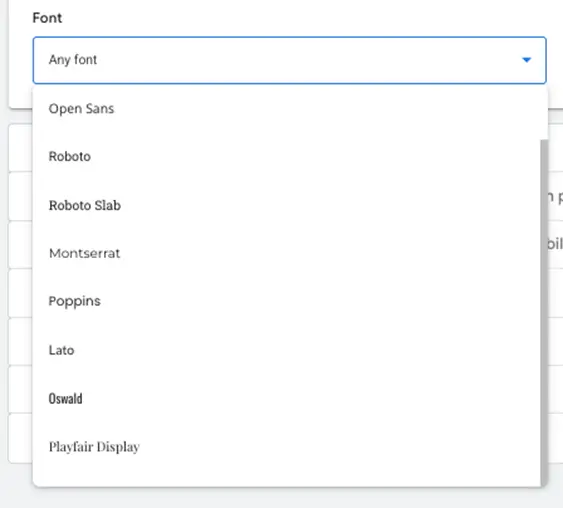
In select Google Ads accounts, advertisers now have the ability to influence the font choices used in their ads. This feature, often found alongside brand color controls, offers a curated selection of fonts that Google provides. While less flexible than inputting custom fonts, this option allows for a degree of brand alignment, enabling advertisers to select fonts that are either identical or closely resemble their established brand typography.
The availability of this feature can vary, suggesting it may be part of ongoing beta testing or rolled out to specific account tiers or campaign types first. The objective is to provide a choice that supports brand consistency without introducing compatibility issues or compromising rendering across different devices and platforms.
Where These Work: Font selection is primarily relevant for ad formats where text plays a prominent role and where styling is customizable, such as:
- Responsive Display Ads (RDAs): Fonts can be applied to headlines, descriptions, and CTA text.
- Performance Max Campaigns (PMax): Text elements within ads generated by PMax can reflect the selected font.
- App Campaigns: Font choices may influence text displayed in promotional banners or descriptions.
4. Ad Copy Tone and Messaging Signals: Guiding the Narrative
The most recent and arguably most sophisticated addition to Google Ads’ brand control suite is the ad copy tone and messaging signals feature. This functionality is designed to guide Google’s AI in generating ad copy that aligns with a brand’s specific tone of voice, sentiment, and key messaging. This is a significant advancement, moving beyond purely visual or structural elements to influence the very language used in ads.
This feature comprises two primary components:
- Term Exclusions: This functions similarly to negative keywords in traditional Google Ads. Advertisers can input specific terms or phrases that they do not want Google’s AI to use in ad copy. For example, a premium brand might exclude terms like "cheap," "low cost," or "bargain" to prevent its products from being perceived as inexpensive. This is invaluable for maintaining brand positioning, avoiding legal misinterpretations, or adhering to specific communication standards.
- Messaging Restrictions: This allows for more nuanced, conversational directives to the AI. Advertisers can provide up to 40 different instructions, each with a character limit, that guide the AI’s creative output. These directives can range from broad statements like "Avoid implying our products are cheap, discounted, or a bargain" to specific formatting requests such as "Use capitalization for our brand name: organizationName (not OrganizationName) to help drive those brand guidelines home." This empowers advertisers to articulate subtle brand nuances that might be missed by less sophisticated controls.
These advanced controls are still in their rollout phase, and their availability may vary across different accounts and regions. The intention behind these features is to enable advertisers to have a more direct conversation with the AI, akin to briefing a creative team, thereby ensuring that the generated ad copy is not only effective but also authentically representative of the brand.
Where These Work: These messaging and tone controls are integral to automated ad copy generation and are particularly impactful for:
- Responsive Search Ads (RSAs): The AI uses these signals to generate headlines and descriptions.
- Responsive Display Ads (RDAs): Messaging directives influence the text content of display creatives.
- Performance Max Campaigns (PMax): These signals shape the narrative and tone of ad copy across all channels.
- Demand Gen Campaigns: The AI leverages these inputs to craft compelling copy for engaging content formats.
Strategic Implications and Best Practices
The introduction of these comprehensive brand guideline features in Google Ads signifies a critical step in enabling advertisers to harness the power of automation without sacrificing brand integrity. As AI continues to play an ever-increasing role in ad creation and delivery, having these control mechanisms in place is paramount.
Key Takeaways and Recommendations:
- Proactive Setup is Crucial: Advertisers should not wait for issues to arise. Dedicate time to thoroughly configure all available brand guideline settings within your Google Ads account. This includes ensuring your business name is accurate, uploading high-quality logos in all recommended formats, and precisely defining your brand colors and fonts.
- Leverage Advanced Controls: For those with access, the ad copy tone and messaging signals are powerful tools. Carefully consider your brand’s core messaging, desired positioning, and any potential pitfalls. Articulate these clearly through term exclusions and messaging restrictions. This is an opportunity to train the AI to be a more effective brand ambassador.
- Regular Review and Updates: The digital advertising landscape is dynamic, and so are brand strategies. Periodically review your brand guideline settings in Google Ads. As your brand evolves or as new features become available, update these controls to reflect your current objectives.
- Understand Limitations: While these features offer unprecedented control, it’s important to remember that they are guidelines. Google’s primary objective remains campaign performance. In some instances, the algorithm may override specific settings if it predicts a significant uplift in key metrics. Maintain a balance between strict adherence and performance optimization.
- Integrate with Broader Brand Strategy: These Google Ads controls should be part of a larger, cohesive brand strategy. Ensure that the messaging and visual elements defined here align with your brand’s overall marketing communications across all platforms.
The ongoing evolution of Google Ads’ brand control features underscores the platform’s commitment to empowering advertisers. By strategically implementing these tools, businesses can confidently leverage the efficiency of AI and automation to drive performance while ensuring their brand message remains clear, consistent, and impactful across the vast digital ecosystem. This proactive approach not only safeguards brand equity but also builds stronger, more resonant connections with target audiences in an increasingly automated world.