rifanmuazin
In an increasingly complex digital landscape, where content is king and consistency is paramount, content calendar tools have emerged as indispensable assets for marketers and businesses alike. These sophisticated software solutions are designed to centralize the planning, scheduling, management, and distribution of content across a multitude of platforms, including blogs, social media accounts, and various other marketing channels. Their primary objective is to foster organization, enhance collaboration, and streamline the often-chaotic flow of digital content.

The Evolving Landscape of Content Marketing and the Need for Centralized Management
The digital marketing ecosystem has undergone a dramatic transformation over the past decade. What once involved managing a handful of social media accounts and a basic blog now demands an omnichannel presence, requiring consistent, high-quality content across diverse platforms like Instagram, TikTok, LinkedIn, Facebook, X (formerly Twitter), and more, alongside traditional web content and email campaigns. This proliferation of channels, coupled with the sheer volume of content needed to maintain audience engagement, has created significant operational challenges for marketing teams.

Industry expert Carolina Horna, a Freelance Creative Director and Brand Strategist with over a decade of experience navigating the complexities of social media, underscores the profound impact of dedicated tools. "Using a dedicated tool as opposed to a Google Doc or spreadsheet adds a level of organization and clarity that is hard to achieve without it," Horna states. She elaborates on the strategic advantages: "With a content calendar tool, I’m able to see my strategy come to life, maintain my content pillar distribution, and collaborate easily with my team." This sentiment reflects a broader industry shift towards integrated platforms that offer more than just basic scheduling.
The escalating pressure on marketing professionals is evident in recent data, with a staggering 58% of marketers reporting feeling overwhelmed. This emotional exhaustion is frequently linked to the arduous task of juggling multiple platforms, tight deadlines, and numerous stakeholders without a cohesive, centralized system. Content calendar tools directly address this by reducing manual effort, minimizing errors, and providing a singular source of truth for all content-related activities.
Key Features Driving Efficiency and Strategic Alignment
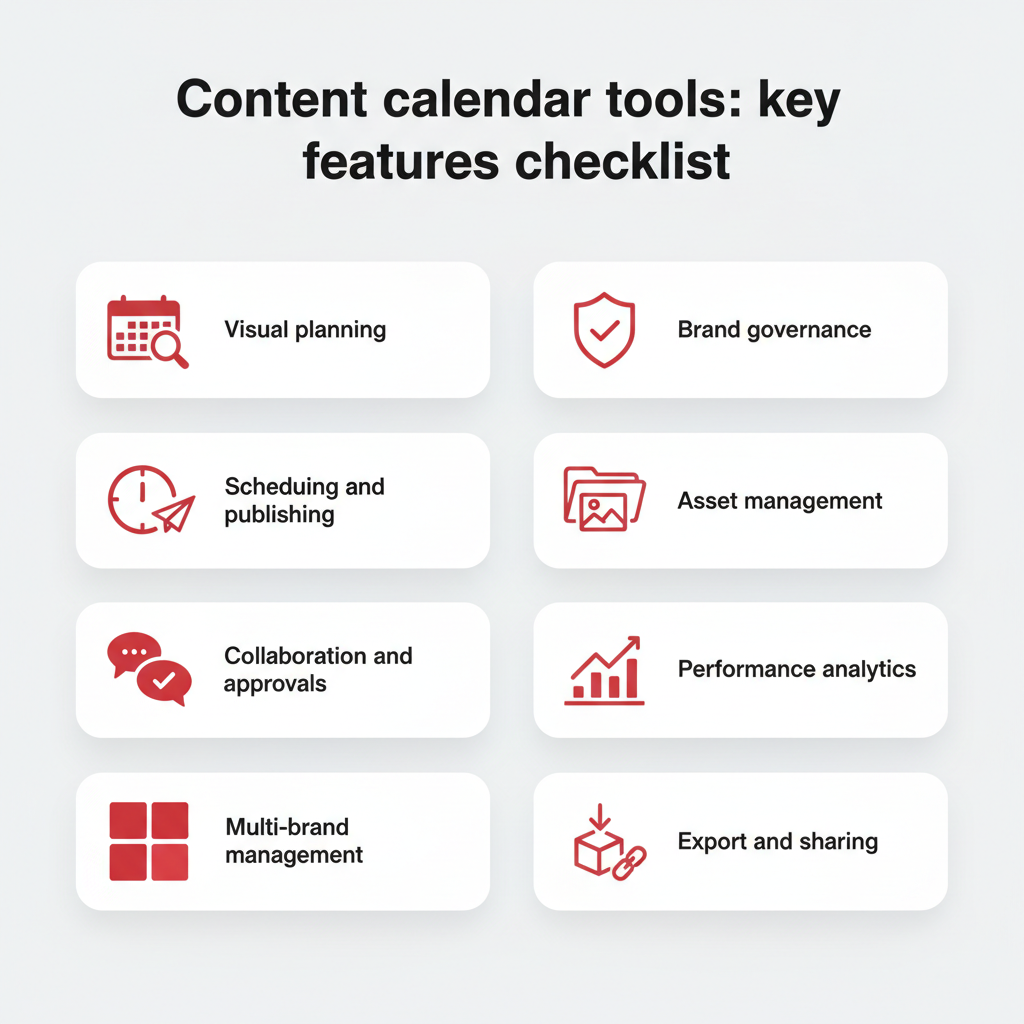
The best content calendar software extends far beyond simple scheduling. It integrates a suite of features designed to optimize the entire content lifecycle. These typically include:
- Content Scheduling & Publishing: Automation of posts across various social media platforms and other digital channels, often with bulk scheduling capabilities.
- Visual Content Planning: Intuitive calendar views, drag-and-drop interfaces, and media libraries that allow teams to visualize their content flow and manage assets effectively.
- Team Collaboration & Workflow Management: Tools for assigning tasks, setting deadlines, facilitating approvals, and tracking progress, ensuring seamless team coordination.
- Analytics & Reporting: Built-in features to monitor content performance, track key metrics like engagement, reach, and conversions, and generate insightful reports.
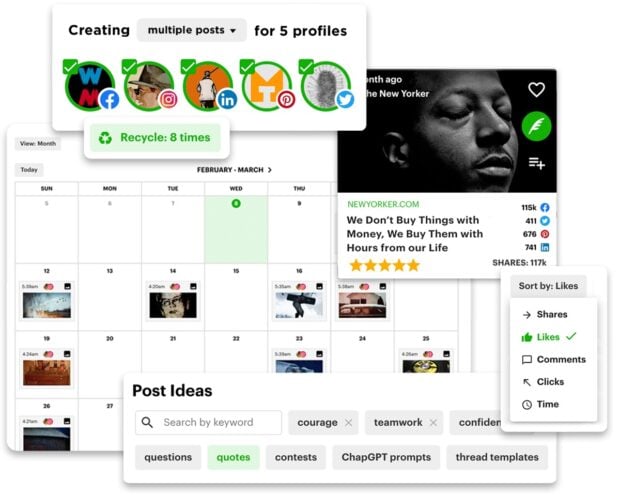
- Content Ideation & Curation: Features that suggest trending topics, popular hashtags, or curate relevant third-party content to enrich a brand’s editorial calendar.
- Integrations: Compatibility with other essential marketing tools, such as design software (e.g., Canva), CRM systems (e.g., HubSpot), and analytics platforms.
- AI-Powered Assistance: Increasingly, tools are incorporating AI for tasks like content generation, headline optimization, and identifying optimal posting times.
- Brand Governance & Compliance: Features for larger organizations to manage user permissions, ensure brand consistency, and maintain regulatory compliance across all published content.
Horna highlights the versatility of these tools: "Within the content calendar tool I use, you’re able to toggle between different views (such as spreadsheet, calendar, kanban, etc.). This helps me manage my team’s time effectively since I can create a view that suits their involvement in my project. They never need to see or sift through content that doesn’t apply to them." This adaptability is crucial for diverse teams with varying roles and responsibilities. Furthermore, granular control over content forms, allowing for specific copywriting and design requirements to be filtered into separate workflows, transforms content creation into a highly efficient, specialized process.
Why Dedicated Content Calendar Tools are Essential for Modern Marketing
Beyond mere organization, a dedicated content calendar tool offers multifaceted benefits that significantly enhance a team’s operational efficiency and strategic output:
- Improved Organization and Consistency: Ensures a steady, predictable stream of content, preventing last-minute scrambles and maintaining brand voice across all channels.
- Enhanced Team Collaboration: Centralizes communication and workflows, reducing miscommunication and bottlenecks.
- Time Savings and Productivity Gains: Automates repetitive tasks like scheduling, freeing up valuable time for strategic planning and creative development.
- Strategic Content Planning: Allows for a holistic view of content across campaigns, ensuring alignment with overarching marketing goals and content pillars.
- Data-Driven Optimization: Provides insights into content performance, enabling iterative improvements and more effective future strategies.
- Reduced Risk of Errors: Centralized approvals and automated checks minimize publishing mistakes and brand inconsistencies.
- Scalability: Supports growth by providing a structured framework that can accommodate increasing content volume, team members, and platforms without losing efficiency.
In essence, content planning tools transform a potentially chaotic content creation process into a repeatable, scalable system, vital for businesses striving for impactful digital presence.
Navigating the Market: Top Content Calendar Tools for 2026
The market for content calendar tools is robust and diverse, offering solutions for every team size and budget. Choosing the right tool requires careful consideration of specific needs, desired features, and integration capabilities. Below is an in-depth look at some of the leading platforms as of 2026, building upon their core strengths and specific use cases.

Hootsuite
Best for: Enterprise and all-in-one social media teams.
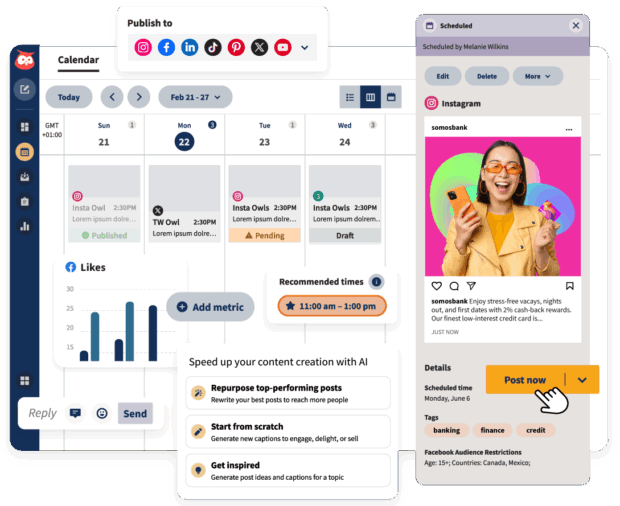
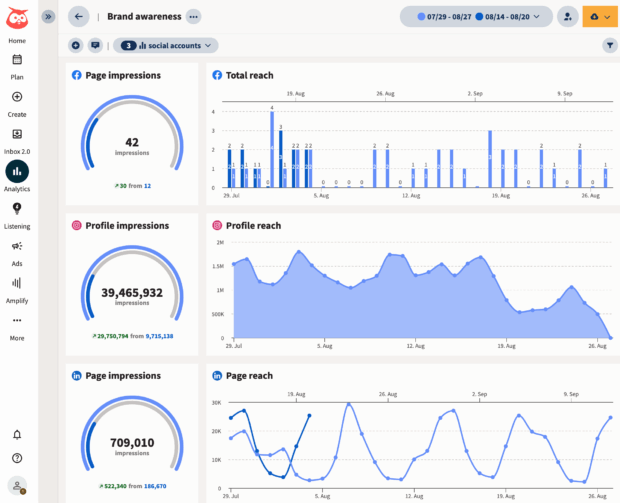
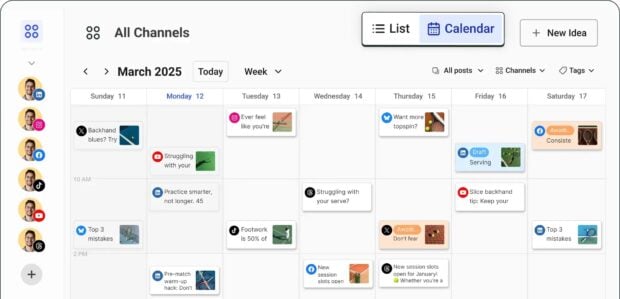
Hootsuite remains a frontrunner for comprehensive social media management, particularly for large organizations and teams seeking an integrated solution. Its core strength lies in its ability to manage all social media channels and accounts from a single, intuitive dashboard. Users benefit from an at-a-glance social media content calendar with drag-and-drop functionality, bulk scheduling, and real-time updates.
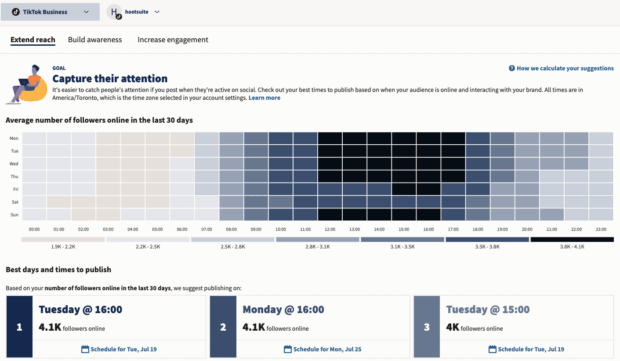
Beyond scheduling, Hootsuite offers powerful AI-powered features like OwlyWriter AI for content generation and a rich content library, complemented by integrations with design tools like Canva. Its analytics tools provide enterprise-level insights, identifying optimal posting times based on follower data and tracking key metrics like brand awareness and reach. Workflow management is robust, with role-based approvals and customizable access, ensuring smooth content creation and publishing processes.
Success stories, such as Witness Change dramatically reducing scheduling time and Stocksy achieving their best month ever, underscore Hootsuite’s efficacy in improving efficiency, engagement, and strategic oversight. Stocksy’s Head of Marketing, Christina Minshull, highlights its comprehensive utility: "We’re publishing and scheduling, we use it for approval systems and crisis management, we use the content library to help with efficiency, tagging to make meaningful decisions, and use the listening platform to see what our audience is talking about and see where content gaps exist."
Pricing: Starts at $199/month.
Asana
Best for: Mid-to-large marketing teams who also need robust project management and cross-team coordination.
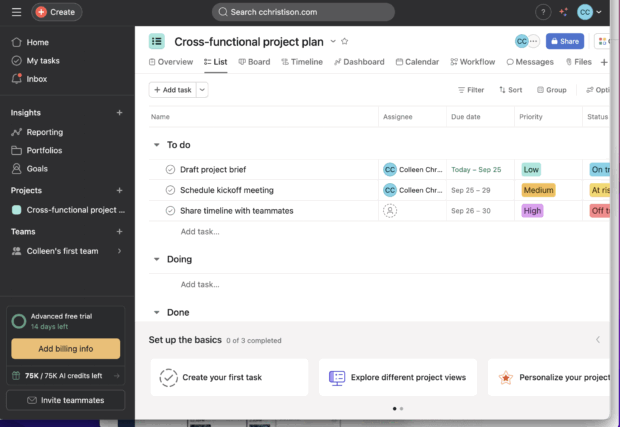
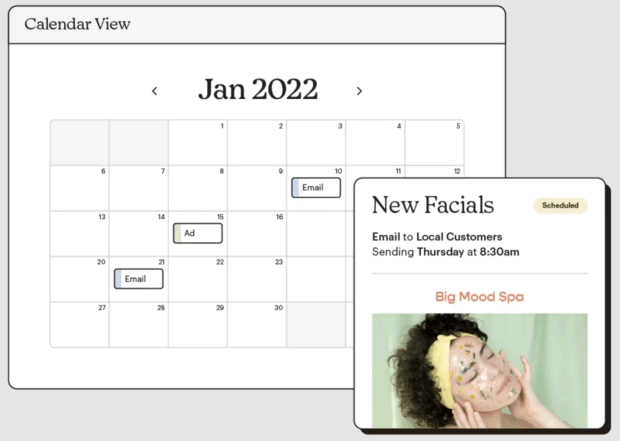
While not exclusively a content calendar tool, Asana excels as a project and workflow management platform that can be highly customized for content planning. Its strength lies in facilitating collaboration, task assignments, and timeline management across diverse teams. Marketers can create content workflows, track progress through various stages (ideation, drafting, review, publishing), and ensure all stakeholders are aligned. Its calendar view allows for visual scheduling, making it suitable for managing complex editorial pipelines.
Pricing: Free for basic, paid plans from $14.49/month to $32.99/month, enterprise available.
Notion
Best for: Flexible individuals or teams who need a customizable knowledge base and hybrid editorial workflows.
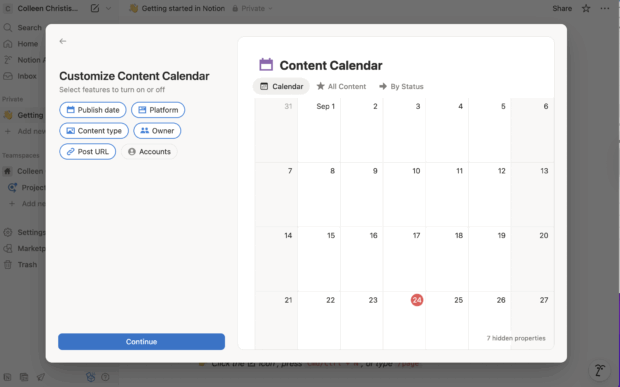
Notion offers unparalleled flexibility, acting as a customizable workspace for notes, databases, project management, and content calendars. Its strength lies in its highly adaptable database structure, allowing teams to build content calendars precisely tailored to their needs, complete with custom properties for content type, status, platforms, and dates. While it requires more initial setup and lacks native publishing capabilities, its affordability and versatility make it a popular choice for lightweight content planning and knowledge management.
Pricing: Free for basic, paid plans from $10/month to $20/month, enterprise available.
Later
Best for: Small marketing teams, creators, and solopreneurs in visually-driven brands.
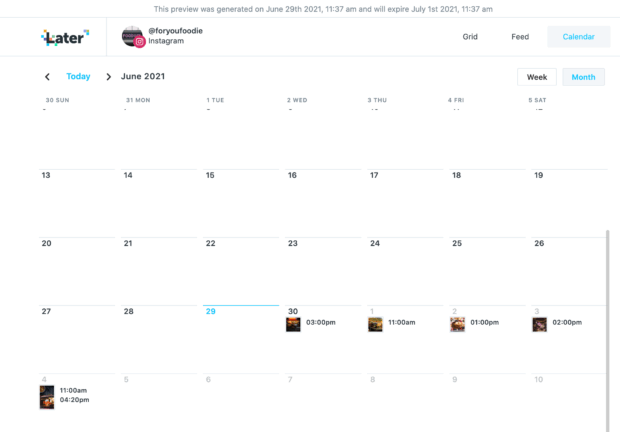
Later shines in visual content planning, making it ideal for Instagram-heavy brands in fashion, food, or lifestyle. Its intuitive visual calendar, drag-and-drop functionality, and media library simplify the process of scheduling visually appealing posts. Features like Instagram grid preview, link-in-bio tools, and hashtag suggestions further enhance its appeal for visual marketers. While it may not offer the extensive analytics or advanced workflows of full social suites, its ease of use and visual focus are significant advantages.
Pricing: $18.75/month – $82.50/month.
Buffer
Best for: Solopreneurs and small marketing teams prioritizing simplicity and affordability.
Buffer is celebrated for its clean interface and user-friendly experience, offering a low learning curve for new users. It provides essential scheduling, basic analytics, and content queueing functionalities, allowing users to maintain an active social presence with minimal effort. Its browser extensions and content reuse options add to its convenience. While its reporting and collaboration features may be limited in lower tiers, it serves as an excellent starting point for individuals and small teams.
Pricing: Free for basic, paid plans from $5/month – $10/month.
Airtable
Best for: Mid to large marketing teams desiring customizable content databases and robust asset management.
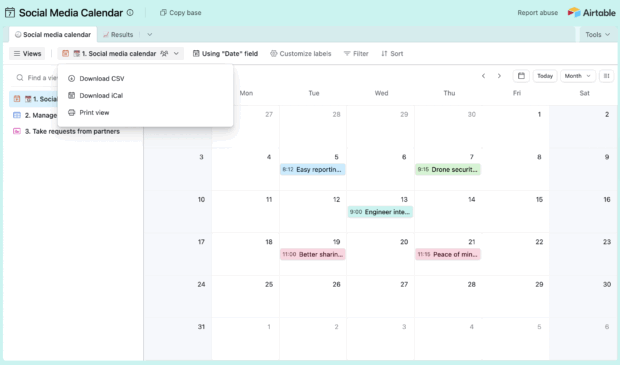
Airtable combines the familiarity of spreadsheets with the power of a database, making it highly effective for managing complex content planning and asset inventories. Its multiple views (grid, calendar, Kanban) and ability to link records enable sophisticated content tracking, from ideation to final asset management. While it doesn’t natively publish to social media, its flexibility in data modeling makes it a powerful backend for content teams who can integrate it with publishing tools.
Pricing: Free for basic, paid plans from $20/month – $45/month, enterprise available.
Sprinklr
Best for: Enterprise-level organizations requiring omnichannel management and advanced governance.
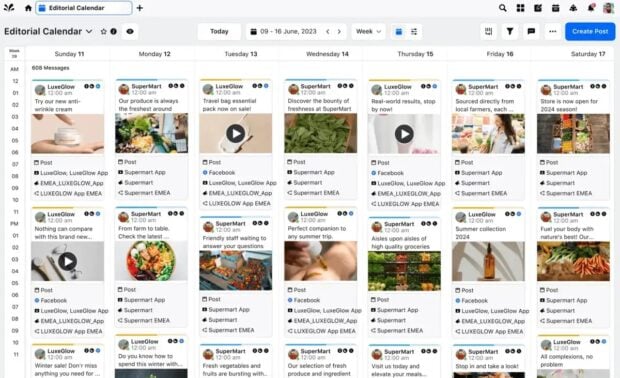
Sprinklr is a comprehensive customer experience management platform designed for the most demanding enterprise needs. It integrates publishing, engagement, listening, advertising, and analytics across virtually all consumer touchpoints. Its strengths lie in its enterprise-grade features, robust compliance, and granular permissions, making it suitable for multi-brand, multi-region coordination. While expensive and with a steep learning curve, it offers unparalleled depth for large-scale operations.
Pricing: Not publicly listed; self-serve plans from $299/month – $359/month.
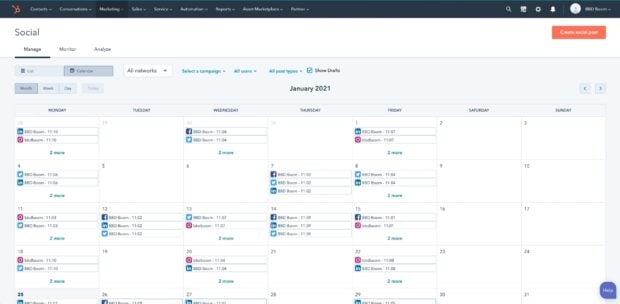
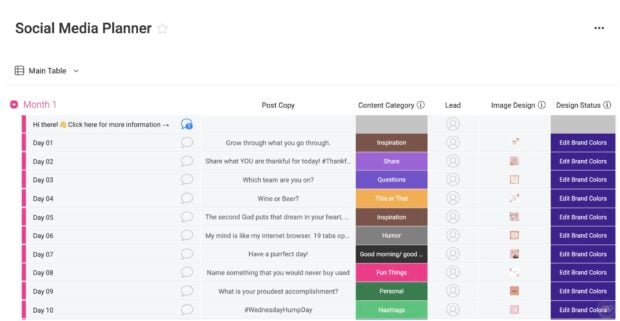
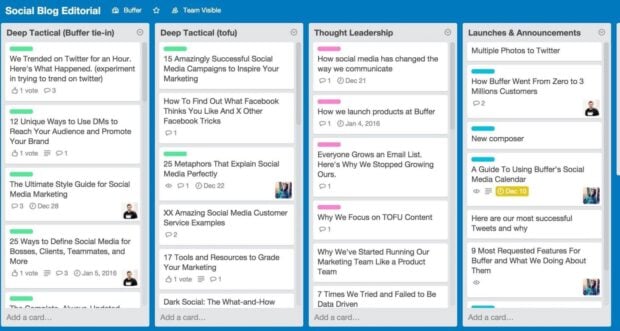
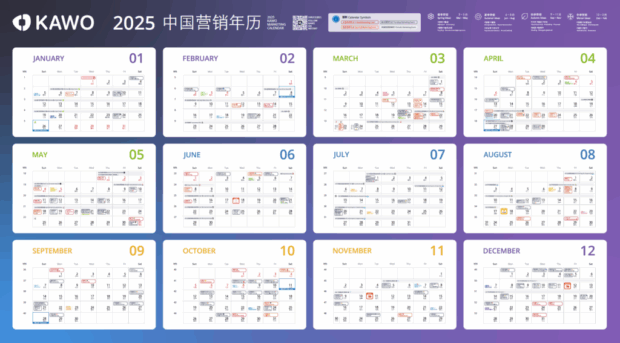
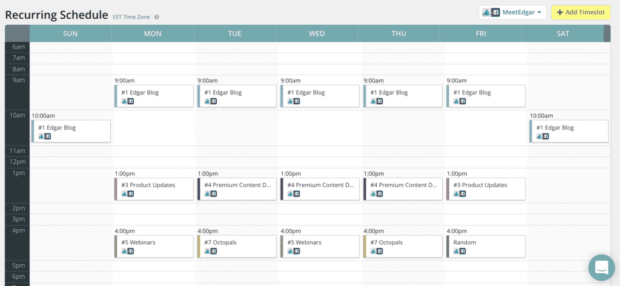
Other notable tools include Canva Pro (for design-focused teams needing basic scheduling), HubSpot (for B2B organizations integrated with its CRM), Monday.com (for versatile workflow management), Trello (for simple visual planning), KAWO (specialized for Chinese social platforms), MeetEdgar (for evergreen content recycling), Post Planner (for content curation and scheduling), and Mailchimp (for email-centric teams needing social integration). Each offers a unique blend of features catering to specific niches within the broader content marketing landscape.
Strategic Selection: Choosing the Right Content Calendar Tool
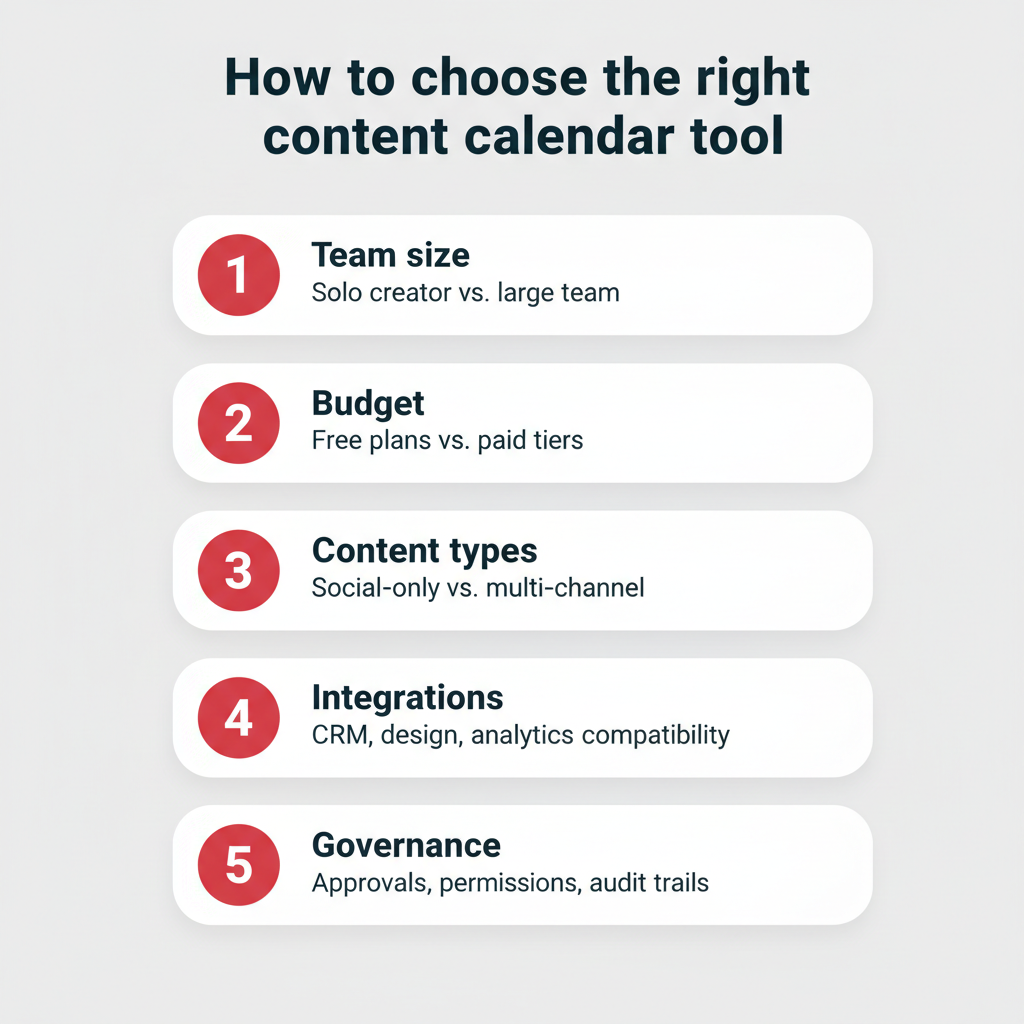
The "best" content calendar tool is ultimately the one that best aligns with a team’s unique operational needs, publishing habits, and strategic objectives. Several critical criteria should guide the decision-making process:
- Team Size and Structure: A solopreneur’s needs differ vastly from an enterprise marketing department managing multiple brands. Tools like Buffer or Later suit smaller teams, while Hootsuite or Sprinklr are built for scale.
- Budget Constraints: Pricing models vary significantly, from free tiers and affordable monthly subscriptions to enterprise-level custom quotes. Clearly define your budget before exploring options.
- Content Types and Channels: Consider the diversity of your content (social, blog, email, video) and the platforms you actively use. Some tools specialize in visual content (Later), others in project management (Asana), and some are all-encompassing (Hootsuite).
- Integration Ecosystem: Assess how well the tool integrates with your existing tech stack (CRM, design tools, analytics platforms). Seamless integration reduces friction and enhances data flow.
- Workflow and Governance Needs: For larger teams, features like approval workflows, role-based permissions, and compliance tools are non-negotiable for maintaining brand consistency and operational efficiency.
Horna advises hands-on exploration: "Get your hands dirty and try out as many features as the tool has available. If your tool offers free templates, explore how some of those setups could improve your own template and workflow." Free trials are invaluable for assessing a tool’s fit before a full commitment. The most effective tool is one that seamlessly integrates into and enhances your team’s existing workflow, rather than imposing a new, cumbersome system.
Building a Robust Content Calendar: A Step-by-Step Guide
Once a suitable tool has been selected, the process of constructing an effective content calendar involves a structured approach, ensuring that every piece of content serves a strategic purpose.
-
Define Your Content Goals and Channels: Begin by articulating what you aim to achieve with your content. Are you focused on brand awareness, lead generation, customer retention, or thought leadership? Subsequently, identify the most effective channels (e.g., Instagram for visual engagement, LinkedIn for B2B insights, email for nurturing leads) to reach these goals. This foundational alignment with a clear social media strategy makes every content decision intentional and measurable.
-
Audit Existing Content and Identify Gaps: Conduct a thorough review of your previously published content. Analyze performance metrics to identify what resonated well with your audience and what did not. Pinpoint topics that are underrepresented, content formats that could be explored, or channels where your posting frequency has been inconsistent. This audit provides crucial insights for future planning.
-
Choose Your Content Calendar Tool: Based on the criteria outlined above—team size, budget, content types, integrations, and governance needs—select the tool that best fits your requirements. Leverage comparison tables and free trials to make an informed decision.
-
Build Your Calendar Structure: Within your chosen tool, establish a clear organizational framework. Define your content pillars (the overarching themes or topics your content will address), determine your optimal posting cadence for each channel, and assign responsibilities to team members. Most tools allow for the creation of categories, tags, or custom fields to easily categorize content types, campaigns, and statuses, providing an at-a-glance overview of your content mix.
-
Schedule, Publish, and Review Performance: Begin populating your calendar with scheduled posts and campaigns. Utilize your tool’s scheduling features to automate publication. Crucially, integrate performance review into your process. Regularly use the tool’s analytics and reporting capabilities to track engagement, reach, conversions, and other relevant metrics. This data-driven approach allows for continuous refinement and optimization of your content strategy, ensuring that your calendar remains a dynamic, living document that evolves with your audience and business objectives. Structured social media workflows further enhance this iterative process, keeping teams efficient and responsive.
The Future of Content Management
The trajectory of content calendar tools points towards even greater integration, automation, and intelligence. The increasing prevalence of AI features, such as generative AI for content creation and predictive analytics for optimal timing, signals a future where content planning becomes even more data-driven and efficient. The trend towards hyper-personalization will demand tools capable of managing highly segmented content strategies, while omnichannel integration will continue to evolve, offering seamless management across an ever-expanding array of digital touchpoints. Ultimately, these tools will play an increasingly central role in helping brands not just manage content, but truly master the art of digital communication.
Frequently Asked Questions
What is a content calendar tool?
A content calendar tool is software that enables users to plan, schedule, and manage content across multiple digital platforms from a single, centralized location. It streamlines publishing workflows for social media posts, blog articles, email campaigns, and more, eliminating the need to juggle separate systems.
What is the best content calendar tool?
Hootsuite is widely regarded as a leading content calendar tool, particularly for teams requiring an all-in-one social media management platform. It offers integrated scheduling, analytics, AI-powered content creation, approval workflows, and multi-account management. For teams prioritizing project management, alternatives like Asana or Monday.com are strong contenders.
What’s the difference between a content calendar and a social media calendar?
A content calendar encompasses all planned content across every channel, including email, blogs, paid advertisements, and social media. A social media calendar, conversely, focuses specifically on posts and activities across social media platforms. A comprehensive content calendar provides a broader, more strategic view for teams publishing across multiple channels.
How do I create a content calendar?
Creating a content calendar involves five key steps: defining your content goals and target channels, auditing existing content to identify gaps, choosing the appropriate content calendar tool, building out your calendar structure with content pillars and a posting cadence, and finally, scheduling, publishing, and consistently reviewing content performance to optimize your strategy.
Is there a free content scheduler?
Yes, several content schedulers offer free plans or trials. Buffer provides a free tier supporting up to three social channels, while Hootsuite offers a free 30-day trial with full feature access. Free plans typically include limitations on the number of accounts, scheduled posts, or advanced features.
Does Canva have a content scheduler?
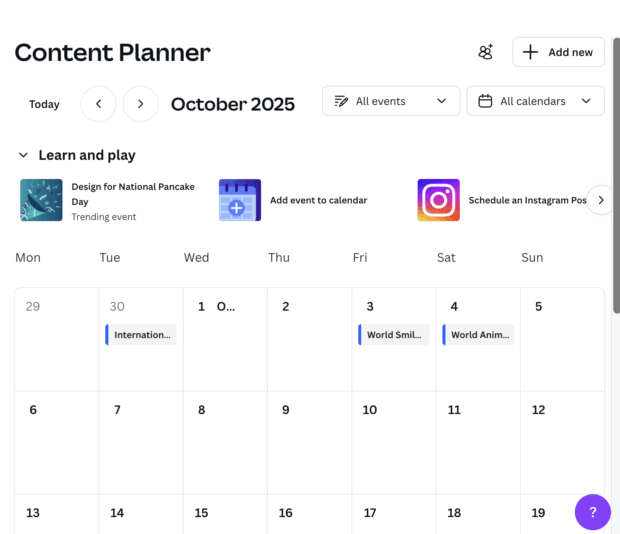
Yes, Canva Pro includes a content planner that allows users to schedule their designed posts directly to various social media platforms. It’s a convenient feature for those already utilizing Canva for visual content creation, though it generally offers less advanced analytics and collaboration features compared to dedicated social media management tools.
Can you build a content calendar in Excel?
While possible, building a content calendar in Excel or Google Sheets is best suited for basic planning. Spreadsheets lack native scheduling, direct publishing, advanced analytics, and integrated collaboration features. For growing content volume and team complexity, a dedicated content calendar tool offers significant advantages in time savings and error reduction.
What are the best free content calendar tools?
Beyond Hootsuite’s 30-day free trial, Buffer, Notion, and Trello offer robust free starter plans. Users should be aware that these free options often come with restrictions on connected accounts, team members, or access to premium features like detailed analytics and approval processes.
How do large teams manage content calendars across multiple brands?
Large teams manage multi-brand content calendars by employing enterprise-grade tools equipped with role-based permissions, advanced approval workflows, and centralized dashboards. These features ensure leadership maintains strategic oversight while individual brand teams can manage their day-to-day publishing efficiently. Platforms like Hootsuite and Sprinklr are specifically designed for this level of multi-brand and multi-region coordination.
What is the difference between a content calendar and an editorial calendar?
A content calendar tracks all planned content across all digital channels, including social media, email, and advertisements. An editorial calendar, on the other hand, typically focuses on longer-form content such as blog posts, articles, and whitepapers, emphasizing editorial deadlines, author assignments, and publication dates. Many organizations use both, or integrate these functions within a single, comprehensive planning tool.