rifanmuazin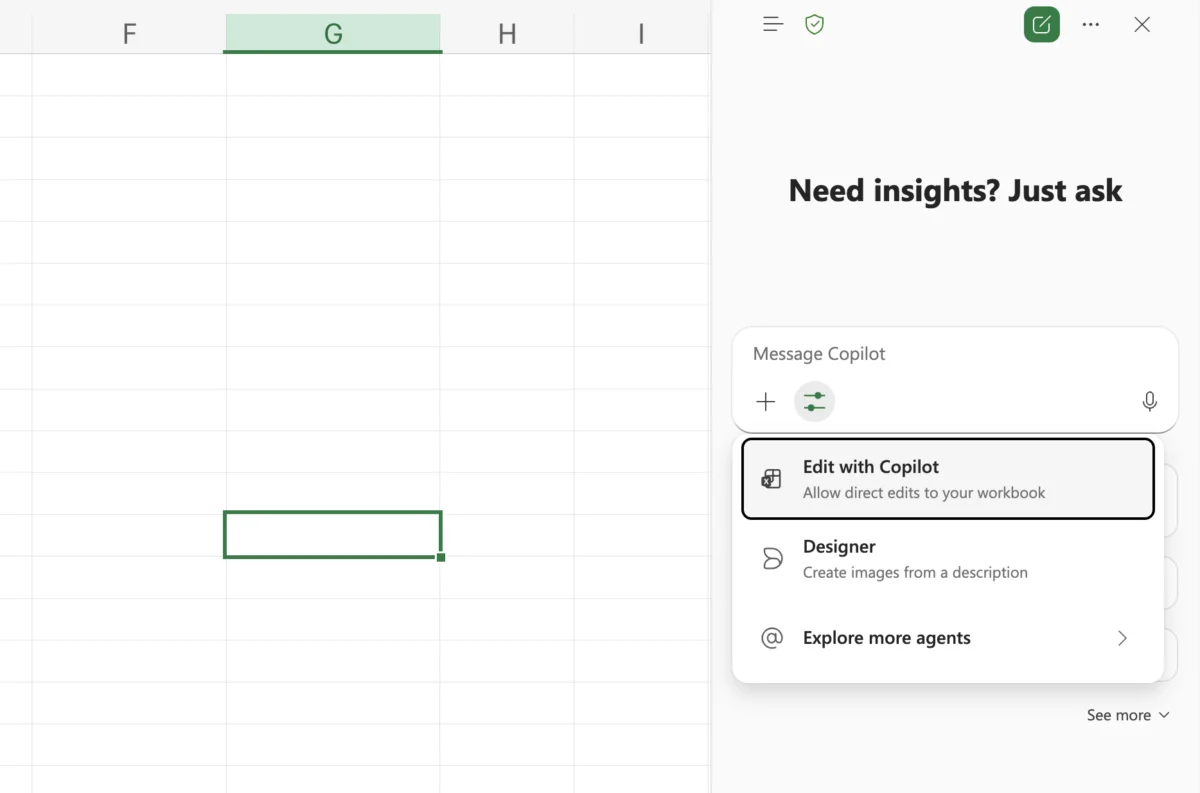
The landscape of digital productivity has undergone a seismic shift with the integration of generative artificial intelligence into foundational software suites. Within the Microsoft 365 ecosystem, the evolution of Excel has moved beyond simple grid-based calculations into the realm of autonomous data orchestration. The introduction of Excel Agent Mode—now increasingly integrated under the "Edit with Copilot" branding—marks a pivotal moment where the software transitions from a passive tool into an active collaborator. This advancement is part of a broader industry trend toward agentic AI, where systems do not merely suggest actions but execute multi-step workflows with minimal human intervention.
The Strategic Shift from Assistant to Agent
For decades, Excel proficiency was measured by a user’s command over complex syntax, nested formulas, and PivotTable logic. While Microsoft Copilot initially served as a conversational interface to help users find these features, Agent Mode represents a functional leap. Unlike a standard chatbot that provides a formula for the user to copy and paste, an AI agent possesses the agency to modify the workbook directly, create new sheets, format data according to professional standards, and generate visual representations of findings.
This shift is rooted in the concept of "Agentic AI." In technical terms, an agent is an AI system capable of planning, using tools, and iterating until a goal is achieved. In the context of Excel, this means the AI can look at a messy dataset, realize it needs cleaning, perform the cleaning, execute the analysis, and then summarize the results—all from a single natural language prompt.
A Chronology of Microsoft’s AI Integration in Excel
The journey toward Agent Mode has been rapid, following the broader rollout of Large Language Models (LLMs) across the tech industry.
- January 2023: Microsoft announces a multi-billion dollar investment in OpenAI, signaling the deep integration of GPT models into the Office suite.
- March 2023: The initial unveiling of Microsoft 365 Copilot showcases the potential for AI to draft documents and analyze spreadsheets.
- November 2023: Copilot becomes generally available for enterprise customers, offering basic "chat-about-data" capabilities.
- September 2024: Microsoft announces "Copilot Wave 2," introducing more sophisticated agentic capabilities. This includes the ability for Copilot to act as a persistent collaborator that can reason over entire workbooks rather than just single tables.
- Early 2025: The transition to "Edit with Copilot" begins, effectively rebranding Agent Mode into a more seamless, action-oriented feature available to a wider range of Microsoft 365 subscribers.
Technical Capabilities and Functional Workflow
Agent Mode operates by breaking down a user’s high-level request into a series of logical sub-tasks. When a user inputs a prompt such as "Prepare a quarterly financial review," the agent does not simply execute one command. Instead, it engages in a cognitive loop:
- Data Auditing: It scans the active worksheet and related tabs to identify relevant headers and data types.
- Planning: It determines which statistical methods (e.g., Year-over-Year growth, CAGR, or variance analysis) are appropriate for the dataset.
- Execution: It writes formulas, creates helper columns, and generates PivotTables.
- Visualization: It selects the most effective chart types (line graphs for trends, bar charts for comparisons) and applies professional formatting.
- Refinement: If the initial output is incomplete, the agent can iterate based on follow-up prompts, refining the granularity of the data.
Hands-On Applications: Real-World Scenarios
To understand the utility of Agent Mode, one must observe its performance across diverse data environments. Below are four primary use cases where the agentic approach outperforms traditional manual entry.
1. Multidimensional Sales Analysis
In a standard business environment, sales data is often fragmented. A user might have thousands of rows encompassing various regions, products, and sales representatives. Traditionally, identifying the "top performer" while accounting for "missed targets" across specific months would require multiple filters and conditional formatting rules.
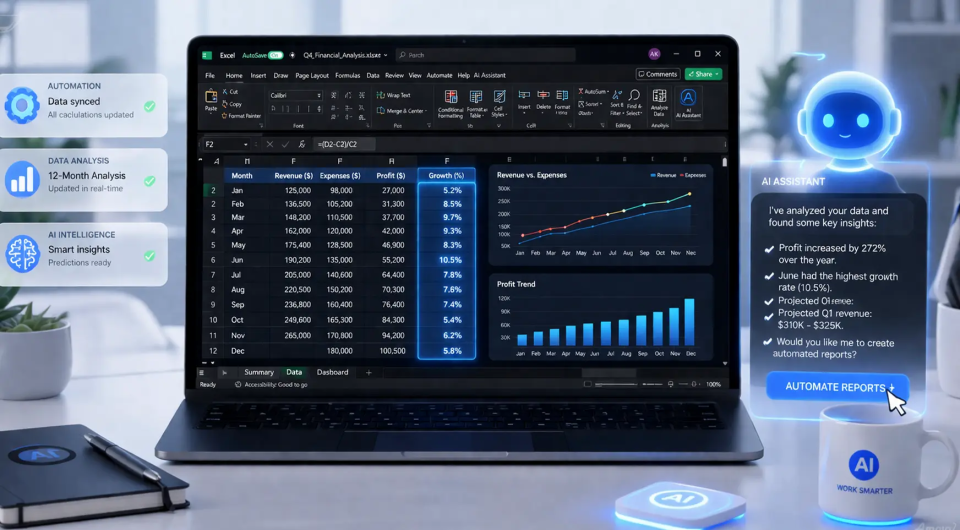
With Agent Mode, the user provides a holistic prompt. The AI identifies the "best" region not just by gross revenue, but by performance against pre-set quotas. It can automatically highlight months where targets were missed by more than 10%, providing a diagnostic view that would otherwise take an analyst hours to compile.
2. Educational Data Management and Insight Generation
For educators and administrators, managing student performance data is a recurring task. Agent Mode excels here by providing "attention alerts." By analyzing a dataset of marks, the agent can identify students who are trending downward across multiple subjects. It can calculate subject averages instantaneously and generate a summary table that distinguishes between top-tier performers and those requiring intervention, effectively acting as a data-driven counselor’s assistant.
3. Advanced Time Series Analysis
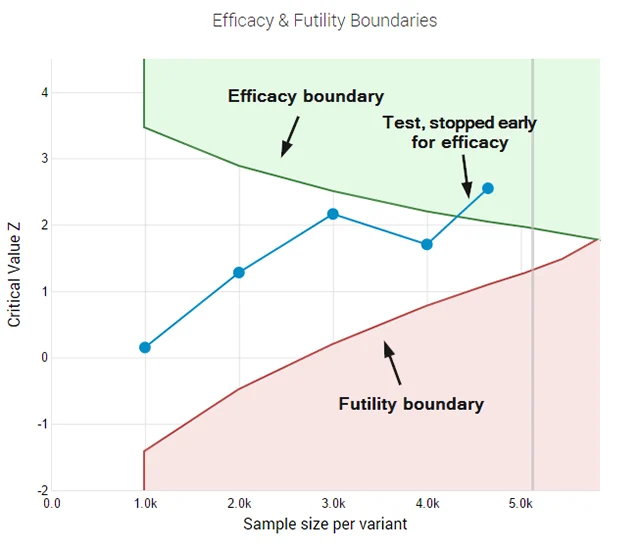
Time series analysis—tracking data points over time—is critical for marketing and web analytics. While Excel has long had "Forecast Sheets," Agent Mode simplifies the identification of anomalies. If website traffic spikes in July and dips in October, the agent can cross-reference these dates with other variables in the sheet (such as ad spend or bounce rates) to suggest correlations. It turns a static list of dates and numbers into a narrative of growth or decline.
4. Predictive Modeling and Regression
Perhaps the most impressive feat of Agent Mode is its ability to handle statistical modeling. Regression analysis typically requires the "Data Analysis Toolpak" or complex formulas like LINEST. Agent Mode can interpret a prompt asking for the relationship between two variables—such as "Marketing Spend" and "Customer Acquisition"—and provide the R-squared value and visual trendlines without the user needing a degree in statistics.
Official Positioning and Industry Reactions
Microsoft’s leadership has positioned these updates as a way to "remove the drudgery" of work. Jared Spataro, Microsoft’s Corporate Vice President of AI at Work, has noted that the goal of Copilot is to turn every user into an "analyst" who can focus on strategy rather than syntax.
Industry analysts from firms like Gartner have observed that this democratization of data science is a "double-edged sword." While it increases efficiency, it also necessitates a new type of literacy: AI Oversight. Experts argue that as agents take on more "agency," the human role shifts from "doer" to "editor." The reaction from the financial sector has been cautiously optimistic, with many firms implementing "Human-in-the-loop" (HITL) protocols to ensure that AI-generated financial reports are audited for accuracy.
Security, Privacy, and Data Governance
A critical concern for enterprise users is the security of the data processed by Excel agents. Microsoft has clarified that data used within Copilot for Excel is protected by enterprise-grade security. Under the current architecture:
- Data Residency: Data remains within the Microsoft 365 service boundary.
- Training Prohibitions: Microsoft asserts that customer data is not used to train the underlying foundation models (such as those from OpenAI).
- Compliance: The system adheres to GDPR, HIPAA, and other regulatory frameworks, ensuring that sensitive financial or personal data is handled according to corporate policy.
Best Practices for Optimizing AI Output
To extract the maximum value from Excel Agent Mode, users must adopt a "Prompt Engineering" mindset. The quality of the output is directly correlated to the specificity of the input.
- Contextual Clarity: Instead of saying "Analyze this," say "Analyze this sales data from Q3 2024, focusing on the Pacific Northwest region."
- Structural Preparation: While Agent Mode can handle messy data, it performs best on datasets with clear headers and consistent formatting. Using the "Format as Table" feature in Excel prior to engaging the agent significantly improves accuracy.
- Iterative Refinement: Users should treat the first output as a draft. If a chart is too cluttered, a follow-up prompt like "Simplify the chart to show only the top 5 products" allows the agent to prune the data effectively.
The Broader Impact on the Modern Workforce
The implications of Excel Agent Mode extend beyond mere convenience. We are witnessing the "commoditization of expertise." Tasks that once required specialized training—such as writing complex macros or performing regression analysis—are now accessible to anyone who can describe their needs in plain English.
However, this does not render the human expert obsolete. Rather, it raises the ceiling for what a single individual can accomplish. By offloading the "how" (the formulas and formatting) to the AI agent, the human user can spend more time on the "why" (the strategic implications of the data).
Conclusion: The Future of the Spreadsheet
As Microsoft continues to refine the "Edit with Copilot" experience, the distinction between a spreadsheet and a database will continue to blur. Excel is no longer just a place to store numbers; it is a dynamic environment where an AI agent can plan and execute complex analytical journeys. For the modern professional, the challenge is no longer learning the functions of Excel, but learning how to direct an agent to perform those functions with precision. As this technology matures, Agent Mode will likely become the standard interface for data interaction, marking the end of the manual spreadsheet era and the beginning of the era of autonomous analysis.