 Evan Lee Salim
The landscape of e-commerce is undergoing a significant transformation, driven by the rapid integration of Artificial Intelligence (AI) into platform development and user experience. For aspiring online entrepreneurs, the initial hurdle of establishing an e-commerce presence can often feel daunting, leading to what is commonly termed "blank page panic." To address this challenge, AI-powered store builders have emerged as a popular solution, offering a more guided and less intimidating entry point into the world of online retail. This article delves into the capabilities of AI store builders, focusing on the synergistic approach of utilizing BuildYourStore.ai for initial setup and then leveraging Shopify’s own AI tools for refinement and optimization.
The appeal of AI store builders lies in their ability to provide a foundational structure for an online store, mitigating the overwhelm associated with starting from scratch. While these tools do not eliminate the need for user input and strategic decision-making, they significantly streamline the initial design and setup phases. This allows merchants to focus on customization and business development rather than grappling with fundamental website architecture.
A recommended strategy for new e-commerce ventures involves a two-pronged approach: commencing with a platform like BuildYourStore.ai for the initial store generation and product sourcing, followed by the utilization of Shopify’s integrated AI functionalities to enhance the store’s readiness for commercial success. This integrated workflow aims to empower merchants with both an immediate storefront and the tools for ongoing optimization.
Understanding AI’s Role in Shopify Store Development
The application of AI in building a Shopify store can be broadly categorized into two primary methods: "done-for-you" store generation tools and native Shopify AI features.
1. "Done-for-you" Store Generation Tools: Platforms such as BuildYourStore.ai fall into this category. These services are designed to create a complete, albeit basic, Shopify store. They typically include a customizable theme, essential pages, banners, and a curated selection of products, thereby providing a tangible starting point for merchants. The objective is to bypass the initial design paralysis and present a ready-to-tweak website.
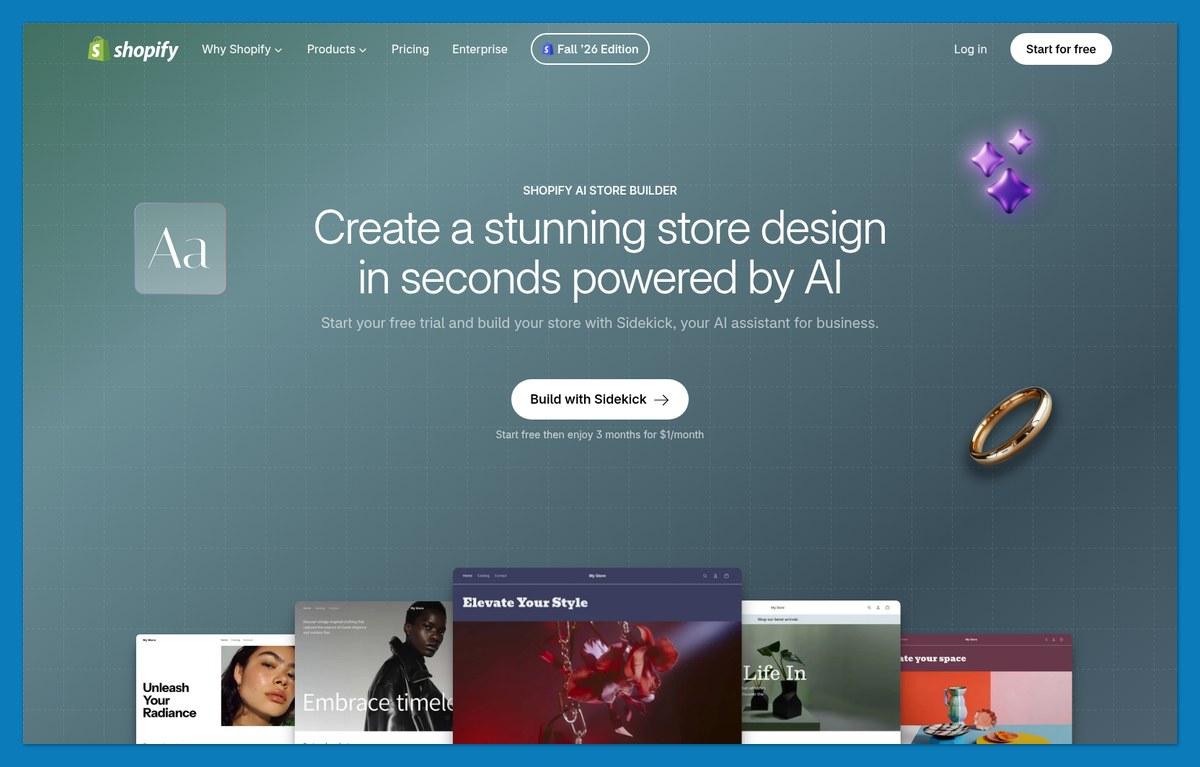
2. Native Shopify AI Tools: Shopify has increasingly integrated AI capabilities directly into its platform, now largely consolidated under the "Sidekick" interface. These tools encompass a range of functionalities, from content generation and editing to image manipulation and data analysis. While Shopify’s native AI can generate store designs from business descriptions, it generally does not suggest specific products. This is where a combined approach becomes advantageous, using a specialized builder for product sourcing before employing Shopify’s AI for refinement.
Shopify Sidekick, powered by what was formerly known as Shopify Magic, offers robust assistance in various aspects of store management. It can draft and refine product descriptions, generate compelling marketing copy, create unique images, adjust image backgrounds, and update theme content. Furthermore, Sidekick extends its capabilities to editing product listings, organizing products into collections, extracting valuable insights from store data, modifying theme settings, automating workflows through Shopify Flow, and designing promotional discounts.
Beyond design and content, Shopify is actively preparing stores for AI-driven discovery. The introduction of "agentic storefronts" allows products to be showcased within AI tools like ChatGPT, Google AI Mode, Gemini, Microsoft Copilot, and Meta. This enables customers to receive direct product recommendations and links from AI assistants, and in many cases, complete purchases directly within their chat sessions, with the exception of ChatGPT, which directs users to the merchant’s checkout page.
The Limits of AI: Essential Human Decisions
Despite the remarkable advancements in AI, certain critical decisions remain firmly within the purview of the human merchant. AI can automate and assist, but it cannot replace the nuanced understanding of brand identity, target audience, and business strategy. Key areas where human judgment is indispensable include:
- Product Curation Beyond Initial Selections: While AI can identify trending or best-selling products, the ultimate selection should align with a specific brand vision and market niche. Merchants must exercise their judgment to ensure product quality, ethical sourcing, and alignment with their brand’s unique selling proposition.
- Brand Voice and Tone: AI can mimic writing styles, but establishing a genuine and resonant brand voice requires human creativity and an understanding of emotional connection with customers.
- Pricing Strategy and Profit Margins: While AI can analyze market data, setting optimal prices involves a complex interplay of perceived value, competitive analysis, and desired profitability, often requiring human strategic oversight.
- Marketing and Sales Strategies: AI can assist in generating ad copy or identifying target demographics, but the overarching marketing strategy, campaign execution, and sales tactics necessitate human insight and adaptability.
- Customer Experience and Support: Building customer loyalty and handling unique customer interactions often requires empathy, problem-solving skills, and personalized attention that AI, in its current form, cannot fully replicate.
- Ethical Considerations and Compliance: Ensuring that all business practices, product claims, and data handling comply with legal and ethical standards is a responsibility that requires human diligence and oversight.
Comparing BuildYourStore.ai and Shopify’s Native AI Store Builder
While it is technically possible to build an entire Shopify store using only Shopify’s native AI tools, many find it more efficient to leverage BuildYourStore.ai for the initial build and then transition to Shopify’s advanced features. This hybrid approach offers a balanced solution for different needs.
| Category | Shopify’s AI Store Builder (Sidekick) | BuildYourStore.ai |
|---|---|---|
| Starting Point | Brief business description. | Niche selection and homepage banner choices. |
| End Result | Up to three customizable theme drafts. | Niche-specific Shopify store, including ten sourced products. |
| Product Page Creation | Based on manually added products. | Generated from AutoDS catalog data. |
| Theme | AI-generated variations of existing Shopify themes. | Customized free theme based on the Dawn theme. |
| Editing Assistance | Shopify Editor, Sidekick, and Magic. | Edits are performed directly within Shopify. |
| Fulfillment | Merchant-managed. | Streamlined through AutoDS integration. |
| Domain | Merchant purchases or connects an existing domain. | Free .store domain for the first year. |
| Initial Build Cost | Theme generation is free; requires a Shopify plan. | Beginner build is free; requires separate Shopify and AutoDS plans. |
| Ideal User | Sellers with existing product and theme ideas. | Beginners starting a dropshipping store. |
The BuildYourStore.ai Foundation: What it Delivers
BuildYourStore.ai is engineered to simplify the initial setup of a dropshipping-focused Shopify store. It provides a tailored theme derived from the popular Dawn theme, customized to align with the chosen niche. A complimentary .store domain is included for the first year, alongside ten products selected from AutoDS’s best-selling collections. The package also incorporates premium sales apps, sales badges, policy templates, introductory content, and conversion-optimized pages.
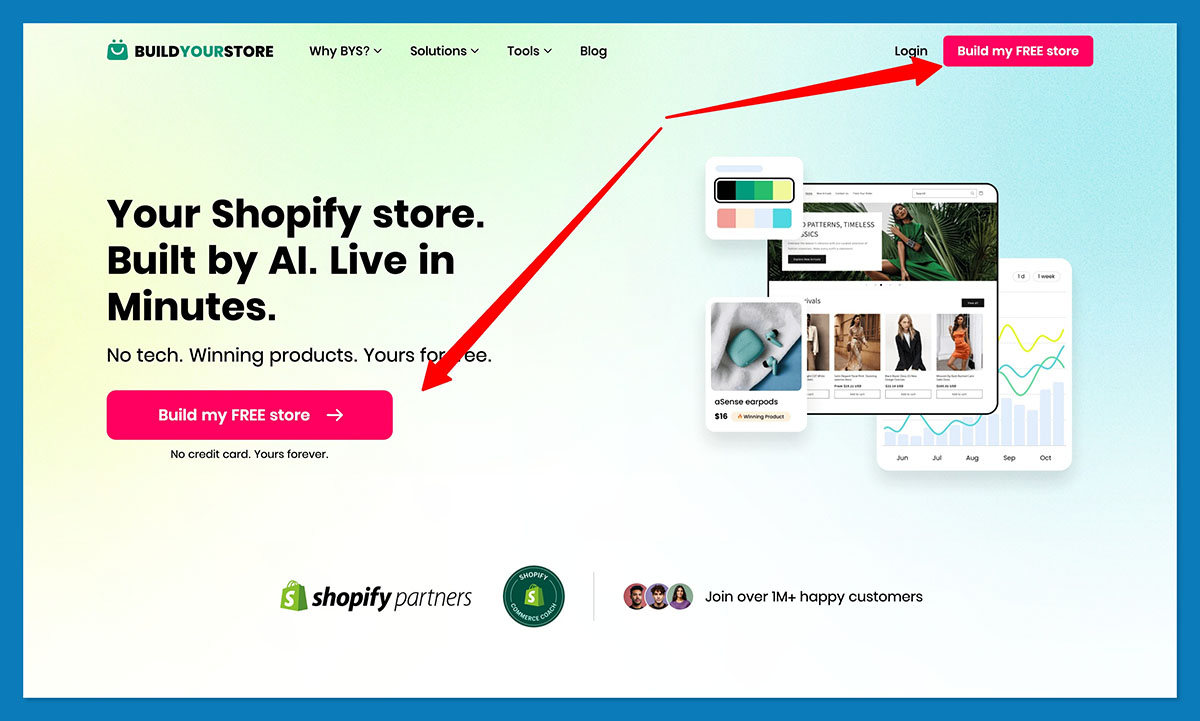
While a Pro plan offers enhanced features like shipping setup, advanced copywriting, additional product imports, and ad creatives, the free plan is generally sufficient for newcomers.
Upon completion of the BuildYourStore.ai process, merchants are left with a foundational store that requires further refinement. This includes:
- Product Page Customization: Reviewing and enhancing product descriptions, images, and pricing.
- Theme Personalization: Adjusting branding elements, colors, fonts, and layout to match the merchant’s vision.
- Collection and Navigation Setup: Organizing products logically and creating an intuitive user experience.
- App Integration: Selecting and configuring additional apps to extend store functionality.
- Marketing and SEO Implementation: Developing strategies to drive traffic and optimize search engine visibility.
- Operational Setup: Configuring payment gateways, shipping settings, and tax information.
Crucially, merchants retain full ownership and control over the store built by BuildYourStore.ai, including branding, product pricing, and overall business direction.
A Walkthrough: Establishing Your AI-Generated Store
BuildYourStore.ai is positioned as an optimal starting point for beginners due to its comprehensive initial setup and product sourcing capabilities.
Getting Started:
The process begins with a free sign-up on BuildYourStore.ai. Users are prompted for their full name, email address, and a password, or can opt for a quicker sign-in using Google credentials.
Step 1: Niche and Homepage Banner Selection
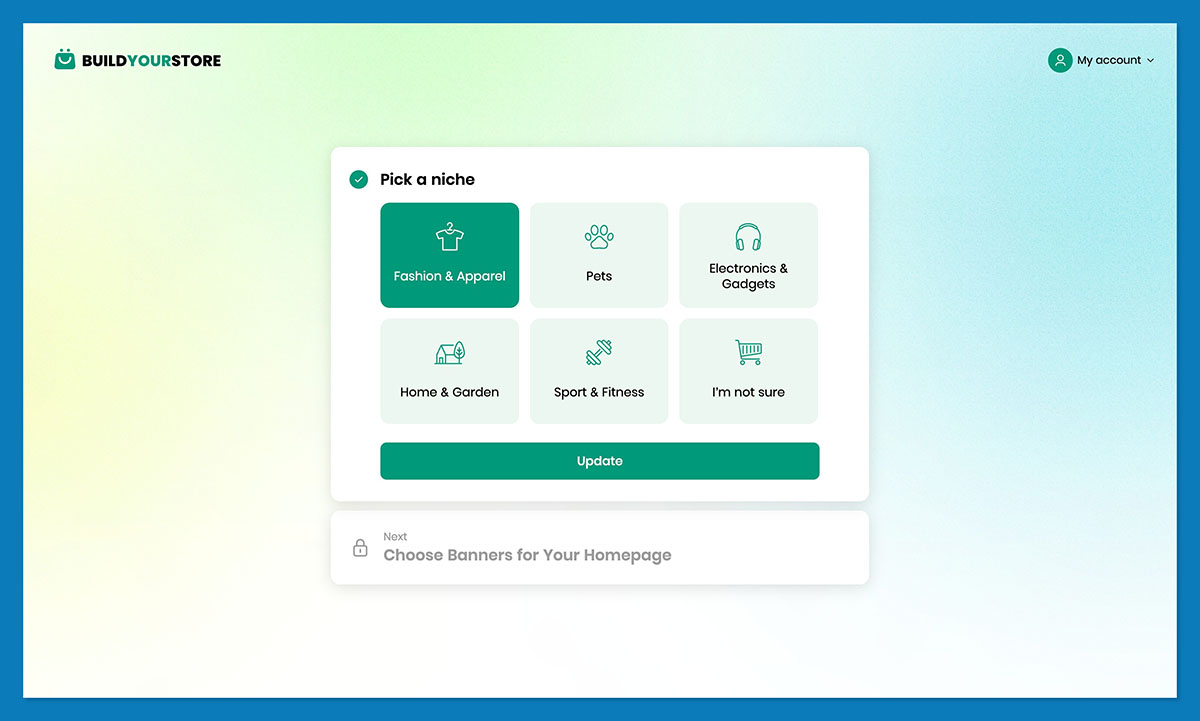
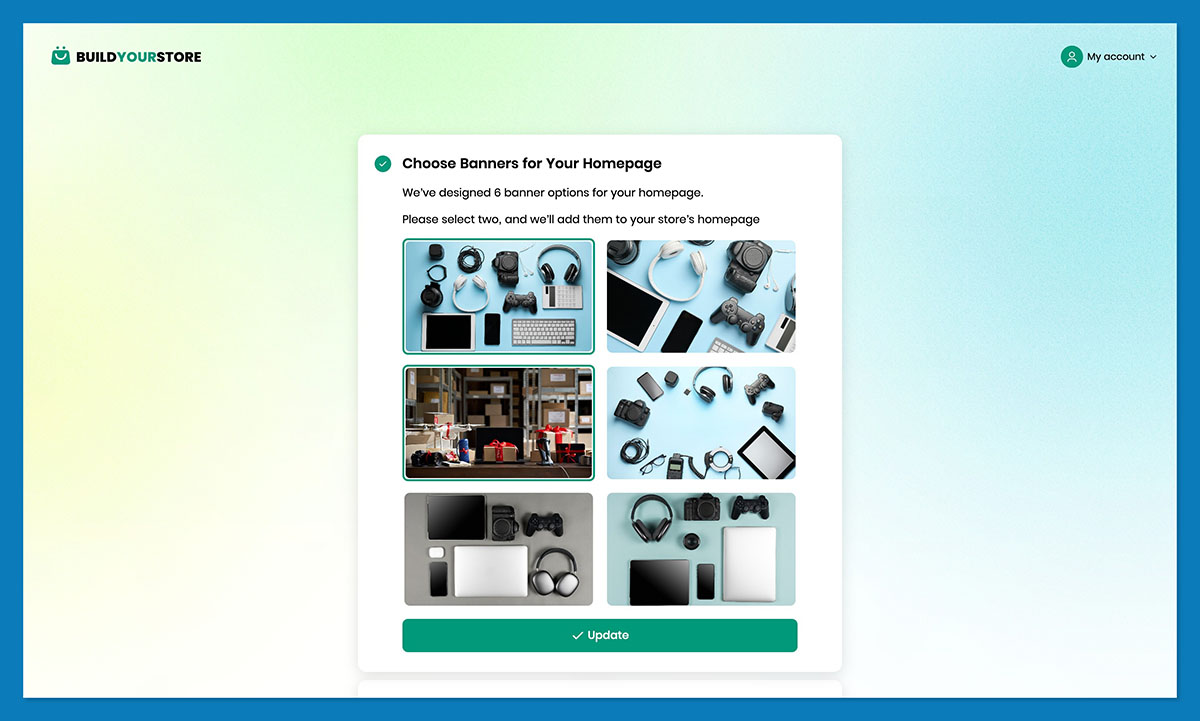
Upon logging in, users are guided to select a niche for their store. Options include categories like Pets, Fashion & Apparel, Home & Garden, among others. An "I’m not sure" option is available for those still exploring. The free plan also provides six pre-designed homepage banners to choose from, offering the AI additional direction for the site’s aesthetic.
Step 2: Connecting Your Shopify Store
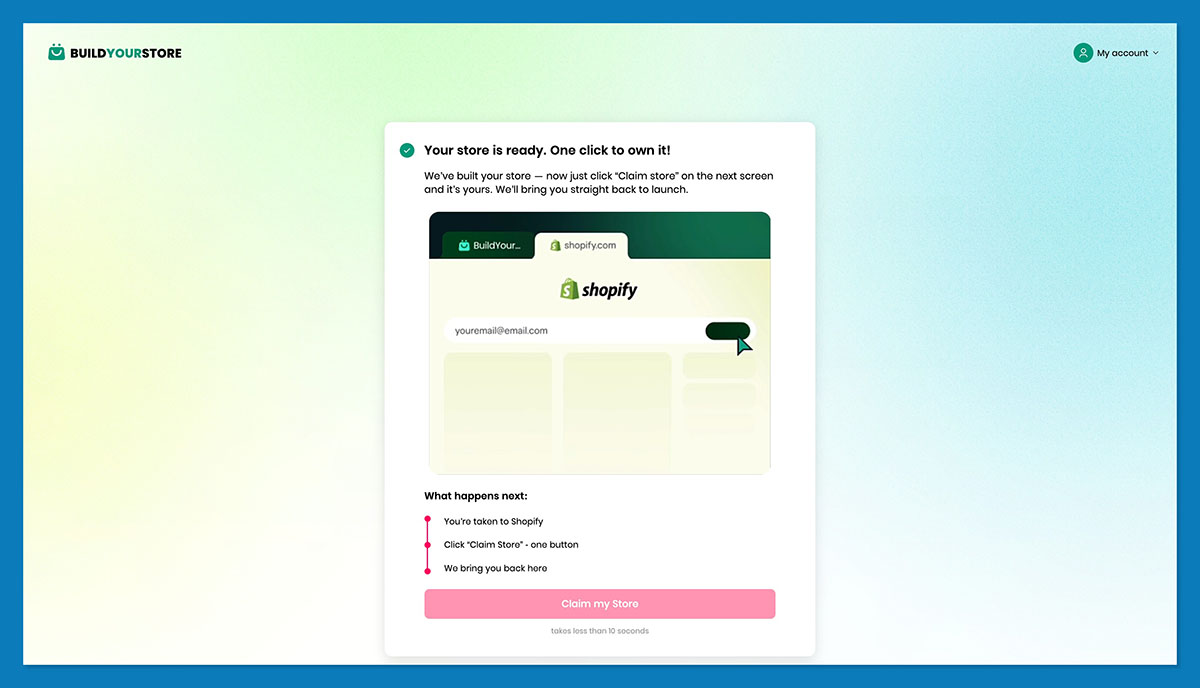
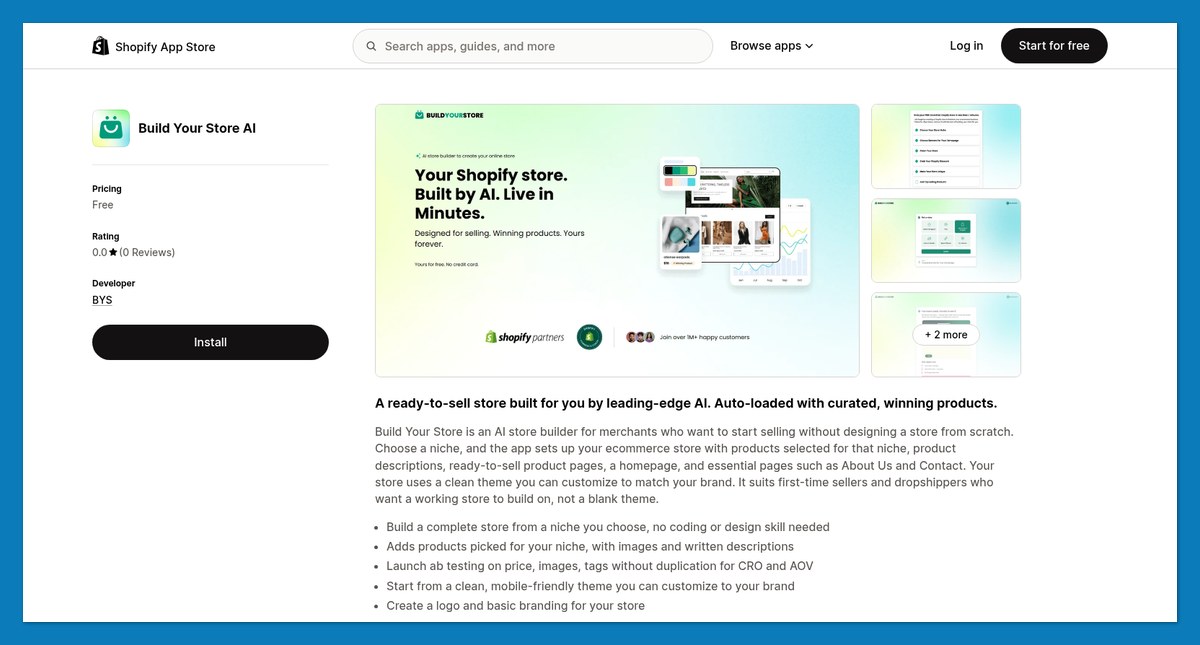
The next step involves connecting an existing Shopify account or creating a new one. This action allows BuildYourStore.ai to "claim" the store. The Build Your Store AI app, available for free on the Shopify App Store with BYS listed as the developer, must be installed and authorized. It is vital to verify the developer name to avoid confusion with similar, potentially paid, applications. Once connected, the BYS system typically takes up to 30 minutes to generate the store, depending on connection speeds.
Step 3: Integration with AutoDS
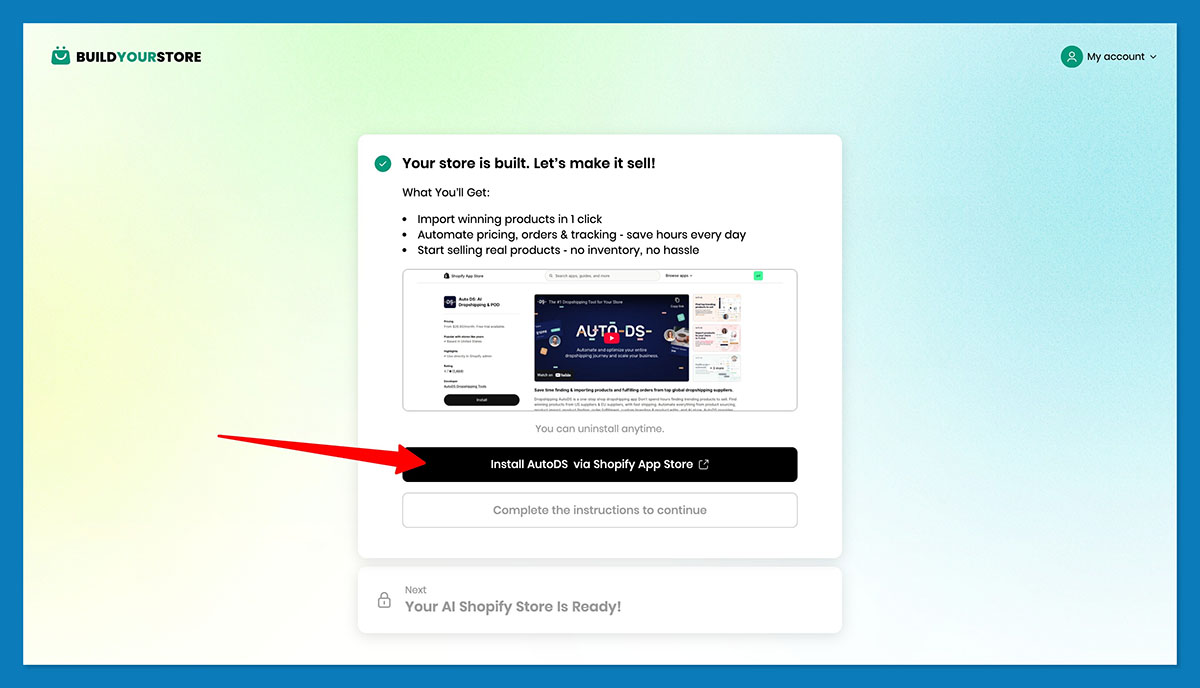
Following the store generation, merchants are prompted to connect with AutoDS. This platform serves as the source for the "top-selling" products curated by BYS. The system automatically selects ten niche-specific products to populate the store, with the option for merchants to swap these selections. It is advisable to thoroughly review each product’s supplier details, cost, estimated delivery times, stock availability, variants, images, and pricing before finalizing the initial catalog.
Step 4: Domain Claiming and Settings Configuration
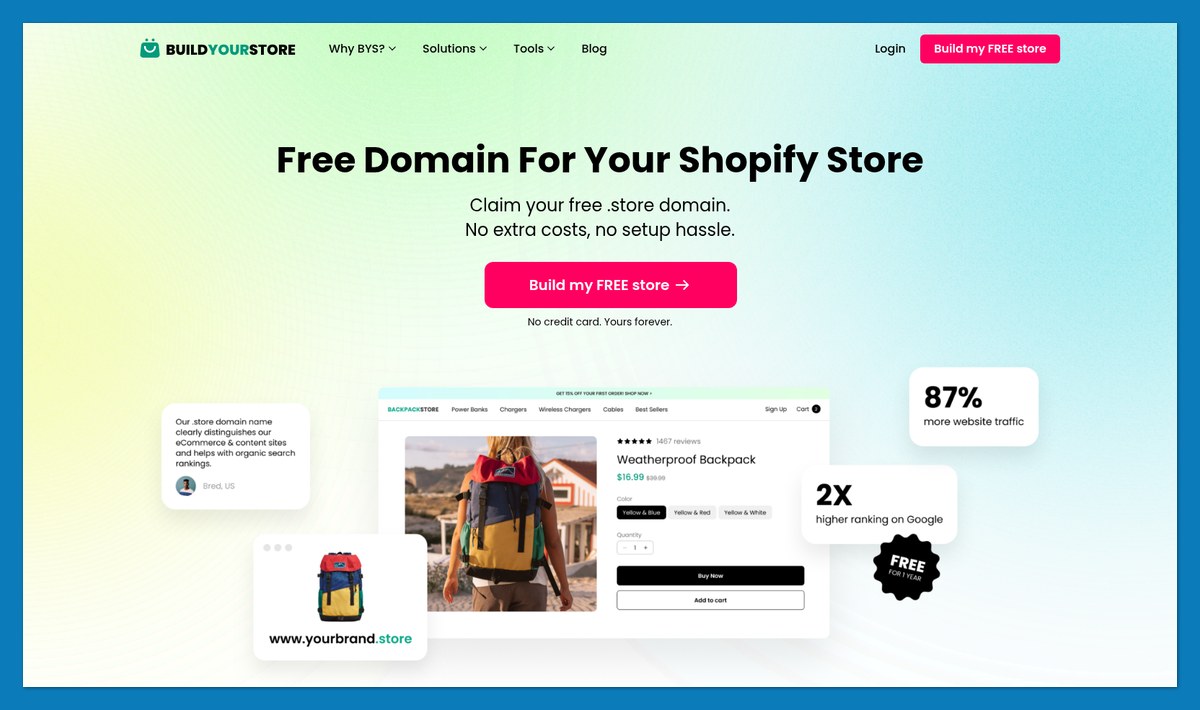
BuildYourStore.ai offers a complimentary .store domain for the first year. This domain requires separate management. Merchants will need to set up the domain registration, understanding that a single email is typically linked to a single domain, and renewal will be necessary to retain it beyond the initial year.
Post-domain setup, it is crucial to meticulously configure store settings. AI-generated stores may default to US-centric configurations, necessitating adjustments to the business address, currency, tax settings, market segmentation, shipping zones, payment gateway integration, and legal documentation before the store can be officially launched.
The Financial Considerations of an AI-Built Shopify Store
The initial store build provided by BuildYourStore.ai is free of charge, encompassing a Shopify theme, ten products, basic banners, and introductory content and pages, along with the first year of a .store domain. While a Pro plan offers additional features, it is not a mandatory upfront expense.
However, merchants must account for ongoing operational costs. A Shopify account is a prerequisite, with the Basic plan starting at $29 per month when billed annually, or $39 per month for month-to-month billing.
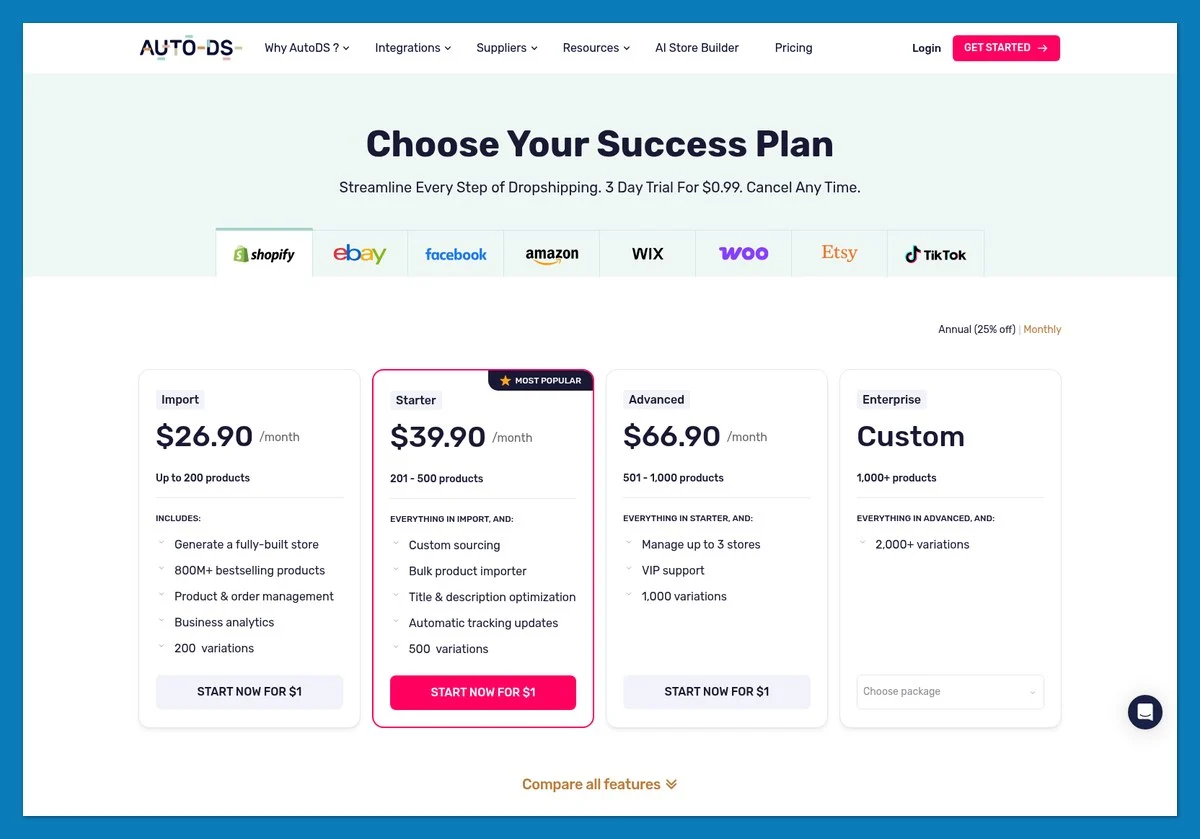
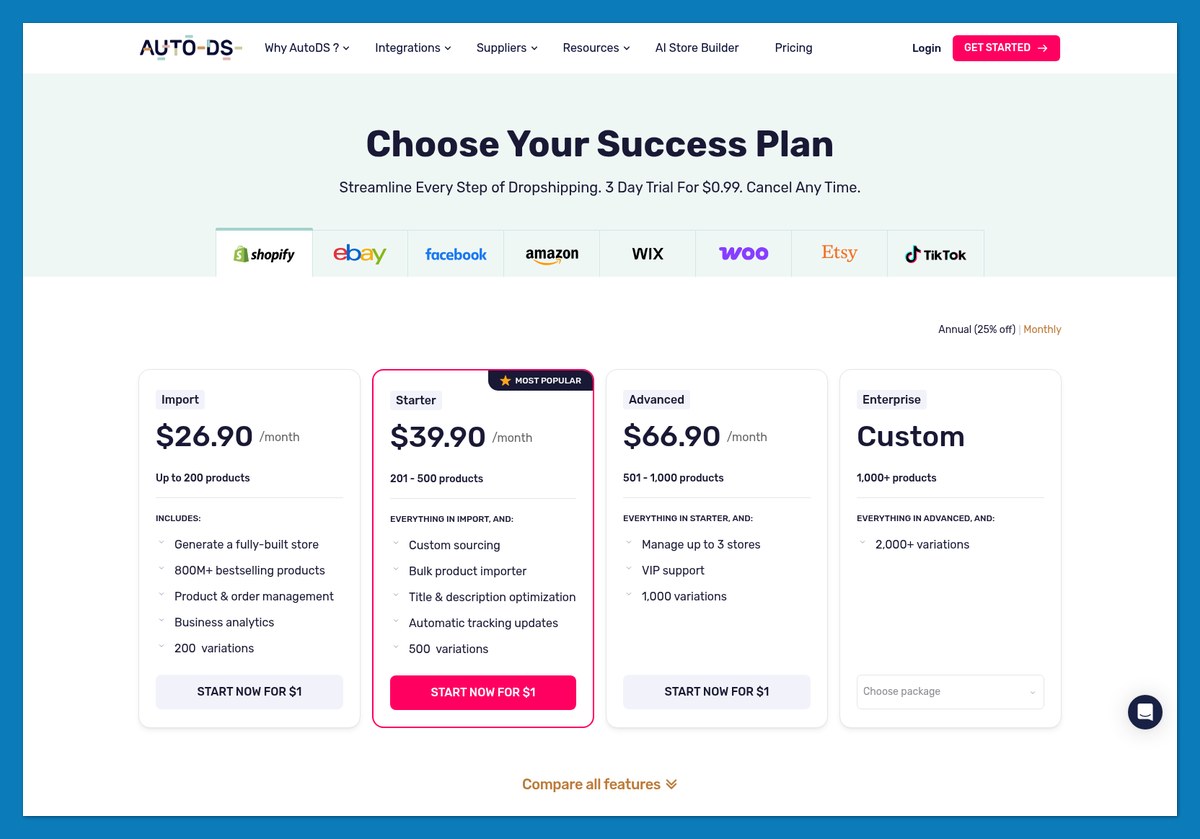
Furthermore, the use of AutoDS for product sourcing and fulfillment incurs costs. Plans start at $19.90 per month (annually) for access to up to 200 products, or $26.90 monthly. Automatic tracking updates are available from the Starter plan ($29.90 per month annually, $39.90 monthly) and above.
Additional expenses to consider include product samples, advertising, other Shopify apps, email marketing software, managing returns, potential chargebacks, professional services if needed, and the recurring cost of domain renewal.
BuildYourStore.ai operates on a partnership model with Shopify, earning revenue when referred merchants subscribe to Shopify. Therefore, BYS facilitates the initial setup, while Shopify and AutoDS are the primary revenue-generating platforms for ongoing services.
Limitations of BuildYourStore.ai: The Path to a Polished Store
It is important to note that BuildYourStore.ai does not deliver a "publish-ready" store immediately. A store built solely by BYS, without further customization, risks appearing similar to numerous other AI-generated sites. Merchants are responsible for refining the content, branding, theme, and pricing to establish a unique identity. Essential post-build steps include:
Step 1: Enhancing Product Pages with Shopify Magic
The ten product pages and initial copy provided by BYS are generic. Merchants should leverage Shopify Magic (now integrated into Sidekick) to refine this content. By inputting the product name, features, keywords, and desired tone of voice, merchants can generate more engaging and SEO-friendly descriptions. While Magic can assist with attributes, meta-data, and image generation, final human review is essential for SEO optimization, metafields, variants, titles, and image alt text. Image editing capabilities within Magic are basic; for more advanced edits, external tools may be necessary.
Step 2: Restructuring Collections and Navigation with Sidekick
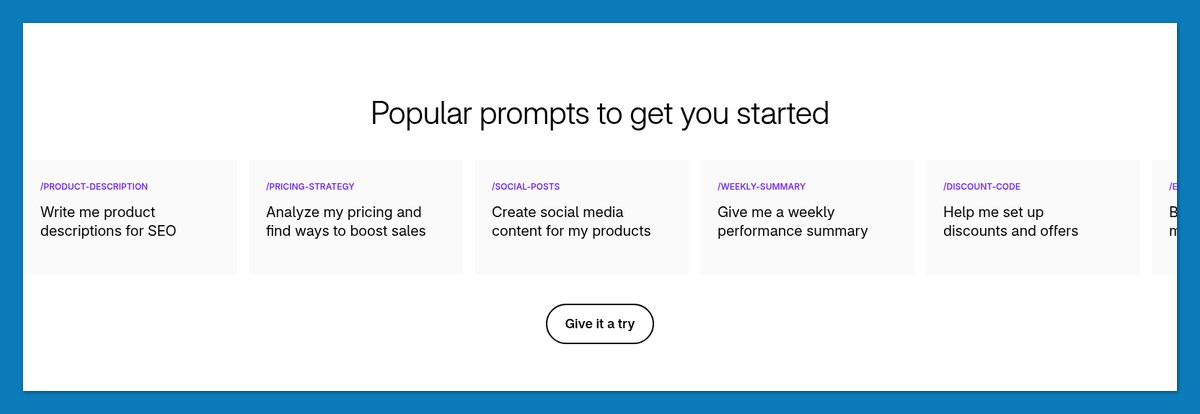
BYS typically structures collections based on AutoDS catalog data. To improve customer experience, merchants should use Sidekick to create custom collections and navigation menus tailored to their target audience. Prompts like "Review my current product list and suggest five main menu items for [your target audience]. Group products around [theme]" can guide Sidekick. Merchants must then review the suggested collections for product volume, clarity of names, and intuitive filtering. Navigation should be designed for ease of use across all devices.
Step 3: Personalizing the Theme
The theme generated by BYS serves as a starting point. To differentiate the store, merchants should duplicate the theme before making alterations. Customizations should include logo, fonts, colors, button styles, card shapes, image crops, and spacing. Sidekick can assist with global theme settings, but thorough testing is crucial before launch. Merchants may also consider exploring Shopify’s free Horizon themes as an alternative, with Sidekick capable of supporting AI-driven theme block generation within any theme.
Step 4: Implementing Operations and Automations
Automating repetitive tasks can significantly improve efficiency. Sidekick can translate merchant requests into automated workflows within Shopify Flow. Initial automations could include alerts for supplier price changes, low stock notifications, significant discounts, or return requests exceeding a certain value. Sidekick can also generate test events with passing and failing examples using real store data to minimize errors. Sidekick’s suggestion cards, which appear in the admin for stores with recent sales, can offer insights into further automation opportunities.
Step 5: Optimizing for AI Shoppers
With the rise of AI-powered shopping, making products discoverable by AI assistants is increasingly important. Merchants should ensure their SEO strategies are robust and their content is AI-readable. The "Agentic" section within the Shopify admin (Sales Channels > Agentic) provides a search preview to test product ranking based on various factors like description depth, images, reviews, and store policies. Agentic storefronts are active by default for eligible stores, but require complete store policies and well-structured product data for optimal visibility in AI search environments.
Who Should Utilize BuildYourStore.ai?
BuildYourStore.ai is an excellent choice for individuals who:
- Are starting an e-commerce business from scratch.
- Are new to dropshipping and require a foundational store setup.
- Need a pre-designed theme, initial product selection, and a domain to begin quickly.
- Are comfortable with a hybrid approach, using a specialized builder for initial setup and then leveraging advanced platform tools.
Conversely, merchants who already possess a clear product vision, are not focused on dropshipping, and have a preferred Shopify theme they are ready to customize might find it more efficient to bypass BYS and directly utilize Shopify’s AI tools.
It is paramount to reiterate that an AI-generated store, regardless of the platform, requires significant human input to become a successful business. The post-build phase is critical for refining content, branding, pricing, operational workflows, and marketing strategies. BuildYourStore.ai serves as a powerful accelerator, reducing the initial workload and helping merchants overcome the common hurdle of starting an online store, particularly for those venturing into dropshipping.


 rifanmuazin

 Reynand Wu