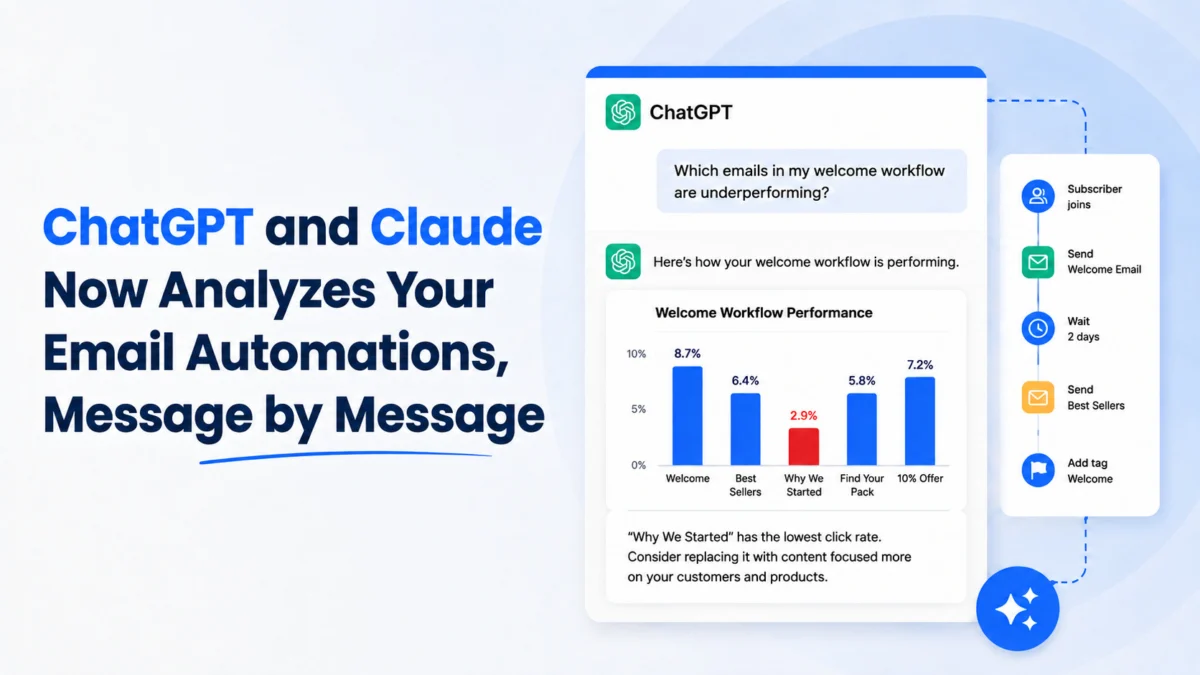
Despite the continuous emergence of new digital communication channels, email steadfastly remains one of the most potent and direct avenues for businesses to engage with their customer base. As of May 6, 2026, whether orchestrating product announcements, crafting welcome sequences, distributing informative newsletters, or launching strategic promotions, email provides an unparalleled direct line to an audience—a channel that, crucially, businesses truly own. This inherent control distinguishes it from social media algorithms or rented advertising spaces, offering a stable foundation for long-term customer relationship management and marketing efforts.
Recent data underscores email’s enduring dominance. A comprehensive email engagement report from industry leader Mailjet reveals compelling statistics: a remarkable 75.4% of consumers across key markets including the U.S., UK, France, Germany, and Spain express a distinct preference for receiving promotional messages via email. Furthermore, 74% favor email for transactional communications—such as order confirmations, shipping updates, and password resets—over all other available channels. These figures emphatically demonstrate that email is not merely surviving but thriving as a cornerstone of digital strategy, valued by consumers for its perceived professionalism, record-keeping utility, and directness.
However, the landscape of email marketing platforms is vast and often bewildering. The market is saturated with options, each tailored to different business sizes, operational complexities, and strategic objectives. Some platforms are meticulously crafted for agile startups operating with lean teams, while others are engineered to meet the robust demands of massive enterprise organizations. The spectrum ranges from automation-heavy powerhouses to simpler, more streamlined solutions. Navigating this diverse ecosystem to pinpoint the ideal platform can quickly become an overwhelming endeavor for decision-makers.
Over years of rigorous testing and analysis of marketing technologies, industry experts have witnessed the dynamic evolution of top-tier email platforms. This guide aims to cut through the considerable noise, offering a clear, data-driven pathway to selecting the most appropriate email tool. Regardless of whether one operates as a solo founder, a burgeoning small business, or a component of an expanding marketing team, this comprehensive overview is designed to facilitate the identification of an email solution that seamlessly integrates with existing workflows and supports ambitious growth trajectories. This deep dive will explore the leading email marketing platforms available today, meticulously dissecting their features, strengths, and ideal use cases to empower businesses in making an informed, strategic choice.
The Foundational Pillars: Defining Excellence in Email Marketing Platforms
Identifying the "best" email marketing platform is not a subjective exercise but rather a systematic evaluation against a set of critical, performance-oriented benchmarks. Our rigorous methodology involved extensive hours dedicated to scrutinizing dozens of email tools. This included setting up diverse campaign types, constructing intricate automation workflows, rigorously testing various templates, and thoroughly examining integration capabilities. It is imperative to state that inclusion in this guide is based solely on merit derived from real-world testing and practical application scenarios, with no commercial influence from the featured companies.
Modern email marketing transcends the simplistic act of merely hitting "send." Today’s advanced platforms are capable of sophisticated segmentation, precise trigger-based messaging, and highly personalized email delivery, all executed automatically—provided the right platform is chosen. Yet, a common challenge in the market is the prevalence of tools that are either excessively complex and overbuilt for the average enterprise or, conversely, too rudimentary and underwhelming for any business genuinely committed to achieving significant growth.

To provide clarity and actionable insights, our evaluation was distilled into five indispensable criteria that define a truly superior email marketing platform:
-
Intuitive User Experience (UX) and Accessibility: A premium platform should not necessitate specialized technical expertise or extensive training. The ideal tools empower users to effortlessly build subscriber lists, design impactful campaigns, and configure automated sends directly from a clean, logically organized dashboard. Any platform that presented a steep learning curve, felt cumbersome, or required excessive documentation consultation was systematically excluded. The emphasis here is on immediate productivity and minimal onboarding friction.
-
Robust and Reliable Automation Capabilities: From the critical first welcome email for a new subscriber to a sophisticated post-purchase follow-up sequence, email automations must be straightforward to configure and demonstrate unwavering reliability once deployed. The platforms featured in this guide excel at simplifying the creation of complex customer journeys, eliminating the need for any coding proficiency. This ensures businesses can nurture leads and engage customers at scale without manual intervention.
-
Seamless Integration with Existing Tech Stacks: An email marketing application must function harmoniously within a broader digital ecosystem. It should effortlessly connect with vital business tools such as e-commerce platforms (e.g., Shopify, WooCommerce), booking software, Customer Relationship Management (CRM) systems, and other essential applications. Our selection prioritized tools offering robust native integrations or, at a minimum, reliable compatibility via connectors like Zapier. This ensures data fluidity and a cohesive operational workflow across all business functions.
-
Transparent and Scalable Pricing Structures: A crucial consideration for small businesses and growing teams is financial accessibility. We actively sought platforms that offered competitive entry-level plans, flexible pay-as-you-go options, and avoided prohibitive commitments or minimum volume requirements. The objective was to identify solutions where businesses, whether managing 100 or 10,000 contacts, could commence operations affordably and scale their investment incrementally alongside their growth, without encountering sudden, disproportionate cost increases.
-
Capacity for Future Growth and Scalability: As a business expands its subscriber base and refines its marketing strategies, the chosen email platform must accommodate this evolution without forcing a costly or disruptive migration. Every tool recommended here is designed to support the expansion of campaigns, list sizes, and automation complexities without incurring "sticker shock" from enterprise-level pricing. The core philosophy is to provide platforms that not only meet current needs but also offer a clear, affordable pathway for future scaling.
Demystifying Email Marketing Platform Pricing: A Strategic Overview
For small businesses and marketing teams operating under budgetary constraints, a comprehensive understanding of the cost structures associated with various email marketing platforms is paramount, equaling the importance of feature evaluation. While a significant number of services offer attractive free plans, particularly for nascent operations, these often come with inherent limitations that can impede growth as subscriber lists expand and marketing sophistication increases.
When conducting a comparative analysis of platform pricing, it is essential to consider the following prevalent pricing structures and tiers:
-
Subscriber-Based Pricing: This is arguably the most common model. Platforms charge based on the total number of unique contacts stored in your database. As your list grows, your monthly fee increases, often in predefined tiers (e.g., 0-500 contacts, 501-2,500 contacts, etc.). While straightforward, this can become expensive quickly if you accumulate many inactive subscribers, making list hygiene crucial.
-
Email-Send Based Pricing: Less common but highly advantageous for certain business models, this structure charges based on the total volume of emails sent within a billing period, irrespective of the number of contacts. This offers predictability for businesses with high send volumes but fluctuating list sizes, or those who send infrequently to a large list.
-
Feature-Based Tiers: Many platforms offer tiered plans (e.g., Basic, Standard, Premium, Enterprise) where higher tiers unlock progressively more advanced features. This can include sophisticated automation, advanced segmentation, A/B testing, dedicated IP addresses, priority support, and integrations. Businesses must carefully assess which features are genuinely critical for their current and projected needs.
-
Freemium Models: A popular starting point, freemium plans offer a limited set of features or a cap on contacts/sends (e.g., up to 500 contacts and 2,000 emails per month) at no cost. These are excellent for testing the waters and for very small-scale operations, but they typically require an upgrade for serious growth.
-
Transactional Email Add-ons: Some platforms integrate transactional email capabilities, while others offer them as a separate service or an add-on, often priced per email sent. Given the critical nature of these emails, understanding their cost and integration is vital for e-commerce and SaaS businesses.
-
Hidden Costs and Overage Fees: Always scrutinize the terms and conditions for potential hidden costs. These might include charges for exceeding email send limits, additional users, premium templates, or advanced analytics that are not included in the advertised plan.
When evaluating the pricing of different email marketing platforms, it is absolutely essential to strike a delicate balance between current operational needs and long-term strategic goals. While a lower-priced plan might appear highly attractive in the immediate term, it is critical to ensure that the chosen platform possesses the inherent capability to scale seamlessly with your business as your subscriber list expands and your email marketing requirements become more sophisticated. Overlooking this scalability factor can lead to costly and disruptive migrations to a new platform down the line, negating any initial cost savings.

Leading Email Marketing Platforms: A Detailed Analysis
Here, we delve into specific platforms, examining their unique offerings and target audiences.
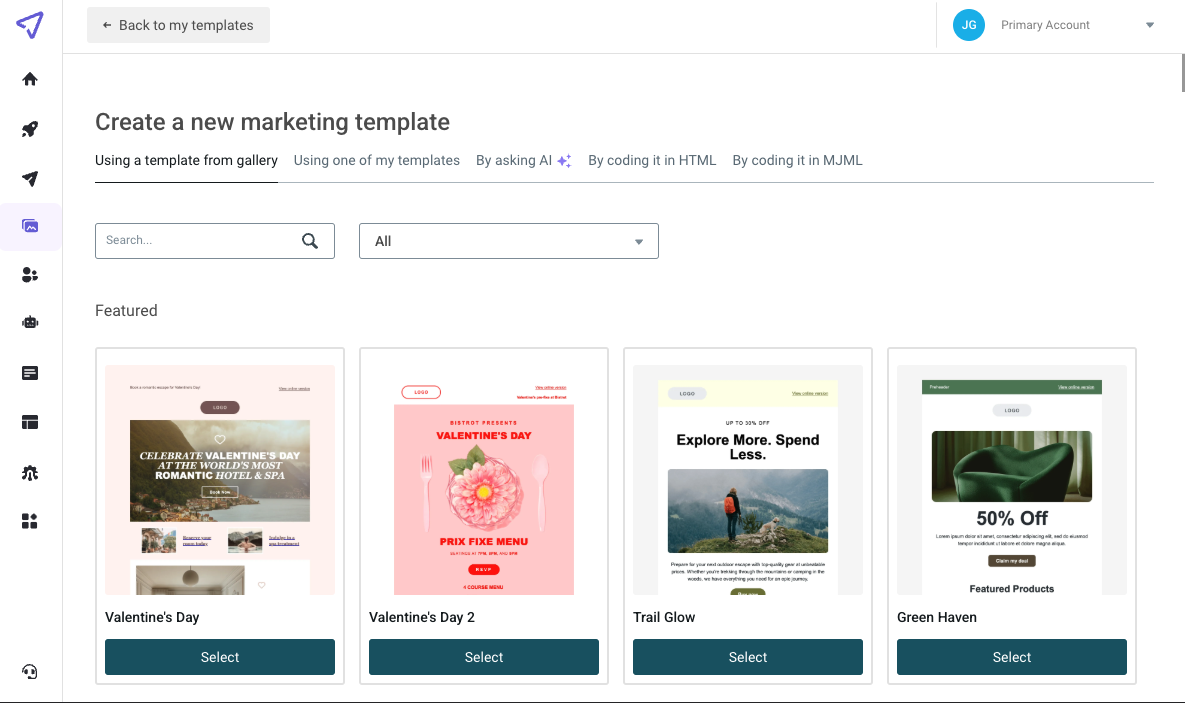
1. Best for Budget-Conscious Teams: Mailjet
Mailjet stands out as a compelling choice not merely for its attractive pricing but also for its robust suite of features. Every Mailjet plan grants access to a clean, intuitive platform designed for creating and sending both marketing and transactional emails, building effective signup forms, and launching optimized landing pages with minimal learning curve. A significant differentiator for Mailjet, setting it apart from many competitors, is its pricing model: it does not charge based on the number of contacts. Instead, users pay solely for the volume of emails sent, ensuring predictable costs even as subscriber lists grow substantially. This transparent and straightforward UI, coupled with its send-based pricing, makes Mailjet an ideal solution for startups and growing teams seeking powerful email tools without incurring prohibitive costs.
-
Key Features:
- Unified Platform: Manages both marketing campaigns (newsletters, promotions) and critical transactional emails (order confirmations, password resets) from a single dashboard, simplifying operations.
- Drag-and-Drop Editor: Features a user-friendly editor for crafting visually appealing emails and landing pages without requiring coding knowledge.
- Advanced Segmentation: Allows for precise targeting of audiences based on various criteria, enhancing personalization and campaign effectiveness.
- Automation Workflows: Offers tools to set up automated email sequences for welcome series, abandoned carts, and other customer journey touchpoints.
- Deliverability Focus: Strong emphasis on email deliverability, with tools and best practices to ensure messages reach the inbox.
- A/B Testing: Capabilities to test different email elements (subject lines, content, calls-to-action) to optimize performance.
- API for Developers: Robust API for custom integrations and advanced email sending needs, appealing to technical teams.
- Real-time Analytics: Provides insights into campaign performance, including open rates, click-through rates, and unsubscribes.
- GDPR Compliance: Built with data privacy regulations in mind, offering tools to ensure compliance.
-
Drawbacks:
- Less Advanced CRM: While it offers contact management, its built-in CRM features are not as extensive as dedicated CRM platforms.
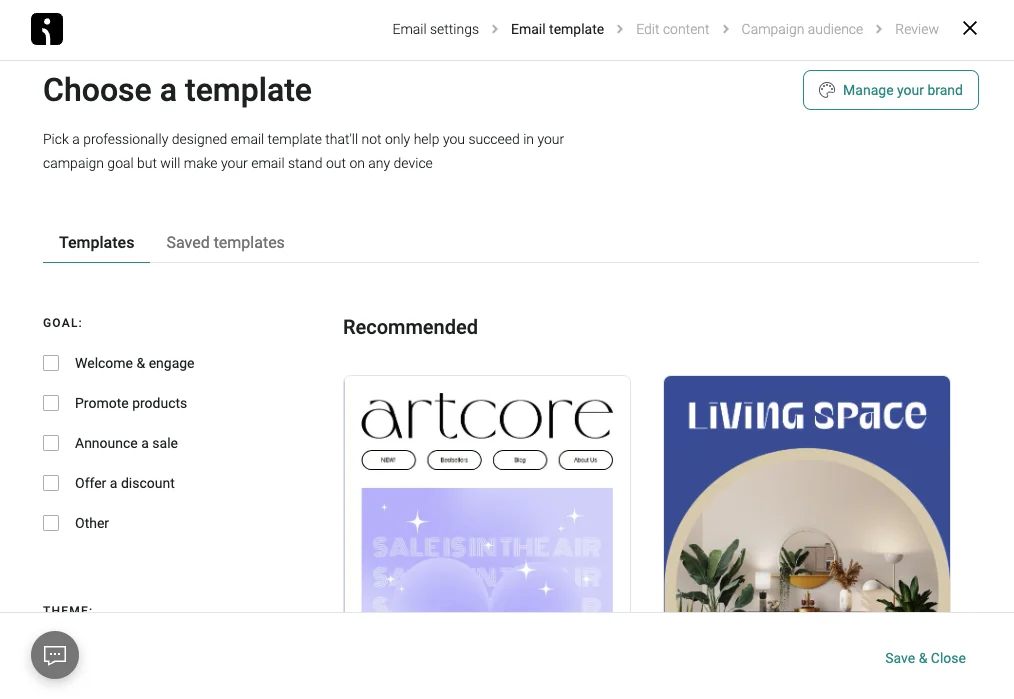
- Limited Template Variety: While functional, the template library might be less diverse compared to some competitors, potentially requiring more custom design.
-
Pricing:
- Free Plan: Includes up to 6,000 emails/month (200 emails/day), with basic features.
- Essential Plan: Starts from $15/month for 15,000 emails, removing daily send limits and adding support.
- Premium Plan: Starts from $25/month for 15,000 emails, adding advanced automation, segmentation, and A/B testing.
- Custom Enterprise Plans: Available for high-volume senders needing dedicated IP addresses and personalized support.
2. Best for Getting Started: Mailchimp
For those entirely new to the realm of email marketing, Mailchimp frequently emerges as the initial recommendation—and for very sound reasons. It boasts an exceptionally beginner-friendly interface, offers a robust free plan supporting up to 500 contacts, and simplifies the process of launching a first campaign. This accessibility has cemented its reputation as a go-to for nascent businesses and individuals. However, as marketing strategies mature and evolve, users may encounter certain limitations, particularly concerning the depth of automation and the extent of customization options available on its lower-tier plans.
-
Key Features:
- User-Friendly Interface: Renowned for its intuitive design and easy-to-navigate dashboard, making it accessible for beginners.
- Drag-and-Drop Email Builder: Simplifies the creation of professional-looking emails.
- Basic Segmentation: Allows for grouping subscribers based on simple criteria.
- Landing Page Builder: Helps create dedicated pages for lead capture.
- Marketing CRM: Offers basic contact management and audience insights.
- Integrations: Connects with numerous third-party apps, particularly e-commerce platforms.
- Free Plan: A generous free tier for up to 500 contacts, ideal for testing the waters.
-
Drawbacks:
- Contact-Based Pricing: Can become expensive as your list grows, particularly if you have many inactive subscribers.
- Feature Gating: Many advanced features, especially sophisticated automations and personalized content, are locked behind higher-priced tiers.
- Deliverability Concerns: Some users have reported inconsistent deliverability rates, although Mailchimp continually works to improve this.
- Limited Advanced Automation: While it offers automations, they might not be as flexible or powerful as dedicated automation platforms.
-
Pricing:
- Free Plan: Up to 500 contacts, 1,000 emails/month.
- Essentials Plan: Starts at $13/month for 500 contacts, offering more email sends and basic support.
- Standard Plan: Starts at $20/month for 500 contacts, unlocking advanced segmentation and automation.
- Premium Plan: Starts at $350/month for 10,000 contacts, includes advanced analytics and phone support.
3. Best for Digital Creators: Kit (formerly ConvertKit)
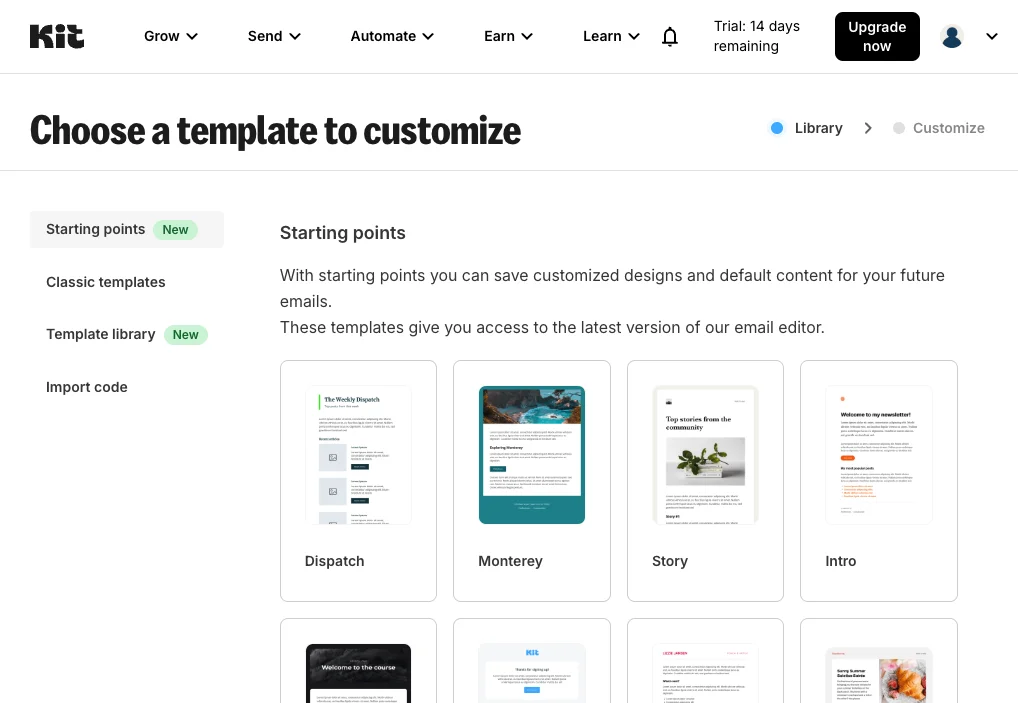
Kit, rebranded from ConvertKit, is meticulously designed with the modern digital creator in mind, making it an ideal platform for bloggers, YouTubers, podcasters, and solo entrepreneurs. Its core strength lies in its ability to facilitate list growth and automate follow-up sequences, even offering a highly functional free plan. The free version generously supports up to 10,000 subscribers, a significant advantage for creators focused on audience building. However, more advanced functionalities, such as multi-sequence automation and sophisticated sales funnels, necessitate an upgrade to a paid subscription.
-
Key Features:
- Audience-Centric Design: Focuses on helping creators build and engage their audience through email.
- Visual Automation Builder: Intuitive drag-and-drop interface for creating complex email sequences and funnels.
- Tagging and Segmentation: Powerful tagging system for highly detailed subscriber segmentation, enabling hyper-personalized content delivery.
- Landing Pages and Forms: Robust tools for creating attractive lead capture forms and landing pages.
- Commerce Features: Built-in capabilities for selling digital products and managing paid newsletters directly.
- Integrations: Connects with popular e-commerce, course, and membership platforms.
- Free Plan: Supports up to 10,000 subscribers (with limited features), a significant offering for creators.
-
Drawbacks:
- Email Design Simplicity: While functional, the email editor is intentionally minimalist, offering fewer design bells and whistles compared to some competitors.
- Cost at Scale: Can become relatively expensive once you move beyond the free plan and your subscriber count grows significantly, especially with advanced features.
-
Pricing:
- Free Plan: Up to 10,000 subscribers, unlimited landing pages and forms, email sending.
- Creator Plan: Starts at $15/month for 300 subscribers, unlocking visual automations and integrations.
- Creator Pro Plan: Starts at $29/month for 300 subscribers, adding advanced reporting and deliverability features.
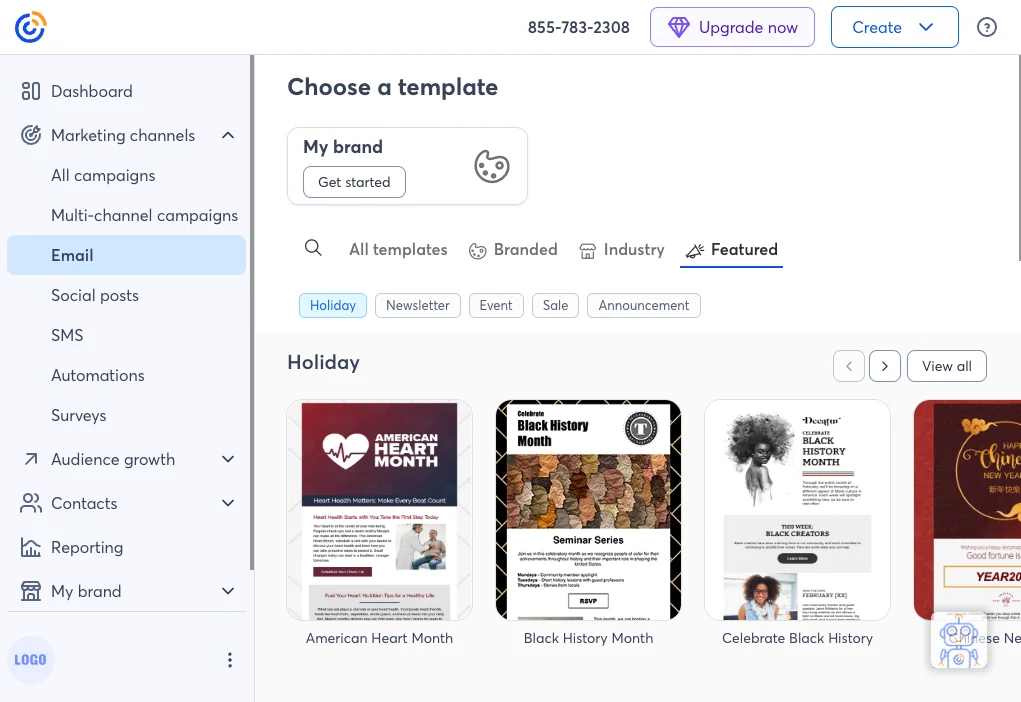
4. Best for Social-Savvy Brands: Constant Contact
For businesses aiming to seamlessly integrate their email campaigns with a robust social media strategy, Constant Contact offers a highly effective solution. Its drag-and-drop editor is celebrated for its ease of use, enabling even novice marketers to create professional-looking emails swiftly. Moreover, Constant Contact consistently delivers solid email delivery rates, ensuring messages reliably reach intended inboxes. It proves to be an excellent fit for brands with a strong presence on platforms like Facebook and Instagram, facilitating cross-channel engagement. However, it is worth noting that its more powerful plans can become quite pricey, potentially posing a budget challenge for smaller teams or organizations.
-
Key Features:
- Social Media Integration: Strong capabilities for integrating email campaigns with Facebook and Instagram, including ad management.
- Event Management: Tools for promoting and managing events directly from the platform.
- Robust Customer Support: Known for its extensive support options, including phone and chat.
- Drag-and-Drop Editor: User-friendly interface for designing emails, forms, and landing pages.
- Website Builder: Offers basic website and e-commerce store building capabilities.
- Industry-Specific Templates: A wide array of templates tailored for various industries, including non-profits.
-
Drawbacks:
- Higher Price Point: Can be one of the more expensive options, particularly as your contact list grows or you require advanced features.
- Less Sophisticated Automation: While it offers automation, it may not be as deep or flexible as platforms dedicated to marketing automation.
- Limited A/B Testing: A/B testing features might not be as comprehensive as some other platforms.
-
Pricing:
- Lite Plan: Starts at $12/month for 500 contacts, offering basic email marketing.
- Standard Plan: Starts at $35/month for 500 contacts, adding automation, segmentation, and social posting.
- Premium Plan: Starts at $80/month for 500 contacts, includes advanced features like custom reporting and dedicated support.
5. Best for Long-Standing Reliability: AWeber
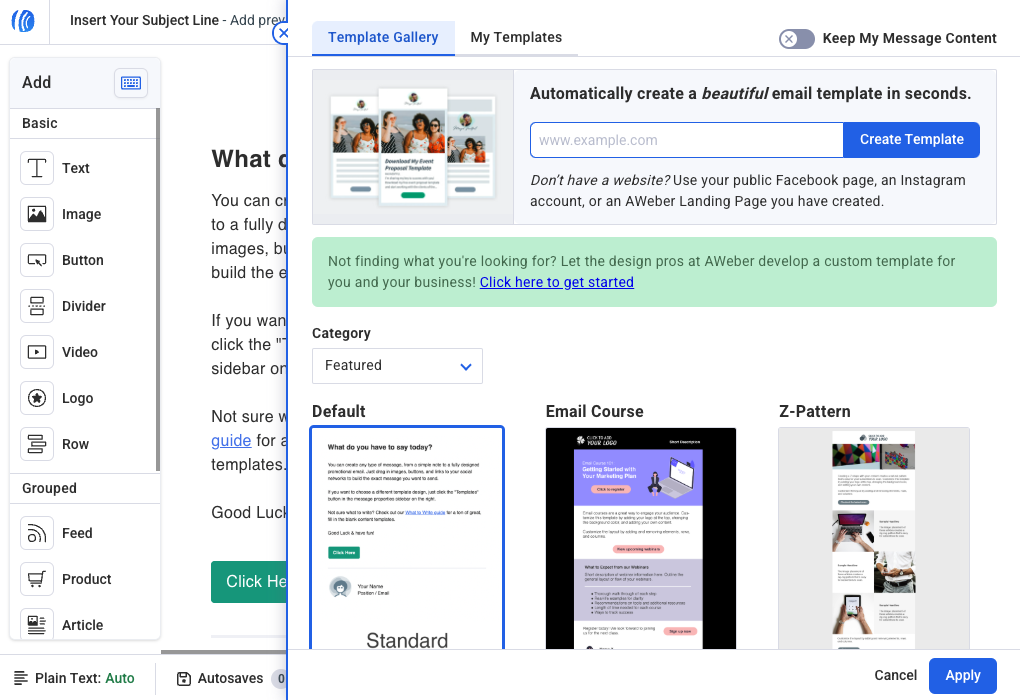
With a venerable history spanning over two decades, AWeber has established itself as a trusted partner for both solo entrepreneurs and small business owners. Its platform is celebrated for its ease of use, offering a comprehensive suite of features including a rich library of pre-built templates, robust automation capabilities, and seamless integrations with popular platforms such as Etsy and YouTube. While AWeber may not boast the most cutting-edge or hyper-advanced features in the market, it consistently excels at mastering the fundamentals of email marketing, providing solid analytics and effective testing tools that are crucial for consistent performance.
-
Key Features:
- Legacy and Trust: A long-standing provider with a reputation for reliability and consistent service.
- Extensive Template Library: Offers a wide variety of pre-designed templates for various campaign types.
- Automation: Provides intuitive tools for setting up email sequences and autoresponders.
- AI-Powered Email Template Builder: Utilizes AI to help users quickly generate design concepts.
- Landing Page Builder: Includes tools for creating effective lead capture pages.
- Integrations: Connects with numerous popular business tools and e-commerce platforms.
- Robust Analytics: Offers solid reporting on key email performance metrics.
-
Drawbacks:
- Interface Can Feel Dated: While functional, the user interface might not feel as modern or sleek as newer competitors.
- Automation Depth: Automation capabilities, while reliable, may not offer the same level of complexity or visual flow as dedicated automation platforms.
-
Pricing:
- Free Plan: Up to 500 subscribers, 3,000 emails/month, basic features.
- Lite Plan: Starts at $14.99/month for 500 subscribers, unlocking more features and unlimited emails.
- Plus Plan: Starts at $29.99/month for 500 subscribers, adding advanced analytics, split testing, and behavioral automation.
6. Best for All-in-One Marketing: HubSpot
HubSpot transcends the conventional definition of an email marketing platform; it is a comprehensive Customer Relationship Management (CRM) and marketing suite seamlessly integrated into a single ecosystem. This powerful combination allows businesses to manage contacts, construct sophisticated automated email flows, and meticulously track performance—all from a unified dashboard. Its free tier is surprisingly generous, offering substantial functionality for nascent operations. However, for businesses requiring access to its more advanced automation features and the full breadth of its CRM capabilities, a significant jump in price should be anticipated.
-
Key Features:
- Integrated CRM: A powerful CRM at its core, enabling comprehensive contact management and sales tracking.
- All-in-One Suite: Combines email marketing, sales, customer service, CMS, and operations tools.
- Advanced Automation: Sophisticated workflow builder for complex customer journeys.
- Personalization: Extensive capabilities for dynamic content and highly personalized email experiences.
- Landing Pages and Forms: Robust tools for lead generation and conversion optimization.
- Comprehensive Analytics: Detailed reporting and attribution across all marketing channels.
- Free CRM and Marketing Tools: Offers a surprisingly robust free tier with basic email, forms, and CRM.
-
Drawbacks:
- High Cost for Advanced Tiers: HubSpot’s full suite can become very expensive, especially for smaller businesses needing advanced features.
- Steeper Learning Curve: Due to its vast array of features, there’s a considerable learning curve to fully utilize its potential.
- Can Be Overkill for Simple Needs: For businesses solely focused on basic email marketing, HubSpot might offer more than is necessary, leading to unused features and higher costs.
-
Pricing:
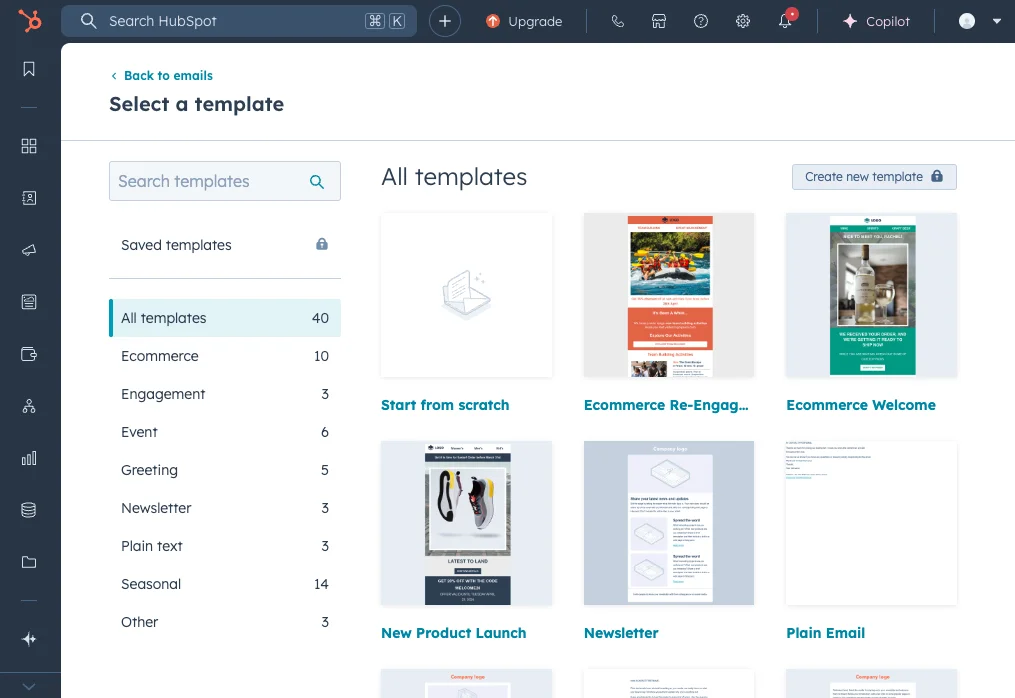
- Free Tools: Includes basic email marketing, forms, landing pages, and CRM.
- Starter Plan: Marketing Hub starts at $20/month, adding email automation, ad management, and live chat.
- Professional Plan: Marketing Hub starts at $890/month, unlocking advanced automation, blog & SEO tools, and custom reporting.
- Enterprise Plan: Custom pricing for large organizations needing advanced features and dedicated support.
7. Best for Online Stores: Omnisend
Omnisend is purpose-built with the unique demands of e-commerce brands at its core. It distinguishes itself by offering omnichannel marketing tools, including SMS and push notifications, directly out of the box—even within its free plan. This integrated approach allows online retailers to engage customers across multiple touchpoints seamlessly. While Omnisend is rich in specialized e-commerce features, it is worth noting that some users have reported that its email deliverability might not always be top-tier, and its template library, while functional, may lack the visual diversity offered by more generalist platforms.
-
Key Features:
- E-commerce Focused: Designed specifically for online stores, with deep integrations with platforms like Shopify, WooCommerce, and BigCommerce.
- Omnichannel Marketing: Includes email, SMS, and push notifications within automated workflows.
- Advanced E-commerce Automation: Pre-built workflows for abandoned carts, product recommendations, order confirmations, and customer win-back.
- Powerful Segmentation: Leverages customer purchase history and browsing behavior for highly targeted segments.
- Pop-ups and Forms: Tools for capturing leads and growing subscriber lists with e-commerce specific templates.
- Sales Attribution: Provides clear insights into how email and other channels drive sales revenue.
-
Drawbacks:
- Email Deliverability: Some users have noted that deliverability can be inconsistent compared to platforms with a primary focus on email.
- Template Variety: While functional, the range of visually diverse email templates might be limited.
- Best for E-commerce Only: Less suitable for service-based businesses or content creators who don’t have an online store.
-
Pricing:
- Free Plan: Up to 250 contacts, 500 emails/month, 60 SMS, 500 web push notifications.
- Standard Plan: Starts at $16/month for 500 contacts, offering unlimited emails, more SMS, and advanced features.
- Pro Plan: Starts at $59/month for 500 contacts, adding advanced reporting, push notifications, and dedicated support.
8. Best for Multi-Channel Campaigns: Brevo (formerly Sendinblue)
Brevo, previously known as Sendinblue, excels at simplifying the integration of email, SMS, and live chat functionalities into a single, unified platform. This makes it an ideal choice for businesses that aspire to consolidate their communication channels under one roof, streamlining operations and enhancing customer engagement across various touchpoints. The platform’s user interface is widely praised for its cleanliness and ease of navigation, contributing to a smooth user experience. However, it is important to note that access to more in-depth analytics and comprehensive reporting tools typically requires an upgrade to a higher-tier plan, which could be a consideration for data-driven teams.
-
Key Features:
- Unified Platform: Integrates email, SMS, chat, CRM, and marketing automation into a single interface.
- Flexible Pricing: Offers a contact-independent pricing model, charging based on email volume, which can be cost-effective for larger lists with moderate send frequency.
- Drag-and-Drop Editor: User-friendly tools for creating engaging email campaigns.
- Transactional Email API: Robust API for sending transactional emails at scale.
- CRM and Sales Tools: Includes a basic CRM and sales pipeline management features.
- Landing Page Builder: Helps create dedicated pages for lead generation.
-
Drawbacks:
- Analytics Limitations: More advanced and granular analytics often require higher-tier plans.
- Fewer Templates: The template library, while functional, might not be as extensive or visually diverse as some competitors.
- Customer Support: Some users have reported mixed experiences with customer support responsiveness.
-
Pricing:
- Free Plan: Up to 300 emails/day, unlimited contacts, basic features.
- Starter Plan: Starts at $25/month for 20,000 emails, removing daily send limits.
- Business Plan: Starts at $65/month for 20,000 emails, adding marketing automation, A/B testing, and phone support.
- Enterprise Plan: Custom pricing for advanced needs, including dedicated account manager.
9. Best for Serious Automation: ActiveCampaign
ActiveCampaign stands as a true powerhouse for businesses that seek to move beyond rudimentary email blasts and embrace sophisticated, data-driven marketing. It masterfully combines advanced marketing automation capabilities with a robust, built-in CRM, granting users unparalleled control over the entire customer journey. From the construction of highly detailed workflows and the implementation of dynamic content to the execution of intelligent segmentation strategies, ActiveCampaign is engineered for teams demanding depth and precision. However, this extensive functionality comes with a notable caveat: a steeper learning curve and a higher price tag are to be expected.
-
Key Features:
- Advanced Marketing Automation: Industry-leading visual automation builder for highly complex, multi-channel workflows.
- Integrated CRM: A powerful CRM allows for comprehensive contact management, lead scoring, and sales pipeline tracking.
- Dynamic Content and Personalization: Enables highly customized email content based on individual subscriber behavior and data.
- Deep Segmentation: Offers incredibly granular segmentation capabilities using tags, custom fields, and behavioral data.
- Predictive Sending: Uses AI to optimize send times for individual contacts, improving open rates.
- SMS Marketing: Integrates SMS into automation workflows for multi-channel engagement.
- Site Tracking: Monitors website visitor behavior to trigger relevant email sequences.
- Machine Learning: Leverages machine learning for lead scoring and predictive content.
-
Drawbacks:
- Steeper Learning Curve: The sheer depth of features means it requires more time and effort to master compared to simpler platforms.
- Higher Price Point: Can be significantly more expensive than other options, especially as your contact list grows and you utilize advanced features.
- Interface Complexity: While powerful, the interface can sometimes feel overwhelming due to the multitude of options.
- Support for Lower Tiers: Basic support for lower-tier plans might not be as comprehensive as some competitors.
-
Pricing:
- Lite Plan: Starts at $29/month for 500 contacts, offering unlimited email sending and marketing automation.
- Plus Plan: Starts at $49/month for 500 contacts, adding CRM, lead scoring, and deep data integrations.
- Professional Plan: Starts at $149/month for 500 contacts, including predictive