
In an increasingly digital world, establishing an online presence, whether for a personal blog, a burgeoning e-commerce store, or a large corporate website, is no longer optional but a fundamental necessity. While the creation of a website often garners the most attention, the underlying infrastructure that makes it accessible to a global audience—web hosting—is equally, if not more, critical. This guide delves into the intricacies of web hosting, from its fundamental concepts to the nuanced factors involved in selecting the optimal service provider and plan, ensuring a robust and reliable foundation for any digital endeavor.
The Foundational Role of Web Hosting
At its core, web hosting is a service that enables individuals and organizations to post a website or web page onto the internet. When a user creates a website, its various components—text, images, videos, code, databases—are stored as digital files. These files need a dedicated location where they can reside and be constantly connected to the internet. This location is a server, a powerful computer owned and maintained by a web hosting company. When someone types a website’s domain name into their browser, the browser connects to the server hosting that website, retrieves the necessary files, and displays the site to the visitor. Without web hosting, a website, no matter how well designed, would simply be an inaccessible collection of files on a local computer.
The evolution of web hosting mirrors the growth of the internet itself. In the early days, individuals or organizations often hosted their websites on their own servers, requiring significant technical expertise and infrastructure investment. As the internet gained traction in the late 1990s and early 2000s, specialized web hosting providers emerged, democratizing access to online publishing by offering server space and connectivity as a service. This shift allowed businesses and individuals to focus on content and design, delegating the complex technical maintenance to experts. Today, the industry is a multi-billion dollar sector, characterized by a diverse array of services, technological advancements, and a competitive landscape driven by the ever-increasing demand for digital connectivity.
Impact on Search Engine Optimization (SEO)
Beyond mere accessibility, the choice of web hosting significantly impacts a website’s performance and, consequently, its search engine optimization (SEO). Search engines like Google prioritize websites that offer a superior user experience, and hosting plays a direct role in several key performance indicators. Reliable hosting directly improves website security, speed, and uptime—all factors that search engine algorithms evaluate when ranking sites.
- Speed: A fast-loading website is crucial for user experience and SEO. Google’s Core Web Vitals, for instance, heavily emphasize metrics like Largest Contentful Paint (LCP) and First Input Delay (FID), which are directly affected by server response times and the efficiency of data delivery. A slow server, insufficient resources, or poorly optimized hosting infrastructure can lead to high bounce rates and lower search rankings.
- Uptime: This refers to the percentage of time a website is online and accessible. Reputable hosting providers offer uptime guarantees, often 99.9% or higher. Frequent downtime signals unreliability to search engines, leading to de-ranking and a loss of user trust.
- Security: A secure website is paramount. Hosting providers that offer robust security features like SSL certificates (which enable HTTPS), DDoS protection, firewalls, and regular malware scanning contribute to a website’s trustworthiness. Search engines actively penalize insecure sites, displaying warnings to users and lowering their visibility.
Upgrading a hosting plan or switching to a more reliable provider can therefore serve as a strategic SEO investment, enhancing site performance and signaling to search engines that the website is a trustworthy and valuable resource for their users.
Navigating Hosting Architectures: Fully-Hosted vs. Self-Hosted
One of the initial decisions in establishing an online presence involves choosing between a fully-hosted or a self-hosted platform. This choice dictates the level of control, technical responsibility, and flexibility a user will have.
-
Fully-Hosted Platforms: These are "all-in-one" solutions where the platform provider handles all aspects of hosting, maintenance, security, and often provides a website builder or content management system (CMS) within a single package. Examples include Shopify for e-commerce, WordPress.com for blogging, Squarespace, and Wix.

- Advantages: Ease of use, minimal technical expertise required, integrated features, customer support for the entire platform, automatic updates and backups. Ideal for beginners, small businesses, or those prioritizing convenience over deep customization.
- Disadvantages: Limited control over the server environment, restrictions on customization (themes, plugins, code access), vendor lock-in, potentially higher long-term costs as features scale, and lack of full data ownership.
-
Self-Hosted Platforms: This approach involves acquiring hosting services independently from a dedicated web hosting company and then installing a CMS (like WordPress.org, Joomla, Drupal) or building a website from scratch.
- Advantages: Complete control over server configuration, full access to the website’s codebase, unlimited customization options, ownership of all data, greater scalability, and the freedom to choose any hosting provider. This is often preferred by developers, large enterprises, or users who require specific functionalities.
- Disadvantages: Requires more technical knowledge for setup, maintenance, security, and updates. Users are responsible for managing the hosting environment, which can be time-consuming and complex without a managed hosting solution.
The decision between these two largely depends on the user’s technical proficiency, budget, desired level of control, and the specific functional requirements of their website. For those aiming for extensive customization and long-term scalability, self-hosting typically offers greater advantages.
Selecting a Web Hosting Company: Key Considerations
With thousands of hosting companies vying for attention, selecting the right one can be a daunting task. A methodical approach, focusing on several critical factors, is essential.
-
Server Location: The geographical proximity of a server to its target audience significantly impacts website speed. Data travels at finite speeds, and shorter physical distances mean faster data transfer. If a website’s primary audience is in the United States, hosting its server in Europe could introduce latency, slowing down page load times. Many providers offer data centers in various global regions, allowing users to choose the optimal location for their target demographic. This consideration is also increasingly relevant for data residency laws like GDPR, which may require data to be stored within specific geographical boundaries.
-
Storage Space (Disk Space): The amount of storage required is directly proportional to the size and complexity of the website. A simple blog with minimal images and text will demand far fewer resources than a large e-commerce platform featuring thousands of product images, videos, and an extensive database. Users should estimate their current and future storage needs, considering high-resolution media, database size, email storage, and potential backups. Most hosts offer various plans with different storage capacities, ranging from a few gigabytes to unlimited options (though "unlimited" often comes with fair usage policies).
-
Bandwidth and Audience Size: Bandwidth refers to the amount of data that can be transferred between the website’s server and users’ browsers over a given period. Every time a visitor views a page, downloads an image, or interacts with content, bandwidth is consumed. Websites expecting high traffic volumes or those rich in media content (streaming video, large downloads) will require substantial bandwidth. Underestimating bandwidth needs can lead to slow loading times, service interruptions, or additional charges. Many hosting plans offer tiered bandwidth limits or "unmetered" bandwidth, subject to reasonable usage. It’s advisable to select a plan that can accommodate projected growth and allows for easy scalability.
-
Other Essential Services: A robust hosting plan extends beyond mere server space. Many providers bundle crucial additional services that enhance website functionality, security, and user convenience.
- SSL Certificates: Essential for encrypting data between the user’s browser and the server, indicated by "HTTPS" in the URL. They are critical for security, trust, and SEO ranking. Most reputable hosts offer free SSL certificates (e.g., Let’s Encrypt) or paid options.
- Email Hosting: Allows users to create professional email addresses (e.g., [email protected]).
- Automated Backups: Regular backups are vital for disaster recovery. Hosts offering automated daily or weekly backups with easy restoration options provide peace of mind.
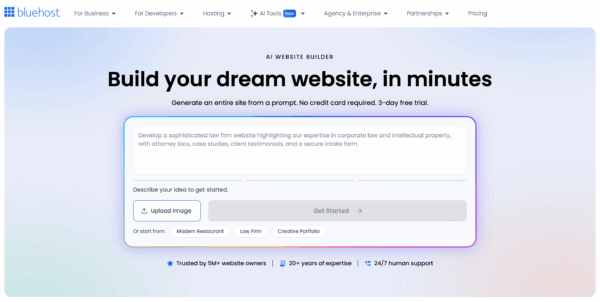
- Website Builders: For beginners, integrated drag-and-drop website builders (like the Bluehost AI Website Builder mentioned in the original content) can significantly simplify site creation, eliminating the need for coding or design skills.
- Customer Support: 24/7 technical support via multiple channels (live chat, phone, email/ticket system) is invaluable, especially when encountering technical issues. Responsiveness and expertise of the support team are paramount.
- Control Panel: User-friendly control panels like cPanel or Plesk simplify website management tasks, including file management, database administration, and email account setup.
Exploring Diverse Hosting Types
The hosting industry offers various types of services, each catering to different needs in terms of resources, performance, and management.
-
Shared Hosting: This is the most economical and common type, where multiple websites share the resources of a single physical server. Each website has a designated portion of the server’s CPU, RAM, and disk space.
- Pros: Low cost, easy to set up, minimal technical management required.
- Cons: Performance can be affected by other websites on the same server ("noisy neighbor effect"), limited resources, less control over server settings, and potential security vulnerabilities if one site is compromised. Ideal for small blogs, personal websites, or startups with low traffic expectations.
-
Dedicated Hosting: With dedicated hosting, a client leases an entire physical server exclusively for their website(s). This provides maximum power, control, and performance.
- Pros: Full control over server hardware and software, guaranteed resources, enhanced security, high performance, and scalability.
- Cons: Significantly more expensive than shared or VPS hosting, requires considerable technical expertise for server management (unless opting for managed dedicated hosting), and a single point of failure. Best suited for large enterprises, high-traffic e-commerce sites, or complex applications requiring specific server configurations.
-
Virtual Private Server (VPS) Hosting: VPS hosting bridges the gap between shared and dedicated hosting. A physical server is partitioned into multiple virtual servers, each operating as an independent, isolated environment with its own dedicated resources (CPU, RAM, storage).
- Pros: More resources and better performance than shared hosting, greater control and customization options than shared, root access for software installation, and more cost-effective than dedicated hosting.
- Cons: Can be more expensive than shared hosting, requires some technical knowledge for server management (though managed VPS options are available), and performance can still be marginally affected by the physical server’s overall load. A popular choice for growing businesses, medium-sized e-commerce stores, or developers needing a customizable environment.
-
Cloud Hosting: A relatively newer and increasingly popular model, cloud hosting leverages a network of interconnected servers (a "cloud") to host websites. Resources are distributed across multiple machines, and users can scale resources up or down on demand.
- Pros: High scalability, excellent reliability (if one server fails, another takes over), pay-as-you-go pricing, and often superior performance due to distributed resources.
- Cons: Can be more complex to manage, costs can escalate rapidly with high usage, and configuration can be challenging for novices. Ideal for websites with fluctuating traffic, mission-critical applications, or those requiring extreme scalability.
-
Managed Hosting: This is a service layer that can be applied to various hosting types (shared, VPS, dedicated, cloud). With managed hosting, the provider takes responsibility for server management tasks, including software updates, security patches, backups, monitoring, and performance optimization.
- Pros: Reduces the technical burden on the user, ensures optimal performance and security, and provides specialized support.
- Cons: Typically more expensive than unmanaged counterparts. Managed WordPress hosting is a prominent example, specifically optimizing environments for WordPress sites.
Specialized Hosting for WordPress.org Sites
Given WordPress’s dominant market share (powering over 40% of all websites), many hosting companies offer specialized WordPress hosting plans. These plans are meticulously optimized for the WordPress platform, providing an environment that maximizes its performance, security, and ease of use.
Typical features of WordPress hosting plans include:
- One-Click WordPress Installation: Simplifies the setup process, allowing users to launch a WordPress site in minutes.
- Automatic WordPress Updates: Ensures the core WordPress software and sometimes plugins/themes are always up-to-date, crucial for security and performance.
- WordPress-Specific Caching: Implementations like LiteSpeed Cache or custom caching mechanisms significantly speed up WordPress site loading times.
- Enhanced Security: Tailored security measures, including malware scanning, firewalls, and brute-force protection, specifically designed to counter common WordPress vulnerabilities.
- Staging Environments: Allow developers to test changes or updates in a separate, cloned version of the website before deploying them to the live site, minimizing risks.
- Expert WordPress Support: Customer service teams often have specialized knowledge of WordPress, providing more effective assistance for platform-specific issues.
Providers like SiteGround, Kinsta, WP Engine, Bluehost, and HostGator are well-known for their WordPress-optimized offerings. For users planning a WordPress.org website, selecting a host with a dedicated WordPress plan can streamline management and enhance overall site performance.
Conclusion: A Strategic Investment for Digital Success
The choice of web hosting is a foundational decision that profoundly influences a website’s performance, security, scalability, and ultimately, its success. It is not merely a technical prerequisite but a strategic investment that impacts user experience, search engine visibility, and brand reputation. Understanding the fundamental concepts of web hosting, discerning the differences between hosting types, and carefully evaluating providers based on critical factors such as server location, storage, bandwidth, support, and specialized services, are essential steps.
As the digital landscape continues to evolve, with emerging technologies like serverless computing and artificial intelligence further optimizing infrastructure, staying informed about hosting trends will remain crucial. For individuals and businesses alike, making an informed hosting choice is the first and most enduring step toward building a robust, high-performing, and sustainable online presence. Further exploration into the technical aspects of SEO, as offered by specialized training courses, can provide deeper insights into leveraging hosting and other technical factors for maximum online impact.