In an increasingly saturated digital landscape, email marketing remains a cornerstone of effective communication, yet its efficacy hinges on a meticulous blend of strategic foresight, creative execution, and technical precision. Far from a mere transmission of messages, a well-constructed email is a sophisticated instrument capable of inspiring action, fostering engagement, and delivering measurable results that resonate with organizational objectives. For marketers striving to cut through the digital noise, a deep understanding of the intricate anatomy of an effective email is not just beneficial, but essential. This guide offers a comprehensive breakdown, from the initial impression to the final technical handshake, detailing how to optimize every layer to ensure campaigns perform robustly in the real world.
The Enduring Power of Email in a Crowded Digital World
Despite the rise of social media, instant messaging, and other digital channels, email marketing continues to demonstrate an unparalleled return on investment (ROI). According to a 2023 study by Litmus, for every $1 spent on email marketing, marketers can expect an average return of $36, significantly outperforming other digital channels. This enduring power stems from email’s direct, personal nature, allowing brands to build one-on-one relationships with their audience. However, this advantage comes with significant challenges. Inboxes are battlegrounds of competing messages; the average office worker receives over 120 emails per day, underscoring the fierce competition for visibility and attention. This context necessitates a strategic "teardown and rebuild" approach to email creation, transforming each send into an irresistible engagement opportunity. Neglecting any component can derail an entire campaign, highlighting the need for a holistic strategy.
The Gateway to Engagement: Crafting the Initial Impression

The journey of an email begins long before its content is consumed. The initial impression is paramount, acting as a gatekeeper to the reader’s attention. Neglecting these front-facing elements is akin to sending a message in invisible ink, destined for oblivion in a bustling inbox.
The All-Important Subject Line
The subject line is arguably the most critical component, serving as the primary determinant of whether an email is opened or ignored. In an inbox teeming with notifications, sales pitches, and AI-generated summaries, capturing immediate attention is a delicate balancing act. The goal is to pique curiosity without resorting to vague or misleading tactics, as clarity often triumphs over cleverness. Industry data consistently shows that subject lines evoking emotion, such as fear of missing out (FOMO) or the promise of a quick solution, tend to outperform generic or purely descriptive ones. For instance, a subject line like "Re: Marketing Webinar" is easily overlooked, whereas "3-minute tweak to fix your Q2 pipeline" directly addresses a pain point and offers a tangible benefit, dramatically increasing its appeal.
Successful subject lines often incorporate a touch of mystery while clearly signaling value. "Don’t miss this" is vague, but "Ready to triple response rates?" is direct, intriguing, and benefit-oriented. Tailoring subject lines to specific audience segments by referencing industry pain points, regional trends, or relevant company milestones can significantly boost engagement rates. A/B testing various angles—from urgent calls to action to benefit-driven statements or question-based approaches—is crucial for identifying what resonates most with a particular audience. Data from Campaign Monitor suggests that personalized subject lines can increase open rates by 26%, highlighting the power of relevance in a crowded inbox where average open rates hover around 21.3%.
The Understated Power of Pre-header Text
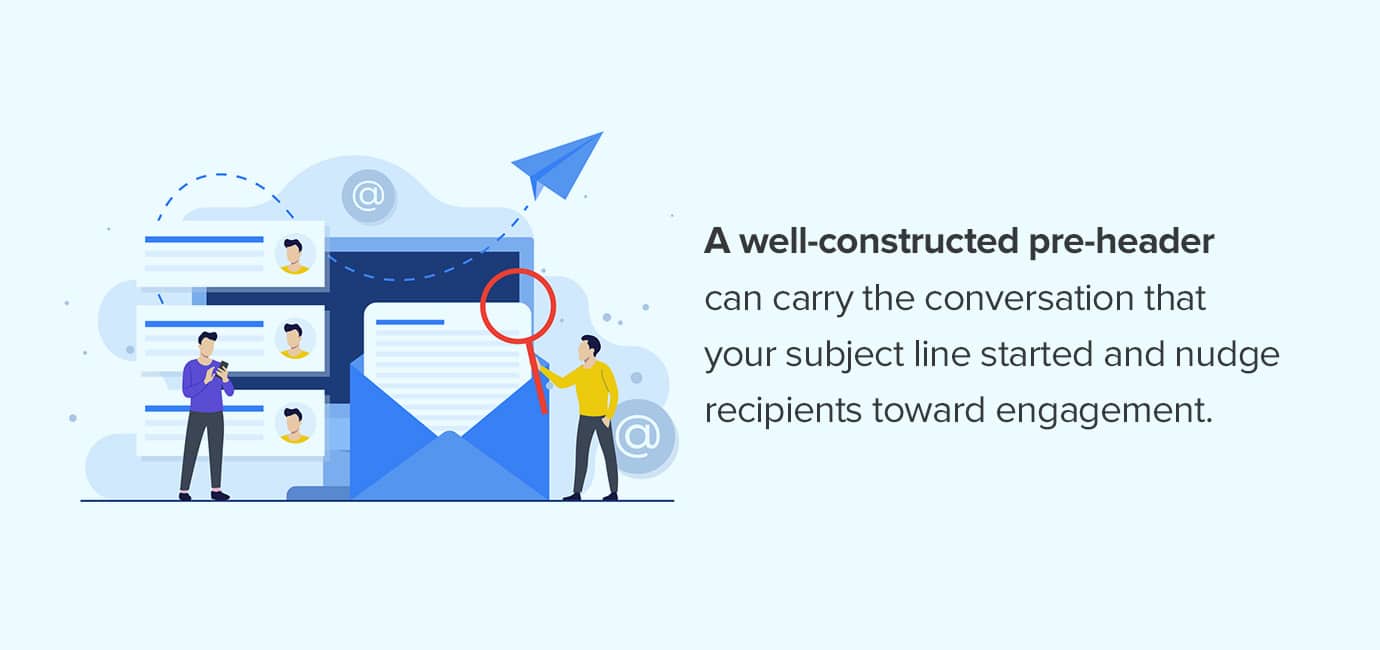
Often overlooked, the pre-header text functions as the subject line’s co-pilot, providing a crucial second opportunity to engage recipients before they even open the email. This snippet of text, visible next to or beneath the subject line in most modern email clients, is prime real estate. Unfortunately, many marketers default to generic or truncated messages that fail to add value. A well-crafted pre-header extends the conversation initiated by the subject line, offering additional context, a mini-call to action, or a tantalizing preview of the email’s content.
A strong pre-header complements the subject line by:
- Expanding on the offer: If the subject line says "Limited-time sale," the pre-header could add "Up to 50% off sitewide – shop now!"
- Creating urgency or scarcity: "Only 24 hours left to claim your discount."
- Providing a clear benefit: "Unlock exclusive insights to boost your marketing strategy."
- Reinforcing personalization: "Hi [Name], here’s a special offer just for you."
To maximize impact and avoid truncation, which is particularly common on mobile devices, pre-headers should be concise and front-loaded with the most critical information. While lengths vary across email clients (ranging from 30 to 100 characters), aiming for 40-50 characters ensures visibility across the majority. Ignoring this valuable space means missing a critical chance to entice an open, as industry experts note that a compelling pre-header can boost open rates by up to 10-15%. Given that over 50% of emails are opened on mobile, optimizing for limited screen real estate is non-negotiable.
Establishing Trust and Captivating Attention Within the Email
Once an email is opened, the focus shifts to immediate reassurance and engagement. The initial visual and textual elements within the email itself must quickly confirm relevance and trustworthiness.
The Brand Handshake: Email Header Elements
The email header is the recipient’s first visual encounter with your brand inside the message, acting as a digital handshake. It sets the tone and establishes immediate familiarity or, conversely, instant confusion if poorly executed. A strong header instantly reassures readers that the email is legitimate and relevant. Key elements to prioritize include:
- Prominent Logo: Positioned clearly, typically at the top, the logo reinforces brand identity and ensures instant recognition.
- Clear Sender Name and Email Address: Consistency here builds trust and aids recognition, aligning with brand guidelines.
- View in Browser Link: A vital fallback for users experiencing rendering issues, ensuring accessibility and a consistent experience across all platforms.
- Navigation Bar (Optional): For newsletters or promotional emails, a concise navigation bar can guide readers to key sections of your website or other content, enhancing user experience and facilitating deeper exploration.
According to UX studies, users process visual cues like logos and consistent branding much faster than text, making the header crucial for establishing immediate recognition and trust, especially in the critical first few seconds after opening.
Hooking the Reader: The Primary Headline
Having secured the open, the email’s headline takes center stage, performing the crucial task of pulling the reader deeper into the content. This is the primary message that confirms the reader is in the right place and that their investment of time will be rewarded. Crafting an effective headline requires a deep understanding of the target segment and strong copywriting skills. With declining attention spans, a compelling headline must deliver impact swiftly. Priorities include:

- Clarity and Conciseness: Directly state the email’s core value or purpose, leaving no room for ambiguity.
- Benefit-Driven Language: Focus on what the reader will gain, addressing their needs or desires directly.
- Urgency or Intrigue (where appropriate): Encourage immediate engagement without resorting to hyperbole.
- Visual Prominence: Use font size, color, and placement to make it unmissable, ensuring it stands out within the email’s design.
Testing how headlines render across different email clients, especially in dark mode, is essential to ensure they retain their visual pop and readability. A strong headline can significantly reduce bounce rates within the email, moving readers from scanning to genuine engagement. Leveraging AI-powered tools, as suggested by Validity Engage, can assist in crafting captivating headlines and perfecting tone of voice, accelerating content creation without sacrificing quality.
Personalization’s Touch: The Greeting
A thoughtful greeting acts as a bridge, transforming a mass communication into a personal interaction. While "Hi (First Name)" is a common and effective starting point, top marketers leverage more sophisticated personalization techniques to foster deeper engagement. Techniques include:
- Dynamic Greetings: Adjusting the greeting based on customer lifecycle stage (e.g., "Welcome to the family!" for new subscribers, "It’s great to see you again, [Name]" for returning customers).
- Segment-Specific Language: Tailoring the tone and content based on demographic, behavioral, or psychographic data, ensuring relevance to the recipient’s specific context.
- Contextual Openings: Referencing a recent interaction, purchase, or expressed interest (e.g., "Following up on your recent inquiry about X…"), demonstrating active listening and a personalized approach.
The deployment of such varied greetings, while seemingly complex for large lists, is made scalable through advanced marketing automation platforms. These tools offer native personalization and dynamic content features that, when properly configured and tested, ensure clean execution and signal meticulous attention to detail. Studies from McKinsey & Company indicate that personalization can increase customer engagement by 5 to 8 times and drive 10-15% more sales, underscoring its strategic importance in building lasting customer relationships.
Delivering Value: Content, Visuals, and Action

With the initial engagement secured, the core of the email must deliver on its promises, providing value, information, or an offer that moves the reader toward the desired goal.
The Core Message: Body Content Best Practices
The body content is where the promise of the subject line is fulfilled. Effective body copy balances clarity with visual appeal, designed to engage busy readers. Key formatting and content best practices include:
- Scannable Layout: Use short paragraphs (ideally 2-4 sentences), bullet points, and bolded text to break up information, making it easy for recipients to quickly grasp key takeaways. Research suggests that web users scan content in an F-pattern, so placing crucial information at the beginning of paragraphs and bullet points is highly effective.
- Clear Hierarchy: Employ distinct headings and subheadings to guide the reader through the narrative, improving readability and comprehension.
- Concise Language: Avoid jargon and overly complex sentences. Every word should contribute to the message’s purpose, respecting the reader’s time.
- Mobile Responsiveness: Ensure content adapts gracefully to various screen sizes. Given that over half of all emails are opened on mobile devices, responsive design is non-negotiable for optimal user experience.
- Accessibility: Use appropriate font sizes (at least 14px for body text), sufficient color contrast, and clear link text to ensure readability for all users, including those with visual impairments.
Modern email platforms and builders simplify the creation of HTML that adapts across devices and clients. However, real-world testing on actual devices, not just simulators, is crucial to verify tap targets, font sizes, and load speeds, revealing nuances that simulators might miss and ensuring a seamless experience for all recipients.
Visual Storytelling: Imagery and Media

Images and other visual elements are powerful tools for boosting engagement and clarifying messages, but they must serve a purpose beyond mere decoration. Every visual should be thoughtfully selected and deployed according to technical best practices. Successful email teams adhere to:
- Relevance: Images should directly support the core message and enhance understanding, not distract from it.
- Quality: High-resolution images that are visually appealing and professionally presented, reflecting brand standards.
- Optimization: Images must be compressed for fast loading times without sacrificing quality. Large image files are a primary cause of email abandonment, particularly on mobile networks.
- Alt Text: Provide descriptive alternative text for all images. This is crucial for accessibility, allowing screen readers to describe images to visually impaired users, and ensuring the message remains coherent even if images fail to load.
- Strategic Placement: Integrate visuals naturally within the content flow, avoiding