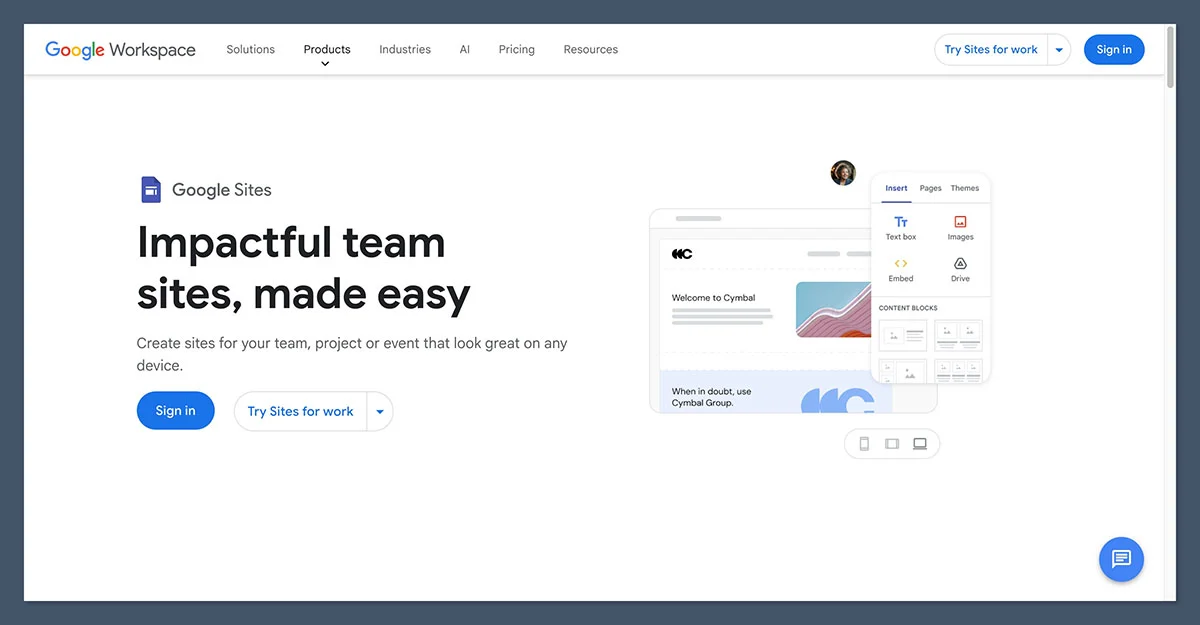
Shopify and Google Sites both offer pathways to establishing an online presence, but their fundamental purposes diverge significantly. While both facilitate website creation, the capabilities and target audiences of these platforms are worlds apart. Extensive testing by industry experts, involving hundreds of hours dedicated to evaluating website builders and e-commerce solutions, consistently positions Shopify as the preeminent choice for businesses focused on online sales. Google Sites, conversely, serves a niche for users requiring a free, rudimentary website without any integrated e-commerce functionality. This in-depth comparison will meticulously examine why Shopify emerges as the superior platform for online commerce, scrutinizing critical aspects such as pricing, sales features, design flexibility, search engine optimization (SEO), and overall functionality. Furthermore, it will delineate the specific, albeit rare, circumstances where Google Sites might indeed be the more judicious selection.
Key Takeaways
- E-commerce Dominance: Shopify is purpose-built for online selling, offering a comprehensive suite of e-commerce tools, while Google Sites lacks any native sales capabilities.
- Cost Structure: Google Sites is entirely free, making it an attractive option for basic informational sites. Shopify, a paid platform, offers tiered pricing designed for businesses of all sizes looking to sell online.
- Functionality and Scalability: Shopify provides extensive customization, a vast app marketplace, and robust marketing and SEO tools crucial for business growth. Google Sites is limited to basic functionality and integrations primarily within the Google Workspace ecosystem.
- User Experience: Google Sites excels in ease of use for simple websites, whereas Shopify, while user-friendly for its complexity, requires a learning curve due to its e-commerce focus.
- Design and Branding: Shopify offers professional themes and deep customization for brand identity, while Google Sites provides limited design options, resulting in a more generic appearance.
Quick Comparison: Shopify vs. Google Sites
To provide a clear overview, here is a comparative table detailing the core differences between Shopify and Google Sites:
| Aspect | Shopify | Google Sites |
|---|---|---|
| Core Purpose | Full e-commerce platform for selling products and services. | Simple site builder for informational and internal sites. |
| Pricing | $29 to $299/month (billed annually). | Free; custom domain via Google Workspace from $7/user/month. |
| E-commerce | Native catalog, cart, checkout, payments, inventory. | None; external embeds or links only. |
| Apps & Integrations | 12,000+ apps, multichannel selling. | Google Workspace embeds only (Docs, Sheets, Forms, Calendar). |
| Design | Professional themes, code access (Liquid, HTML, CSS). | Limited basic templates, restricted customization. |
| SEO | Editable meta tags, blogging, structured data, app support. | Basic meta settings, weak blogging, no schema control. |
| Support | 24/7 live chat, extensive documentation. | Help docs and community forums only. |
| Best For | Online stores, DTC brands, multichannel sellers. | Intranets, classrooms, project hubs, basic info sites. |
1. Best for Pricing: Google Sites
When evaluating platforms purely on their initial cost, Google Sites emerges as the undisputed leader. The builder and its hosting are provided entirely free of charge to anyone with a Google account, eliminating any concerns about subscription tiers or transaction fees. The only potential expenditure arises if a business requires a custom domain name and access to advanced tools. Acquiring a domain typically costs between $10 to $20 annually. For professional email addresses and enhanced administrative controls, a Google Workspace subscription is necessary, starting at $7 per user per month with an annual commitment, or $8.40 per user per month on a flexible billing plan.
In stark contrast, Shopify operates as a premium, paid platform from its inception. Its primary pricing structure includes three core plans:
- Basic Shopify: Priced at $29 per month when billed annually.
- Shopify: Priced at $79 per month when billed annually.
- Advanced Shopify: Priced at $299 per month when billed annually.
Beyond these core offerings, Shopify also provides a $5 per month "Starter" plan, optimized for social media selling and link-based transactions. For large enterprises, Shopify Plus is available, with pricing commencing around $2,300 per month. A three-day free trial allows prospective users to explore the platform’s capabilities. Furthermore, an attractive introductory offer provides the first three months for just $1 per month on annual plans, significantly lowering the initial barrier to entry for serious e-commerce ventures.
While Google Sites undeniably presents a lower cost, it is crucial to acknowledge the fundamental difference in their capabilities. The comparison is essentially between a tool designed for transactions and one that is not. If a website’s primary objective is revenue generation, Shopify’s monthly fee is an investment that unlocks essential functionalities like checkout processing, payment gateways, inventory management, and order fulfillment – features entirely absent from Google Sites, regardless of cost.
The Winner: Google Sites is free, but you get what you pay for
Google Sites secures victory on the sole criterion of cost, offering a completely free website builder and hosting. However, this affordability comes with a significant caveat: it cannot facilitate sales. Shopify, with its monthly fees ranging from $29 to $299, is the only platform among the two that is equipped to process online transactions.
2. Best for Selling Online: Shopify
The decision-making process for most users seeking an online presence hinges on their ability to sell products. In this critical category, Shopify demonstrates overwhelming superiority, while Google Sites offers no native e-commerce functionality whatsoever.
Sales Features
Shopify provides a comprehensive suite of e-commerce tools. This includes robust catalog management with product variants, real-time inventory tracking across multiple locations, support for digital products and subscriptions, the ability to create discount codes, and abandoned cart recovery features available on all core plans. Shopify Magic, the platform’s integrated AI assistant, can even generate product descriptions and marketing copy directly within the dashboard, streamlining content creation for merchants.
Google Sites, by comparison, lacks all of these essential sales features. It does not possess a built-in shopping cart, checkout system, or product catalog. During hands-on testing, the closest approximation to an online store on Google Sites involved creating individual product pages with images and descriptive text, then linking these pages to external payment processors or embedding third-party buy buttons. Ironically, a common workaround for businesses attempting to sell on Google Sites is to embed Shopify’s "Buy Button" functionality, a testament to Shopify’s established dominance in e-commerce.
Payment Options
Shopify integrates with over 100 payment providers, including widely used options like PayPal, Apple Pay, and Google Pay. Alternatively, businesses can opt for Shopify Payments, the platform’s native gateway. With Shopify Payments, online credit card processing rates begin at 2.9% + 30¢ for the Basic plan, with reduced rates available on higher tiers. Utilizing Shopify Payments also eliminates the additional transaction fees that Shopify imposes when third-party payment gateways are employed.
Google Sites offers no payment processing capabilities. Any financial transaction must be handled entirely through an external platform.
App Market
Shopify boasts an expansive app store featuring over 12,000 third-party integrations. These apps cover a vast spectrum of business needs, from dropshipping and print-on-demand services to advanced upsell strategies, customer review management, and shipping automation. While some of the most powerful apps come with their own monthly subscription fees, necessitating careful budget consideration, the sheer breadth of available functionality is unparalleled in the market.
Google Sites, conversely, has no app marketplace. Its extensibility is limited to embedding content from other Google Workspace applications, such as Docs, Sheets, Forms, and Calendar, and the occasional integration of third-party widgets through embed code.
The Winner: Shopify is the only real e-commerce option here
Shopify provides a fully integrated e-commerce solution, complete with a native product catalog, a seamless checkout process, support for over 100 payment gateways, and an extensive app ecosystem of more than 12,000 integrations. While Google Sites can display product information, Shopify is the platform that actually facilitates and processes sales.
3. Best for Marketing and SEO: Shopify
For any online business, ensuring products are discoverable is as critical as having robust sales features. Marketing and Search Engine Optimization (SEO) tools play a pivotal role in driving traffic and converting potential customers.
Marketing Tools
Shopify facilitates seamless integration with major social media platforms, including Instagram and TikTok, enabling direct selling and promotion. The official Google & YouTube app synchronizes product feeds with Google Merchant Center, powers Performance Max advertising campaigns, and enables YouTube Shopping, allowing customers to purchase directly from video content. Shopify Email provides an integrated solution for building and sending marketing campaigns directly from the merchant’s dashboard. The vast app store further extends marketing capabilities with tools for SMS marketing, customer loyalty programs, and marketing automation.
Google Sites, in contrast, offers virtually no built-in marketing toolkit. There are no native email marketing functionalities, no social selling integrations, and no direct advertising integrations beyond manual configurations with external services.
SEO
Shopify provides essential SEO features, including editable title tags and meta descriptions, SEO-friendly URLs, a built-in blogging platform, and structured data capabilities through its themes and apps. These foundational elements are increasingly vital in the evolving landscape of search, particularly with the rise of AI-driven search result surfacing mechanisms that prioritize authoritative and well-interlinked content. Shopify’s content management system (CMS) and blogging features enable businesses to build comprehensive topical content hubs, which are crucial for earning visibility in both traditional and AI-powered search results.
Google Sites handles basic SEO requirements: pages are mobile-friendly by default, and users can configure simple meta information. However, it lacks advanced schema markup control, its blogging functionality is rudimentary at best, and the design constraints make it challenging to create the sophisticated content structures that perform well in search engines. Despite being a Google product, Google Sites does not inherently confer any ranking advantages in Google Search results.
The Winner: Shopify has the tools to actually get found
With its native SEO controls, integrated blogging capabilities, direct integration with Google Merchant Center, and robust multichannel selling options, Shopify is equipped to provide products with significant online visibility. Google Sites, on the other hand, addresses only the most basic SEO necessities.
4. Easiest to Use: Google Sites
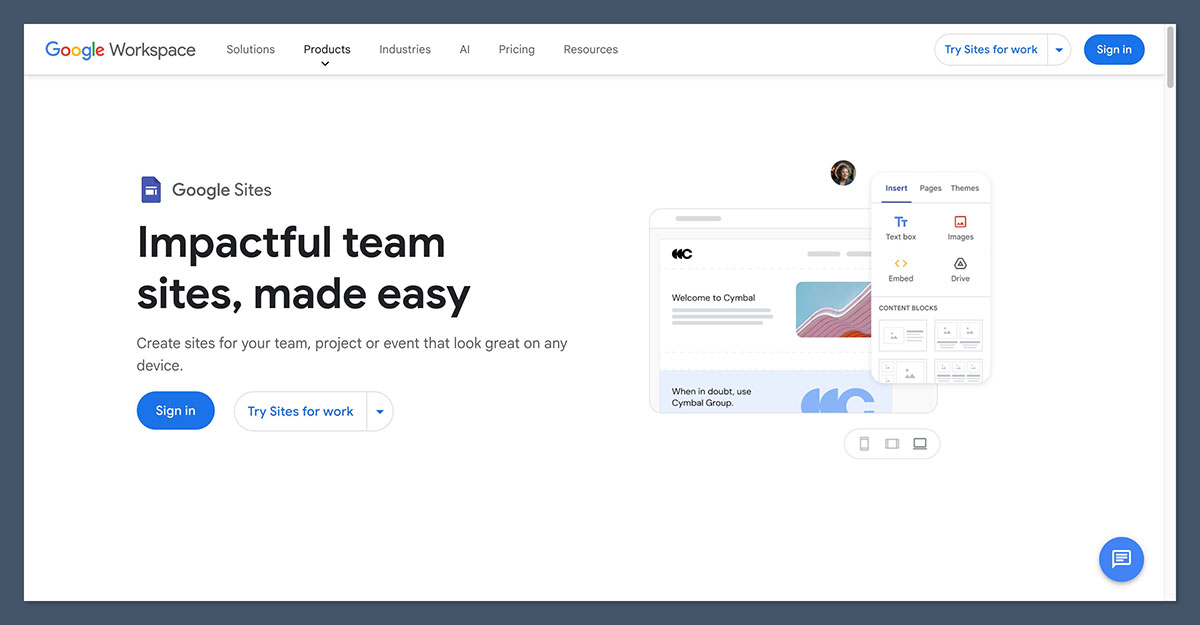
Google Sites undeniably shines in terms of user-friendliness. It stands out as one of the most intuitive website builders available. Its drag-and-drop interface is instantly familiar to anyone who has used Google Docs, allowing users to create a presentable webpage in mere minutes. The platform requires no complex configuration or hosting management, and its collaborative features function seamlessly within the Google Workspace environment, offering multi-editor support and granular sharing controls.
Shopify, while user-friendly for an e-commerce platform, does present a steeper learning curve due to its comprehensive functionality. The onboarding process includes a setup checklist covering essential e-commerce aspects like products, payments, shipping, and taxes. The section-based theme editor is straightforward once users become familiar with its structure. However, aspects such as configuring shipping zones, setting up tax rules, and integrating apps demand a time investment that Google Sites does not require.
The distinction in ease of use can be attributed to their core purposes: Google Sites is simpler because it performs fewer functions. If the goal is a basic information page, this simplicity is a distinct advantage. However, if the objective is to establish an online store, Shopify’s perceived complexity is a direct consequence of the essential functionalities it provides.
The Winner: Google Sites is effortless for simple pages
Google Sites allows users to transition from a blank page to a published website in minutes with minimal setup. While Shopify is approachable for an e-commerce platform, it cannot match the sheer simplicity of Google Sites for basic web page creation.
5. Best for Design and Templates: Shopify
The visual presentation of a website is critical for brand perception and customer engagement. Shopify excels in this area by offering a diverse and professional selection of design options.
Design and Templates
Shopify’s theme store features a wide array of professionally designed templates, categorized by industry. Users can choose from free options to begin, or invest in premium themes, which typically range from $100 to $500 as a one-time purchase. Each theme is highly customizable through a user-friendly section-based editor. For advanced customization, developers can access and modify the underlying code using Liquid, HTML, and CSS to create truly bespoke storefronts.
Google Sites, in contrast, provides a limited selection of clean, minimalist templates. While these templates offer a tidy appearance, customization options are significantly constrained. Users have limited control over layout, typography, and spacing, and there is no robust theming system. Consequently, most Google Sites pages tend to share a similar, generic aesthetic. For internal wikis or basic informational pages, this uniformity is not detrimental. However, for a brand aiming to cultivate trust and a distinct identity with paying customers, these design limitations can be a significant drawback.
The Winner: Shopify gives your brand a real storefront
Shopify’s extensive theme store, coupled with its code-level customization capabilities, empowers businesses to build a distinctive and professional online store that reflects their brand identity. Google Sites, while clean and simple, offers a generic appearance with minimal room for individual brand expression.
6. Best for Support: Shopify
Comprehensive and accessible support is vital for businesses, especially when navigating the complexities of e-commerce. Shopify offers a robust support infrastructure, whereas Google Sites’ support is more limited.
Shopify Support
- 24/7 Live Chat: Immediate assistance is available around the clock via live chat, ensuring merchants can resolve issues promptly.
- Extensive Documentation: A vast library of help articles, guides, and tutorials covers virtually every aspect of the platform.
- Community Forums: An active community forum allows users to connect with peers and share solutions.
- Email Support: Direct email support is also available for less urgent inquiries.
- Phone Support: Phone support is typically available for higher-tier plans and specific regions.
Google Sites Support
- Help Documentation: Google provides a collection of help articles and guides for Google Sites.
- Community Forums: Users can seek assistance and share knowledge in the Google Sites Help Community forum.
- No Live Support: Unlike Shopify, Google Sites does not offer live chat or phone support for its free users.
The Winner: Shopify backs its merchants around the clock
Shopify’s commitment to merchant success is evident in its 24/7 live chat support and a deep repository of educational resources. Free users of Google Sites are primarily reliant on self-service help documentation and community forums.
When Google Sites Is Actually the Right Choice
It is important to acknowledge that Google Sites was not designed to compete directly with e-commerce giants like Shopify. There are specific scenarios where Google Sites proves to be the more appropriate and effective tool:
- Internal Company Wikis: For creating a centralized knowledge base for employees, accessible only within the organization.
- Classroom Projects and Portfolios: Educators and students can utilize it for assignments, project showcases, and basic informational pages.
- Simple Informational Websites: For small businesses or individuals needing a basic online presence to share contact details, operating hours, or service descriptions without any intention of selling products online.
- Event Websites: Creating a simple page to provide details about an upcoming event, including schedules, locations, and registration links.
If a business’s needs fall into these categories, Google Sites offers a free, rapid, and entirely sufficient solution. However, the moment that e-commerce functionality becomes a requirement, Google Sites ceases to be a viable option.
How We Test E-commerce Website Builders
Our methodology for evaluating website builders and e-commerce platforms involves a rigorous and structured research process. We assess each platform across seven key areas, with weightings assigned based on their importance to users:
| Testing Area | Weighting | What We Assess |
|---|---|---|
| Sales Features | 40% | The e-commerce capabilities of each platform. |
| Website Features | 15% | Quality and quantity of website features, including SEO. |
| Help and Support | 12% | Support channels and resources available. |
| Design Functionality | 10% | Templates and design options. |
| User Experience | 10% | Ease of use and accessibility through hands-on testing. |
| Customer Score | 8% | Platform performance in the market and against competitors. |
| Value for Money | 5% | Pricing plans and the value they offer. |
Our assessments are based on direct, hands-on experience with both Shopify and Google Sites, ensuring that the insights and recommendations provided are grounded in real-world usage.
Shopify vs. Google Sites: Our Winner
For any individual or business aspiring to sell products online, Shopify stands out as the definitive winner. It provides a complete e-commerce ecosystem, encompassing native checkout capabilities, over 100 payment options, a conversion-optimized theme store, and more than 12,000 apps to enhance store functionality. Crucially, Google Sites is incapable of processing a single transaction independently.
However, this comparison ultimately revolves around selecting the appropriate tool for a given objective. Google Sites excels as a free, remarkably easy-to-use builder for internal hubs, educational environments, and straightforward informational pages. For these specific applications, it surpasses the necessity and cost of Shopify. Indeed, some businesses strategically utilize both platforms: a Google Sites instance for internal documentation and a Shopify store for revenue generation.
If the primary consideration is establishing an online store, the choice is clear. Initiating a free trial of Shopify and taking advantage of the introductory $1 per month offer for annual plans is a prudent first step, while reserving Google Sites for internal team wikis or other non-commercial purposes.

FAQs
Can you sell products on Google Sites?
Directly, no. Google Sites lacks integrated shopping cart, checkout, and payment processing functionalities. While products can be displayed with links to external payment pages or by embedding third-party buy buttons (including those from Shopify), any actual transaction must occur on a separate platform.
Is Google Sites really free?
Yes, the builder and hosting services are provided at no cost with any Google account, with sites hosted under a sites.google.com address. To utilize a custom domain and access business-class email and administrative controls, a Google Workspace plan is required, starting at $7 per user per month with an annual commitment.
How much does Shopify cost?
Shopify’s core plans range from $29 to $299 per month when billed annually ($39 to $399 monthly). A $5 per month "Starter" plan is available for social selling, and Shopify Plus is offered for enterprise clients starting at approximately $2,300 per month. New merchants signing up for annual plans can benefit from an introductory offer of $1 per month for their first three months.
Is Google Sites good for SEO?
Google Sites offers basic SEO features, including mobile-friendly pages and simple meta information settings. However, it lacks advanced structured data control and robust blogging capabilities, which are essential for serious SEO efforts. Being a Google product does not automatically grant its pages a ranking advantage.
Can I embed a Shopify store in Google Sites?
Yes, it is possible to embed Shopify’s "Buy Button" channel into a Google Sites page. This allows visitors to purchase products via Shopify’s checkout. However, this requires an active Shopify subscription, and at that point, most businesses find it more efficient to build their entire store directly on Shopify.
Which is better for a small business: Shopify or Google Sites?
The answer depends entirely on whether the small business intends to sell products online. If online sales are a goal, Shopify is the only viable option between the two. If the requirement is solely for a simple informational website with no budget, Google Sites can suffice. However, for enhanced design and functionality at a modest price, platforms like Squarespace or GoDaddy might offer better alternatives for small businesses needing a more polished online presence without e-commerce.