

In the fiercely competitive digital marketing arena, email remains an indispensable tool for fostering customer relationships, driving conversions, and building brand loyalty. Far from a mere communication channel, email marketing is a sophisticated discipline demanding a meticulous blend of strategic foresight, creative prowess, and technical precision. Inboxes are increasingly saturated, transforming the act of sending an email into a battle for attention, where every element, from the initial subject line to the underlying technical infrastructure, plays a pivotal role in determining success. This in-depth analysis dissects the critical components of an effective email campaign, offering insights into how marketers can transcend the noise and consistently deliver messages that resonate, engage, and achieve measurable results.
The Enduring Power of Email in a Crowded Digital Landscape
Despite the emergence of new communication platforms, email marketing consistently delivers one of the highest returns on investment (ROI) for businesses. Industry statistics frequently cite an average ROI of $42 for every $1 spent, underscoring its unparalleled efficacy. However, this potential can only be unlocked through a holistic approach to email creation and distribution. The digital ecosystem is dynamic, with user expectations evolving rapidly. Subscribers now demand highly personalized, relevant, and visually appealing content delivered seamlessly across various devices. The era of generic, batch-and-blast emails is long past; today’s successful campaigns are crafted with surgical precision, targeting individual preferences and behaviors. Understanding the "anatomy" of a high-performing email is therefore not just a best practice, but a strategic imperative.

The Gateway to Engagement: Crafting Irresistible Subject Lines and Pre-headers
The journey of an email begins long before its content is read; it starts with the crucial impression made in the recipient’s inbox. The subject line acts as the primary gatekeeper, determining whether an email is opened, archived, or deleted. In a landscape where the average professional receives over 120 emails daily, a compelling subject line is not merely an advantage but a necessity. Data consistently shows that a personalized subject line can increase open rates by as much as 50%. Marketers must strike a delicate balance between piquing curiosity and providing clear value. Opaque or misleading subject lines, while initially generating curiosity, can lead to higher unsubscribe rates and damage sender reputation in the long run.
Effective subject lines often leverage psychological triggers such as urgency ("Last Chance: 24 Hours Left!"), exclusivity ("An Exclusive Offer Just For You"), or solutions to common pain points ("Fix Your Q2 Pipeline in 3 Minutes"). While directness often outperforms abstract cleverness, a touch of mystery can be effective if it hints at significant value. For example, "Don’t Miss This" is vague, but "Ready to Triple Your Response Rates?" is both intriguing and promises a tangible benefit. Leading email marketing experts consistently emphasize the need for rigorous A/B testing of different subject line approaches—varying length, emojis, personalization, and emotional appeals—to understand audience preferences and optimize open rates. This iterative process is key to adapting to evolving consumer behaviors and inbox algorithms.
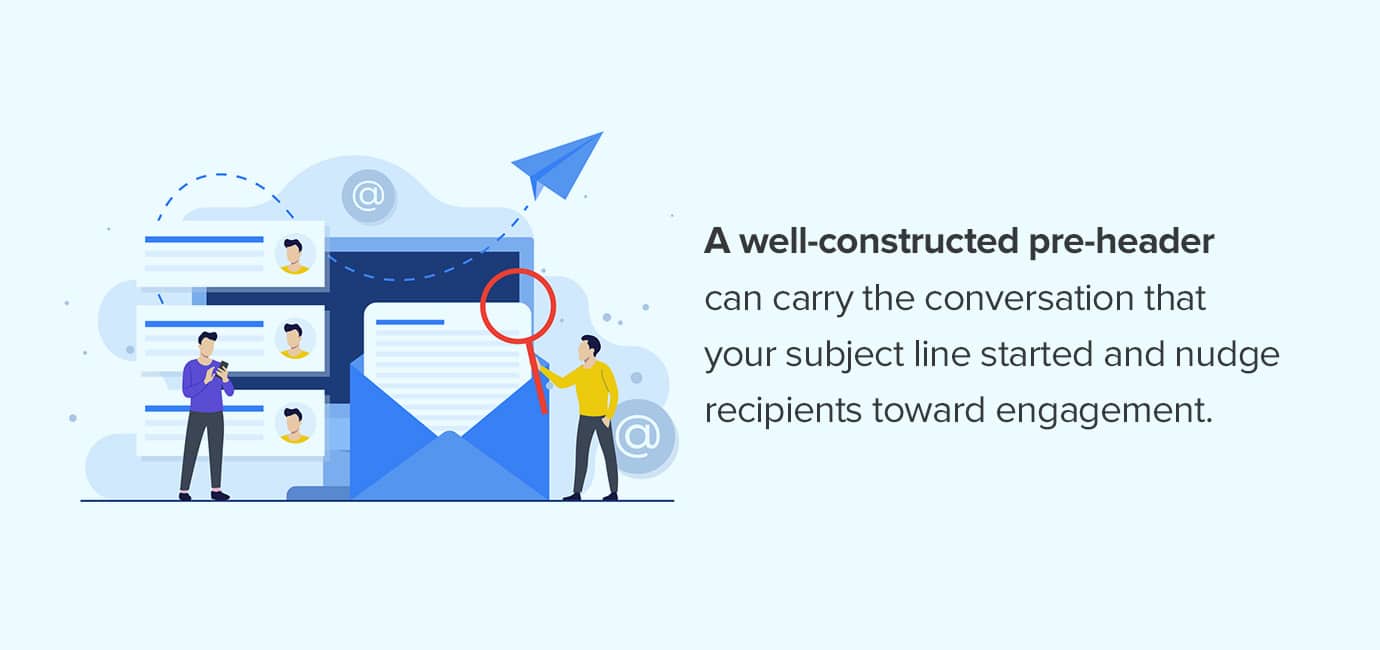
Complementing the subject line is the pre-header text, an often-underutilized snippet of content that appears immediately after or below the subject line in most modern email clients. This "co-pilot" to the subject line offers an additional opportunity to extend the narrative, provide more context, or reinforce the call to action, thereby nudging recipients towards an open. A strong pre-header might elaborate on the subject line’s promise or highlight a key benefit. For instance, if the subject line is "Your Weekend Getaway Awaits," the pre-header could be "Exclusive deals on flights and hotels. Book now and save big!" Neglecting the pre-header often results in email clients pulling the first line of body text, which can be unengaging or even counterproductive (e.g., "View this email in your browser"). To maximize impact, pre-headers should be concise, compelling, and carefully crafted to avoid truncation, typically staying within 35-100 characters depending on the email client and device.
Building Brand Trust: The Header and Personalized Greetings
Upon opening an email, the header serves as the initial brand handshake, instantly signaling familiarity and professionalism. A well-designed header immediately reassures recipients of the email’s legitimacy and relevance. Key elements of an effective header typically include a prominent brand logo, ensuring immediate recognition. Navigation links to the company website, often including categories like "Shop," "Blog," or "Support," provide quick access and reinforce brand utility. A clear "View in Browser" link is also essential for rendering issues, offering an alternative viewing experience. The design should be clean, consistent with overall brand guidelines, and optimized for mobile viewing, where screen real estate is at a premium. A cluttered or confusing header can lead to immediate disengagement, with recipients questioning the email’s authenticity or purpose.
Following the header, the greeting establishes the tone and level of familiarity between the sender and recipient. While "Hi (First Name)" is a common and effective starting point, advanced marketers leverage dynamic content to create more sophisticated and context-aware greetings. This could involve incorporating details from a user’s recent activity, such as "Welcome back, [Customer Name]! We noticed you were eyeing…" or tailoring the greeting based on segment-specific data like "Hello, [Industry Professional]! Here’s the latest from [Your Industry]." The goal is to move beyond generic salutations and foster a sense of personalized dialogue, which can significantly enhance engagement. Studies show that personalized greetings can boost click-through rates by up to 14% and conversions by 10%. Automated marketing platforms are crucial for managing these variations across large subscriber lists, but rigorous testing is still required to ensure proper rendering across diverse email clients and prevent awkward merge tag errors.
Captivating the Reader: Headlines and Core Content Strategy
Once an email is opened and the initial brand identity established, the headline within the email takes center stage, acting as the primary hook to draw the reader into the body copy. Unlike the subject line, the in-email headline has more space to elaborate and reinforce the email’s core message. It should be bold, clear, and directly relevant to the content that follows, affirming to the reader that they are in the right place and that the email holds value for them. Effective headlines often preview a benefit, pose a compelling question, or announce an exciting update. For instance, "Unlock Your Productivity Potential" or "Are You Making These Common Marketing Mistakes?"
The body content is where the email delivers on its promise, providing value, information, or an offer. This section must be meticulously structured for clarity, readability, and engagement, especially given declining attention spans. Best practices include:
- Concise Paragraphs: Break down text into short, digestible paragraphs (2-4 sentences) to avoid overwhelming the reader.
- Clear Headings and Subheadings: Guide the reader through the content, highlighting key points and improving scannability.
- Bullet Points and Numbered Lists: Present information efficiently, making complex details easy to absorb.
- Whitespace: Utilize ample whitespace to create a clean, uncluttered visual experience, improving readability.
- Compelling Storytelling: Engage readers with narratives that connect emotionally or logically to their needs and aspirations.
- Mobile Responsiveness: Ensure content adapts flawlessly to smaller screens, with appropriate font sizes and line spacing.
The Power of Visuals and Imagery: Integrated within the body content, visuals are no longer mere decoration but strategic assets. High-quality images, GIFs, and even embedded videos can significantly boost engagement, clarify complex messages, and convey brand personality. However, visuals must be purposeful:
- Relevance: Images should directly support the message, not distract from it.
- Quality and Branding: High-resolution images that align with brand aesthetics enhance professionalism.
- Optimization: Images must be compressed for fast loading times to prevent recipients from abandoning the email due to slow rendering.
- Alt Text: Crucially, every image requires descriptive alt text. This ensures accessibility for visually impaired users (who rely on screen readers) and maintains message coherence even if images fail to load. A recent study indicated that emails with optimized images and alt text experience a 21% higher click-through rate compared to those without.
- Strategic Placement: Images should break up text, illustrate points, and guide the eye towards key information or calls to action.
Driving Action: The Imperative of a Powerful Call-to-Action (CTA)

The Call-to-Action (CTA) is the linchpin of any marketing email, representing the desired next step for the recipient. Without a clear and compelling CTA, even the most beautifully crafted email can fall flat in achieving its objective, whether it’s a purchase, a download, a sign-up, or a content view. A well-engineered CTA is not just about clever wording; it involves a confluence of design, placement, and psychological principles.
Key considerations for an effective CTA include:
- Clarity and Conciseness: The CTA text should leave no doubt about what action the user is expected to take (e.g., "Shop Now," "Download the Guide," "Register for the Webinar"). Vague CTAs like "Click Here" are less effective.
- Urgency and Benefit: Incorporating a sense of urgency ("Get Your Discount Today!") or highlighting a direct benefit ("Start Saving Now!") can significantly boost click-through rates.
- Prominent Placement: CTAs should be strategically placed where they are easily visible, typically above the fold or after a compelling section of text. Multiple CTAs can be used if appropriate, but a primary CTA should always stand out.
- Visual Prominence: Buttons are generally more effective than text links. They should be visually distinct from the rest of the email content, using contrasting colors, sufficient size, and ample padding to make them easy to tap on mobile devices. A report found that button-based CTAs can increase conversion rates by up to 28% compared to text links.
- Mobile Responsiveness: CTAs must be touch-friendly and easily clickable on smartphones, accounting for "fat finger" errors. Buttons that are too small or too close together will frustrate mobile users.
- Testing: A/B testing different CTA wording, colors, sizes, and placements is crucial for continuous optimization. Minor tweaks can yield significant improvements in conversion rates.
The Foundation of Trust and Compliance: The Email Footer
Often overlooked, the footer of an email is far more than a legal formality; it’s a critical component for building trust, ensuring compliance, and providing essential information. It serves as the "legal and ethical seat belt" of your campaign, reinforcing professionalism and respect for recipient privacy.

Essential elements of a comprehensive email footer include:
- Unsubscribe Link: This is a legal requirement (e.g., CAN-SPAM Act in the U.S., GDPR in Europe) and a fundamental trust signal. It should be clear, easy to find, and functional. Hiding it or making it difficult to use can lead to spam complaints and damage sender reputation.
- Physical Address: Another legal requirement, typically the sender’s physical mailing address.
- Copyright Information: Protects intellectual property and adds a layer of professionalism.
- Privacy Policy Link: Assures recipients about how their data is handled, crucial for data privacy regulations.
- Social Media Links: Provides additional avenues for engagement and reinforces brand presence across platforms.
- Preference Center Link: Allows subscribers to customize the types and frequency of emails they receive, reducing unsubscribe rates by giving them control.
- "Why you’re receiving this email" statement: A brief, transparent explanation (e.g., "You’re receiving this email because you subscribed on our website") can prevent confusion and build trust.
A transparent and well-maintained footer demonstrates legitimacy and adherence to best practices, fostering a positive perception of the sender. Industry analysts recommend regular review and updates of footer content, at least quarterly, to ensure compliance with evolving regulations, company information, and branding elements. A dated or broken footer can create unnecessary headaches and even legal issues, eroding customer trust.
Beyond the Visible: Technical Foundations and Deliverability
Even the most creatively brilliant email will fail if it doesn’t reach the inbox. Deliverability and technical considerations are the unseen engines driving email marketing success. These foundational elements directly impact inbox placement and overall campaign performance.

Key technical aspects include:
- Sender Authentication: Implementing protocols like SPF (Sender Policy Framework), DKIM (DomainKeys Identified Mail), and DMARC (Domain-based Message Authentication, Reporting, and Conformance) is crucial. These authenticate your sending domain, verify your emails haven’t been tampered with, and significantly reduce the likelihood of being flagged as spam. Without proper authentication, emails are highly likely to land in junk folders or be blocked entirely.
- Mobile Responsiveness: With over 50% of emails now opened on mobile devices, responsive design is non-negotiable. Emails must render perfectly across various screen sizes and orientations, ensuring readability and functionality without horizontal scrolling or tiny text. This requires robust HTML coding practices and thorough testing.
- Image Optimization: Beyond visual appeal, images must be technically optimized for web and email. This means using appropriate file formats (JPEG, PNG, GIF), compressing them for fast load times, and ensuring they don’t break the layout on different clients.
- Plain Text Version: Providing a plain text alternative (MIME part) for every HTML email is a best practice. Some email clients or users prefer plain text, and anti-spam filters often check for its presence.
- HTML Structure and CSS: Clean, well-structured HTML and inline CSS are vital for consistent rendering across the myriad of email clients (Gmail, Outlook, Apple Mail, etc.), each with its own rendering engine quirks.
- Sender Reputation: This is a crucial metric influenced by factors like bounce rates, spam complaint rates, unsubscribe rates, and engagement levels. A positive sender reputation ensures that Internet Service Providers (ISPs) trust your emails, leading to better inbox placement. Conversely, a poor reputation can lead to blacklisting and severe deliverability issues, impacting overall marketing ROI.
Continuous monitoring of deliverability metrics is essential. Specialized tools alert marketers to potential issues, such as blacklisting or sudden drops in inbox placement rates, allowing