rifanmuazin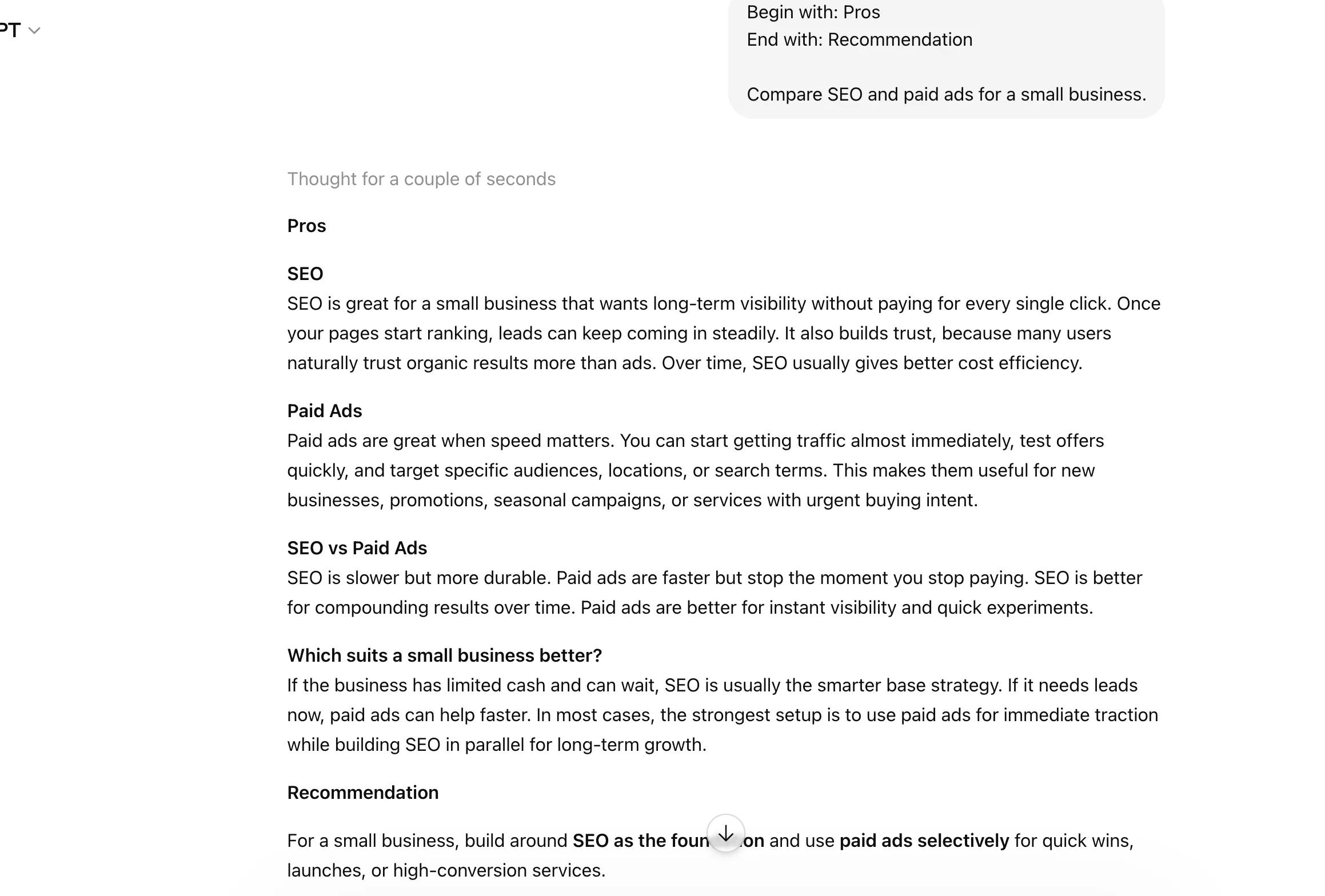
The landscape of human-computer interaction is undergoing a fundamental shift as users move beyond simple conversational queries toward structured "prompt engineering." While Large Language Models (LLMs) like Anthropic’s Claude are designed to understand natural language, industry data suggests that the efficiency of these models is significantly enhanced when users employ specific, concise command structures known as "shortcuts." These shortcuts are not merely stylistic choices; they represent a sophisticated method of steering model weights to prioritize accuracy, tone, and structural integrity. As AI adoption becomes ubiquitous in professional environments, the ability to utilize these commands has become a benchmark for AI literacy and workplace productivity.
The Evolution of Prompt Engineering
Since the public release of high-capacity models such as Claude 3 and Claude 3.5 Sonnet, the primary challenge for users has shifted from "how to get an answer" to "how to get the right answer efficiently." Early iterations of AI interaction relied on "Google-style" searches—short, keyword-heavy queries that often resulted in generic or "hallucinated" outputs. However, as the context windows of models like Claude have expanded to 200,000 tokens and beyond, the need for precise instruction has intensified.
Shortcuts function as "macro commands" that activate specific behavioral patterns within the model’s training data. By using a single term like "ELI5" or "SWOT," users bypass the need for lengthy instructional preambles, reducing the "token overhead" and ensuring that the model’s computational resources are focused on the core task.
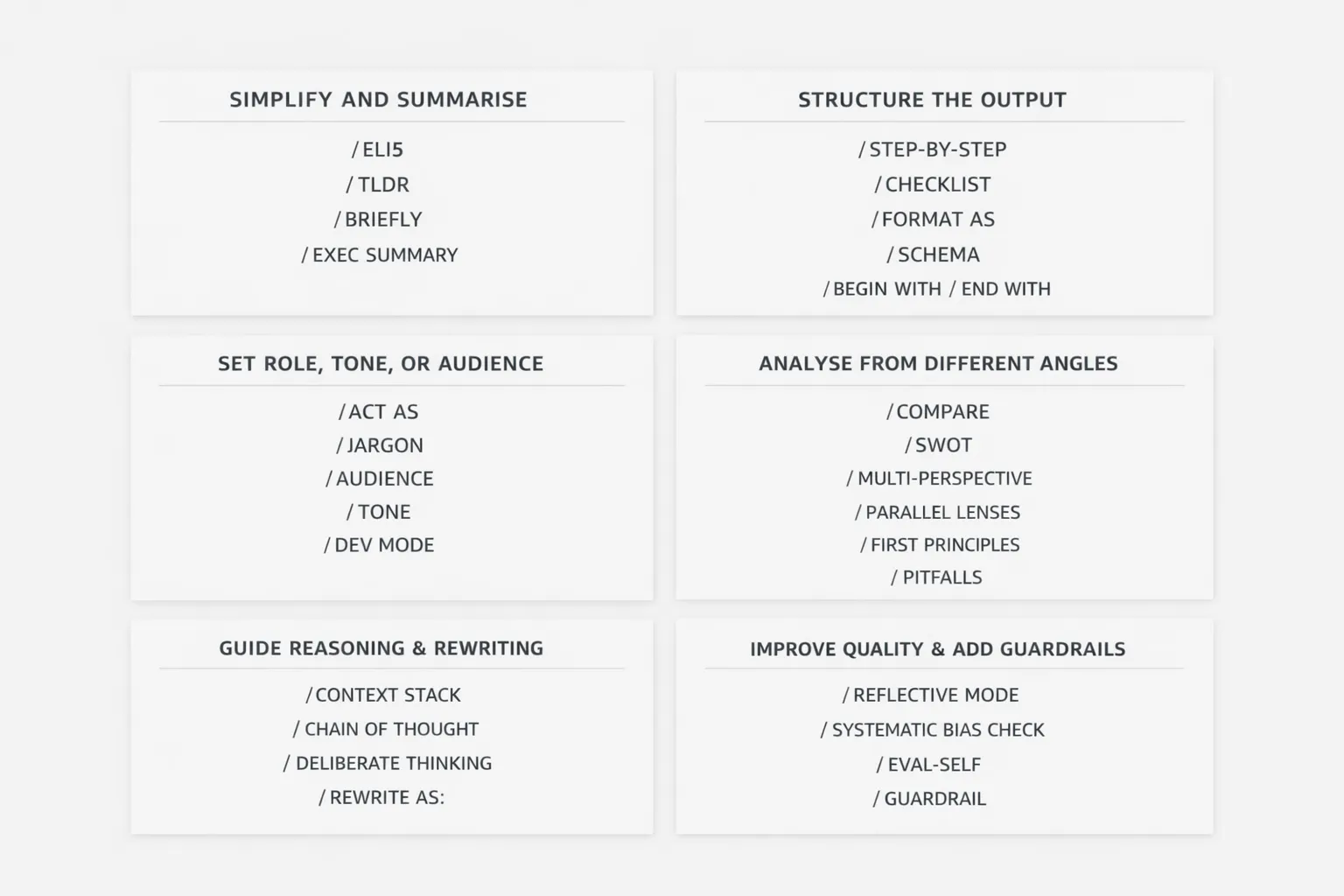
Category I: Simplification and Information Distillation
In an era of information overload, the primary utility of LLMs is often the condensation of vast datasets. The following shortcuts are engineered to strip away linguistic "fluff" and deliver high-density information.
- ELI5 (Explain Like I’m 5): This command directs the model to avoid technical jargon and use simple analogies. It is increasingly used in corporate environments to translate complex technical specifications for non-technical stakeholders.
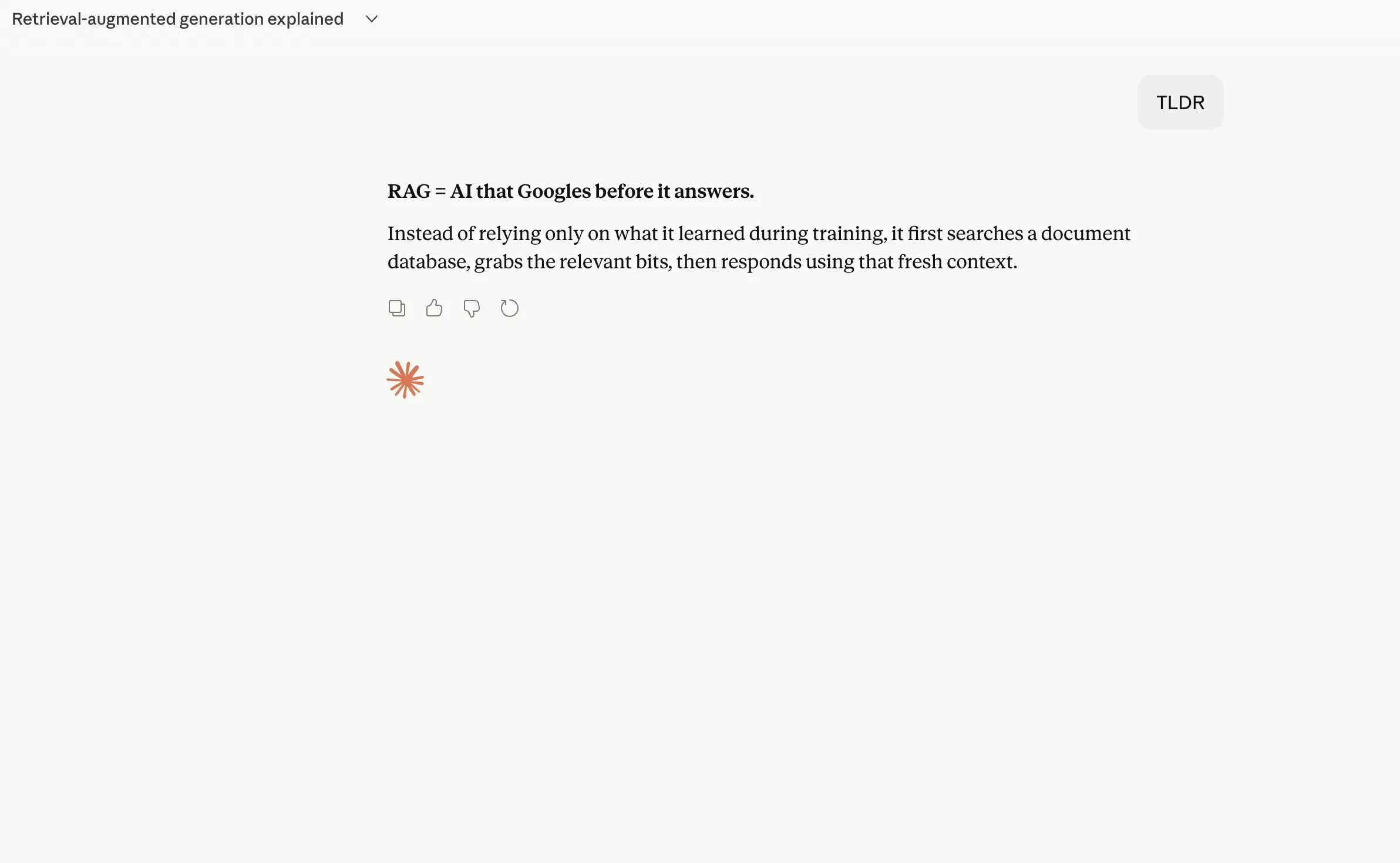
- TLDR (Too Long; Didn’t Read): A staple of internet culture, this shortcut instructs the AI to provide a concise summary of the preceding text or an uploaded document, focusing only on the most critical points.
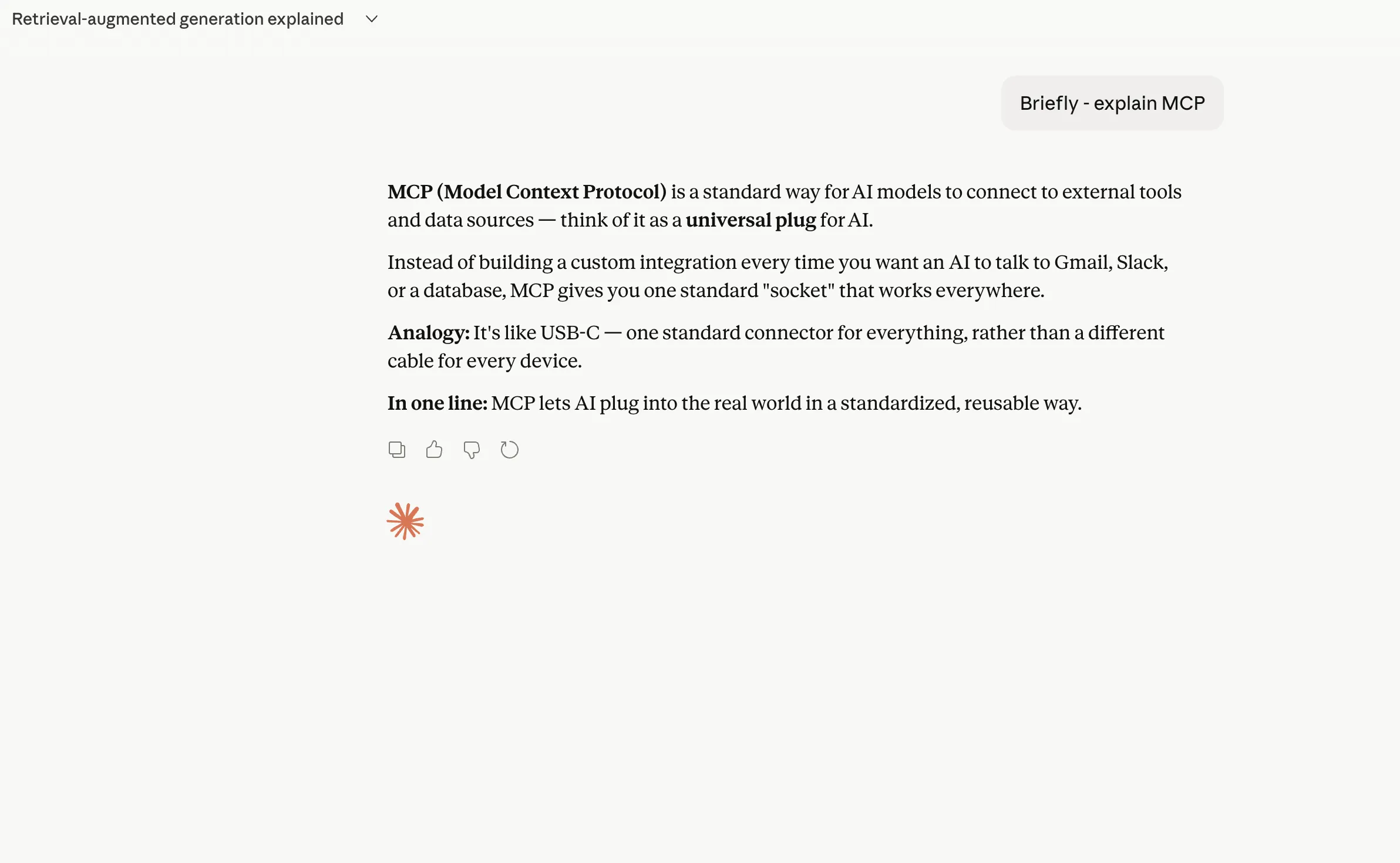
- BRIEFLY: This command acts as a constraint on the model’s verbosity. It is particularly useful for mobile users or those integrating AI outputs into chat platforms like Slack or Microsoft Teams.
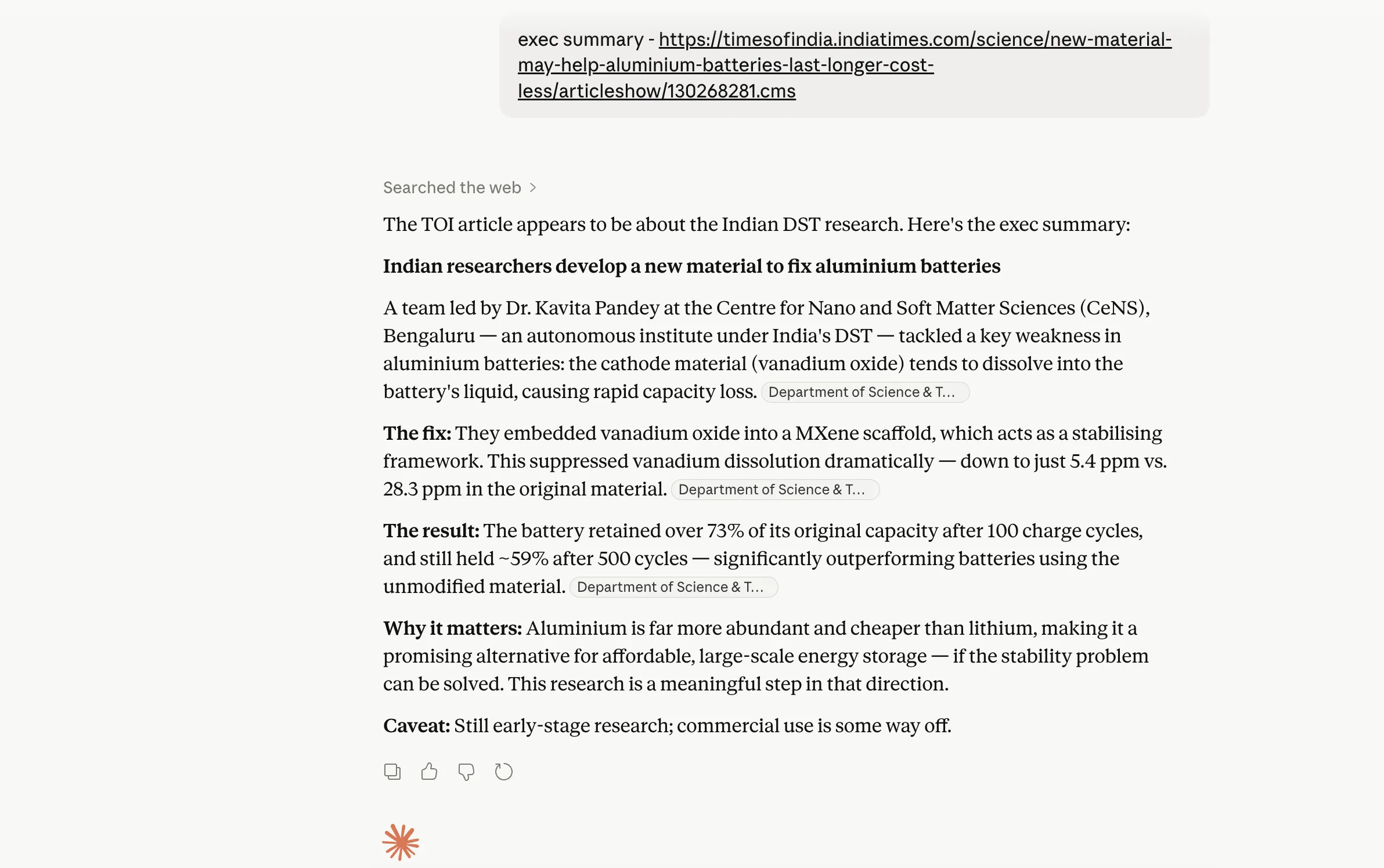
- EXEC SUMMARY: Designed for the professional sphere, this shortcut prompts the model to format the output as an executive summary, typically including a high-level overview, key findings, and recommended actions.
Category II: Structural Integrity and Formatting
The utility of an AI response is often dictated by its format. These shortcuts allow users to define the "shape" of the data before the model begins generating text.
- STEP-BY-STEP: This command triggers a sequential reasoning process. According to research on "Chain-of-Thought" prompting, asking a model to work through a problem step-by-step significantly reduces logical errors in mathematical and technical tasks.
- CHECKLIST: This transforms the output into an actionable list of items. It is widely used for project management and quality assurance.
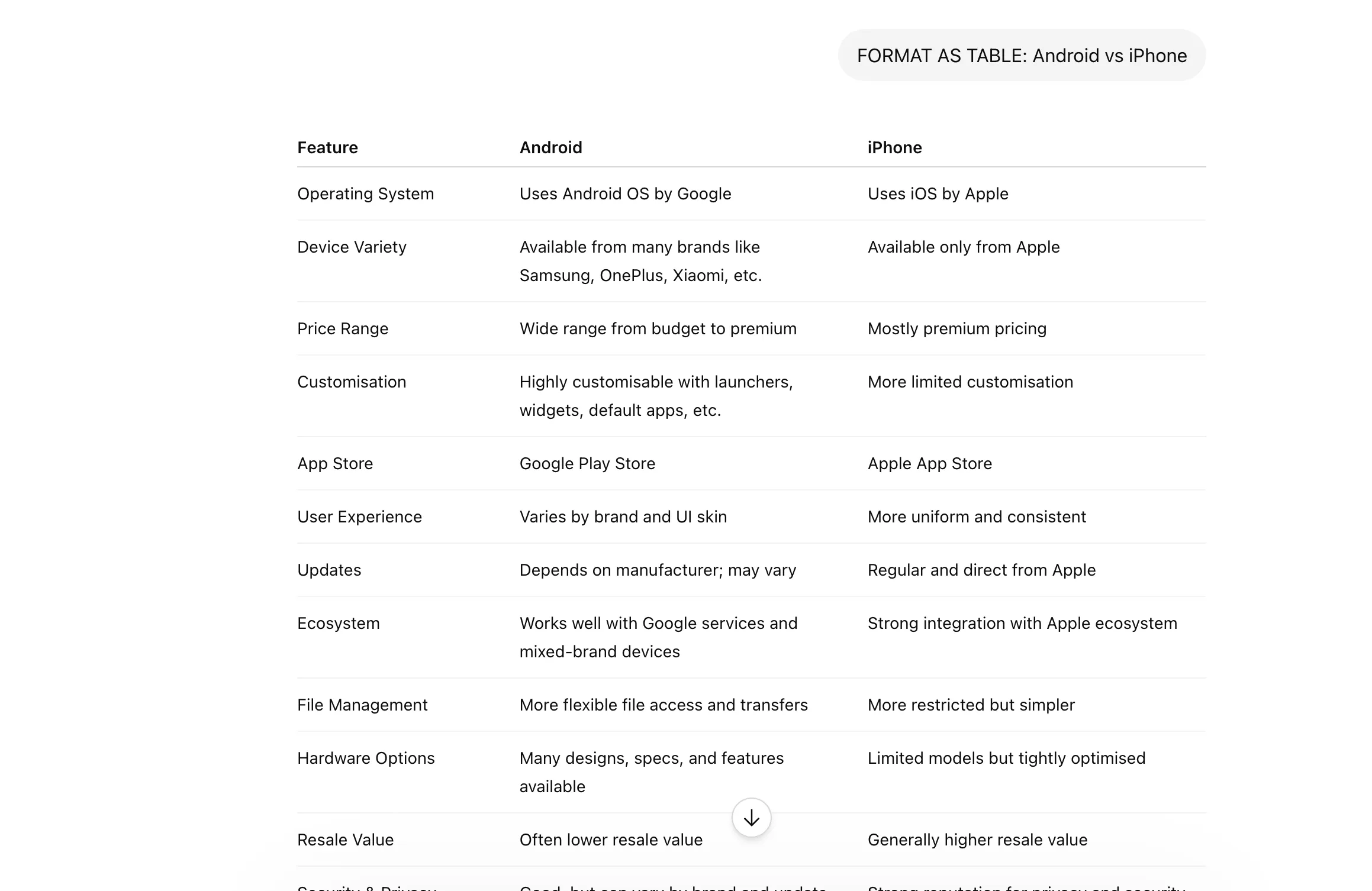
- FORMAT AS [Choice]: This is a universal command that allows users to specify outputs as tables, bullet points, Markdown, or even specific file types like CSV.
- SCHEMA: For developers and data analysts, this shortcut ensures that the AI adheres to a specific data structure, such as JSON or XML, which is essential for integrating AI outputs into existing software pipelines.
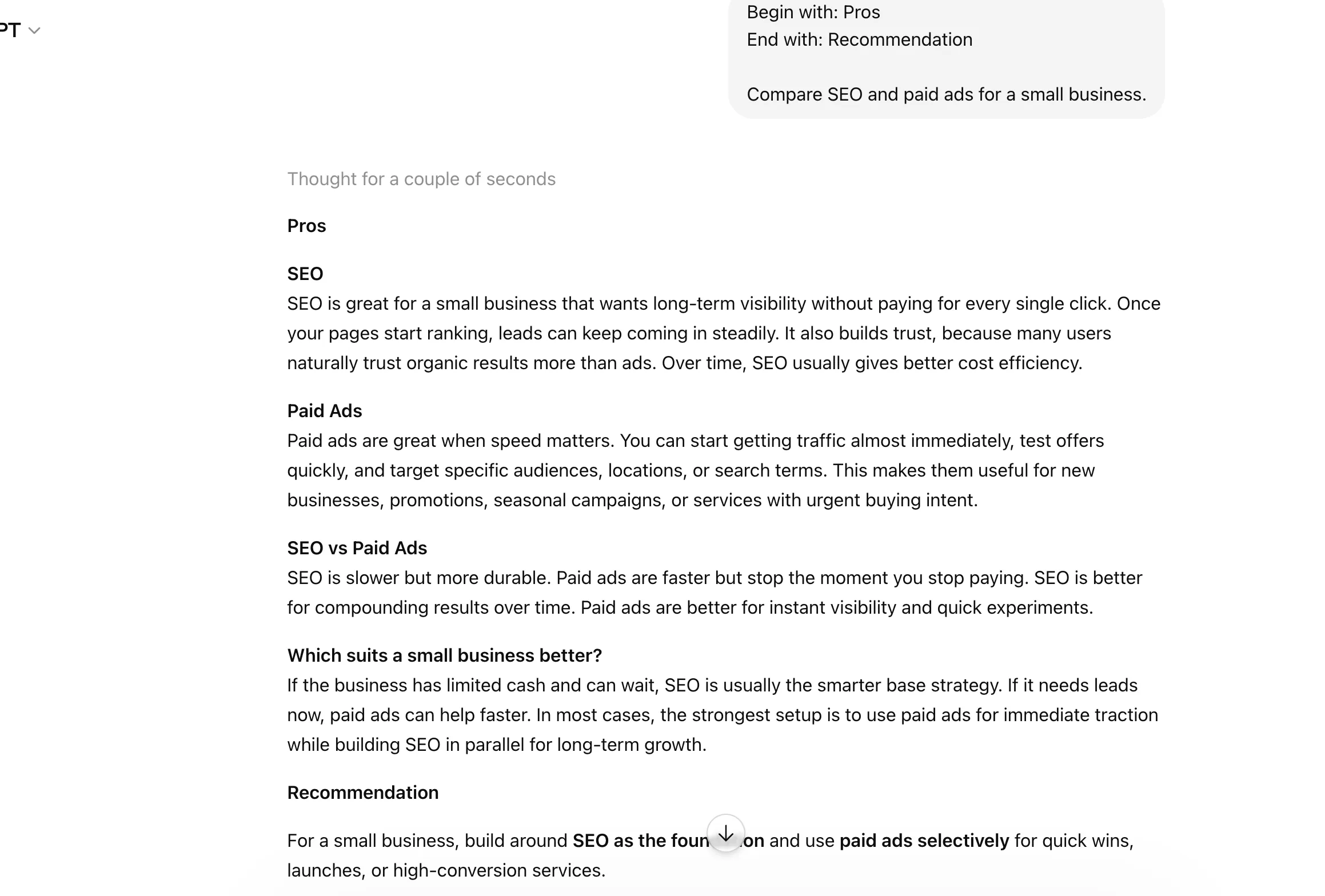
- BEGIN WITH / END WITH: This provides "guardrails" for the model’s phrasing, ensuring that the response fits into a specific template or follows a required professional greeting or sign-off.
Category III: Role Assumption and Audience Targeting
One of the most powerful features of Claude is its ability to adopt specific personas. This "role-play" capability allows for more nuanced and contextually appropriate responses.
- ACT AS: This is perhaps the most versatile shortcut in the prompt engineer’s toolkit. By instructing Claude to "Act as a Senior Software Engineer" or "Act as a Creative Director," the user shifts the model’s linguistic patterns and knowledge prioritization.
- JARGON: This command allows users to calibrate the technical depth of the response. It can be used to either "increase jargon" for expert-to-expert communication or "minimize jargon" for general audiences.
- AUDIENCE: By defining the target demographic (e.g., "Audience: Venture Capitalists"), the user ensures the tone and content are aligned with the expectations of that specific group.
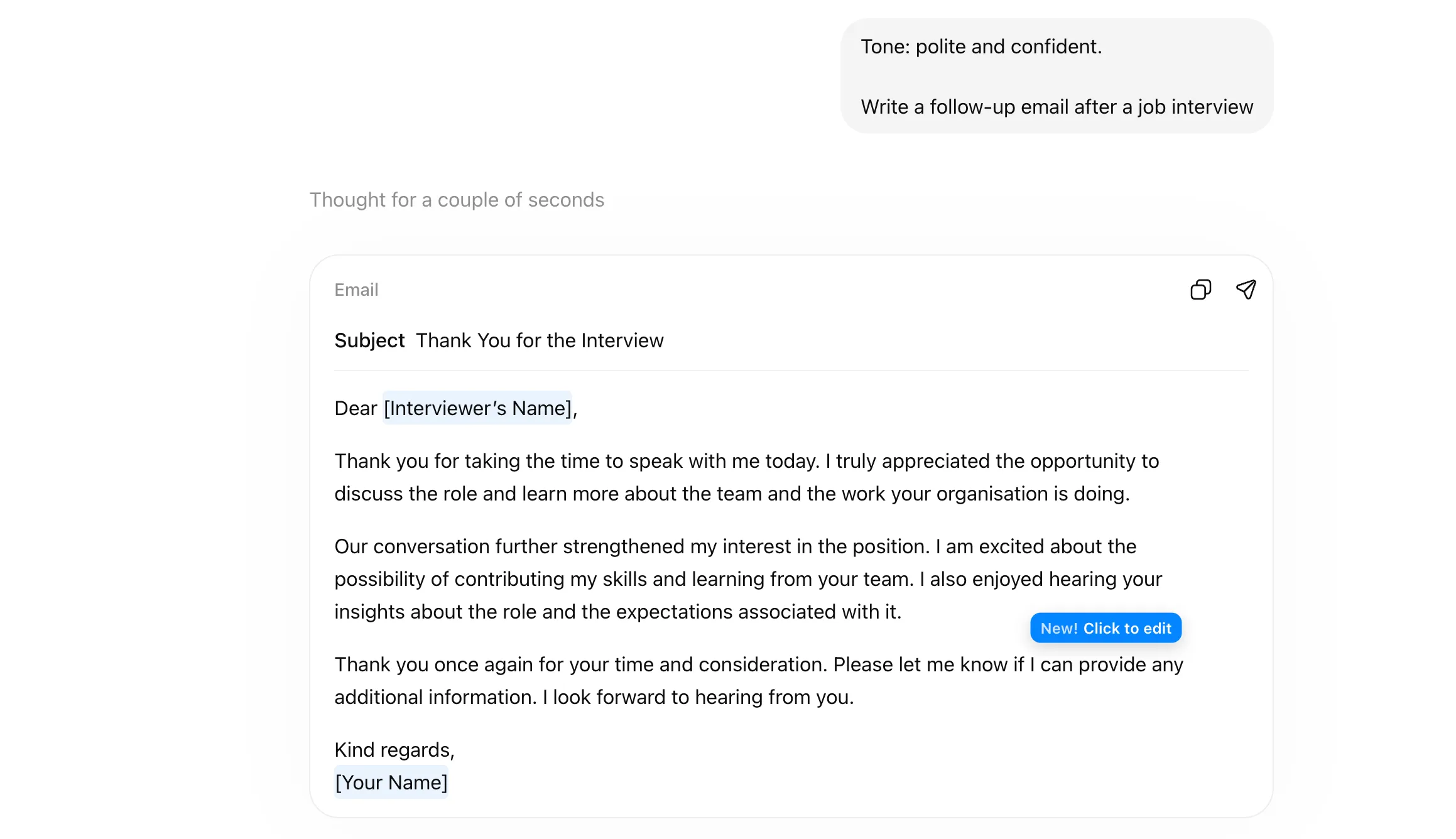
- TONE: This shortcut sets the emotional and professional frequency of the response, ranging from "Persuasive" and "Authoritative" to "Empathetic" and "Casual."
- DEV MODE: This pushes the model toward a technical, logic-first output style, prioritizing code snippets, system architecture, and debugging logs over conversational text.
Category IV: Analytical Frameworks and Strategic Thinking
For strategic decision-making, users are increasingly moving away from simple questions toward established analytical frameworks.
- COMPARE: This forces the model to perform a side-by-side analysis of two or more entities, highlighting differences, similarities, and trade-offs.
- SWOT: A standard business shortcut that generates a breakdown of Strengths, Weaknesses, Opportunities, and Threats for a given project or company.
- MULTI-PERSPECTIVE: This command is essential for neutralizing bias. It instructs the AI to provide multiple viewpoints on a controversial or complex topic.
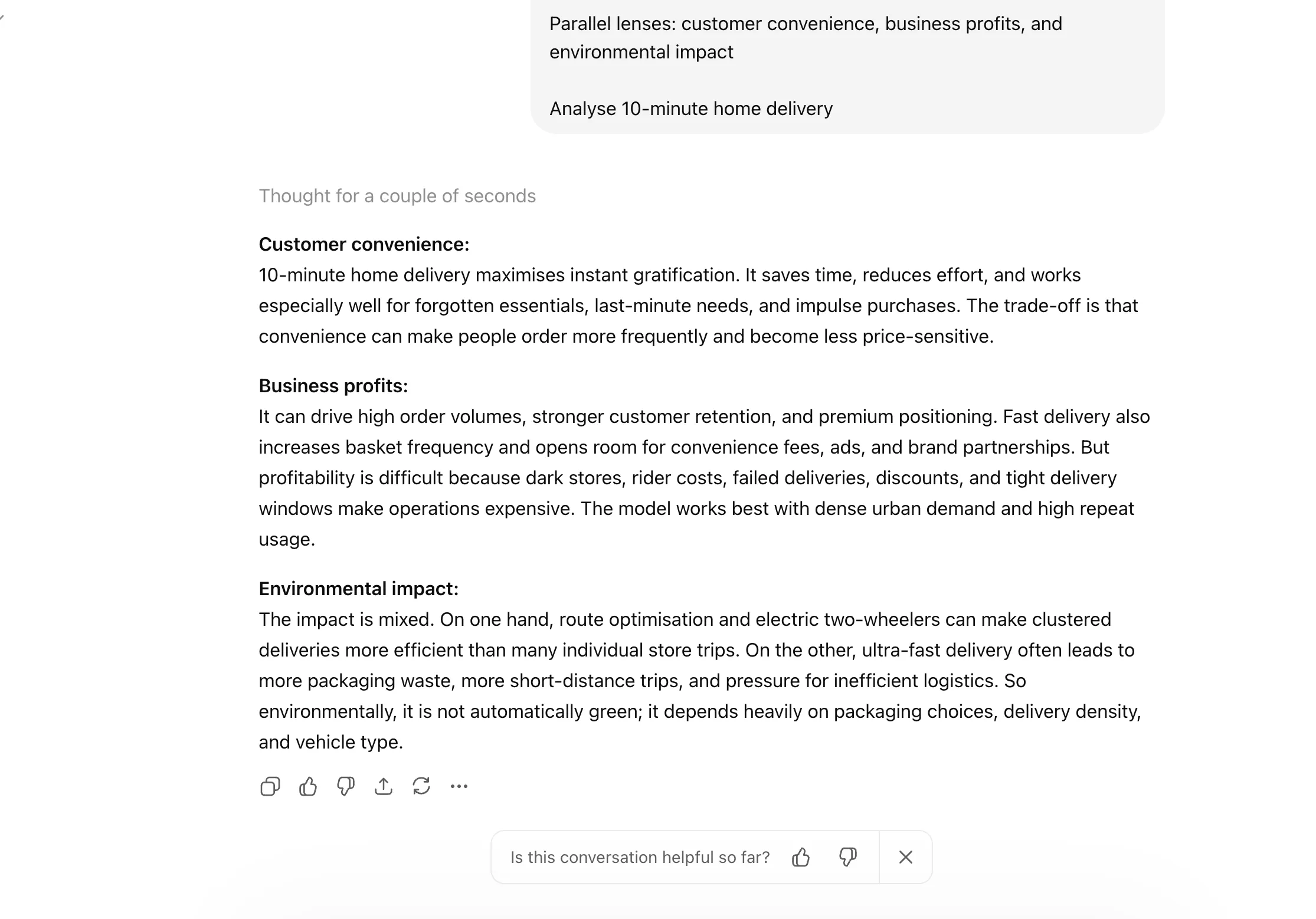
- PARALLEL LENSES: Similar to multi-perspective, this shortcut analyzes a single issue through different specific frameworks simultaneously, such as "Economic," "Ethical," and "Legal" lenses.
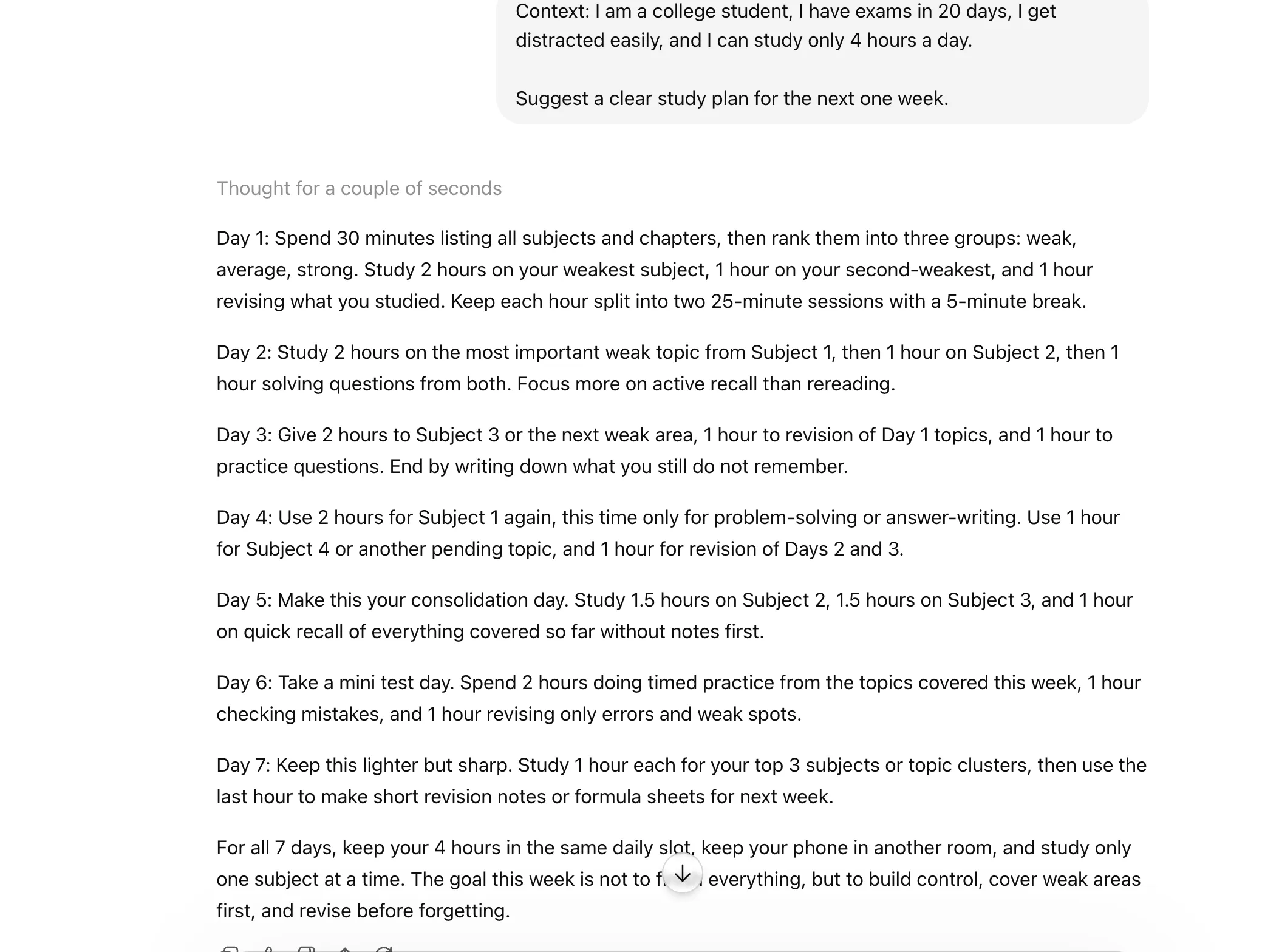
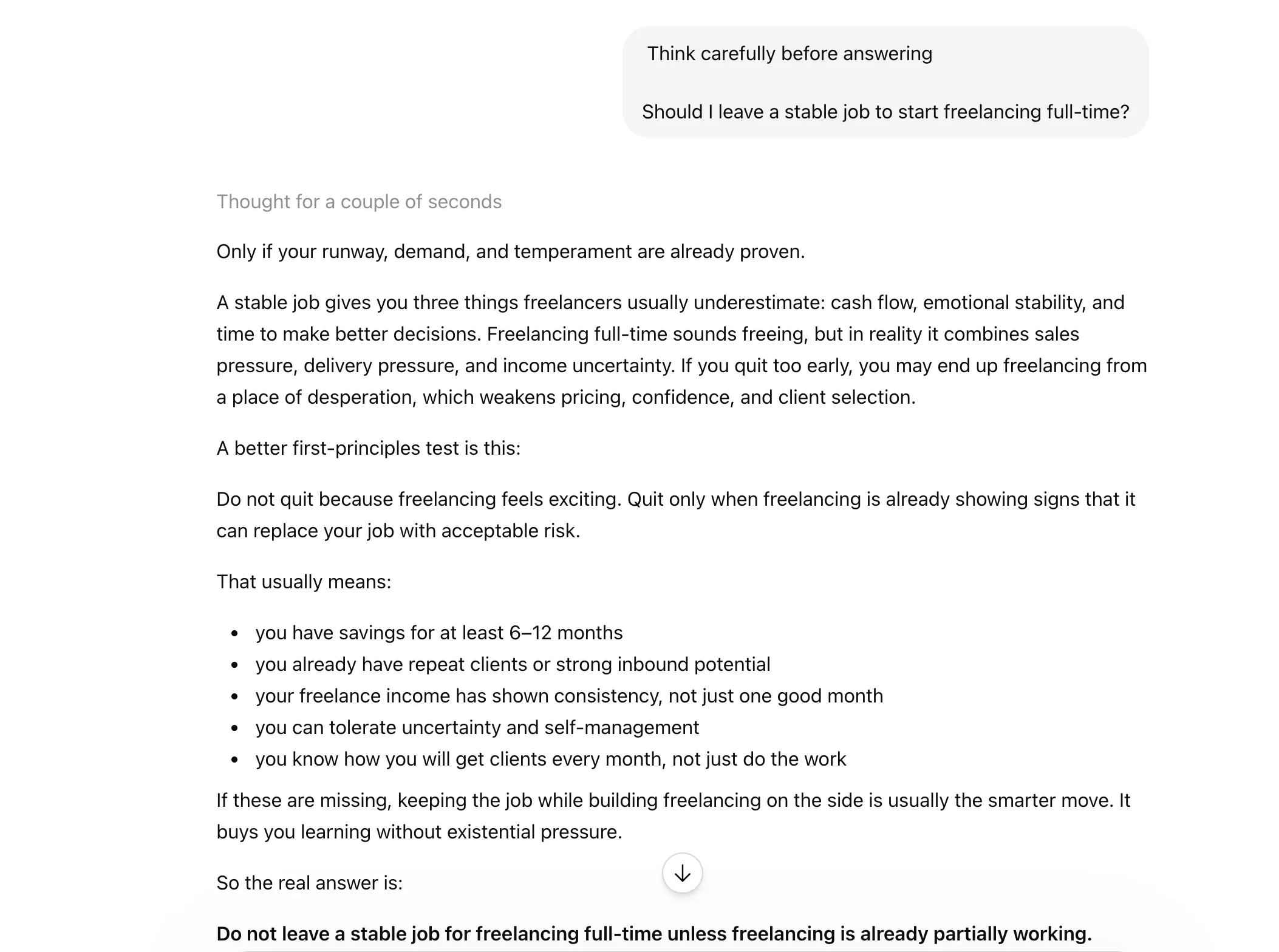
- FIRST PRINCIPLES: Inspired by physics-based reasoning, this shortcut asks the model to break a problem down into its fundamental truths rather than relying on analogies or previous examples.
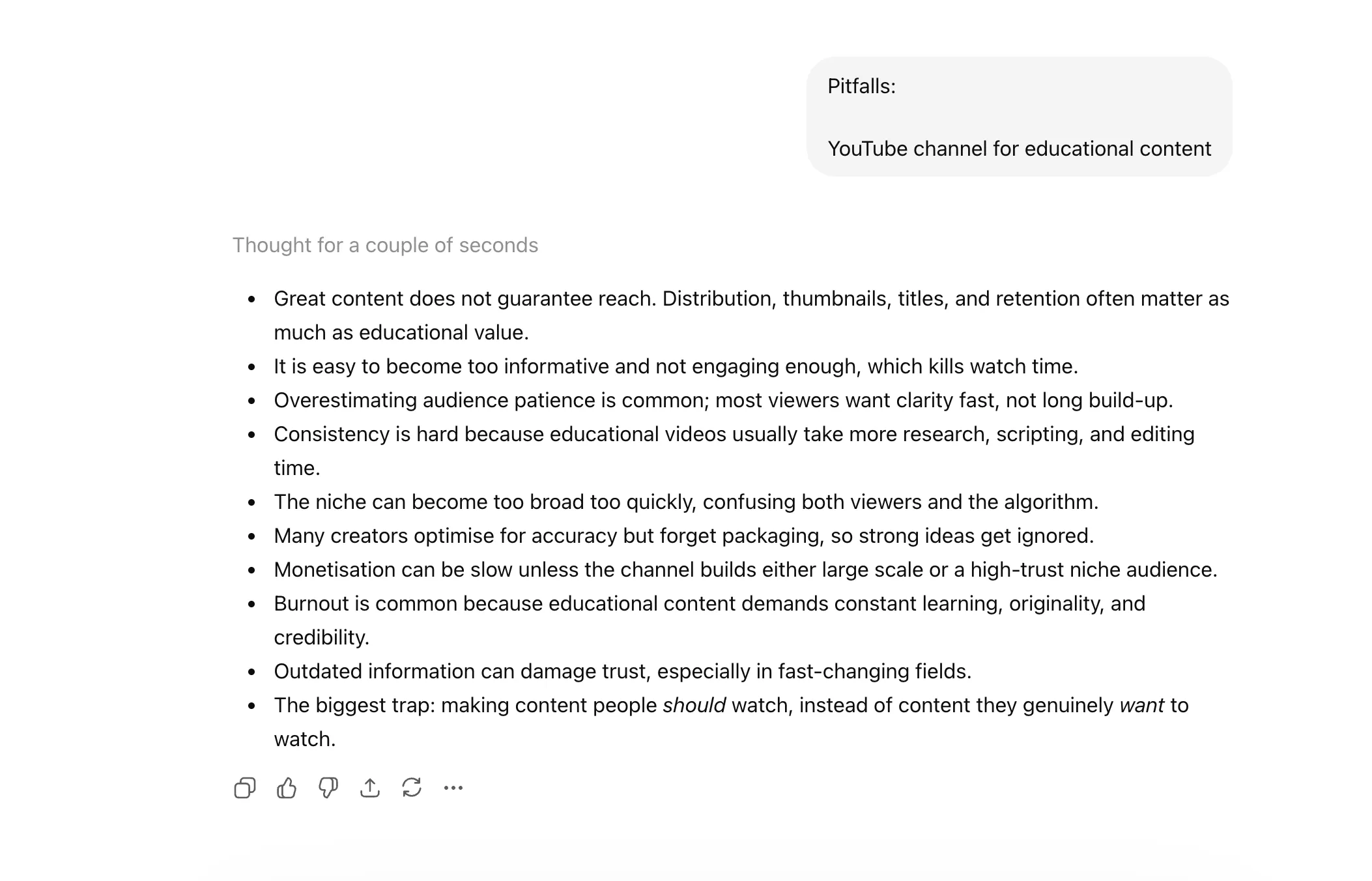
- PITFALLS: A critical tool for risk management, this shortcut directs the AI to act as a "Devil’s Advocate" and identify everything that could potentially go wrong with a proposed plan.
Category V: Reasoning Guidance and Quality Control
The final category of shortcuts focuses on the "thinking" process of the AI, ensuring that the final output is the result of rigorous internal deliberation.
- CONTEXT STACK: This tells the AI to weigh various layers of provided information hierarchically, ensuring that the most recent or most relevant data takes precedence.
- CHAIN OF THOUGHT (CoT): This is a technical instruction that makes the model’s internal reasoning visible. By showing its work, the model is less likely to arrive at a "confident but wrong" conclusion.
- DELIBERATE THINKING: This shortcut encourages the model to take a "slower" approach to generation, cross-referencing its internal knowledge base more thoroughly before committing to an answer.
- REWRITE AS: A post-generation tool that allows users to instantly transform an existing output into a different style or format without changing the core information.
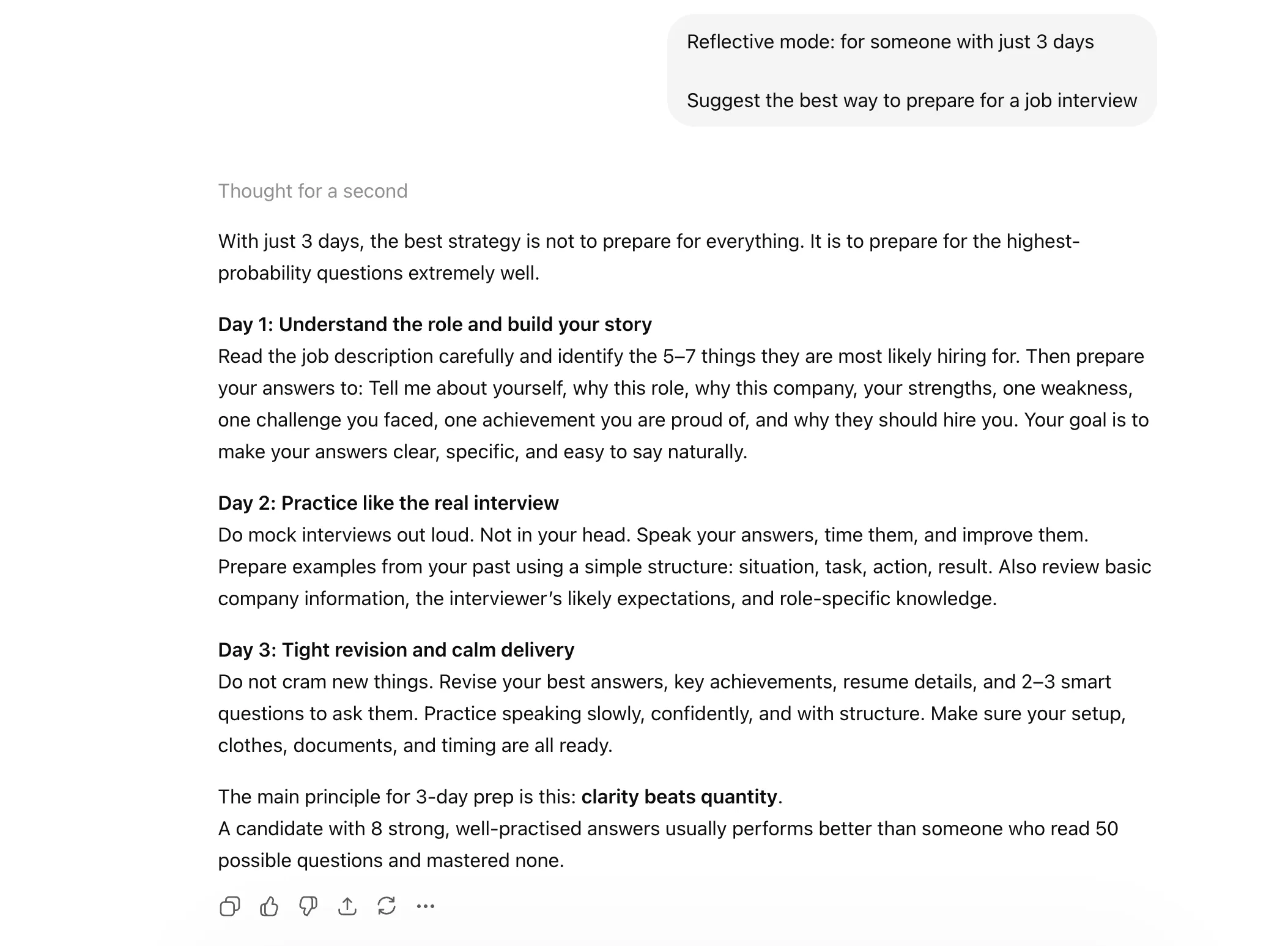
- REFLECTIVE MODE: This prompts the AI to review its own draft and suggest improvements or identify errors before presenting the final version to the user.
- SYSTEMATIC BIAS CHECK: As AI ethics become a central concern for enterprises, this shortcut asks the model to self-audit its response for potential gender, racial, or political biases.
- EVAL-SELF: A quality assurance command where the AI critiques its own performance based on the original prompt’s requirements.
- GUARDRAIL: This sets hard boundaries on the AI’s output, such as "Do not mention competitors" or "Keep the response under 200 words," ensuring compliance with corporate policies.
Technical Analysis: Why Shortcuts Work
The effectiveness of these shortcuts is rooted in the "attention mechanism" of the transformer architecture. When a model processes a prompt, it assigns "weights" to different words to determine their importance. Long, rambling instructions can dilute these weights, leading to unfocused outputs. Shortcuts, by contrast, provide high-signal commands that the model has seen frequently during its reinforcement learning from human feedback (RLHF) phase.
Furthermore, shortcuts like "CHAIN OF THOUGHT" utilize the model’s "compute-on-demand" capabilities. By forcing the model to generate intermediate reasoning steps, the user is essentially giving the model more "time" (in the form of tokens) to process complex logic.
Market Implications and Professional Adoption
The rise of shortcut-based prompting is creating a new tier of "power users" within the global workforce. A 2024 study on AI productivity noted that employees who mastered structured prompting techniques completed tasks up to 40% faster than those using natural language alone.
Industry experts suggest that as AI interfaces evolve, these shortcuts may eventually be integrated into the software’s UI as buttons or "slash commands," similar to those found in platforms like Notion or Discord. Until then, the manual use of these 28 shortcuts remains the most effective way for professionals to bridge the gap between human intent and machine execution.
Conclusion
The transition from viewing AI as a "search engine" to viewing it as a "reasoning engine" is the hallmark of the current era of artificial intelligence. By adopting these 28 shortcuts, users can significantly enhance the utility of models like Claude, transforming them from simple chatbots into sophisticated analytical partners. As the technology continues to advance, the "language of shortcuts" will likely become the standard dialect of the modern digital economy.