Exit-intent technology has emerged as a critical tool in digital marketing, designed to capture visitor attention at the precise moment they contemplate leaving a website, transforming potential abandonment into a valuable conversion opportunity. This sophisticated mechanism, which deploys targeted pop-up forms or offers, leverages user behavior signals to intervene just before a visitor navigates away, presenting a final, compelling incentive to engage further. Its effectiveness stems from its non-intrusive nature during active browsing, instead activating when the user has already consumed content and made a decision to depart, thus offering a last-chance engagement without disrupting the user journey.
The Evolution of On-Site Engagement: From Intrusive Pop-ups to Intelligent Interventions
The concept of interrupting a user’s web experience with a pop-up dates back to the early days of the internet, often characterized by disruptive and universally disliked advertisements that opened in new browser windows. These early iterations, while attention-grabbing, significantly degraded user experience, leading to widespread adoption of pop-up blockers and a negative perception of the format. However, as web analytics and user behavior tracking matured, marketers recognized the potential for a more intelligent, behavior-triggered intervention. This led to the development of on-page pop-ups, which, while less disruptive, still often appeared prematurely, interrupting users mid-read or mid-task.
The true breakthrough arrived with exit-intent technology in the late 2000s and early 2010s. Pioneered by companies seeking to reduce bounce rates and recover lost sales, this innovation shifted the focus from interrupting to intercepting. By precisely identifying the moment a user signaled intent to leave—whether by moving their cursor towards the browser’s close button or address bar on desktop, or by exhibiting specific gestures like pressing the back button or switching tabs on mobile—exit-intent popups offered a strategic advantage. This timing is paramount; it means the visitor has already processed the site’s content, formed an opinion, and decided to exit. At this critical juncture, a well-crafted, relevant offer can reframe the exit decision into an opportunity for further interaction, be it a subscription, a download, or a purchase. This evolution represents a significant leap from brute-force interruption to nuanced, data-driven engagement, aligning marketing efforts more closely with user experience principles.
Technical Underpinnings: How Exit-Intent Detects User Departure
The mechanics behind exit-intent detection are surprisingly sophisticated, relying on various client-side tracking methods tailored to different browsing environments.
On desktop devices, the technology typically employs a small JavaScript script embedded within the website’s code. This script continuously monitors the user’s mouse movements. When the cursor accelerates rapidly towards the top boundary of the browser window, or specifically towards areas commonly occupied by the close button, address bar, or tab controls, the script interprets this movement as a strong signal of intent to exit. Upon detecting this pattern, the script triggers the display of the exit-intent popup, often within milliseconds, before the user can fully initiate their departure. This real-time analysis of cursor trajectory allows for highly accurate prediction of user abandonment.
Mobile devices present a different challenge, as the absence of a mouse cursor necessitates alternative detection mechanisms. Mobile exit-intent triggers are ingeniously designed to respond to touch-based gestures and browser-level events that signify a user’s intent to leave. These signals can include:
- Pressing the back button: This is a common and clear indicator on mobile browsers that a user intends to return to a previous page or exit the site entirely.
- Switching tabs: Detecting a change in the browser’s active tab can indicate a user is moving away from the current site.
- Fast-scrolling back to the top of a page: While less definitive, a rapid scroll upwards after reaching the end of content can sometimes signal an attempt to find navigation or exit points.
- Utilizing browser APIs: More advanced implementations may leverage browser events like
visibilitychangeorbeforeunload, which fire when a page is about to become hidden or unloaded, though these require careful handling to avoid false positives and ensure a smooth user experience.
The effectiveness of these detection methods lies in their ability to pinpoint the precise psychological moment of decision. By understanding that the user has completed their interaction with the current content and is now in a transition phase, the exit-intent offer can be positioned as a helpful, timely intervention rather than an unwelcome distraction.
The Impact on Digital Marketing Metrics and User Acquisition
The strategic deployment of exit-intent popups has demonstrably positive effects on key digital marketing metrics. Websites that implement this technology often report significant improvements in conversion rates, email list growth, and reduction in cart abandonment.
- Conversion Rates: Studies and industry benchmarks suggest that well-optimized exit-intent popups can achieve conversion rates ranging from 2% to 7%, with some highly targeted campaigns reaching even higher. This stands in stark contrast to average website conversion rates, which often hover around 1-3% across various industries. For an e-commerce site experiencing a 70% cart abandonment rate, an exit-intent offer of a discount or free shipping can recover a substantial portion of otherwise lost sales.
- Email List Growth: For content-driven websites and blogs, exit-intent popups are powerful lead generation tools. By offering a valuable "content upgrade" or a subscription to an exclusive newsletter, sites can see their email subscriber lists grow by 10-20% faster than without such interventions. A larger, engaged email list directly translates to increased opportunities for nurturing leads, driving repeat traffic, and fostering customer loyalty.
- Bounce Rate Reduction: While exit-intent popups don’t prevent the intent to bounce, they convert that intent into engagement, effectively mitigating the negative impact of a high bounce rate on potential conversions. By capturing a visitor who was seconds from leaving forever, the technology turns a missed opportunity into a new lead or sale.
For businesses, these improvements directly translate to a healthier bottom line. Increased leads mean a larger sales pipeline, and improved conversion rates mean a better return on investment for traffic acquisition efforts. The ability to segment audiences and tailor offers based on the page being exited further amplifies these benefits, leading to highly personalized and effective campaigns.
Streamlining Implementation: Traditional vs. AI-Powered Solutions
Historically, implementing exit-intent popups involved a multi-step process, requiring a degree of technical proficiency and iterative design adjustments. This traditional approach typically followed two distinct phases:
- Form Design and Content Creation: Marketers would first design the visual aspects of the popup using a drag-and-drop form builder. This involved selecting a layout, crafting headlines and body copy, adding necessary form fields (like email address), setting brand-aligned colors, and ensuring seamless integration with their existing email marketing platform. This phase often required careful attention to user experience design to ensure the popup was aesthetically pleasing and aligned with brand guidelines.
- Trigger Configuration and Targeting: Once the form’s appearance was finalized, the next step involved configuring its behavior. This meant navigating to targeting or display settings to select "exit intent" as the primary trigger. Further parameters would be set, such as specifying which pages the popup should appear on, controlling its frequency (e.g., once per visit, once per week per user), and determining whether it should be displayed on mobile devices. This two-step process, while functional, often meant making design decisions before fully conceptualizing the trigger logic, potentially leading to less optimized outcomes.
The advent of Artificial Intelligence (AI) has significantly simplified and enhanced this process. Modern AI Signup Form Builders, exemplified by solutions like AWeber’s, introduce a paradigm shift by integrating design and trigger configuration into a single, intuitive workflow. With AI, marketers can describe their desired outcome in plain language, for example, "create a popup offering my free email marketing checklist, triggered on exit intent." The AI then autonomously generates a fully designed form, complete with relevant copy, brand colors (often inferred from the website or specified in settings), and crucially, the exit-intent trigger already configured.
This AI-driven approach offers several distinct advantages:
- Efficiency: Reduces setup time from minutes or hours to mere seconds, accelerating campaign launch cycles.
- Consistency: Ensures that the design and trigger logic are harmonized from the outset, reducing potential for errors or misaligned messaging.
- Accessibility: Lowers the barrier to entry for marketers without extensive design or technical skills, democratizing access to advanced conversion tools.
- Dynamic Optimization: Future AI enhancements could involve automatically suggesting optimal offers, copy variations, or trigger timings based on predictive analytics and user behavior patterns, leading to continuous performance improvements.
Once an AI-generated form is ready, installation is typically streamlined to a single JavaScript snippet placed on the website. This single snippet handles all future updates and changes made within the AI builder’s platform, eliminating the need for repeated site code modifications and simplifying ongoing management. This integration consolidates form management, subscriber data, tags, and automation sequences within one ecosystem, avoiding the complexities and potential data discrepancies of syncing multiple disparate tools.
High-Performing Patterns for Exit-Intent Popups: Strategic Applications
The efficacy of an exit-intent popup hinges on the relevance and value of its offer. Different website contexts and visitor intents necessitate distinct strategies. Here are six high-performing patterns, detailing their structure, angle, and optimal use cases:
-
The Content Upgrade:
- Best for: Blog posts, resource pages, educational content.
- Structure & Angle: This pattern offers an enhanced, downloadable version of the content the visitor just consumed or a related, deeper resource. For instance, after reading a blog post on "email marketing tips," an exit-intent popup might offer a "Comprehensive Email Marketing Checklist (PDF)."
- Style Idea: A small preview thumbnail of the PDF on the left, a compelling headline and a single email field on the right. The angle leverages the reciprocity principle: "You enjoyed this free content, here’s something even more valuable for free."
-
The Discount Offer:
- Best for: E-commerce stores, service businesses with introductory pricing.
- Structure & Angle: Directly addresses potential abandonment by offering a monetary incentive. This could be a percentage off, a fixed dollar amount, or free shipping. It taps into loss aversion and immediate gratification.
- Style Idea: A bold background color from the brand palette, with a large percentage number (e.g., "15% OFF!") as the focal point. Minimal supporting copy, a single email field, and a high-contrast call-to-action button like "Claim My Discount."
-
The Quiz or Assessment:
- Best for: Consultants, coaches, SaaS companies with multiple plans, lead qualification.
- Structure & Angle: Instead of a direct offer, this engages the user with a short, interactive quiz or assessment related to their needs or the content they viewed. The outcome (and often the email collection) provides personalized value.
- Style Idea: Progress dots at the top, presenting one question at a time to reduce cognitive load. Soft gradients or illustrated backgrounds create an approachable, non-corporate feel. The angle is "Discover X about yourself/your business and get tailored advice."
-
The Newsletter/Community Signup: (Inferred from original content’s style idea)
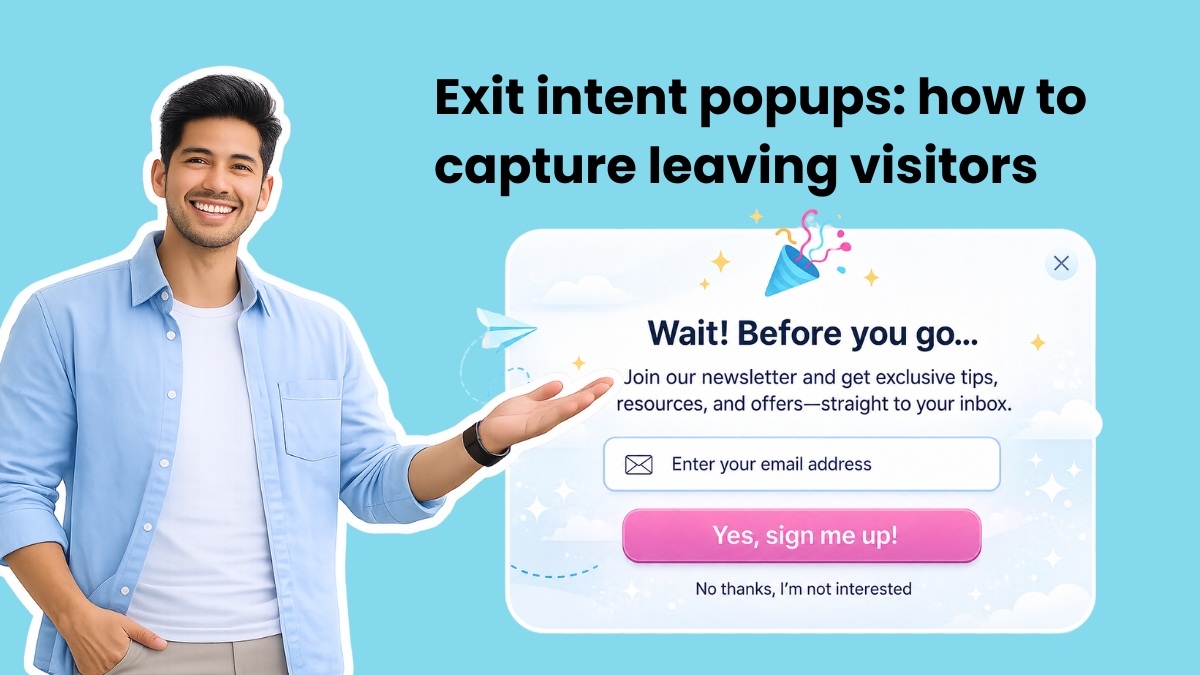
- Best for: News outlets, community-driven businesses, personal brands.
- Structure & Angle: A direct invitation to join an ongoing conversation or receive regular updates. The value proposition often highlights exclusivity, expertise, or belonging.
- Style Idea: Minimal design, with a large, bold number (e.g., "Join 50,000+ Subscribers!") as the hero element. One or two short lines of supporting copy (e.g., "Get weekly insights directly to your inbox."). A single email field.
-
The Free Tool:
- Best for: SaaS companies, financial services, marketing tools, utility apps.
- Structure & Angle: Offers immediate access to a free, functional tool or calculator that solves a specific problem for the user, demonstrating product value.
- Style Idea: A dark background with a compelling screenshot or animation of the tool in action. The headline focuses on the tangible output or benefit, such as "See your email ROI in 30 seconds" or "Calculate your savings instantly."
-
The "Before You Go" Reminder:
- Best for: Cart abandonment, pricing pages, booking platforms.
- Structure & Angle: Acts as a last-minute prompt or reassurance, often highlighting forgotten items in a cart, addressing common objections on a pricing page, or providing quick access to customer support.
- Style Idea: A compact card format. A product image or page screenshot on the left, with short reminder copy on the right (e.g., "Don’t forget your items!" or "Questions about pricing?"). A clear call-to-action button in a contrasting color, often leading back to the cart or a contact form, with no email field needed if the goal is direct return-to-cart.
Each of these patterns, when strategically applied, capitalizes on the specific context of user intent, transforming an imminent departure into a meaningful interaction.
Best Practices for Maximizing Exit-Intent Popup Effectiveness
Implementing exit-intent popups is only the first step; optimizing them for maximum impact requires adherence to several best practices:
-
Ask for One Field Only: The primary goal of an exit-intent popup is to capture a lead or re-engage a visitor. Every additional field beyond the email address (e.g., name, phone number, company) introduces friction and increases the likelihood of the visitor closing the popup. Focus on the essential information needed to initiate a relationship; more detailed data can be collected later through progressive profiling in a welcome sequence or subsequent interactions.
-
Contextualize Your Offer: A one-size-fits-all popup displayed across an entire website is suboptimal. A visitor leaving a blog post on "SEO tips" has a different intent than someone abandoning a pricing page. The blog reader might value a free SEO checklist, while the pricing page visitor would respond better to a free trial offer, a discount code, or a direct link to sales support. Segmenting your audience and tailoring offers to specific pages or content types significantly boosts relevance and conversion rates.
-
Control the Frequency: Over-saturating visitors with the same popup creates a negative user experience and breeds resentment. If a visitor closes your popup on Monday, showing them the exact same offer again on Tuesday signals that you’re not listening. A frequency cap, such as once per week per user, is a good starting point for most sites. For high-traffic, low-repeat sites, "once per session" might be appropriate. Intelligent platforms allow for advanced frequency control, sometimes even based on specific campaign performance.
-
Make Closing Easy: User trust is paramount. A clearly visible "X" button and an unambiguous "No thanks" or "Continue to exit" link empower the user and build goodwill. Avoid tiny, hidden close buttons or "shame-based" decline copy (e.g., "No, I don’t want to grow my business"). Your popup should feel like a helpful suggestion, not a trap designed to prevent departure. Frustrating users can lead to a negative brand perception and increased bounce rates on future visits.
-
Design for Mobile First: With mobile traffic often exceeding desktop, responsive design for exit-intent popups is non-negotiable. Full-screen takeovers on mobile devices are generally discouraged by Google, as they can block content and incur penalties, impacting search rankings. Instead, opt for less intrusive formats like bottom banners, half-screen overlays, or modals that allow easy dismissal. Ensure close buttons are large enough to be easily tapped without accidentally triggering the signup button. Mobile-specific triggers, as discussed earlier, are also crucial for a seamless experience.
-
Test the Offer, Not Just the Design: While aesthetic design plays a role, the core value proposition of your offer is the primary driver of conversion. Conduct rigorous A/B testing on different offers:
- "10% off" vs. "Free Shipping"
- A PDF checklist vs. a video mini-course
- "Join 10,000 subscribers" vs. "Get weekly tips to boost your productivity"
The winning offer often surprises marketers, highlighting the importance of data-driven decisions over assumptions. Continuous testing and optimization are key to unlocking the full potential of exit-intent technology.
Integration with WordPress and the Broader Marketing Ecosystem
For the vast ecosystem of WordPress users, integrating exit-intent functionality has become increasingly straightforward. Dedicated WordPress popup plugins such as OptinMonster, Sumo, and Thrive Leads offer comprehensive solutions. These plugins typically provide visual builders to design popups and integrate exit-intent detection as a built-in trigger. Users install the plugin, design their popup within the WordPress dashboard, and then configure the trigger settings.
However, for those already leveraging email marketing platforms, a more integrated approach can streamline operations. Platforms like AWeber offer their own signup form builders, including AI-powered options, that can be deployed on any WordPress site. This usually involves installing a single Universal JavaScript snippet from the email platform into the site’s header (easily done with plugins like WPCode or directly via theme files). With this setup, the exit-intent trigger, display frequency, and page targeting are all managed directly from the email marketing platform.
The advantage of this integrated approach is significant: your forms, subscriber data, tags, and automation sequences reside in a single environment. This eliminates the need for complex integrations or constant data syncing between a separate popup plugin and your email marketing system, reducing potential errors and simplifying workflow. It ensures that when a new subscriber signs up via an exit-intent popup, they are immediately funneled into the correct email list, tagged appropriately, and can trigger automated welcome sequences or other marketing automations without delay.
Choosing the Right Tool: Standalone vs. Integrated Solutions
The decision between a standalone popup tool and an integrated solution from an email marketing platform depends on specific business needs, existing tech stack, and long-term marketing strategy.
Standalone Popup Tools (e.g., OptinMonster, Sumo, Wisepops):
- Strengths: Often specialize in advanced targeting rules, sophisticated A/B testing capabilities, detailed analytics specific to popup performance, and a wide array of pre-built templates. They are ideal if popups are a primary conversion channel and require granular control and optimization, or if your current email marketing platform lacks robust form capabilities.
- Considerations: May require additional integrations to connect with your email marketing service, potentially leading to data silos or syncing complexities. Can represent an additional subscription cost.
Integrated Solutions (e.g., AWeber’s AI Signup Form Builder, Mailchimp forms):
- Strengths: Offer seamless integration with your email marketing campaigns, subscriber management, and automation workflows. New subscribers are automatically added to lists, tagged, and can immediately enter automated sequences. This reduces operational overhead and ensures data consistency. AI-powered builders further simplify creation.
- Considerations: May not offer the same depth of advanced targeting rules or A/B testing functionalities as dedicated popup tools. The range of design options might be more limited depending on the platform.
For businesses prioritizing a unified marketing ecosystem and simplified workflow, an integrated solution within their primary email marketing platform often provides the best value. It centralizes customer data and touchpoints, allowing for more cohesive and personalized customer journeys. AWeber’s AI Signup Form Builder, for instance, not only creates exit-intent popups from a simple text prompt but also handles display frequency and page targeting, directly connecting new subscribers to email lists and automated sequences, exemplifying the benefits of an all-in-one approach.
Broader Implications and the Future of Exit-Intent Technology
The continuous evolution of exit-intent technology reflects broader trends in digital marketing towards hyper-personalization, data-driven optimization, and enhanced user experience. As AI and machine learning capabilities advance, future exit-intent solutions are likely to become even more intelligent. They could dynamically adjust offers based on a visitor’s real-time behavior, past interactions, demographic data, and even emotional state inferred through browsing patterns. Predictive analytics could refine the timing of the popup to an even finer degree, ensuring it appears at the absolute optimal moment for conversion.
However, these advancements also bring ethical considerations to the forefront. Balancing aggressive conversion goals with user privacy and a non-intrusive experience will remain a critical challenge. Transparency about data collection and clear options for dismissal will be essential to maintain user trust. As search engines like Google continue to prioritize user experience, compliance with guidelines regarding mobile interstitials and content blocking will dictate best practices for exit-intent design.
Ultimately, exit-intent technology, particularly when augmented by AI, stands as a powerful testament to the ongoing quest for smarter, more effective digital engagement. By understanding and anticipating user behavior, businesses can transform moments of potential loss into opportunities for lasting connection, driving both immediate conversions and long-term customer relationships.