

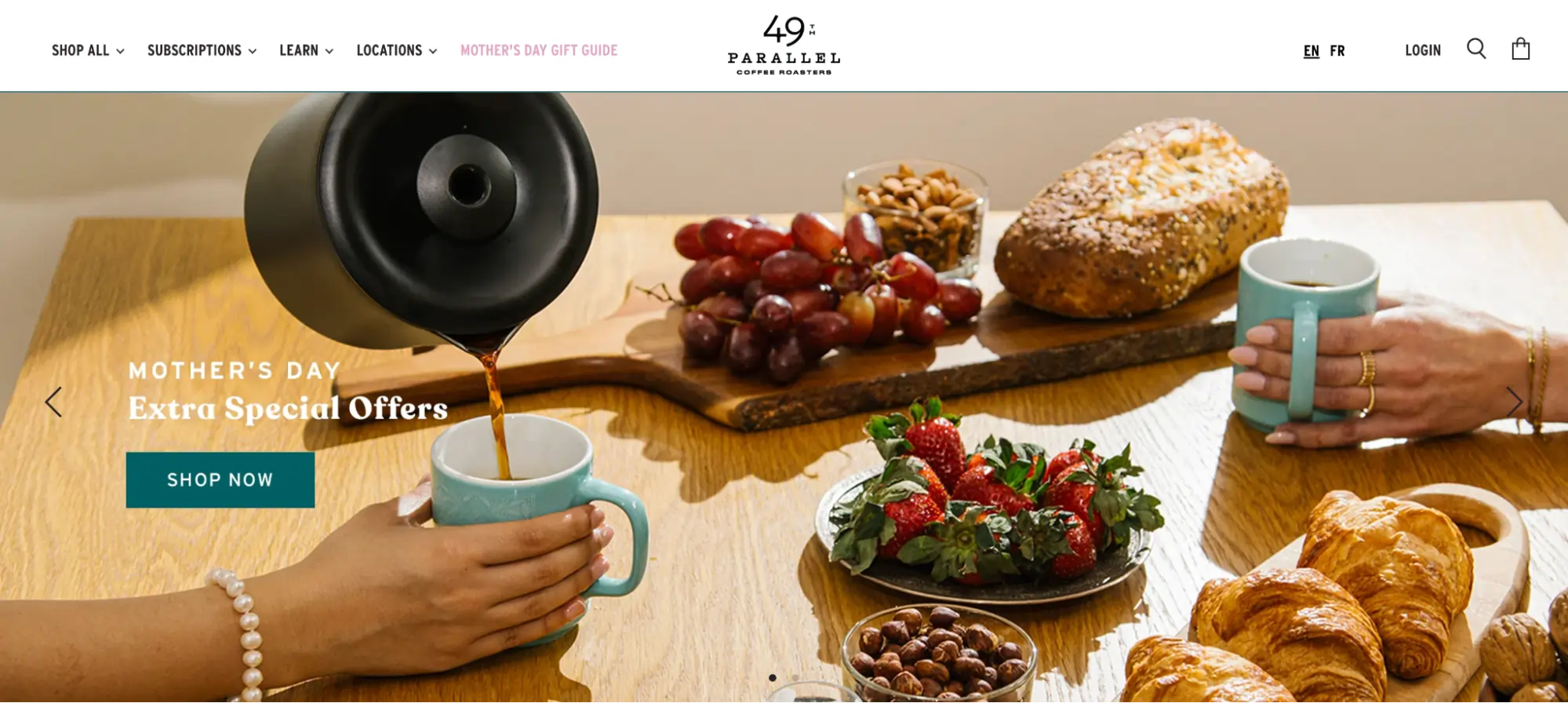
The modern e-commerce landscape is defined by a delicate balance between visual storytelling and functional efficiency. Within the Shopify ecosystem, the "slider"—a rotating display element designed to showcase products, testimonials, or promotional offers—remains one of the most utilized yet debated components of web design. As digital storefronts evolve, understanding the strategic deployment of these interactive elements has become a necessity for merchants aiming to maximize their conversion rates without compromising page performance.
The Evolution and Definition of Shopify Sliders
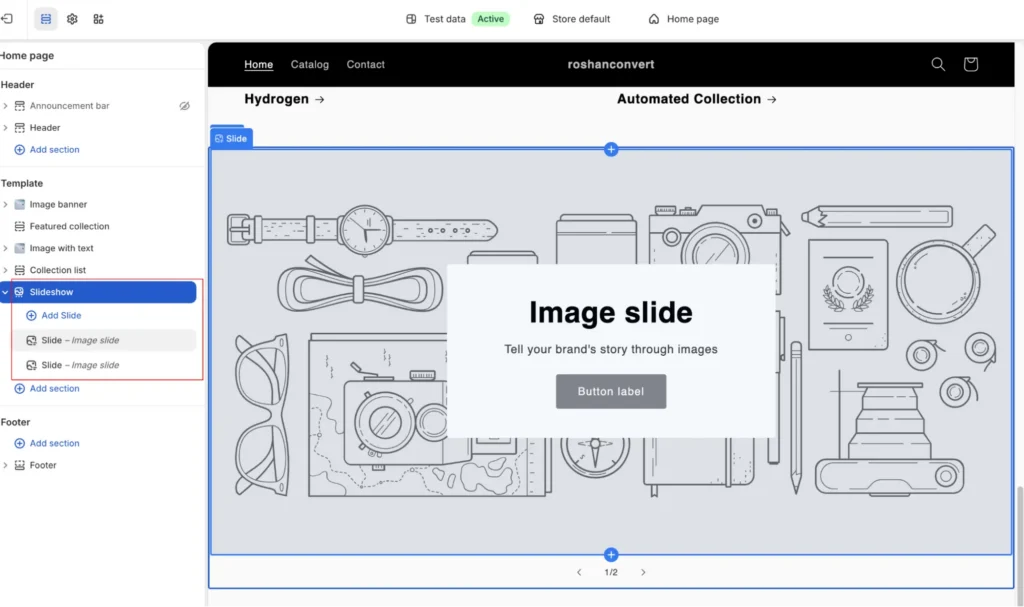
A Shopify slider, often referred to as a slideshow or carousel, is a dynamic interface element that cycles through multiple content frames within a single designated area. Historically, sliders gained popularity in the early 2010s as a solution for limited "above-the-fold" real estate. By stacking messages, brands could communicate multiple value propositions—such as a new collection launch, a seasonal discount, and a free shipping offer—in the same visual space.

In 2026, the functionality of these elements has expanded. While traditional sliders focus on a single image at a time, carousels often display a row of items, such as a "Bestsellers" list or a "Featured Brands" logo wall. The primary objective remains constant: to engage the user through interactivity while managing cognitive load.
The Data-Driven Debate: Do Sliders Facilitate or Frustrate?
The efficacy of sliders is a subject of significant scrutiny within the Conversion Rate Optimization (CRO) community. Research from the Baymard Institute indicates that approximately 33% of e-commerce websites utilize homepage carousels. However, the same data reveals a troubling trend: 46% of these implementations suffer from critical usability issues.
The central conflict lies in the tension between aesthetics and user psychology. Proponents of sliders, such as Luke Lee, co-founder of Ever Wallpaper, argue that they are essential for visual interest. Lee notes that image sliders are an effective vehicle for highlighting special offers and showcasing product depth. Similarly, Burak Ozdemir, founder of Set Alarm Online, maintains that when implemented correctly, sliders simplify the discovery process for customers.

Conversely, skeptics point to the "banner blindness" phenomenon. Tim Brown, a prominent CRO specialist, conducted tests showing that replacing a rotating slider with a static, high-converting image increased conversions by 30%, achieving a 98% statistical significance. The rationale is that users often perceive automated sliders as advertisements, leading them to ignore the content entirely. Furthermore, Emily Amor, SEO Manager at Digital Darts, warns that sliders can overwhelm visitors. "By the time they’ve registered one image, it’s already moved onto the next," Amor explains, suggesting that too many options can distract from the primary call to action (CTA).
Comparative Analysis: Sliders vs. Carousels
To optimize a Shopify store, merchants must distinguish between the two primary formats of rotating content.
1. Sliders (Single-Frame Rotation)
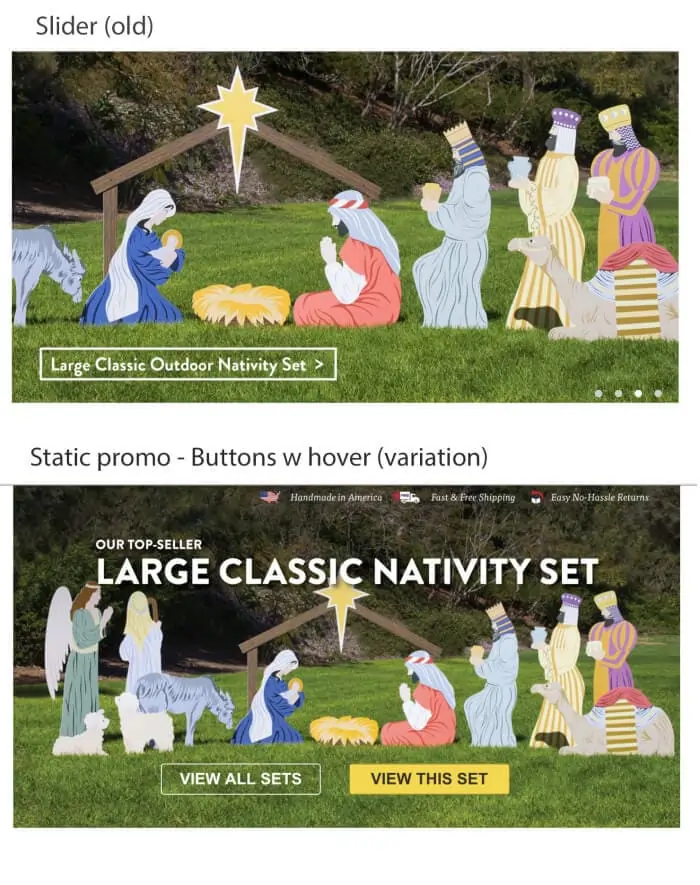
- Structure: Displays one large image or message at a time.
- Best Use Case: Hero banners on the homepage, high-impact brand storytelling, or single-product spotlights.
- UX Consideration: High risk of content being missed if the rotation is too fast or if there are no clear navigation cues.
2. Carousels (Multi-Frame Rotation)
- Structure: Displays multiple smaller items (e.g., three to four products) in a row.
- Best Use Case: Testimonial rows, logo walls for social proof, and product galleries.
- UX Consideration: Effective for "scanning" behavior, allowing users to compare options side-by-side.
Technical Implementation: Native Sections vs. Third-Party Applications
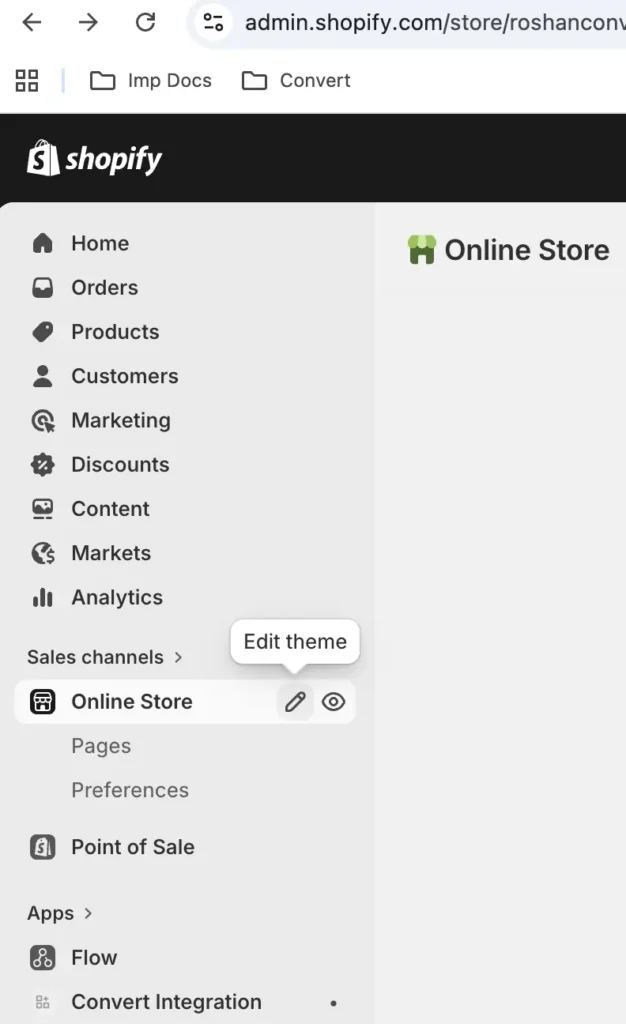
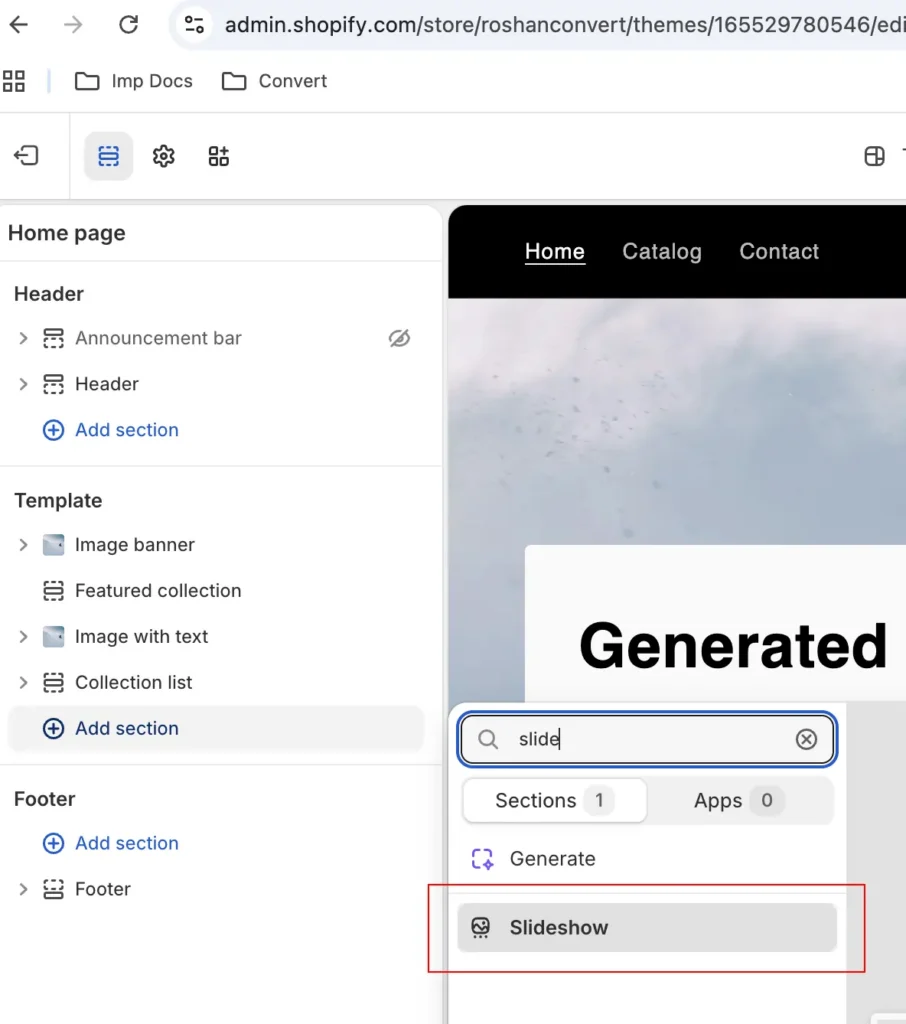
Since the transition to Shopify’s Online Store 2.0 in 2021, the platform has integrated native slideshow capabilities into most standard themes, such as Dawn, Sense, and Craft. This allows merchants to add sliders through a drag-and-drop interface without the need for custom Liquid or JavaScript coding.
However, for advanced functionality—such as video integration, asymmetrical layouts, or AI-driven content generation—third-party applications remain the preferred choice. In 2026, several key players dominate the Shopify App Store:
- POWR Image Slider & Carousel: Notable for its built-in AI image generation, allowing merchants to create visuals from text prompts.
- Slider Revolution & Sections: A feature-rich editor supporting multilingual and "Right-to-Left" (RTL) layouts for global brands.
- OctoSlide: Focuses on performance optimization through "lazy loading," ensuring that heavy images do not impede initial page speed.
- GG Product Page Image Slider: Specialized for product detail pages (PDPs), replacing standard galleries with zoom-enabled, high-interactivity carousels.
Strategic Optimization: The "Golden Rules" of Slider Design
To ensure a slider contributes to a positive Return on Investment (ROI), merchants must adhere to established best practices:
1. The "Rule of Five"
Data suggests that user engagement drops precipitously after the third slide. Limiting a slider to fewer than five frames reduces the cognitive burden on the visitor and improves page load times.
2. Prioritization of the Initial Frame
The first slide must communicate the brand’s unique selling proposition (USP). Because a significant percentage of users will never see the second or third frames, the most critical information must be presented immediately upon page load.
3. Manual Controls and Mobile Sensitivity
Auto-rotation can be highly disruptive on mobile devices. Experts recommend using static sliders on mobile with prominent "tappable" arrows. On desktop, a rotation speed of approximately three seconds is considered the industry standard, providing enough time for comprehension without causing stagnation.
4. Performance and Core Web Vitals
Large, uncompressed images are the primary cause of poor "Largest Contentful Paint" (LCP) scores. Utilizing modern formats like WebP and ensuring images are compressed below 100kb per slide is essential for maintaining search engine rankings and preventing user bounce.
A/B Testing: The Only Path to Certainty
Given the divisive nature of sliders, the most successful Shopify merchants rely on empirical evidence rather than intuition. Using platforms like Convert Experiences, brands can run controlled experiments to determine the actual impact of their sliders.
Recommended Test Hypotheses:
- Slider vs. Static Hero: Testing a rotating banner against a single, high-quality image with a clear CTA.
- Manual vs. Auto-Play: Determining if user-initiated navigation leads to higher engagement than automated rotation.
- Content Variation: Testing whether lifestyle imagery outperforms product-centric shots in the hero section.
To maintain statistical integrity, these tests should run for at least two full business cycles (usually 14 days) to account for variations in weekend vs. weekday shopping behavior.
The Impact of Artificial Intelligence on Future Design
As of 2026, Artificial Intelligence has fundamentally altered how sliders are managed. AI-driven tools now offer "Dynamic Content Personalization," where the slides shown to a visitor change based on their browsing history or demographic data. For example, a returning customer might see a "Welcome Back" slider featuring products they previously viewed, while a first-time visitor sees a "New Arrivals" banner.

Furthermore, AI-assisted design has lowered the barrier to entry for high-quality visuals. Automated background removal and generative fill allow small-to-medium enterprises (SMEs) to produce professional-grade slider assets that were once the exclusive domain of large agencies.
Analysis of Broader Implications
The continued use of sliders in 2026 highlights a broader trend in e-commerce: the shift from static catalogs to immersive digital experiences. While UX purists often argue for the simplicity of static layouts, the psychological appeal of movement and interactivity cannot be ignored.
However, the "cost" of a slider is no longer measured just in dollars, but in milliseconds and attention spans. As Google’s Core Web Vitals become increasingly stringent, the technical execution of a slider is as important as its creative content. Merchants who fail to optimize their sliders for speed and mobile usability risk a double penalty: lower search rankings and lower conversion rates.

In conclusion, the Shopify slider is a powerful tool that requires a disciplined approach. By combining native Shopify 2.0 features with strategic A/B testing and AI-enhanced visuals, brands can create a compelling narrative that guides the customer from the first "swipe" to the final "checkout." Success in the modern e-commerce era belongs to those who view the slider not as a catch-all for content, but as a precision instrument for conversion.







