It might shock you to learn that 80 to 95 percent of all cyberattacks begin with a phishing email. In an era where artificial intelligence (AI) is empowering cybercriminals to craft increasingly sophisticated attacks, the global cost of cybercrime is projected to soar to an alarming $10.5 trillion by 2025. This escalating threat landscape necessitates robust defensive measures, and fortunately, organizations and individuals can take decisive action to fortify their digital perimeters. Among the most critical yet often overlooked safeguards is email authentication, specifically through the proper implementation of a Sender Policy Framework (SPF) record. This comprehensive guide will delve into the intricacies of SPF records, their crucial role in mitigating phishing and spoofing attacks, and the practical steps for their creation and management.
The Pervasive Threat of Phishing and the Rise of AI-Powered Attacks
Phishing remains the cornerstone of modern cybercrime, serving as the initial entry point for a vast majority of digital assaults. These deceptive emails, designed to trick recipients into revealing sensitive information or deploying malicious software, have grown in sophistication. Early phishing attempts were often crude, characterized by grammatical errors and suspicious links. However, the advent of AI has dramatically transformed the threat landscape. Large Language Models (LLMs) can now generate highly convincing email content, free of linguistic tells, and tailored to specific targets, making them virtually indistinguishable from legitimate communications. This evolution means that traditional human vigilance, while still important, is no longer sufficient on its own. The sheer volume and quality of these AI-generated scams necessitate automated, technical defenses like SPF to provide an essential layer of protection against fraudulent email origins.
The financial ramifications of these attacks are staggering. Beyond the direct monetary losses from fraud, businesses face significant costs associated with data breaches, reputational damage, regulatory fines, and recovery efforts. The projected $10.5 trillion annual cost of cybercrime by 2025 underscores the urgent need for every organization, regardless of size, to prioritize email security protocols.
The Evolution of Email Security: A Historical Context
To fully appreciate the significance of SPF, it’s essential to understand the historical context of email security. The original Simple Mail Transfer Protocol (SMTP), designed in the early 1980s, was built on an assumption of trust. There were no inherent mechanisms to verify the sender’s identity or the authenticity of an email’s origin. This architectural oversight became a critical vulnerability as the internet matured and email transitioned from a niche communication tool to a ubiquitous global platform.
- 1980s-1990s: Email’s early days were largely unregulated, with minimal concerns about spam or spoofing. The focus was on functionality and delivery.
- Late 1990s – Early 2000s: The explosion of commercial internet use led to a parallel explosion in unsolicited bulk email, commonly known as spam. Fraudsters quickly realized they could exploit the lack of sender verification to send emails that appeared to come from legitimate sources, leading to the rise of phishing and email spoofing.
- Early 2000s: The growing problem prompted the development of email authentication standards. SPF was one of the first widely adopted protocols. It was initially proposed as “Sender Permitted From” (SPF) in 2003 and later standardized as RFC 4408 in 2006 by the Internet Engineering Task Force (IETF).
- Mid-2000s onwards: SPF laid the groundwork for other critical authentication protocols like DomainKeys Identified Mail (DKIM) in 2007 and Domain-based Message Authentication, Reporting, and Conformance (DMARC) in 2012. These protocols work in conjunction to provide a more comprehensive and robust email authentication ecosystem.
What is an SPF Record?
A Sender Policy Framework (SPF) record is a type of Domain Name System (DNS) text record (TXT record) that allows a domain owner to specify which mail servers are authorized to send email on behalf of their domain. In simpler terms, it’s a public list of approved senders for a particular domain. When an email server receives an incoming message, it can perform an SPF check by looking up the sender’s domain’s SPF record. If the IP address of the sending server is listed in the SPF record, the email is considered legitimate. If the IP address is not listed, the email is flagged as suspicious, potentially leading to its rejection or redirection to a spam folder.

The importance of SPF-protected domains cannot be overstated. They are significantly less attractive targets for fraudsters because unauthorized emails purporting to originate from them are more likely to be identified and blocked. This protection is especially crucial for organizations using custom domain email addresses, as they often lack the inherent authentication protections that larger Email Service Providers (ESPs) might offer by default.
Beyond security, SPF email authentication directly contributes to improved email deliverability. Deliverability refers to the likelihood that an email will reach its intended recipient’s inbox rather than being shunted to spam or junk folders. By demonstrating to recipient mail servers that your domain is a safe and verified source of information, SPF enhances your email’s reputation. This increased reputability translates into higher inbox placement rates for marketing campaigns, transactional emails, and general business communications, ensuring your messages are seen by your audience.
A Deeper Look at SPF Record Components
A typical SPF record is a single string of text stored as a TXT record in a domain’s DNS. It comprises several key components that dictate its functionality:
-
v=spf1(Version Tag): Every SPF record must begin with this tag, indicating that the TXT record contains an SPF policy and specifying the version of SPF being used. This is mandatory. -
Mechanisms: These define which hosts are authorized to send email for the domain. Common mechanisms include:
a: Authorizes the IP addresses associated with the domain’s ‘A’ records (hostnames). For example, if your domain’s A record points to192.0.2.1, thenaauthorizes192.0.2.1to send email.mx: Authorizes the IP addresses of the domain’s ‘MX’ (Mail Exchanger) records. These are typically the servers designated to receive email for your domain.ip4: Explicitly authorizes an IPv4 address or range of addresses (e.g.,ip4:192.0.2.1orip4:192.0.2.0/24).ip6: Explicitly authorizes an IPv6 address or range of addresses (e.g.,ip6:2001:db8::1orip6:2001:db8::/32).include: Authorizes domains specified by their SPF records. This is commonly used when delegating email sending to third-party services like marketing platforms (e.g.,include:spf.mailgun.org). It’s crucial to note that eachincludemechanism counts towards the 10 DNS lookup limit.exists: Authorizes hosts that have an A record in a specific domain. This is less common and primarily used for more complex scenarios.redirect: Specifies that the SPF policy for this domain should be found by looking up the SPF record of another domain (e.g.,redirect=_spf.example.com). This mechanism should be used with caution as it replaces the current SPF record entirely.
-
Qualifiers: These specify how the receiving mail server should treat an email if it matches a particular mechanism. Each mechanism can be prefixed with a qualifier:
+(Pass): The default qualifier if none is specified. Indicates that the sender is authorized, and the email should be accepted. (e.g.,+aor simplya)-(Fail): Indicates that the sender is not authorized, and the email should be rejected. This is the strongest policy and is recommended for domains that are certain about all their sending sources (e.g.,-all).~(SoftFail): Indicates that the sender is not explicitly authorized but is not strictly forbidden. The email might be accepted but marked as suspicious. This is often used as an interim policy while an SPF record is being tested or when there’s uncertainty about all sending sources (e.g.,~all).?(Neutral): Indicates that the domain makes no statement about whether the sender is authorized. The email will likely be accepted without any special treatment, which is generally considered insecure and rarely used (e.g.,?all).
How Should an SPF Record Look? An Example
Combining these components, an SPF record might look like this:
v=spf1 ip4:192.0.2.1 ip4:198.51.100.0/24 include:_spf.google.com include:mail.validity.com ~all
Let’s break down this example:
v=spf1: Declares this as an SPF version 1 record.ip4:192.0.2.1: Authorizes the specific IPv4 address192.0.2.1to send emails.ip4:198.51.100.0/24: Authorizes any IP address within the198.51.100.0network range (a CIDR block) to send emails.include:_spf.google.com: Authorizes all mail servers designated in Google’s SPF record for Google Workspace users. This is a common practice for domains using third-party email services.include:mail.validity.com: Authorizes mail servers defined in Validity’s SPF record, presumably for marketing or transactional emails.~all: This is the crucial “catch-all” mechanism. It specifies that any email coming from an IP address not explicitly listed by the preceding mechanisms should be treated as a “SoftFail.” This means such emails are likely to be delivered but might be marked as suspicious or subjected to further spam filtering. For maximum security,-all(HardFail) is preferred once all legitimate sending sources are confirmed.
Setting Up an SPF Record in 5 Key Steps
Setting up an SPF record, while technical, can be broken down into manageable steps. Given its impact on security and deliverability, it’s a task worth undertaking with precision.
Step 1: Identify All IP Addresses Used for Sending Email
The first crucial step is to compile a comprehensive list of every mail server and IP address your organization utilizes to send emails. This might be more extensive than initially perceived and could include:
- Your primary mail servers (e.g., Microsoft Exchange, Google Workspace, internal SMTP servers).
- Email marketing platforms (e.g., Mailchimp, HubSpot, Salesforce Marketing Cloud).
- Transactional email services (e.g., SendGrid, Mailgun, Amazon SES).
- Customer relationship management (CRM) systems that send emails (e.g., Salesforce, Zoho CRM).
- Web servers or applications that send automated notifications (e.g., password resets, order confirmations).
- Third-party services or vendors that send emails on your behalf (e.g., ticketing systems, HR platforms).
Consulting your IT System Administrator or your Email Service Provider (ESP) is essential to ensure no legitimate sending source is missed. A missing IP address will result in legitimate emails failing SPF checks.
Step 2: Identify All Sending Domains
While many companies own multiple domains, not all are actively used for sending emails. However, it’s vital to create SPF records for all domains, including those that do not send mail (e.g., parked domains, brand protection domains). This proactive measure prevents threat actors from spoofing these non-sending domains, thereby closing potential attack vectors and protecting your brand reputation across your entire digital footprint. Again, your IT administrator or ESP can provide a complete list of your owned domains.
Step 3: Create the SPF Record
Once you have identified all authorized sending sources, your IT team or ESP can construct the SPF record. This involves translating the list of IP addresses and third-party services into the correct SPF syntax. Adherence to RFC 4408 standards is paramount. Key considerations during creation include:
- Single SPF Record: A domain should only have one SPF record. Multiple SPF records for a single domain will cause a “PermError” and can severely impact deliverability. If you have multiple sources, they must be merged into a single SPF record.
- 10 DNS Lookup Limit: SPF records have a limit of 10 DNS lookups for
a,mx,ptr,exists, andincludemechanisms. Exceeding this limit will result in a “PermError,” causing legitimate emails to fail authentication. Careful planning and consolidation ofincludestatements are necessary. - Character Limit: A single TXT record for SPF should not exceed 255 characters. Longer records might need to be split into multiple strings within the same TXT record, but this is a DNS-level limitation, not an SPF protocol one.
Step 4: Publish the SPF Record to DNS
After creation, the SPF record must be published to your domain’s DNS. This is typically handled by your company’s IT or security team, often in collaboration with your DNS server administrator or hosting provider (e.g., GoDaddy, Cloudflare, Namecheap). If you use an ESP, they might offer to publish it on your behalf.
The DNS record acts as a directory, mapping your domain name to various internet resources, including your SPF policy. When a recipient’s mail server performs an SPF check, it queries your domain’s DNS to retrieve the SPF TXT record. The record then provides the list of authorized IP addresses. This process ensures that inbound mail servers can verify the sender’s legitimacy. DNS changes can take time to propagate across the internet (typically a few minutes to 48 hours), so patience is required before proceeding to the next step.
Step 5: How to Check an Email SPF Record
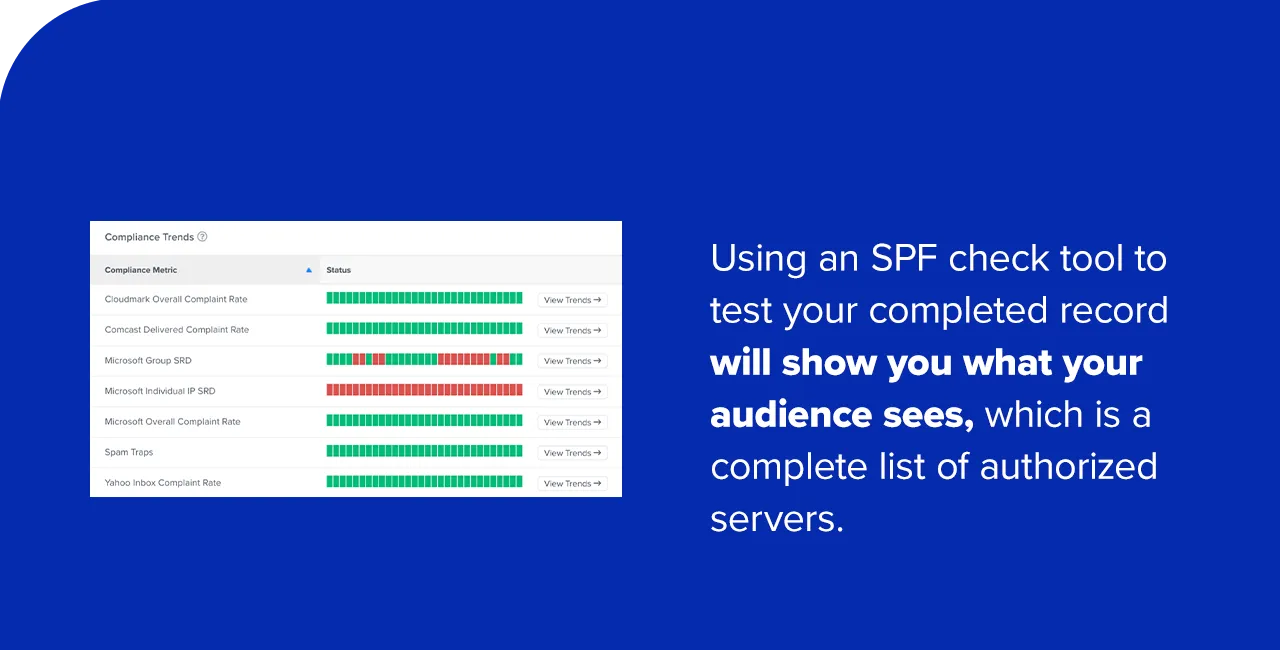
Testing your SPF record is a critical final step before launching any email campaigns. This ensures that the record is correctly formatted, published, and functions as intended. Numerous free online SPF check tools are available. These tools query your domain’s DNS and display the parsed SPF record, highlighting any potential errors or warnings.
When reviewing the output of an SPF checker, verify:
- That the record begins with
v=spf1. - That all legitimate sending IP addresses and
includemechanisms are present. - That the
allmechanism (e.g.,~allor-all) is correctly configured. - That there are no syntax errors.
- That the 10 DNS lookup limit has not been exceeded.
If any trusted IP addresses or services are missing, or if errors are detected, the SPF record must be updated and re-published. This iterative process ensures optimal configuration.
Common Errors in Email SPF Records
Incorrectly configured SPF records can lead to significant problems, including email deliverability issues, loss of domain credibility, and even an increased risk of spoofing. Awareness of common pitfalls can help prevent these issues:
- Multiple SPF Records: As previously stated, a domain must only have one SPF record. If a domain has more than one, recipient mail servers will typically return a “PermError,” causing legitimate emails to fail authentication and likely end up in spam folders. The solution is to merge all legitimate sending sources into a single, comprehensive SPF record.
- Too Many DNS Lookups: The SPF specification imposes a limit of 10 DNS lookups for
a,mx,ptr,exists, andincludemechanisms. Exceeding this limit also results in a “PermError.” This often happens whenincludemechanisms are nested too deeply or when too many third-party services are authorized. Strategies to mitigate this include “SPF flattening” (replacingincludemechanisms with the actual IP addresses they resolve to, though this requires more frequent updates) or consolidating services. - Syntax Errors: Simple typographical errors, forgotten
v=spf1tags, incorrect mechanism names, or improper spacing can render an SPF record invalid. Even minor syntax issues can lead to parsing failures, making the record ineffective. - Outdated Records: Email sending infrastructure is dynamic. Organizations frequently add new marketing platforms, switch transactional email providers, or update their internal mail servers. If the SPF record is not updated to reflect these changes, legitimate emails sent from new sources will fail authentication. Regular audits are crucial.
- Incorrect
allMechanism: Using?all(Neutral) or not having anallmechanism at all significantly weakens the SPF policy, offering little protection against spoofing. Conversely, using-all(HardFail) too aggressively without a complete understanding of all sending sources can block legitimate emails.~all(SoftFail) is a safer starting point for new implementations or during testing.
Best Practices for Managing SPF Records
Effective management of SPF records is an ongoing process that requires diligence and collaboration across different departments within an organization.
- Regular Audits: Conduct periodic reviews (e.g., quarterly or bi-annually) of your SPF records to ensure they remain accurate and up-to-date with your current email sending infrastructure. This helps identify outdated entries or missing services.
- Consolidate and Optimize: Aim for a lean and efficient SPF record. Merge multiple records into one, and where possible, consolidate
includestatements to stay within the 10 DNS lookup limit. - Implement DMARC: SPF is a foundational layer, but for comprehensive email authentication, implement DMARC (Domain-based Message Authentication, Reporting, and Conformance). DMARC leverages both SPF and DKIM (DomainKeys Identified Mail) and provides valuable reporting that helps identify unauthorized sending and potential SPF errors. DMARC reports can be instrumental in pinpointing legitimate sending sources that might be missing from your SPF record.
- Document Sending Sources: Maintain a clear, centralized document listing all services and IP addresses authorized to send email on behalf of your domain. This simplifies audits and ensures that changes to your email ecosystem are reflected in your SPF record.
- Cross-Functional Collaboration: Foster collaboration between IT, marketing, and security teams. Marketing often onboards new email services, while IT manages DNS and security monitors threats. Effective communication ensures that SPF records are always aligned with operational needs and security requirements.
- Monitor Deliverability Metrics: Regularly monitor your email deliverability rates and spam complaint rates. Sudden drops can indicate issues with your SPF record or other authentication protocols.
Broader Impact and Implications
The diligent implementation and management of SPF records extend far beyond simply preventing emails from going to spam.
- For Businesses: SPF enhances brand reputation by ensuring that customers receive authentic communications, fostering trust and reducing the risk of brand impersonation. It significantly lowers the likelihood of successful phishing attacks, thereby protecting sensitive data, preventing financial losses, and safeguarding against costly data breaches. Furthermore, strong email authentication contributes to compliance with various data privacy regulations (e.g., GDPR, CCPA) by mitigating risks associated with unauthorized access to personal information.
- For Individuals: A more secure email ecosystem means individuals receive fewer fraudulent emails, reducing their exposure to scams and identity theft attempts. This contributes to a safer and more trustworthy digital experience.
- For the Cybersecurity Landscape: SPF, in conjunction with DKIM and DMARC, forms a robust, layered defense against email-borne threats. It represents a collective industry effort to raise the bar for email security, making it harder for cybercriminals to operate. As AI-powered threats evolve, these fundamental authentication protocols become even more critical, acting as the first line of defense against highly sophisticated attacks.
Frequently Asked Questions About SPF Records
This section addresses common questions about SPF records, an essential part of email authentication.
1. What is an SPF record for?
An SPF record is primarily used to protect email senders and recipients against spoofing, phishing, and spam attacks. It mandates that a recipient’s mail server verify an email’s sending IP address against a list of authorized IP addresses published by the domain owner. This prevents malicious senders from forging email origins and pretending to send messages from a legitimate company’s domain. If the sender’s IP address matches the SPF record, the email is accepted as authentic. If it does not, the email is flagged as suspicious, potentially rejected, or marked as spam, thereby bolstering trust and improving deliverability.

2. What should be in your SPF record?
Your SPF record should always begin with the version tag v=spf1. It must then include all mechanisms (a, mx, ip4, ip6, include, etc.) necessary to explicitly authorize every host and IP address permitted to send emails on behalf of your domain. It should also contain an all mechanism (typically ~all for SoftFail or -all for HardFail) as a catch-all policy for any unlisted senders. A common example is v=spf1 a mx include:spf.yourbusinessdomainname.com ~all.
3. How much does an SPF record cost?
There is no direct cost for creating and using an SPF record. SPF is an open, publicly available standard for email authentication that does not require subscriptions or service fees. Any potential costs would be indirect, such as fees associated with your domain registrar’s DNS management services if you need to modify your DNS settings to add or update the SPF record, or the internal labor cost of your IT team.
4. Where can you publish your SPF record?
You publish your SPF record within your domain registrar’s or DNS hosting provider’s control panel. After logging into your domain account, navigate to the section for managing DNS records (often labeled “DNS management,” “Name Server Management,” “DNS Zone Editor,” or “Advanced DNS”). Select the specific domain, then add a new TXT record. The “Host” or “Name” field should typically be @ or your domain name, and the “Value” or “Text” field should contain your complete SPF record string (e.g., v=spf1 include:_spf.google.com ~all). After saving, use an SPF record checker tool to confirm correct publication and propagation.
5. How many SPF records should you have?
You should only have one SPF record per domain. The Internet Engineering Task Force (IETF) explicitly forbids multiple SPF records for a single domain. If a domain is found to have more than one SPF record, mail servers will typically return a “PermError,” causing all emails from that domain to fail SPF authentication and likely be treated as spam. If you need to include multiple sending sources, you must merge them into a single, comprehensive SPF record using the appropriate mechanisms.
SPF Records: A Vital Piece of the Email Deliverability Puzzle
At Validity, we empower organizations with the knowledge and tools necessary to forge effective email marketing strategies and secure digital communications. Understanding how to create and manage a mail SPF record is not merely a technicality; it is a fundamental step in bolstering both your cybersecurity posture and the reliability of your email deliverability. SPF records, when correctly implemented, act as a digital sentry, verifying sender identities and safeguarding your brand’s integrity. While SPF is a powerful defense, it is most effective when integrated into a broader email authentication strategy that includes DKIM and DMARC. For an easy, 30-minute breakdown of SPF and these other critical authentication protocols, we recommend watching our on-demand webinar, “An Email Marketer’s Crash Course in DMARC, SPF, and DKIM.” Proactive email authentication is no longer optional; it is a prerequisite for successful and secure digital engagement in today’s threat-filled landscape.


 Ammar Sabilarrohman
 Asro
Asro