rifanmuazin
In an increasingly competitive digital landscape, where over 5.44 billion individuals actively engage across various social media platforms, the strategic management of content has become paramount for businesses and marketers. The days of relying on rudimentary spreadsheets or ad-hoc posting schedules are rapidly fading, replaced by sophisticated content calendar tools designed to orchestrate complex digital marketing operations. These specialized software solutions are no longer a luxury but a fundamental necessity for maintaining consistent brand presence, optimizing resource allocation, and effectively engaging target audiences across diverse channels.

The Evolution and Necessity of Content Calendar Tools
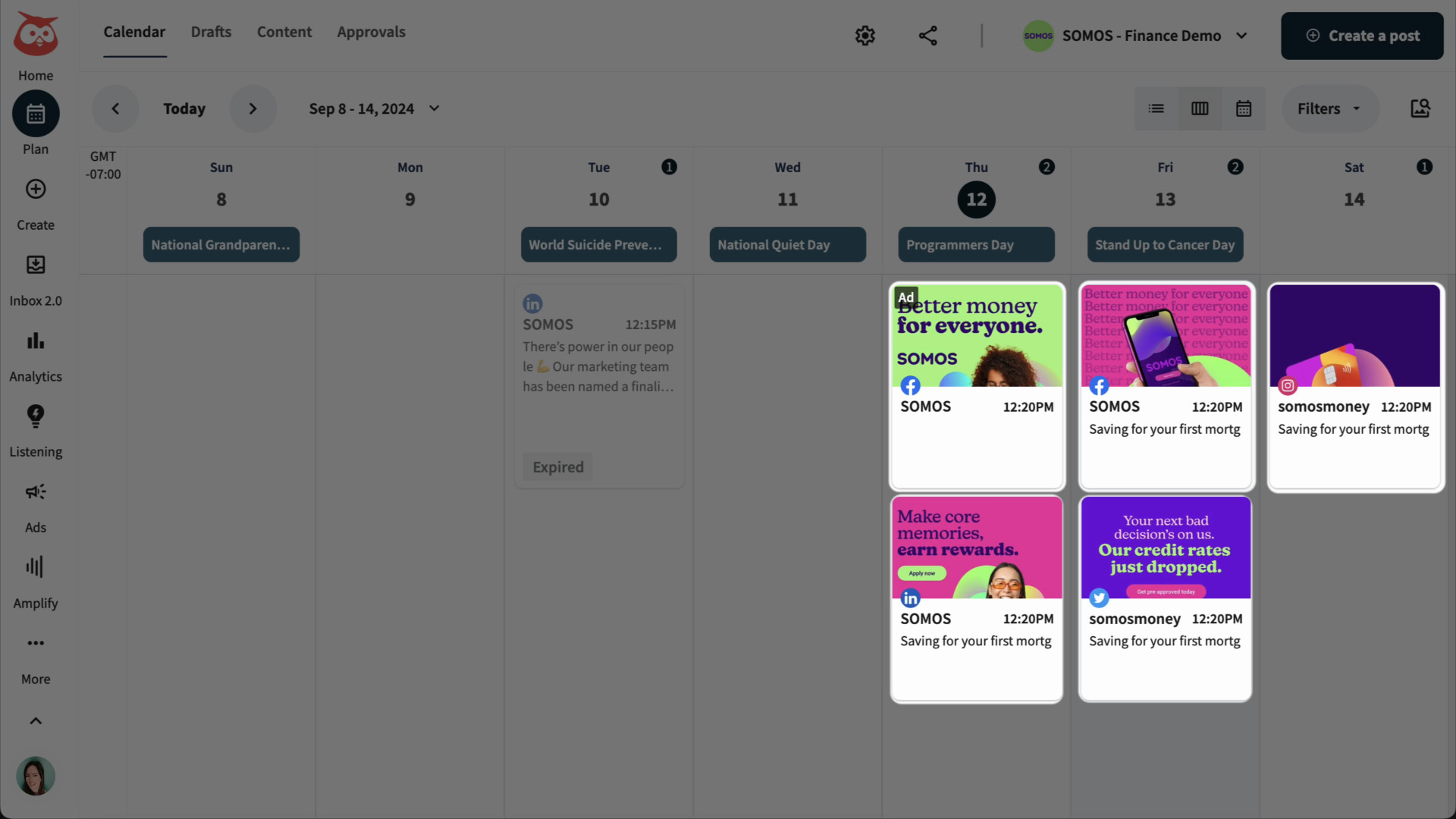
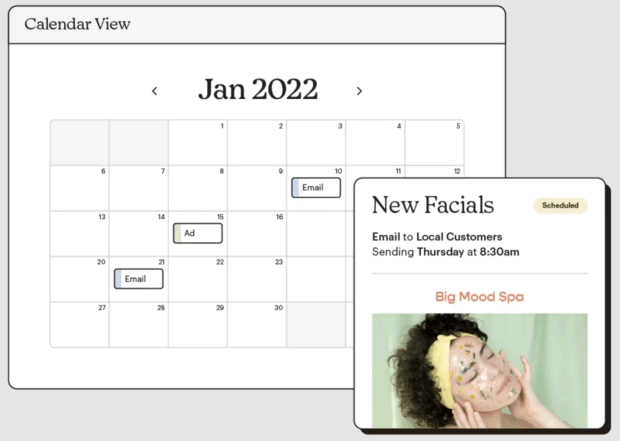
Content calendar tools represent a significant leap from traditional content planning methods, offering a centralized hub for planning, scheduling, managing, and distributing digital content across an array of platforms. This encompasses not only social media accounts but also blogs, email campaigns, and other critical marketing channels. The primary objective is to bring order to the often chaotic process of content creation and dissemination, ensuring a steady, strategic flow of information that aligns with broader marketing objectives.
The shift towards dedicated content management software has been driven by several factors. Firstly, the proliferation of social media platforms, each with its unique audience demographics, content formats, and optimal posting times, necessitates a holistic view of content deployment. Secondly, modern content strategies demand more than just posting; they require careful planning of content pillars, audience segmentation, performance tracking, and real-time adjustments. Thirdly, as marketing teams grow in size and complexity, effective collaboration and approval workflows become critical to avoid bottlenecks and maintain brand consistency.
Carolina Horna, a Freelance Creative Director and Brand Strategist with over a decade of experience in the social media domain, underscores this necessity. "Using a dedicated tool as opposed to a Google Doc or spreadsheet adds a level of organization and clarity that is hard to achieve without it," Horna states. "With a content calendar tool, I’m able to see my strategy come to life, maintain my content pillar distribution, and collaborate easily with my team." She further highlights the flexibility offered by these tools, noting, "Within the content calendar tool I use, you’re able to toggle between different views (such as spreadsheet, calendar, kanban, etc.). This helps me manage my team’s time effectively since I can create a view that suits their involvement in my project. They never need to see or sift through content that doesn’t apply to them."
Distinguishing Content Calendars from Social Media Calendars
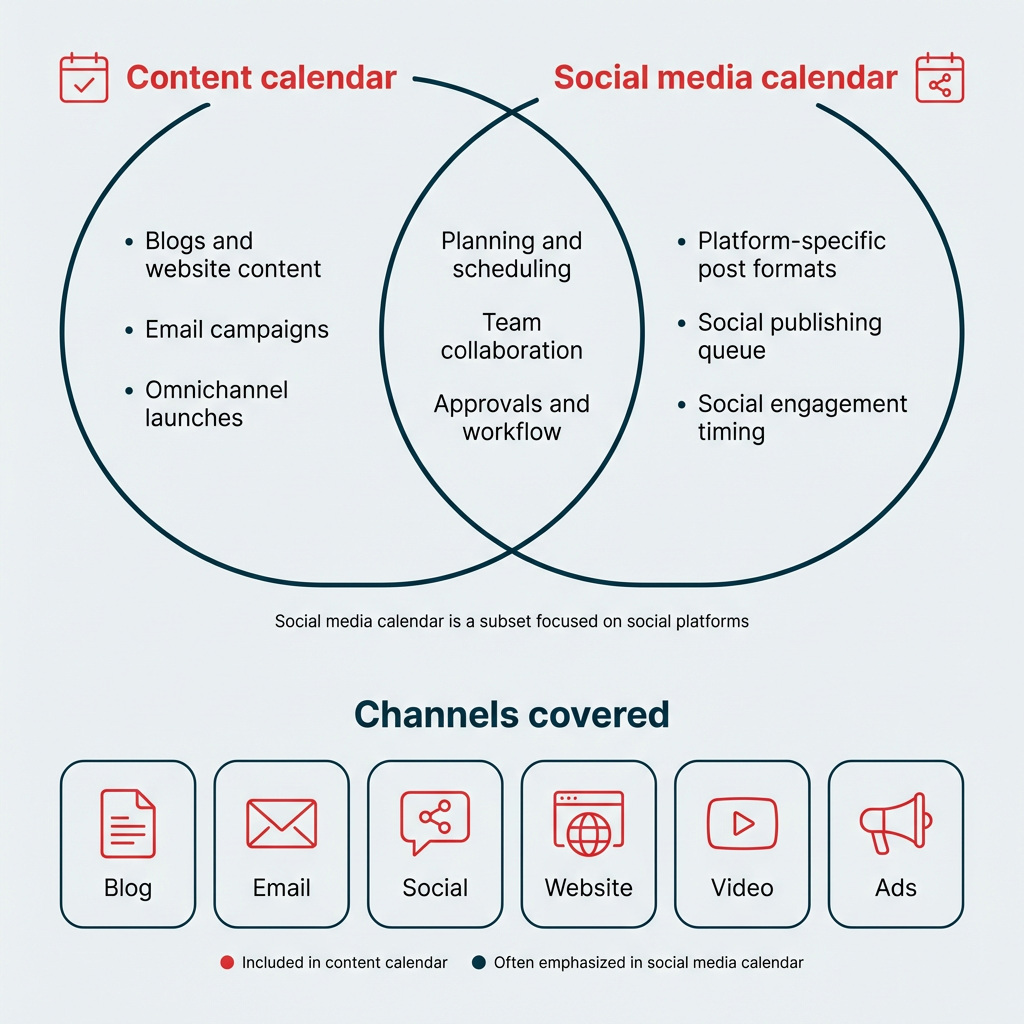
While often used interchangeably, it is important to distinguish between a general content calendar and a social media-specific calendar. A content calendar provides an overarching view of all planned content, spanning email newsletters, blog posts, website updates, and social media campaigns. Its scope is holistic, aiming for integrated messaging across an entire digital ecosystem. In contrast, a social media calendar focuses exclusively on posts scheduled for platforms like Facebook, Instagram, Twitter, LinkedIn, and TikTok. For organizations whose content strategy extends beyond social platforms, a comprehensive content calendar tool offers a more complete and synchronized publishing overview.
Transformative Benefits for Marketing Teams

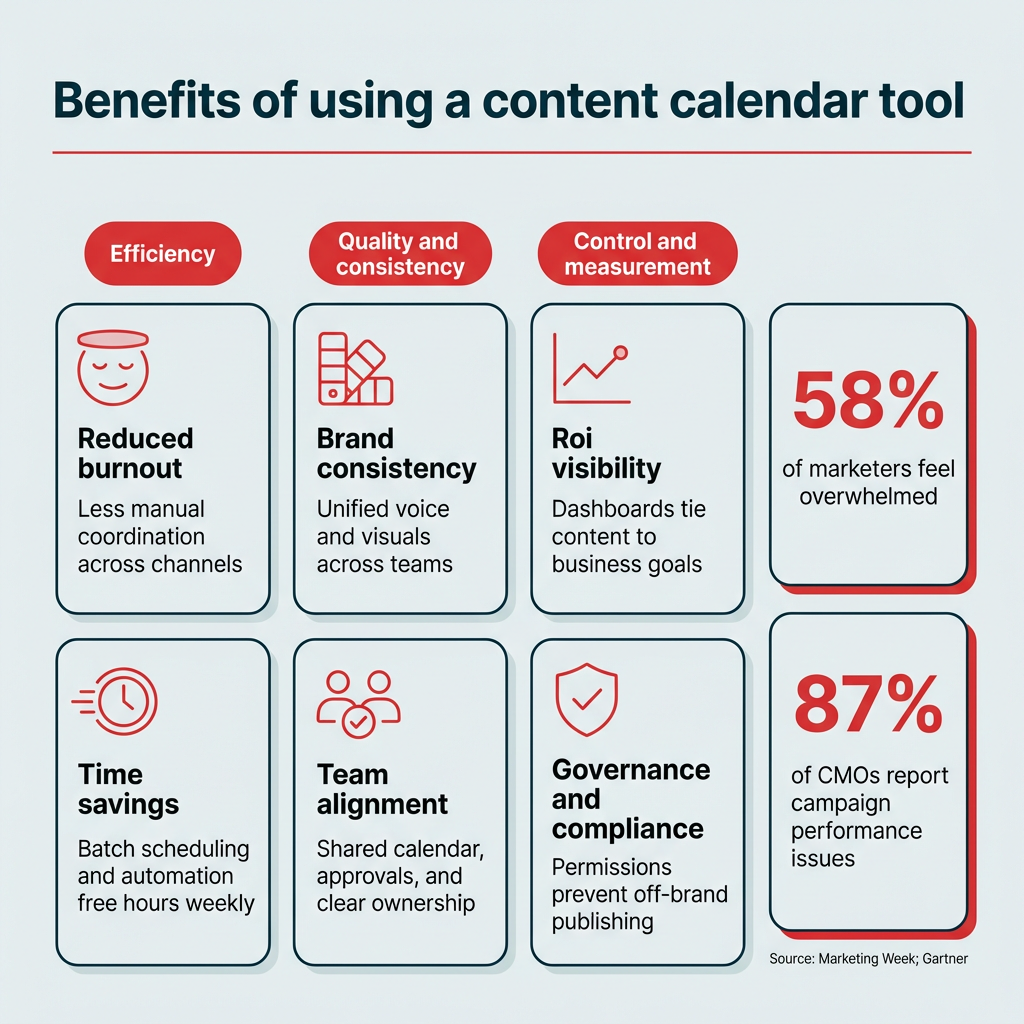
The adoption of a dedicated content calendar tool yields a multitude of benefits that extend beyond mere scheduling, transforming a potentially chaotic publishing process into a repeatable, scalable system:
- Enhanced Organization and Efficiency: Centralizing content planning eliminates scattered documents and disparate communication threads, consolidating all content-related information in one accessible location. This significantly reduces administrative overhead and frees up time for creative and strategic tasks.
- Improved Team Collaboration: Features such as shared calendars, task assignments, and integrated approval workflows streamline communication among team members—writers, designers, strategists, and approvers. This ensures everyone is aligned, deadlines are met, and content flows smoothly through its production lifecycle.
- Consistent Brand Messaging: A clear content roadmap ensures that brand voice, tone, and key messages remain consistent across all platforms and content types, reinforcing brand identity and fostering stronger audience recognition.
- Strategic Content Planning: By providing a visual overview of upcoming content, these tools enable marketers to identify content gaps, maintain a balanced mix of content pillars, and strategically align posts with marketing campaigns, holidays, or industry trends.
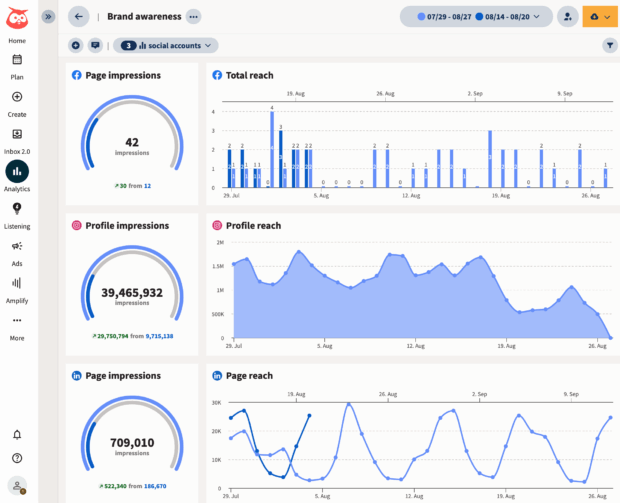
- Data-Driven Optimization: Integration with analytics allows teams to track content performance, identify what resonates with their audience, and make data-informed adjustments to future content strategies, thereby maximizing engagement and return on investment.
- Reduced Stress and Errors: Proactive planning and automated scheduling minimize last-minute rushes and the potential for errors, leading to a more professional and polished online presence.
Leading Content Calendar Tools in 2026: A Comparative Analysis
The market for content calendar tools is robust, offering solutions tailored to various team sizes, budgets, and specific needs. Choosing the right tool involves assessing workflow requirements, desired features, and integration capabilities. Below is an analytical overview of prominent tools, categorized by their primary strengths and target users.
1. Enterprise-Grade and All-in-One Solutions:
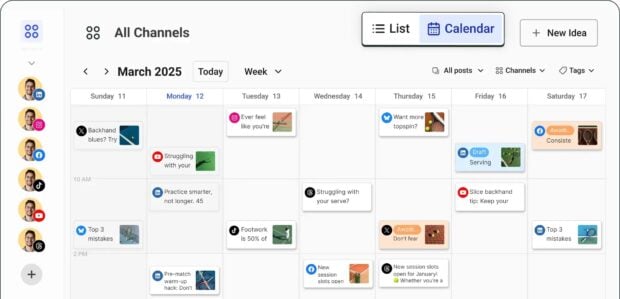
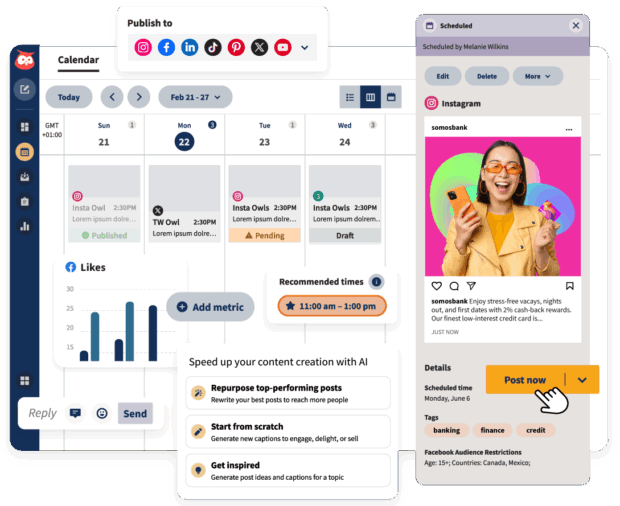
- Hootsuite: Positioned as a full-service social media management platform, Hootsuite offers one of the most comprehensive content calendars available. It consolidates all social channels, enabling drag-and-drop scheduling, bulk post management, and real-time calendar updates. Its AI-powered features, such as OwlyWriter AI for content creation, a rich content library, and robust integrations (e.g., Canva), provide significant creative and operational assistance. Enterprise-level analytics tools and granular approval workflows further empower large teams to optimize social strategies and manage crisis communications effectively. Christina Minshull, Head of Marketing at Stocksy, attests to its versatility: "We’re publishing and scheduling, we use it for approval systems and crisis management, we use the content library to help with efficiency, tagging to make meaningful decisions, and use the listening platform to see what our audience is talking about and see where content gaps exist." Pricing starts at $199/month after a 30-day free trial.
- Sprinklr: Designed for enterprise-level organizations, Sprinklr is an omnichannel customer experience management platform that includes extensive content publishing capabilities. It excels in managing content, engagement, listening, advertising, and analytics across dozens of channels. Its enterprise-grade features and strong compliance/permissions make it suitable for highly regulated industries or global corporations. However, its comprehensive nature comes with a significant cost and a steep learning curve. Pricing is typically not publicly listed, with self-serve plans potentially starting around $299-$359/month for smaller teams within an enterprise context.
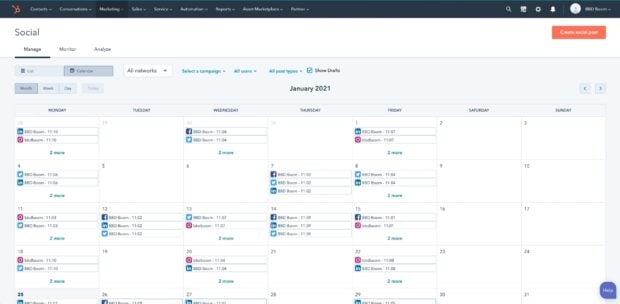
- HubSpot: As part of its broader marketing and CRM platform, HubSpot offers social publishing tools. It is particularly advantageous for B2B organizations and mid to enterprise marketing teams already embedded in the HubSpot ecosystem. Its strength lies in unified marketing and sales views, robust automation, and seamless integration with CRM, enabling coordinated messaging across email, social, and sales funnels. While powerful for integrated campaigns, its social features can sometimes be secondary to its core CRM and email marketing functionalities. Offers free plans, with paid tiers ranging from $15/month to $4,700/month for enterprise solutions.
2. Project Management Hybrids for Collaborative Workflows:
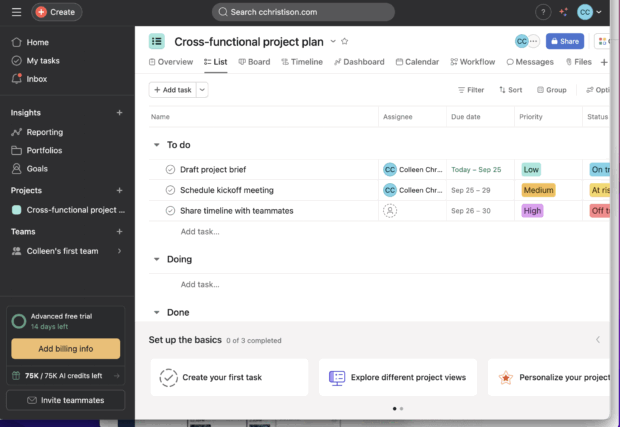
- Asana: Primarily a project management platform, Asana adeptly functions as a content calendar for teams requiring cross-departmental coordination. Its strength lies in project and workflow management, offering calendar views, task assignments, and customizable templates. It is excellent for collaboration and scaling workflows, particularly when content creation involves multiple stakeholders and handoffs beyond just social media. Offers free starter plans, with paid tiers from $14.49/month to $32.99/month.
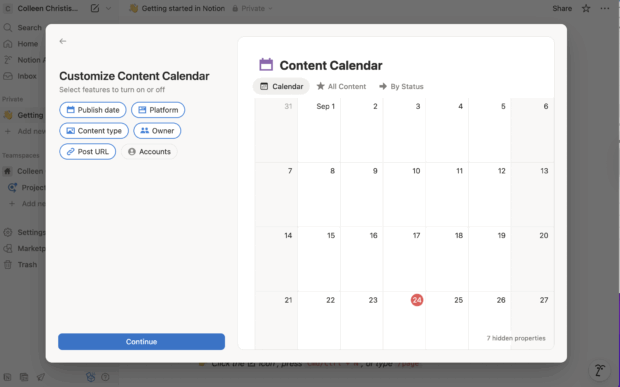
- Notion: A highly flexible workspace, Notion allows users to construct custom content calendars using customizable databases, templates, and linked pages. It is ideal for individuals or teams who desire complete control over their planning system’s structure and aesthetics, serving well for lightweight content planning, knowledge bases, and hybrid editorial workflows. Its affordability and versatility are key advantages, though it requires initial setup and lacks native automation for publishing. Offers free starter plans, with paid tiers from $10/month to $20/month.
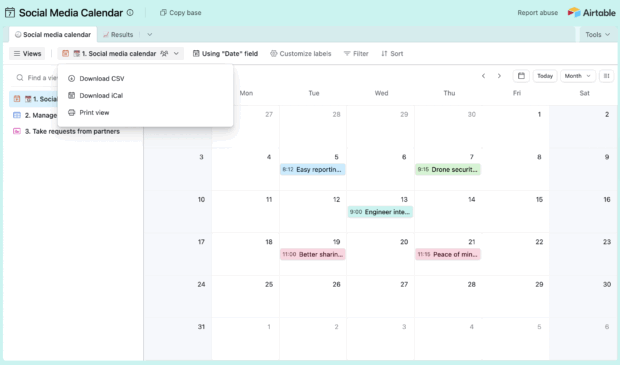
- Airtable: Blending the familiarity of a spreadsheet with the power of a relational database, Airtable is favored by mid to large marketing teams looking to build bespoke content planning systems. It offers multiple views, automations, and linked records, making it powerful for content planning and asset management. Its flexibility in data modeling is a major pro, but it does not natively publish to social media, requiring integrations or manual steps. Offers free plans, with paid tiers from $20/month to $45/month per seat.
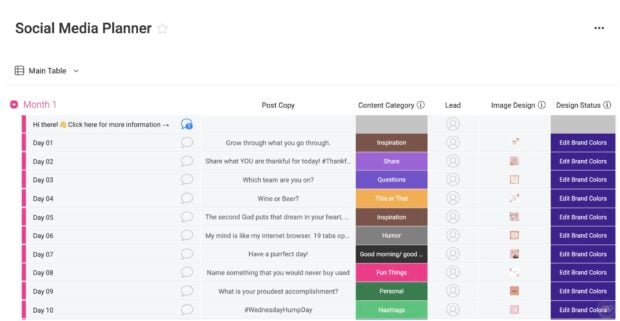
- Monday.com: A work management platform, Monday.com provides customizable boards, automations, and dashboards that can be configured as a content calendar. It functions effectively as a central hub for marketing teams coordinating content alongside other projects, especially for managing multiple workflows and campaigns across departments. Offers free plans, with paid tiers from $10/month to $26/month.
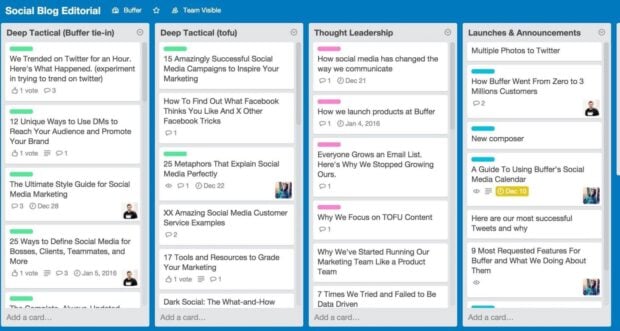
- Trello: Utilizing a straightforward board-and-card system, Trello simplifies mapping out content ideas, tracking progress, and moving posts through various stages. It is a low-barrier option for solopreneurs and small marketing teams seeking visual planning without a steep learning curve. While intuitive for ideation and lightweight planning, it lacks native social features and can become unwieldy with increasing scale. Offers free plans, with paid tiers from $5/month to $17.50/month.
3. Creator and Small Team Focused Platforms:
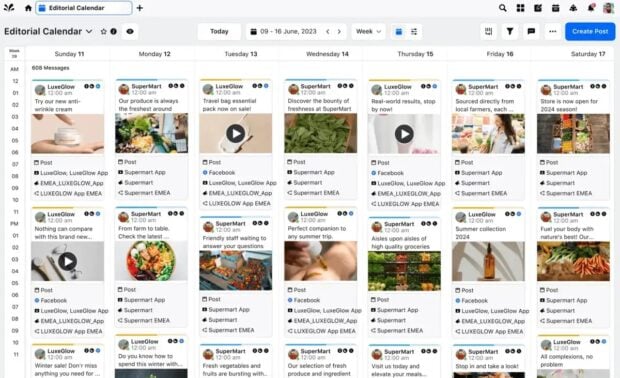
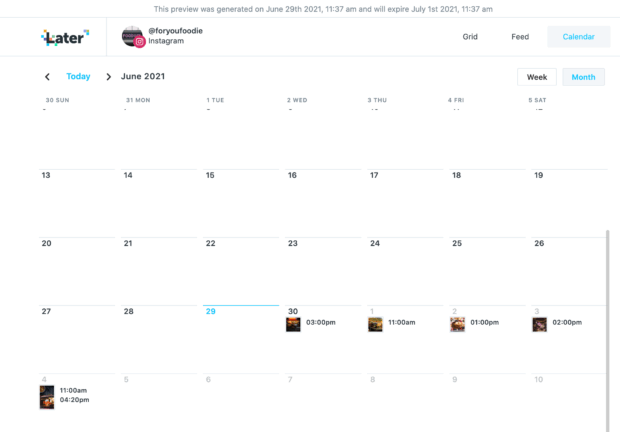
- Later: A visual-first scheduling tool, Later is built around a drag-and-drop calendar and a robust media library. It caters to creators and small teams, particularly those with highly visual brands (e.g., fashion, food, lifestyle), enabling them to preview exactly how content will appear before publishing. Plans range from $18.75/month to $82.50/month.
- Buffer: Known for its clean interface and low learning curve, Buffer is a lightweight scheduling tool. It serves as an excellent entry point for solopreneurs or small teams requiring basic scheduling without the complexity of a full social media suite. It offers scheduling, basic analytics, and content queueing, prioritizing simplicity and affordability. Offers free plans, with paid tiers from $5/month to $10/month.
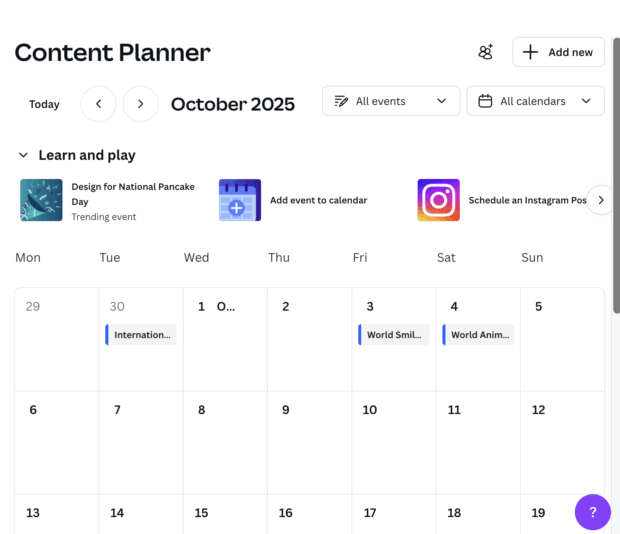
- Canva Pro: Primarily a design tool, Canva Pro integrates a content planner that allows users to schedule posts directly from the platform where they create visual content. It is a convenient choice for solopreneurs, small marketing teams, and freelancers heavily reliant on visual content creation. While strong for graphics and intuitive to use, its scheduling features are basic compared to dedicated social suites. Pro plans start at $19/month per seat.
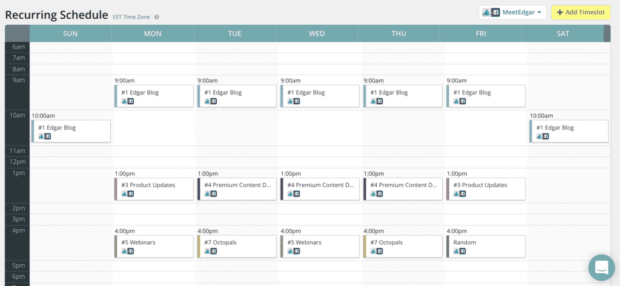
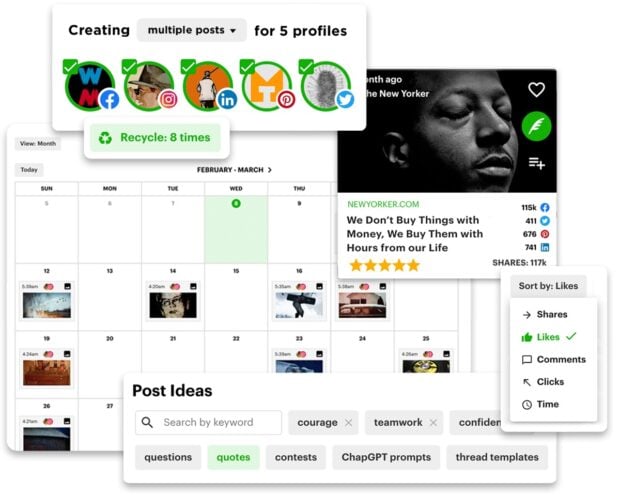
- MeetEdgar: This tool specializes in automating evergreen content by recycling top-performing posts on a predefined schedule. It’s an ideal "set-it-and-forget-it" option for solopreneurs or very small teams aiming to maintain active profiles with minimal daily manual effort. Its strength lies in content re-use, though it offers weaker analytics and limited collaboration features. Paid plans range from $29.99/month to $49.99/month.
- Post Planner: Combining content curation with scheduling, Post Planner assists teams struggling with ideation by suggesting trending content ideas. It enables users to queue curated content alongside their original posts, offering decent hands-off scheduling. Its analytics and collaboration features are more basic, and media features might lag more comprehensive platforms. Offers free plans, with paid tiers from $7/month to $57/month.
- Mailchimp: Best known for email marketing, Mailchimp also incorporates social scheduling tools, allowing users to plan social posts concurrently with email campaigns. It suits mid to enterprise teams focused on integrated email and social messaging from a single platform, ensuring consistent communication. Offers a free trial, with paid plans scaling significantly based on contact list size, from $27.85/month for 500 contacts to $946.74/month for 100,000 contacts.
4. Niche Specialist:
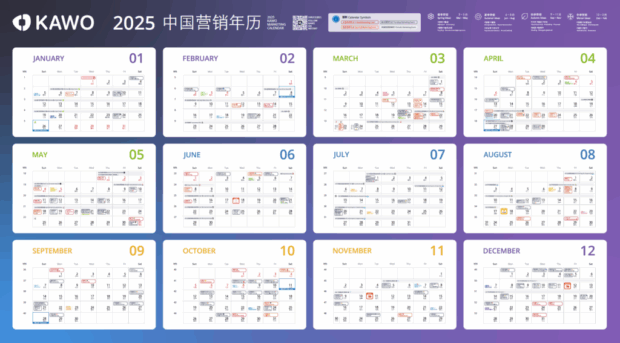
- KAWO: This platform is a niche content calendar tool specifically designed for publishing to Chinese social networks such as WeChat, Weibo, and Douyin. It addresses a critical gap, as most Western tools do not support these platforms, making it invaluable for enterprise and mid-size companies targeting the Chinese market. Its utility is largely confined to Chinese platforms, limiting its global applicability. Pricing is not publicly available but estimates suggest plans from $4,000 to $29,600/year.
The Transformative Impact of AI on Content Calendar Tools
Artificial intelligence has rapidly transitioned from a novel feature to a standard component across many leading content calendar platforms, fundamentally altering how marketing teams operate. AI’s integration into these tools primarily enhances efficiency and strategic capabilities:
- Automated Content Generation: AI-powered writing assistants can draft social media captions, blog outlines, or headline variations, significantly reducing the initial creative burden on content creators.
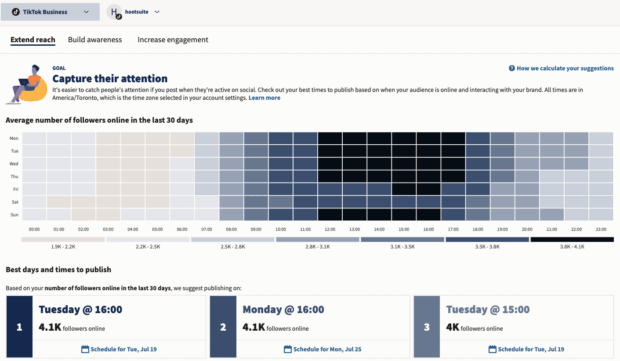
- Optimized Scheduling: Algorithms analyze past performance data and audience engagement patterns to recommend the best times to post, maximizing reach and interaction.
- Content Curation and Ideation: AI can identify trending topics, popular hashtags, and relevant content ideas, helping marketers stay current and generate fresh content concepts.
- Performance Prediction: Some AI tools can predict the potential performance of content before it’s published, offering insights into engagement likelihood and suggesting modifications.
- Personalization: AI can assist in segmenting audiences and tailoring content for specific demographics, leading to more targeted and effective campaigns.
While AI does not replace human creativity or strategic oversight, it automates mundane tasks and provides data-driven insights, enabling marketing teams to be more productive and agile. When evaluating tools, the practical integration of AI into daily workflows, rather than its mere presence as a feature, becomes a key differentiator.
Strategic Selection: Choosing the Right Tool
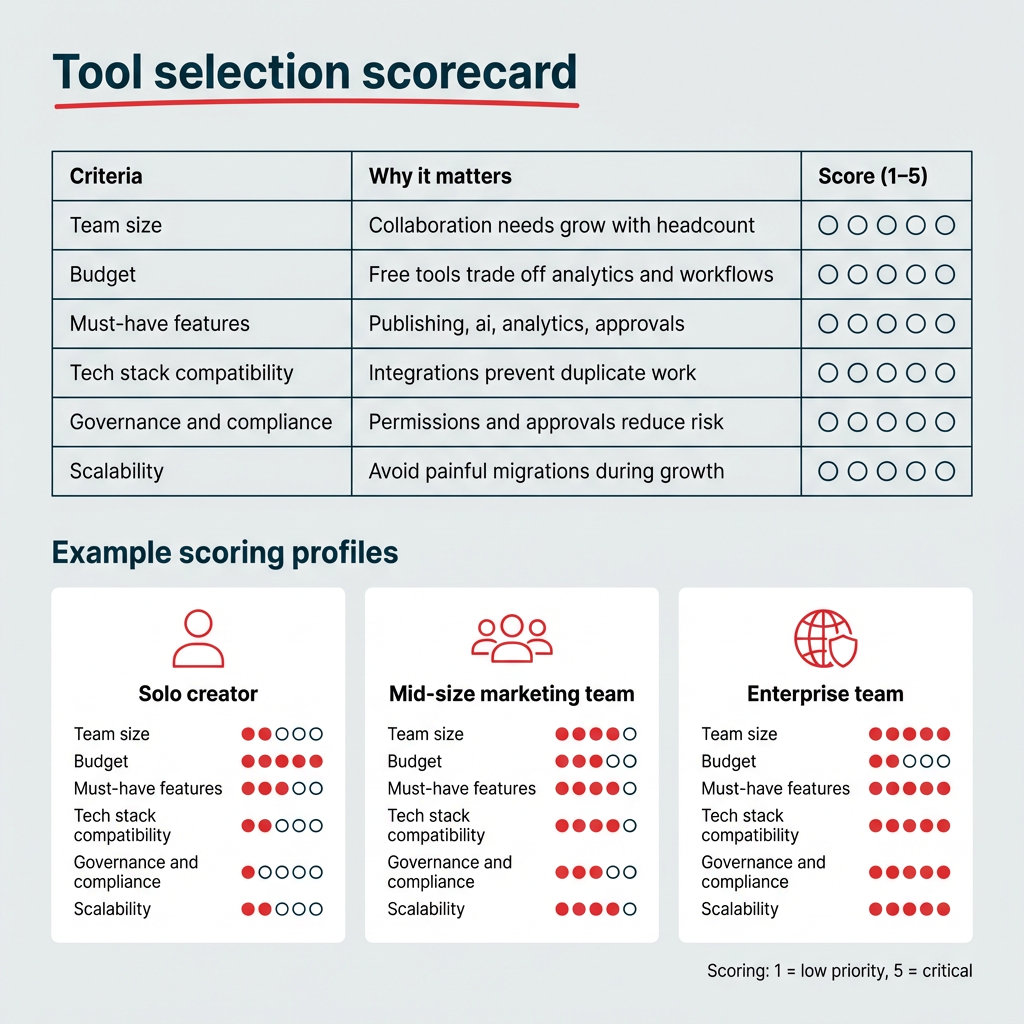
The process of selecting the optimal content calendar tool begins with a thorough assessment of an organization’s specific needs, rather than solely pursuing the longest feature list. Key considerations include:
- Team Size and Structure: Are you a solopreneur, a small marketing team, or a large enterprise with multiple departments and brands?
- Budgetary Constraints: Free plans, mid-tier subscriptions, and enterprise solutions offer vastly different price points and feature sets.
- Required Features: Prioritize core functionalities such as scheduling, multi-platform publishing, collaboration, approval workflows, and analytics.
- Integration Needs: Assess compatibility with existing marketing tools (CRM, design software, analytics platforms).
- Scalability: Will the tool accommodate future growth and evolving content strategies?
- Ease of Use: A user-friendly interface minimizes the learning curve and maximizes adoption across the team.
- Specific Channel Focus: If managing content for niche platforms (e.g., Chinese social media), a specialized tool may be necessary.
As Carolina Horna advises, "Get your hands dirty and try out as many features as the tool has available. If your tool offers free templates, explore how some of those setups could improve your own template and workflow." She further illustrates the customization potential, noting how she configured her tool to filter copywriting and design requirements into separate spreadsheets for team members, ensuring they "only have to go to one place to see which content needs their expertise." Leveraging free trials is an invaluable step to test the tool’s fit within actual workflows before making a financial commitment.
Implementing an Effective Content Calendar
Once a tool is selected, establishing a robust content calendar follows a structured process:
- Define Clear Goals: Articulate what the content aims to achieve—e.g., driving brand awareness, generating leads, supporting product launches. These objectives will dictate content types, posting frequency, and measurement metrics.
- Audit Existing Content: Review past performance to identify successful content, opportunities for repurposing, and existing content gaps. This prevents redundant efforts and informs future strategy.
- Configure Calendar Structure: Set up the chosen tool with essential fields such as publish date, target platform(s), content type, current status (draft, pending approval, scheduled, published), assigned team member, and relevant tags. Many tools offer customizable templates to expedite this setup.
- Plan Content Themes and Pillars: Establish recurring themes or content pillars that resonate with the brand and audience. This ensures a diverse and balanced content diet, preventing repetitive messaging.
- Schedule and Assign Content: Batch content creation and scheduling. Assign tasks to writers and designers, set internal review deadlines, and queue posts for publishing. Tools with built-in approval workflows are crucial for larger teams to maintain quality control.
- Regular Review and Optimization: A content calendar is a living document. Regularly analyze performance data from the tool’s analytics, adjust posting cadences based on audience engagement, and refine content themes to align with evolving trends and audience preferences. This iterative process is key to continuous improvement and maximizing content effectiveness.
A meticulously maintained content calendar transforms an otherwise reactive posting approach into a proactive, scalable system that adapts to the dynamic demands of digital marketing, empowering teams to achieve greater consistency, efficiency, and impact.